






- ABP Framework version: v6.0.1
- Database System: EF Core (PostgreSQL)
Hello, we are trying to implement a continuous deployment of our ABP Core App via Github Actions.
The deployment to our Azure infrastructure works just fine, but we are also trying to apply the database migrations onto our DB (also in azure). The relevant parts of the workflow are:
- name: Setup .NET Core SDK
      uses: actions/setup-dotnet@v1
      with:
        dotnet-version: '6.0.x'

- name: Install ABP CLI
      run: dotnet tool install -g Volo.Abp.Cli --version 6.0.1

- name: Install ABP libs
      run: abp install-libs`

... # Other deployment steps (not relevant)

- name: ABP Login
      id: abp_login
      run: abp login "$ABP_COMMERCIAL_LOGIN" -p "$ABP_COMMERCIAL_PASS"

- name: Run Migrations
      run: cd src/Cincaporc.OurAppName.DbMigrator && dotnet run --Environment Production && cd

- name: ABP Logout
      if: ${{ always() && steps.abp_login.conclusion == 'success' }}
      run: abp logout
This should work just fine as we do a login, apply the migrations and the consequent logout but we get the following licensing error:
[03:18:46 INF] Started database migrations...
[03:18:46 INF] Migrating schema for host database...
[03:18:47 ERR] ABP-LIC-0012 - License Error! Given user 'ina********' has reached the maximum allowed developer computer count (2) for the organization 'Cincaporc'! Can not use the license in a new computer. Contact to license@abp.io if you think that this is an error.
[03:18:47 ERR] ABP-LIC-ERROR - License check failed for 'Volo.Abp.Identity.Pro.Domain-v6.0.1.0'.
How could we approach our workflow so that we can execute the migrations from it without this licensing error?
Thanks in advance,
13 Answer(s)
-
0
hi
Can not use the license in a new computer. Contact to license@abp.io if you think that this is an error.
Please contact to license@abp.io
If you have
AbpLicenseCodein yourappsettings.json, you don't need to log in to your abp account in pipeline.Markdown supported.Copy, paste, or drag & drop images and files (max 100 MB per file, 100 MB total per post) -
0
Hi, We have already removed the login part from ABP in the Github Actions. Our license is on file appsettings.secrets.json. Now when we run the Github Actions in the migration part it shows us the following error: Error: Process completed with exit code 214.
Markdown supported.Copy, paste, or drag & drop images and files (max 100 MB per file, 100 MB total per post) -
0
first of all, no need to log out
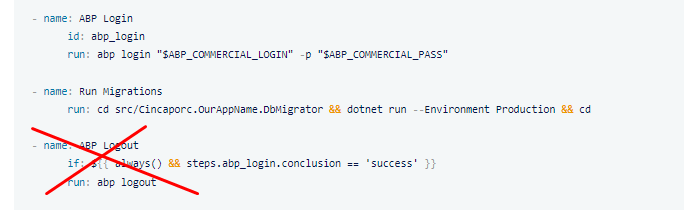
Secondly, you have three developer seats, and you can use a maximum of six computers for development. As I see from the records, you already used all your computer credits. What you need to do is publish your application in Release mode; don't set your Environment to Development.
PS: I cleared your paired computer history.
Markdown supported.Copy, paste, or drag & drop images and files (max 100 MB per file, 100 MB total per post) -
0
Thanks for your responses.
Now that you have cleared the paired computer history we will try with:
AbpLicenseCode in appsettings.json
And we will also not login, nor logout.
One last doubt, will every runner on Github compute as a new paired computer?
Markdown supported.Copy, paste, or drag & drop images and files (max 100 MB per file, 100 MB total per post) -
0
normally you don't need to login/logout for deployment. it's only needed for development time. but I guess your production computer is in Development mode?!
https://support.abp.io/QA/Questions/245/ABP-LIC-0008---License-check-failed-for-%27XXXXX%27#answer-85d755eb-1748-55bd-0ffc-39f5de3630ae
also see this post https://support.abp.io/QA/Questions/817/How-to-delete-current-license-login-session#answer-4cbc8f13-c7f3-84fa-7fc8-39fa2688df13
Markdown supported.Copy, paste, or drag & drop images and files (max 100 MB per file, 100 MB total per post) -
0
I have tried with AbpLicenseCode to no avail, both in appsettings.secrets.json and as an environment variable.
The error we get now is:
Error: Process completed with exit code 214.
In this case ASPNETCORE_ENVIRONMENT is not Development but Staging as we use this profile for our staging platform before applying changes to Production.
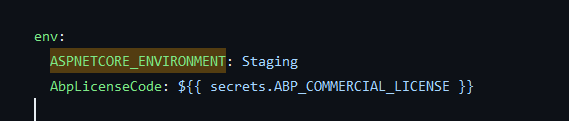
You can see the appsettings.Staging.json that gets used on the run:
Not sure how to proceed as it is not set to Development mode.
{
  "ConnectionStrings": {
    "Default": "REDACTED"
  },
  "OpenIddict": {
    "Applications": {
      "WebApp_Web": {
        "ClientId": "WebApp_Web",
        "ClientSecret": "REDACTED",
        "RootUrl": "https://REDACTED-dev.cincaporc.com"

      },
      "WebApp_Web_Public": {
        "ClientId": "WebApp_Web_Public",
        "ClientScret": "REDACTED",
        "RootUrl": "https://REDACTED-dev.cincaporc.com/"
      },
      "WebApp_Web_Public_Tiered": {
        "ClientId": "WebApp_Web_Public_Tiered",
        "ClientSecret": "REDACTED",
        "RootUrl": "https://REDACTED-dev.cincaporc.com/"
      },

      "WebApp_Swagger": {
        "ClientId": "WebApp_Swagger",
        "ClientSecret": "REDACTED",
        "RootUrl": "https://REDACTED-dev.cincaporc.com/"
      }
    }
  }
}
Markdown supported.Copy, paste, or drag & drop images and files (max 100 MB per file, 100 MB total per post) -
0
Yes, we are not publishing in Debug mode. We have two workflows, one for production where we run the DB Migrator as:
cd src/Cincaporc.WebApp.DbMigrator && dotnet run --Environment Production --configuration Release && cdAnd one for staging where we use ASPNETCORE_ENVIRONMENT=Staging. Both fail.
Full output of the command:
[14:50:18 INF] Started database migrations...
[14:50:18 INF] Migrating schema for host database...
[14:50:18 ERR] ABP-LIC-ERROR - License check failed for 'Volo.Saas.Domain-v6.0.1.0'.
You need to log in using the command `abp login <username>`.
For more information, contact to license@abp.io.
Error: Process completed with exit code 214.
Markdown supported.Copy, paste, or drag & drop images and files (max 100 MB per file, 100 MB total per post) -
0
Hi,
Could you try
dotnet publish -c Releasefirst?Markdown supported.Copy, paste, or drag & drop images and files (max 100 MB per file, 100 MB total per post) -
0
We have changed the command to:
    - name: Run Migrations
      run: cd src/Cincaporc.WebApp.DbMigrator && dotnet publish -c Release && dotnet run --Environment Production --configuration Release && cd
The error is still the same.
[09:43:09 INF] Started database migrations...
[09:43:09 INF] Migrating schema for host database...
[09:43:09 ERR] ABP-LIC-ERROR - License check failed for 'Volo.Abp.Identity.Pro.Domain-v6.0.1.0'.
You need to log in using the command `abp login <username>`.
For more information, contact to license@abp.io.
Error: Process completed with exit code 214.
Markdown supported.Copy, paste, or drag & drop images and files (max 100 MB per file, 100 MB total per post) -
0
You should run the released program file,
this is my test:
Not working with
dotnet run --Environment Production --configuration Release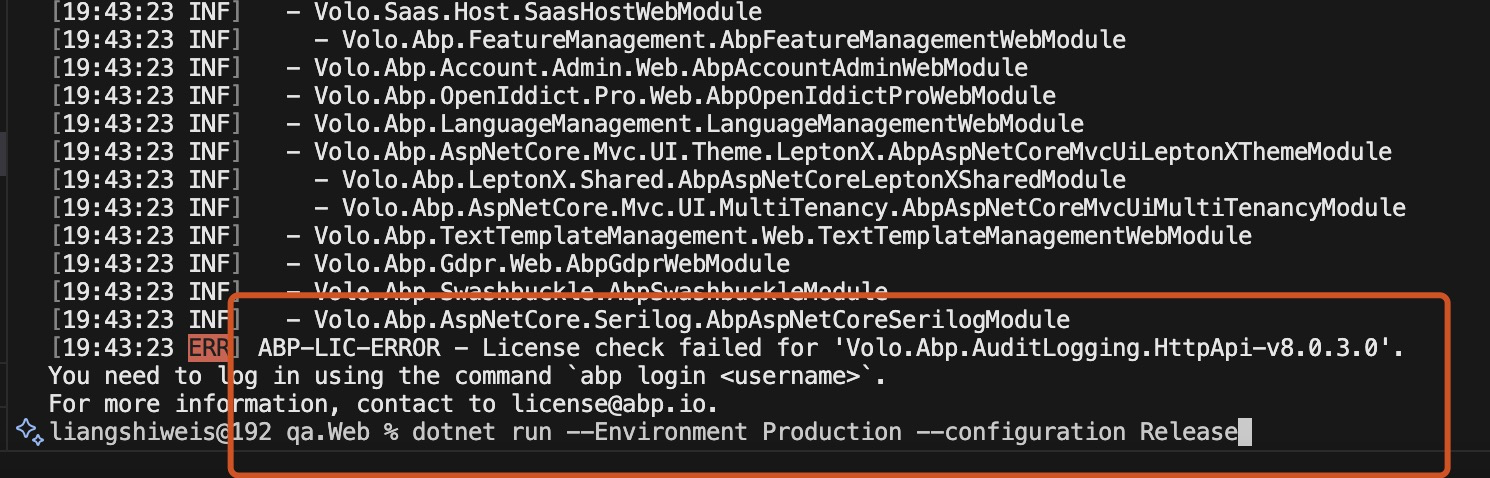
working with run the published file
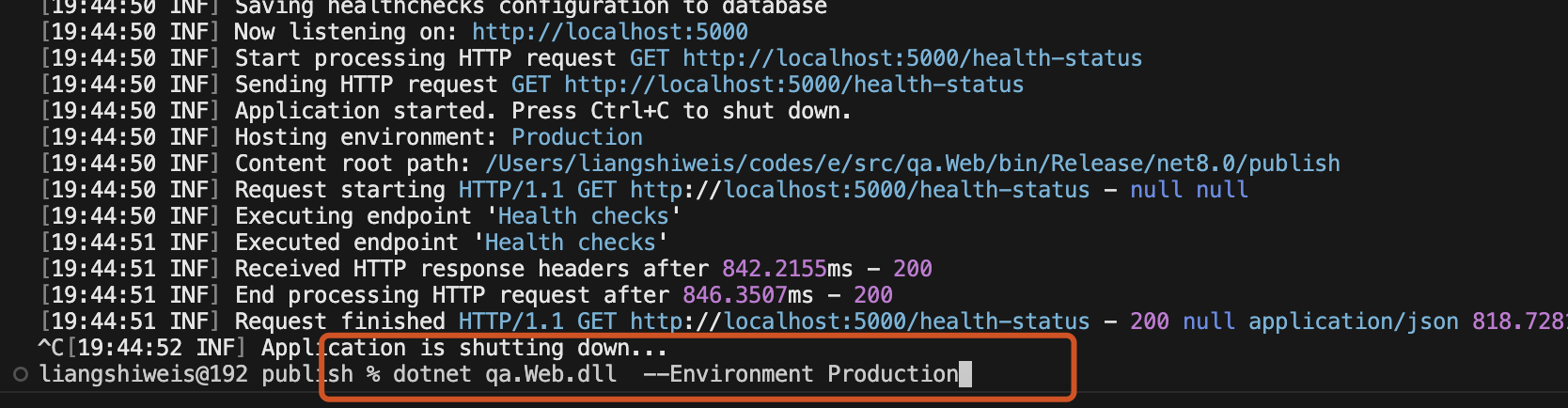 Markdown supported.Copy, paste, or drag & drop images and files (max 100 MB per file, 100 MB total per post)
 -
0
Thank you very much! I can confirm that by first publishing and then executing the DLL works perfectly.
For reference:
- name: Prepare Migrations
  run: cd src/Cincaporc.WebApp.DbMigrator && dotnet publish -c Release && cd

- name: Run Migrations
  run: cd src/Cincaporc.WebApp.DbMigrator && dotnet bin/Release/net6.0/publish/Cincaporc.WebApp.DbMigrator.dll --Environment Staging && cd
Markdown supported.Copy, paste, or drag & drop images and files (max 100 MB per file, 100 MB total per post)



