






hi sir, I tried the (many 2 many) sample project according your documentation and it works well and tried to customize my own code and also it works well i added new field after select my book category to write comment or note and when i click on add it works well
BUT
there is a Serious error showed when i tried to delete from that grid table like video below note: i added (alert) just for test note: i attached video link to show the problem what i did: 1- Added new input field (second img) 2- duplicate your code but with different names (it is not logic to repeat the code but IDK what should i do except repeating the code) if there is a way to add more fields without repeating code please tell me how. 3- what should i write in the delete looping code ???? 4- I tried to use (splice method) to delete row but i can't catch the array where is the id of array? 5- how can i change (add) button style where is the css file ? 6- it's still in the create mode i hope not to face errors when jumping to edit mode because next step i will use that code with master detail i hope to figure out how to make it before asking you. appreciate your efforts thank you
the problem video: https://files.fm/f/jajsq7zhrh
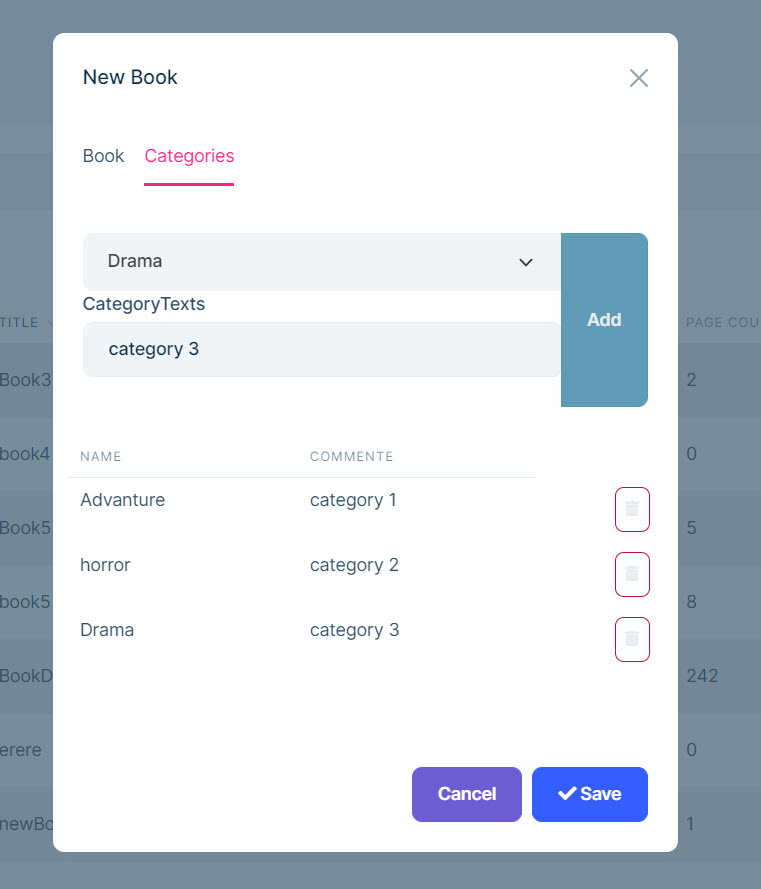
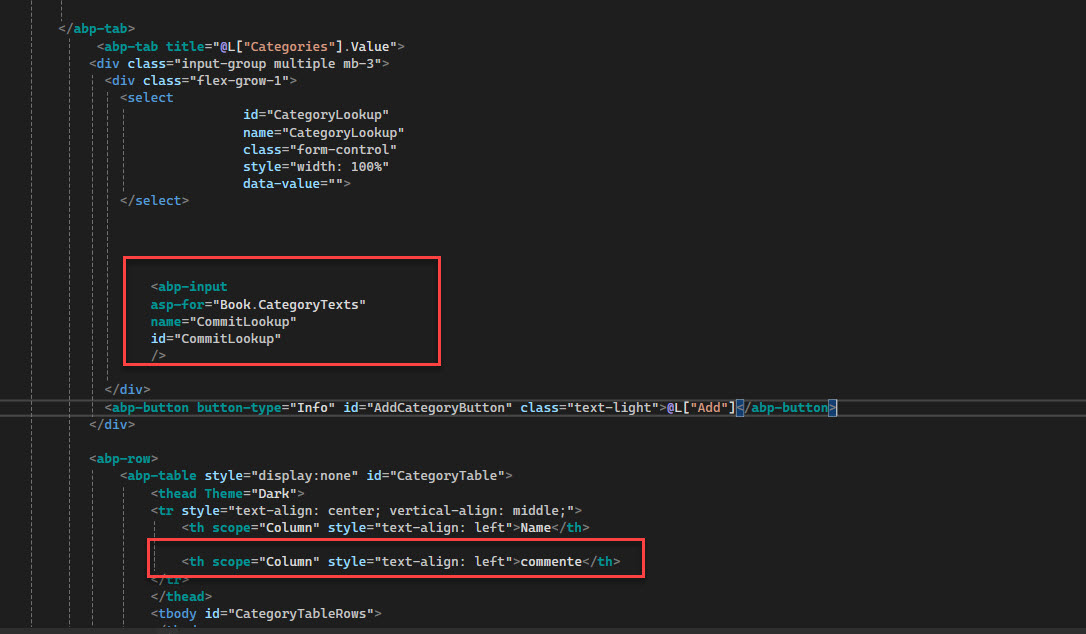
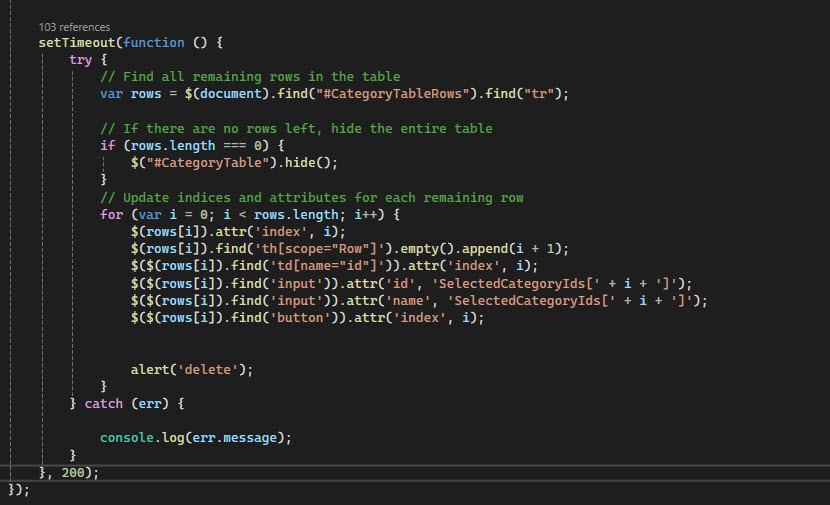
- ABP Framework version: 8
- UI Type: MVC
- Database System: EF Core (SQL Server)
4 Answer(s)
-
0
hi
We can't provide code for such a structure. If you change the default structure, you should understand the JS code and make changes.
There should have a
$('#AddCategoryButton').on('click', '', function(){in your JS file.Please debug and check this method.
Markdown supported.Copy, paste, or drag & drop images and files (max 100 MB per file, 100 MB total per post) -
0
hi, problem isn't in create, i solved issue in delete method but now it's final step to update the view, how can i update grid table in view when i deleting an item? i consoled the result and it catch the index correctly and when click on save button it's no thing to add in category tab so it is working good now i want to update the view in UI how can i do that? please i want clear steps to jumping on it thanks
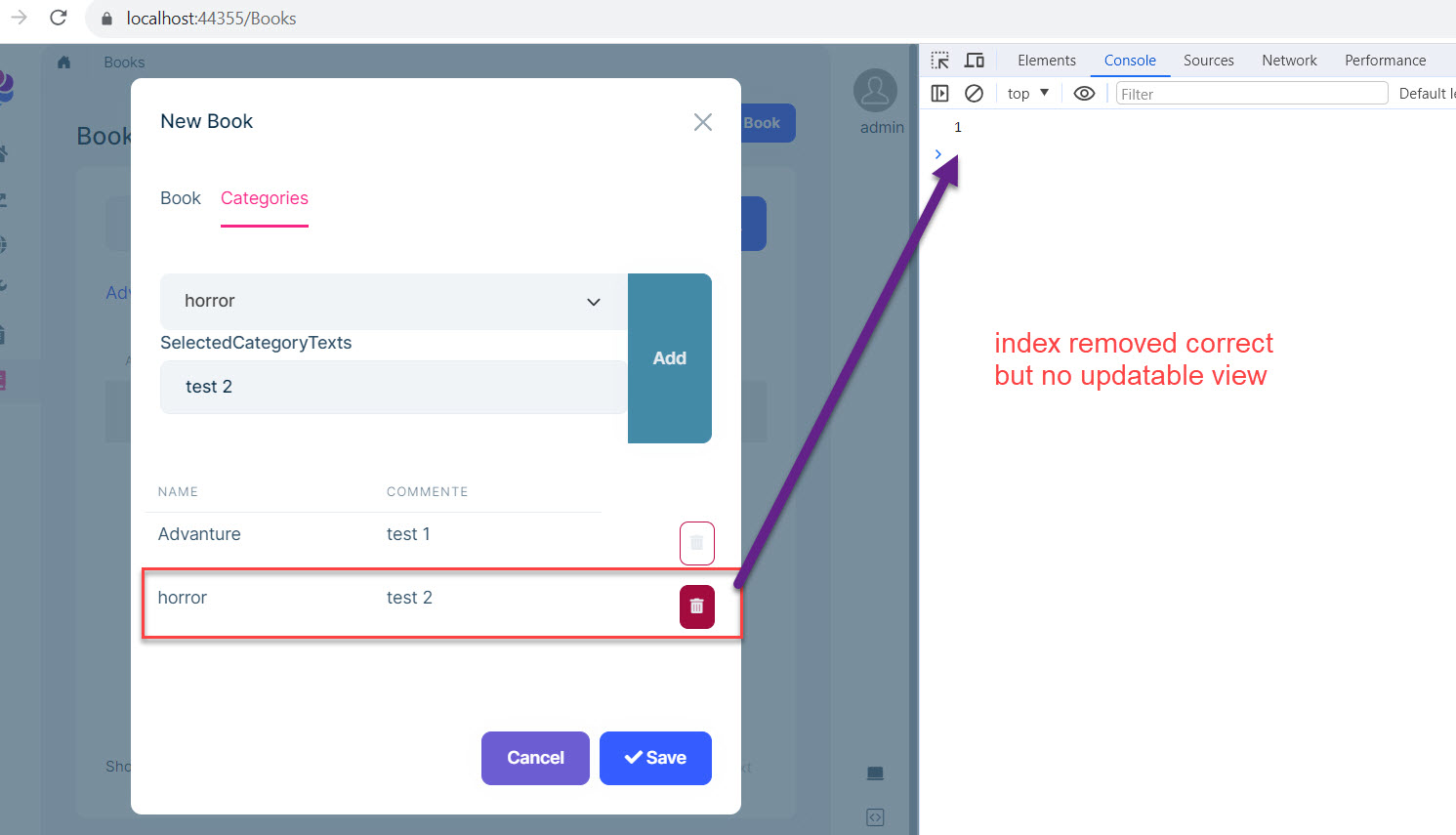 Markdown supported.Copy, paste, or drag & drop images and files (max 100 MB per file, 100 MB total per post)
 -
0
hi
I am unable to understand your needs.
This is a JS code problem in the UI. I can't understand it through the picture.
Can you share a simple project and steps?
liming.ma@volosoft.com
Markdown supported.Copy, paste, or drag & drop images and files (max 100 MB per file, 100 MB total per post) -
0
hi
Your code is too complex and I can't understand it in a short time. I suggest you use datatables instead of html splicing table.
https://datatables.net/examples/api/add_row.html
The
datatableshas APIs to add and delete rows and also has APIs to get information about all rows when submitting.https://datatables.net/reference/api/rows().data() https://editor.datatables.net/examples/simple/inTableControls.html
Markdown supported.Copy, paste, or drag & drop images and files (max 100 MB per file, 100 MB total per post)


