






- ABP Framework version: v8.0.4
- UI Type: Blazor Server
- Database System: EF Core (MySQL)
- Tiered (for MVC) or Auth Server Separated (for Angular): no
- Exception message and full stack trace:
- Steps to reproduce the issue:
- dotnet tool update -g volo.abp.cli
- abp suite update
- run abp install-libs under Blazor.Server.Host
- start Debug under Visual Studio 2022
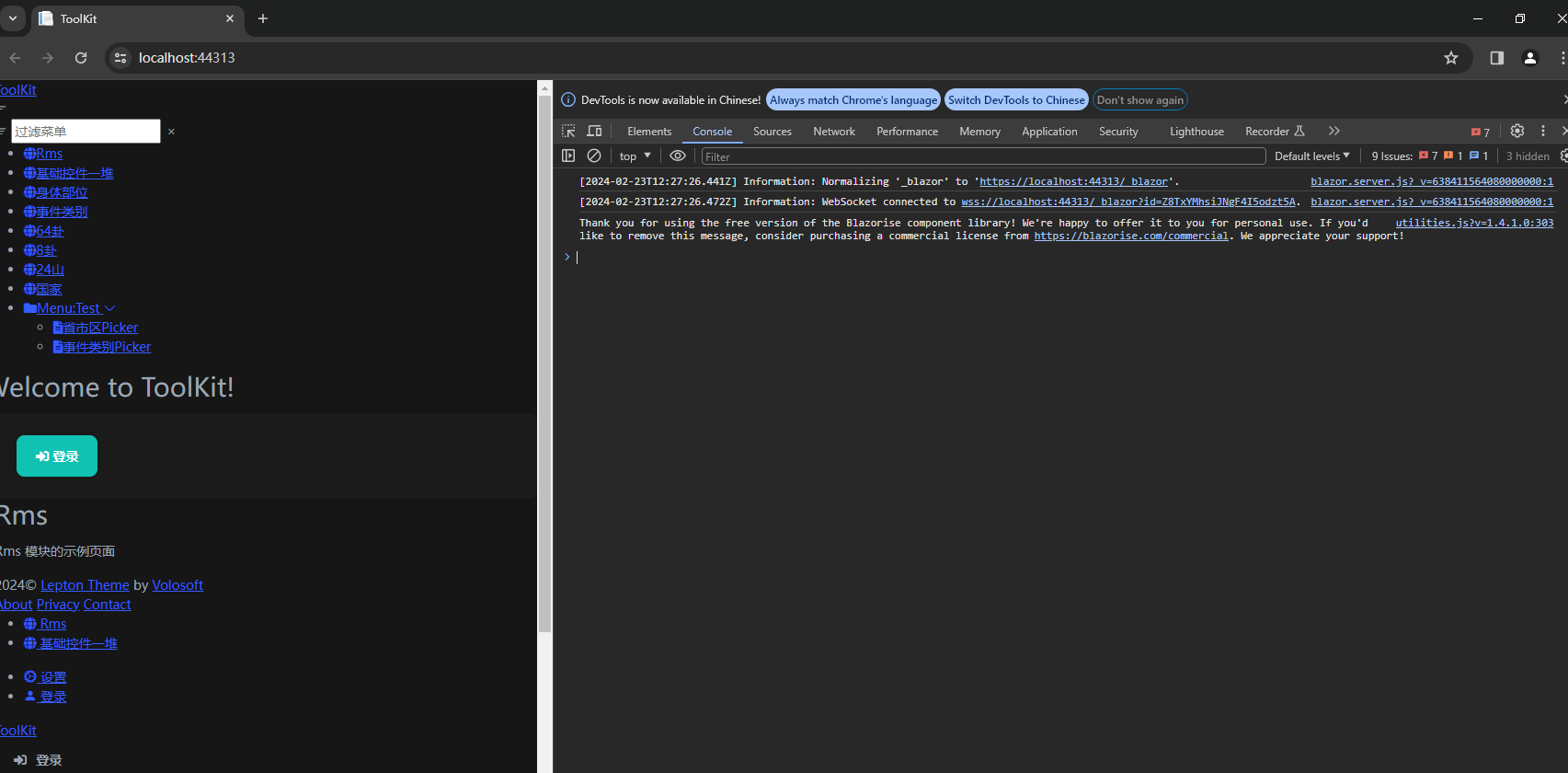
- first page (not logged in) is confused
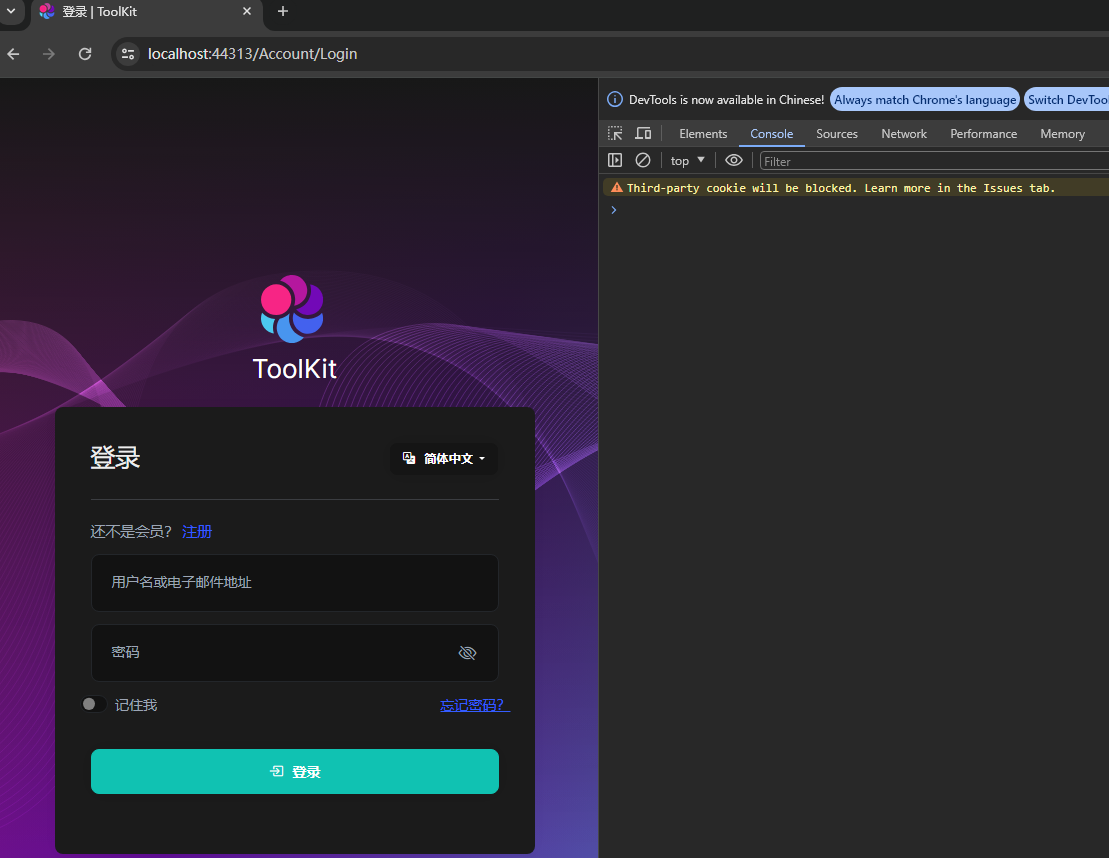
- click 'log in' button. page is normal.
20 Answer(s)
-
0
a very old Module. And it can run correctly under my ABP 8.0.3 in the morning.
I upgrade my ABP from 8.0.3 to 8.0.4. Then I got above error.
I see a information in browser console. I pasted as below.
blazor.server.js?_v=638411564080000000:1 [2024-02-23T14:26:04.460Z] Information: Normalizing '_blazor' to 'https://localhost:44313/_blazor'.
localhost/:1 Third-party cookie will be blocked. Learn more in the Issues tab.
blazor.server.js?_v=638411564080000000:1 [2024-02-23T14:26:04.490Z] Information: WebSocket connected to wss://localhost:44313/_blazor?id=FsS-vjaaPLj9VmpNuguOJw.
utilities.js?v=1.4.1.0:303 Thank you for using the free version of the Blazorise component library! We're happy to offer it to you for personal use. If you'd like to remove this message, consider purchasing a commercial license from https://blazorise.com/commercial. We appreciate your support!
May I need to purchase a Blazorise comercial lisense?
Markdown supported.Copy, paste, or drag & drop images and files (max 100 MB per file, 100 MB total per post) -
0
did you run abp install-libs? did you also check for leptonx updates while upgrading?
and no, you do not need to purchase a blazorise commercial license.
Markdown supported.Copy, paste, or drag & drop images and files (max 100 MB per file, 100 MB total per post) -
0
yes, I hav runned abp install-libs in proper path.
but how to check for leptonx updates while upgrading?
- I use new package.json to run abp install-libs I always use new version Abp Suite to create a new Application. Then I got this package.json from new 8.0.4 newest Application under Blazor project:
{ "version": "1.0.0", "name": "my-app", "private": true, "dependencies": { "@volo/abp.aspnetcore.mvc.ui.theme.leptonx": "~3.0.3", "@volo/aspnetcore.components.server.leptonxtheme": "~3.0.3", "@volo/cms-kit-pro.admin": "~8.0.4", "@volo/account": "~8.0.4", "@volo/language-management": "~8.0.4" } }- two LeptonX packages are version 3.0.4.

Markdown supported.Copy, paste, or drag & drop images and files (max 100 MB per file, 100 MB total per post) -
0
hi zhongfang and cellero
Please share a simple project to reproduce, Thanks.
liming.ma@volosoft.com
I am only encountering this on a large project. I tried to reproduce by downgrading ABP Suite to 8.0.3, creating new project and upgrading to 8.04. But I cannot reproduce by doing this.
Markdown supported.Copy, paste, or drag & drop images and files (max 100 MB per file, 100 MB total per post) -
0
I have sen you my Module project. Perhaps it has been created by ABP Suite 4, after update to 5, then to 6, then to 7, then to 8.0.0, then to 8.0.2... 8.0.4 I delete all involved module, and then packege for you to reproduce the error.
Markdown supported.Copy, paste, or drag & drop images and files (max 100 MB per file, 100 MB total per post) -
0
hi @all
We need add
<leptonx-theme-appearance />to_Host.cshtml_ViewImports.cshtml
@addTagHelper *, Microsoft.AspNetCore.Mvc.TagHelpers
@addTagHelper *, Volo.Abp.AspNetCore.Mvc.UI
@addTagHelper *, Volo.Abp.AspNetCore.Mvc.UI.Bootstrap
@addTagHelper *, Volo.Abp.AspNetCore.Mvc.UI.Bundling
@addTagHelper *, Volo.Abp.AspNetCore.Components.Server.LeptonXTheme
_Host.cshtml
@page "/"
@namespace Yee.Change.ToolKit.Blazor.Server.Host.Pages
@using System.Globalization
@using Volo.Abp.AspNetCore.Components.Server.LeptonXTheme.Bundling
@using Volo.Abp.AspNetCore.Components.Web.LeptonXTheme.Components
@using Volo.Abp.Localization
@{
    Layout = null;
    var rtl = CultureHelper.IsRtl ? "rtl" : string.Empty;
}

<!DOCTYPE html>
<html lang="@CultureInfo.CurrentCulture.Name" dir="@rtl">
<head>
    <meta charset="utf-8" />
    <meta name="viewport" content="width=device-width, initial-scale=1.0" />
    <title>ToolKit</title>
    <base href="~/" />

    <abp-style-bundle name="@BlazorLeptonXThemeBundles.Styles.Global" />

    <leptonx-theme-appearance />

</head>
<body class="abp-application-layout @rtl">
    <component type="typeof(App)" render-mode="Server" />

    <div id="blazor-error-ui">
        <environment include="Staging,Production">
            An error has occurred. This application may no longer respond until reloaded.
        </environment>
        <environment include="Development">
            An unhandled exception has occurred. See browser dev tools for details.
        </environment>
        <a href="" class="reload">Reload</a>
        <a class="dismiss">🗙</a>
    </div>

    <abp-script-bundle name="@BlazorLeptonXThemeBundles.Scripts.Global" />
</body>
</html>
Markdown supported.Copy, paste, or drag & drop images and files (max 100 MB per file, 100 MB total per post)



