






- ABP Framework version: v4.0.1
- UI type: Angular
- Tiered (MVC) or Identity Server Seperated (Angular): yes
- Exception message and stack trace:
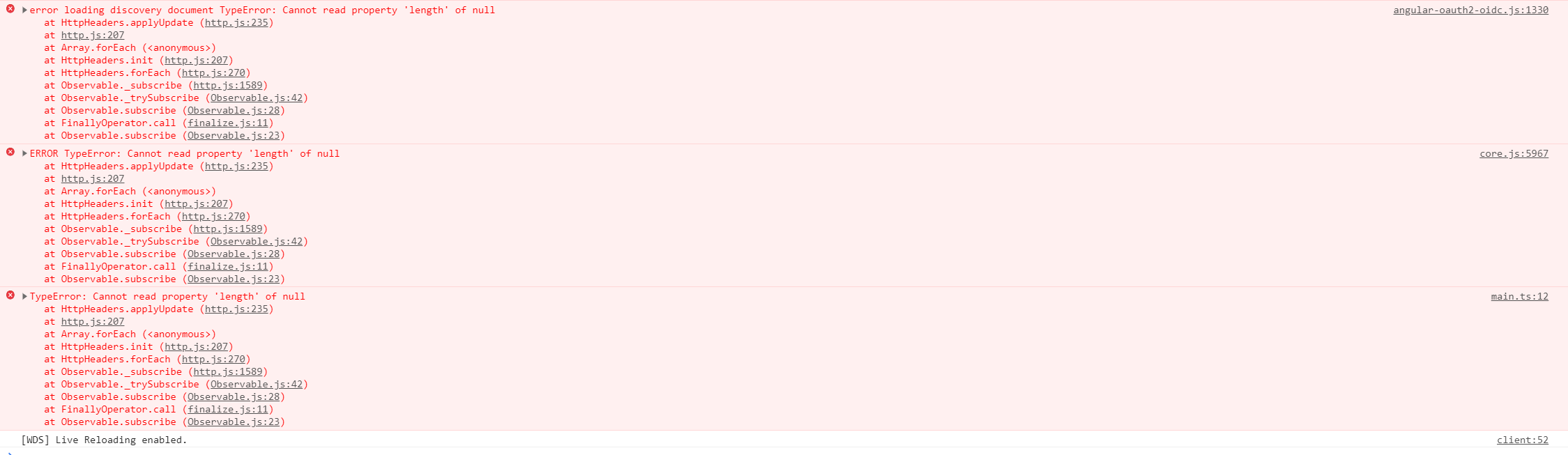
- Steps to reproduce the issue:
- Create a new Solution with Application Startup Template
- Generate the Database and start the backend (Identityand Host)
- Start angular with yarn start
- Login to the angular app
- After login nothing is loaded and the console displays errors
6 Answer(s)
-
0
Temporary solution
You can add
resolutionsto the bottom of package.json as shown below to fix the problem until the new version is released.{ "name": "MyProjectName", "version": "0.0.0", "scripts": { "ng": "ng", "start": "ng serve --open", "build": "ng build", "build:prod": "ng build --configuration production", "test": "ng test", "lint": "ng lint", "e2e": "ng e2e" }, "private": true, "dependencies": { "@abp/ng.components": "~4.0.1", "@abp/ng.core": "~4.0.1", "@abp/ng.setting-management": "~4.0.1", "@abp/ng.theme.shared": "~4.0.1", "@angular/animations": "~11.0.0", "@angular/common": "~11.0.0", "@angular/compiler": "~11.0.0", "@angular/core": "~11.0.0", "@angular/forms": "~11.0.0", "@angular/platform-browser": "~11.0.0", "@angular/platform-browser-dynamic": "~11.0.0", "@angular/router": "~11.0.0", "@volo/abp.commercial.ng.ui": "~4.0.1", "@volo/abp.ng.account": "~4.0.1", "@volo/abp.ng.audit-logging": "~4.0.1", "@volo/abp.ng.identity": "~4.0.1", "@volo/abp.ng.identity-server": "~4.0.1", "@volo/abp.ng.language-management": "~4.0.1", "@volo/abp.ng.saas": "~4.0.1", "@volo/abp.ng.text-template-management": "~4.0.1", "@volo/abp.ng.theme.lepton": "~4.0.1", "rxjs": "~6.6.0", "tslib": "^2.0.0", "zone.js": "~0.10.2" }, "devDependencies": { "@abp/ng.schematics": "~4.0.1", "@angular-devkit/build-angular": "~0.1100.0", "@angular/cli": "~11.0.0", "@angular/compiler-cli": "~11.0.0", "@angular/language-service": "~11.0.0", "@types/jasmine": "~3.5.0", "@types/jasminewd2": "~2.0.3", "@types/node": "^12.11.1", "codelyzer": "^6.0.1", "jasmine-core": "~3.6.0", "jasmine-spec-reporter": "~5.0.0", "karma": "~5.1.1", "karma-chrome-launcher": "~3.1.0", "karma-coverage-istanbul-reporter": "~3.0.2", "karma-jasmine": "~4.0.0", "karma-jasmine-html-reporter": "^1.5.0", "ng-packagr": "^11.0.1", "protractor": "~7.0.0", "ts-node": "~8.3.0", "tslint": "~6.1.0", "typescript": "~4.0.3" }, "resolutions": { "@abp/ng.core": "4.0.0" } }Then remove the
yarn.lockfile and runyarncommand to reinstall packages.Start application via
yarn startcommand then clearlocalStorageand refresh the page.Markdown supported.Copy, paste, or drag & drop images and files (max 100 MB per file, 100 MB total per post) -
0
Hallo Mehmet
Many thanks for your Feedback. I have used the "Temporary Solution" and it works now.
Markdown supported.Copy, paste, or drag & drop images and files (max 100 MB per file, 100 MB total per post) -
0
After being directed to this from https://support.abp.io/QA/Questions/626/Bugs--Issues-v4X#answer-756752d8-cea0-580d-5ede-39f9883c69d9
which directed me to a proposed temporary solution at https://support.abp.io/QA/Questions/626/Bugs--Issues-v4X#answer-756752d8-cea0-580d-5ede-39f9883c69d9
I added the resolution section to packages.json, deleted the yarn.lock file, ran yarn and deleted all local cookies and storage.
The behaviour of the application has not changed, but I get a different error message.
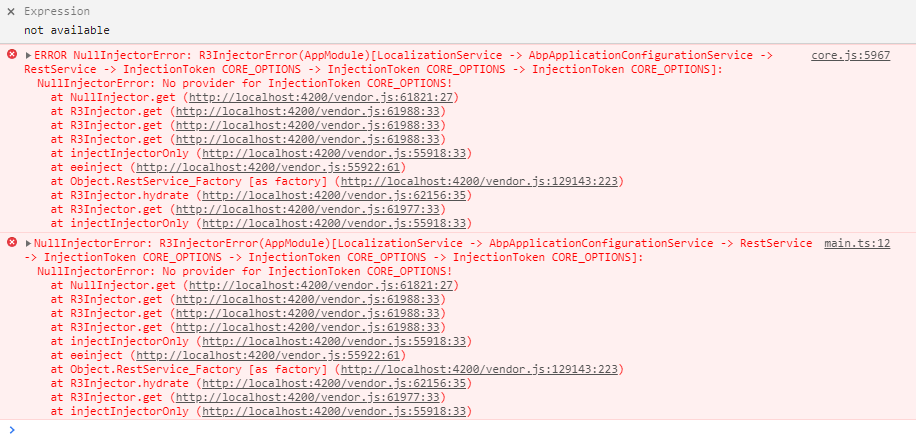 Markdown supported.Copy, paste, or drag & drop images and files (max 100 MB per file, 100 MB total per post)



