






- ABP Framework version: v8.0.1
- UI Type: Angular / MVC / Blazor WASM
- Database System: EF Core (SQL Server)
- Tiered (for MVC) or Auth Server Separated (for Angular): yes
- Exception message and full stack trace:
- Steps to reproduce the issue:
How can I add a new field to the Edit Blog Post screen?
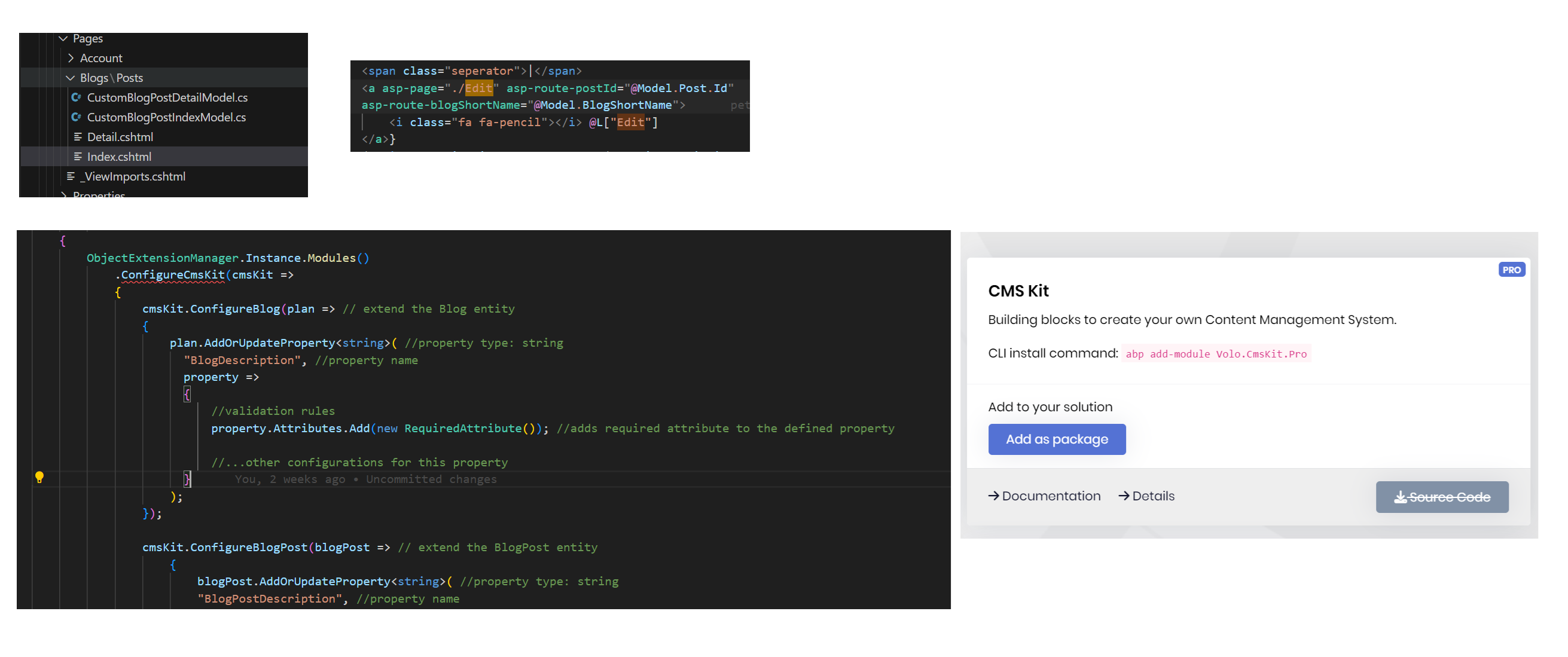
Currently, we have a Custom folder for the custom list Blog Post and View Blog Post screens. I don't know how to add a new field to the Edit Blog Post screen.
I also tried some ways, such as adding extraProperties for the Blog Post, but I can't find 'ConfigureCmsKit' in the Module settings. I also checked the ABP Suite, but strangely, no CMS kit is installed.
Please check the reference link and attachment below:
https://github.com/abpframework/abp/blob/dev/modules/blogging/src/Volo.Blogging.Web/Pages/Blogs/Posts/Edit.cshtml https://docs.abp.io/en/abp/latest/Modules/Cms-Kit/Index#entity-extensions
2 Answer(s)
-
0
Hi,
I guess this is because you didn't install the CMS module?
Markdown supported.Copy, paste, or drag & drop images and files (max 100 MB per file, 100 MB total per post) -
0
Added module extension support for CMS in this PR
https://github.com/abpframework/abp/pull/16619
Markdown supported.Copy, paste, or drag & drop images and files (max 100 MB per file, 100 MB total per post)



