






Hi ABP Team,
I have a problem with Chat module after upgraded to v8.2 and use new application template Blazor Web App.
My previous app I used Blazor Wasm template as the main solution in this main solution I installed Chat module. I have developed another module called Common, in this module I have added a Notification icon to toolbar follow the guideline from this: https://docs.abp.io/en/abp/latest/UI/Blazor/Toolbars, and I use SignalR to realtime update notification to show on this icon.. Then I integrated this module to Main Application, everything are ok.
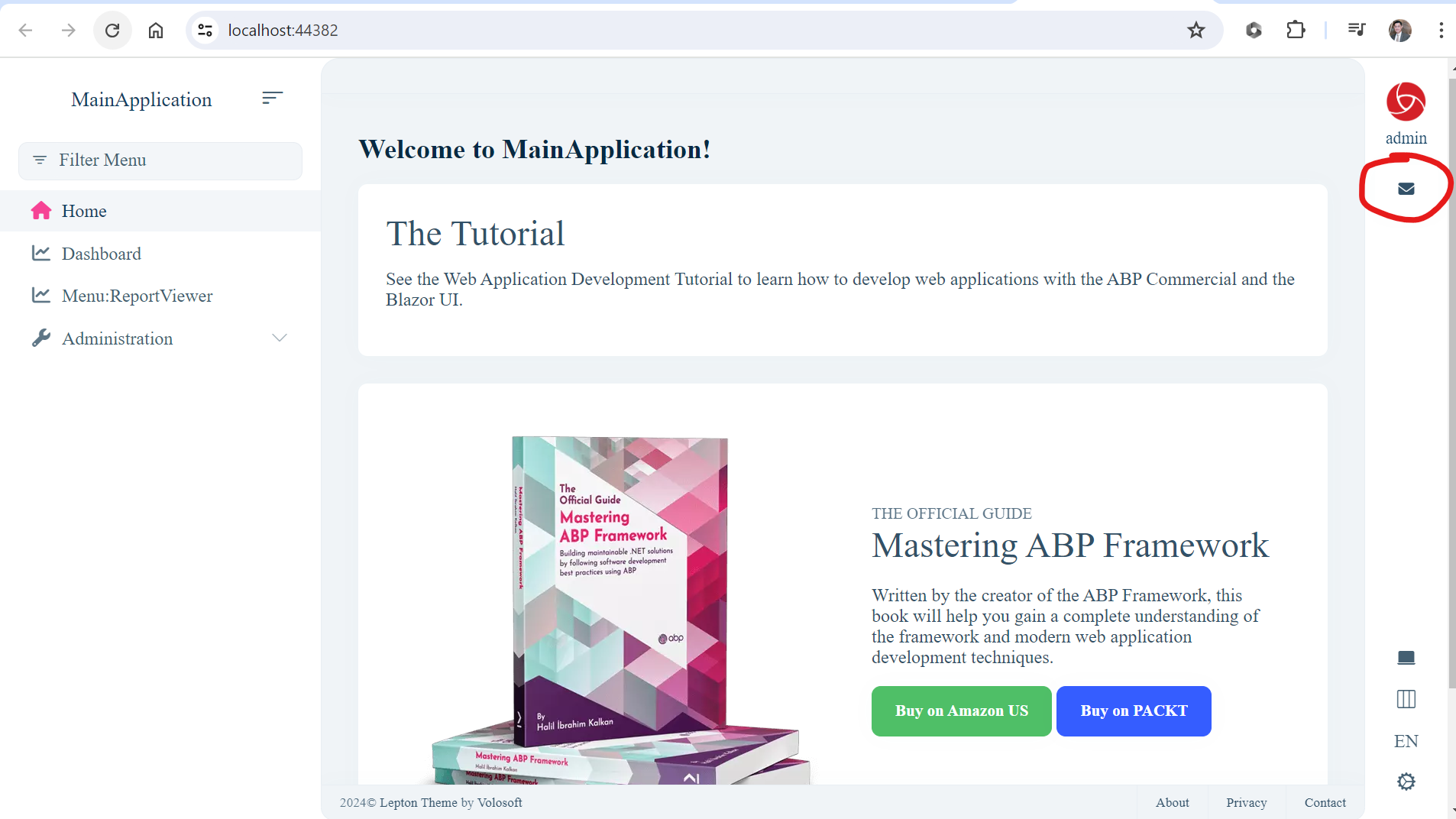
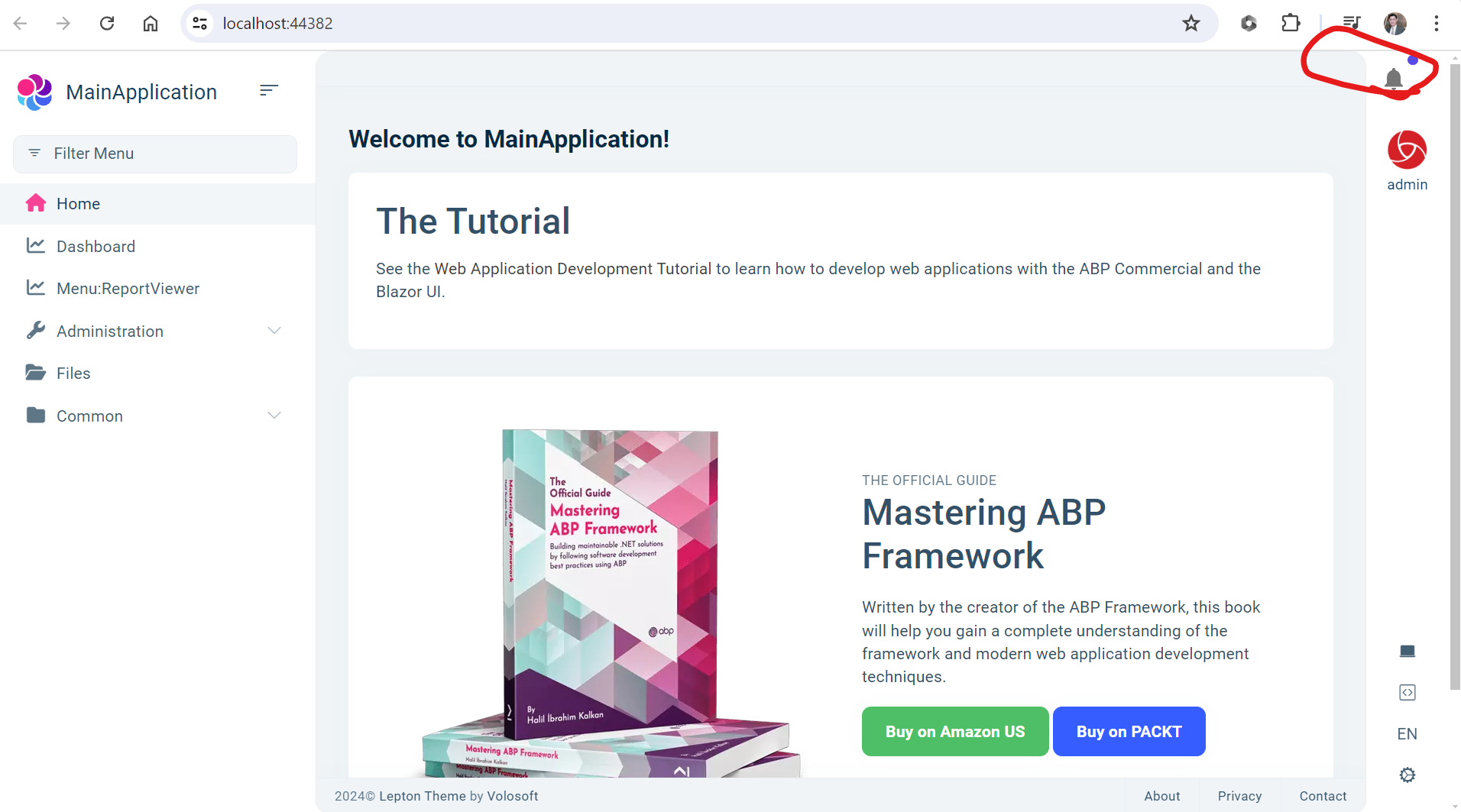
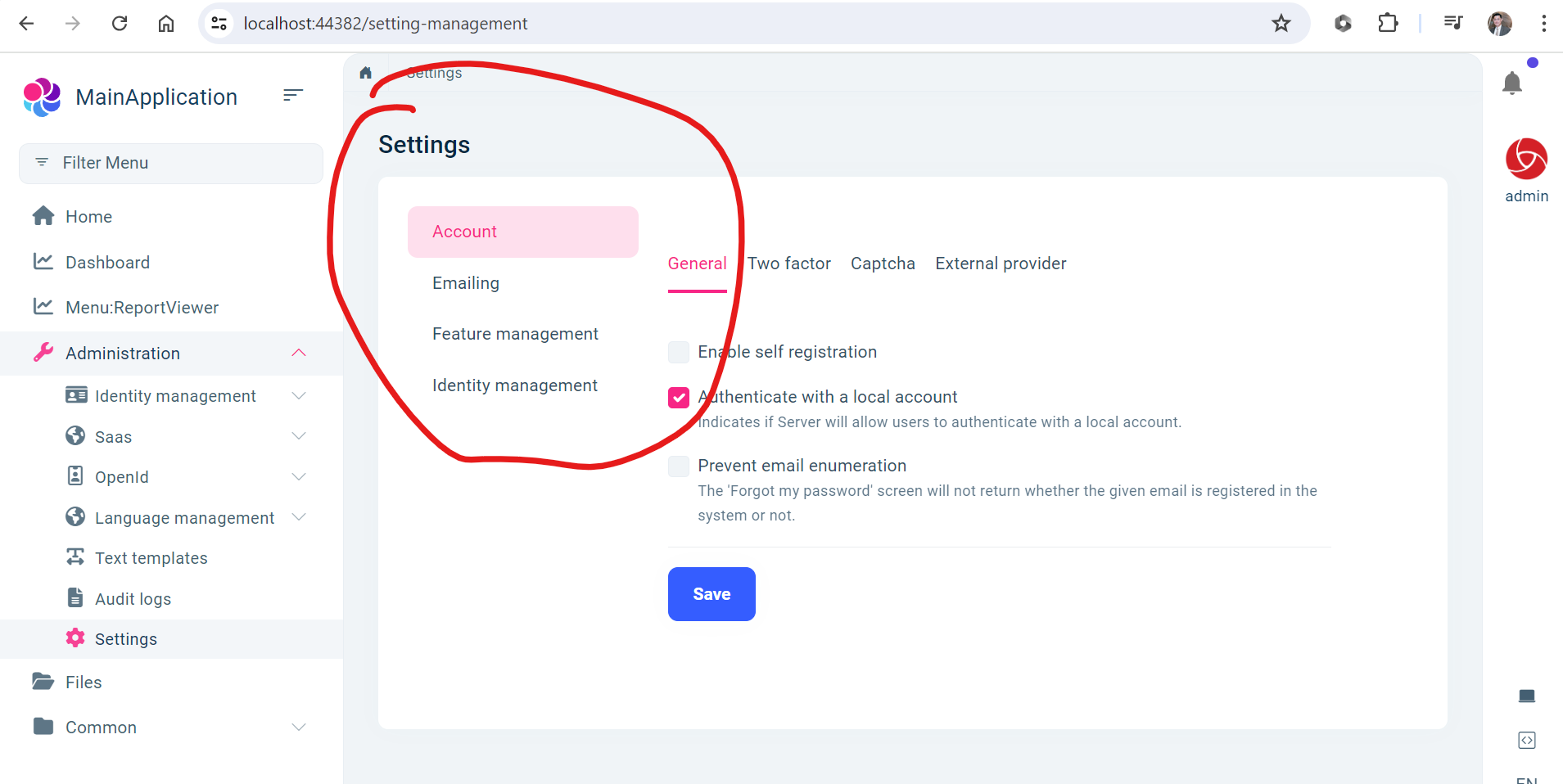
Now I'd like to use new application template in v8.2: Blazor Web App so I created a new Main Solution with new template then I integrated Common module as I have done before but when run the Main Solution the Chat icon on Toolbar show during page loading but was disappeared after Common module loaded completely, and on the toolbar only see the Notification icon but didn't see Chat icon. I come to Setting to check the Chat feature was also disappeared here.
During loading page at beginning still can see Chat icon:
But after completing loading (included Common module) Chat was disappeared, only see the Notification I have implemented in Common module:
 Go to Setting there is no Chat feature there:
Thanks, Dharma Han Nguyen
10 Answer(s)
-
0
Hi,
This is because the Blazor webapp has two runtimes(blazor server and webassembly)
You need to add the
Volo.Chat.Blazor.WebAssemblyto theWebApp.clientand add theVolo.Chat.Blazor.Serverto theWebAppprojectMarkdown supported.Copy, paste, or drag & drop images and files (max 100 MB per file, 100 MB total per post) -
0
Hi, I have done as you recommended but another error happened, It is quite similar to issue of getting access token I asked you yesterday on another topic: Microsoft.AspNetCore.Components.WebAssembly.Rendering.WebAssemblyRenderer[100] Unhandled exception rendering component: Cannot provide a value for property 'AccessTokenProvider' on type 'Volo.Chat.Blazor.WebAssembly.Components.BlazorMessagesToolbarItem'. There is no registered service of type 'Microsoft.AspNetCore.Components.WebAssembly.Authentication.IAccessTokenProvider'. System.InvalidOperationException: Cannot provide a value for property 'AccessTokenProvider' on type 'Volo.Chat.Blazor.WebAssembly.Components.BlazorMessagesToolbarItem'. There is no registered service of type 'Microsoft.AspNetCore.Components.WebAssembly.Authentication.IAccessTokenProvider'. at Microsoft.AspNetCore.Components.ComponentFactory.<>c__DisplayClass9_0.<CreatePropertyInjector>g__Initialize|1(IServiceProvider serviceProvider, IComponent component) at Microsoft.AspNetCore.Components.ComponentFactory.PerformPropertyInjection(IServiceProvider serviceProvider, IComponent instance) at Microsoft.AspNetCore.Components.ComponentFactory.InstantiateComponent(IServiceProvider serviceProvider, Type componentType, IComponentRenderMode callerSpecifiedRenderMode, Nullable
1 parentComponentId) at Microsoft.AspNetCore.Components.RenderTree.Renderer.InstantiateChildComponentOnFrame(RenderTreeFrame[] frames, Int32 frameIndex, Int32 parentComponentId) at Microsoft.AspNetCore.Components.RenderTree.RenderTreeDiffBuilder.InitializeNewComponentFrame(DiffContext& diffContext, Int32 frameIndex) at Microsoft.AspNetCore.Components.RenderTree.RenderTreeDiffBuilder.InitializeNewSubtree(DiffContext& diffContext, Int32 frameIndex) at Microsoft.AspNetCore.Components.RenderTree.RenderTreeDiffBuilder.InsertNewFrame(DiffContext& diffContext, Int32 newFrameIndex) at Microsoft.AspNetCore.Components.RenderTree.RenderTreeDiffBuilder.AppendDiffEntriesForRange(DiffContext& diffContext, Int32 oldStartIndex, Int32 oldEndIndexExcl, Int32 newStartIndex, Int32 newEndIndexExcl) at Microsoft.AspNetCore.Components.RenderTree.RenderTreeDiffBuilder.ComputeDiff(Renderer renderer, RenderBatchBuilder batchBuilder, Int32 componentId, ArrayRange1 oldTree, ArrayRange`1 newTree) at Microsoft.AspNetCore.Components.Rendering.ComponentState.RenderIntoBatch(RenderBatchBuilder batchBuilder, RenderFragment renderFragment, Exception& renderFragmentException) at Microsoft.AspNetCore.Components.RenderTree.Renderer.RenderInExistingBatch(RenderQueueEntry renderQueueEntry) at Microsoft.AspNetCore.Components.RenderTree.Renderer.ProcessRenderQueue()Markdown supported.Copy, paste, or drag & drop images and files (max 100 MB per file, 100 MB total per post) -
0
i will check it
Markdown supported.Copy, paste, or drag & drop images and files (max 100 MB per file, 100 MB total per post) -
1
Hi,
I will fixed it in the next patch version You can try this:
[ExposeServices(typeof(MessagesToolbarItem))]
public class BlazorMessagesToolbarItem : MessagesToolbarItem
{
    [Inject]
    protected IAbpAccessTokenProvider AccessTokenProvider { get; set; }

    [Inject]
    protected IOptions<ChatBlazorWebAssemblyOptions> ChatBlazorWebAssemblyOptions { get; set; }

    [Inject]
    protected IOptions<AbpRemoteServiceOptions> AbpRemoteServiceOptions { get; set; }

    protected async override Task SetChatHubConnectionAsync()
    {
        var token = await AccessTokenProvider.GetTokenAsync();

        var signalrUrl = ChatBlazorWebAssemblyOptions.Value.SignalrUrl ?? AbpRemoteServiceOptions.Value.RemoteServices.Default.BaseUrl;

        HubConnection = new HubConnectionBuilder()
            .WithUrl(signalrUrl.EnsureEndsWith('/') + "signalr-hubs/chat", options =>
            {
                if(!token.IsNullOrWhiteSpace())
                {
                    options.AccessTokenProvider = () => Task.FromResult(token);
                }

            })
            .Build();
    }
}
Markdown supported.Copy, paste, or drag & drop images and files (max 100 MB per file, 100 MB total per post) -
0
yes
Markdown supported.Copy, paste, or drag & drop images and files (max 100 MB per file, 100 MB total per post) -
0
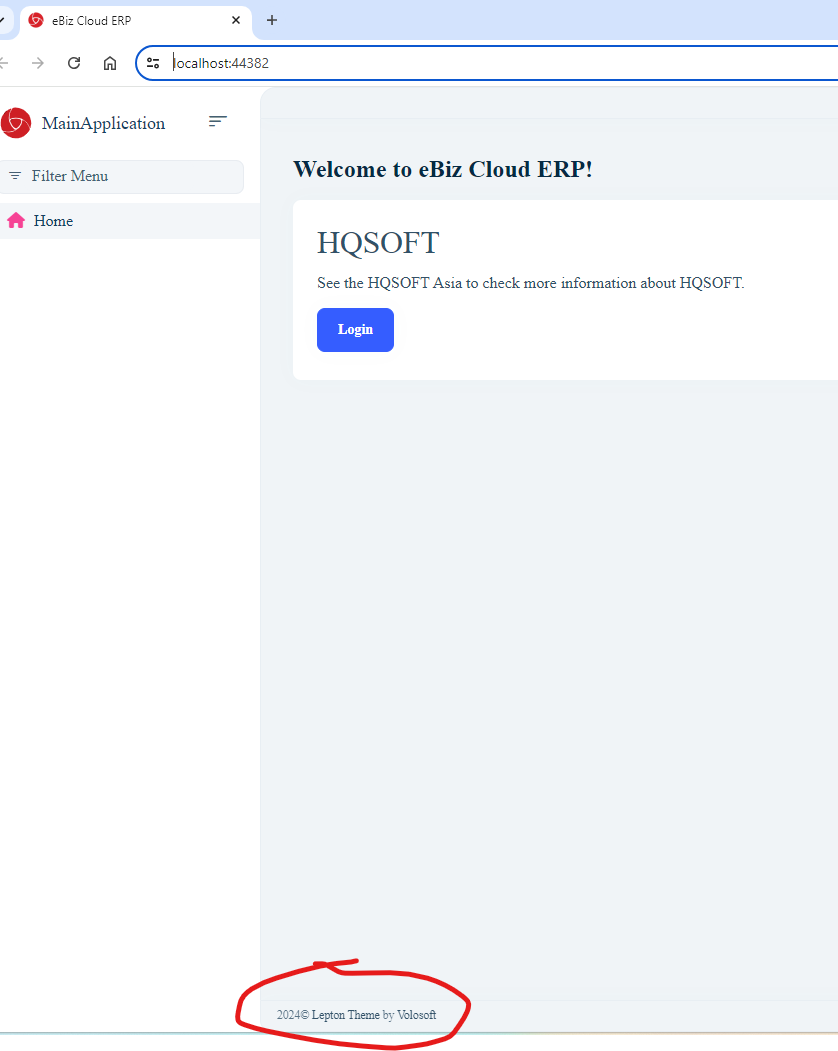
I added your code and got other error, so I think I will wait for your patch of this version. In additional, I have another question, how can I change the footer info before login, I can custom MainFooterComponent.razor in Blazor.Client to change but this information only update after login and loading Blazor Web Assembly.
 ThanksMarkdown supported.Copy, paste, or drag & drop images and files (max 100 MB per file, 100 MB total per post)
 -
0
Hi,
I can custom MainFooterComponent.razor in Blazor.Client to change but this information only update after login and loading Blazor Web Assembly.
I will check it
Markdown supported.Copy, paste, or drag & drop images and files (max 100 MB per file, 100 MB total per post) -
0
you can copy the
MainFooterComponent.razorto Blazor projectMarkdown supported.Copy, paste, or drag & drop images and files (max 100 MB per file, 100 MB total per post)


