






- ABP Framework version: v7.3.3
- UI Type: Blazor WASM
- Database System: EF Core (PostgreSQL)
- Tiered (for MVC) or Auth Server Separated (for Angular): yes
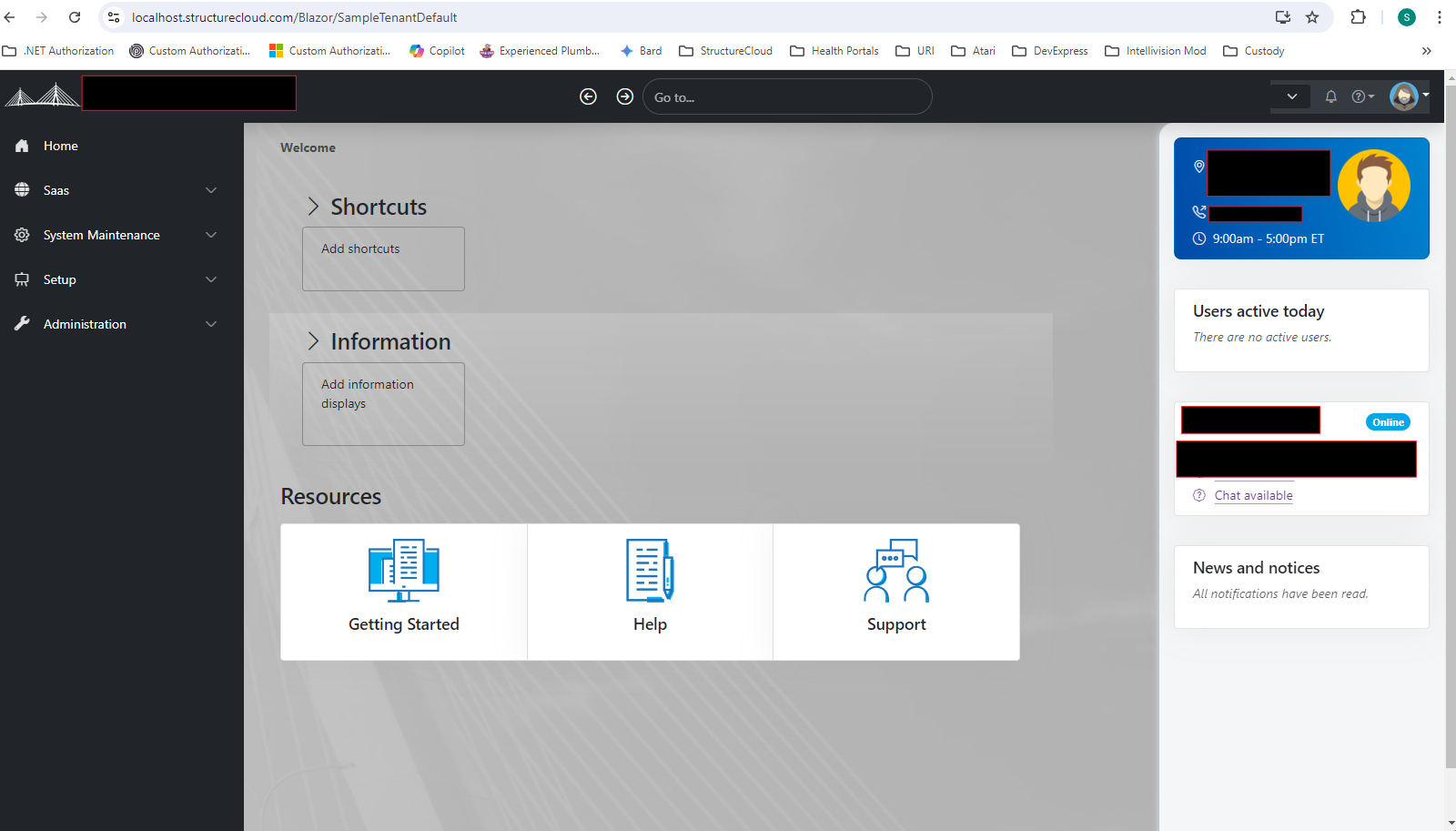
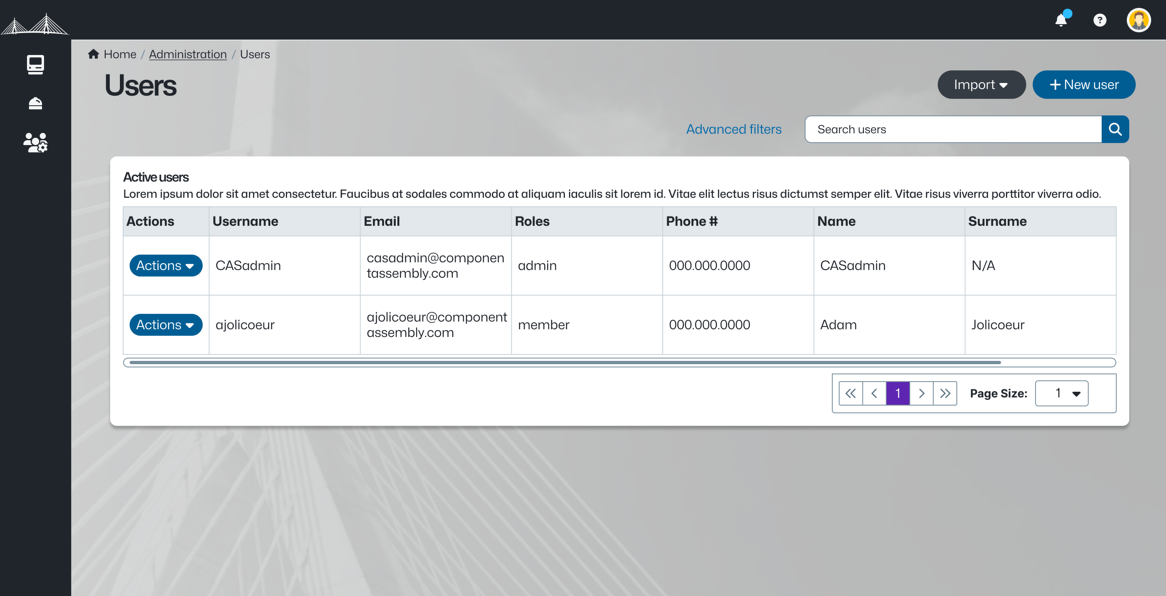
I have the need to have different layouts for my application depending on if you are in the 'admin' pages (users, saas tenants, editions, etc) vs the main application's pages. As shown below are the main applications page as well as the desired layout for my 'admin' pages, which in this case I'm showing the ABP user maintenance page. How can I accomplish this? I want all ABP 'admin' pages to be based on one layout and my application's pages to be based on another layout.
Thanks
Application Page Layout
<br>
'Admin' Page Layout
<br> <br>
11 Answer(s)
-
0
Hi,
you can change the layout at runtime
for example https://abp.io/support/questions/7429/Is-there-a-way-to-change-from-SideMenu-to-TopMenu-in-runtime
Markdown supported.Copy, paste, or drag & drop images and files (max 100 MB per file, 100 MB total per post) -
0
Hi,
You also didn't address how I change the layout to my own layouts. The sample in the ticket you referenced shows how to change LeptonX theme layouts at runtime not my own defined layouts.
Markdown supported.Copy, paste, or drag & drop images and files (max 100 MB per file, 100 MB total per post) -
0
which theme are you using?
Markdown supported.Copy, paste, or drag & drop images and files (max 100 MB per file, 100 MB total per post) -
0
Theme? Why are you asking me about the theme when I talking about layouts? As stated previously "The sample in the ticket you referenced shows how to change LeptonX theme layouts at runtime not my own defined layouts."
Markdown supported.Copy, paste, or drag & drop images and files (max 100 MB per file, 100 MB total per post) -
0
Just to be clear,
- We are using the LexptonX theme
- I want to be able to apply a different layout (our own layout) to all the ABP module's pages without overriding everypage specifying which layout to use
- I want to be able to apply a different layout to all my 'application' pages that is different from the layout I specify for the ABP module's pages.
Markdown supported.Copy, paste, or drag & drop images and files (max 100 MB per file, 100 MB total per post) -
0
I just need to know the details of your project.
you can use the
@layouthttps://learn.microsoft.com/en-us/aspnet/core/blazor/components/layouts?view=aspnetcore-8.0
ApplicationPageLayout
@inherits LayoutComponentBase

@Body
test.razor
@page "test"
@layout ApplicationPageLayout

<p>test page</p>
....
Markdown supported.Copy, paste, or drag & drop images and files (max 100 MB per file, 100 MB total per post) -
0
Yes, I am aware of how to do that, but that's not one of the questions I'm asking.
I want to be able to apply a different layout (our own layout) to all the ABP module's pages without overriding every page specifying which layout to use
Markdown supported.Copy, paste, or drag & drop images and files (max 100 MB per file, 100 MB total per post) -
0
consider this.
override the leptonx default layout.
overridelayout
@inherits SideMenuLayout

@attribute [ExposeServices(typeof(SideMenuLayout))]
@attribute [Dependency(ReplaceServices = true)]


<LayoutView Layout="GetLayout()">
    @body
</LayoutView>

@code
{
   private Type GetLayout()
   {
       ..
       you can return your layout type dynamically here

       if(current URL = "xxx")
       {
          return typeof(AdminLayout);
       }else if (xxxx){
          return typeof(ApplicationLayout);
       }

       return typeof(DefaultLayout);
   }
}
Markdown supported.Copy, paste, or drag & drop images and files (max 100 MB per file, 100 MB total per post) -
0
okay, good luck
Markdown supported.Copy, paste, or drag & drop images and files (max 100 MB per file, 100 MB total per post)


