






I want to use the DevExpress DocumentViewer within my ABP application and have followed the steps provided in
https://abp.io/community/articles/integrating-devexpress-reporting-to-abp-mvc-application-0t99j3cz
when I run the application, I encounter an error
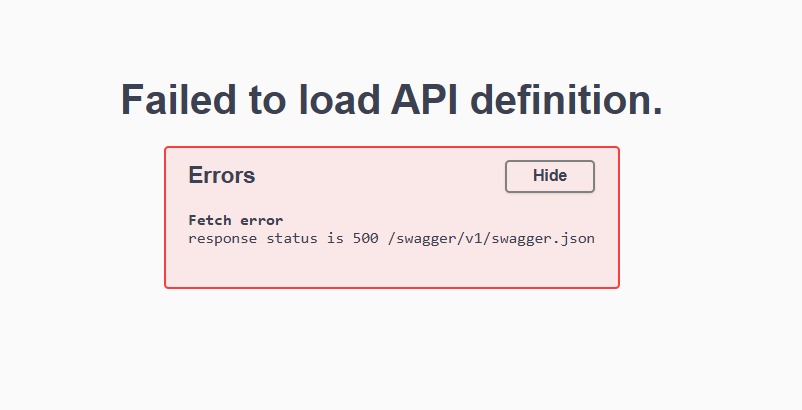
The error occurs in the following controller:
public class CustomQueryBuilderController : QueryBuilderController { public CustomQueryBuilderController(IQueryBuilderMvcControllerService controllerService) : base(controllerService) { } }
How can I resolve this issue and successfully open the DocumentViewer?
11 Answer(s)
-
0
hi
Try adding
[ApiExplorerSettings(IgnoreApi=true)]to your controller.[ApiExplorerSettings(IgnoreApi = true)] public class CustomQueryBuilderController : QueryBuilderController { public CustomQueryBuilderController(IQueryBuilderMvcControllerService controllerService) : base(controllerService) { } }Markdown supported.Copy, paste, or drag & drop images and files (max 100 MB per file, 100 MB total per post) -
0
hi
Try adding
[ApiExplorerSettings(IgnoreApi=true)]to your controller.[ApiExplorerSettings(IgnoreApi = true)] public class CustomQueryBuilderController : QueryBuilderController { public CustomQueryBuilderController(IQueryBuilderMvcControllerService controllerService) : base(controllerService) { } }I am still encountering the same error, Are there any clean and reliable steps to properly integrate the DocumentViewer into an ABP application .. I Mean Another documentation that I can follow with?
Markdown supported.Copy, paste, or drag & drop images and files (max 100 MB per file, 100 MB total per post) -
0
hi
This is a swagger error.
Please share a simple project to reproduce. I will check it.
liming.ma@volosoft.com
Markdown supported.Copy, paste, or drag & drop images and files (max 100 MB per file, 100 MB total per post) -
0
I have followed the steps provided in this documentation, except that I have a modular project:
Integrating DevExpress Reporting into ABP MVC Application
Here are my project Project Structure first:
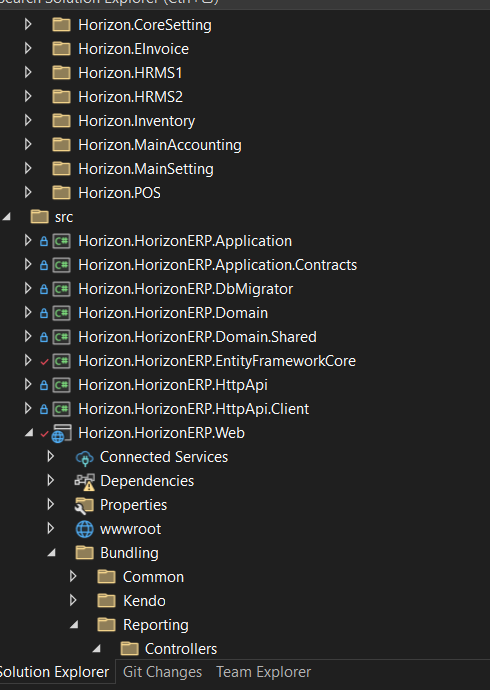
I Have added the Bundling Folder insdie web In the src Module:
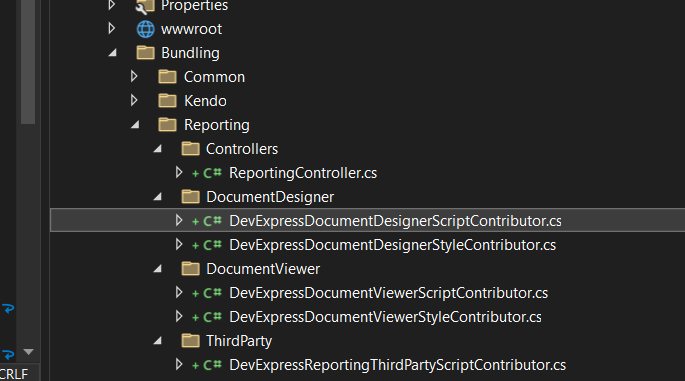
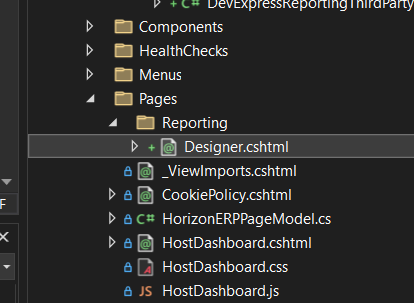 and here it is the reportDesigner Razor page
the code: @page @model Horizon.HorizonERP.Web.Pages.Reporting.DesignerModel @using DevExpress.AspNetCore @using Horizon.HorizonERP.Web.Bundling.Reporting.DocumentDesigner; @using Horizon.HorizonERP.Web.Bundling.Reporting.DocumentViewer;
@{ var designerRender = Html.DevExpress().ReportDesigner("") .Height("1000px") .Bind(Model.DesignerModell.Report) .DataSources(configureDS => { foreach (var ds in Model.DesignerModell.DataSources) { configureDS.Add(ds.Key, ds.Value); } }); @designerRender.RenderHtml() }
<div> @designerRender.RenderHtml() </div>
@section Scripts { <abp-style type="typeof(DevExpressDocumentDesignerStyleContributor)" /> <abp-script type="typeof(DevExpressDocumentDesignerScriptContributor)" /> @designerRender.RenderScripts() }
.cs class
public ReportDesignerModel DesignerModell { get; set; }
public void OnGet() { JsonDataSource jsonDataSource = new JsonDataSource(); jsonDataSource.JsonSource = new UriJsonSource(new Uri("https://raw.githubusercontent.com/DevExpress-Examples/DataSources/master/JSON/customers.json")); jsonDataSource.Fill();
DesignerModell = new ReportDesignerModel
{
    Report = new XtraReport(),
    DataSources = new Dictionary<string, object>()
};
// DesignerModel.DataSources.Add("BookStoreDb", dataSource);
DesignerModell.DataSources.Add("JsonDataSource", jsonDataSource);
} public class ReportDesignerModel { public XtraReport Report { get; set; } public Dictionary<string, object> DataSources { get; set; } }
ReportingContoller
using DevExpress.AspNetCore.Reporting.QueryBuilder.Native.Services; using DevExpress.AspNetCore.Reporting.QueryBuilder; using DevExpress.AspNetCore.Reporting.ReportDesigner.Native.Services; using DevExpress.AspNetCore.Reporting.ReportDesigner; using DevExpress.AspNetCore.Reporting.WebDocumentViewer.Native.Services; using DevExpress.AspNetCore.Reporting.WebDocumentViewer; using Microsoft.AspNetCore.Mvc; using Abp.Application.Services; using DocumentFormat.OpenXml.Wordprocessing; using Horizon.Inventory;
namespace Horizon.HorizonERP.Web.Bundling.Reporting.Controllers;
//public class ReportingController //{
//[Route("api/HorizonERP/CustomWebDocumentViewer")] //[ApiController] //[ApiExplorerSettings(IgnoreApi = true)] public class CustomWebDocumentViewerController : WebDocumentViewerController { public CustomWebDocumentViewerController(IWebDocumentViewerMvcControllerService controllerService) : base(controllerService) { } }
//[Route("api/HorizonERP/CustomReportDesigner")] //[ApiController] //[ApiExplorerSettings(IgnoreApi = true)] public class CustomReportDesignerController : ReportDesignerController { public CustomReportDesignerController(IReportDesignerMvcControllerService controllerService) : base(controllerService) { } }
//[Route("api/HorizonERP/CustomQueryBuilder")] //[ApiController] //[ApiExplorerSettings(IgnoreApi = true)] public class CustomQueryBuilderController : QueryBuilderController { public CustomQueryBuilderController(IQueryBuilderMvcControllerService controllerService) : base(controllerService) { }
} //}
DevExpressDocumentDesignerContributer:
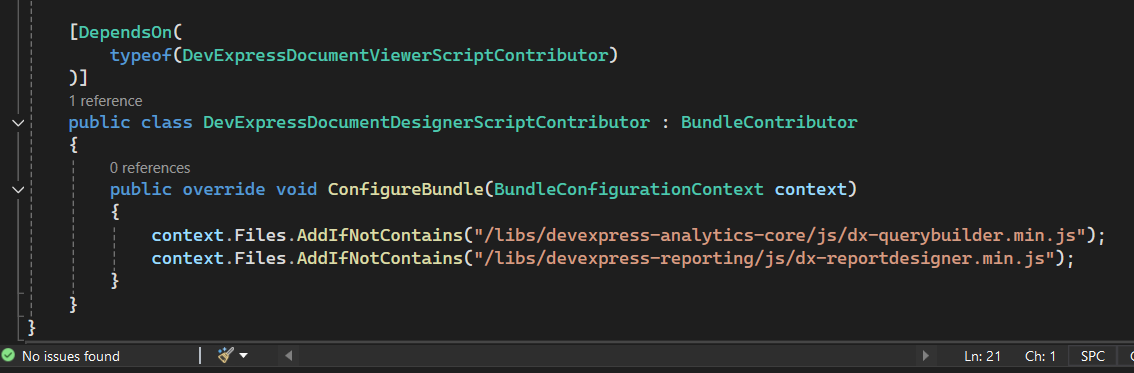
DevExpressDocumentDesignerStyleContributor:
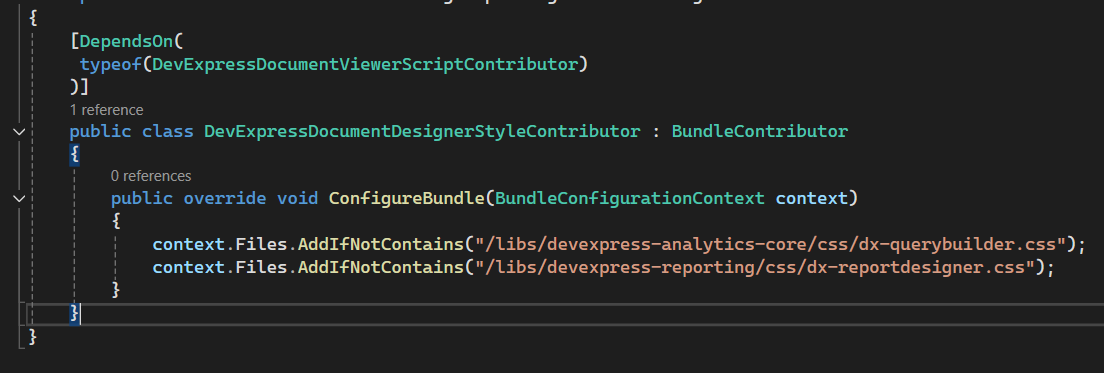
Registered Controllers inside webmodule:

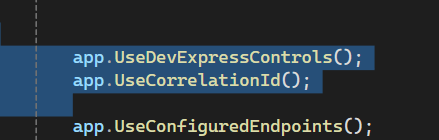 Markdown supported.Copy, paste, or drag & drop images and files (max 100 MB per file, 100 MB total per post)
 -
0
hi
This is a swagger error.
Please share a simple project to reproduce. I will check it.
liming.ma@volosoft.com
I have followed the steps provided in this documentation, except that I have a modular project:
Integrating DevExpress Reporting into ABP MVC Application
Here are my project Project Structure first:
I Have added the Bundling Folder insdie web In the src Module:
and here it is the reportDesigner Razor pagethe code: @page @model Horizon.HorizonERP.Web.Pages.Reporting.DesignerModel @using DevExpress.AspNetCore @using Horizon.HorizonERP.Web.Bundling.Reporting.DocumentDesigner; @using Horizon.HorizonERP.Web.Bundling.Reporting.DocumentViewer;
@{ var designerRender = Html.DevExpress().ReportDesigner("") .Height("1000px") .Bind(Model.DesignerModell.Report) .DataSources(configureDS => { foreach (var ds in Model.DesignerModell.DataSources) { configureDS.Add(ds.Key, ds.Value); } }); @designerRender.RenderHtml() }
<div> @designerRender.RenderHtml() </div>
@section Scripts { <abp-style type="typeof(DevExpressDocumentDesignerStyleContributor)" /> <abp-script type="typeof(DevExpressDocumentDesignerScriptContributor)" /> @designerRender.RenderScripts() }
.cs class
public ReportDesignerModel DesignerModell { get; set; }
public void OnGet() { JsonDataSource jsonDataSource = new JsonDataSource(); jsonDataSource.JsonSource = new UriJsonSource(new Uri("https://raw.githubusercontent.com/DevExpress-Examples/DataSources/master/JSON/customers.json")); jsonDataSource.Fill();
DesignerModell = new ReportDesignerModel
{
    Report = new XtraReport(),
    DataSources = new Dictionary<string, object>()
};
// DesignerModel.DataSources.Add("BookStoreDb", dataSource);
DesignerModell.DataSources.Add("JsonDataSource", jsonDataSource);
} public class ReportDesignerModel { public XtraReport Report { get; set; } public Dictionary<string, object> DataSources { get; set; } }
ReportingContoller
using DevExpress.AspNetCore.Reporting.QueryBuilder.Native.Services; using DevExpress.AspNetCore.Reporting.QueryBuilder; using DevExpress.AspNetCore.Reporting.ReportDesigner.Native.Services; using DevExpress.AspNetCore.Reporting.ReportDesigner; using DevExpress.AspNetCore.Reporting.WebDocumentViewer.Native.Services; using DevExpress.AspNetCore.Reporting.WebDocumentViewer; using Microsoft.AspNetCore.Mvc; using Abp.Application.Services; using DocumentFormat.OpenXml.Wordprocessing; using Horizon.Inventory;
namespace Horizon.HorizonERP.Web.Bundling.Reporting.Controllers;
//public class ReportingController //{
//[Route("api/HorizonERP/CustomWebDocumentViewer")] //[ApiController] //[ApiExplorerSettings(IgnoreApi = true)] public class CustomWebDocumentViewerController : WebDocumentViewerController { public CustomWebDocumentViewerController(IWebDocumentViewerMvcControllerService controllerService) : base(controllerService) { } }
//[Route("api/HorizonERP/CustomReportDesigner")] //[ApiController] //[ApiExplorerSettings(IgnoreApi = true)] public class CustomReportDesignerController : ReportDesignerController { public CustomReportDesignerController(IReportDesignerMvcControllerService controllerService) : base(controllerService) { } }
//[Route("api/HorizonERP/CustomQueryBuilder")] //[ApiController] //[ApiExplorerSettings(IgnoreApi = true)] public class CustomQueryBuilderController : QueryBuilderController { public CustomQueryBuilderController(IQueryBuilderMvcControllerService controllerService) : base(controllerService) { }
} //}
DevExpressDocumentDesignerContributer:
DevExpressDocumentDesignerStyleContributor:
Registered Controllers inside webmodule:
Markdown supported.Copy, paste, or drag & drop images and files (max 100 MB per file, 100 MB total per post) -
0
hi
Can you share a
DevExpress NuGet Feed? liming.ma@volosoft.comI will try to add swagger to this project
https://abp.io/community/articles/integrating-devexpress-reporting-to-abp-mvc-application-0t99j3cz https://github.com/abpframework/abp-samples/tree/master/DevExtreme-Reports-Mvc
Markdown supported.Copy, paste, or drag & drop images and files (max 100 MB per file, 100 MB total per post) -
0
hi
Can you share a
DevExpress NuGet Feed? liming.ma@volosoft.comI will try to add swagger to this project
https://abp.io/community/articles/integrating-devexpress-reporting-to-abp-mvc-application-0t99j3cz https://github.com/abpframework/abp-samples/tree/master/DevExtreme-Reports-Mvc
Here is the DevExpress NuGet:
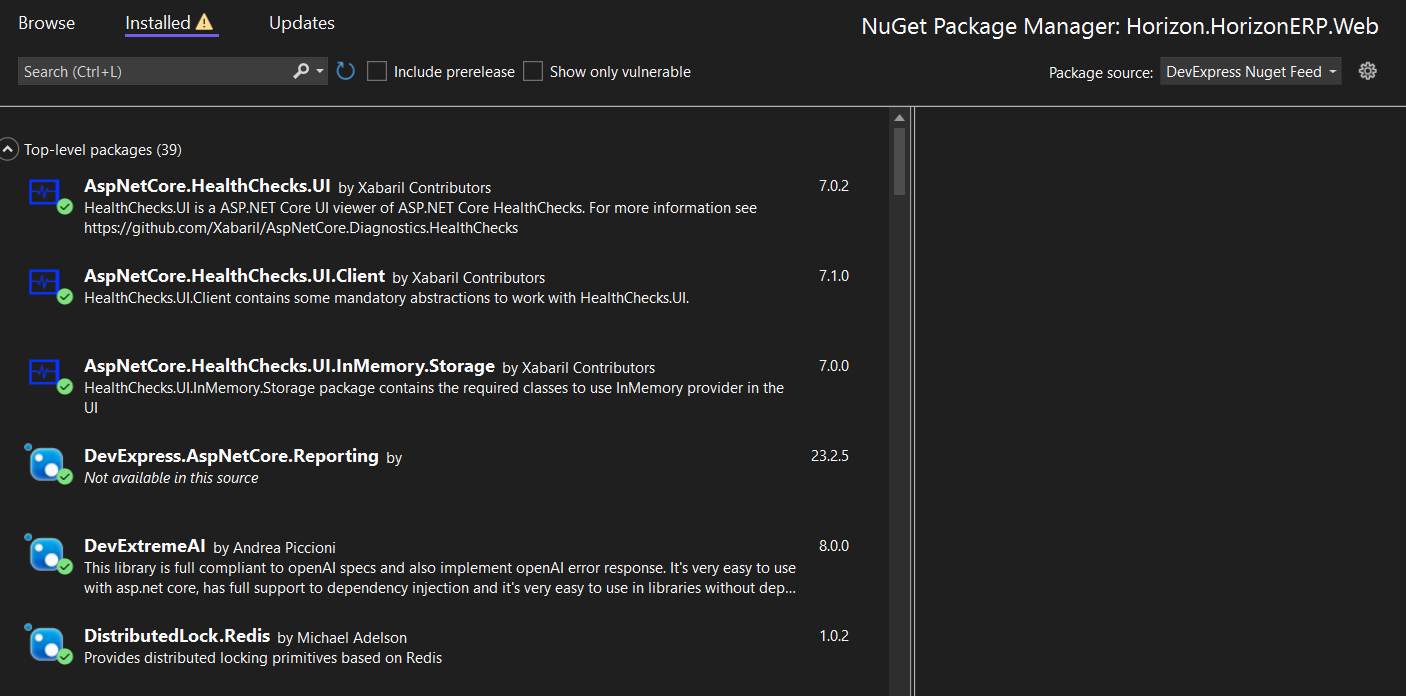
I will check it out, but is there another way to use the DevExpress Document Viewer in my project? My project uses ABP modularity, not a simple application.
Markdown supported.Copy, paste, or drag & drop images and files (max 100 MB per file, 100 MB total per post) -
0
hi
Can you share the
DevExpressnuget feed URL?liming.ma@volosoft.com
https://docs.devexpress.com/GeneralInformation/116042/nuget/obtain-your-nuget-feed-credentials#onlineremote-nuget-feed-from-the-devexpress-server-no-installer
Markdown supported.Copy, paste, or drag & drop images and files (max 100 MB per file, 100 MB total per post) -
0
hi
Can you try this to remove the DevExpress controllers from swagger?
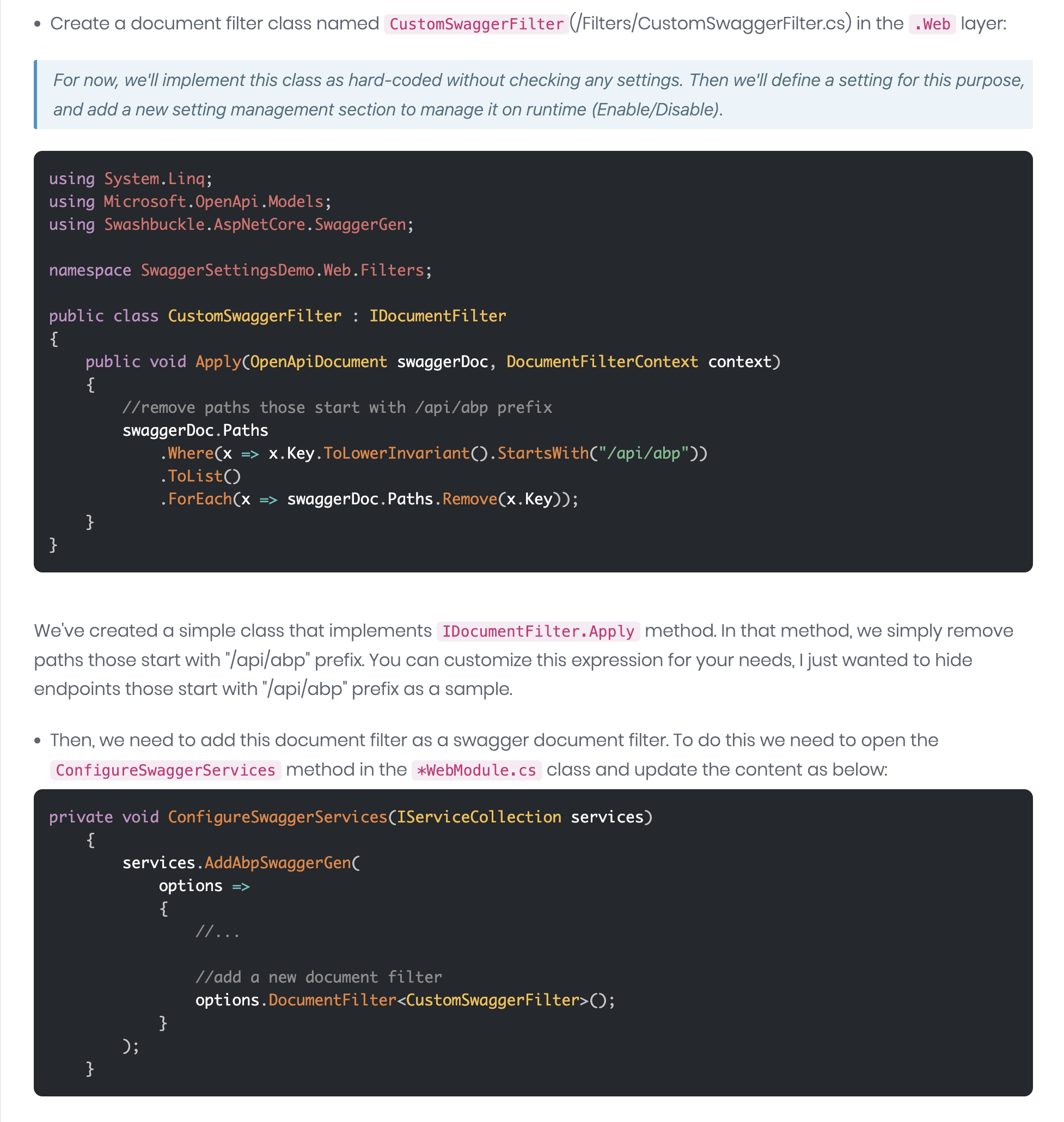 https://abp.io/community/articles/how-to-hide-abp-related-endpoints-on-swagger-ui-mb2w01feMarkdown supported.Copy, paste, or drag & drop images and files (max 100 MB per file, 100 MB total per post)



