- ABP Framework version: v8.2.3
- UI Type: Blazor Server
- Database System: EF Core (SQL Server)
- Tiered (for MVC) or Auth Server Separated (for Angular): yes
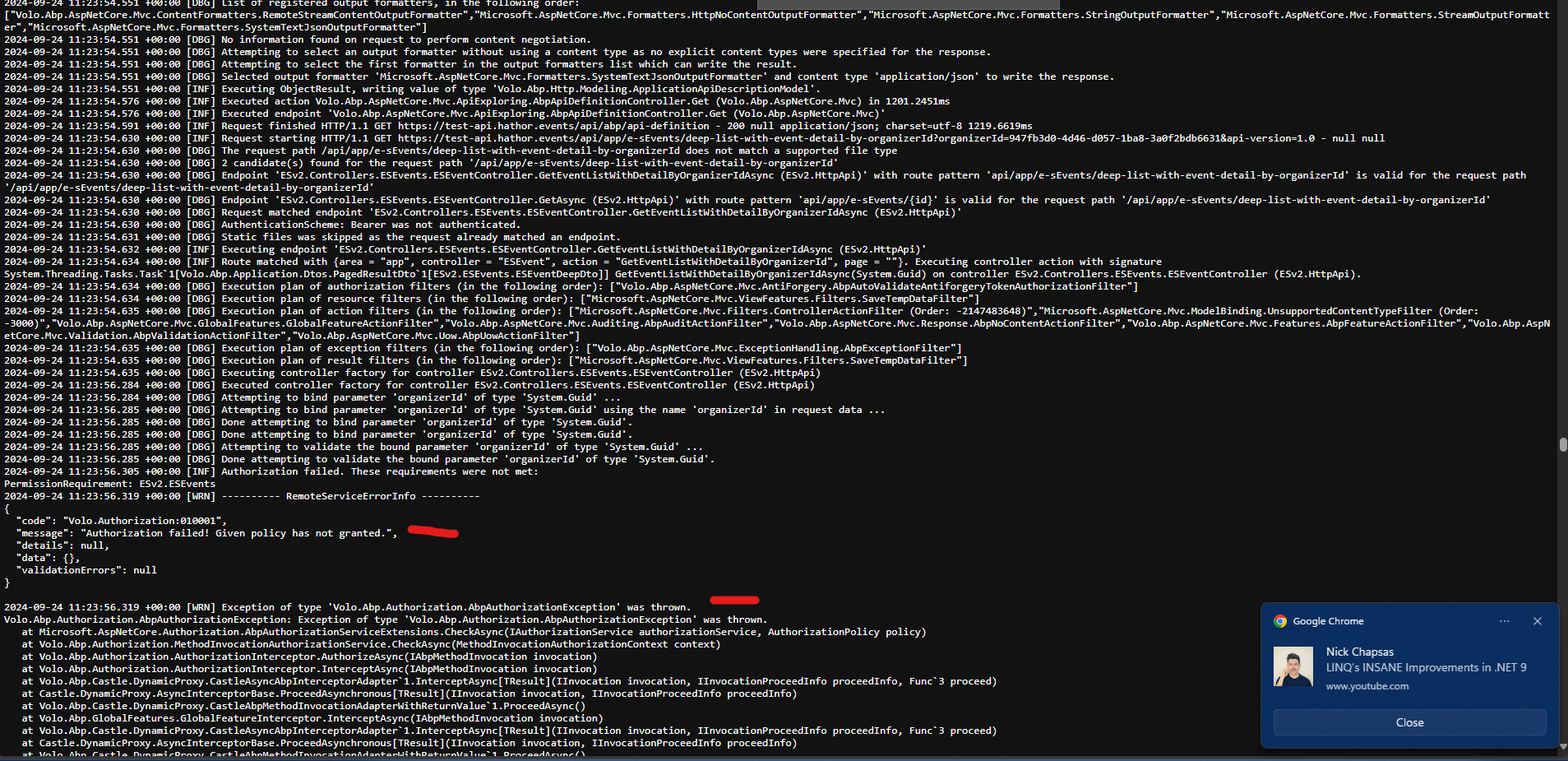
- Exception message and full stack trace:
- Steps to reproduce the issue:
Hi,
This just started to happen, when I log in to our production (test) environment everything is OK for a few seconds, then I seem to be losing authentication, and getting an 'Unauthorized' exception when calling a service method on the homepage. I have a video of this here:
https://drive.google.com/file/d/1xJpaKd_RJFRgb90Ol0IxINk0oW9c6n6Y/view?usp=drive_link
I have detailed errors on so I can see the exception in the browser console:
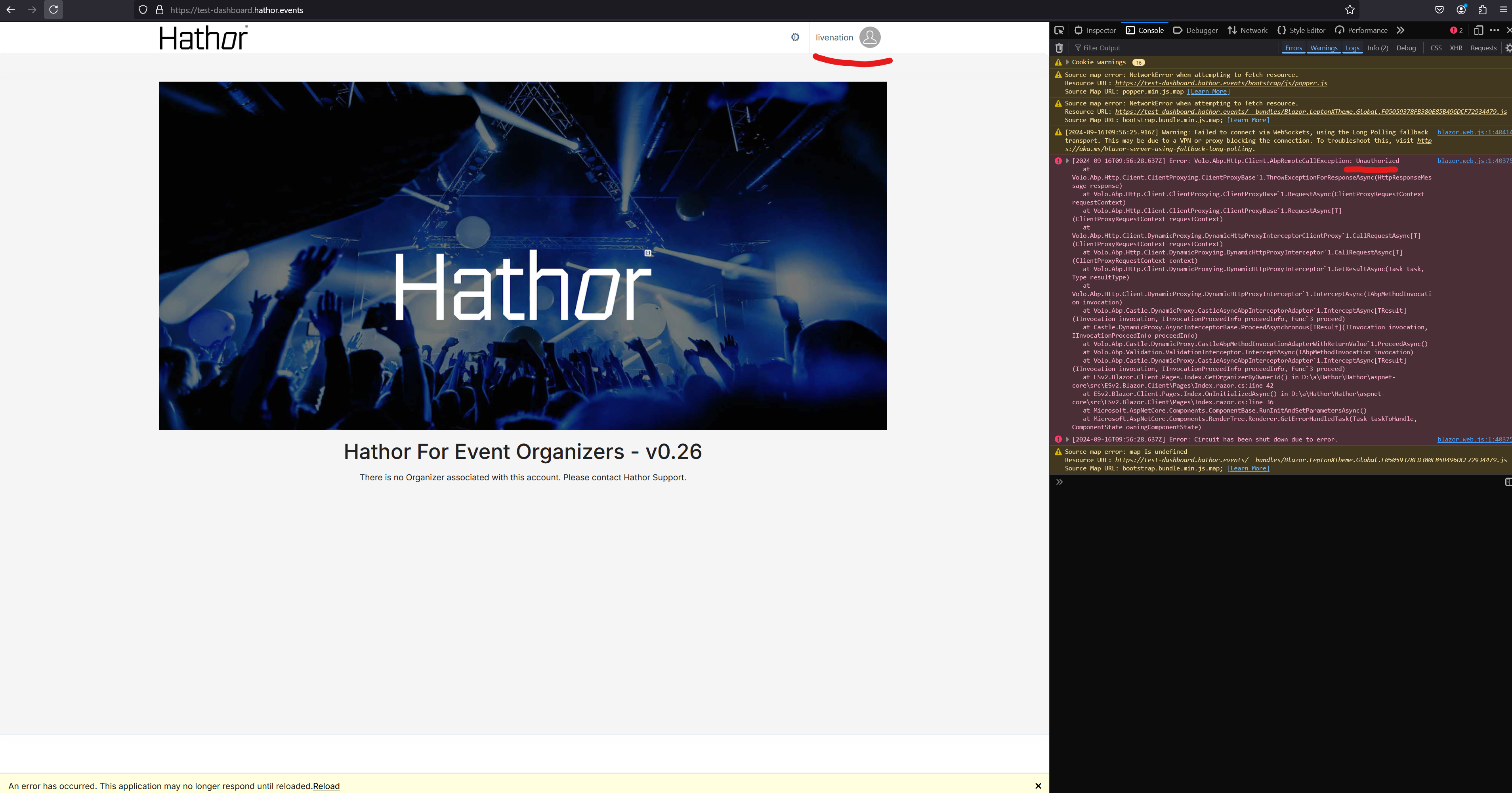
Do you know why / how this is happening and how to fix?
Thanks,
Karim Ainsworth
43 Answer(s)
-
0
Hi,
I'm requesting the access
 Markdown supported.Copy, paste, or drag & drop images and files (max 100 MB per file, 100 MB total per post)
 -
0
Hi,
i guess this is related to Redis configuration.
are they use the same redis server and same cache key prefix?
Markdown supported.Copy, paste, or drag & drop images and files (max 100 MB per file, 100 MB total per post) -
0
Hi,
Ah OK, that might make sense. Let me make sure I have Redis explicitly set up in the EnvVars. Just in appsettings now, as so:
"Redis": {
  "Configuration": "hathor.redis.cache.windows.net:6380,password=XXXXXXXXXXXXXXXXXXXXXXXXXXXX=,ssl=True,abortConnect=False"
},
I have 2 completely separate environments now, not using Deployment Slots. One for Test, one for Production, running the exact same codebase. Using the same Redis connection string for both environments, all AppServices.
Is that OK, would you suggest a different setup / configuration? I plan now to move the Redis config into the EnvVars in Azure to have a bit better control. I will let you know how that works.
Any other suggestions?
Thanks,
Karim
Markdown supported.Copy, paste, or drag & drop images and files (max 100 MB per file, 100 MB total per post) -
0
Hi,
All projects should use the same Redis config.(connection string, key prefix)
Configure<AbpDistributedCacheOptions>(options =>
{
    options.KeyPrefix = ...
});
Markdown supported.Copy, paste, or drag & drop images and files (max 100 MB per file, 100 MB total per post) -
0
Hi,
OK I have confirmed that all KeyPrefixes are the same. Just to make sure, the KeyPrefix can be anything, correct? I have it as "ESv2:" for all projects.
I also copied the Redis config in to an Environment Variable and used the same value for all AppServices:
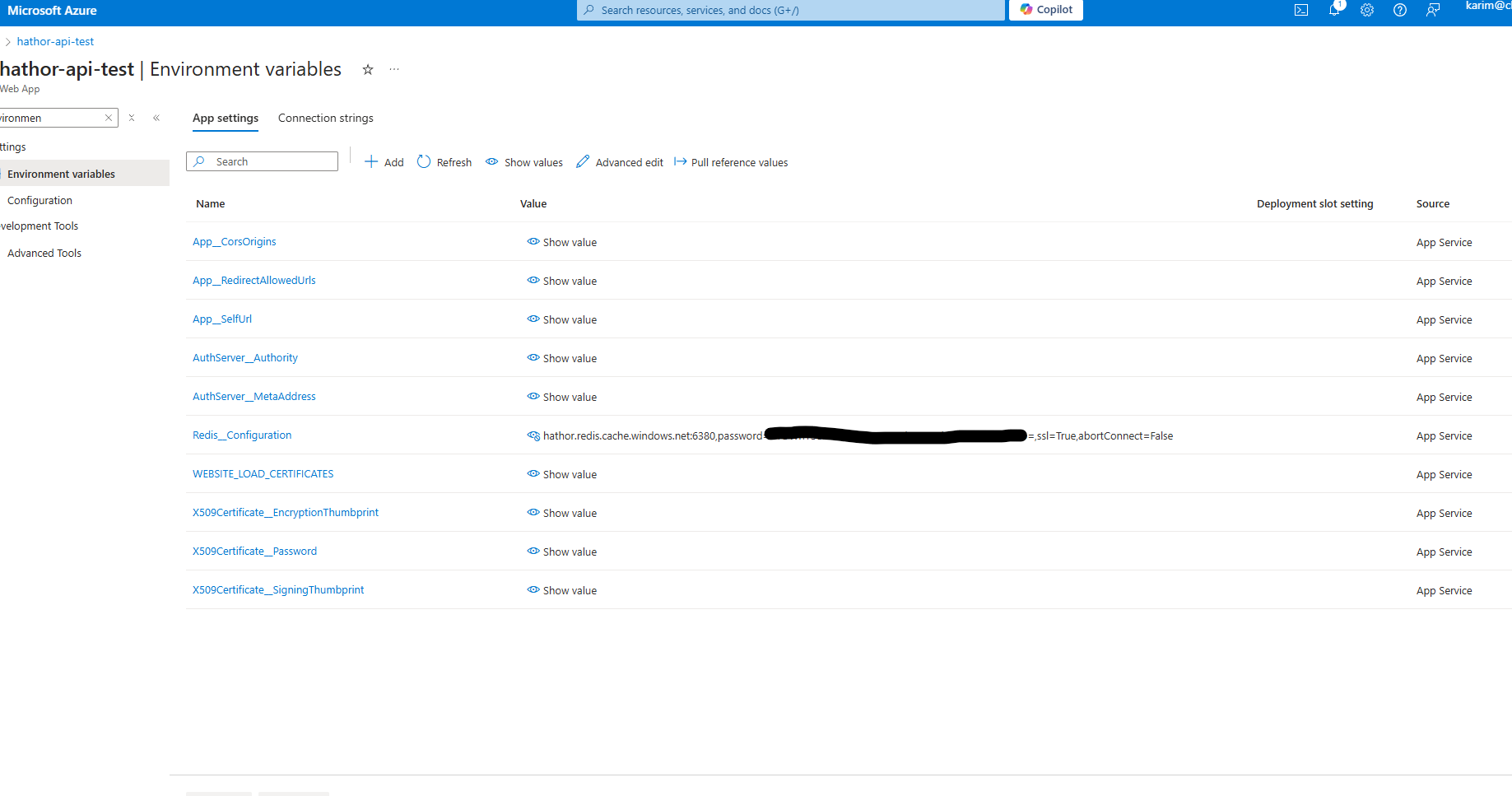
However I am still getting the exact same error:
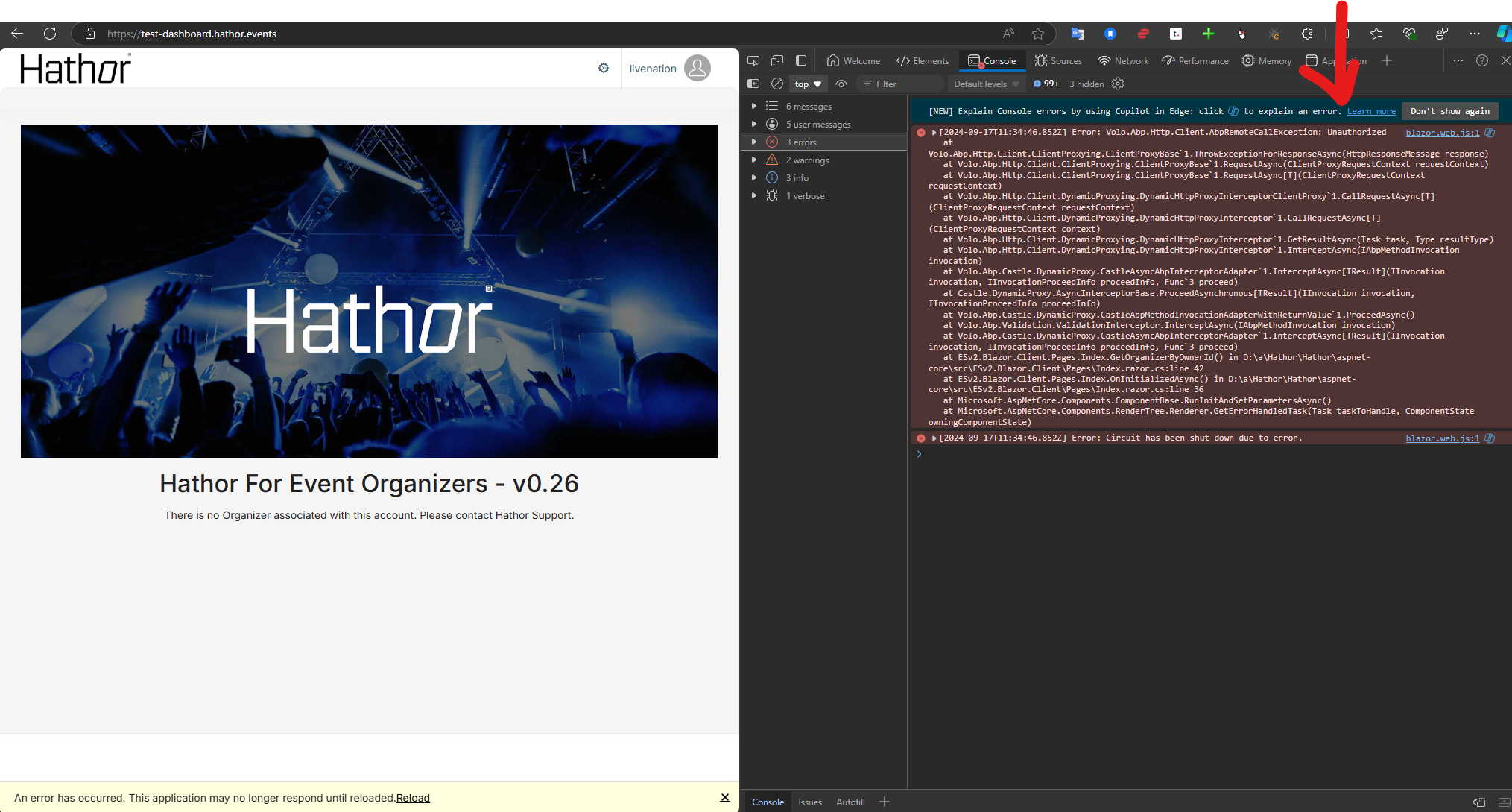
any other ideas?
Thanks,
Karim
Markdown supported.Copy, paste, or drag & drop images and files (max 100 MB per file, 100 MB total per post) -
0
Just to make sure, the KeyPrefix can be anything,
yes.
However, I am still getting the exact same error:
i think this is a problem, is the problem can reproduce in local?
Markdown supported.Copy, paste, or drag & drop images and files (max 100 MB per file, 100 MB total per post) -
0
Hi,
In local it works fine, in our identical Production environment ( https:hathor.events ) it also works fine, with the exact same codebase, both were deployed at the same time. The configuration also looks the same to me, I have checked and double checked.
Here is a video of the production deploy:
https://1drv.ms/v/s!AkJmGuHQuob7kqUmF4Iietrj4J1G6A?e=vbVyIK
And now, when I go to https://test-dashboard.hathor.events I get a 400 error before the login UI. This has also been a huge issue for me when deploying to production, seems there may be intermittent issues connecting to the database. I have another ticket open for that.
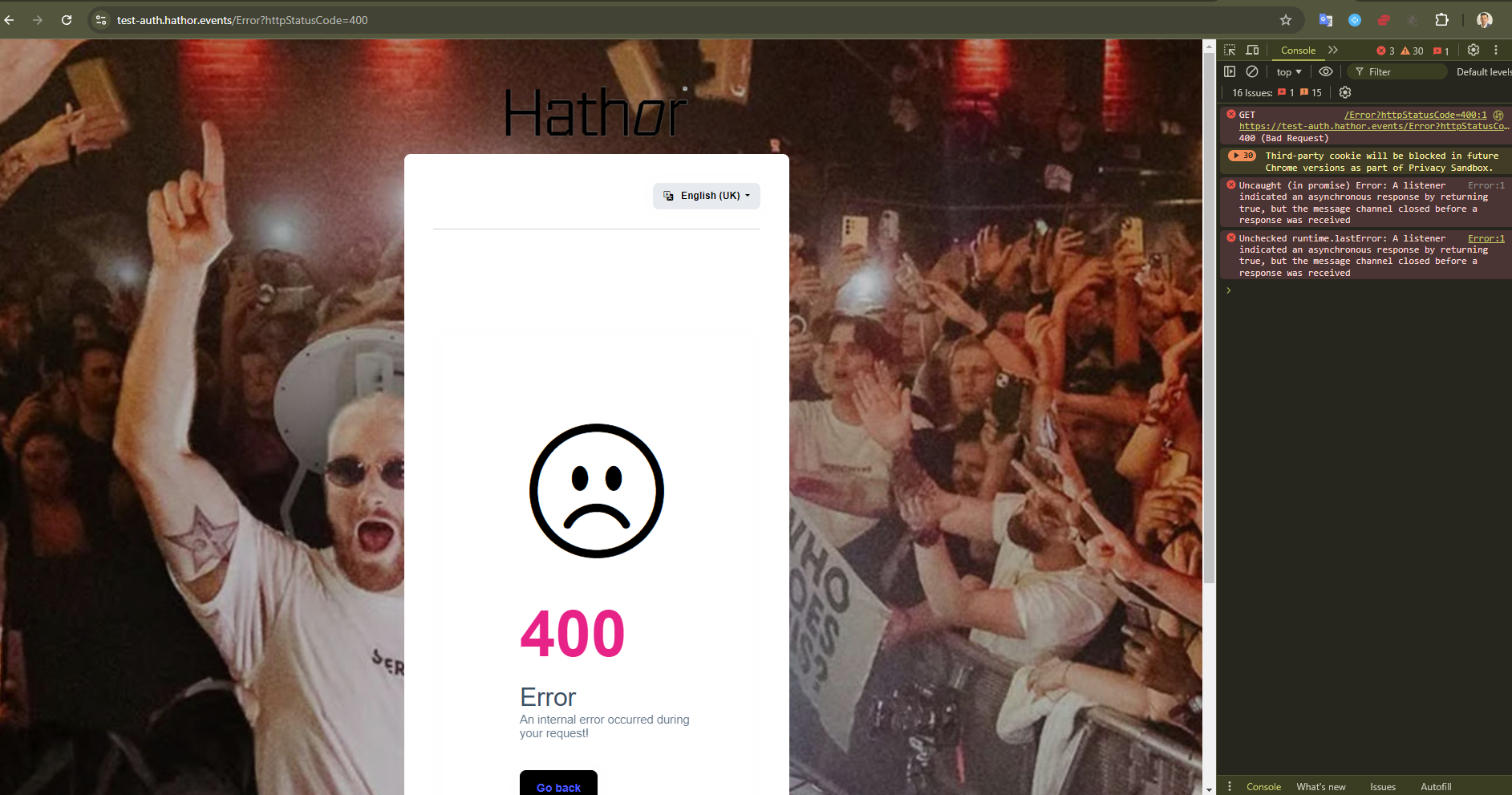
I just need some help getting to the bottom of these issues when deploying. We have spent so much time on this project, and everything works fine locally but it is so unstable after deploying. I need to demo to our client and I can't do so, this is becoming critical for us.
Seems like everything is revolving around the Auth project in one way or another.
Here are the new logs, same exact deployment, now with 400:
https://1drv.ms/u/s!AkJmGuHQuob7kqUl46X837Ty84Ga_Q?e=zyRTum
[ERR] An error occurred using the connection to database 'ESv2-testing' on server 'tcp:hathor-hk.database.windows.net,1433'
I really need help getting things stable in production, any ideas or insight would be very much appreciated.
Thanks,
Karim
Markdown supported.Copy, paste, or drag & drop images and files (max 100 MB per file, 100 MB total per post) -
0
Hi,
could you share a test account with me? shiwei.liang@volosoft.com
Markdown supported.Copy, paste, or drag & drop images and files (max 100 MB per file, 100 MB total per post) -
0
HI.
Sorry for the confusion, I mean your app account.
Markdown supported.Copy, paste, or drag & drop images and files (max 100 MB per file, 100 MB total per post) -
0
Hi,
it looks very strange.
I still suspect something to do with Redis.
Do you use different redis servers for different environments?
Markdown supported.Copy, paste, or drag & drop images and files (max 100 MB per file, 100 MB total per post) -
0
Hi,
Yeah Redis does seem like it could be the problem here. I did set up a separate Redis server for Test, but I am not using it, Test is configured using the Production Redis db for now so that I can keep everything consistent for troubleshooting.
Any other ideas on what we can try here?
Thanks,
Karim
Markdown supported.Copy, paste, or drag & drop images and files (max 100 MB per file, 100 MB total per post) -
0
Test is configured using the Production Redis db for now so that I can keep everything consistent for troubleshooting.
Don't use Production Redis db for Test env.
I think it's related to the session check.
you can try this to check if it's works:
[ExposeServices(typeof(IdentitySessionChecker))]
public class MyIdentitySessionChecker : IdentitySessionChecker
{
    public MyIdentitySessionChecker(IOptions<AbpClaimsPrincipalFactoryOptions> abpClaimsPrincipalFactoryOption, IdentitySessionManager identitySessionManager, IDistributedCache<IdentitySessionCacheItem> cache, IClock clock, IWebClientInfoProvider webClientInfoProvider, IOptions<IdentitySessionCheckerOptions> options) : base(abpClaimsPrincipalFactoryOption, identitySessionManager, cache, clock, webClientInfoProvider, options)
    {
    }

    public override Task<bool> IsValidateAsync(string sessionId)
    {
        return Task.FromResult(true);
        //return base.IsValidateAsync(sessionId);
    }
}
Markdown supported.Copy, paste, or drag & drop images and files (max 100 MB per file, 100 MB total per post) -
0
Hi,
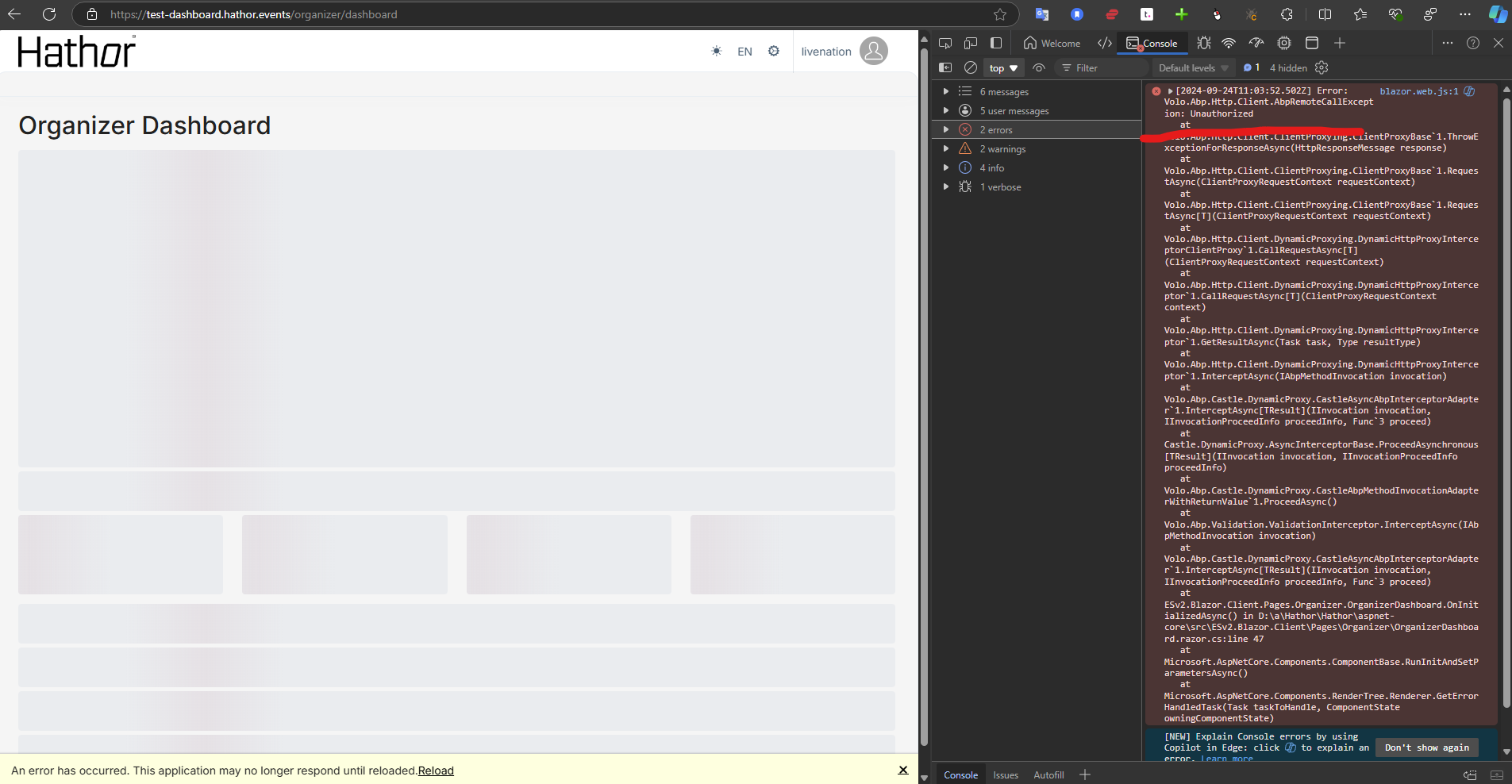
OK I configured the test environment with the test redis db, and removed the initial DB call from the Index page, however when I go to the next page (Dashboard) I am still getting the Unauthorized:
I am not sure where you want me to put the MyIdentitySessionChecker code, can you let me know where that goes and I will give that a try?
Thanks,
Karim
Markdown supported.Copy, paste, or drag & drop images and files (max 100 MB per file, 100 MB total per post) -
0
Hi,
OK I configured the test environment with the test redis db, and removed the initial DB call from the Index page, however when I go to the next page (Dashboard) I am still getting the Unauthorized:
I am not sure where you want me to put the MyIdentitySessionChecker code, can you let me know where that goes and I will give that a try?
Thanks,
Karim
Hi,
Can you tell me where to put the MyIdentitySessionChecker code so I can test this possible solution?
Thanks,
Karim
Markdown supported.Copy, paste, or drag & drop images and files (max 100 MB per file, 100 MB total per post) -
0
Hi,
Sorry for late.
After my check you don't need to
MyIdentitySessionChecker, you can try:(Add to HttpApi.Host, Blazor and authserver)Configure<AbpClaimsPrincipalFactoryOptions>(options=> { options.IsDynamicClaimsEnabled = false; } )Markdown supported.Copy, paste, or drag & drop images and files (max 100 MB per file, 100 MB total per post) -
0
Hi,
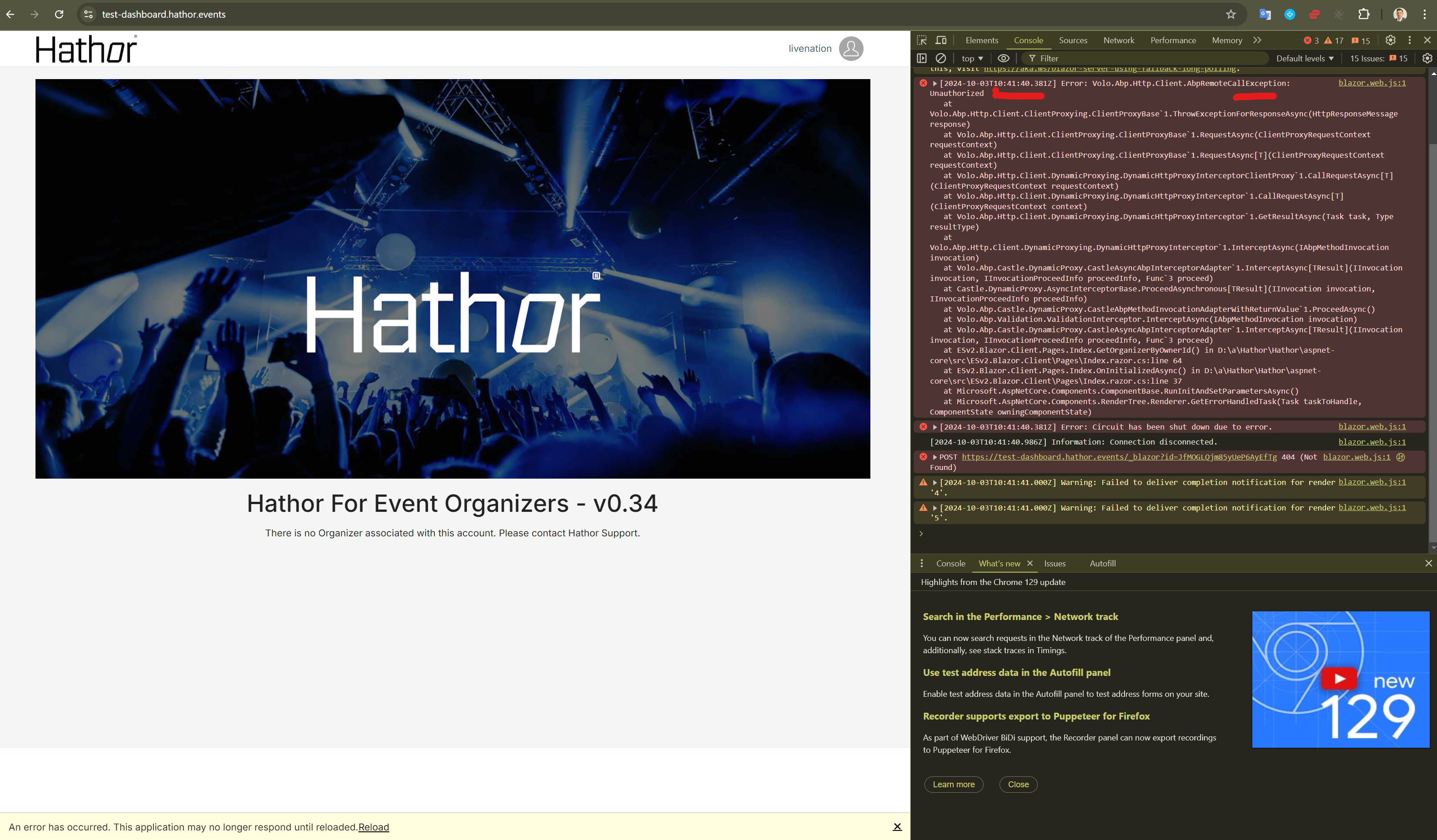
I have added this code into all 3 projects, still getting the same error as before. Is there anything configuration or db related that would cause this? Any other ideas on a way forward here? I need to demo to our client and this is becoming a serious problem for us now.
I had been travelling last week and wasn't available much but I will be very much available now to implement any and all possible solutions to this quickly.
Thanks,
Karim
 Markdown supported.Copy, paste, or drag & drop images and files (max 100 MB per file, 100 MB total per post)
 -
0
Hi
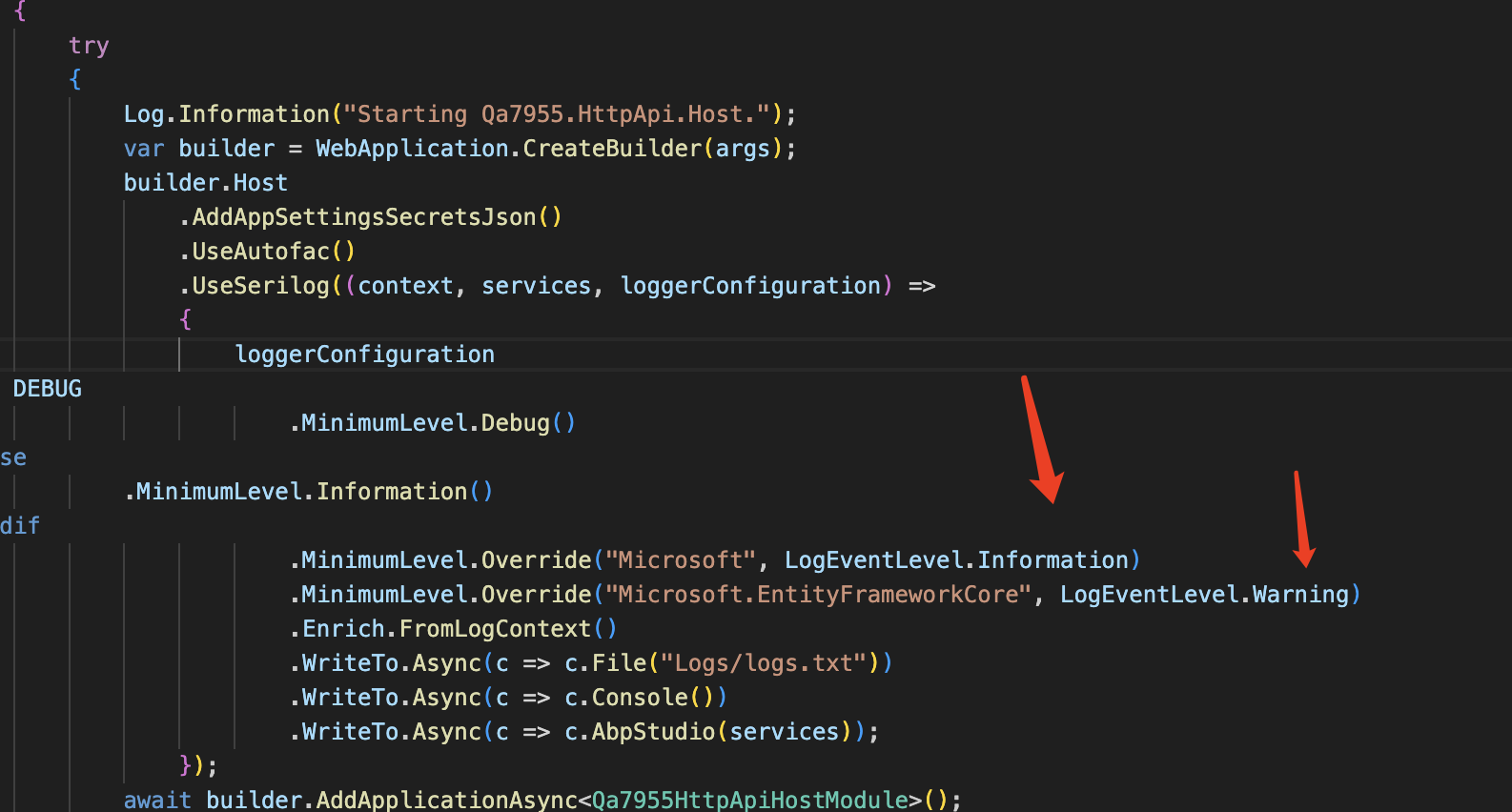
Sorry for late, can you change all log level to debug and share them again. thanks
 Markdown supported.Copy, paste, or drag & drop images and files (max 100 MB per file, 100 MB total per post)
 -
0
Hi,
All log levels are at DEBUG. I stopped all 3 services, cleaned out the logs, then re ran all, logged in and got the Auth exception again. Currently the AUTH / API projects are running fine, no errors, just dealing with this UNAUTHORIZED error in the Blazor Project.
Here are the logs from just now:
https://1drv.ms/u/s!AkJmGuHQuob7kqpAq6Pb-Ro49fpzjQ?e=y7mA7e
Thanks,
Karim
Markdown supported.Copy, paste, or drag & drop images and files (max 100 MB per file, 100 MB total per post) -
0
Your project looks good, but there is an UNAUTHORIZED error in
Index.razor.csCould you try to comment on this line code or check with the current user to see if it's authorized to check it?
at ESv2.Blazor.Client.Pages.Index.GetOrganizerByOwnerId() in D:\a\Hathor\Hathor\aspnet-core\src\ESv2.Blazor.Client\Pages\Index.razor.cs:line 64 at ESv2.Blazor.Client.Pages.Index.OnInitializedAsync() in D:\a\Hathor\Hathor\aspnet-core\src\ESv2.Blazor.Client\Pages\Index.razor.cs:line 37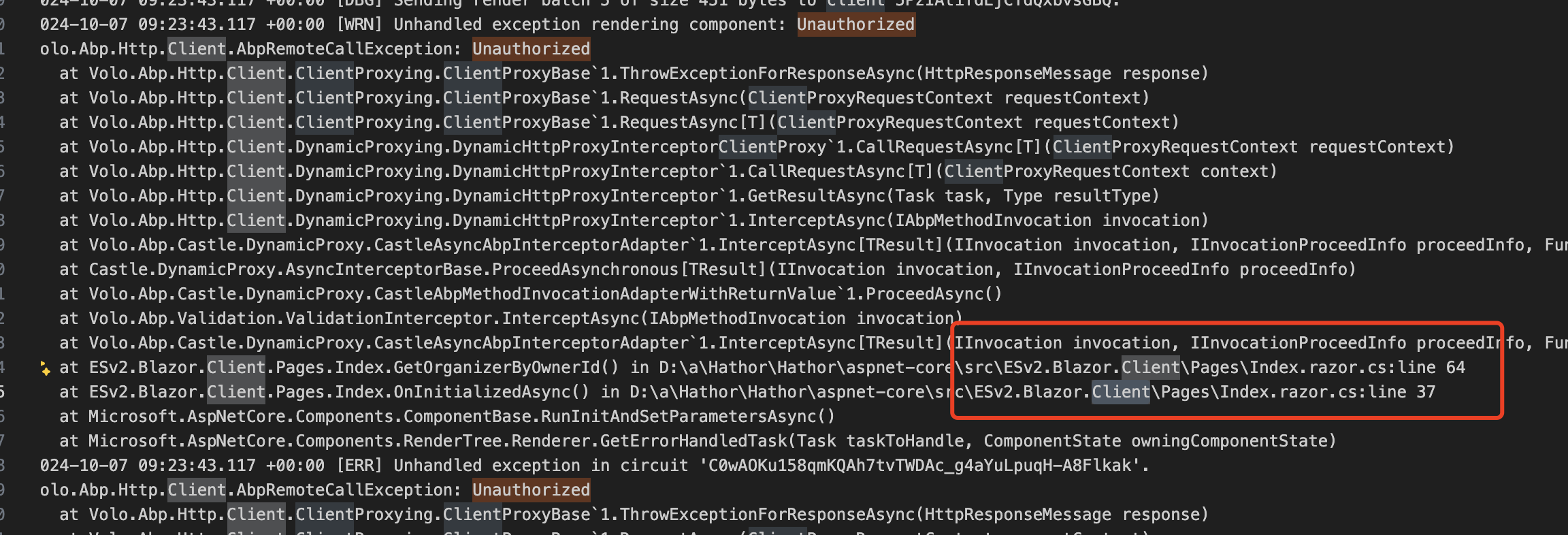 Markdown supported.Copy, paste, or drag & drop images and files (max 100 MB per file, 100 MB total per post)
 -
0
Hi,
Yeah I have already gone through that process. If I comment out that code then it just throws the AbpRemoteCallException : Unauthorized the next time I make a call into the Service layer.
It seems to be logging in / authenticating fine for a period of time, a few seconds, then losing auth. Here is a video showing this:
https://1drv.ms/v/s!AkJmGuHQuob7kqpdeMB_g8HYqKIW_w?e=c8Krme
I don't understand what would cause us to lose authentication after a few seconds like this, that is the original question.
Thanks,
Karim
Markdown supported.Copy, paste, or drag & drop images and files (max 100 MB per file, 100 MB total per post)