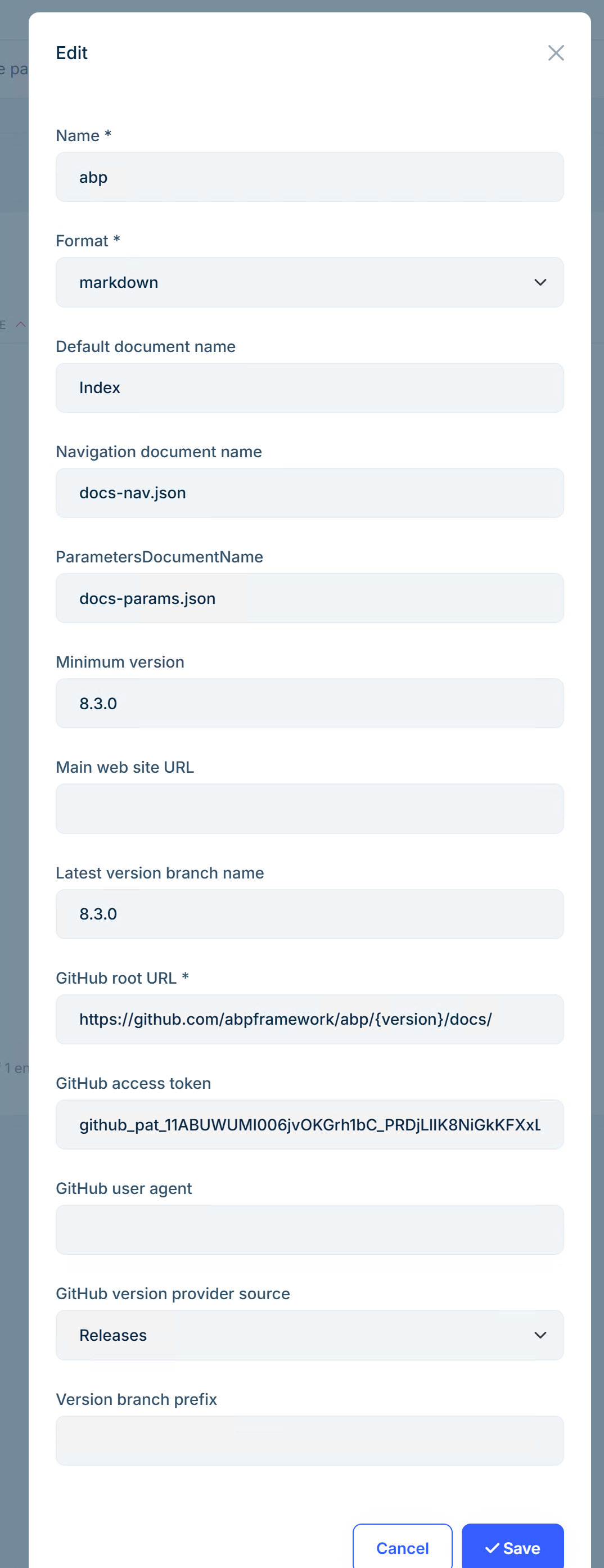
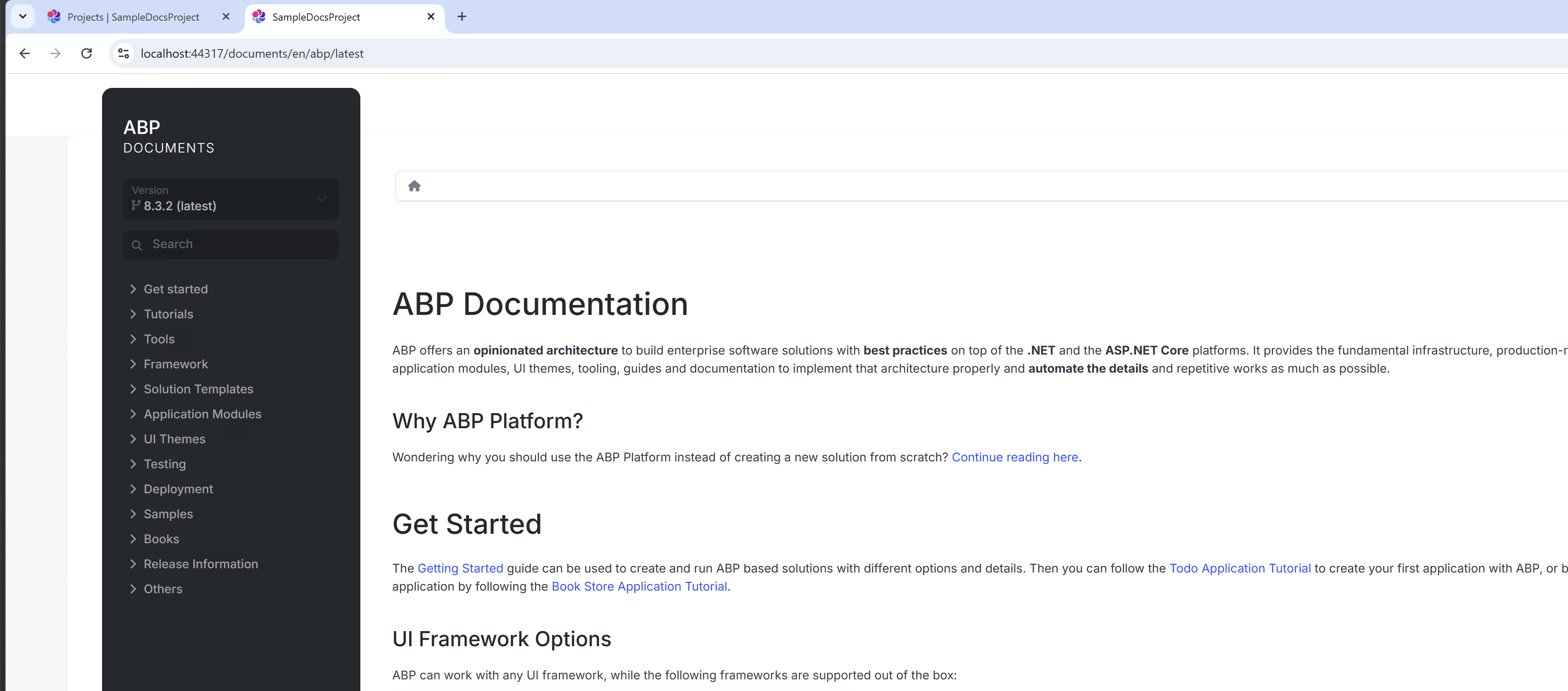
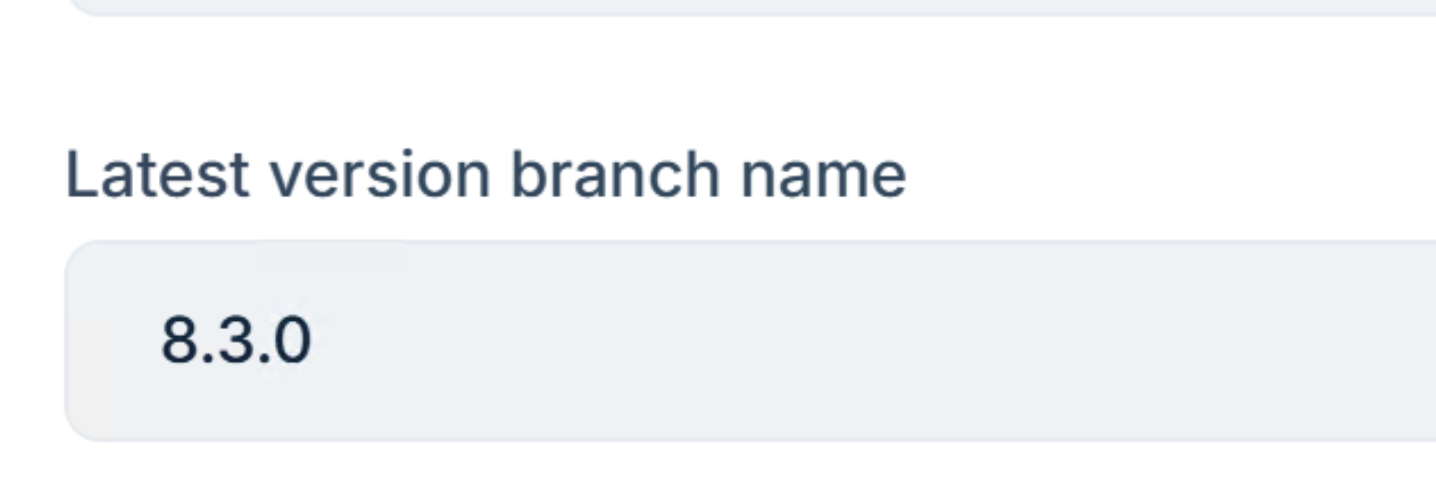
- ABP Framework version: v8.3.1
- UI Type: MVC
- Database System: EF Core (SQL Server) / MongoDB
- **Tiered (for MVC) **: yes
- Exception message and full stack trace:
- Steps to reproduce the issue: I have created the project using abp studio.
- Added doc module using abp suite (same version as abp studio) , migration is successful.
- Followed -> https://abp.io/docs/latest/modules/docs
- Completed till -> Adding New Docs Project with github url (for testing have given the same abp documentation url)
After that when i try to go to my project and try /documents im navigating to homepage
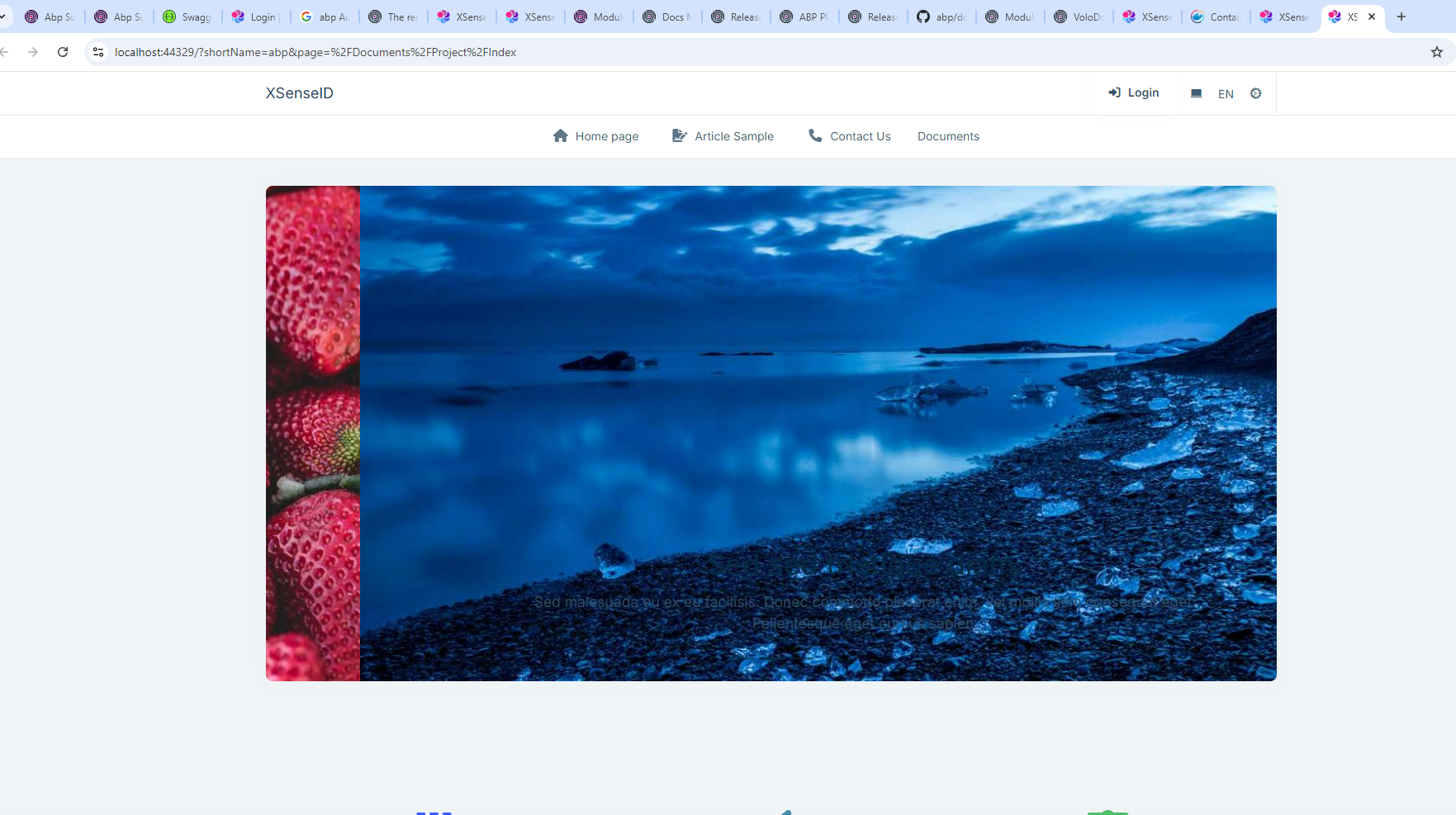
While my expectation is to see abp docs
29 Answer(s)
-
0
Hi , I have shared the logs
Markdown supported.Copy, paste, or drag & drop images and files (max 100 MB per file, 100 MB total per post) -
0
This is the log of public website. I need all logs.txt of all websites. Can you share a test project directly so that I can check it locally?
Thanks
liming.ma@volosoft.com
Markdown supported.Copy, paste, or drag & drop images and files (max 100 MB per file, 100 MB total per post) -
0
Hi I have shared the link in email
Added steps.txt in the folder for the details
Markdown supported.Copy, paste, or drag & drop images and files (max 100 MB per file, 100 MB total per post) -
0
Thanks, Waiting with hundred eyes for your response
Markdown supported.Copy, paste, or drag & drop images and files (max 100 MB per file, 100 MB total per post) -
0
The fix code:
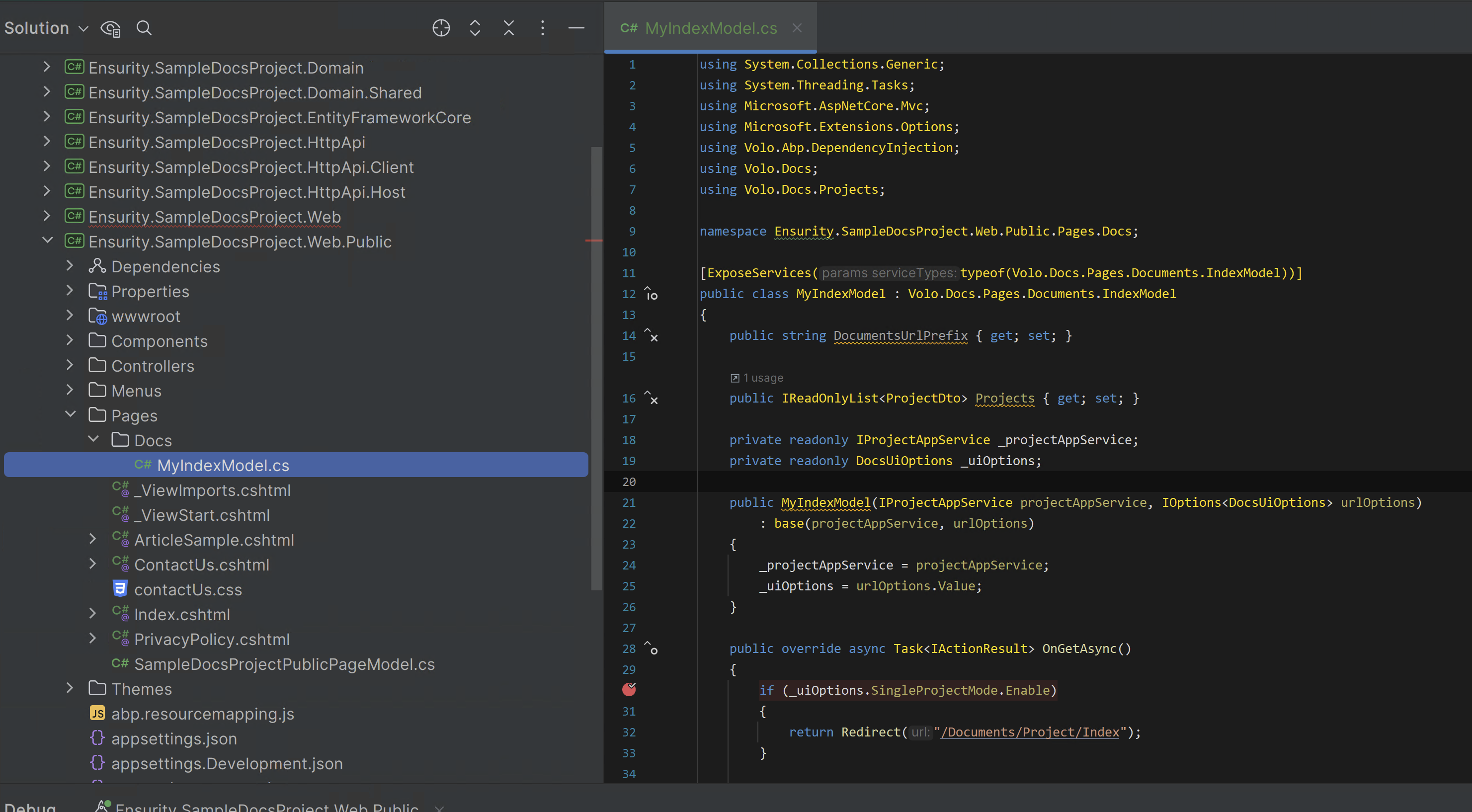
using System.Collections.Generic;
using System.Threading.Tasks;
using Microsoft.AspNetCore.Mvc;
using Microsoft.Extensions.Options;
using Volo.Abp.DependencyInjection;
using Volo.Docs;
using Volo.Docs.Projects;

namespace Ensurity.SampleDocsProject.Web.Public.Pages.Docs;

[ExposeServices(typeof(Volo.Docs.Pages.Documents.IndexModel))]
public class MyIndexModel : Volo.Docs.Pages.Documents.IndexModel
{
    public string DocumentsUrlPrefix { get; set; }

    public IReadOnlyList<ProjectDto> Projects { get; set; }

    private readonly IProjectAppService _projectAppService;
    private readonly DocsUiOptions _uiOptions;

    public MyIndexModel(IProjectAppService projectAppService, IOptions<DocsUiOptions> urlOptions)
        : base(projectAppService, urlOptions)
    {
        _projectAppService = projectAppService;
        _uiOptions = urlOptions.Value;
    }

    public override async Task<IActionResult> OnGetAsync()
    {
        if (_uiOptions.SingleProjectMode.Enable)
        {
            return Redirect("/Documents/Project/Index");
        }

        var listResult = await _projectAppService.GetListAsync();

        if (listResult.Items.Count == 1)
        {
            return Redirect($"/Documents/Project/{listResult.Items[0].ShortName}");
        }

        Projects = listResult.Items;

        return Page();
    }
}
Markdown supported.Copy, paste, or drag & drop images and files (max 100 MB per file, 100 MB total per post) -
0
Hi maliming,
Thanks for the Update. It really helps me.
What i understand is that its a bug and we are extending the doc index model as a temporary fix now.
It will be fixed in next versions, correct ?
Markdown supported.Copy, paste, or drag & drop images and files (max 100 MB per file, 100 MB total per post) -
0
I have created a new docs project with same structure as abp
doc en index.md docs-nav.json docs-params.json docs-lang.json
Its branch is in "main" branch and added the project giturl as follows. {"GitHubRootUrl":"https://github.com/XXXXXXXXXXXXXXXXXXXXXXX/DemoDocumentation/tree/{version}/Docs","GitHubAccessToken":"github_pat_XXXXXXXXXXXXX","GitHubUserAgent":""}
When i try to access https://localhost:44317/documents/en/demo/latest
I got this exception.
An unhandled exception occurred while processing the request.ArgumentException: 'main.0.0' is not a valid version string. (Parameter 'value')
NuGet.Versioning.SemanticVersion.Parse(string value) Volo.Docs.GitHub.Documents.Version.SemanticVersionHelper.IsPreRelease(string version) Volo.Docs.Pages.Documents.Project.IndexModel+<>c.<GetLatestVersionInfo>b__137_0(VersionInfoViewModel v) System.Linq.Enumerable.TryGetFirst<TSource>(IEnumerable<TSource> source, Func<TSource, bool> predicate, out bool found) System.Linq.Enumerable.FirstOrDefault<TSource>(IEnumerable<TSource> source, Func<TSource, bool> predicate) Volo.Docs.Pages.Documents.Project.IndexModel.GetLatestVersionInfo(List<VersionInfoViewModel> versions) Volo.Docs.Pages.Documents.Project.IndexModel.TrySetVersionAsync() Volo.Docs.Pages.Documents.Project.IndexModel.SetPageAsync() Volo.Docs.Pages.Documents.Project.IndexModel.OnGetAsync()
Also i have one more question? Do i need to build my project everytime i update my docs project or Will it directly pull from the git in runtime.
In such case if im hosting my application in OnPrem deployment, where application maynot have access to internet, what could i do ?
Thanks,
Markdown supported.Copy, paste, or drag & drop images and files (max 100 MB per file, 100 MB total per post) -
0
hi
Please try to create a number release.(
1.0.0)Will it directly pull from the git in runtime.
It will use caching, but you can force it to get the latest from Github in the project page.
In such case if im hosting my application in OnPrem deployment, where application maynot have access to internet, what could i do ?
I don't know about the
OnPrem deploymentIf you use Github as document source, your app must access the Github.com
Markdown supported.Copy, paste, or drag & drop images and files (max 100 MB per file, 100 MB total per post) -
0
So if i do filesystem project it should help me with the cases where i dont reach internet. Am i correct ?
Markdown supported.Copy, paste, or drag & drop images and files (max 100 MB per file, 100 MB total per post) -
0
If i build my application and published to a server.
When ever i update the documentation, will it automatically update in the publised server page.
Markdown supported.Copy, paste, or drag & drop images and files (max 100 MB per file, 100 MB total per post) -
0
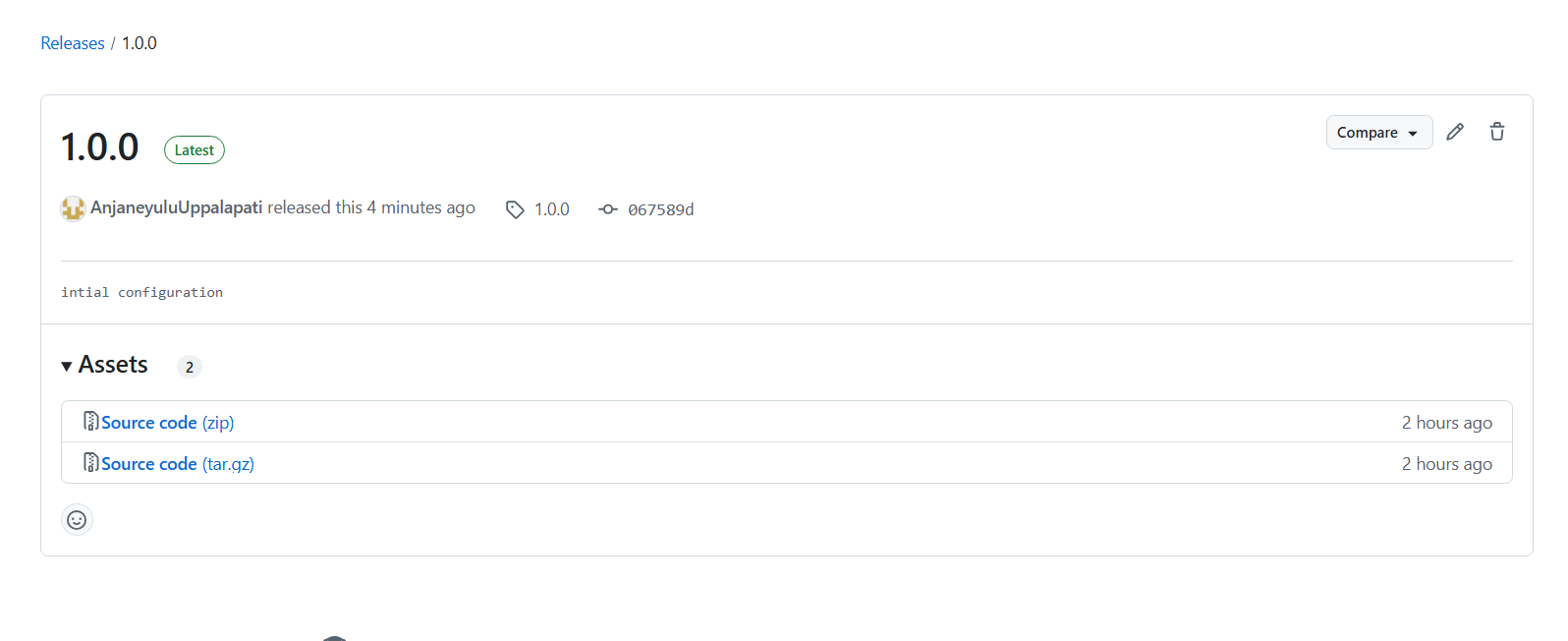
I have created the release for the github main branch. But still same issue
An unhandled exception occurred while processing the request. ArgumentException: 'main.0.0' is not a valid version string. (Parameter 'value')
Markdown supported.Copy, paste, or drag & drop images and files (max 100 MB per file, 100 MB total per post) -
0
When ever i update the documentation, will it automatically update in the publised server page.
If the cache expires, the document will try to get the latest. https://github.com/abpframework/abp/blob/dev/modules/docs/src/Volo.Docs.Application/Volo/Docs/Documents/DocumentAppService.cs#L527-L547
Markdown supported.Copy, paste, or drag & drop images and files (max 100 MB per file, 100 MB total per post) -
0
I have tried it, i got this
AbpRemoteCallException: An internal error occurred during your request! Volo.Abp.Http.Client.ClientProxying.ClientProxyBase<TService>.ThrowExceptionForResponseAsync(HttpResponseMessage response) Volo.Abp.Http.Client.ClientProxying.ClientProxyBase<TService>.RequestAsync(ClientProxyRequestContext requestContext) Volo.Abp.Http.Client.ClientProxying.ClientProxyBase<TService>.RequestAsync<T>(ClientProxyRequestContext requestContext) Volo.Abp.Http.Client.ClientProxying.ClientProxyBase<TService>.RequestAsync<T>(string methodName, ClientProxyRequestTypeValue arguments) Volo.Docs.Documents.DocsDocumentClientProxy.GetDefaultAsync(GetDefaultDocumentInput input) Volo.Docs.Pages.Documents.Project.IndexModel.GetSpecificDocumentOrDefaultAsync(string languageCode) Volo.Docs.Pages.Documents.Project.IndexModel.TrySetDocumentAsync() Volo.Docs.Pages.Documents.Project.IndexModel.SetPageAsync() Volo.Docs.Pages.Documents.Project.IndexModel.OnGetAsync()
Markdown supported.Copy, paste, or drag & drop images and files (max 100 MB per file, 100 MB total per post) -
0
I have shared the logs of all projects in email
Thanks
Markdown supported.Copy, paste, or drag & drop images and files (max 100 MB per file, 100 MB total per post) -
0
hi
The errors are:
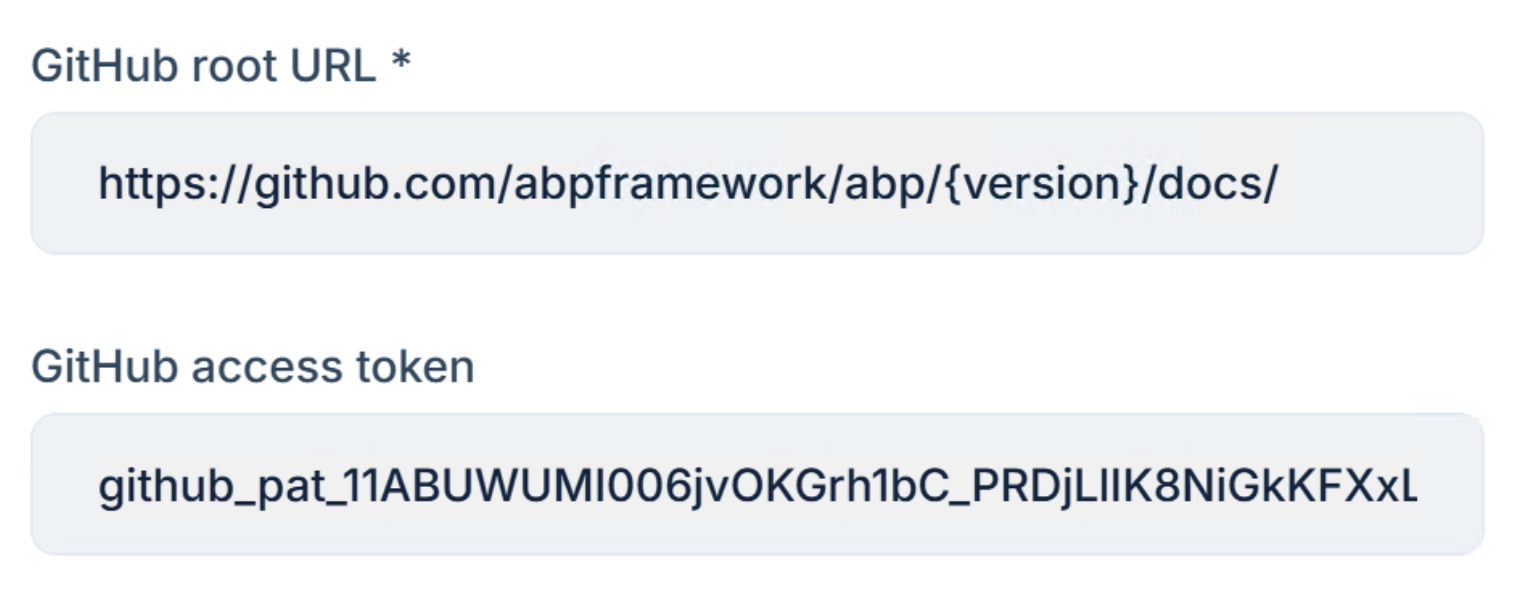
[ERR] repos/EnsurityTechnologies/XSenseDocumentation/releases was not found.Response status code does not indicate success: 404 (Not Found).: https://raw.githubusercontent.com/EnsurityTechnologies/XSenseDocumentation/1.0.0/Docs/en/Index.mdWhat is your
GitHub root URL?Have you set up a GitHub access token?
 Markdown supported.Copy, paste, or drag & drop images and files (max 100 MB per file, 100 MB total per post)
 -
0
Yes i have given the details.
I have shared the github url and token in email
Markdown supported.Copy, paste, or drag & drop images and files (max 100 MB per file, 100 MB total per post)