

Open Closed

Accessing API from a VB.NET Client app, guide on how to authenticate, GET / POST data etc #8573


User avatar
0
wingers created

Hi

I need to be able to access the API's of my ABP website from a VB.NET WinForms application, and I want to do it correctly and securely.

So hoping for some guidance as can't find any tutorials or sample apps to help me.

I have created a sample solution with the sample CRUD pages (book store) to use to learn more

  1. Do i need to include OpenIddict in my project or not?

  2. How do I securely connect to the API from my app, what config do I need to do in the app (if any) first and how do I then access for example a list of books and add a new book?

Anything else you need me to answer to allow a complete response please let me know as I am running out of questions already and only been using it a short while!

Thank you (and happy new year!)

  • Template: app-nolayers
  • Created ABP Studio Version: 0.9.18
  • Current ABP Studio Version: 0.9.18
  • Multi-Tenancy: No
  • UI Framework: mvc
  • Theme: leptonx
  • Theme Style: system
  • Database Provider: ef
  • Database Management System: sqlserver
  • Optional Modules:
    • GDPR
    • LanguageManagement
    • AuditLogging
Markdown supported.
Copy, paste, or drag & drop images and files (max 100 MB per file, 100 MB total per post)

32 Answer(s)
  • User Avatar
    0
    wingers created

    If you mean setting it here as per screenshot then yes. If not then please explain where I look as I don't see a file called that name in my project
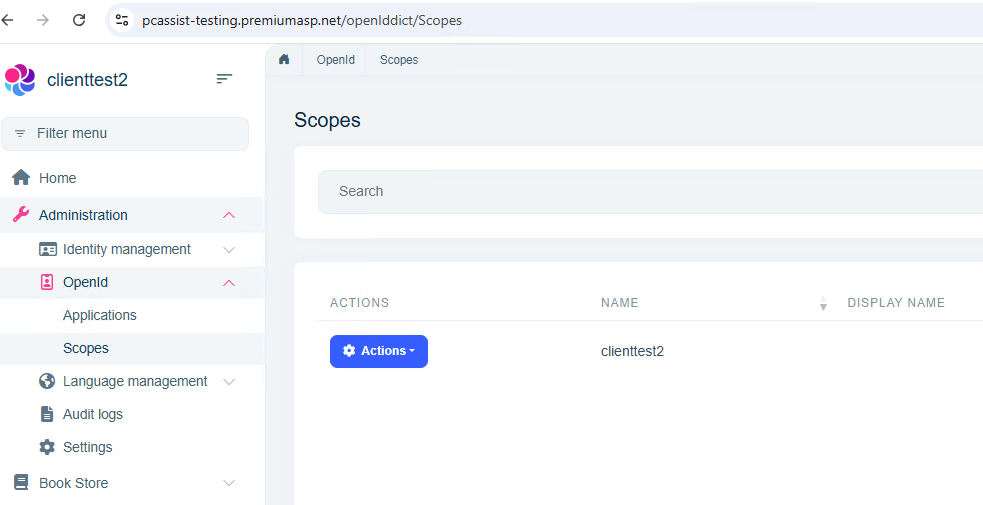
    As per email I sent I can send you all my source and I have given you details of the hosted website and password you can access if needed to check anything?

    Markdown supported.
    Copy, paste, or drag & drop images and files (max 100 MB per file, 100 MB total per post)
  • User Avatar
    0
    maliming created
    Support Team Fullstack Developer

    hi

    Can you share your project source code?

    Markdown supported.
    Copy, paste, or drag & drop images and files (max 100 MB per file, 100 MB total per post)
  • User Avatar
    0
    wingers created

    yes, will email you a link shortly

    Markdown supported.
    Copy, paste, or drag & drop images and files (max 100 MB per file, 100 MB total per post)
  • User Avatar
    0
    maliming created
    Support Team Fullstack Developer

    ok

    Markdown supported.
    Copy, paste, or drag & drop images and files (max 100 MB per file, 100 MB total per post)
  • User Avatar
    0
    maliming created
    Support Team Fullstack Developer

    Markdown supported.
    Copy, paste, or drag & drop images and files (max 100 MB per file, 100 MB total per post)
  • User Avatar
    0
    wingers created

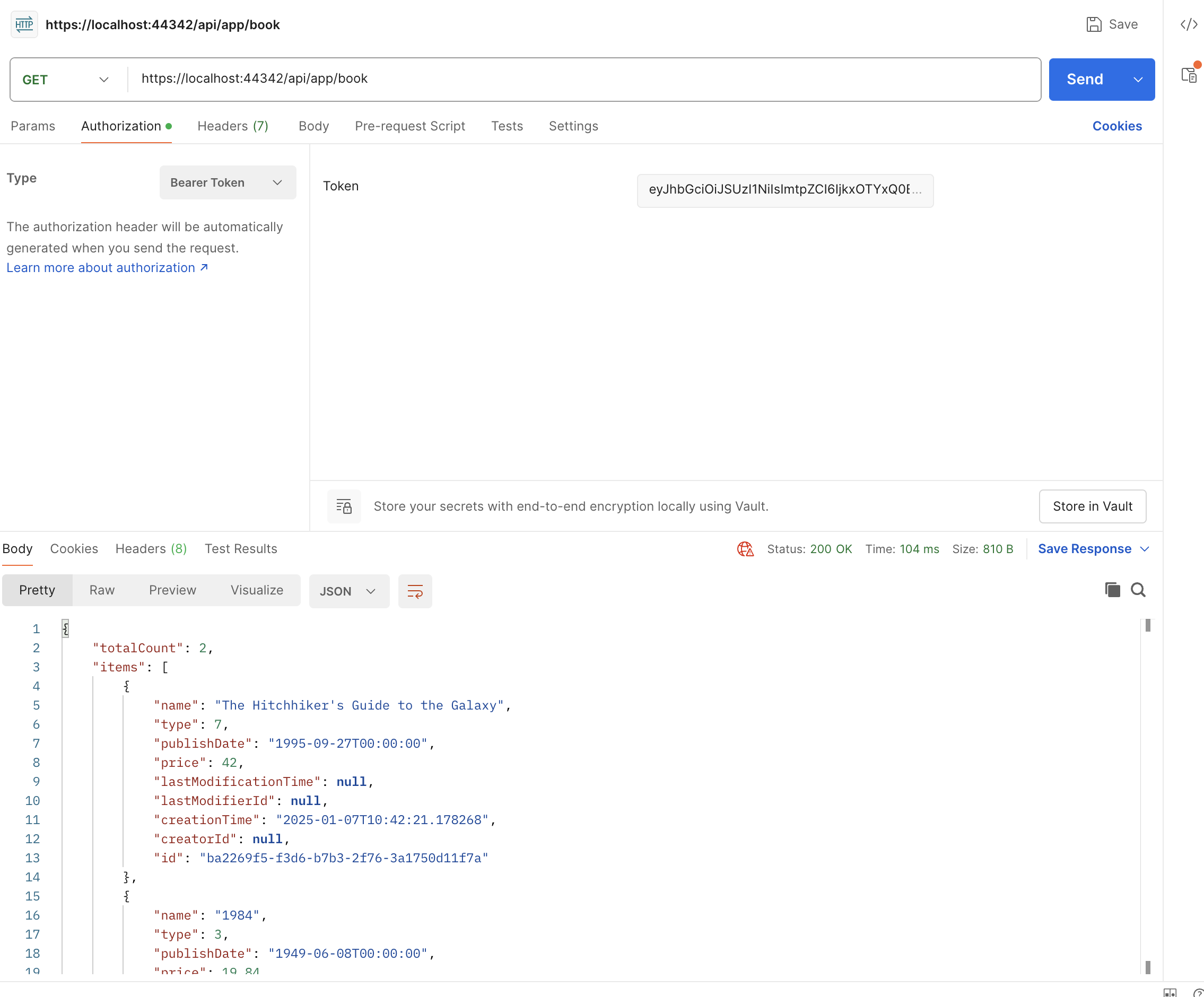
    Excellent, thank you very much. I think this area needs to be documented better on your website so others can avoid the same mistakes I did

    Markdown supported.
    Copy, paste, or drag & drop images and files (max 100 MB per file, 100 MB total per post)

  • User Avatar
    0
    maliming created
    Support Team Fullstack Developer

    : )

    Markdown supported.
    Copy, paste, or drag & drop images and files (max 100 MB per file, 100 MB total per post)

Boost Your Development
ABP Live Training
Packages
See Trainings
Mastering ABP Framework Book
The Official Guide
Mastering
ABP Framework
Learn More
Mastering ABP Framework Book
Made with ❤️ on ABP v10.8.0-preview. Updated on October 21, 2026, 11:09
1
ABP Assistant
🔐 You need to be logged in to use the chatbot. Please log in first.