






Check the docs before asking a question: https://abp.io/docs/latest
Check the samples to see the basic tasks: https://abp.io/docs/latest/samples
The exact solution to your question may have been answered before, and please first use the search on the homepage.
Provide us with the following info:
🧐 Hint: If you are using the ABP Studio, you can see all the information about your solution from the configuration window, which opens when you right-click on the solution and click on the Solution Configuration button.
- Template: microservice
- Created ABP Studio Version: 0.9.21
- Current ABP Studio Version: 0.9.22
- Multi-Tenancy: Yes
- UI Framework: angular
- Theme: leptonx
- Theme Style: system
- Run Install Libs: Yes
- Database Provider: ef
- Database Management System: sqlserver
- Mobile Framework: none
- Public Website: Yes
- Include Tests: Yes
- Dynamic Localization: Yes
- Kubernetes Configuration: Yes
- Grafana Dashboard: Yes
- Use Local References: No
- Optional Modules:
- GDPR
- FileManagement
- TextTemplateManagement
- AuditLogging
- Chat
- OpenIddictAdmin
Hi,
After switching to preview version the abp studio don't show all the services in the Solution Runner tab. See the images below:
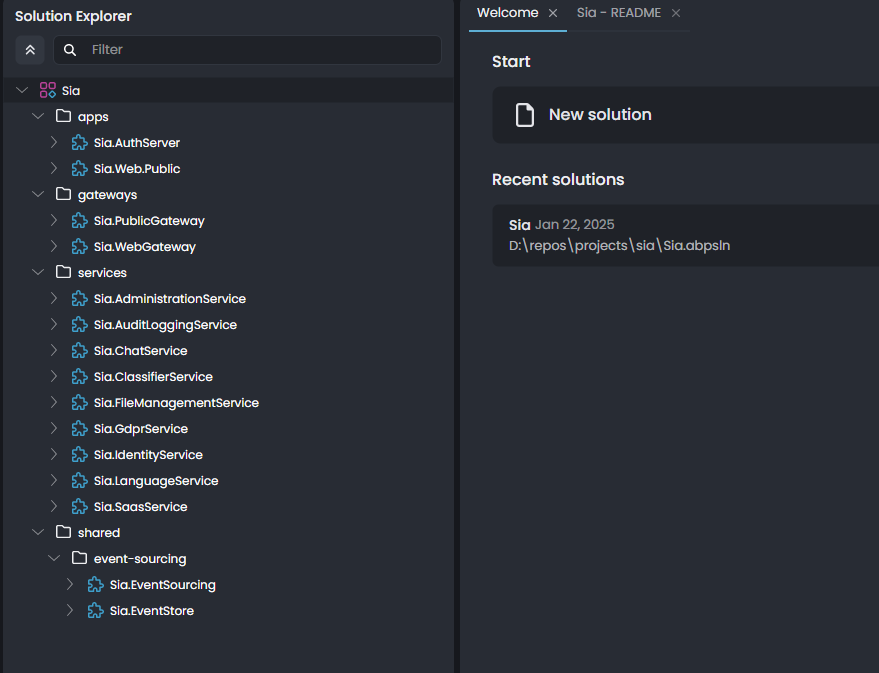
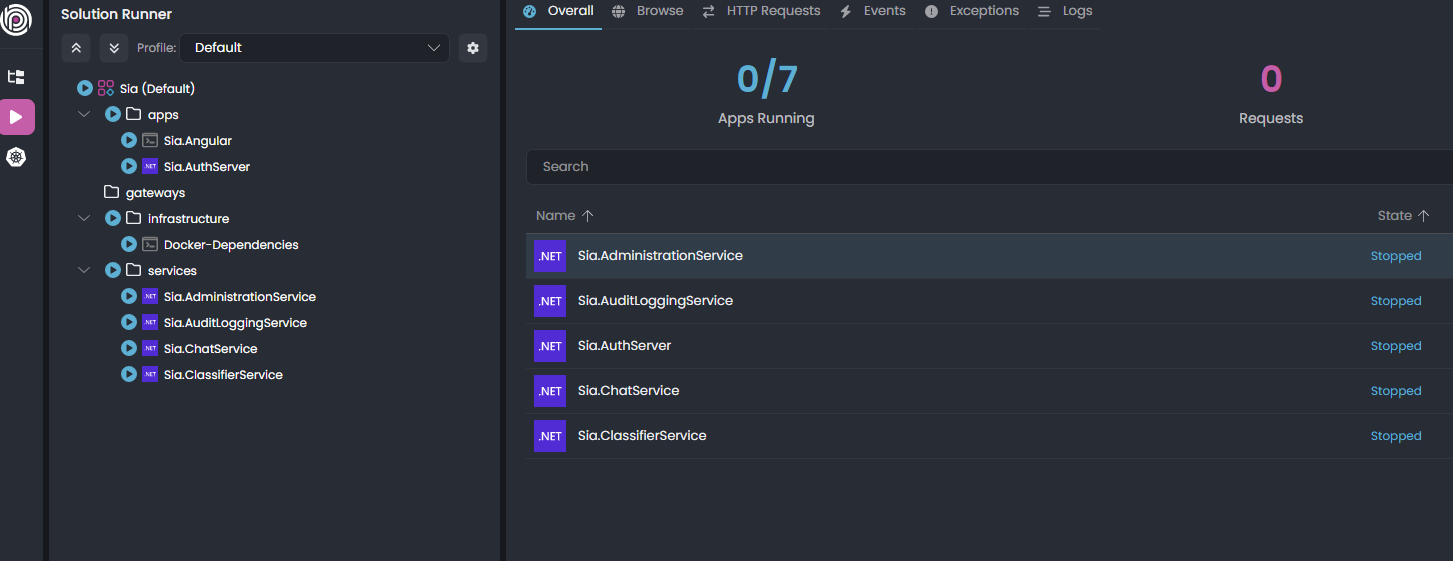 Any ideas?
Thanks
5 Answer(s)
-
0
I can not reproduce the problem. Switching to ABP preview version doesn't seem related with solution runner at all.
Could you provide steps to reproduce the problem?
Markdown supported.Copy, paste, or drag & drop images and files (max 100 MB per file, 100 MB total per post)


