- ABP Framework version: v9.0.2
- UI Type: MVC
- Database System: EF Core (SQL Server)
- **Tiered (for MVC) or Auth Server Separated: yes
- Exception message and full stack trace: I am back and forward on redirect URL after authenticating with Microsoft Azure AD
- Steps to reproduce the issue: I have added my configuration for OpenIdConnect and after that I am facing that issue. Also I am attaching video for reference as well. Video https://jmp.sh/jrphAyUq

These are the logs
2025-01-31 16:46:27.271 +05:30 [INF] Request starting HTTP/2 GET https://localhost:44362/Identity/OrganizationUnits - null null 2025-01-31 16:46:27.274 +05:30 [DBG] The event OpenIddict.Validation.OpenIddictValidationEvents+ProcessRequestContext was successfully processed by OpenIddict.Validation.AspNetCore.OpenIddictValidationAspNetCoreHandlers+ResolveRequestUri. 2025-01-31 16:46:27.275 +05:30 [DBG] The event OpenIddict.Server.OpenIddictServerEvents+ProcessRequestContext was successfully processed by OpenIddict.Server.AspNetCore.OpenIddictServerAspNetCoreHandlers+ResolveRequestUri. 2025-01-31 16:46:27.275 +05:30 [DBG] The event OpenIddict.Server.OpenIddictServerEvents+ProcessRequestContext was successfully processed by OpenIddict.Server.OpenIddictServerHandlers+InferEndpointType. 2025-01-31 16:46:27.275 +05:30 [DBG] The event OpenIddict.Server.OpenIddictServerEvents+ProcessRequestContext was successfully processed by Volo.Abp.Account.Web.Pages.Account.OpenIddictImpersonateInferEndpointType. 2025-01-31 16:46:27.275 +05:30 [DBG] The event OpenIddict.Server.OpenIddictServerEvents+ProcessRequestContext was successfully processed by OpenIddict.Server.AspNetCore.OpenIddictServerAspNetCoreHandlers+ValidateTransportSecurityRequirement. 2025-01-31 16:46:27.275 +05:30 [DBG] The event OpenIddict.Server.OpenIddictServerEvents+ProcessRequestContext was successfully processed by OpenIddict.Server.AspNetCore.OpenIddictServerAspNetCoreHandlers+ValidateHostHeader. 2025-01-31 16:46:27.287 +05:30 [DBG] The event OpenIddict.Validation.OpenIddictValidationEvents+ProcessAuthenticationContext was successfully processed by OpenIddict.Validation.AspNetCore.OpenIddictValidationAspNetCoreHandlers+ValidateHostHeader. 2025-01-31 16:46:27.287 +05:30 [DBG] The event OpenIddict.Validation.OpenIddictValidationEvents+ProcessAuthenticationContext was successfully processed by OpenIddict.Validation.OpenIddictValidationHandlers+EvaluateValidatedTokens. 2025-01-31 16:46:27.288 +05:30 [DBG] The event OpenIddict.Validation.OpenIddictValidationEvents+ProcessAuthenticationContext was successfully processed by OpenIddict.Validation.AspNetCore.OpenIddictValidationAspNetCoreHandlers+ExtractAccessTokenFromAuthorizationHeader. 2025-01-31 16:46:27.288 +05:30 [DBG] The event OpenIddict.Validation.OpenIddictValidationEvents+ProcessAuthenticationContext was successfully processed by OpenIddict.Validation.AspNetCore.OpenIddictValidationAspNetCoreHandlers+ExtractAccessTokenFromBodyForm. 2025-01-31 16:46:27.288 +05:30 [DBG] The event OpenIddict.Validation.OpenIddictValidationEvents+ProcessAuthenticationContext was successfully processed by OpenIddict.Validation.AspNetCore.OpenIddictValidationAspNetCoreHandlers+ExtractAccessTokenFromQueryString. 2025-01-31 16:46:27.288 +05:30 [DBG] The event OpenIddict.Validation.OpenIddictValidationEvents+ProcessAuthenticationContext was successfully processed by OpenIddict.Validation.OpenIddictValidationHandlers+ValidateRequiredTokens. 2025-01-31 16:46:27.288 +05:30 [DBG] The event OpenIddict.Validation.OpenIddictValidationEvents+ProcessAuthenticationContext was marked as rejected by OpenIddict.Validation.OpenIddictValidationHandlers+ValidateRequiredTokens. 2025-01-31 16:46:27.288 +05:30 [DBG] AuthenticationScheme: OpenIddict.Validation.AspNetCore was not authenticated. 2025-01-31 16:46:27.295 +05:30 [INF] Authorization failed. These requirements were not met: PermissionRequirement: AbpIdentity.OrganizationUnits 2025-01-31 16:46:27.296 +05:30 [INF] AuthenticationScheme: OpenIdConnect was challenged. 2025-01-31 16:46:27.300 +05:30 [INF] Request finished HTTP/2 GET https://localhost:44362/Identity/OrganizationUnits - 302 null null 29.4896ms
115 Answer(s)
-
0
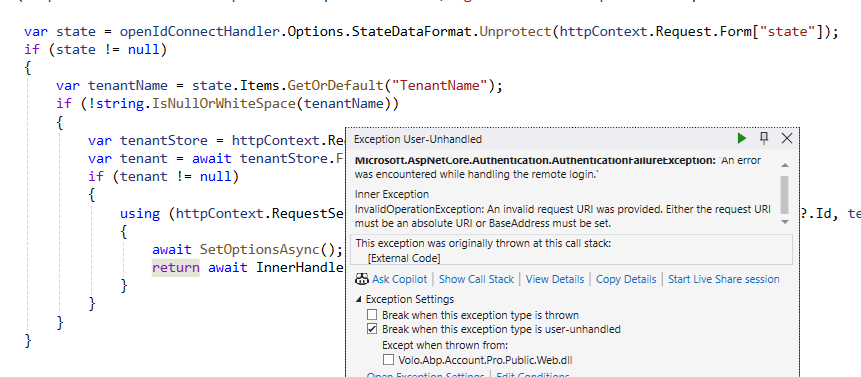
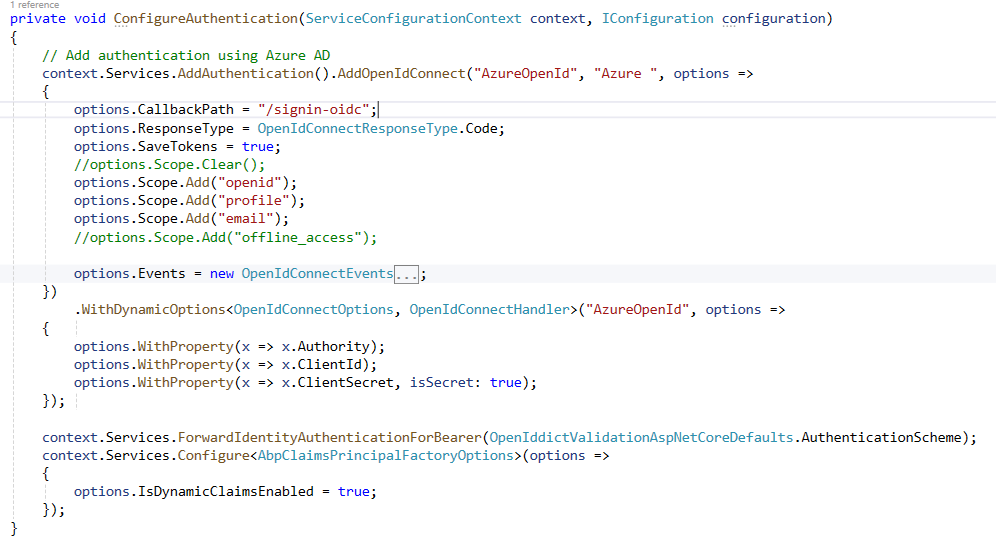
I have applied the changes that you mentioned in last commit. I think something is missing in configuration.
 Markdown supported.Copy, paste, or drag & drop images and files (max 100 MB per file, 100 MB total per post)
 -
0
I have added the code that you mentioned in last commit
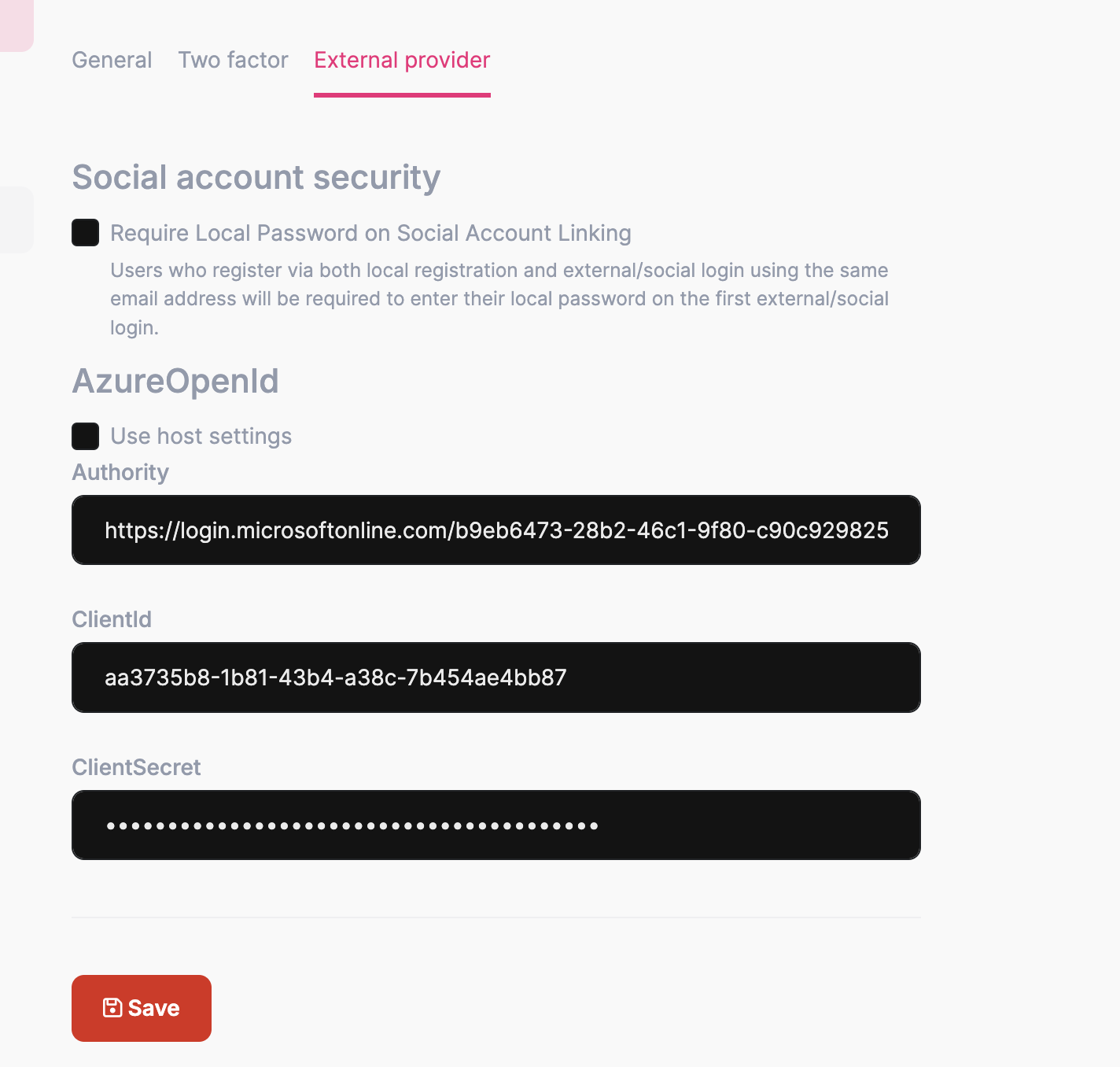
and this is my configuration
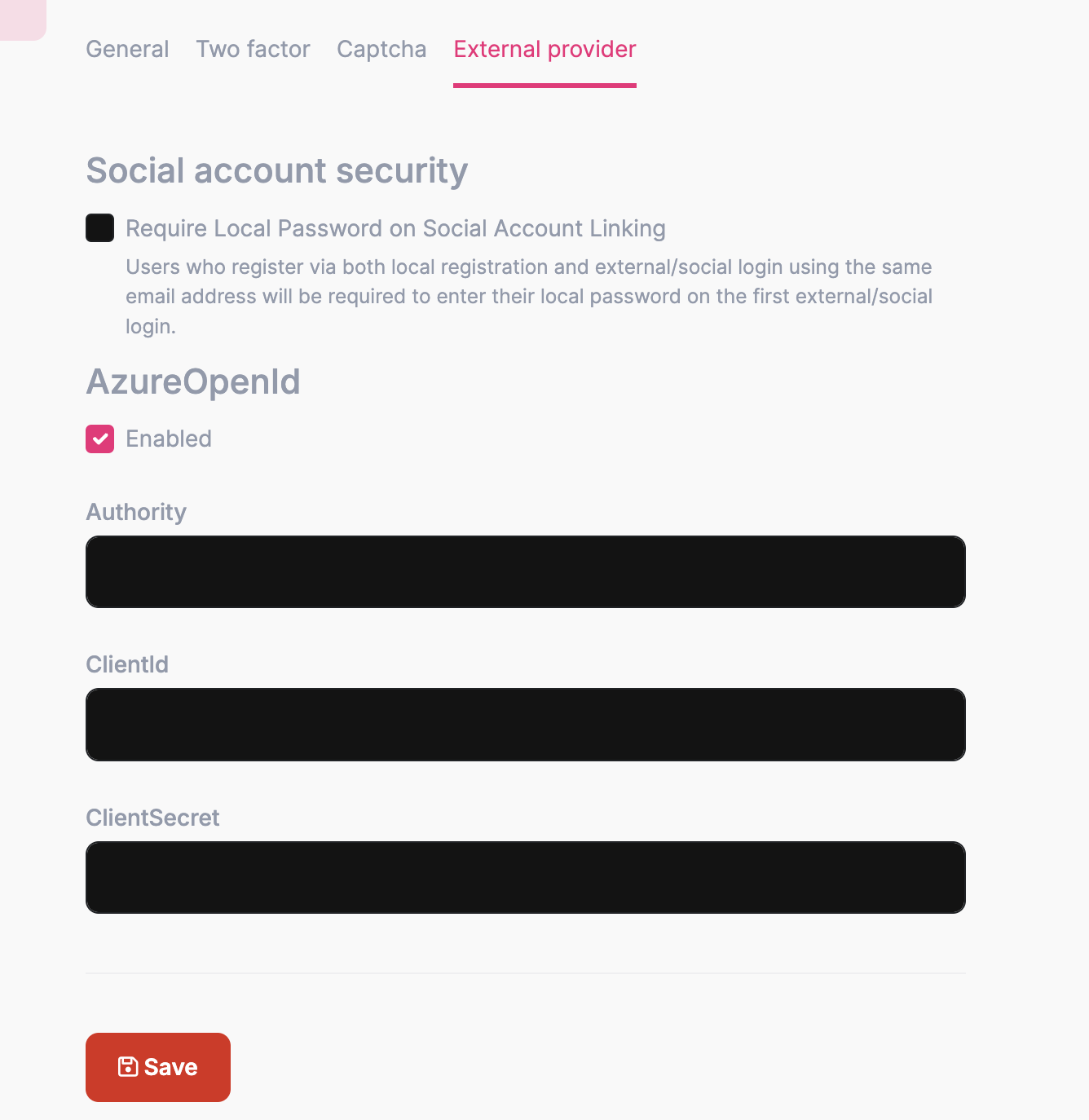
I have added AzureOpenId credentials to Tenant only and Host have just Enabled checkebox checked. After that I am selecting Default and clicking on Azure AD button to authenticate from Azure AD.
Markdown supported.Copy, paste, or drag & drop images and files (max 100 MB per file, 100 MB total per post) -
0
Ok so how can I do that?
Markdown supported.Copy, paste, or drag & drop images and files (max 100 MB per file, 100 MB total per post) -
0
Clone https://github.com/maliming/NextGenPortal/ change connection string migrate database login admin change the azure configuration create a new tenant change your tenant azure configuration in a tenant.
Test your steps.
Markdown supported.Copy, paste, or drag & drop images and files (max 100 MB per file, 100 MB total per post) -
0
Can you please just confirm that you added the credentials for Host or not?
If yes then please first remove and add only for Tenant.
Markdown supported.Copy, paste, or drag & drop images and files (max 100 MB per file, 100 MB total per post) -
0
Are you able to login with Azure AD with your account?
Markdown supported.Copy, paste, or drag & drop images and files (max 100 MB per file, 100 MB total per post) -
0
Ok let me check cloning the project
Markdown supported.Copy, paste, or drag & drop images and files (max 100 MB per file, 100 MB total per post) -
0
Ok it is working, There were few files which was not updated.
Thanks.
Markdown supported.Copy, paste, or drag & drop images and files (max 100 MB per file, 100 MB total per post)