- Template: app
- Created ABP Studio Version: 0.8.1
- Tiered: No
- UI Framework: angular
- Theme: leptonx
- Theme Style: system
- Database Provider: ef
- Database Management System: sqlserver
- Separate Tenant Schema: No
- Mobile Framework: none
- Progressive Web App: No
- Public Website: Yes
- Optional Modules:
- GDPR
- FileManagement
- TextTemplateManagement
- LanguageManagement
- AuditLogging
- SaaS
- Chat
- OpenIddictAdmin
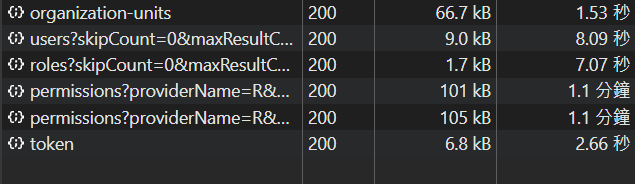
I use ABP's background operations and want to manage AbpRole and AbpUserRole, but the reading speed is abnormally slow.
I have never modified these ABP native APIs. I don't understand how there could be a performance issue.

27 Answer(s)
-
0
hi
How many permissions in your project? Can you enable the debug logs, reproduce the problem, and then share the logs?
https://abp.io/support/questions/8622/How-to-enable-Debug-logs-for-troubleshoot-problems
Thanks
liming.ma@volosoft.com
Markdown supported.Copy, paste, or drag & drop images and files (max 100 MB per file, 100 MB total per post) -
0
Hi,
- I have a total of 1548 permissions
- I tried to set up the log according to the instructions. If possible, could you help me confirm whether the settings are correct?
class Program
{
    static async Task Main(string[] args)
    {
Log.Logger = new LoggerConfiguration()
             .MinimumLevel.Debug()
             .MinimumLevel.Override("Microsoft", LogEventLevel.Warning)
             .MinimumLevel.Override("Volo.Abp", LogEventLevel.Warning)
             // .MinimumLevel.Override("Microsoft.EntityFrameworkCore", LogEventLevel.Warning)
             .MinimumLevel.Override("PortalApi", LogEventLevel.Debug)
             .Enrich.FromLogContext()
             .WriteTo.Async(c => c.File("Logs/logs.txt"))
             .WriteTo.Async(c => c.Console())
             .CreateLogger();
        await CreateHostBuilder(args).RunConsoleAsync();
    }

    public static IHostBuilder CreateHostBuilder(string[] args) =>
        Host.CreateDefaultBuilder(args)
            .AddAppSettingsSecretsJson()
            .ConfigureLogging((context, logging) => logging.ClearProviders())
            .ConfigureServices((hostContext, services) => { services.AddHostedService<DbMigratorHostedService>(); });
}
At the same time, I also sent the log to the above mailbox. I roughly looked at the log content, and there was no record of calling
https://localhost:44374/api/permission-management/permissions?providerName=R&providerKey=user.I am not sure what information should appear in the log.Markdown supported.Copy, paste, or drag & drop images and files (max 100 MB per file, 100 MB total per post) -
0
hi
Update your Program like that, then run your app. call
https://localhost:44374/api/permission-management/permissions?providerName=R&providerKey=userthen share theLogs.txtfileThanks.
static async Task Main(string[] args)
{
    Log.Logger = new LoggerConfiguration()
                 .MinimumLevel.Debug()
                 .Enrich.FromLogContext()
                 .WriteTo.Async(c => c.File("Logs/logs.txt"))
                 .WriteTo.Async(c => c.Console())
                 .CreateLogger();
    await CreateHostBuilder(args).RunConsoleAsync();
}
Markdown supported.Copy, paste, or drag & drop images and files (max 100 MB per file, 100 MB total per post) -
0
I was stupid. I just modified the Main of PortalApi.DbMigrator.csproj. No wonder the Log didn't respond. This time I am sure that the changes are correct and I have received the log. Please check the email again.
Markdown supported.Copy, paste, or drag & drop images and files (max 100 MB per file, 100 MB total per post) -
0
hi
Please test if these codes can improve the performance.
public override void ConfigureServices(ServiceConfigurationContext context)
{

    PostConfigure<PermissionManagementOptions>(options =>
    {
        options.ManagementProviders.Remove<UserPermissionManagementProvider>();
        options.ManagementProviders.Remove<RolePermissionManagementProvider>();

        options.ManagementProviders.Add<MyUserPermissionManagementProvider>();
        options.ManagementProviders.Add<MyRolePermissionManagementProvider>();
    });
}
using System; using System.Collections.Generic; using System.Linq; using System.Threading.Tasks; using Volo.Abp.Authorization.Permissions; using Volo.Abp.Domain.Repositories; using Volo.Abp.Guids; using Volo.Abp.Identity; using Volo.Abp.MultiTenancy; using Volo.Abp.PermissionManagement; using Volo.Abp.PermissionManagement.Identity; namespace MyCompanyName.MyProjectName.Web; public class MyRolePermissionManagementProvider : RolePermissionManagementProvider { public MyRolePermissionManagementProvider(IPermissionGrantRepository permissionGrantRepository, IGuidGenerator guidGenerator, ICurrentTenant currentTenant, IUserRoleFinder userRoleFinder) : base(permissionGrantRepository, guidGenerator, currentTenant, userRoleFinder) { } public async override Task<MultiplePermissionValueProviderGrantInfo> CheckAsync(string[] names, string providerName, string providerKey) { using (PermissionGrantRepository.DisableTracking()) { var multiplePermissionValueProviderGrantInfo = new MultiplePermissionValueProviderGrantInfo(names); var permissionGrants = new List<PermissionGrant>(); if (providerName == Name) { permissionGrants.AddRange(await PermissionGrantRepository.GetListAsync(names, providerName, providerKey)); } if (providerName == UserPermissionValueProvider.ProviderName) { var userId = Guid.Parse(providerKey); var roleNames = await UserRoleFinder.GetRoleNamesAsync(userId); foreach (var roleName in roleNames) { permissionGrants.AddRange(await PermissionGrantRepository.GetListAsync(names, Name, roleName)); } } permissionGrants = permissionGrants.Distinct().ToList(); if (!permissionGrants.Any()) { return multiplePermissionValueProviderGrantInfo; } foreach (var permissionName in names) { var permissionGrant = permissionGrants.FirstOrDefault(x => x.Name == permissionName); if (permissionGrant != null) { multiplePermissionValueProviderGrantInfo.Result[permissionName] = new PermissionValueProviderGrantInfo(true, permissionGrant.ProviderKey); } } return multiplePermissionValueProviderGrantInfo; } } }using System.Linq; using System.Threading.Tasks; using Volo.Abp.Domain.Repositories; using Volo.Abp.Guids; using Volo.Abp.MultiTenancy; using Volo.Abp.PermissionManagement; using Volo.Abp.PermissionManagement.Identity; namespace MyCompanyName.MyProjectName.Web; public class MyUserPermissionManagementProvider : UserPermissionManagementProvider { public MyUserPermissionManagementProvider(IPermissionGrantRepository permissionGrantRepository, IGuidGenerator guidGenerator, ICurrentTenant currentTenant) : base(permissionGrantRepository, guidGenerator, currentTenant) { } public async override Task<MultiplePermissionValueProviderGrantInfo> CheckAsync(string[] names, string providerName, string providerKey) { var multiplePermissionValueProviderGrantInfo = new MultiplePermissionValueProviderGrantInfo(names); if (providerName != Name) { return multiplePermissionValueProviderGrantInfo; } using (PermissionGrantRepository.DisableTracking()) { var permissionGrants = await PermissionGrantRepository.GetListAsync(names, providerName, providerKey); foreach (var permissionName in names) { var isGrant = permissionGrants.Any(x => x.Name == permissionName); multiplePermissionValueProviderGrantInfo.Result[permissionName] = new PermissionValueProviderGrantInfo(isGrant, providerKey); } return multiplePermissionValueProviderGrantInfo; } } }Markdown supported.Copy, paste, or drag & drop images and files (max 100 MB per file, 100 MB total per post) -
0
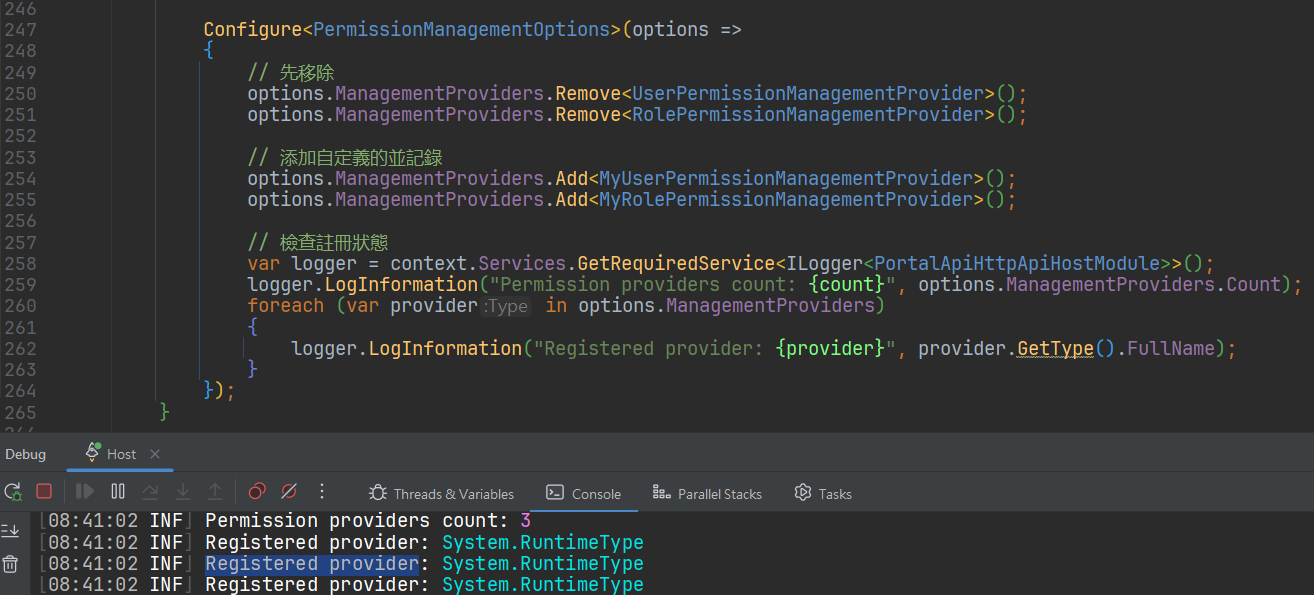
Hi, It took some time to implement. Unfortunately it didn't work and it still took more than a minute.
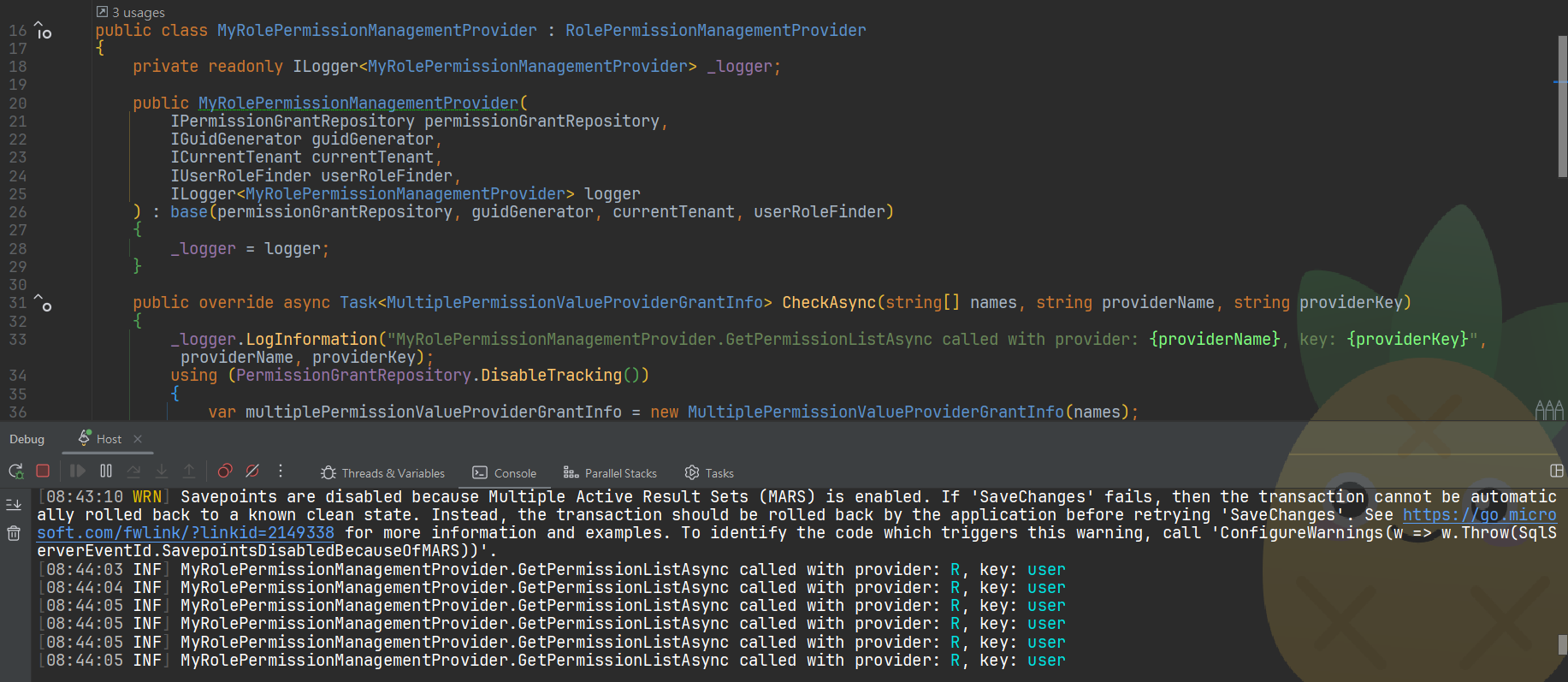
 I have added logs in the implementation to check if the custom provider is actually called and confirm that the override method is actually called.
 Markdown supported.Copy, paste, or drag & drop images and files (max 100 MB per file, 100 MB total per post)
 -
0
Hi, The annoying email attachment policy keeps blocking me. I changed to upload to Onedrive sharing. Please check the email again.
mx.google.com rejected your message to the following email addresses:

liming.ma@volosoft.com (liming.ma@volosoft.com)
Your message wasn't delivered because the recipient's email provider rejected it.


mx.google.com gave this error:
This message was blocked because its content presents a potential security issue. To review our message content and attachment content guidelines, go to https://support.google.com/mail/?p=BlockedMessage 41be03b00d2f7-ae0f0da369esi18473378a12.470 - gsmtp
Markdown supported.Copy, paste, or drag & drop images and files (max 100 MB per file, 100 MB total per post) -
0
hi
I have changed the
PermissionAppServiceservice, now, there is only one SQL query.What is your GitHub username? I will invite you to join.
https://github.com/maliming/PortalApi-main/commit/4e479470d6076e3971a05053950cbf93b20b602c
[INF] Request starting HTTP/2 GET api/permission-management/permissions?providerName=R&providerKey=admin

[INF] Executed DbCommand (6ms) [Parameters=[@__names_0='["FeatureManagement.ManageHostFeatures",.......]'
(Size = -1), @__providerName_1='R'
(Size = 64), @__providerKey_2='admin' (Size = 64)], CommandType='"Text"', CommandTimeout='30']

SELECT [a].[Id], [a].[Name], [a].[ProviderKey], [a].[ProviderName], [a].[TenantId]
FROM [AbpPermissionGrants] AS [a]
WHERE [a].[TenantId] IS NULL AND [a].[Name] IN (
    SELECT [n].[value]
    FROM OPENJSON(@__names_0) WITH ([value] nvarchar(128) '$') AS [n]
) AND [a].[ProviderName] = @__providerName_1 AND [a].[ProviderKey] = @__providerKey_2

[INF] Request finished HTTP/2 GET /api/permission-management/permissions?providerName=R&providerKey=admin - 412.39ms
Markdown supported.Copy, paste, or drag & drop images and files (max 100 MB per file, 100 MB total per post) -
0
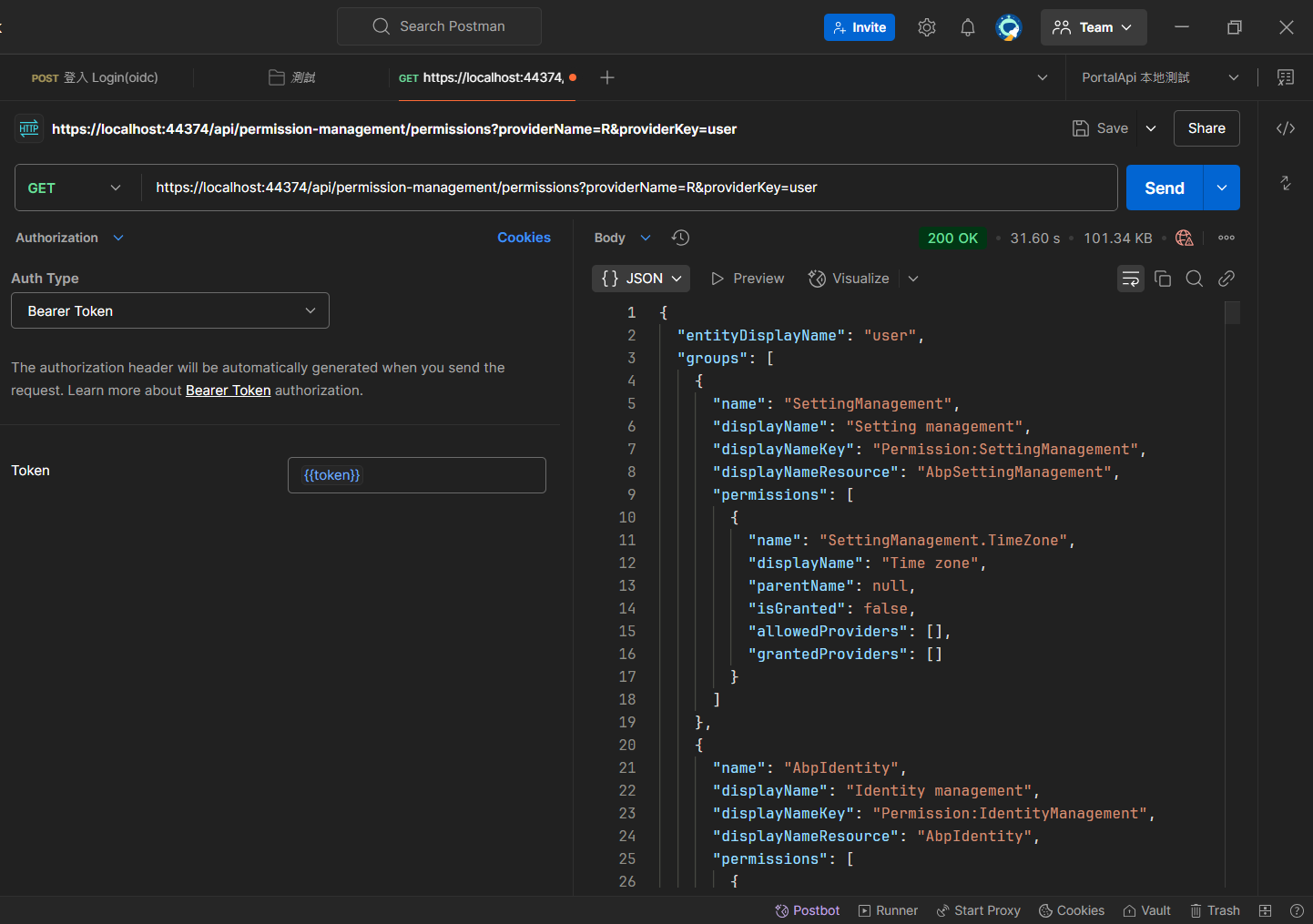
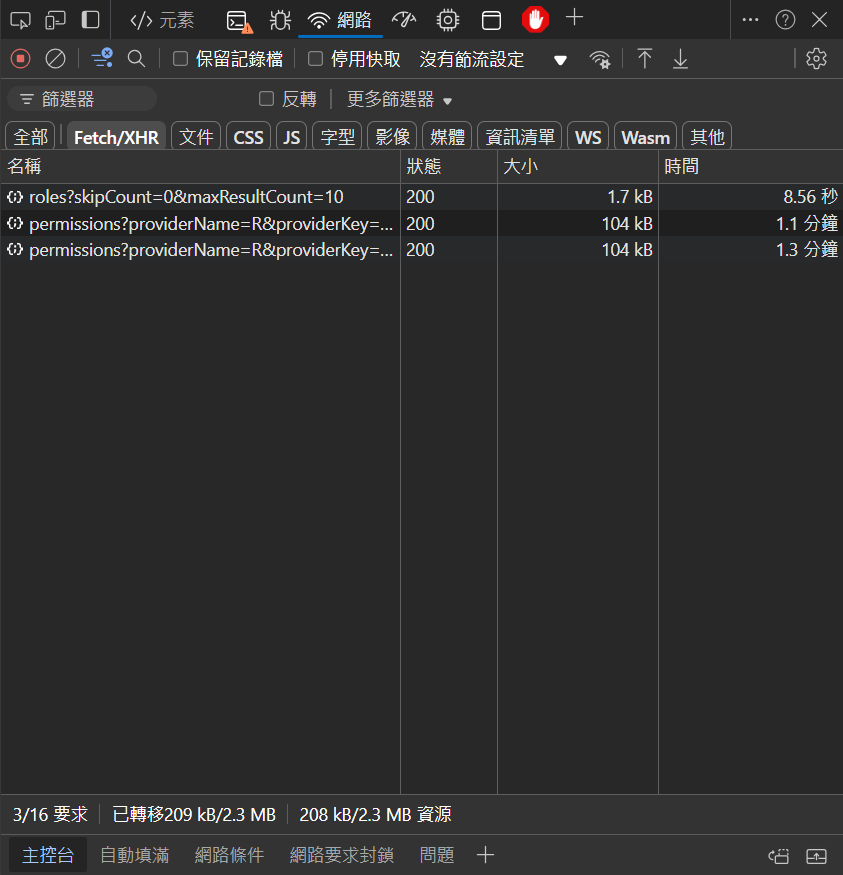
Hi, We're sorry to have kept you waiting. I tested your modified code and found no performance improvement. Using the browser still takes more than 1 minute. Using Postman to call also takes 30 seconds.
 It would be helpful if you could clarify some issues for me first.
- Did your modified code improve performance in your environment?
- Based on your experience, what is the expected response speed in a scenario with thousands of Permission entries?
- Apart from database performance, what other reasons are there for the API's low performance?
Markdown supported.Copy, paste, or drag & drop images and files (max 100 MB per file, 100 MB total per post) -
0
hi
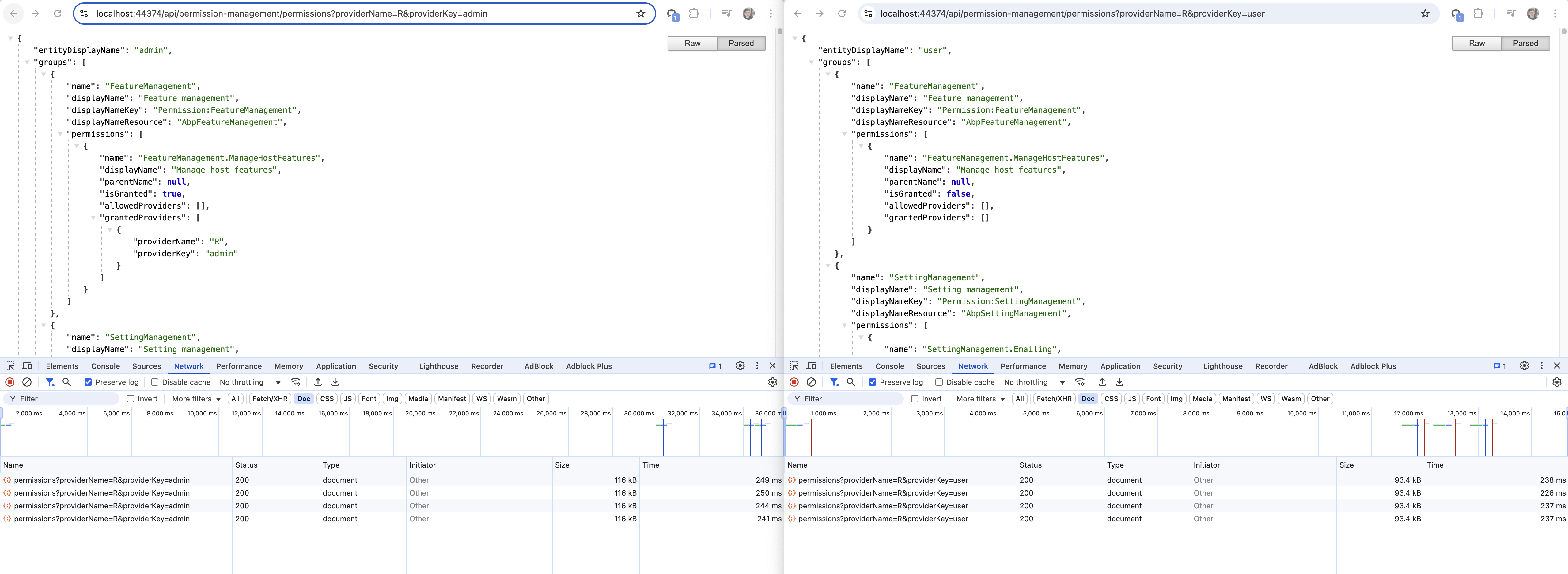
I use https://github.com/maliming/PortalApi-main project with brand new SQL server database.
Migrate and run API.Host. Login admin user, then check the permission endpoint.
Here are the results, as you can see, the response time is about 200-300ms
 Markdown supported.Copy, paste, or drag & drop images and files (max 100 MB per file, 100 MB total per post)
 -
0
Hi, In my current environment, there is no performance increase due to changes related to MyPermissionManagementProvider. I would like to confirm whether there are also situations where performance is low (taking 30 to 60 seconds) in your environment test? I suspect that it might be caused by my computer environment, but the differences in the environments I can test are too small (the computers of colleagues are distributed by the company).
Markdown supported.Copy, paste, or drag & drop images and files (max 100 MB per file, 100 MB total per post) -
0
I use https://github.com/maliming/PortalApi-main project with brand new SQL server database.
Migrate and run API.Host. Login admin user, then check the permission endpoint.
Here are the results, as you can see, the response time is about 200-300ms
Hi, I'd like to confirm, when you say "with brand new SQL server database," does this refer to a database with all data included, or just an empty database with only the structure? Also, when you say you always measure speeds of 300ms, does this include using the 'nas.i23.me' DB I provided, and you obtained the same results?
Markdown supported.Copy, paste, or drag & drop images and files (max 100 MB per file, 100 MB total per post) -
0
Hi, I apologize, but I'm having trouble understanding your meaning fully. I'm facing a dilemma here. I'm not sure whether the performance issue is caused by the database or the code.
You're getting normal speeds using both a database with basic data and your optimized code. I'm uncertain how similar your database is to the 'nas.i23.me' database I provided, which makes it difficult for me to interpret your test results.
Additionally, if your optimized code is effective, you should get similar results regardless of whether you're connecting to the 'nas.i23.me' database or your own database. Have you tested this scenario? Conversely, if the issue is code-related, using the original code I provided in my OneDrive should result in the same poor performance even with your database. Have you tested this scenario as well?
Markdown supported.Copy, paste, or drag & drop images and files (max 100 MB per file, 100 MB total per post) -
0
hi
Can you try to change your environment by follow:
- Change to a new local SQL server database. https://github.com/maliming/PortalApi-main/blob/master/src/PortalApi.DbMigrator/appsettings.json#L3 https://github.com/maliming/PortalApi-main/blob/master/src/PortalApi.HttpApi.Host/appsettings.json#L14
- Change the Redis to a local Redis. https://github.com/maliming/PortalApi-main/blob/master/src/PortalApi.HttpApi.Host/appsettings.json#L11
- Run https://github.com/maliming/PortalApi-main/tree/master/src/PortalApi.DbMigrator
- Run https://github.com/maliming/PortalApi-main/tree/master/src/PortalApi.HttpApi.Host
- Check the https://localhost:44374/api/permission-management/permissions?providerName=R&providerKey=admin
You can create a SQL server and Redis if you have a Docker.
These are my test db and redis.
docker run -d --name sql_server -e 'ACCEPT_EULA=Y' -e 'SA_PASSWORD=1q2w3E***' -p 1433:1433 mcr.microsoft.com/azure-sql-edge

docker run -p 6379:6379 --name redis -d redis:alpine
ConnectionStrings": { "Default": "Server=123.windows.net,3342;Database=Portal;User Id=jb;Password=1123123;TrustServerCertificate=True;MultipleActiveResultSets=true;" }"Redis": { "Configuration": "127.0.0.1" }Markdown supported.Copy, paste, or drag & drop images and files (max 100 MB per file, 100 MB total per post)