






10 Answer(s)
-
0
Hi, if you are using the GDPR module in your public web application, you can configure the
AbpCookieConsentOptions:Configure<AbpCookieConsentOptions>(options => { IsEnabled = true; CookiePolicyUrl = "/CookiePolicy"; PrivacyPolicyUrl = "/PrivacyPolicy"; Expiration = TimeSpan.FromDays(180); });For further info, you can refer to the documentation: https://abp.io/docs/latest/modules/gdpr
Markdown supported.Copy, paste, or drag & drop images and files (max 100 MB per file, 100 MB total per post) -
0
Thank you for the very quick reply.
The problem is probably because this module is only integrated in the Blazor app, but not yet in MyProject.Web.Public.
But your code does not work for me when I want to insert it in MyProjectWebPublicModule.
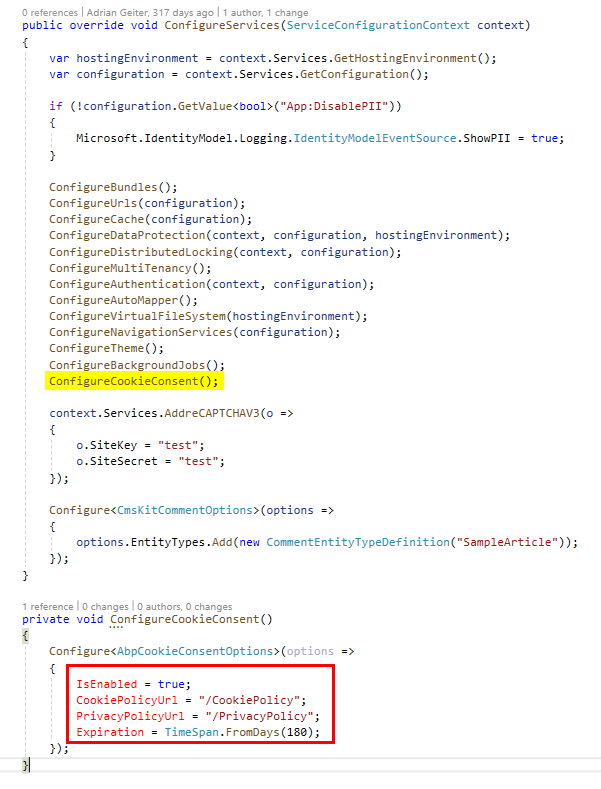
I have to adapt it as follows:
        Configure<AbpCookieConsentOptions>(options =>
        {
            options.IsEnabled = true;
            options.CookiePolicyUrl = "/CookiePolicy";
            options.PrivacyPolicyUrl = "/PrivacyPolicy";
        });
But this compiles but the options are never set and it doesn't work either....
Markdown supported.Copy, paste, or drag & drop images and files (max 100 MB per file, 100 MB total per post) -
0
Thank you for the very quick reply.
The problem is probably because this module is only integrated in the Blazor app, but not yet in MyProject.Web.Public.
But your code does not work for me when I want to insert it in MyProjectWebPublicModule.
I have to adapt it as follows:
        Configure<AbpCookieConsentOptions>(options =>
        {
            options.IsEnabled = true;
            options.CookiePolicyUrl = "/CookiePolicy";
            options.PrivacyPolicyUrl = "/PrivacyPolicy";
        });
But this compiles but the options are never set and it doesn't work either....
Which package do I need to have in the project? Volo.Abp.Gdpr.Abstractions?
Markdown supported.Copy, paste, or drag & drop images and files (max 100 MB per file, 100 MB total per post) -
0
I have now installed it with the Abp Studio (Volo.Abp.Gdpr.Web), but unfortunately it still does not work.
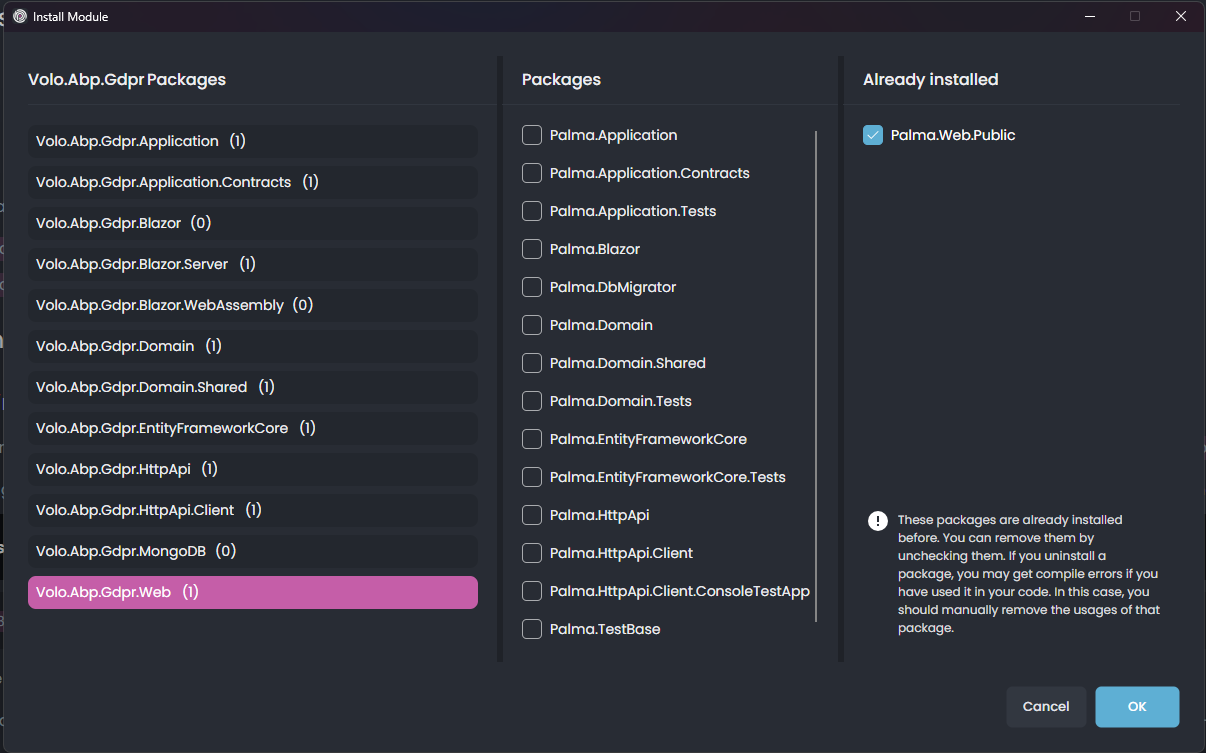
Yes, this is the correct package to add to your public web project. If the cookie consent still doesn't appear, it's possible that there's an entry in your localStorage with the value set to 'dismiss'. Please check your localStorage, clear it if possible, and try again to see if the consent banner is displayed.
Markdown supported.Copy, paste, or drag & drop images and files (max 100 MB per file, 100 MB total per post) -
0
Yes, this is the correct package to add to your public web project. If the cookie consent still doesn't appear, it's possible that there's an entry in your localStorage with the value set to 'dismiss'. Please check your localStorage, clear it if possible, and try again to see if the consent banner is displayed.
Clearing the local storage cache did not help...
That's my code:
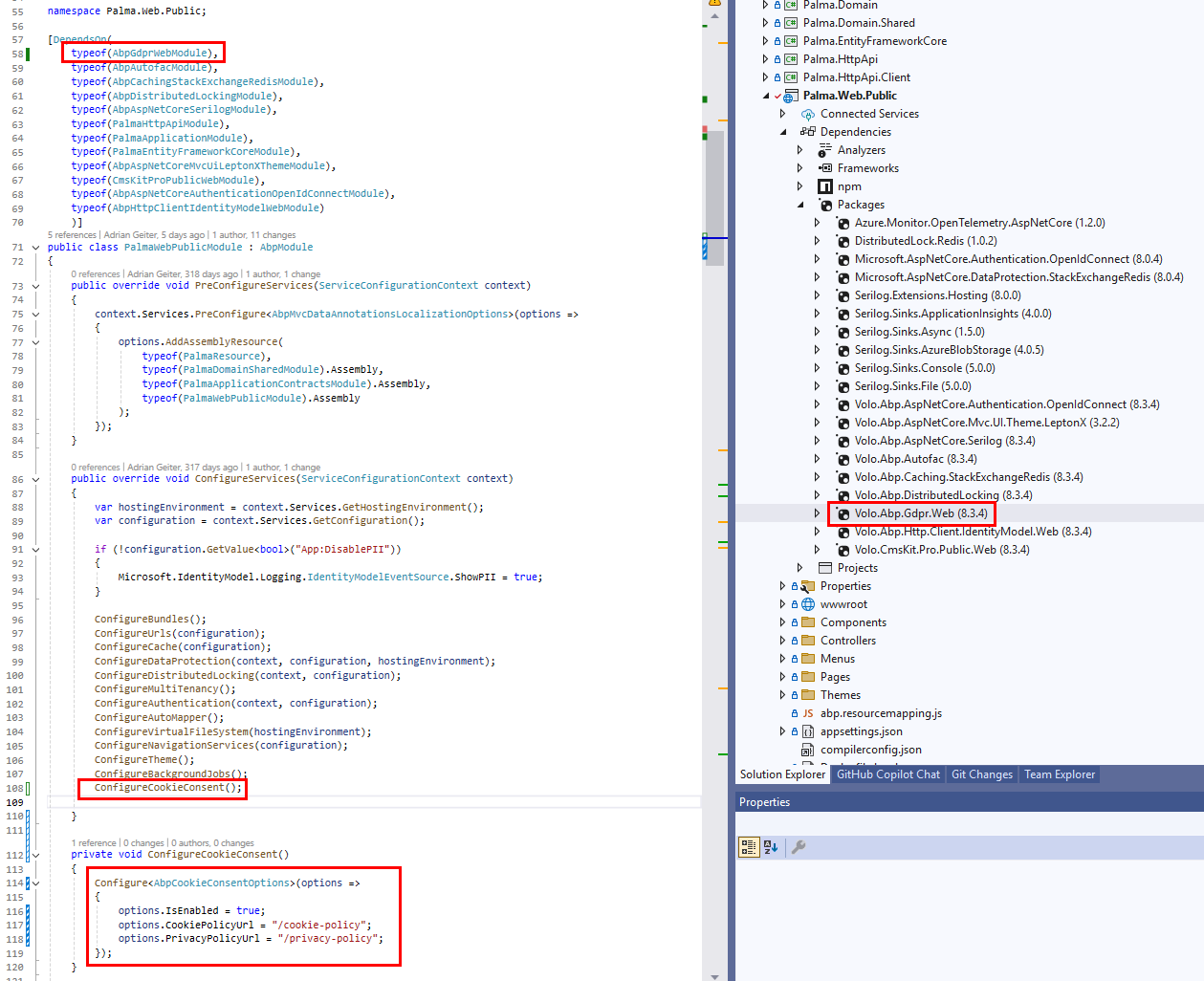
I set a breakpoint on line 115, but never get there.
Markdown supported.Copy, paste, or drag & drop images and files (max 100 MB per file, 100 MB total per post) -
0
Hi, instead of just configuring the option, use the
AddAbpCookieConsentmethod to register services & register the related component to the layout:context.Services.AddAbpCookieConsent(options => { options.IsEnabled = true; options.CookiePolicyUrl = "/CookiePolicy"; options.PrivacyPolicyUrl = "/PrivacyPolicy"; });If you only configure the option, then it has no effect. So, you should call
AddAbpCookieConsentto inject the component to the layout.Btw, you should also add
app.UseAbpCookieConsent()in your request pipeline.Markdown supported.Copy, paste, or drag & drop images and files (max 100 MB per file, 100 MB total per post) -
0
Ok, now the breakpoint works inside of
AddAbpCookieConsentAt first, however, nothing appeared on the website (just an empty
AbpCookieConsentwidget).Btw, you should also add app.UseAbpCookieConsent() in your request pipeline.
To add
app.UseAbpCookieConsent()in theOnApplicationInitializationmethod makes the difference. This is very important. And the order is also very important. I had it at the end first, but that didn't work. Now I have it afterapp.UseAuthentication();and then it works.Some very important information that I think is missing in the documentation. Please add them so that others don't stumble across the same errors.
Thank you @EngincanV for your help.
Markdown supported.Copy, paste, or drag & drop images and files (max 100 MB per file, 100 MB total per post) -
0
Ok, now the breakpoint works inside of
AddAbpCookieConsentAt first, however, nothing appeared on the website (just an empty
AbpCookieConsentwidget).Btw, you should also add app.UseAbpCookieConsent() in your request pipeline.
To add
app.UseAbpCookieConsent()in theOnApplicationInitializationmethod makes the difference. This is very important. And the order is also very important. I had it at the end first, but that didn't work. Now I have it afterapp.UseAuthentication();and then it works.Some very important information that I think is missing in the documentation. Please add them so that others don't stumble across the same errors.
Thank you @EngincanV for your help.
Hi, thanks for pointing that out. Indeed, it seems we forgot to mention that. I'll update the documentation.
Regards.
Markdown supported.Copy, paste, or drag & drop images and files (max 100 MB per file, 100 MB total per post)


