






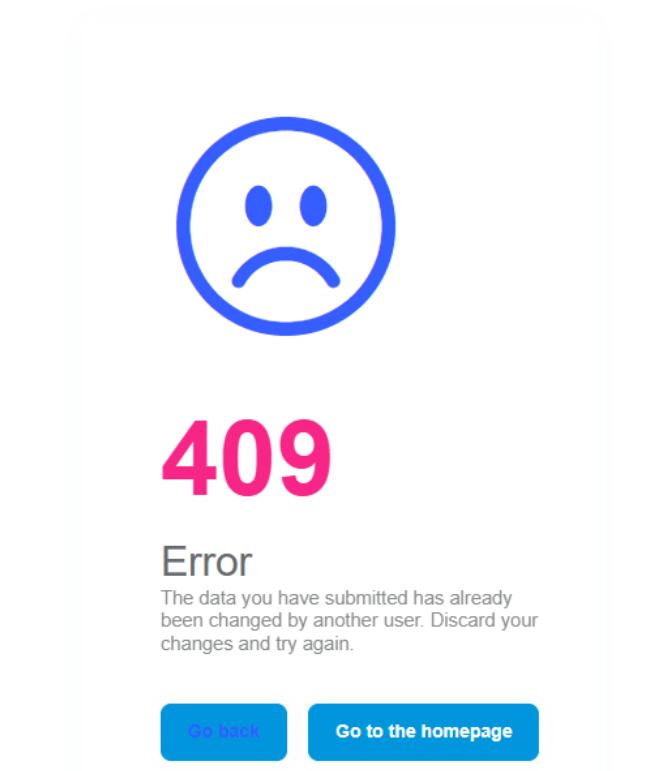
When we test the ABP 9.1.1 upgrade code, when login via MFA (Phone), sometimes we get 409 error, but nobody else using the same account to login
26 Answer(s)
-
0
hi
Can you share the debug logs? liming.ma@volosoft.com
https://abp.io/support/questions/8622/How-to-enable-Debug-logs-for-troubleshoot-problems
Thanks.
Markdown supported.Copy, paste, or drag & drop images and files (max 100 MB per file, 100 MB total per post) -
0
We disabled File Log when deployed to site. I noticed this happens after the site has a new deployment. Is it possible related to new feature of session management?
Markdown supported.Copy, paste, or drag & drop images and files (max 100 MB per file, 100 MB total per post) -
0
hi
Do you have
ConfigureDataProtectionmethod in your module?Please enable and share debug logs. It will contain the error detail info.
Thanks.
private void ConfigureDataProtection(ServiceConfigurationContext context, IConfiguration configuration, IConnectionMultiplexer redis)
{
    context.Services
        .AddDataProtection()
        .SetApplicationName(configuration["DataProtection:ApplicationName"]!)
        .PersistKeysToStackExchangeRedis(redis, configuration["DataProtection:Keys"]);
}
Markdown supported.Copy, paste, or drag & drop images and files (max 100 MB per file, 100 MB total per post) -
0
We do have DataProtection Enabled. For each deployment Redis container would be cleared or not? From ABP Audit log, the code try to access /connect/authorize URL and the exception is: [ { "code": null, "message": "The data you have submitted has already been changed by another user. Discard your changes and try again.", "details": null, "data": null, "validationErrors": null }, { "code": null, "message": "The data you have submitted has already been changed by another user. Discard your changes and try again.", "details": null, "data": null, "validationErrors": null } ]
Markdown supported.Copy, paste, or drag & drop images and files (max 100 MB per file, 100 MB total per post) -
0
hi
For each deployment Redis container would be cleared or not?
You can check your deployment setting.
Is your Redis running in a container or on a physical machine?
Thanks.
Markdown supported.Copy, paste, or drag & drop images and files (max 100 MB per file, 100 MB total per post) -
0
Check the full logs see:
If the redis was cleared, the log will show Creating key for every deployment.
[INF] Creating key {12da01ce-7e32-43e6-bc76-3bb8a969cccc} with creation date 2025-05-16 01:14:05Z, activation date 2025-05-16 01:14:05Z, and expiration date 2025-08-14 01:14:05Z. [WRN] No XML encryptor configured. Key {12da01ce-7e32-43e6-bc76-3bb8a969cccc} may be persisted to storage in unencrypted form.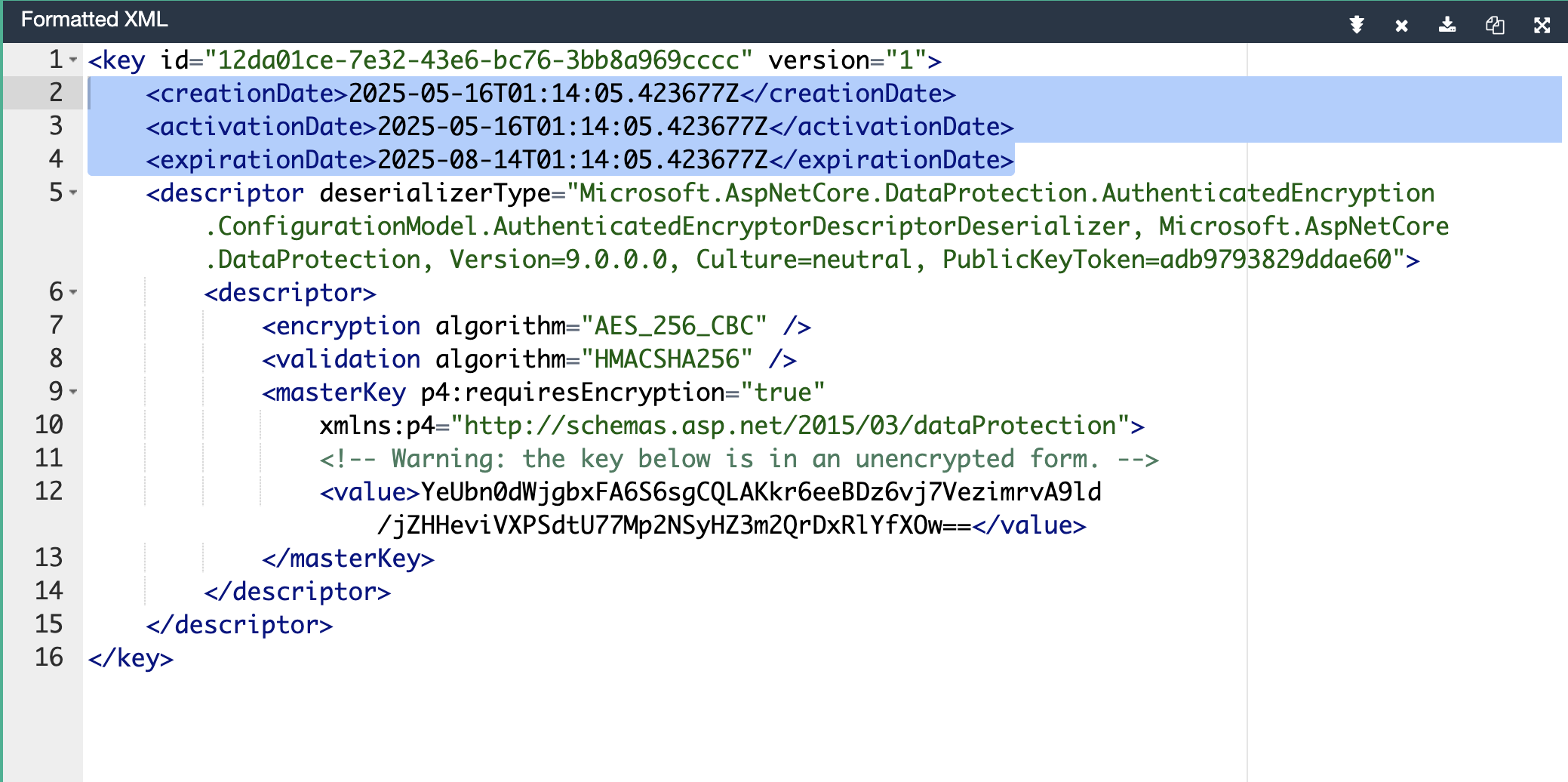 Markdown supported.Copy, paste, or drag & drop images and files (max 100 MB per file, 100 MB total per post)
 -
0
You mean every deployment, the Redis Cache should be cleared? How to enforce it in CI/CD pipeline? (Micro Services to Kubernetes)
Markdown supported.Copy, paste, or drag & drop images and files (max 100 MB per file, 100 MB total per post) -
0
hi
the Redis Cache should be cleared
No. Redis should not be cleared after every new deployment. Otherwise, the previous encryption/keys will be invalid.
https://abp.io/support/questions/9298/ABP-9-Upgrade---login-screen-409-error#answer-3a19e8d7-17da-d8d3-adf3-218e523e9630
Markdown supported.Copy, paste, or drag & drop images and files (max 100 MB per file, 100 MB total per post) -
0
This ticket could be closed. Restart the container works. But the root cause should be we put wrong Auth server Url in yarp settings.
Markdown supported.Copy, paste, or drag & drop images and files (max 100 MB per file, 100 MB total per post) -
0
This error comes back again. After yesterday's deployment, there is no 409 error. And this noon, I access QA site again (no new deployment) since that. Is it because of something regarding to session expired
Markdown supported.Copy, paste, or drag & drop images and files (max 100 MB per file, 100 MB total per post) -
0
Here is from log: [20:16:42 INF] Executed action method Volo.Abp.OpenIddict.Controllers.AuthorizeController.HandleAsync (Volo.Abp.OpenIddict.AspNetCore), returned result Microsoft.AspNetCore.Mvc.SignInResult in 83.8041ms. [20:16:42 INF] Executing SignInResult with authentication scheme (OpenIddict.Server.AspNetCore) and the following principal: System.Security.Claims.ClaimsPrincipal. [20:16:42 WRN] There is an entry which is not saved due to concurrency exception: OpenIddictAuthorization {Id: 8b3fde63-5710-65fd-c036-3a135d4249bc} Modified FK {ApplicationId: 55abca09-b50d-399f-246c-3a0cbf31440d}
[20:16:42 INF] Executed action Volo.Abp.OpenIddict.Controllers.AuthorizeController.HandleAsync (Volo.Abp.OpenIddict.AspNetCore) in 120.0721ms [20:16:42 INF] Executed endpoint 'Volo.Abp.OpenIddict.Controllers.AuthorizeController.HandleAsync (Volo.Abp.OpenIddict.AspNetCore)' [20:16:42 WRN] There is an entry which is not saved due to concurrency exception: OpenIddictAuthorization {Id: 8b3fde63-5710-65fd-c036-3a135d4249bc} Modified FK {ApplicationId: 55abca09-b50d-399f-246c-3a0cbf31440d}
[20:16:42 ERR] An unhandled exception has occurred while executing the request. Volo.Abp.Data.AbpDbConcurrencyException: The database operation was expected to affect 1 row(s), but actually affected 0 row(s); data may have been modified or deleted since entities were loaded. See https://go.microsoft.com/fwlink/?LinkId=527962 for information on understanding and handling optimistic concurrency exceptions. ---> Microsoft.EntityFrameworkCore.DbUpdateConcurrencyException: The database operation was expected to affect 1 row
Markdown supported.Copy, paste, or drag & drop images and files (max 100 MB per file, 100 MB total per post) -
0
hi
Please share full debug logs.
Are you sure all your packages are 9.1.1? You can try to upgrade to the latest 9.1.3 https://www.nuget.org/packages/Volo.Abp.Cli/9.1.3
Thanks.
Markdown supported.Copy, paste, or drag & drop images and files (max 100 MB per file, 100 MB total per post) -
0
hi
Please share full debug logs.
Are you sure all your packages are 9.1.1? You can try to upgrade to the latest 9.1.3 https://www.nuget.org/packages/Volo.Abp.Cli/9.1.3
Thanks.
I couldn't upgrade to 9.1.2, create a separate ticket here: https://abp.io/support/questions/9348/ABP-9-upgrade
Here is part of package.json "@abp/ng.components": "~9.1.1", "@abp/ng.core": "~9.1.1", "@abp/ng.oauth": "~9.1.1", "@abp/ng.setting-management": "~9.1.1", "@abp/ng.theme.shared": "~9.1.1", "@abp/ng.feature-management": "~9.1.1", "@volo/abp.commercial.ng.ui": "~9.1.1", "@volo/abp.ng.account": "~9.1.1", "@volo/abp.ng.audit-logging": "~9.1.1", "@volo/abp.ng.identity": "~9.1.1", "@volo/abp.ng.language-management": "~9.1.1", "@volo/abp.ng.openiddictpro": "~9.1.1", "@volo/abp.ng.saas": "~9.1.1", "@volo/abp.ng.text-template-management": "~9.1.1", "@volosoft/abp.ng.theme.lepton-x": "~4.1.1", "@angular/animations": "~19.1.0", "@angular/cdk": "~19.1.0", "@angular/common": "~19.1.0", "@angular/compiler": "~19.1.0", "@angular/core": "~19.1.0", "@angular/forms": "~19.1.0", "@angular/localize": "~19.1.0", "@angular/material": "~19.1.0", "@angular/material-date-fns-adapter": "~19.1.0", "@angular/platform-browser": "~19.1.0", "@angular/platform-browser-dynamic": "~19.1.0", "@angular/router": "~19.1.0",
Markdown supported.Copy, paste, or drag & drop images and files (max 100 MB per file, 100 MB total per post) -
0
I upgrade the front-end code to exactly version of '9.1.3', I also update backend to 9.1.3. The 409 still happens. Is there a way to swallow this 409 error either from front-end or backend?
Markdown supported.Copy, paste, or drag & drop images and files (max 100 MB per file, 100 MB total per post) -
0
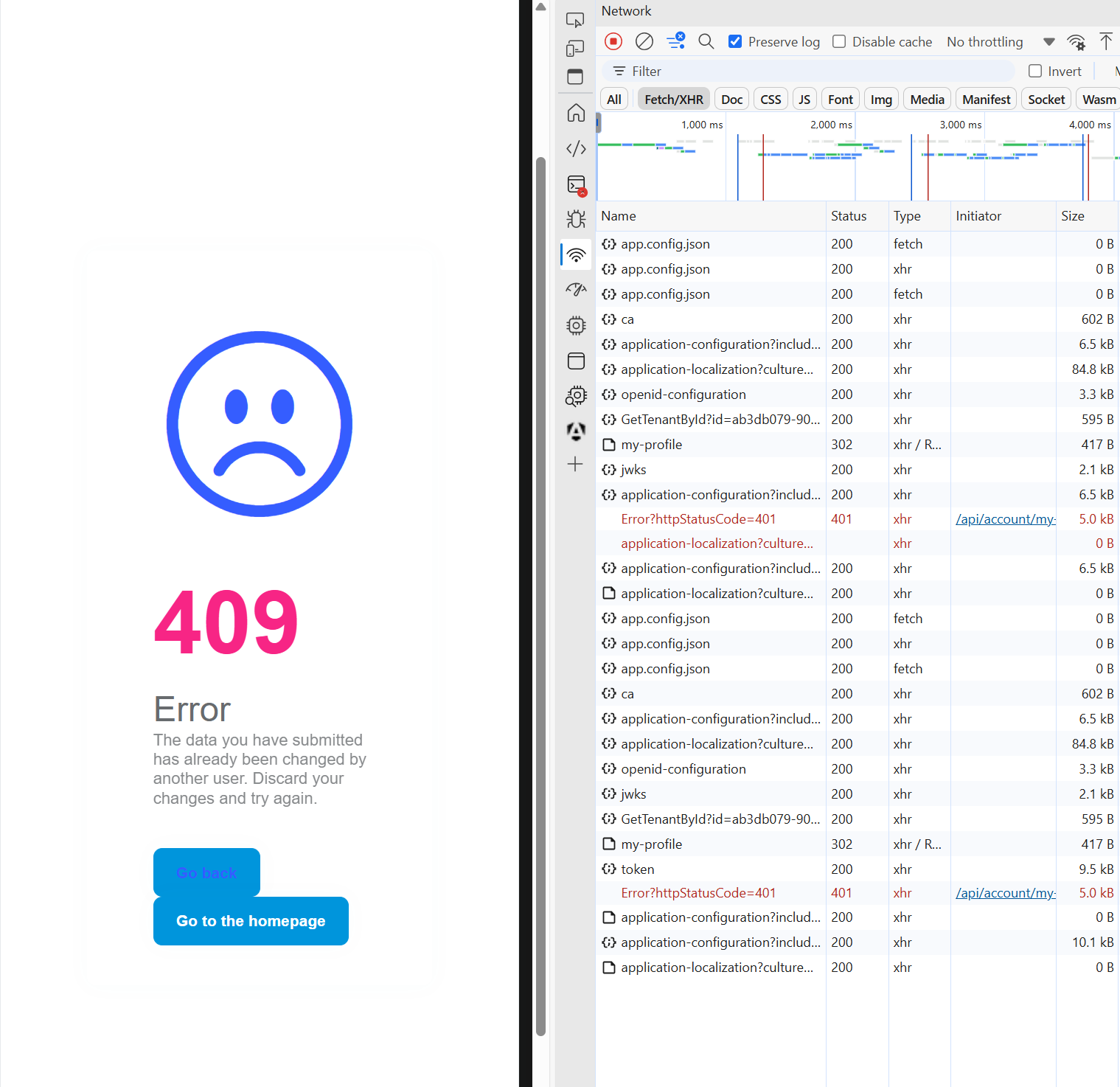
After upgrade to 9.1.3, the error is still there. It happens when make connect/authorize Url, I did Url decoding and Html decoding to the Url, it looks like this, I feel like the Url is extremely long and duplicate connect https://ca.authserver.host/connect/authorize?response_type=code&client_id=Angular&state=azU5cEs1Sk9Ua2JTcm1aVHlzaExiWjZrQXpqNUhxUVNNQUpsNDc1NXlKN2VR;/home/es-search?code=FbCK06zR-ZE3xt7LplqKFuOFVxuwjbgnqJobXC4z2v4&state=QVViSjhnd1VGWGFGQ3JjRFo3aExxTEZfdjNhR1VkTGp6MzBnYjhacTV3Rmp6;%252Fhome%252Fsearch%253Fcode%253DfVFNO5CT4ozUXn3SWbWF3Yx_vRmv8z8g9luGtz-jOCM%2526state%253DMzY3N2ZRV2F3UGNtNTlkbXQ1NWtyNUtTeXFKMlRpRXV1b1dWd3djWUwxdzdK%253B%2525252Fhome%2525252Fes-search%2526iss%253Dhttps%253A%25252F%25252Fca.authserver.host%25252F%2526culture%253Den%2526ui-culture%253Den&iss=https:%2F%2Fca.authserver.host%2F&culture=en&ui-culture=en&redirect_uri=https://ca.ess-portal.host/&scope=offline_accessopenidprofileemailphoneAccountServiceIdentityServiceAdministrationServiceSaasServiceEntityServiceSearchServiceLookupServiceAuditServiceDashboardService&code_challenge=cl1auIiaHiVaQMiBpDPk2OMIAccR0P9wJa2mOZMdG5w&code_challenge_method=S256&nonce=azU5cEs1Sk9Ua2JTcm1aVHlzaExiWjZrQXpqNUhxUVNNQUpsNDc1NXlKN2VR&culture=en&ui-culture=en&returnUrl=/home/search?code=FbCK06zR-ZE3xt7LplqKFuOFVxuwjbgnqJobXC4z2v4&state=QVViSjhnd1VGWGFGQ3JjRFo3aExxTEZfdjNhR1VkTGp6MzBnYjhacTV3Rmp6;%2Fhome%2Fes-search%3Fcode%3DfVFNO5CT4ozUXn3SWbWF3Yx_vRmv8z8g9luGtz-jOCM%26state%3DMzY3N2ZRV2F3UGNtNTlkbXQ1NWtyNUtTeXFKMlRpRXV1b1dWd3djWUwxdzdK%3B%25252Fhome%25252Fes-search%26iss%3Dhttps%3A%252F%252Fca.authserver.host%252F%26culture%3Den%26ui-culture%3Den&iss=https://ca.authserver.host/&culture=en&ui-culture=en
 Markdown supported.Copy, paste, or drag & drop images and files (max 100 MB per file, 100 MB total per post)
 -
0
Even a success login, the home search page flash 2+ times, looks like go to auth server again and back to home page
Markdown supported.Copy, paste, or drag & drop images and files (max 100 MB per file, 100 MB total per post) -
0
I tested with QA team against our QA site, we noticed when we click submit security code at the same time, it's much easy to reproduce. This issue becomes our upgrade blocker. Could we have a session to debug?
Markdown supported.Copy, paste, or drag & drop images and files (max 100 MB per file, 100 MB total per post) -
0
Or is there a way in auth server we create some controller method, which Url could match connect/authorize and the code call base.authorize and try catch 409 to swallow this error
Markdown supported.Copy, paste, or drag & drop images and files (max 100 MB per file, 100 MB total per post) -
0
hi
Can you share your project source code?
I will download and check the code.
You can remove the environment code so I can reproduce it on my local.
liming.ma@volosoft.com
Thanks.
Markdown supported.Copy, paste, or drag & drop images and files (max 100 MB per file, 100 MB total per post) -
0
And can you try to add MyAbpEfCoreNavigationHelper to your EF Core project.
using Microsoft.EntityFrameworkCore.ChangeTracking;
using Volo.Abp.DependencyInjection;
using Volo.Abp.EntityFrameworkCore.ChangeTrackers;
using Volo.Abp.OpenIddict.Tokens;

namespace Pusula.Training.HealthCare.EntityFrameworkCore;

[Dependency(ReplaceServices = true)]
[ExposeServices(typeof(AbpEfCoreNavigationHelper))]
public class MyAbpEfCoreNavigationHelper : AbpEfCoreNavigationHelper
{
    public override void ChangeTracker_Tracked(object? sender, EntityTrackedEventArgs e)
    {
        if (e.Entry.Entity.GetType() == typeof(OpenIddictToken))
        {
            return;
        }

        base.ChangeTracker_Tracked(sender, e);
    }

    public override void ChangeTracker_StateChanged(object? sender, EntityStateChangedEventArgs e)
    {
        if (e.Entry.Entity.GetType() == typeof(OpenIddictToken))
        {
            return;
        }

        base.ChangeTracker_StateChanged(sender, e);
    }
}
Markdown supported.Copy, paste, or drag & drop images and files (max 100 MB per file, 100 MB total per post) -
0
From exception log, it is OpenIddictAuthorizations table has concurrency issue. I replace above code MyAbpEfCoreNavigationHelper with it; After deployment, the URL bounce between home page and auth server several times, then successfully locate to home page. Then I try the login again, the app throw 400 error instead of the 409
Markdown supported.Copy, paste, or drag & drop images and files (max 100 MB per file, 100 MB total per post) -
0
[maliming] said: hi
Can you share your project source code?
I will download and check the code.
You can remove the environment code so I can reproduce it on my local.
liming.ma@volosoft.com
Thanks.
I heard another project in company using ABP 9 also met 409 error. It's bit hard to reproduce it at local. Occasionally it happens, but very easy to met 409 at QA site.
Markdown supported.Copy, paste, or drag & drop images and files (max 100 MB per file, 100 MB total per post)


