






When building my docker containers, I'm getting errors when locating the volo.x packages
Unable to find package Volo.Abp.Account.Pro.Public.Web.IdentityServer. Unable to find package Volo.Abp.Account.Pro.Public.Application ....
Based on other support issues, looks like the answer was to ensure that the nuget.config contained the proper information. My file has the proper information but I'm still having issues.
<?xml version="1.0" encoding="utf-8"?> <configuration> <packageSources> <add key="nuget.org" value="https://api.nuget.org/v3/index.json" /> <add key="BlazoriseMyGet" value="https://www.myget.org/F/blazorise/api/v3/index.json" /> <add key="ABP Commercial NuGet Source" value="https://nuget.abp.io/<MY_KEY>/v3/index.json" /> </packageSources> </configuration>
The solution runs just fine on my local machine. I'm currently using 4.02 and used the suite to create the tiered solution.
Any ideas?
Thanks in advance,
Brian
7 Answer(s)
-
0
Any ideas on when this issue is going to be resolved? I just tried and still have issues.
Regards,,
Brian
Markdown supported.Copy, paste, or drag & drop images and files (max 100 MB per file, 100 MB total per post) -
0
I also created a new project and getting the same thing
Unable to find package Volo.CmsKit.Pro.Admin.Web. No packages exist with this id in source(s): ABP Commercial NuGet Source, Microsoft Visual Studio Offline Packages, nuget.org
Markdown supported.Copy, paste, or drag & drop images and files (max 100 MB per file, 100 MB total per post) -
0
Hi @neurawitch
Could you check if you able to access links below;
https://nuget.abp.io/<API-KEY>/v3/package/Volo.Abp.Account.Pro.Public.Web.IdentityServer/index.json https://nuget.abp.io/<API-KEY>/v3/package/Volo.Abp.Account.Pro.Public.Application/index.json
Could you also share how do you create your project ? By default, Volo.CmsKit.Pro.Admin.Web package shouldn't be used in the created projects.
Thanks,
Markdown supported.Copy, paste, or drag & drop images and files (max 100 MB per file, 100 MB total per post) -
0
Yes, I can access those links without any issues.
Not sure why that package is showing up. I created the project using suite in order to see what would happen when using a brand new project.
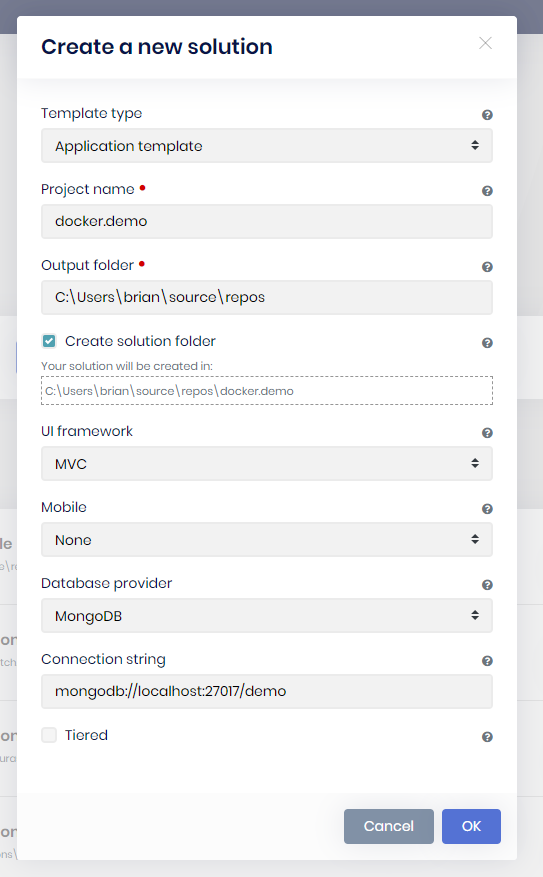
Here's what I'm getting in my main project.
error NU1101: Unable to find package Volo.Abp.TextTemplateManagement.MongoDB. No packages exist with this id in source(s): nuget.org [/src/src/bart.HttpApi.Host/bart.HttpApi.Host.csproj] error NU1101: Unable to find package Volo.Abp.LanguageManagement.MongoDB. No packages exist with this id in source(s): nuget.org [/src/src/bart.HttpApi.Host/bart.HttpApi.Host.csproj] error NU1101: Unable to find package Volo.Abp.LeptonTheme.Management.Domain. No packages exist with this id in source(s): nuget.org [/src/src/bart.HttpApi.Host/bart.HttpApi.Host.csproj] error NU1101: Unable to find package Volo.Abp.TextTemplateManagement.Domain. No packages exist with this id in source(s): nuget.org [/src/src/bart.HttpApi.Host/bart.HttpApi.Host.csproj] error NU1101: Unable to find package Volo.Abp.LanguageManagement.Domain. No packages exist with this id in source(s): nuget.org [/src/src/bart.HttpApi.Host/bart.HttpApi.Host.csproj] error NU1101: Unable to find package Volo.Saas.Domain. No packages exist with this id in source(s): nuget.org [/src/src/bart.HttpApi.Host/bart.HttpApi.Host.csproj] error NU1101: Unable to find package Volo.Abp.Commercial.SuiteTemplates. No packages exist with this id in source(s): nuget.org [/src/src/bart.HttpApi.Host/bart.HttpApi.Host.csproj] error NU1101: Unable to find package Volo.Abp.TextTemplateManagement.Domain.Shared. No packages exist with this id in source(s): nuget.org [/src/src/bart.HttpApi.Host/bart.HttpApi.Host.csproj] error NU1101: Unable to find package Volo.Abp.LeptonTheme.Management.Domain.Shared. No packages exist with this id in source(s): nuget.org [/src/src/bart.HttpApi.Host/bart.HttpApi.Host.csproj] error NU1101: Unable to find package Volo.Saas.Domain.Shared. No packages exist with this id in source(s): nuget.org [/src/src/bart.HttpApi.Host/bart.HttpApi.Host.csproj] error NU1101: Unable to find package Volo.Abp.LanguageManagement.Domain.Shared. No packages exist with this id in source(s): nuget.org [/src/src/bart.HttpApi.Host/bart.HttpApi.Host.csproj]
Here's a screenshot of the mongodb project
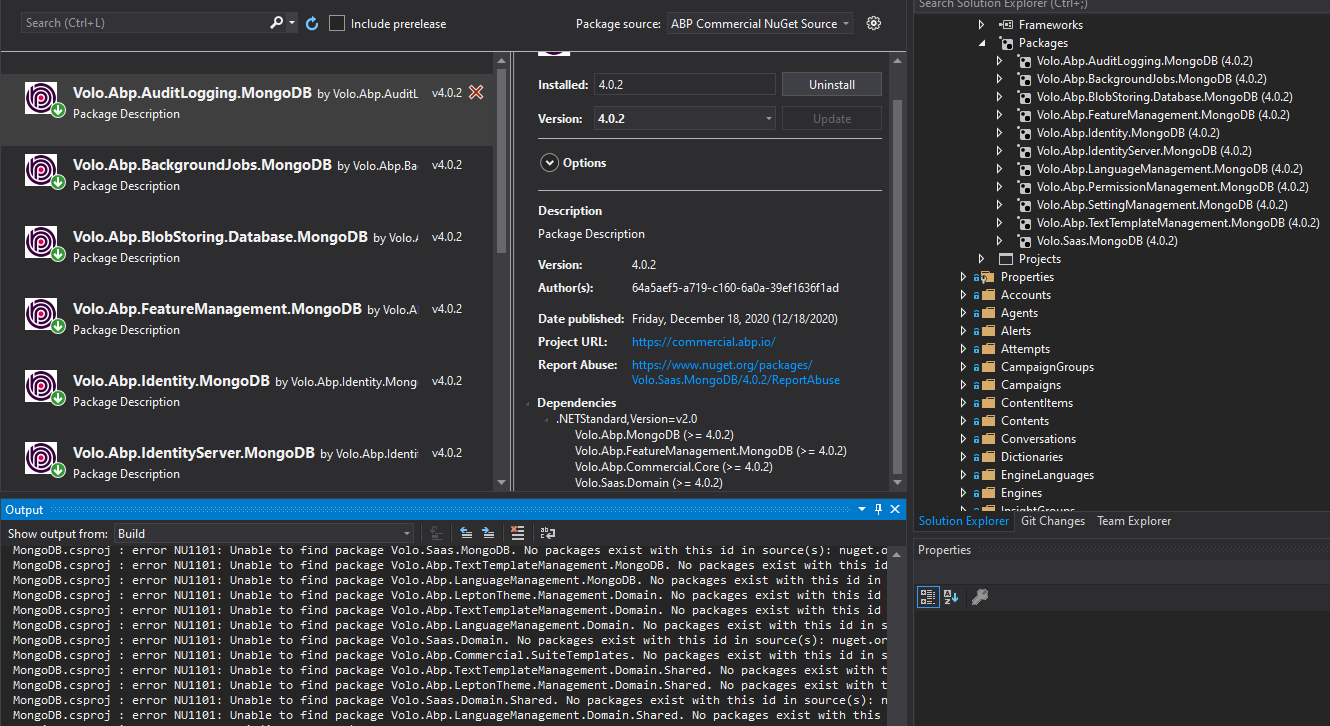 Markdown supported.Copy, paste, or drag & drop images and files (max 100 MB per file, 100 MB total per post)
 -
1
I solved the problem. Here's what I had to do:
I. Copy my nuget config file over to the proper directories. 2. Added "COPY ./NuGet.Config ./" to my docker file 3. Appended "--configfile ./NuGet.Config" to the restore command.
Markdown supported.Copy, paste, or drag & drop images and files (max 100 MB per file, 100 MB total per post)



