






Hi,
How can I override the Login function in .NET 9? The scenario is, the user will enter their credentials and press the Login button. Once this is done, I must perform several operations before they enter the system... for example, call an external API to see if the user exists, and if they exist on the external website and not in the ABP, register them on the ABP platform, and log in.
Regards
14 Answer(s)
-
0
To override the login process in ABP (v9.1, .NET 9), you need to customize the SignInManager and/or the login page logic. This allows you to perform additional operations (such as calling an external API, registering the user if needed, etc.) before completing the login.
Here’s how you can achieve this:
Create a Custom SignInManager
Inherit from the default SignInManager and override the methods you need (e.g., PasswordSignInAsync). This is where you can add your custom logic, such as calling an external API and registering the user if they exist externally but not in your ABP database.
public class CustomSignInManager : Microsoft.AspNetCore.Identity.SignInManager<Volo.Abp.Identity.IdentityUser>
   {
       public CustomSignInManager(
           UserManager<Volo.Abp.Identity.IdentityUser> userManager,
           IHttpContextAccessor contextAccessor,
           IUserClaimsPrincipalFactory<Volo.Abp.Identity.IdentityUser> claimsFactory,
           IOptions<IdentityOptions> optionsAccessor,
           ILogger<SignInManager<Volo.Abp.Identity.IdentityUser>> logger,
           IAuthenticationSchemeProvider schemes,
           IUserConfirmation<Volo.Abp.Identity.IdentityUser> confirmation)
           : base(userManager, contextAccessor, claimsFactory, optionsAccessor, logger, schemes, confirmation)
       {
       }

       public override async Task<SignInResult> PasswordSignInAsync(string userName, string password, bool isPersistent, bool lockoutOnFailure)
       {
           // Call your external API here
           var existsExternally = await CheckUserInExternalApi(userName);

           if (existsExternally)
           {
               var user = await UserManager.FindByNameAsync(userName);
               if (user == null)
               {
                   // Register the user in ABP
                   user = new Volo.Abp.Identity.IdentityUser(Guid.NewGuid(), userName, userName + "@yourdomain.com", Guid.Empty);
                   await UserManager.CreateAsync(user, password);
                   // Assign roles, etc.
               }
           }

           // Continue with the normal login process
           return await base.PasswordSignInAsync(userName, password, isPersistent, lockoutOnFailure);
       }

       private async Task<bool> CheckUserInExternalApi(string userName)
       {
           // Implement your external API call here
           return true;
       }
   }
Register Your Custom SignInManager
In your Web module, replace the default SignInManager with your custom one:
PreConfigure<IdentityBuilder>(identityBuilder =>
   {
       identityBuilder.AddSignInManager<CustomSignInManager>();
   });
Angular UI Integration
The Angular login component will call the backend as usual. Your backend logic (now using the custom SignInManager) will handle the extra steps transparently.
This approach ensures that all login attempts go through your custom logic, allowing you to perform any checks or user provisioning before completing the sign-in.
Sources:
- https://abp.io/community/articles/3e858753
- https://abp.io/docs/latest/framework/ui/mvc-razor-pages/customization-user-interface
This response was generated by AI. If it didn’t solve your problem, feel free to post a new answer — our support team will jump in to help you soon.
Markdown supported.Copy, paste, or drag & drop images and files (max 100 MB per file, 100 MB total per post) -
0
hi
Check this document to override the Login page.
https://abp.io/docs/9.1/framework/ui/mvc-razor-pages/customization-user-interface?_redirected=B8ABF606AA1BDF5C629883DF1061649A#overriding-a-razor-page-cshtml
Markdown supported.Copy, paste, or drag & drop images and files (max 100 MB per file, 100 MB total per post) -
0
Hi,
Not use a razor project. I use a Angular project.
Following this document: https://abp.io/community/articles/3e858753
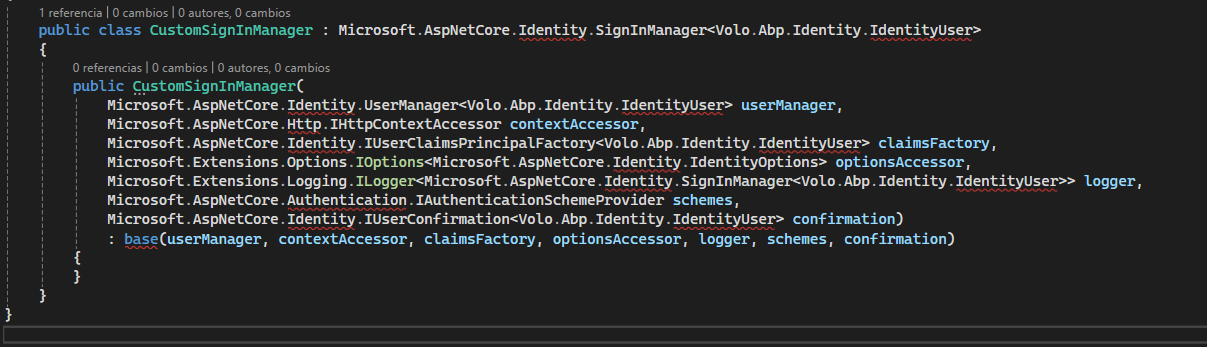
Where should I put this new class? When I create it in my .Application.Contracts, I can't find the references.
 Markdown supported.Copy, paste, or drag & drop images and files (max 100 MB per file, 100 MB total per post)
 -
0
hi
Are you using password flow as an authentication method in your Angular app?
https://abp.io/docs/latest/framework/ui/angular/authorization#authorization-in-angular-ui
Thanks.
Markdown supported.Copy, paste, or drag & drop images and files (max 100 MB per file, 100 MB total per post) -
0
hi,
My intention is not to touch anything in the Angular project. I want to override methods from the backend and have it be transparent to the frontend. Is this possible?
Thanks.
Markdown supported.Copy, paste, or drag & drop images and files (max 100 MB per file, 100 MB total per post) -
0
import { Environment } from '@abp/ng.core';
const baseUrl = '';
const oAuthConfig = { issuer: '', redirectUri: baseUrl, clientId: 'MTGCorp_App', responseType: 'code', scope: 'offline_access MTGCorp', requireHttps: true, impersonation: { userImpersonation: true, } };
export const environment = { production: true, application: { baseUrl, name: 'MTGCorp', }, oAuthConfig, apis: { default: { url: '', rootNamespace: 'MTGCorp', }, AbpAccountPublic: { url: oAuthConfig.issuer, rootNamespace: 'AbpAccountPublic', }, }, remoteEnv: { url: '/getEnvConfig', mergeStrategy: 'deepmerge' } } as Environment;
Markdown supported.Copy, paste, or drag & drop images and files (max 100 MB per file, 100 MB total per post) -
0
hi
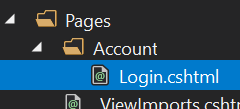
You are using code flow now. The login page is MVC page.
Check this document to override the Login page.
https://abp.io/docs/9.1/framework/ui/mvc-razor-pages/customization-user-interface?_redirected=B8ABF606AA1BDF5C629883DF1061649A#overriding-a-razor-page-cshtml
 Markdown supported.Copy, paste, or drag & drop images and files (max 100 MB per file, 100 MB total per post)
 -
0
Hi,
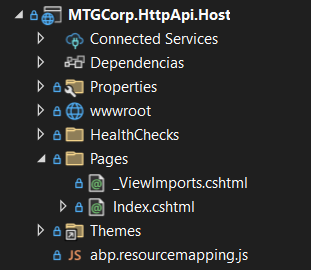
I don't have the login file... should I create it?
Thanks
Markdown supported.Copy, paste, or drag & drop images and files (max 100 MB per file, 100 MB total per post) -
0
hi
Yes. Please check the document https://abp.io/docs/9.1/framework/ui/mvc-razor-pages/customization-user-interface?_redirected=B8ABF606AA1BDF5C629883DF1061649A#overriding-a-razor-page-cshtml
Thanks.
Markdown supported.Copy, paste, or drag & drop images and files (max 100 MB per file, 100 MB total per post) -
0
Hi,
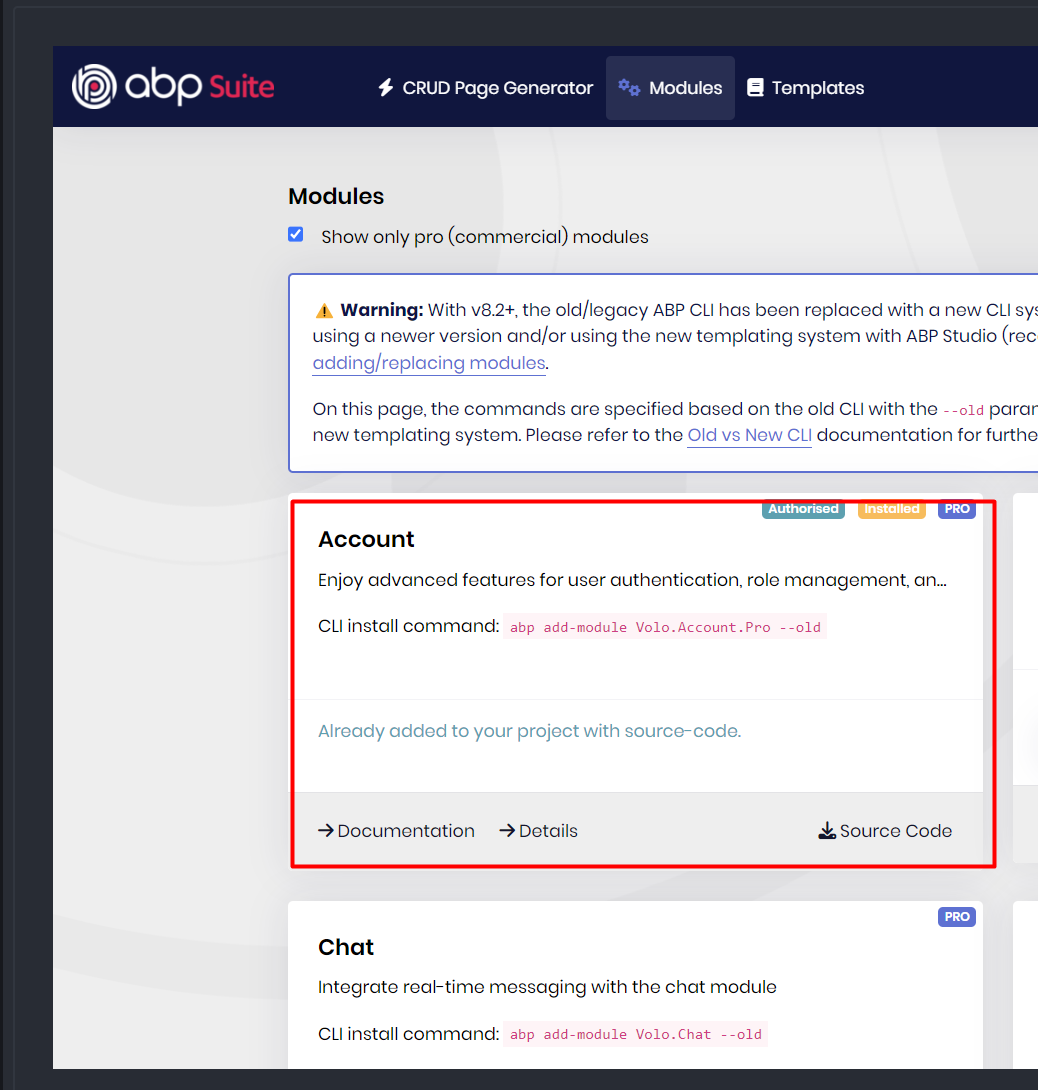
I loaded the Account module with ABP Studio and now I can see and edit the Login page. When I loaded this module, it added the entire ABP project to my solution. This raises a question: when you update the project to new versions, how do I update my solution?
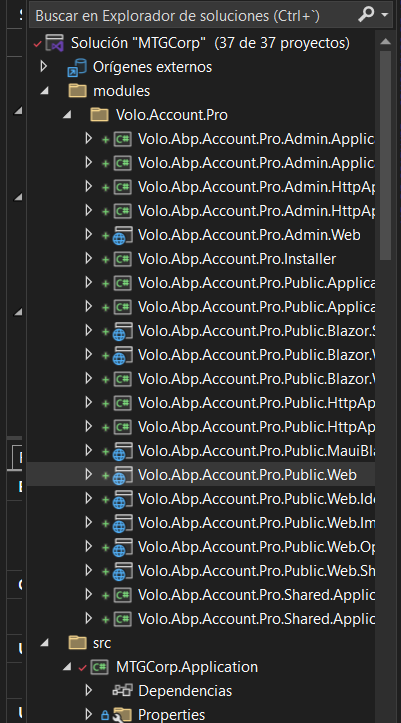
Thanks
Markdown supported.Copy, paste, or drag & drop images and files (max 100 MB per file, 100 MB total per post) -
0
hi
You don't need to add the entire account pro module source code to your solution.
You just need to add
Login.cshtmlandLogin.cshtmlfiles.If you don't know how to add these two files. You can share your project with liming.ma@volosoft.com
I will add and send it back to you.
Thanks.
Markdown supported.Copy, paste, or drag & drop images and files (max 100 MB per file, 100 MB total per post) -
0
Hi,
I have already modified the solution and added the new Login and it is now working.
Thanks
Markdown supported.Copy, paste, or drag & drop images and files (max 100 MB per file, 100 MB total per post)



