






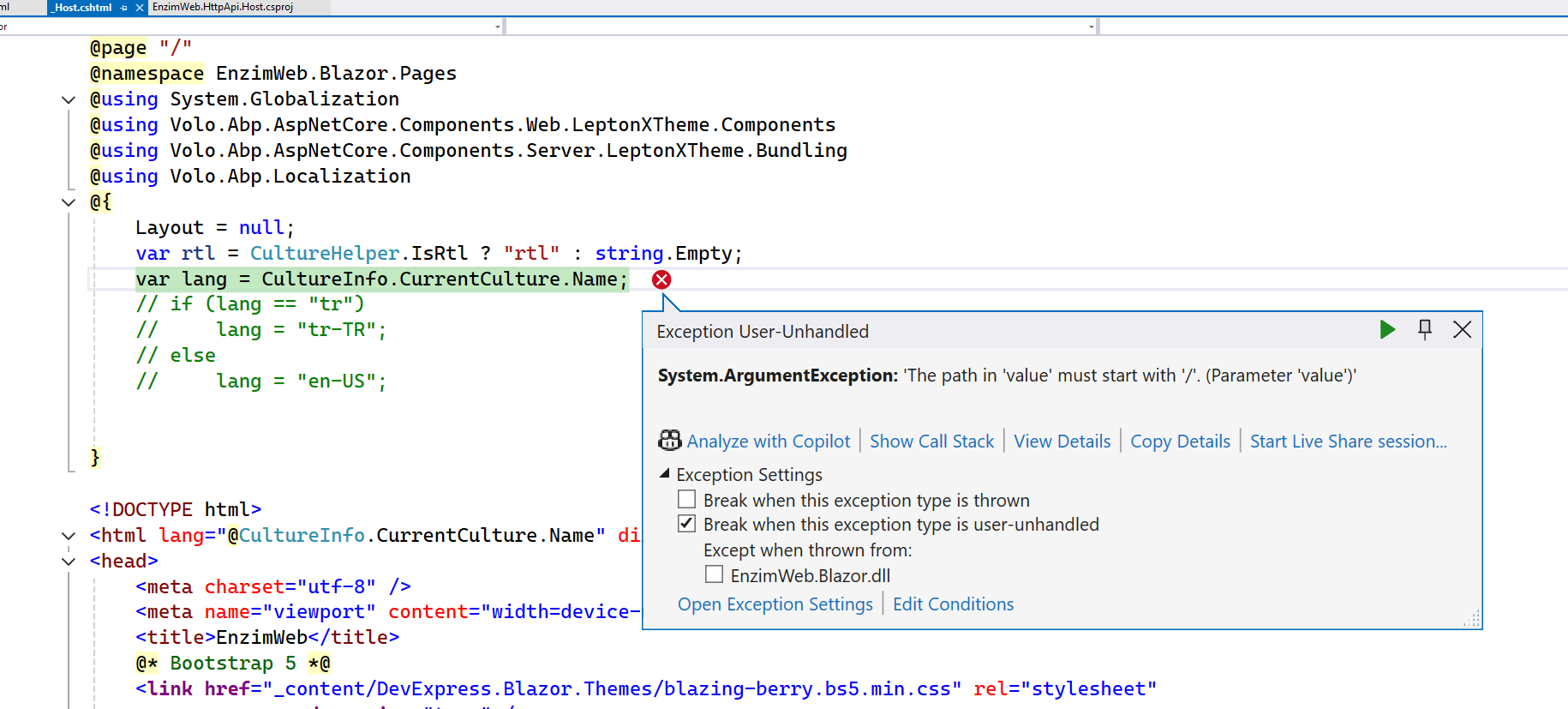
When we upgrade to the new version 9.3.1, we get the following error in _Host.cshtml
The path in 'value' must start with '/'. (Parameter 'value')' 'iisexpress.exe' (CoreCLR: clrhost): Loaded 'D:\azure\doktorpaneli\src\EnzimWeb.Blazor\bin\Debug\net9.0\Volo.Abp.LeptonXTheme.Management.Domain.Shared.dll'. Skipped loading symbols. Module is optimized and the debugger option 'Just My Code' is enabled. Exception thrown: 'System.ArgumentException' in System.Private.CoreLib.dll Exception thrown: 'System.ArgumentException' in System.Private.CoreLib.dll An exception of type 'System.ArgumentException' occurred in System.Private.CoreLib.dll but was not handled in user code The path in 'value' must start with '/'.
2025-08-12 17:37:22.259 +03:00 [ERR] An unhandled exception has occurred while executing the request.
System.ArgumentException: The path in 'value' must start with '/'. (Parameter 'value')
at Microsoft.AspNetCore.Http.PathString..ctor(String value)
at Microsoft.AspNetCore.Mvc.Routing.UrlHelperBase.Content(HttpContext httpContext, String contentPath)
at Volo.Abp.AspNetCore.Mvc.UI.Bundling.TagHelpers.AbpTagHelperScriptService.AddHtmlTag(ViewContext viewContext, TagHelper tagHelper, TagHelperContext context, TagHelperOutput output, BundleFile file, IFileInfo fileInfo)
at Volo.Abp.AspNetCore.Mvc.UI.Bundling.TagHelpers.AbpTagHelperResourceService.ProcessAsync(ViewContext viewContext, TagHelper tagHelper, TagHelperContext context, TagHelperOutput output, List1 bundleItems, String bundleName) at Volo.Abp.AspNetCore.Mvc.UI.Bundling.TagHelpers.AbpBundleTagHelperService2.ProcessAsync(TagHelperContext context, TagHelperOutput output)
at Microsoft.AspNetCore.Razor.Runtime.TagHelpers.TagHelperRunner.<RunAsync>g__Awaited|0_0(Task task, TagHelperExecutionContext executionContext, Int32 i, Int32 count)
at EnzimWeb.Blazor.Pages.Pages__Host.<>c__DisplayClass41_0.<<ExecuteAsync>b__1>d.MoveNext()
--- End of stack trace from previous location ---
at Microsoft.AspNetCore.Razor.Runtime.TagHelpers.TagHelperExecutionContext.SetOutputContentAsync()
at EnzimWeb.Blazor.Pages.Pages__Host.ExecuteAsync() in D:\azure\doktorpaneli\src\EnzimWeb.Blazor\Pages_Host.cshtml:line 10
at Microsoft.AspNetCore.Mvc.Razor.RazorView.RenderPageCoreAsync(IRazorPage page, ViewContext context)
at Microsoft.AspNetCore.Mvc.Razor.RazorView.RenderPageAsync(IRazorPage page, ViewContext context, Boolean invokeViewStarts)
at Microsoft.AspNetCore.Mvc.Razor.RazorView.RenderAsync(ViewContext context)
at Microsoft.AspNetCore.Mvc.ViewFeatures.ViewExecutor.ExecuteAsync(ViewContext viewContext, String contentType, Nullable1 statusCode) at Microsoft.AspNetCore.Mvc.ViewFeatures.ViewExecutor.ExecuteAsync(ViewContext viewContext, String contentType, Nullable1 statusCode)
at Microsoft.AspNetCore.Mvc.Infrastructure.ResourceInvoker.<InvokeNextResultFilterAsync>g__Awaited|30_0[TFilter,TFilterAsync](ResourceInvoker invoker, Task lastTask, State next, Scope scope, Object state, Boolean isCompleted)
at Microsoft.AspNetCore.Mvc.Infrastructure.ResourceInvoker.Rethrow(ResultExecutedContextSealed context)
at Microsoft.AspNetCore.Mvc.Infrastructure.ResourceInvoker.ResultNext[TFilter,TFilterAsync](State& next, Scope& scope, Object& state, Boolean& isCompleted)
at Microsoft.AspNetCore.Mvc.Infrastructure.ResourceInvoker.InvokeResultFilters()
--- End of stack trace from previous location ---
at Microsoft.AspNetCore.Mvc.Infrastructure.ResourceInvoker.<InvokeNextResourceFilter>g__Awaited|25_0(ResourceInvoker invoker, Task lastTask, State next, Scope scope, Object state, Boolean isCompleted)
at Microsoft.AspNetCore.Mvc.Infrastructure.ResourceInvoker.Rethrow(ResourceExecutedContextSealed context)
at Microsoft.AspNetCore.Mvc.Infrastructure.ResourceInvoker.Next(State& next, Scope& scope, Object& state, Boolean& isCompleted)
at Microsoft.AspNetCore.Mvc.Infrastructure.ResourceInvoker.InvokeFilterPipelineAsync()
--- End of stack trace from previous location ---
at Microsoft.AspNetCore.Mvc.Infrastructure.ResourceInvoker.<InvokeAsync>g__Logged|17_1(ResourceInvoker invoker)
at Microsoft.AspNetCore.Mvc.Infrastructure.ResourceInvoker.<InvokeAsync>g__Logged|17_1(ResourceInvoker invoker)
at Microsoft.AspNetCore.Routing.EndpointMiddleware.<Invoke>g__AwaitRequestTask|7_0(Endpoint endpoint, Task requestTask, ILogger logger)
at Volo.Abp.AspNetCore.Serilog.AbpSerilogMiddleware.InvokeAsync(HttpContext context, RequestDelegate next)
at Microsoft.AspNetCore.Builder.UseMiddlewareExtensions.InterfaceMiddlewareBinder.<>c__DisplayClass2_0.<<CreateMiddleware>b__0>d.MoveNext()
--- End of stack trace from previous location ---
at Swashbuckle.AspNetCore.SwaggerUI.SwaggerUIMiddleware.Invoke(HttpContext httpContext)
at Swashbuckle.AspNetCore.Swagger.SwaggerMiddleware.Invoke(HttpContext httpContext, ISwaggerProvider swaggerProvider)
at Microsoft.AspNetCore.Authorization.AuthorizationMiddleware.Invoke(HttpContext context)
at EnzimWeb.Blazor.MiddleWares.RemoveCacheKeysMiddleWare.InvokeAsync(HttpContext context, RequestDelegate next) in D:\azure\doktorpaneli\src\EnzimWeb.Blazor\MiddleWares\RemoveCacheKeysMiddleWare.cs:line 73
at Microsoft.AspNetCore.Builder.UseMiddlewareExtensions.InterfaceMiddlewareBinder.<>c__DisplayClass2_0.<<CreateMiddleware>b__0>d.MoveNext()
--- End of stack trace from previous location ---
at EnzimWeb.Blazor.EnzimWebBlazorModule.<>c.<<OnApplicationInitialization>b__20_0>d.MoveNext() in D:\azure\doktorpaneli\src\EnzimWeb.Blazor\EnzimWebBlazorModule.cs:line 695
--- End of stack trace from previous location ---
at Microsoft.AspNetCore.Authentication.AuthenticationMiddleware.Invoke(HttpContext context)
at Volo.Abp.AspNetCore.Security.AbpSecurityHeadersMiddleware.InvokeAsync(HttpContext context, RequestDelegate next)
at Microsoft.AspNetCore.Builder.UseMiddlewareExtensions.InterfaceMiddlewareBinder.<>c__DisplayClass2_0.<<CreateMiddleware>b__0>d.MoveNext()
--- End of stack trace from previous location ---
at Volo.Abp.AspNetCore.Tracing.AbpCorrelationIdMiddleware.InvokeAsync(HttpContext context, RequestDelegate next)
at Microsoft.AspNetCore.Builder.UseMiddlewareExtensions.InterfaceMiddlewareBinder.<>c__DisplayClass2_0.<<CreateMiddleware>b__0>d.MoveNext()
--- End of stack trace from previous location ---
at Microsoft.AspNetCore.Localization.RequestLocalizationMiddleware.Invoke(HttpContext context)
at Microsoft.AspNetCore.RequestLocalization.AbpRequestLocalizationMiddleware.InvokeAsync(HttpContext context, RequestDelegate next)
at Microsoft.AspNetCore.Builder.UseMiddlewareExtensions.InterfaceMiddlewareBinder.<>c__DisplayClass2_0.<<CreateMiddleware>b__0>d.MoveNext()
--- End of stack trace from previous location ---
at Microsoft.AspNetCore.Diagnostics.DeveloperExceptionPageMiddlewareImpl.Invoke(HttpContext context)
7 Answer(s)
-
0
This error is typically caused by a resource path (such as a script, style, or bundle reference) that does not start with a forward slash ("/"). In ABP 9.3.x, the bundling/tag helper system is stricter and requires all resource paths to be absolute (i.e., start with "/").
Solution
- Check All Resource References in _Host.cshtml
- Ensure every
hreforsrcattribute for scripts, styles, and other resources starts with a/. - For example, change:
- Ensure every
<link href="content/DevExpress.Blazor.Themes/blazing-berry.bs5.min.css" rel="stylesheet" />to:<link href="/content/DevExpress.Blazor.Themes/blazing-berry.bs5.min.css" rel="stylesheet" />Check ABP Bundling TagHelpers
- If you use ABP's bundling system (e.g.,
<abp-script-bundle>,<abp-style-bundle>), make sure the bundle names and file paths are correct and start with/.
- If you use ABP's bundling system (e.g.,
Review Custom TagHelpers or Resource Injections
- If you have custom logic that injects scripts/styles, ensure all paths are absolute.
Check for Dynamic Path Generation
- If you generate paths dynamically in C# or Razor, always prefix with
/.
- If you generate paths dynamically in C# or Razor, always prefix with
Restart and Clean Solution
- After making changes, clean and rebuild your solution to ensure no cached files are causing issues.
Reference
This should resolve the error in your
_Host.cshtmlfile after upgrading to ABP 9.3.1.
This response was generated by AI. If it didn’t solve your problem, feel free to post a new answer — our support team will jump in to help you soon.
Markdown supported.Copy, paste, or drag & drop images and files (max 100 MB per file, 100 MB total per post) - Check All Resource References in _Host.cshtml
-
0
this error stil get
Markdown supported.Copy, paste, or drag & drop images and files (max 100 MB per file, 100 MB total per post) -
0
hi
What is your previous version?
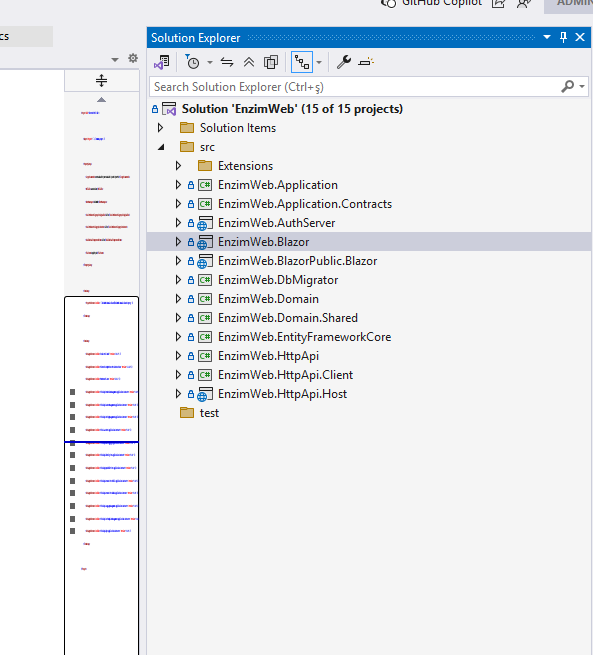
Can you share a screenshot of your solution structure?
Can you share a simple project to reproduce this error?
Thanks.
Markdown supported.Copy, paste, or drag & drop images and files (max 100 MB per file, 100 MB total per post) -
0
Our previous version Version="9.2.3". We don't get this error when we create a new project. We get this error when we update from version 9.2.3 to 9.3.1. However, our project contains _host.cshtml instead of app.razor.
 Markdown supported.Copy, paste, or drag & drop images and files (max 100 MB per file, 100 MB total per post)
 -
0
We will try an return. we converted Host.cshtml to App.razor. This problem resolved
Markdown supported.Copy, paste, or drag & drop images and files (max 100 MB per file, 100 MB total per post) -
0
ok, if you share your project source. I will convert your
Host.cshtmltoApp.razorPlease create a private GitHub repository and invite https://github.com/maliming
Thanks.
Markdown supported.Copy, paste, or drag & drop images and files (max 100 MB per file, 100 MB total per post)



