






- ABP Framework version: v4.2.1
- UI type: MVC
- DB provider: EF Core / MongoDB
- Tiered (MVC) or Identity Server Separated (Angular): yes
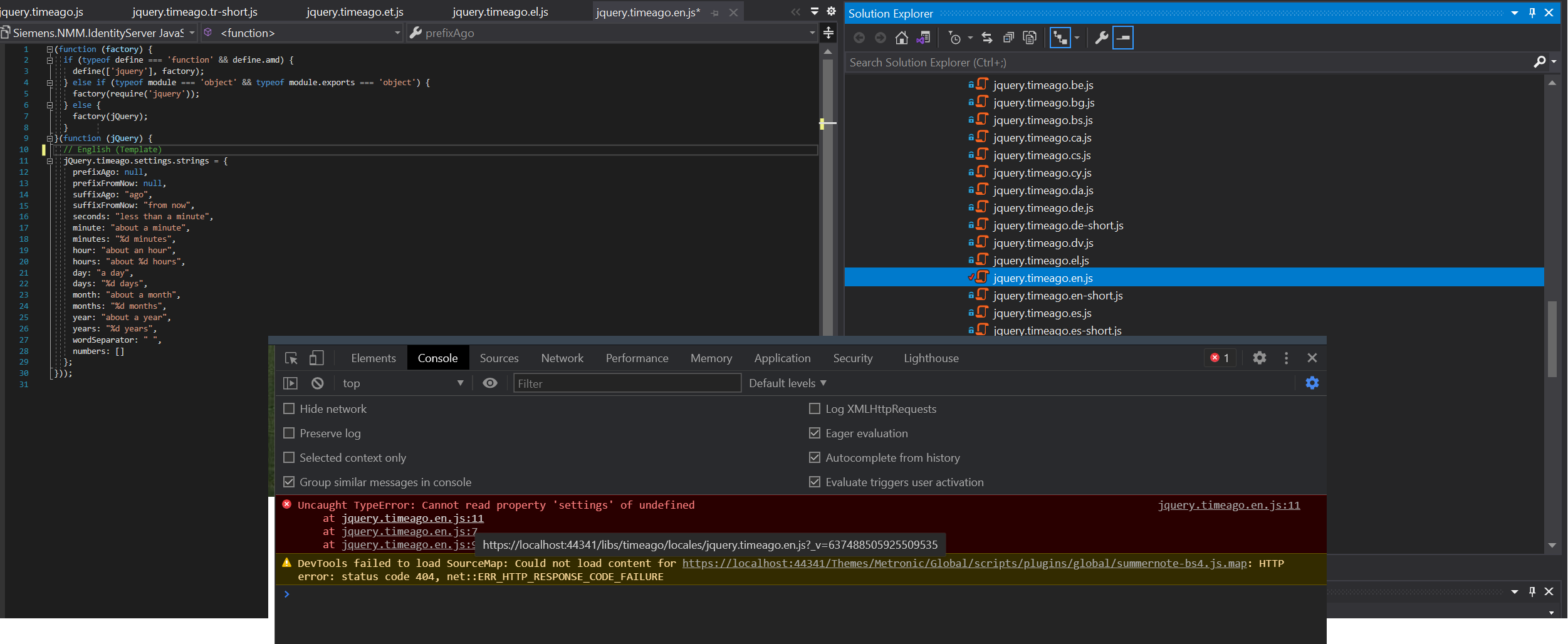
I'm getting an error from the jquery.timeago client library which is the popups with application template. Any idea ?
6 Answer(s)
-
0
Steps to reproduce the issue:
- clear existing node_modules folder
- clear wwwroot folder (removed only libs)
- edit package.json, replace existing lepton theme with "@volo/abp.aspnetcore.mvc.ui.theme.commercial": "~4.2.1"
- npm install
- run gulp to move files from node_modules to wwwroot
Markdown supported.Copy, paste, or drag & drop images and files (max 100 MB per file, 100 MB total per post) -
0
edit package.json, replace existing lepton theme with "@volo/abp.aspnetcore.mvc.ui.theme.commercial": "~4.2.1"
Why do you do this? they dependencies is different, which will cause the problems you mentioned above.
https://www.npmjs.com/package/@volo/abp.aspnetcore.mvc.ui.theme.lepton https://www.npmjs.com/package/@volo/abp.aspnetcore.mvc.ui.theme.commercial
clear wwwroot folder
by the way, You only need remove the
libsfolder ofwwwrootMarkdown supported.Copy, paste, or drag & drop images and files (max 100 MB per file, 100 MB total per post) -
0
edit package.json, replace existing lepton theme with "@volo/abp.aspnetcore.mvc.ui.theme.commercial": "~4.2.1"
Why do you do this?
they dependencies is different, which will cause the problems you mentioned above.https://www.npmjs.com/package/@volo/abp.aspnetcore.mvc.ui.theme.lepton https://www.npmjs.com/package/@volo/abp.aspnetcore.mvc.ui.theme.commercial
Why i have to use @volo/abp.aspnetcore.mvc.ui.theme.lepton Is it like mandatory ? even if i don't use lepton theme should we get it ?
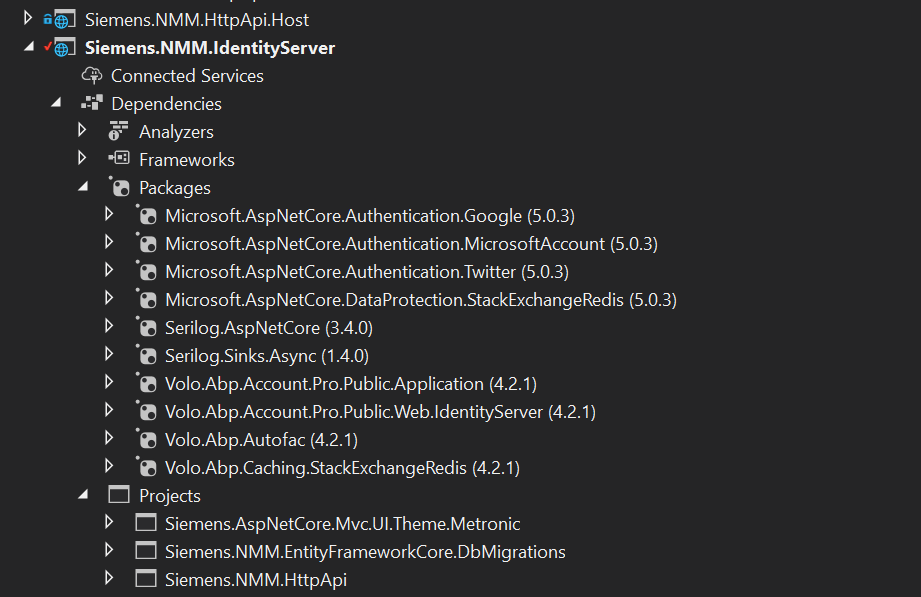
Infact I'm not instrested any client side package. I just created my theme based on shared and commercial packages. I'm just trying to fulfill shared and commercial package requirements.
Markdown supported.Copy, paste, or drag & drop images and files (max 100 MB per file, 100 MB total per post) -
0
This question has been automatically marked as stale because it has not had recent activity.
Markdown supported.Copy, paste, or drag & drop images and files (max 100 MB per file, 100 MB total per post)



