[maliming] said: hi
Please first share a demo that reproduces this issue. After that, we will fix it, and the problem you mentioned will no longer exist.
liming.ma@volosoft.com
Thanks.
Hi
I am using an Angular application. You can check it here: https://dev.goboms.com/
The initial loading time is very slow. After loading, it redirects to the auth server, which makes it take even more time.
Thanks
Hi
I noticed that we don't need to load these css and js file without login on angular side as we are redirecting to the auth server.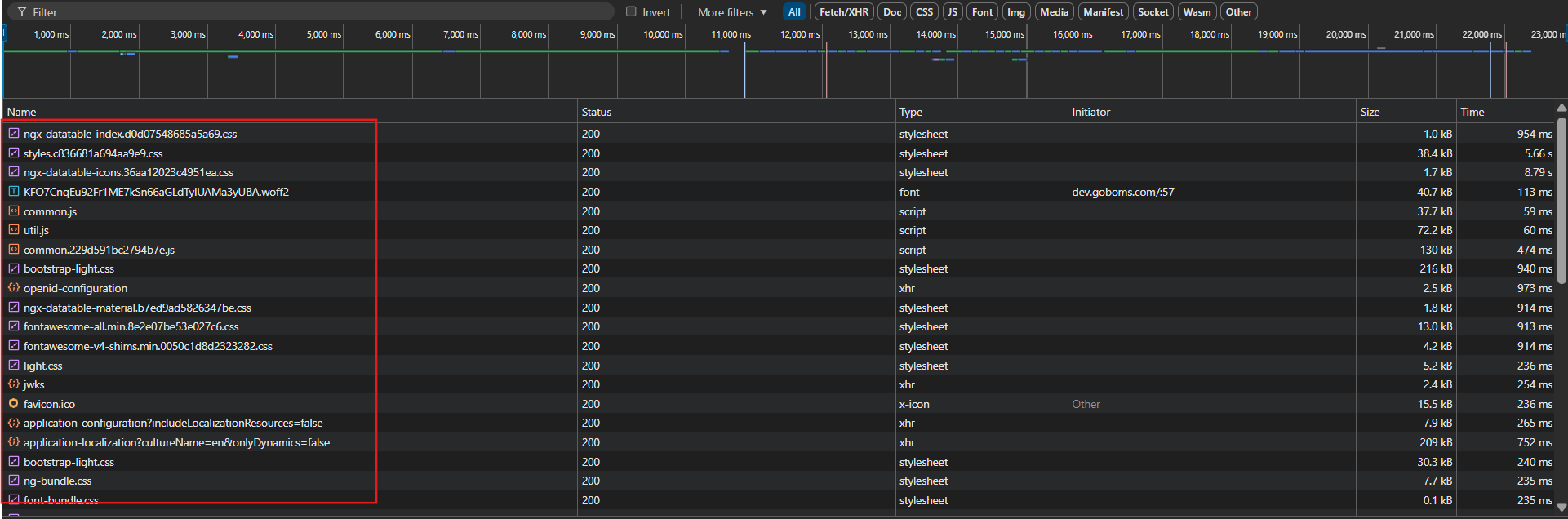
Please let me know if we have any steps to prevent this.
Thanks
[maliming] said: hi
I checked your new logs. How many permission in your app?
The logs show there are over 1600 permissions.
Is the application also slow during local development? Or does it only become slow after deployment?
What are your server specifications?
Can you also share a test username &password of https://dev.hxxxxx.com/ website?
I will try to reproduce it online.
Thanks.
Hi
Yes, it is also slow during local development on the first load. The server has 16 GB RAM.
Thanks
[maliming] said: hi
I checked your new logs. How many permission in your app?
The logs show there are over 1600 permissions.
Is the application also slow during local development? Or does it only become slow after deployment?
What are your server specifications?
Can you also share a test username &password of https://dev.hxxxxx.com/ website?
I will try to reproduce it online.
Thanks.
Hi
I have shared the details via email.
Thanks
[maliming] said: hi
It seems the cache is delayed. To confirm this, you can disable Redis in your two websites
  "Redis": {
    "IsEnabled": "false",
    "Configuration": "127.0.0.1"
  }
Can you also share a test username &password of https://dev.hxxxxx.com/ website?
Thanks.
Hi
I have shared the latest log files via email.
Thanks
Hi
I have shared the log files via email.
Thanks
Hi
I have checked in network tab.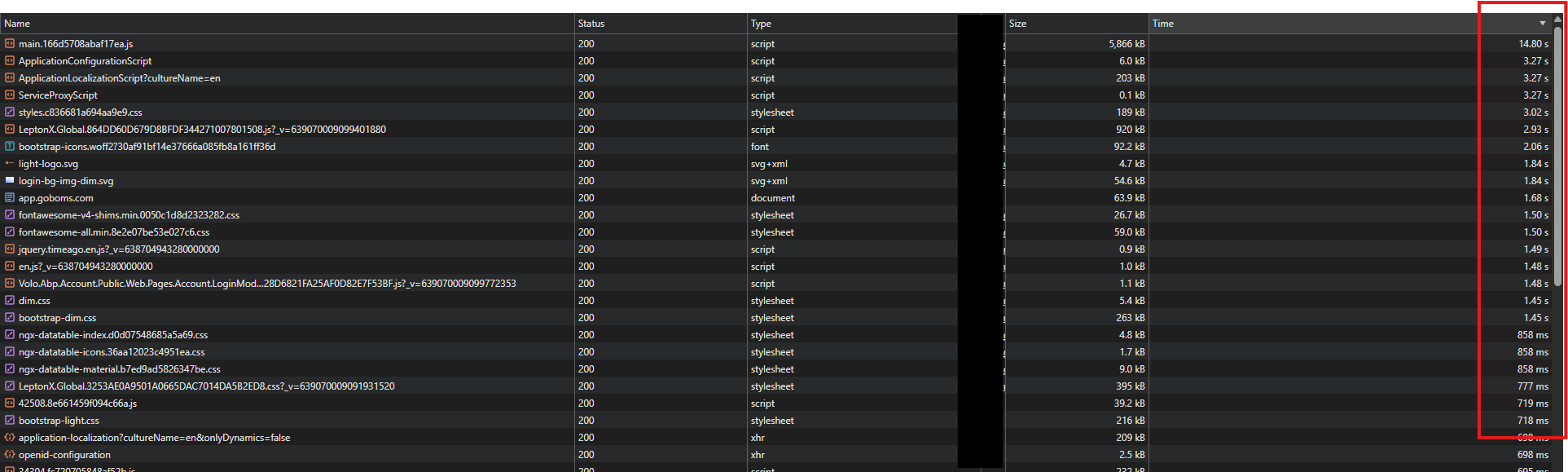
Thank you
Hi
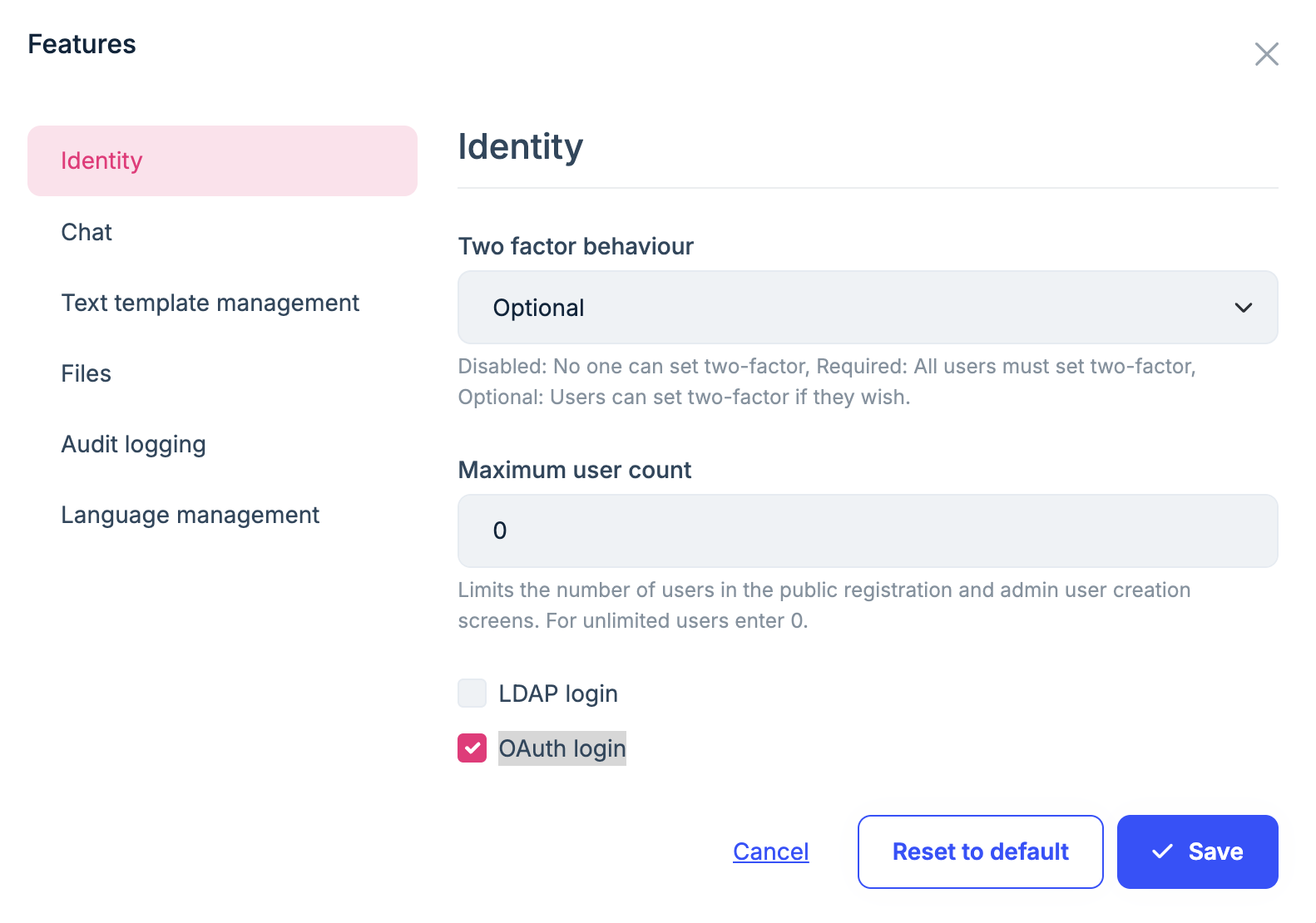
I have enabled the OAuth feature at the edition level and it is "false" in application-configurations response. Is it applied to associate tenants? If not then please provide steps to enable the OAuth feature
Thanks
[maliming] said: hi
If the current tenant is not the host, you need to enable it on the tenant side.
Thanks.
Hi
I have enabled also for tenant. I have same new logs after enabled
2026-02-03 01:22:39.268 -06:00 [INF] Try to use LDAP for external authentication 2026-02-03 01:22:39.268 -06:00 [WRN] Ldap login feature is not enabled! 2026-02-03 01:22:39.269 -06:00 [INF] Try to use OAUTH for external authentication 2026-02-03 01:22:39.270 -06:00 [WRN] OAuth login feature is not enabled!
Thanks
[maliming] said: hi
2026-02-02 21:19:52.419 -06:00 [WRN] Ldap login feature is not enabled! 2026-02-02 21:19:52.421 -06:00 [WRN] OAuth login feature is not enabled!
Can you enable the
OAuthfeature in settings page?Manage host features
Thanks.
Hi
Yes, It's already enabled.
Thanks