Our projects created in Abp Studio. And this problem appeared in production. We use Blazor WASM for our projects. All projects created via Abp Studio with BlazorWASM has this error in production. Our projects are aimed to work in local network without internet.
We use .net 10with Abp 10.1.10. When app online it works correctly. Even we don't have warnings like bootstrap.bundle.min.js.map loads.
But in offline we see the errors above when loading and with such errors we cannot complete authorization. After authorization we see this page:
we see 
Is there any way to load only offline?
Hi! We have a problem with offline loading of our project.

It worked, thanks!
I intercepted the request as you showed
app.Use(async (httpContext, next) =>
{
    var path = httpContext.Request.Path.Value;
    if (path != null && path.EndsWith("/font-bundle.css", StringComparison.OrdinalIgnoreCase))
    {
        httpContext.Request.Path = "/fonts/my-fonts.css";
    }
    await next();
});
but judging by what I see in DevTools (if I'm not mistaken), the request is still going there.
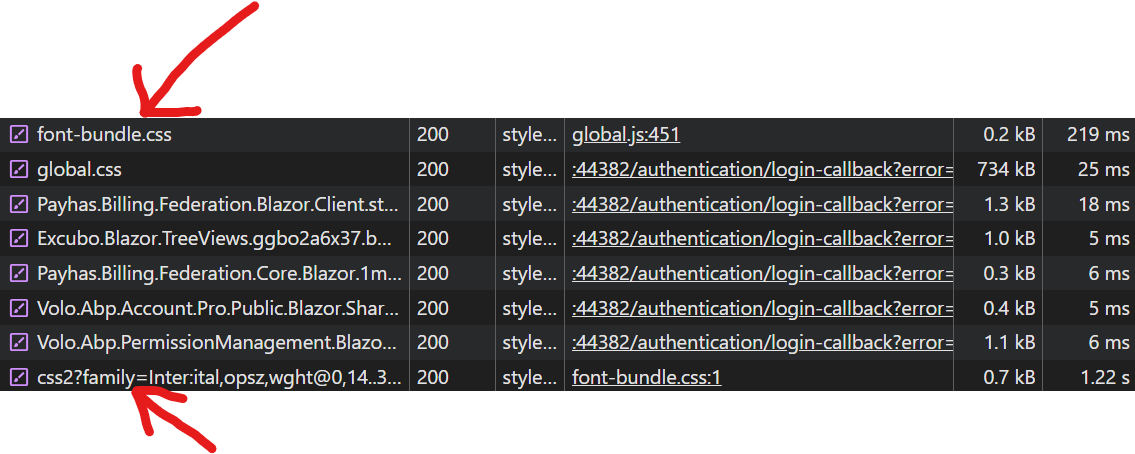
Here's our project structure:
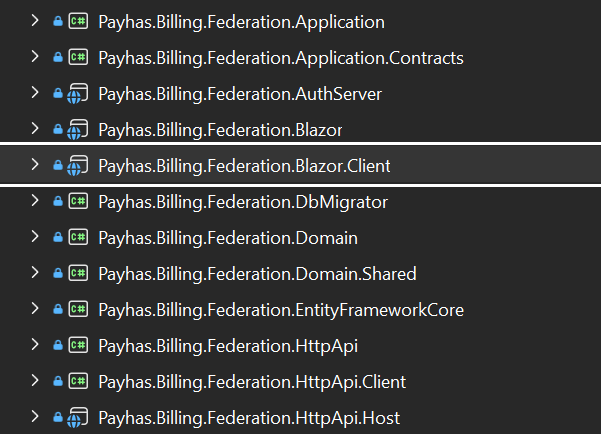
The wwwroot folder is located in BlazorClient:
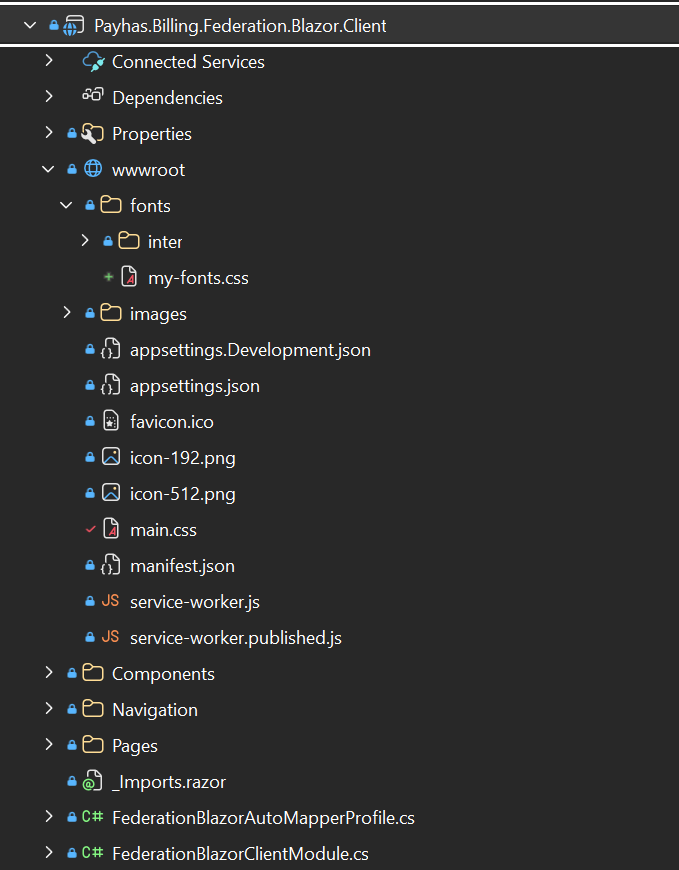
I used main.css and local fonts worked. Now I created my-fonts.css and use it for local fonts, but now they stopped working despite the fact that I added them in
C#
public class FederationStyleBundleContributor : BundleContributor
{
    public override void ConfigureBundle(BundleConfigurationContext context)
    {
        context.Files.Add(new BundleFile("/fonts/my-fonts", true));
        context.Files.Add(new BundleFile("main.css", true));
    }
}
which is located in the Federation.Blazor.
Hi, we're using LeptonX, not LeptonX Lite. Is this solution also compatible with LeptonX?
Hi! We have a project with a BlazorWASM UI with LeptonX. When the app starts, it sends a request to https://fonts.googleapis.com/css2?family=Inter:ital,opsz,wght@0,14..32,100..900;1,14..32,100..900&display=swap to get the fonts.
Since some of our users don't have internet access, they get an error at this point. So, I downloaded and saved the fonts to MyProjectBlazorClient/wwwroot/fonts/inter and added @font-faces to main.css to store and use them locally. Now they're being fetched locally, but the internet request is still being sent.
I searched and found that in the font-bundle.css file, which is located at _content/Volo.Abp.AspNetCore.Components.Web.LeptonXTheme/side-menu/css there's a line: @import url("https://fonts.googleapis.com/css2?family=Inter:ital,opsz,wght@0,14..32,100..900;1,14..32,100..900&display=swap"); , which is what sends the request to get the fonts.
My question is: What can I do to use only local fonts? Are there ready-made solutions for this?
Thank you!
I have looked at that PR, and don't think that will fix the Navigation issue. As you can see here: https://github.com/abpframework/abp/blob/6ad1b86220d39fd0159e5840985098cb1301fa73/modules/docs/src/Volo.Docs.Web/Pages/Documents/Index.cshtml#L34
        <h1>@L["Projects"]</h1>
        <p>
            <ul style="list-style-type: upper-roman;">
                @foreach (var project in Model.Projects)
                {
                    <li>
                        <h3>
                            <a href="@(Model.DocumentsUrlPrefix + project.ShortName)">
                                @project.Name
                            </a>
                        </h3>
                    </li>
                }
            </ul>
        </p>
Projects should naviagte to /Documents/Project but actually it navigates to /Project
The issue is with Model.DocumentsUrlPrefix, as it is not being set
Adding following line in this file should fix the problem: https://github.com/abpframework/abp/blob/6ad1b86220d39fd0159e5840985098cb1301fa73/modules/docs/src/Volo.Docs.Web/Pages/Documents/Index.cshtml.cs#L28
        public virtual async Task<IActionResult> OnGetAsync()
        {
            DocumentsUrlPrefix = _uiOptions.RoutePrefix;      // Add this line

            if (_uiOptions.SingleProjectMode.Enable)
            {
                return Redirect($"/Documents/Project/Index?version={DocsAppConsts.Latest}");
            }

            ...
        }









