[starting] said: I didn't receive a satisfying answer, please return the credits for the entire post, even the deleted ones
The question was closed by our support bot, reopenned it. @sumeyye.kurtulus will check and reply you, so please wait for answer from her. After she writes you back, if you still believe this way then we can reevaulate refunding the credit and deleting the post.
Regards.
[roberto.fiocchi] said: Please add a thread to allow us to vote for the next module/feature we would like in ABP, as published at https://abp.io/docs/9.3/release-info/road-map#application-modules-ui-themes
It would be helpful to know when a module will be implemented. With a REAL date.
Currently, the roadmap only shows ideas with no deadlines, even though it says "planned". Some of these modules have been in "planned" for years now.
Thanks
Hi Roberto, thanks for the suggestion. I've created a thread for that just before, please check at https://abp.io/support/questions/9537/Help-Shape-the-Future-of-ABP-Vote-for-the-Next-ModuleFeature
We’re excited to hear your feedback and improve how we plan upcoming modules and features for ABP!
Following a recent request, we’ve created this thread to gather votes on which Application Modules or UI Themes you’d like us to prioritize next, as outlined in our roadmap 👇
🔗 https://abp.io/docs/9.3/release-info/road-map#application-modules-ui-themes
We'll use this thread to help shape our upcoming roadmap priorities based on real community needs.
We know some items have been marked “Planned” for a long time. This is your chance to:
While we can’t always provide exact release dates, a high number of votes will directly impact our scheduling and planning.
Thanks for helping us build a better ABP for everyone!
If there's some way for us to be able to see this kind of error output that would help us isolate the cause of the issue that would greatly help us in the future.
I totally agree! We should enhance the exception logic and show meaningful errors in any case. We have an issue for that and we need to prioritize it, i've taken note for that.
As for the specific reason we have a separate custom config file, we observed that the ABP Suite CRUD generator overwrites all customizations to the file (e.g. CoreDbContextModelCreatingExtensions#ConfigureCore is overwritten on every re-generation). We want to have overrides to the EF Core configurations so we have a separate CoreCustomDbContextModelCreatingExtensions#ConfigureCoreManually method to do that. I understand you said to copy over what's auto-generated from the CoreDbContextModelCreatingExtensions into our customized extensions but is there a recommended approach to actually performing these kind of EF Core customizations after the auto-generated ones?
Unfortunately, we did not cover code customization for the *DbContextModelCreatingExtensions.cs file. I'll create an issue for that, and we probably will add a placeholder to let you write your own db configurations or add a new *.Extended.cs file to cover customization.
In the meantime, your approach seems correct. As far as I understand, you are overriding/extending the default db configurations within the CoreManually method, and for now, it seems that it's the only way for that. After we implemented the customization for that file, then you may want to move your configs between the placeholders or in the *.Extended.cs file.
Regards.
[rogercprops] said: My mistake. (Copy/Paste error)
I was able to install and upgrade to the latest version.
Thank you for working through this with me.
Thanks for your kind words. Closing the question...
Best regards.
dotnet tool install -g Volo.Abp.Suite --add-source https://nuget.abp.io/***/index.json
Hi, this is not correct; this is the reason why you get this problem. It should be: dotnet tool install -g Volo.Abp.Suite --add-source https://nuget.abp.io/<your-private-key>/v3/index.json (/v3/index.json is missing in your case)
Hi again, thank you for sharing the project and all the detailed information. I've reproduced the problem, and it seems there is a wrong dbcontext logic in ABP Suite.
You have two classes: CoreCustomDbContextModelCreatingExtensions and CoreDbContextModelCreatingExtensions, and ABP Suite is currently unable to understand the difference. So, for a quick workaround, you can delete the CoreDbContextModelCreatingExtensions and move the ConfigureCore method to the other file.
Then, when you generate it, it should generate successfully:

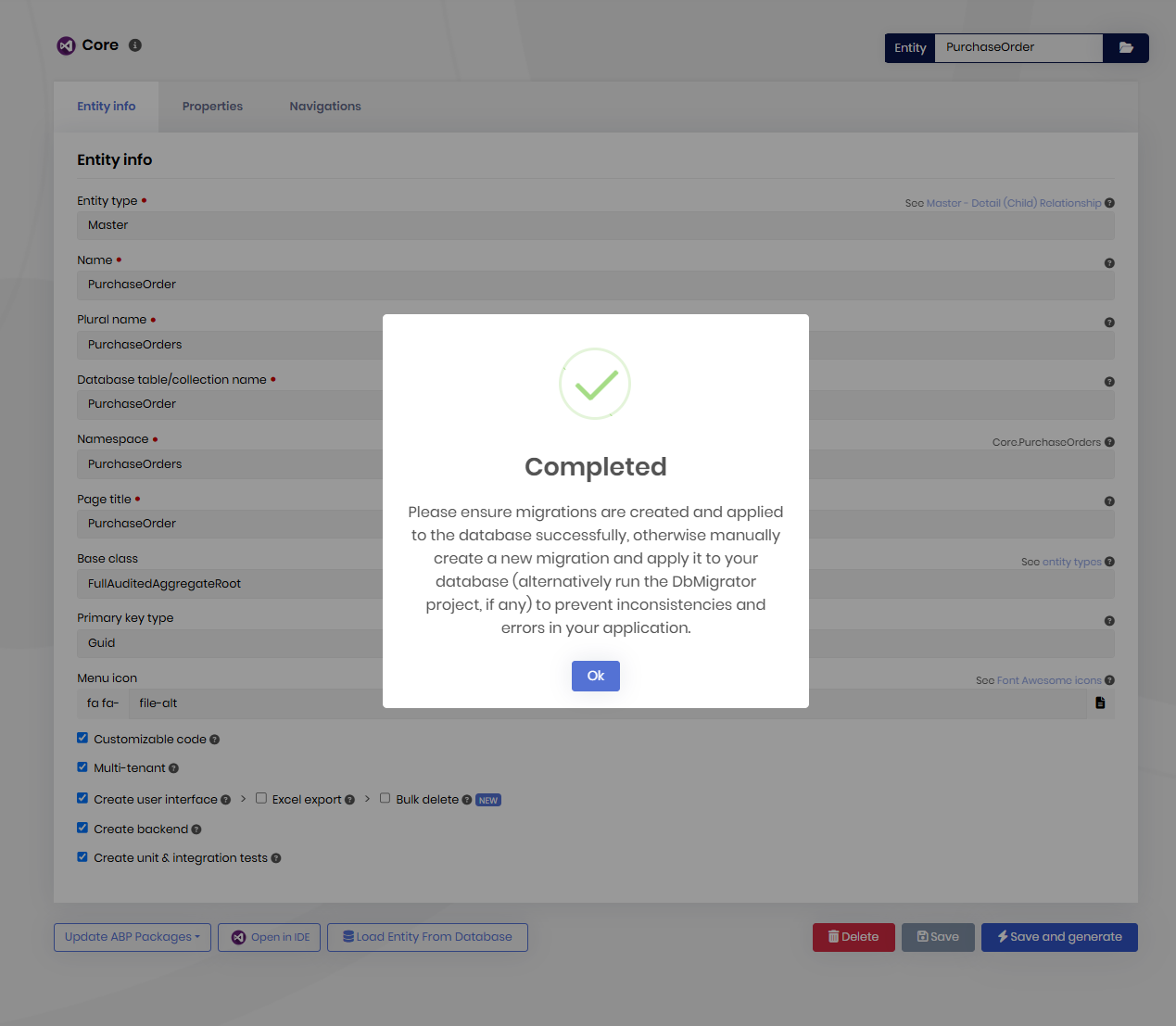
I'll create an issue for this and we will fix it asap, but for now, you can go with a single *DbContextModelCreatingExtesions class.
Regards.
[rogercprops] said: Why was this closed? I still don't have a resolution.
Hi, sorry for the inconvenience. It's probably closed by our support bot. I've checked the abp-suite NuGet package for the related version and we made some enhancements on our server. So, can you please try again and let me know if you are able to download ABP Suite or not?
[david1] said: Thanks, I've sent an email and description to that support email now.
Thanks, I got your project. I'll write you back in an hour.
[david1] said: I also sent sumeyye.kurtulus in one of my other tickets an email with a link to my complete project as-is. I can send you this project as well to see if you can reproduce that error on your end? If that's helpful please let me know your email so that I can send it to you privately.
Actually, this can be better to reproduce the problem. Please send the project to support@abp.io with the ticket number, and I'll look into it and write you back asap.









