I have also just compared my suite templates to that of my team members and mine are not the same. It appears the attempted upgrade to 8.0.1 and then downgrade, didnt reset the code templates. How do I reset these? I have uninstalled and reinstalled abp cli and suite numerous times to resolve with no luck. I would like to just reset the code generation templates to v7.3.2
If you want to go back to v7.3.2, then you should uninstall CLI and Suite and then re-install again (make clean uninstall).
dotnet tool uninstall -g Volo.Abp.Cli
dotnet tool install -g Volo.Abp.Cli --version 7.3.2
BTW, there is not a problem in ABP Suite that prevent removing these placeholders, if you make a clean uninstall and then upgrade both your CLI and Suite to v8.0.1, then you should be able to generate CRUD pages without worrying about these problems. It seems there are missing parts in your Suite installation or ABP CLI and ABP suite versions are not same.
Hi, sorry for the late response. I have identified the problem and fixed it. It will be included in v8.0.2, I'll let you know when it's released.
Btw, your ticket is refunded. Best Regards.
Hi, thanks. I have checked and reproduced the problems that you mentioned.
Blazor.Server.Host:
OnInitializedAsync method to be able to get the rule systems in the select box in the advanced search section: protected override async Task OnInitializedAsync()
{
await SetToolbarItemsAsync();
await SetBreadcrumbItemsAsync();
await SetPermissionsAsync();
//add the line below
await GetRuleSystemCollectionLookupAsync();
}
This has already been fixed and will be available with v8.1.
Web.Unified:
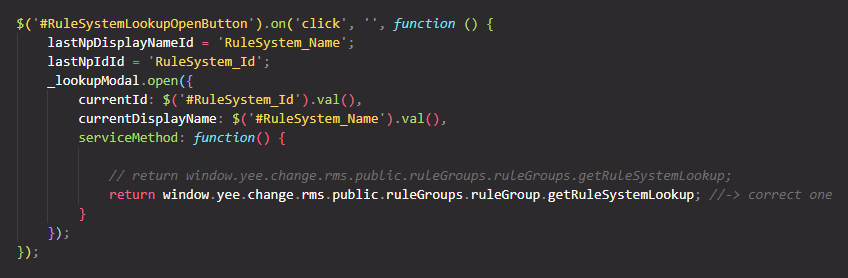
✅ Correct one: window.yee.change.rms.public.ruleGroups.ruleGroup.getRuleSystemLookup;
LookupModal.cshtml (under Pages/Shared folders):<div id="NavigationPropertyLookupTableModal">
<abp-modal size="Large">
<abp-modal-header title="@(L["Pick"].Value)"></abp-modal-header>
<input hidden id="CurrentLookupId" value="@Model.CurrentId" />
<input hidden id="CurrentLookupDisplayName" value="@Model.CurrentDisplayName" />
<abp-modal-body>
<abp-table striped-rows="true" id="LookupTable">
</abp-table>
</abp-modal-body>
<div class="modal-footer">
<button id="CancelButton" type="button" class="btn btn-secondary" data-bs-dismiss="modal">@L["Cancel"]</button>
</div>
</abp-modal>
</div>
Any news about the fix? It's not possible to use ABP Suite with the last version to create a new module
https://github.com/abpframework/abp/pull/18702
With this PR, it will be fixed and will be included in the next release. In meantime, if it's so urgent for you to create a template, then you can consider to downgrade the ABP CLI and ABP Suite versions to v8.0.0.
Hi, the application was not running, turned off the antivirus and created a new abp application from ABP Suite and still got that error.
Thanks. I have addressed the problem and create a PR for it: https://github.com/abpframework/abp/pull/18702
There is an important error in ABP Suite for 8.0.1.
Can't create a module even in a clean installation.
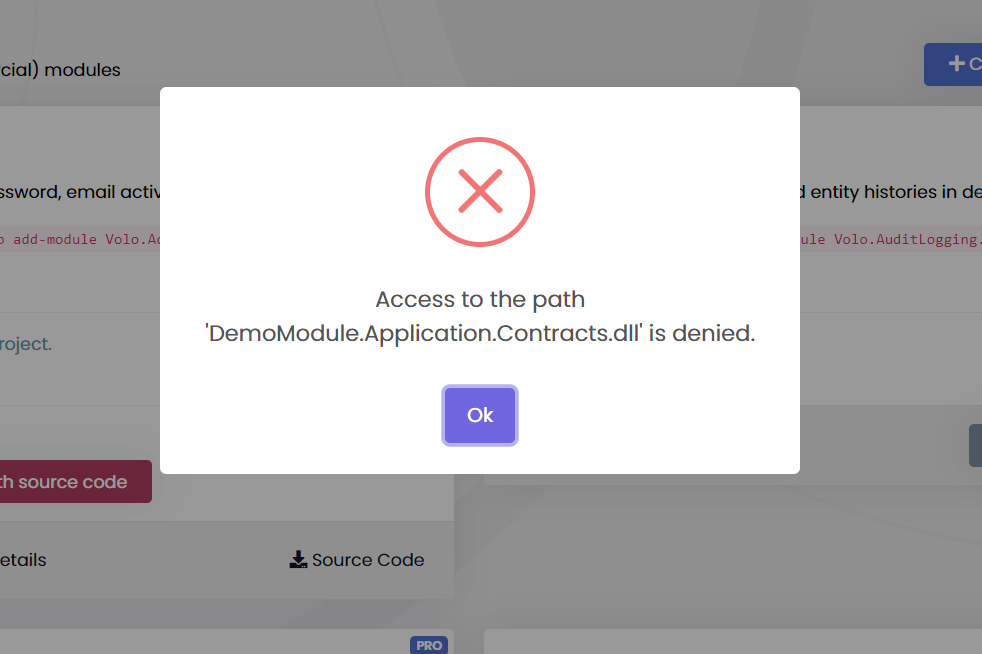
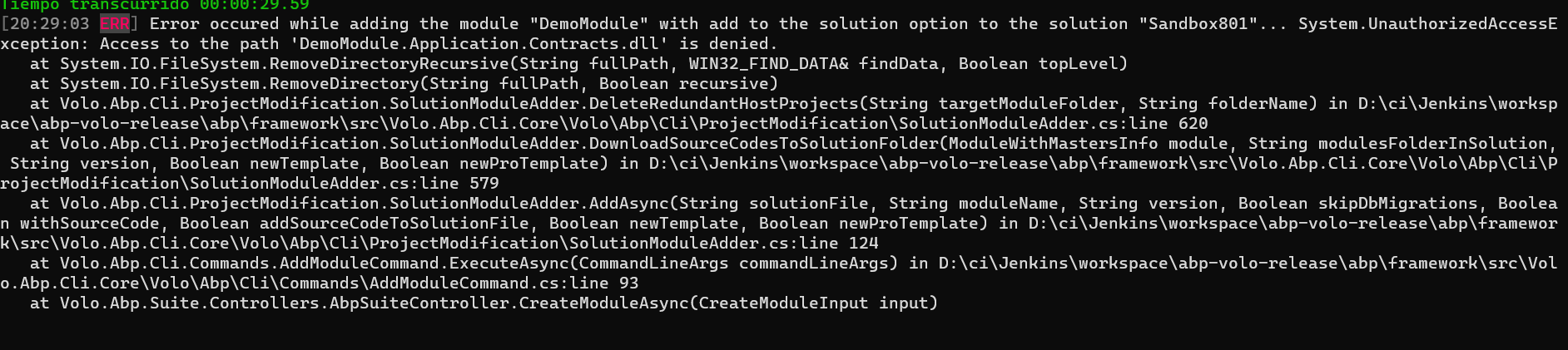
You get the following error while creating a new module
Please, this requires special attention to be fixed soon and this shouldn't happen in future versions since it's a basic functionality of ABP Suite
Thanks.
Hi, can you check if your application is running or not? If it's running please stop it and then re-try to add the module.
Hello @szhongfang,
I am trying to reproduce the issue but am unable to do so. Could you please share your application on support@abp.io with the ticket number so that we can better assist you?
Or if you are unable to share your project, then please share the entity details. (both RuleGroup and RuleSystem entities and .suite/entities folder in your application)
Thank you it works perfectly but i have another question if the child and master is enough why do you put (Navigation tab and 1-n relation)??
You can establish a relationship with another entity (except the master entity itself). For example, you can have Order, OrderLine, and Product entities and want to establish a one-to-many relationship between OrderLine and Product (OrderLine can have multiple products). In this case, it's useful and needed for your use case.
I close the question since your question is answered. Please create a new ticket, if you have further questions. Best regards.
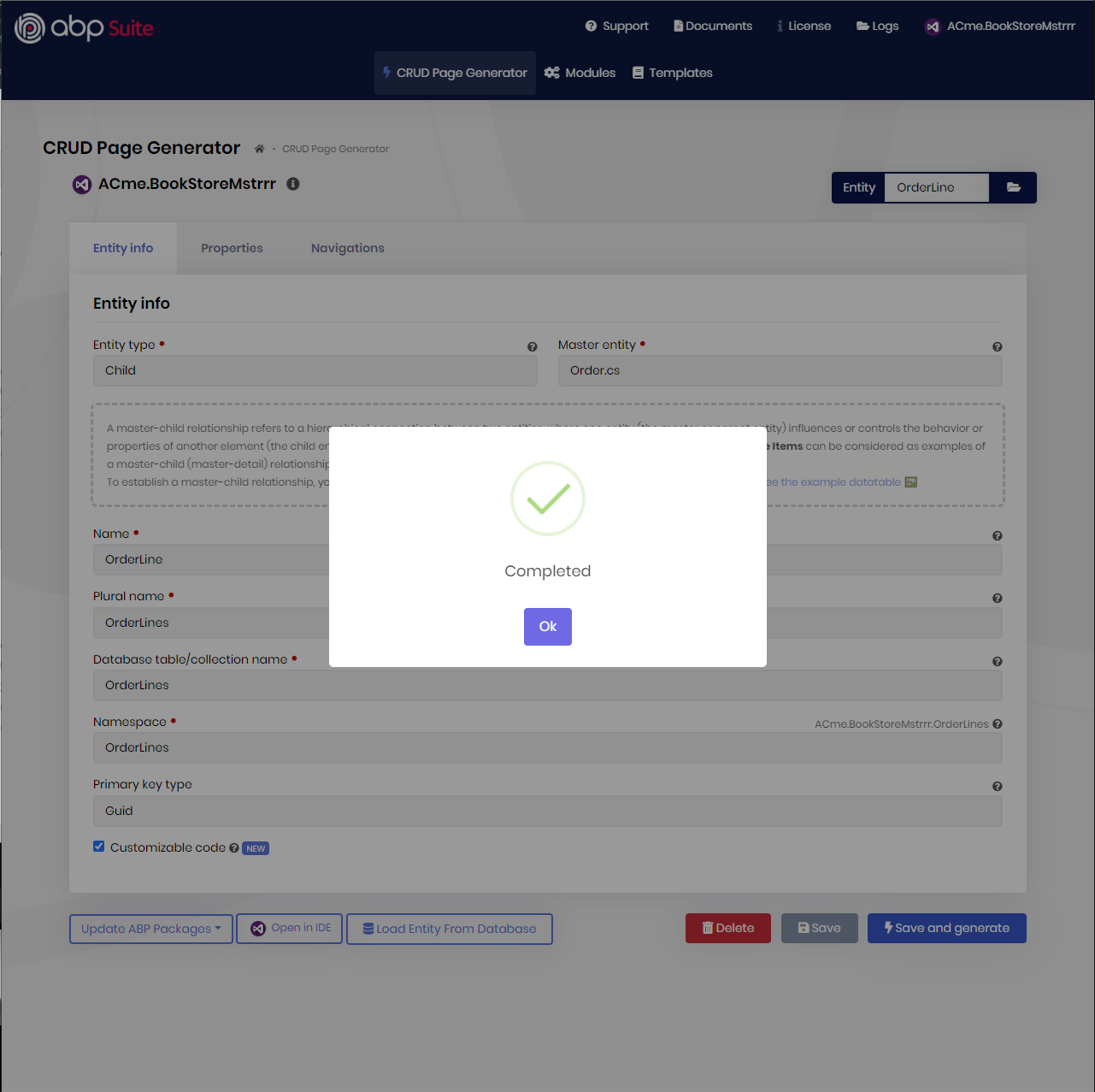
Hi, it seems you have added OrderId as either as a property or to establish a one-to-many relationship with the Order entity in your child entity (OrderLine in this example). You don't need to establish one to many relationships, the master-child relationship is enough for the relation, otherwise, it's normal to see OrderId as duplicated.
| OrderLine.cs | OrderLineDto.cs |
| --- | --- |
| 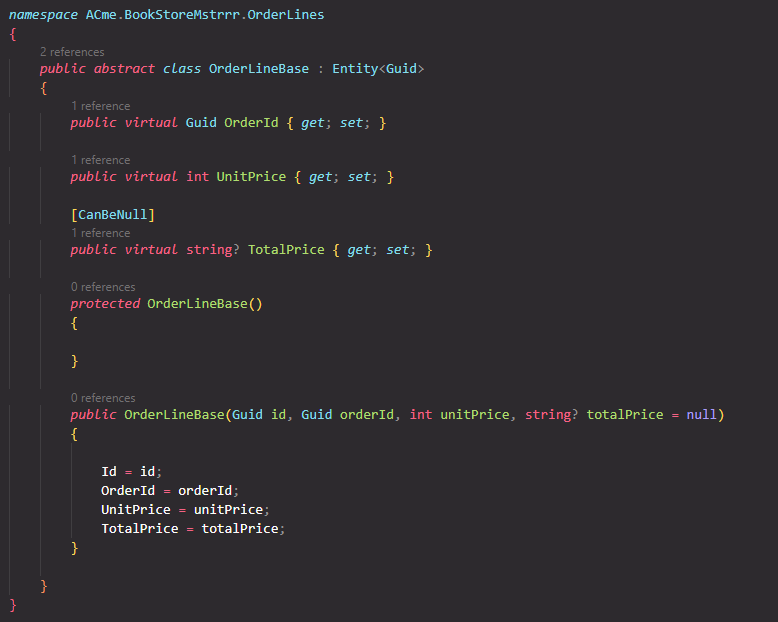 |
| 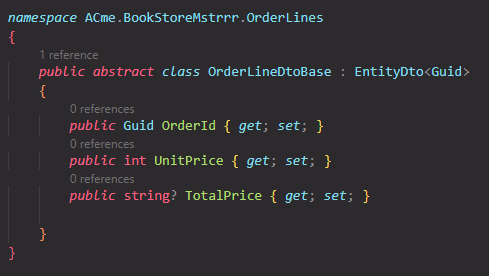 |
|
So, your OrderLine entity definition should be as follows:
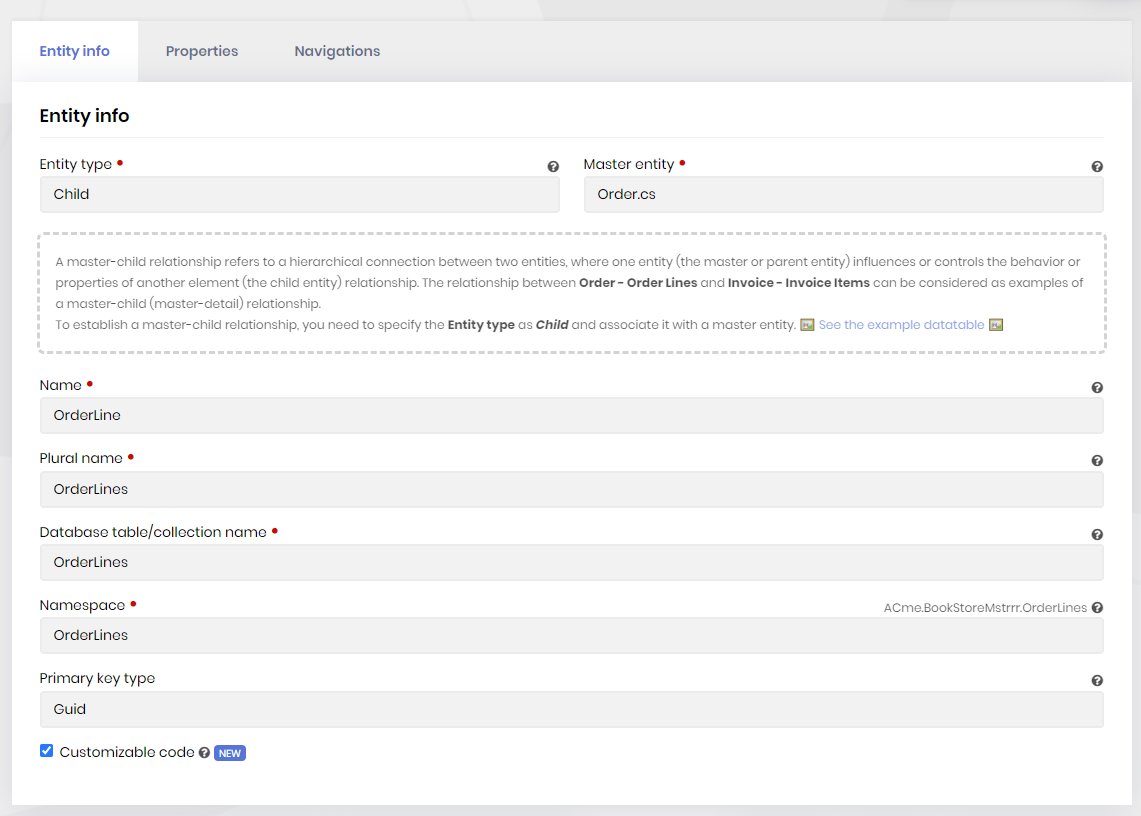
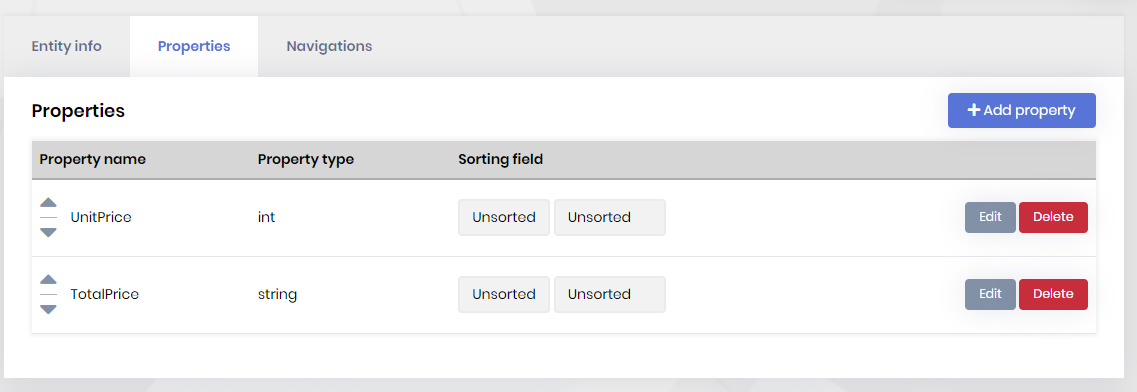
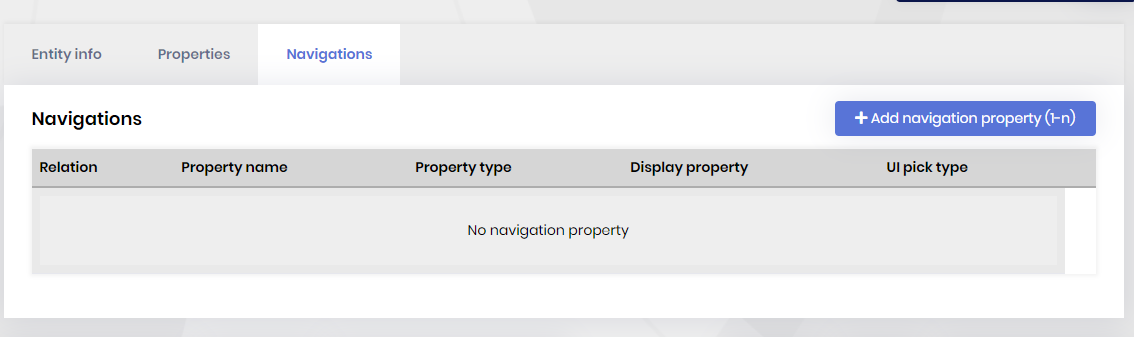
If you want you can establish one-to-many relationship with other entities, but not with the master entity.
Hi, did you create a module pro template or create an application template and add a new module to it? Can you specify, please?