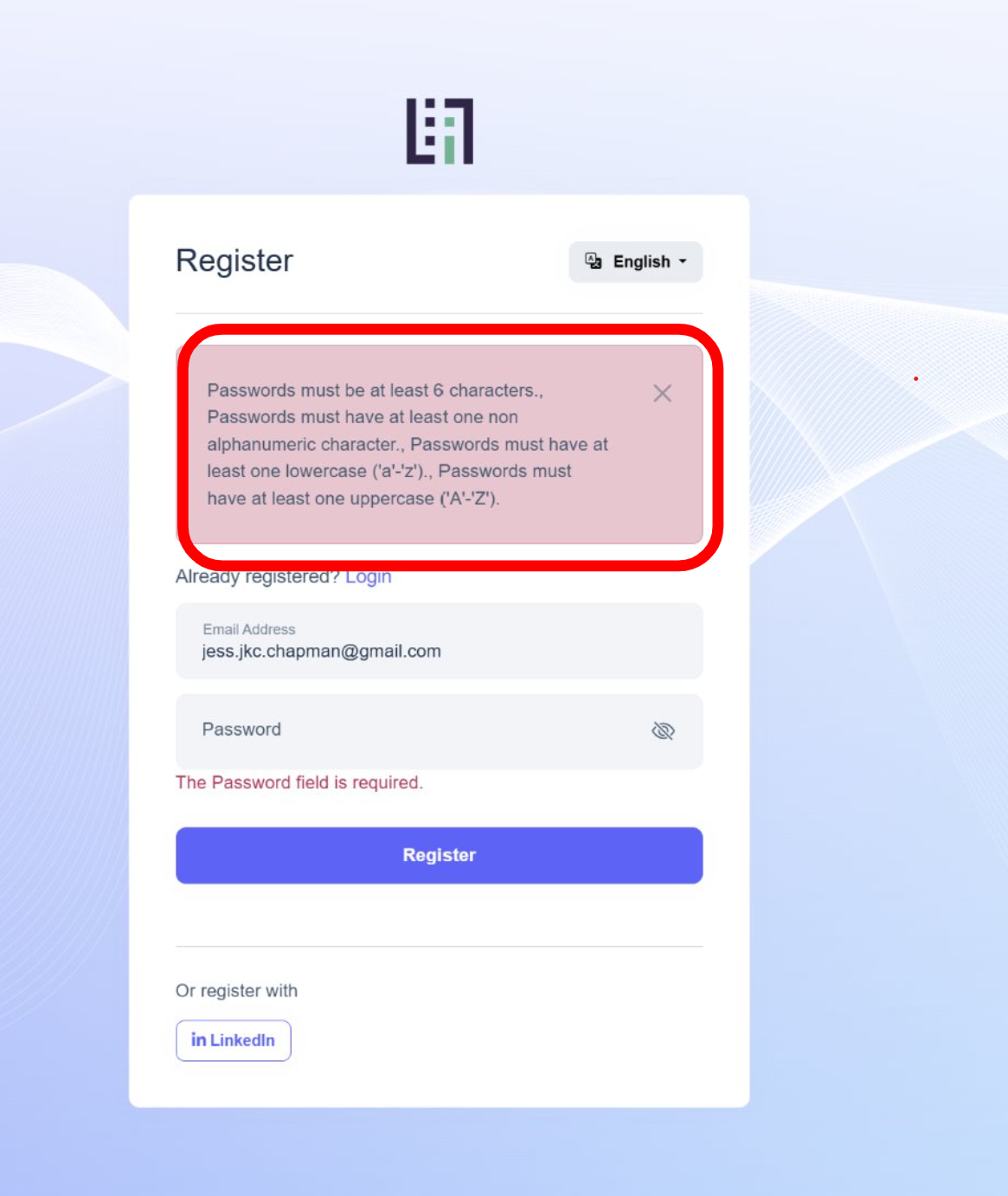
I want to make each rule on it's own line so it's clearer to read, Then each can end with a '.' to get ride of the '.,' issue, how can I make the changes?
Hi we found a very strange login issue recently, when we click the login button with correct username and pwd, the page refreshed and showed the same login page again without any errors/exceptions, we checked the logs, there were no errors. any suggestions?
we can fix it by confirming the user's email address on backend, which means this bug however relates to the email confirm field, this happened twice.
we changed it from scriban to razor engine, and it worked
still the same error :(
<Project Sdk="Microsoft.NET.Sdk.Web">

  <Import Project="..\..\common.props" />

  <PropertyGroup>
    <TargetFramework>net9.0</TargetFramework>
    <Nullable>enable</Nullable>
    <AspNetCoreHostingModel>InProcess</AspNetCoreHostingModel>
    <RootNamespace>Tapp.Web</RootNamespace>
    <AssetTargetFallback>$(AssetTargetFallback);portable-net45+win8+wp8+wpa81;</AssetTargetFallback>
    <AutoGenerateBindingRedirects>true</AutoGenerateBindingRedirects>
    <GenerateBindingRedirectsOutputType>true</GenerateBindingRedirectsOutputType>
    <GenerateRuntimeConfigurationFiles>true</GenerateRuntimeConfigurationFiles>
    <MvcRazorExcludeRefAssembliesFromPublish>false</MvcRazorExcludeRefAssembliesFromPublish>
    <PreserveCompilationReferences>true</PreserveCompilationReferences>
  </PropertyGroup>

  <ItemGroup Condition="Exists('./openiddict.pfx')">
    <None Remove="openiddict.pfx" />
    <EmbeddedResource Include="openiddict.pfx">
      <CopyToOutputDirectory>Always</CopyToOutputDirectory>
    </EmbeddedResource>
  </ItemGroup>

  <ItemGroup>
    <Compile Remove="Logs\**" />
    <Content Remove="Logs\**" />
    <EmbeddedResource Remove="Logs\**" />
    <None Remove="Logs\**" />
  </ItemGroup>

  <ItemGroup>
    <Content Include="Pages\**\*.js">
      <CopyToOutputDirectory>Always</CopyToOutputDirectory>
    </Content>
    <Content Include="Pages\**\*.css">
      <CopyToOutputDirectory>Always</CopyToOutputDirectory>
    </Content>
  </ItemGroup>

  <ItemGroup>
    <Content Include="TextTemplates\**">
      <CopyToOutputDirectory>Always</CopyToOutputDirectory>
    </Content>
  </ItemGroup>

  <ItemGroup>
    <PackageReference Include="AspNet.Security.OAuth.LinkedIn" Version="8.1.0" />
    <PackageReference Include="AspNetCore.HealthChecks.UI" Version="8.0.2" />
    <PackageReference Include="AspNetCore.HealthChecks.UI.Client" Version="8.0.1" />
    <PackageReference Include="Microsoft.EntityFrameworkCore.InMemory" Version="9.0.0.0" />
    <PackageReference Include="AspNetCore.HealthChecks.UI.InMemory.Storage" Version="8.0.1" />
    <PackageReference Include="Microsoft.EntityFrameworkCore.SqlServer" Version="9.0.0" />
    <PackageReference Include="Microsoft.EntityFrameworkCore.Tools" Version="9.0.0">
      <PrivateAssets>all</PrivateAssets>
      <IncludeAssets>runtime; build; native; contentfiles; analyzers; buildtransitive</IncludeAssets>
    </PackageReference>
    <PackageReference Include="Serilog.AspNetCore" Version="8.0.2" />
    <PackageReference Include="Serilog.Sinks.Async" Version="2.0.0" />
    <PackageReference Include="Microsoft.AspNetCore.Authentication.Google" Version="9.0.0.0" />
    <PackageReference Include="Microsoft.AspNetCore.Authentication.MicrosoftAccount" Version="9.0.0.0" />
    <PackageReference Include="Microsoft.AspNetCore.Authentication.Twitter" Version="9.0.0.0" />
    <PackageReference Include="Microsoft.AspNetCore.DataProtection.StackExchangeRedis" Version="9.0.0.0" />
    <PackageReference Include="DistributedLock.Redis" Version="1.0.3" />
  </ItemGroup>

  <ItemGroup>
    <ProjectReference Include="..\Tapp.Application\Tapp.Application.csproj" />
    <ProjectReference Include="..\Tapp.HttpApi\Tapp.HttpApi.csproj" />
    <ProjectReference Include="..\Tapp.EntityFrameworkCore\Tapp.EntityFrameworkCore.csproj" />
  </ItemGroup>

  <ItemGroup>
    <PackageReference Include="Volo.Abp.Caching.StackExchangeRedis" Version="9.0.0" />
    <PackageReference Include="Volo.Abp.DistributedLocking" Version="9.0.0" />
    <PackageReference Include="Volo.Abp.Autofac" Version="9.0.0" />
    <PackageReference Include="Volo.Abp.AspNetCore.Serilog" Version="9.0.0" />
    <PackageReference Include="Volo.Abp.AspNetCore.Authentication.JwtBearer" Version="9.0.0" />
    <PackageReference Include="Volo.Abp.Swashbuckle" Version="9.0.0" />
    <PackageReference Include="Volo.Abp.FeatureManagement.Web" Version="9.0.0" />
  </ItemGroup>

  <ItemGroup>
    <PackageReference Include="Volo.Abp.AspNetCore.Mvc.UI.Theme.LeptonX" Version="4.0.0" />
  </ItemGroup>

  <ItemGroup>
    <PackageReference Include="Volo.Abp.Account.Pro.Admin.Web" Version="9.0.0" />
    <PackageReference Include="Volo.Abp.Account.Pro.Public.Web.OpenIddict" Version="9.0.0" />
    <PackageReference Include="Volo.Abp.Identity.Pro.Web" Version="9.0.0" />
    <PackageReference Include="Volo.Abp.AuditLogging.Web" Version="9.0.0" />
    <PackageReference Include="Volo.Abp.OpenIddict.Pro.Web" Version="9.0.0" />
    <PackageReference Include="Volo.Abp.LanguageManagement.Web" Version="9.0.0" />
    <PackageReference Include="Volo.Abp.TextTemplateManagement.Web" Version="9.0.0" />
    <PackageReference Include="Volo.Abp.TextTemplating.Razor" Version="9.0.0" />
    <PackageReference Include="Volo.Abp.Gdpr.Web" Version="9.0.0" />
    <PackageReference Include="Volo.CmsKit.Pro.Admin.Web" Version="9.0.0" />
  </ItemGroup>

  <ItemGroup>
    <PackageReference Include="Volo.Abp.Studio.Client.AspNetCore" Version="0.9.13" />
  </ItemGroup>

  <ItemGroup>
    <Content Update="Pages\Account\Components\ProfileManagementGroup\PersonalInfo\New.css">
      <ExcludeFromSingleFile>true</ExcludeFromSingleFile>
      <CopyToPublishDirectory>PreserveNewest</CopyToPublishDirectory>
    </Content>
    <Content Update="Pages\DataHub\Index2.cshtml">
      <ExcludeFromSingleFile>true</ExcludeFromSingleFile>
      <CopyToPublishDirectory>PreserveNewest</CopyToPublishDirectory>
    </Content>
  </ItemGroup>

</Project>
I am using text template:
        context.Add(
            new TemplateDefinition("StandardEmailTemplates")
                .WithVirtualFilePath(
                    "/Demos/Hello/StandardEmailTemplates.html", //template content path
                    isInlineLocalized: true
                )
        );
        context.Add(
            new TemplateDefinition(TextTemplates.TrustInvitationEmailTemplate)
                .WithVirtualFilePath(
                    "/TextTemplates/TrustInvitationEmailTemplate.html",
                    isInlineLocalized: true
                )
        );

    }
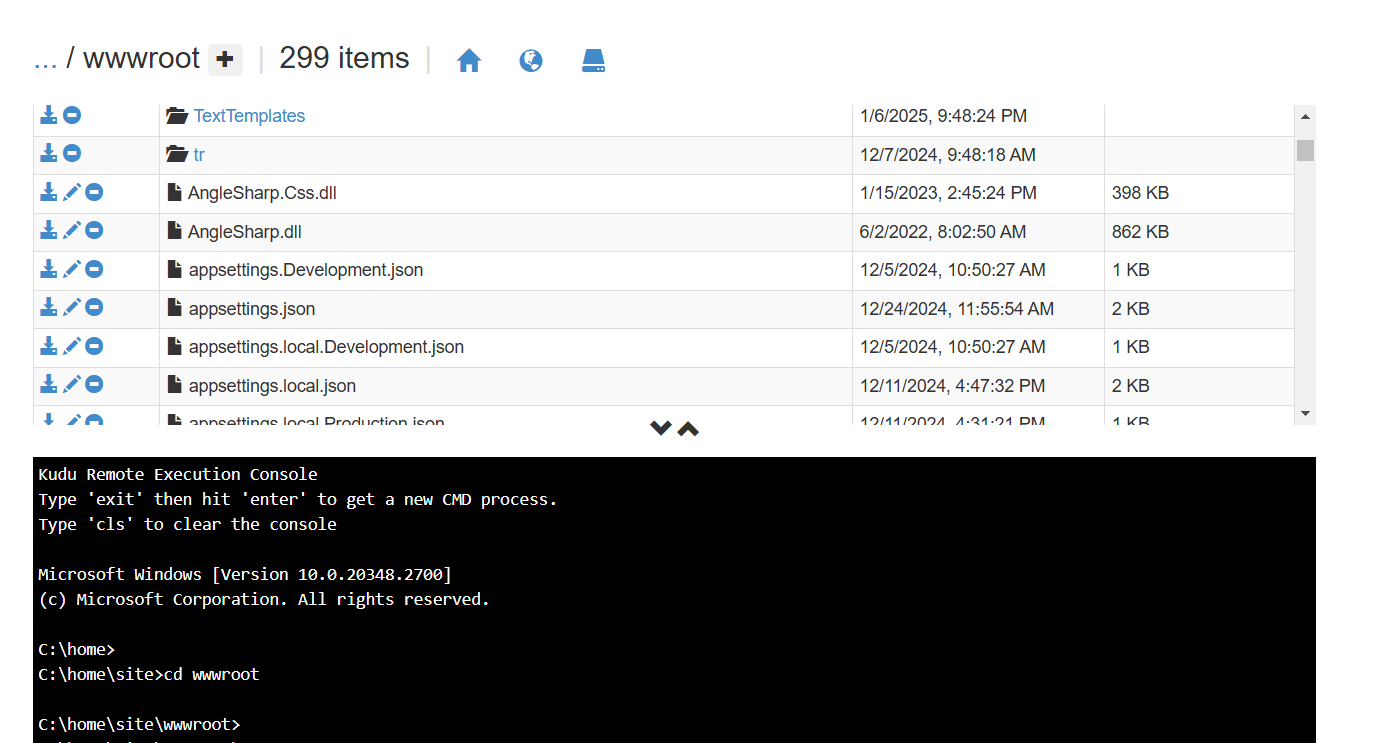
it works locally, but after I published it to Azure app service, it failed and gave me errors, even if I can see the files in the server: wwwroot/TextTemplates/TrustInvitationEmailTemplate.html:
2025-01-07 05:28:12.699 +00:00 [Error] Could not find a file/folder at the location: /TextTemplates/TrustInvitationEmailTemplate.html
Volo.Abp.AbpException: Could not find a file/folder at the location: /TextTemplates/TrustInvitationEmailTemplate.html
   at Volo.Abp.TextTemplating.VirtualFiles.LocalizedTemplateContentReaderFactory.CreateInternalAsync(TemplateDefinition templateDefinition)
   at Volo.Abp.TextTemplating.VirtualFiles.LocalizedTemplateContentReaderFactory.CreateAsync(TemplateDefinition templateDefinition)
   at Volo.Abp.TextTemplating.VirtualFiles.VirtualFileTemplateContentContributor.GetOrNullAsync(TemplateContentContributorContext context)
   at Volo.Abp.TextTemplating.TemplateContentProvider.GetContentOrNullAsync(ITemplateContentContributor[] contributors, TemplateContentContributorContext context)
   at Volo.Abp.TextTemplating.TemplateContentProvider.GetContentOrNullAsync(TemplateDefinition templateDefinition, String cultureName, Boolean tryDefaults, Boolean useCurrentCultureIfCultureNameIsNull)
   at Volo.Abp.TextTemplateManagement.TextTemplates.TemplateContentAppService.GetAsync(GetTemplateContentInput input)
   at Castle.DynamicProxy.AsyncInterceptorBase.ProceedAsynchronous[TResult](IInvocation invocation, IInvocationProceedInfo proceedInfo)
any suggestions?
Hello
Can you please check this document https://abp.io/docs/latest/suite/generating-crud-page.
Thank you.
hi, I have already checked the page, it doesn't say about the DI, the CRUD pages are working, but I just wanted to figure out how the code works
I use abp suite to create CRUD pages, it creates Service and Repository classes for me. but I can't see the place where the services and repositories are registered, for instance: AddScoped or AddTransient, can you explain?
I am using Office 365 SMTP for emailing, it works on the server but not on my local machine, I tried gmail smtp locally, it didn't work either, how should I debug? both office and gmail smtp work on the server so the settings should be correct. it shows the successful message and has no errors in the Logs