Please assign to support team to review and confirm.
Hi Team,
We recently encountered an authentication issue in the Web UI due to an invalid X.509 encryption certificate configured in the Identity Service. The application logs reported the following error in identity service:
System.InvalidOperationException: When using X.509 encryption credentials, at least one of the registered certificates must be valid
The issue occurred because the Identity Service could not identify a valid registered certificate for the required encryption operation. We resolved it by creating a new Identity Service build image and redeploying it. To prevent similar issues in the future, we would like to explore proactive monitoring and alerting mechanisms. Could you please advise on the following?
Please share your recommendations on the best approach to implement these preventive measures.
Below is the code snippet for your reference.
AppContext.SetSwitch("Npgsql.EnableLegacyTimestampBehavior", true); if (!hostingEnvironment.IsDevelopment()) { PreConfigure<AbpOpenIddictAspNetCoreOptions>(options => { options.AddDevelopmentEncryptionAndSigningCertificate = false; });
            PreConfigure<OpenIddictServerBuilder>(builder =>
            {
                builder.AddSigningCertificate(GetSigningCertificate(hostingEnvironment, configuration));
                builder.AddEncryptionCertificate(GetSigningCertificate(hostingEnvironment, configuration));
private X509Certificate2 GetSigningCertificate(IWebHostEnvironment hostingEnv, IConfiguration configuration) { var fileName = "authserver.pfx"; var passPhrase = "XXXXXXXX-XXXX-XXXXX-XXXX-XXXXX8ED"; var file = Path.Combine(hostingEnv.ContentRootPath, fileName);
        if (!File.Exists(file))
        {
            throw new FileNotFoundException($"Signing Certificate couldn't found: {file}");
        }

        return new X509Certificate2(file, passPhrase);
    }
We have an old 3.1v Microservice Template, But version is upgraded 8.0. And we need to upgrade the 3.1v Microservice Template to the latest version. What is the best approach to upgrade: should we create a new template with the latest version and manually migrate the code?
Could you please provide your guidance on this?
Issue got resolved
thanks
Hi, The 'ClientType' column in the 'OpenIddictApplications' table was initially set to 'confidential,' and after that, I updated the value to 'public.' as per suggestion your team member, Then the SSO OIDC integration started working as expected.

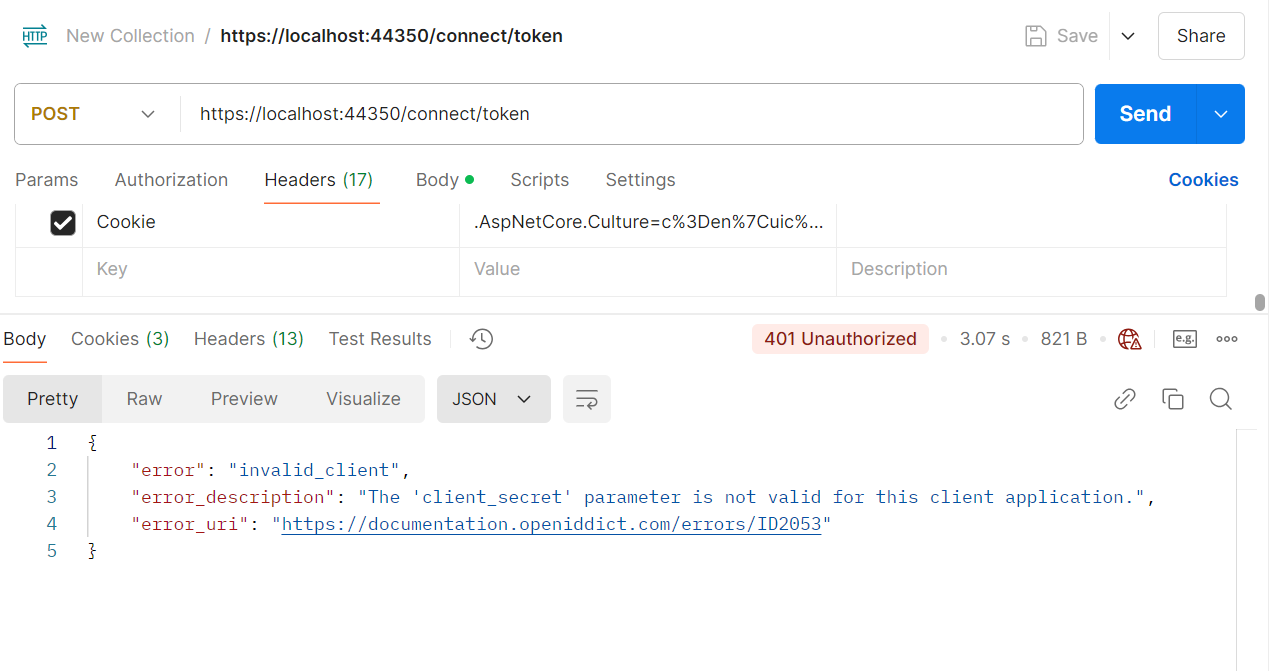
After implementing the above changes and using the first approach for login (https://abp.io/qa/questions/8314/3a165a05-dbd3-f94a-bfce-8c0d04ddfc56), I am facing an issue while generating the token. If I revert ClientType: "public" to "confidential", I am able to generate the token.
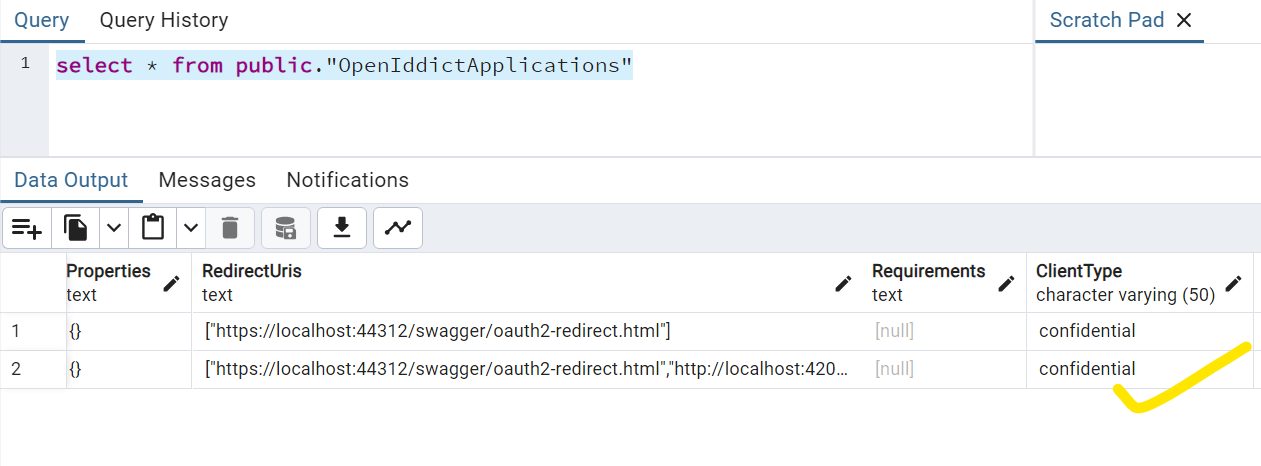
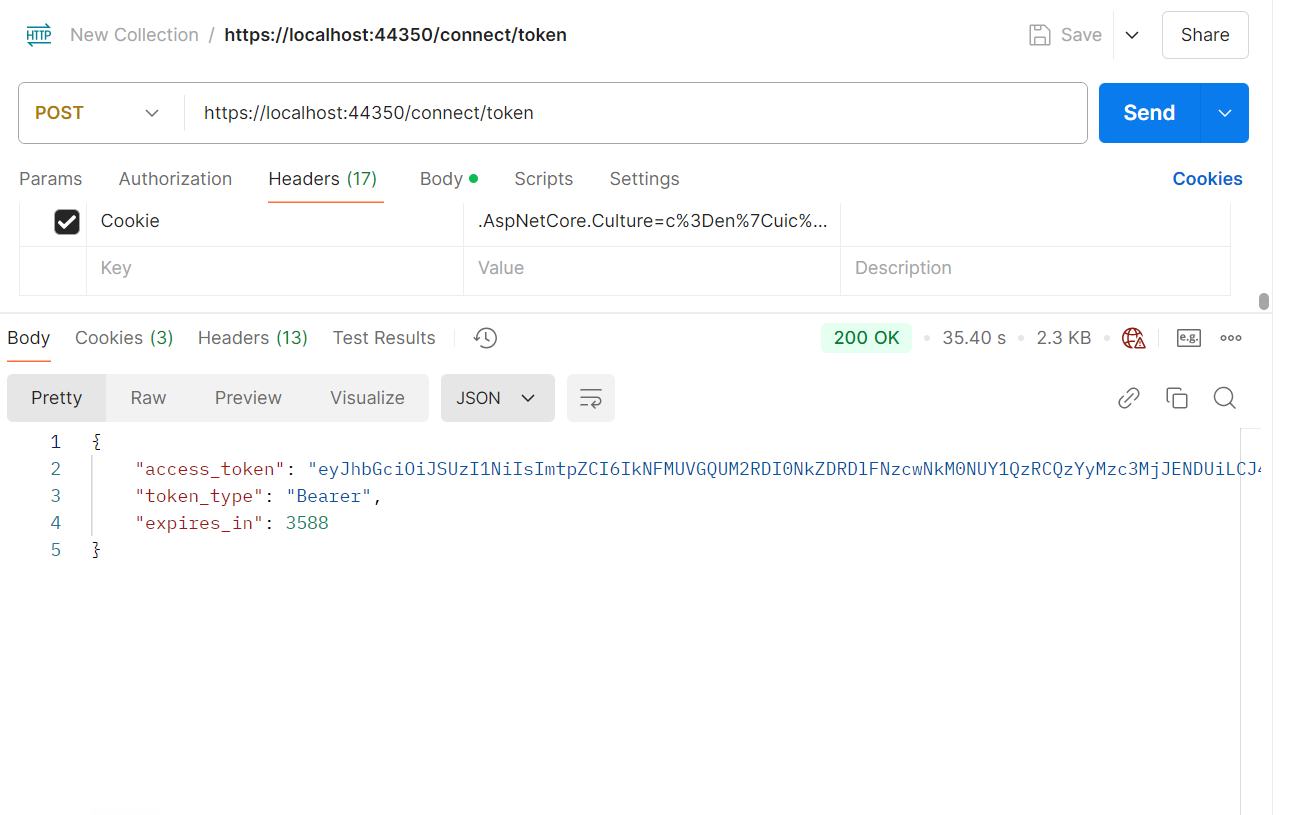
How can I handle this issue for both login approaches? Are any additional changes required?
I am also trying the same on the Angular side. Let's see if it works or not.
Hi,
I because it is difficult to implement
Users are able to log in using the ABP Angular page (these are not external users).
We will make it very simple .
**1. If I comment out the parameters redirectUri: baseUrl and responseType: 'code' from the environment.ts file, the Angular login page loads successfully. **

Like below

Note: The application is already running live using the first approach.
Some of our users are external users and need to log in via SSO (external login).
How do you know which method the user should use when they are not logged in?
2. For sso oidc integration angular side i have added below code changes.
redirectUri: baseUrl and responseType: 'code' added in environment.ts file.

We have a requirement where we provide a URL to the client, like below: http://localhost:4200/?idp=oidc Whenever a user visits the specified URL, they should first land on the home module, and I have added the following code.

Check the condition, and if it matches, they are automatically redirected to the external login page. After authentication, the user is redirected back to the ABP auth server then we cross check user exists or not , then we add user in DB with role and redirected to angular and this functionality is working as expected.
Exception: If I comment out  from the environment.ts file, the first approach works as expected. However, for SSO, setting redirectUri: baseUrl is mandatory for successful SSO integration.
Ok got it.
In my existing application, I want to handle two approaches:
1.Users are able to log in using the ABP Angular page (these are not external users).
2.Some of our users are external users and need to log in via SSO (external login).
To enable external login using SSO, I have added the following code in the home module.

This ensures that whenever a user visits the specified URL, they are automatically redirected to the external login page. After authentication, the user is redirected back to the ABP auth server, and this functionality is working as expected.
like this ticket. https://abp.io/support/questions/7788/Custom-Redirection-to-third-party-IdP-Login-Page-and-Dashboard-Post-Authentication-in-ABPIO?CurrentPage=2
For your reference pls find attached screen shot.

After adding the redirectUri and responseType parameters in my environment.ts file as part of the SSO OIDC integration, the SSO OIDC integration is working as expected. However, it is breaking the existing functionality.
If I comment out the redirectUri parameter, my Angular login page loads successfully. However, without commenting out the redirectUri parameter, how can I handle both scenarios: the normal user login page and the SSO OIDC login functionality?
const baseUrl = 'http://localhost:4200';
const oAuthConfig = {
  issuer: 'https://localhost:44350/',
  redirectUri: baseUrl,
  clientId: '',
  responseType: 'code',
  scope: 'offline_access ',
  requireHttps: true,
  showDebugInformation: true,
  requireHttps: true,
};









