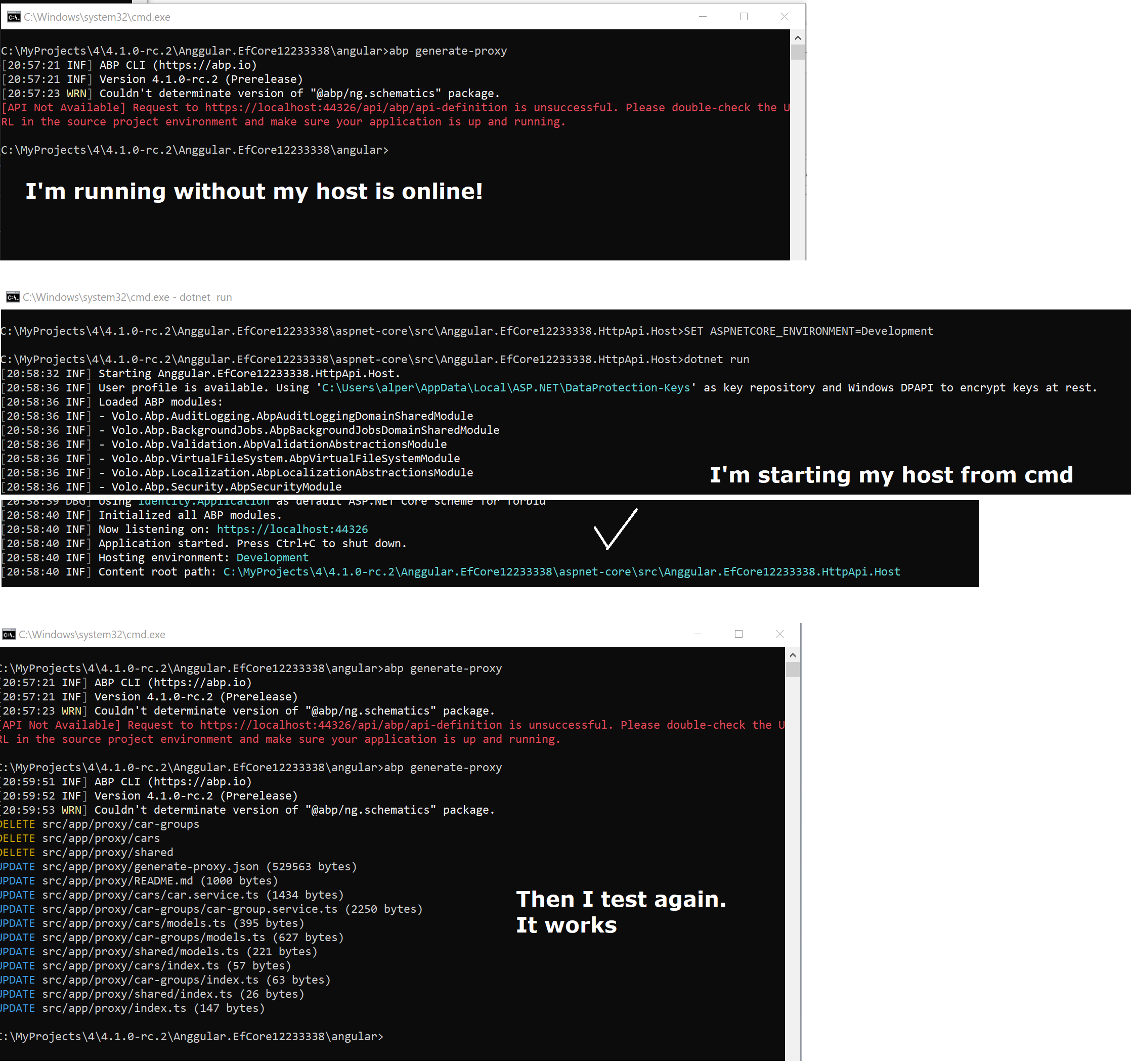
so you say https://localhost:44372/api/abp/api-definition is up and running but Angular proxy generator cannot connect to this service.
can you do these steps. because I couldn't reproduce it.
hi, looks like it's a configuration problem. maybe you configured it correct but didn't set environment or you didn't configure it well. let's see a sample Blazor appsettings.json configuration Ensure that these configuration are aligned with your server environment (production stating whatever)
HttpApi.Host > appsettings.json
{
  "App": {
    "SelfUrl": "https://host.abp.io",
    "CorsOrigins": "https://blazor.abp.io"
  },
  "ConnectionStrings": {
    "Default": "Server=localhost;Database=MyProject;Trusted_Connection=True;MultipleActiveResultSets=true"
  },
  "AuthServer": {
    "Authority": "https://host.abp.io"
  }
  ///////// other settings //////////
}
Blazor > appsettings.json
{
  "AuthServer": {
    "Authority": "https://host.abp.io",
    "ClientId": "MyProject_Blazor",
    "ResponseType": "code"
  },
  "RemoteServices": {
    "Default": {
      "BaseUrl": "https://host.abp.io"
    }
  }
}
Besides you cannot go live with the inital database seed. That's configured for your local dev environment (you can see localhost endpoints inside your Identity Server database tables)
Check the database tables with the prefix IdentityServer.
Especially these fields:
SELECT ClientId, PostLogoutRedirectUri FROM  IdentityServerClientPostLogoutRedirectUris

SELECT ClientId, RedirectUri FROM  IdentityServerClientRedirectUris

SELECT Id, ClientId, FrontChannelLogoutUri FROM  IdentityServerClients
it's probably related to your Azure settings. because it's a native feature of dotnet core. ABP doesn't add anything on top of aspnet configuration feature.
I'm closing this question as the main question has been resolved. You can create a new question for your new question
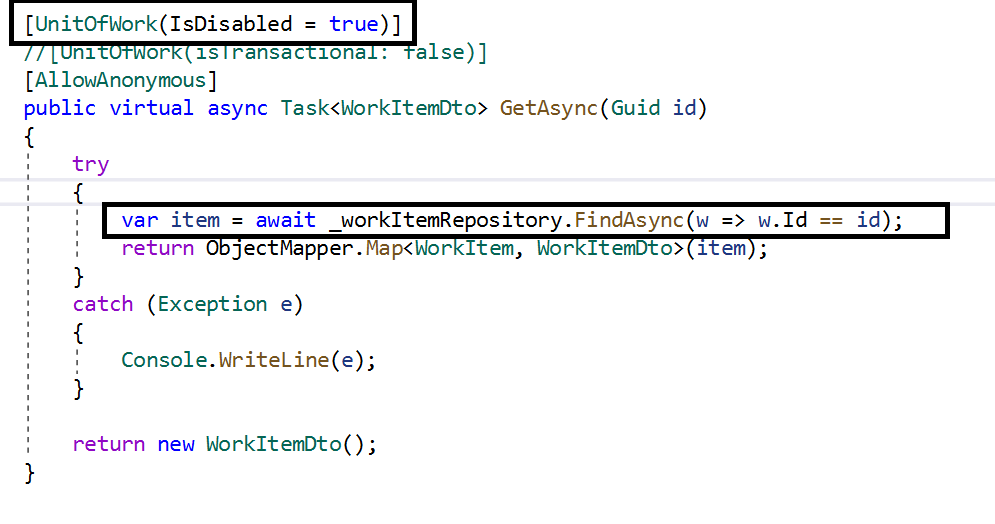
According to the framework rules, you cannot disable the UnitOfwork pipeline.
The only reason to disable the UnitOfWork is managing the UnitOfWork on your own with IUnitOfWorkManager with the following code
 using (var uow = _unitOfWorkManager.Begin(requiresNew: true, isTransactional: false ))
 {
        //.....
        await uow.CompleteAsync();
 }
You might want to disable transaction for the corresponding method. To do this basically add the following attribute
[UnitOfWork(isTransactional: false)]
If you really want to disable the UnitOfWork, you can use FindAsync() instead of FirstOrDefaultAsync()
Related document https://docs.abp.io/en/abp/latest/Unit-Of-Work
let us check it. subscribe the question to get email notification
@jackmcelhinney see => https://support.abp.io/QA/Questions/740/ObjectDisposedException-when-UnitOfWork-disable
thanks we got your solution. it's under investigation.
you need to create the entity again. I guess you did so.
yes the command is correct. To fix that Blazor issue, see https://support.abp.io/QA/Questions/626/Bugs--Issues-v4X#answer-4c30b02d-0072-c6a2-5223-39f94063fb2b
I reproduced what you faced and created an issue to the team. sorry for the problem.









