You need to update your local EF Core CLI tool to the latest. Run the below command in command prompt:
dotnet tool update --global dotnet-ef
I couldn't reproduce your problem. There'll be new version on Monday 06 April. Can you try with the latest version. In the new version, there's also a new feature: "Unit test". Suite creates unit tests of your entity.
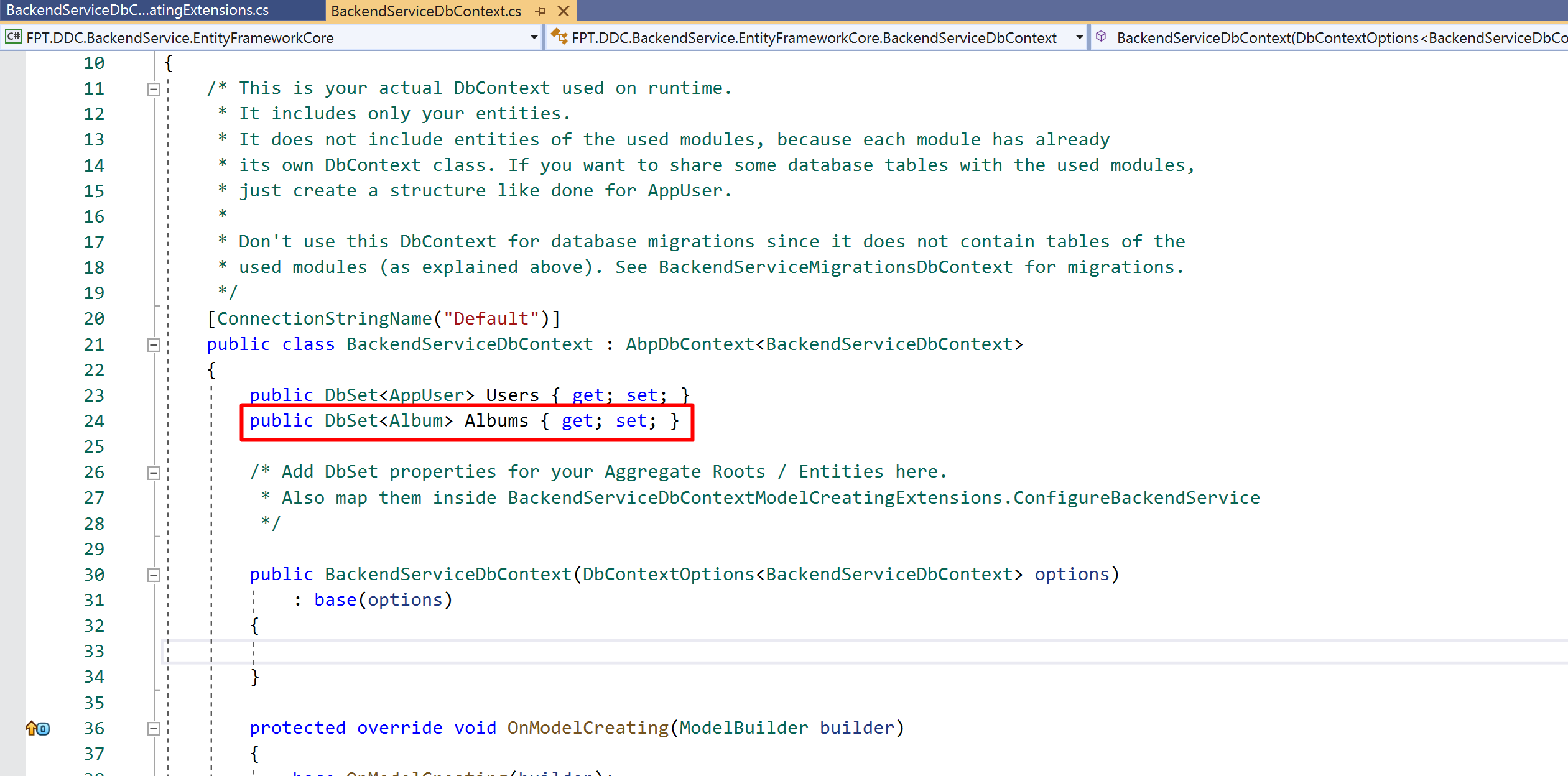
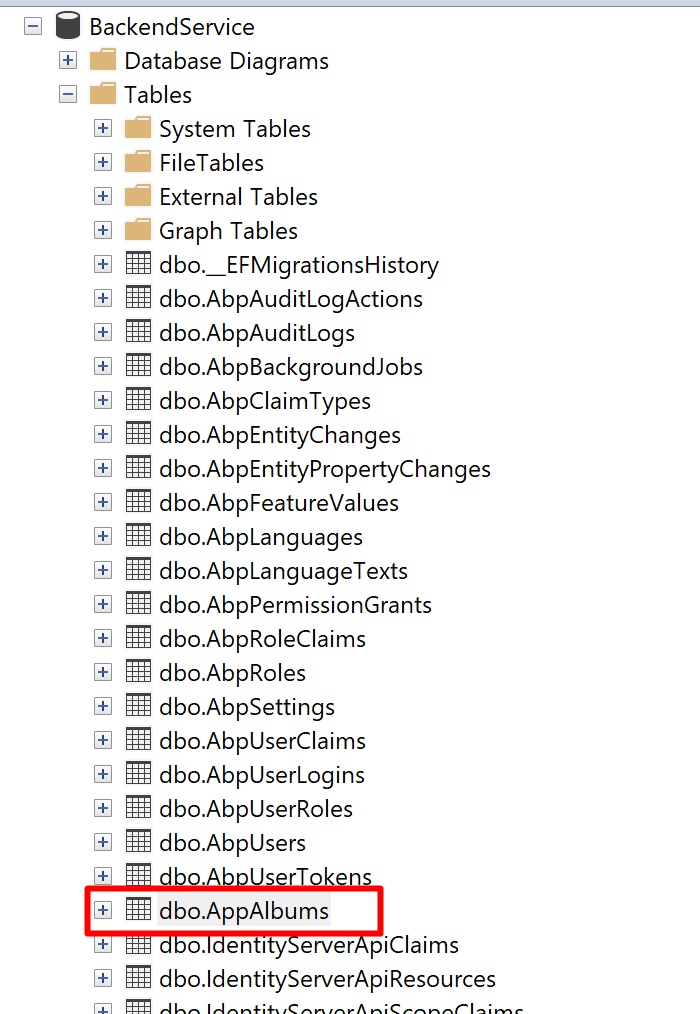
Hi,
In this doc it's explained https://docs.abp.io/en/abp/latest/Entity-Framework-Core-Migrations#create-a-new-entity
We are creating a new feature to extend the existing entities. For now, you can check out https://docs.abp.io/en/abp/latest/Customizing-Application-Modules-Extending-Entities
just to change logo, delete the existing logo file and copy your own logo file.
does replacing the tenant component work for you? https://docs.abp.io/en/abp/latest/UI/Angular/Component-Replacement
for MVC you can override Application name and logo
    public class AbpIoDocsBrandingProvider : DefaultBrandingProvider
    {
        public override string AppName => "Acme - MyBookStore";
        public override string LogoUrl => "/images/myLogo.png";
    }
To reproduce the problem, we need some extra info:
Your project name:
Template options:
Entity JSON
%UserProfile%\.abp\suite\{Your-Project-Name}\entities\{Your-Entity-Name}.jsonThe problem is dependency! Cannot resolve parameter 'Gmcs.Themis.ScreenBuilder.Samples.ISampleAppService'
Check that SampleAppService is registered correctly.
ISampleAppService.cs
public interface ISampleAppService : IApplicationService
{

}
SampleAppService.cs
public class SampleAppService  : ApplicationService, ISampleAppService
{

}
1-run the below command in CMD
del %UserProfile%\.abp\cli\access-token.bin && del %UserProfile%\.\AppData\Local\Temp\AbpLicense.bin
2-then
abp login <username> -p <password>
3-then try again:
abp suite









