ABP Framework version: v4.3.0
UI type: Angular
DB provider: EF Core
Tiered (MVC) or Identity Server Separated (Angular): Yes
Steps to reproduce the issue:
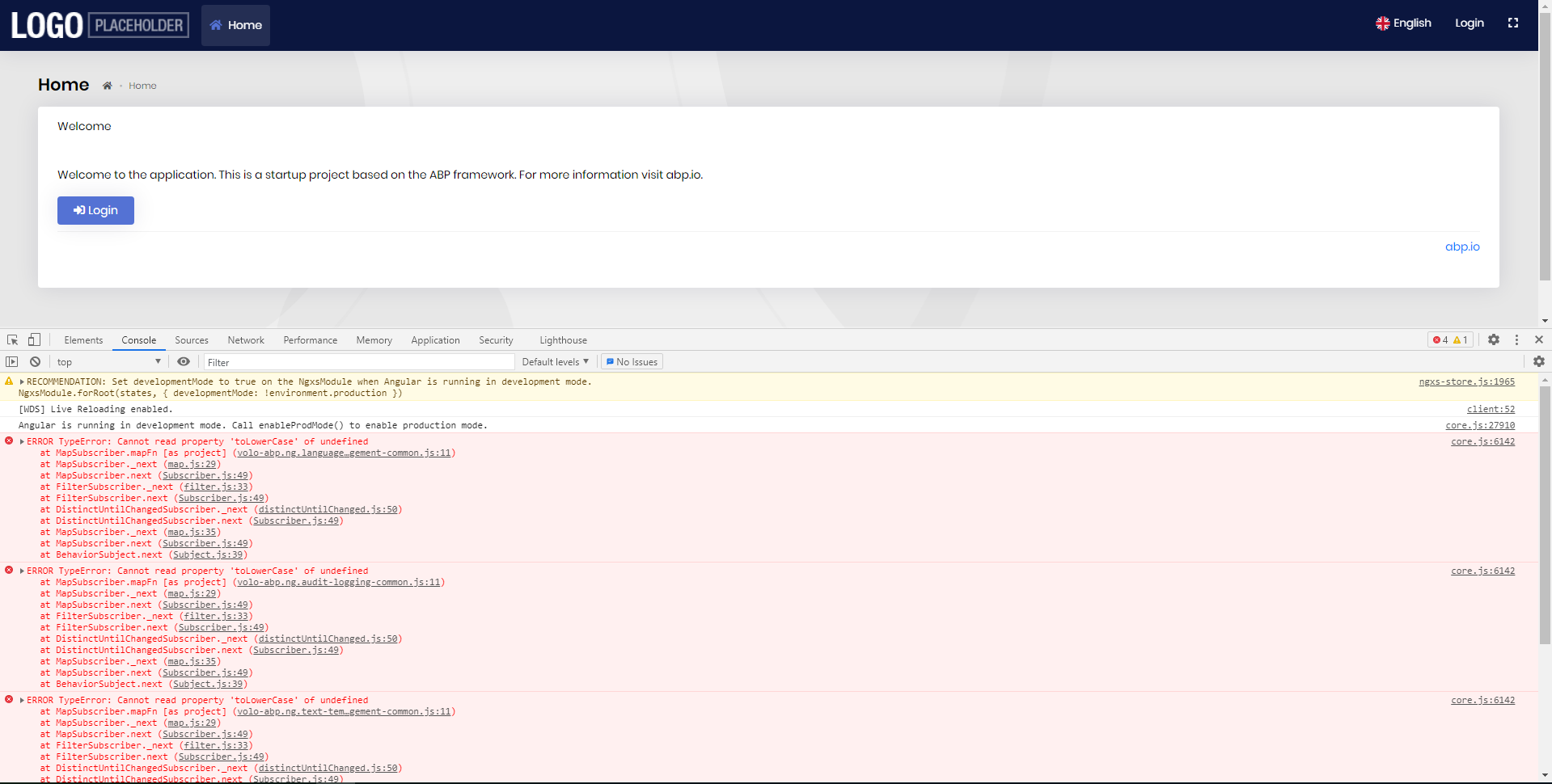
I just get source from ABP suite and build. It has this error
@edelivery couldn't understand what you get? is that a module?
Hi alper I just created new solution from abp suite
Template type: application template
so I understand this; you create a new Angular + EF Core + Separated Identity Server proejct. And it throws exception out of the box. Right?
Also I refunded your question credit.
thank you! I reproduced it. Will be fixed in v4.3.1
I guess the main issue has been resolved. To keep every issue clean, we close it. You can create a new ticket for the new question.
ABP Framework version: v4.3 UI type: Angular DB provider: EF Core Tiered (MVC) or Identity Server Separated (Angular): no
When we replace the account module with the source code we get the errors below in the angular project.
Error: ./src/main.ts Module build failed (from ./node_modules/@ngtools/webpack/src/ivy/index.js): Error: Debug error: DtsModuleScopeResolver.read(AccountSettingsModule from E:/Development/abp/Version43/angular/projects/account/admin/src/account-settings.module.ts), but not a .d.ts file
at MetadataDtsModuleScopeResolver.resolve (E:\Development\abp\Version43\angular\node_modules@angular\compiler-cli\src\ngtsc\scope\src\dependency.js:52:23) at MetadataDtsModuleScopeResolver.resolve (E:\Development\abp\Version43\angular\node_modules@angular\compiler-cli\src\ngtsc\scope\src\dependency.js:100:46) at LocalModuleScopeRegistry.getExportedScope (E:\Development\abp\Version43\angular\node_modules@angular\compiler-cli\src\ngtsc\scope\src\local.js:529:51) at LocalModuleScopeRegistry.getScopeOfModuleReference (E:\Development\abp\Version43\angular\node_modules@angular\compiler-cli\src\ngtsc\scope\src\local.js:271:44) at LocalModuleScopeRegistry.getScopeOfModule (E:\Development\abp\Version43\angular\node_modules@angular\compiler-cli\src\ngtsc\scope\src\local.js:148:22) at LocalModuleScopeRegistry.getScopeForComponent (E:\Development\abp\Version43\angular\node_modules@angular\compiler-cli\src\ngtsc\scope\src\local.js:122:22) at ComponentDecoratorHandler.resolve (E:\Development\abp\Version43\angular\node_modules@angular\compiler-cli\src\ngtsc\annotations\src\component.js:365:42) at TraitCompiler.resolve (E:\Development\abp\Version43\angular\node_modules@angular\compiler-cli\src\ngtsc\transform\src\compilation.js:392:50) at NgCompiler.resolveCompilation (E:\Development\abp\Version43\angular\node_modules@angular\compiler-cli\src\ngtsc\core\src\compiler.js:542:27) at NgCompiler.<anonymous> (E:\Development\abp\Version43\angular\node_modules@angular\compiler-cli\src\ngtsc\core\src\compiler.js:423:34) at step (E:\Development\abp\Version43\angular\node_modules\tslib\tslib.js:143:27) at Object.next (E:\Development\abp\Version43\angular\node_modules\tslib\tslib.js:124:57) at fulfilled (E:\Development\abp\Version43\angular\node_modules\tslib\tslib.js:114:62) at process._tickCallback (internal/process/next_tick.js:68:7)Error: ./src/polyfills.ts Module build failed (from ./node_modules/@ngtools/webpack/src/ivy/index.js): Error: Debug error: DtsModuleScopeResolver.read(AccountSettingsModule from E:/Development/abp/Version43/angular/projects/account/admin/src/account-settings.module.ts), but not a .d.ts file
at MetadataDtsModuleScopeResolver.resolve (E:\Development\abp\Version43\angular\node_modules@angular\compiler-cli\src\ngtsc\scope\src\dependency.js:52:23) at MetadataDtsModuleScopeResolver.resolve (E:\Development\abp\Version43\angular\node_modules@angular\compiler-cli\src\ngtsc\scope\src\dependency.js:100:46) at LocalModuleScopeRegistry.getExportedScope (E:\Development\abp\Version43\angular\node_modules@angular\compiler-cli\src\ngtsc\scope\src\local.js:529:51) at LocalModuleScopeRegistry.getScopeOfModuleReference (E:\Development\abp\Version43\angular\node_modules@angular\compiler-cli\src\ngtsc\scope\src\local.js:271:44) at LocalModuleScopeRegistry.getScopeOfModule (E:\Development\abp\Version43\angular\node_modules@angular\compiler-cli\src\ngtsc\scope\src\local.js:148:22) at LocalModuleScopeRegistry.getScopeForComponent (E:\Development\abp\Version43\angular\node_modules@angular\compiler-cli\src\ngtsc\scope\src\local.js:122:22) at ComponentDecoratorHandler.resolve (E:\Development\abp\Version43\angular\node_modules@angular\compiler-cli\src\ngtsc\annotations\src\component.js:365:42) at TraitCompiler.resolve (E:\Development\abp\Version43\angular\node_modules@angular\compiler-cli\src\ngtsc\transform\src\compilation.js:392:50) at NgCompiler.resolveCompilation (E:\Development\abp\Version43\angular\node_modules@angular\compiler-cli\src\ngtsc\core\src\compiler.js:542:27) at NgCompiler.<anonymous> (E:\Development\abp\Version43\angular\node_modules@angular\compiler-cli\src\ngtsc\core\src\compiler.js:423:34) at step (E:\Development\abp\Version43\angular\node_modules\tslib\tslib.js:143:27) at Object.next (E:\Development\abp\Version43\angular\node_modules\tslib\tslib.js:124:57) at fulfilled (E:\Development\abp\Version43\angular\node_modules\tslib\tslib.js:114:62) at process._tickCallback (internal/process/next_tick.js:68:7)Error: (webpack)-dev-server/client?http://0.0.0.0:0&sockPath=/sockjs-node Module build failed (from ./node_modules/@ngtools/webpack/src/ivy/index.js): Error: Debug error: DtsModuleScopeResolver.read(AccountSettingsModule from E:/Development/abp/Version43/angular/projects/account/admin/src/account-settings.module.ts), but not a .d.ts file
at MetadataDtsModuleScopeResolver.resolve (E:\Development\abp\Version43\angular\node_modules@angular\compiler-cli\src\ngtsc\scope\src\dependency.js:52:23) at MetadataDtsModuleScopeResolver.resolve (E:\Development\abp\Version43\angular\node_modules@angular\compiler-cli\src\ngtsc\scope\src\dependency.js:100:46) at LocalModuleScopeRegistry.getExportedScope (E:\Development\abp\Version43\angular\node_modules@angular\compiler-cli\src\ngtsc\scope\src\local.js:529:51)39m at LocalModuleScopeRegistry.getScopeOfModuleReference (E:\Development\abp\Version43\angular\node_modules@angular\compiler-cli\src\ngtsc\scope\src\local.js:271:44) at LocalModuleScopeRegistry.getScopeOfModule (E:\Development\abp\Version43\angular\node_modules@angular\compiler-cli\src\ngtsc\scope\src\local.js:148:22) at LocalModuleScopeRegistry.getScopeForComponent (E:\Development\abp\Version43\angular\node_modules@angular\compiler-cli\src\ngtsc\scope\src\local.js:122:22) at ComponentDecoratorHandler.resolve (E:\Development\abp\Version43\angular\node_modules@angular\compiler-cli\src\ngtsc\annotations\src\component.js:365:42) at TraitCompiler.resolve (E:\Development\abp\Version43\angular\node_modules@angular\compiler-cli\src\ngtsc\transform\src\compilation.js:392:50) at NgCompiler.resolveCompilation (E:\Development\abp\Version43\angular\node_modules@angular\compiler-cli\src\ngtsc\core\src\compiler.js:542:27) at NgCompiler.<anonymous> (E:\Development\abp\Version43\angular\node_modules@angular\compiler-cli\src\ngtsc\core\src\compiler.js:423:34) at step (E:\Development\abp\Version43\angular\node_modules\tslib\tslib.js:143:27) at Object.next (E:\Development\abp\Version43\angular\node_modules\tslib\tslib.js:124:57) at fulfilled (E:\Development\abp\Version43\angular\node_modules\tslib\tslib.js:114:62) at process._tickCallback (internal/process/next_tick.js:68:7)
@can.ercan this is a known issue and will be fixed in the next patch release.
Suite doesn't support n*n relationships. So if your target entity will use some other entities as navigation property like below, then you need to create Author and Publisher entities (you may not want to generate the UIs if you don't manage these from UI). Finally create book entity with Author and Publisher navigation properties.
Book.cs
ABP Framework version: v4.3.0 UI type: Angular
DB provider: EF Core Tiered (MVC) or Identity Server Separated (Angular): Yes Steps to reproduce the issue: I just get source from ABP suite and build. It has this error
@edelivery couldn't understand what you get? is that a module?
With 4.3.0, the CMS-Kit public page controller not registered, cannot visit a page by slug from public site.
The error logs as below: 2021-04-10 15:30:18.186 +08:00 [INF] Executing endpoint 'Volo.CmsKit.Public.Pages.PagesPublicController.FindBySlugAsync (Volo.CmsKit.Public.HttpApi)' 2021-04-10 15:30:18.201 +08:00 [INF] Route matched with {area = "cms-kit", action = "FindBySlug", controller = "PagesPublic", page = ""}. Executing controller action with signature System.Threading.Tasks.Task1[Volo.CmsKit.Public.Pages.PageDto] FindBySlugAsync(System.String) on controller Volo.CmsKit.Public.Pages.PagesPublicController (Volo.CmsKit.Public.HttpApi). 2021-04-10 15:30:18.264 +08:00 [ERR] ---------- RemoteServiceErrorInfo ---------- { "code": null, "message": "An internal error occurred during your request!", "details": null, "data": {}, "validationErrors": null }
2021-04-10 15:30:18.265 +08:00 [ERR] The requested service 'Volo.CmsKit.Public.Pages.PagesPublicController' has not been registered. To avoid this exception, either register a component to provide the service, check for service registration using IsRegistered(), or use the ResolveOptional() method to resolve an optional dependency. Autofac.Core.Registration.ComponentNotRegisteredException: The requested service 'Volo.CmsKit.Public.Pages.PagesPublicController' has not been registered. To avoid this exception, either register a component to provide the service, check for service registration using IsRegistered(), or use the ResolveOptional() method to resolve an optional dependency.`
With 4.3.0, this bug still not be fixed, please fix it.
@trendline the issue can be tracked from https://github.com/abpframework/abp/issues/8841 the fix has been merged 3 days ago. so will come to the next patch release.
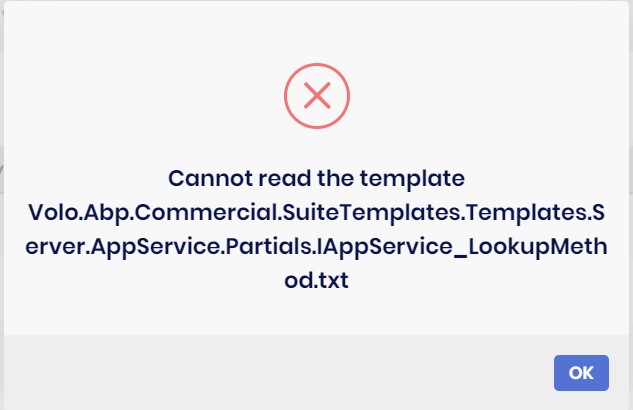
Hi support, After I updated suite, when I add a new property to the entity, I get the error in the picture.
@gvnuysal see https://support.abp.io/QA/Questions/671/ABP-Suite-throws-Cannot-read-the-template-VoloAbpCommercialSuiteTemplatesTemplatesXXXX
Hi
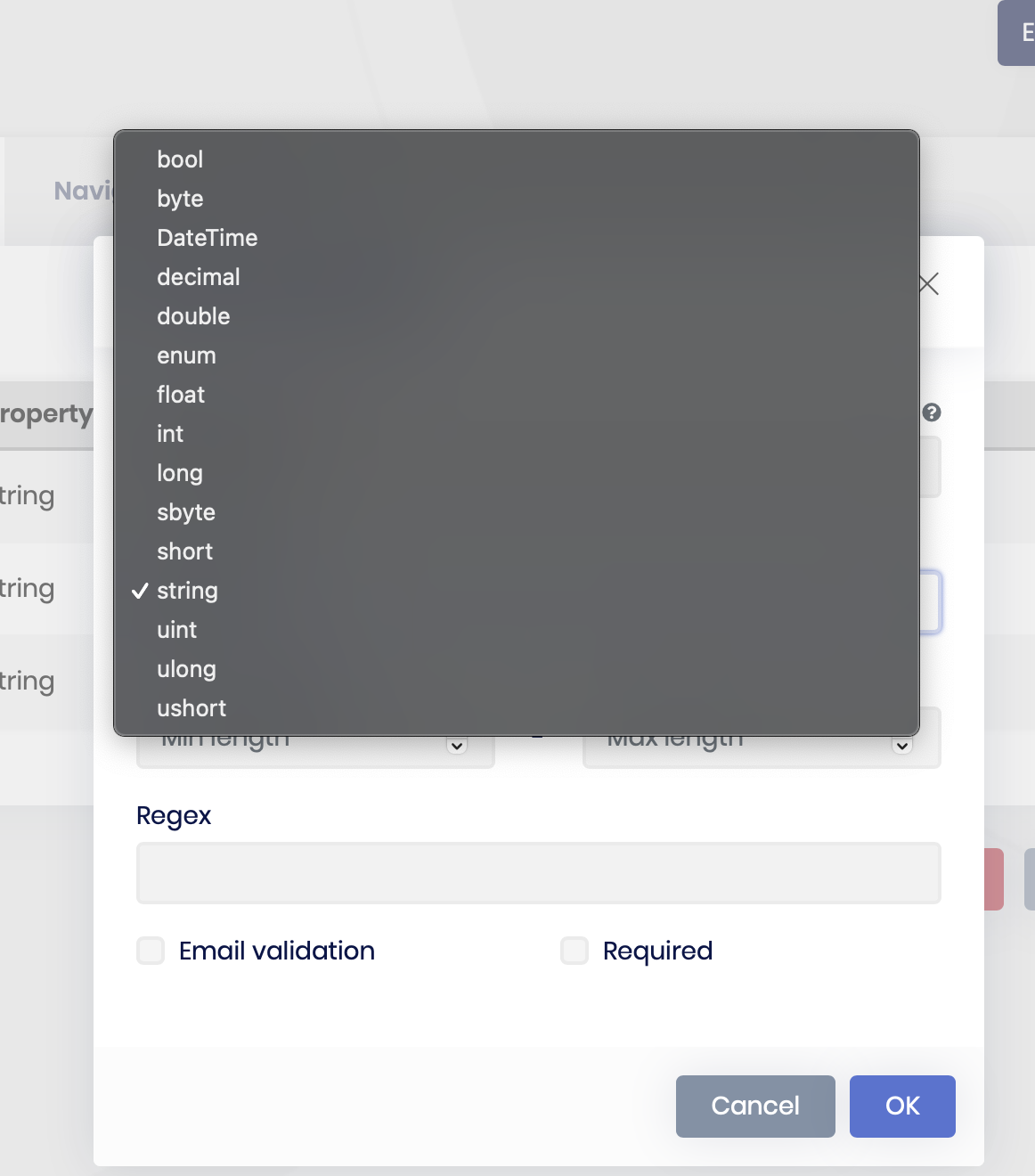
Why can I no longer create properties in Abp Suite of type Guid?
I'm sure this was supported in previous versions?
Thanks W
@wojt because none of the Blazorise components support Guid inputs.