[maliming] said: hi
The
Actionswill be populated after the method is executed.You can create a new Action in your method. Then merge them in your
AuditLogContributorThanks.
What about the rest of the questions? How can more than one AuditLogActionInfo be recorded?
[maliming] said: hi
We want to add a descriptive name in the ExtraProperties of AuditLogActionInfo
Option B: Use a custom AuditLogContributor is the best choice.
Is this the correct way to add information from an AppService method?
Audit log contributors, was explained above, is a global way of manipulating the audit log object. It is good if you can get a value from a service.
Injecting
IAuditingManagerservice will be good.Thanks,
Hello, after running debugging tests, I have observed the following:
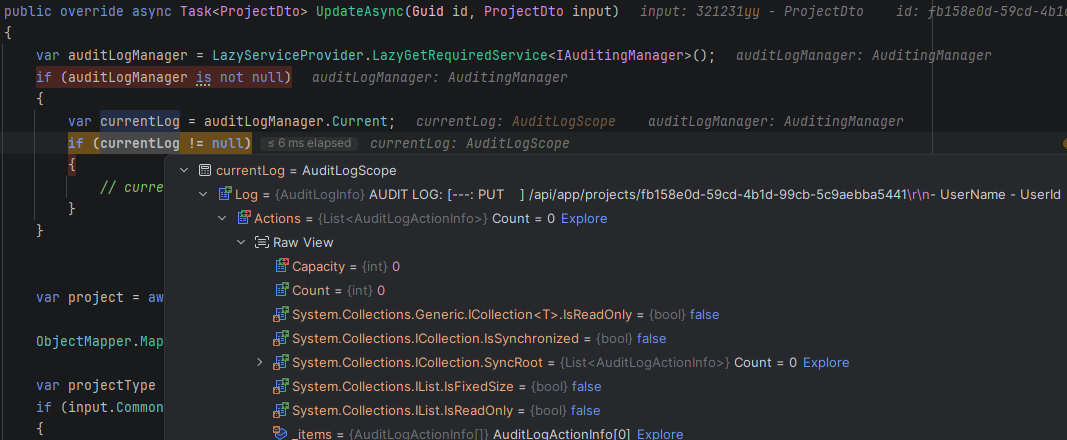
It is a method in my app service. When I inject IAuditingManager, I see that it does not have the current action. I only see the possibility of adding information as extra properties in the log.
My idea was to do it in the action of that app service method, since in the logging module documentation, an AuditLogInfo can have many AuditLogActionInfo. After reviewing my database, I see that only 1 AuditLogActionInfo is recorded for each AuditLogInfo.
Why is this relationship like this? How can more than one AuditLogActionInfo be recorded? Any suggestions for saving customised information in the event action?
https://abp.io/docs/latest/framework/infrastructure/audit-logging
[maliming] said: hi
I'm not familiar with Azure.
Let’s make it clear:
- Can you use a different subdomain in Azure for tenants?
eg: https://tenant1.myazure.com https://tenant2.myazure.com
- For each tenant, I need to configure several URLs for login and logout. Even if it is only one per customer, there are more than one of those customers.
Where do you need to confiture URL? In the database or Azure?
Because you can use a wildcard redirect URL and a post-redirect URL in the database.
Thanks.
[maliming] said: hi
If you use a path as a tenant name, you don't need to use sub-domains. Path or subdomain you can only select one. I recommend to use sub-domain.
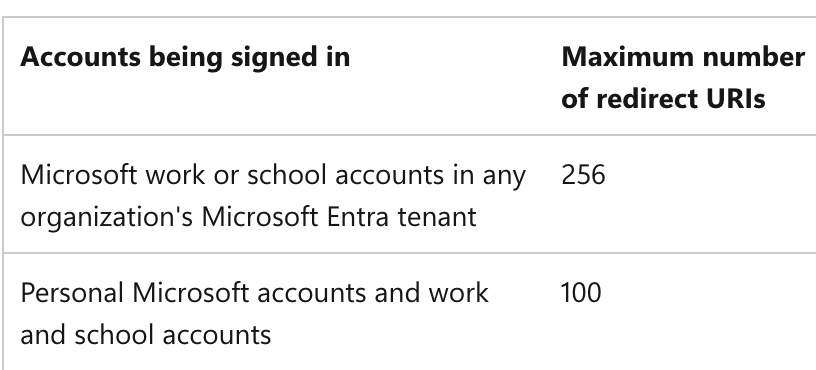
100 or 256 tenants are not enough for you?
Thanks.
For each tenant, I need to configure several URLs for login and logout. Even if it is only one per customer, there are more than one of those customers.
I know that this should be resolved with subdomains or paths, but not with both. That is not the question. The question is how to resolve it using Azure as an external provider.
[maliming] said: hi
Do you mean Azure doesn't support https://abp.io/community/articles/resolving-tenant-from-route-in-abp-framework-ah7oru97
Thanks.
No, sorry, what I mean is that with this way of resolving the tenant, using the path, should I also configure the URLs with the wildcard in Azure App Registration, the original problem in this thread (with subdomains).
In Azure App Registrations, I have to configure the return URLs. I cannot add one URL per client due to a limitation in Azure itself, nor does it allow me to add wildcards, which is the recommended practice.
https://learn.microsoft.com/en-us/entra/identity-platform/reply-url#maximum-number-of-redirect-uris-and-uri-length https://learn.microsoft.com/en-us/entra/identity-platform/reply-url#restrictions-on-wildcards-in-redirect-uris
[maliming] said: hi
You can see : https://abp.io/community/articles/resolving-tenant-from-route-in-abp-framework-ah7oru97
But using sub-domains will be easy.
Thanks.
Even so, the URL limitation in Azure remains; I cannot use wildcards. Does it support this?
[maliming] said: hi
Wildcard Support: Azure AD B2C does support wildcards in redirect URIs (e.g., https://*.app-app1-qa.commondomain.com/authentication/login), but Microsoft does not recommend this practice for security reasons.
I think you have to use wildcard domains for your apps.
Correlation cookie
You can configure this cookie share across wildcard domains.
See https://abp.io/community/articles/how-to-share-the-cookies-between-subdomains-jfrzggc2#gsc.tab=0
Thanks.
After several attempts, it has not worked.
Would it be possible to resolve the tenant in another way, similar to how Azure DevOps does it?
Something like: http:app.commondomain.com/tenant1/entity
[maliming] said: hi
Can you share the debug logs of 44393 website?
Thanks
If you wish, I can give you access to the source code where I am implementing it, so you can run the application yourself and see what happens. Please contact me by email, francisco.sierra@semicrol.com
Hi,
I have uploaded the log to the repository. You can find it here https://github.com/franciscosl-fnet/abp-app-domain-based/blob/main/Logs20251217.txt
I followed those steps and fixed the error. Ultimately, it was because one of the methods that configures the application was overridden in a module, which was our fault.
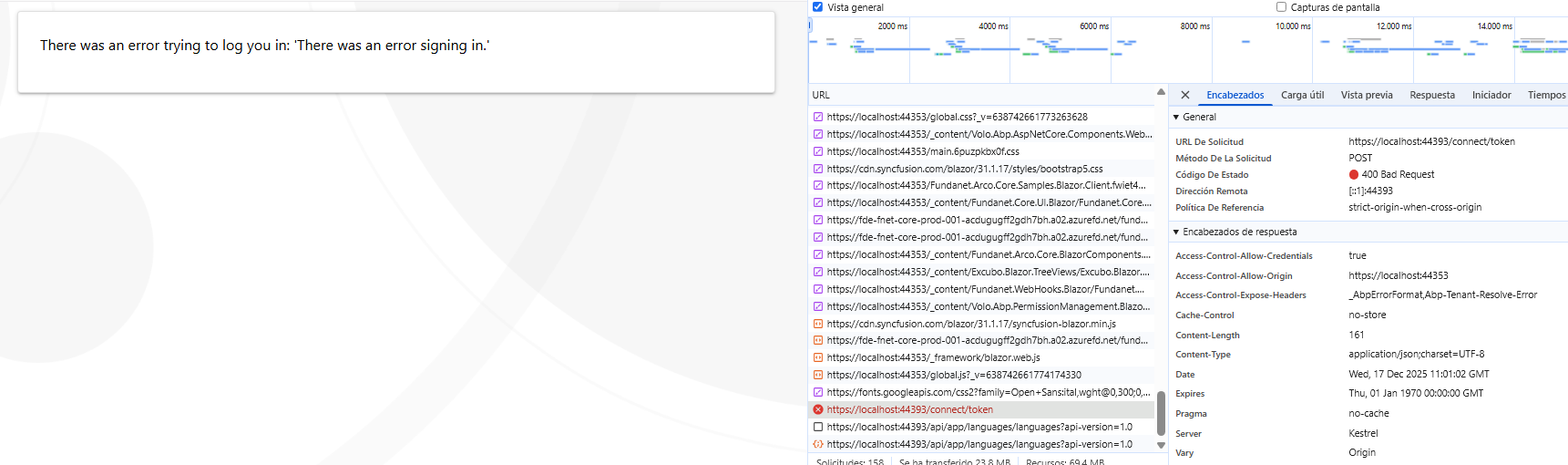
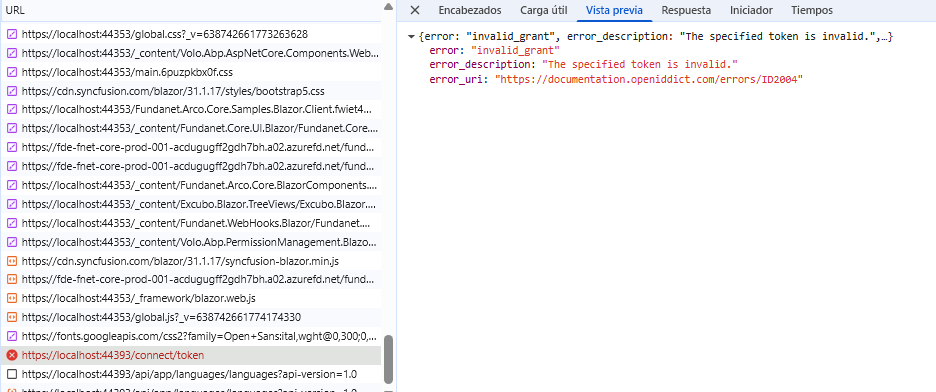
Now I am getting a different error when making the request: https://localhost:44393/connect/token