[sumeyye.kurtulus] said: Hello again, I have sent a dropbox link via e-mail.
I have downloaded this file,thanks;
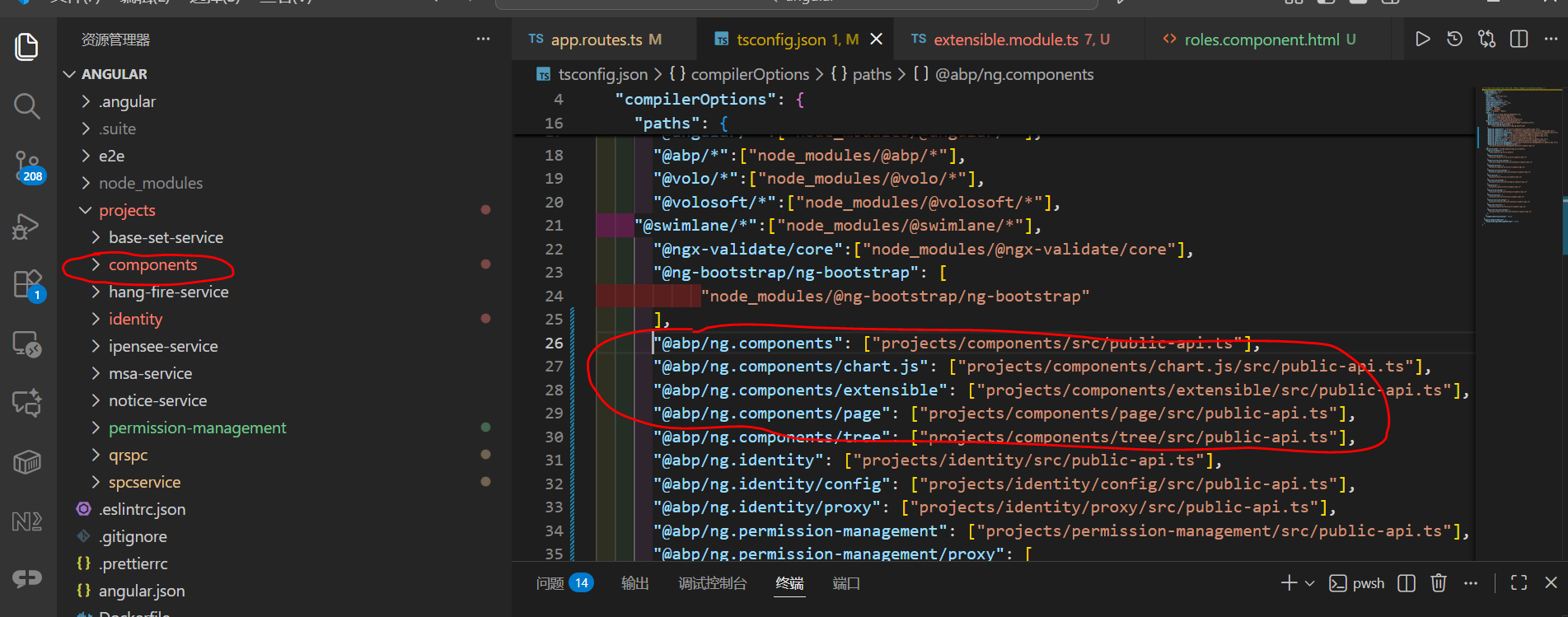
Also, I want to include all the source code of components in the project;
compile error
./projects/qrspc/src/main.ts - Error: Module build failed (from ./node_modules/@ngtools/webpack/src/ivy/index.js): Error: Debug error: DtsModuleScopeResolver.read(ExtensibleModule from E:/ABPStudio/qrspc/apps/angular/projects/components/extensible/src/lib/extensible.module.ts), but not a .d.ts file
./projects/qrspc/src/polyfills.ts - Error: Module build failed (from ./node_modules/@ngtools/webpack/src/ivy/index.js): Error: Debug error: DtsModuleScopeResolver.read(ExtensibleModule from E:/ABPStudio/qrspc/apps/angular/projects/components/extensible/src/lib/extensible.module.ts), but not a .d.ts file
[jacky_me] said:
[sumeyye.kurtulus] said: Hello again,
Sure, this is possible. However, you will need to keep some files that are the part of the extension system.
I suggest you to keep these files for this example:
- The defaults
- The extensions resolver
- The extensions token
- Routes file
You should update the imports in these files. You need to use the exact path for the component and the library paths for the ones that you are not overriding.
In addition, you need to update the routes file like this:
// app.routes.ts
export const APP_ROUTES: Routes = [
  {
    path: 'identity',
    loadChildren: () =>
      import('../../projects/volo-abp.ng.identity/src/lib/identity.routes').then(c =>
        c.createRoutes()
      ),
  },
];
If you need a sample for such approach, I can provide it via e-mail.
Thank you for your cooperation.
email address:15112665064@163.com thanks
 I cann't dowload this file
[sumeyye.kurtulus] said: Hello again,
Sure, this is possible. However, you will need to keep some files that are the part of the extension system.
I suggest you to keep these files for this example:
- The defaults
- The extensions resolver
- The extensions token
- Routes file
You should update the imports in these files. You need to use the exact path for the component and the library paths for the ones that you are not overriding.
In addition, you need to update the routes file like this:
// app.routes.ts
export const APP_ROUTES: Routes = [
  {
    path: 'identity',
    loadChildren: () =>
      import('../../projects/volo-abp.ng.identity/src/lib/identity.routes').then(c =>
        c.createRoutes()
      ),
  },
];
If you need a sample for such approach, I can provide it via e-mail.
Thank you for your cooperation.
email address:15112665064@163.com thanks
[sumeyye.kurtulus] said: Hello,
I see that you have connected the source code to your project. You should also modify the paths in
tsconfig.jsonfile. Here is an example — You need to modify according to your path:"paths": { "@volo/abp.ng.identity": [ "projects/volo-abp.ng.identity/src/public-api.ts" ], "@volo/abp.ng.identity/proxy": [ "projects/volo-abp.ng.identity/proxy/src/public-api.ts" ], "@volo/abp.ng.identity/config": [ "projects/volo-abp.ng.identity/config/src/public-api.ts" ] },If you are using the latest application builder, you can resolve the possible injection context by running the symlink commands.
Update package directories in
angular/scripts/symlink-config.ps1# Symlink Configuration # Shared configuration for symlink management scripts # Define the package directories that need symlink management # example: "../../modules/Volo.Abp.Identity.Pro/angular" $script:PackageDirectories = @( "../projects/volo-abp.ng.identity" ) ...Then, you can run this command under angular directory
yarn symlinks:setup.You can let me know if you need further assistance. Thank you for your cooperation.
Does this solution require downloading all the source codes?
I just want to replace some pages
[sumeyye.kurtulus] said: Hello,
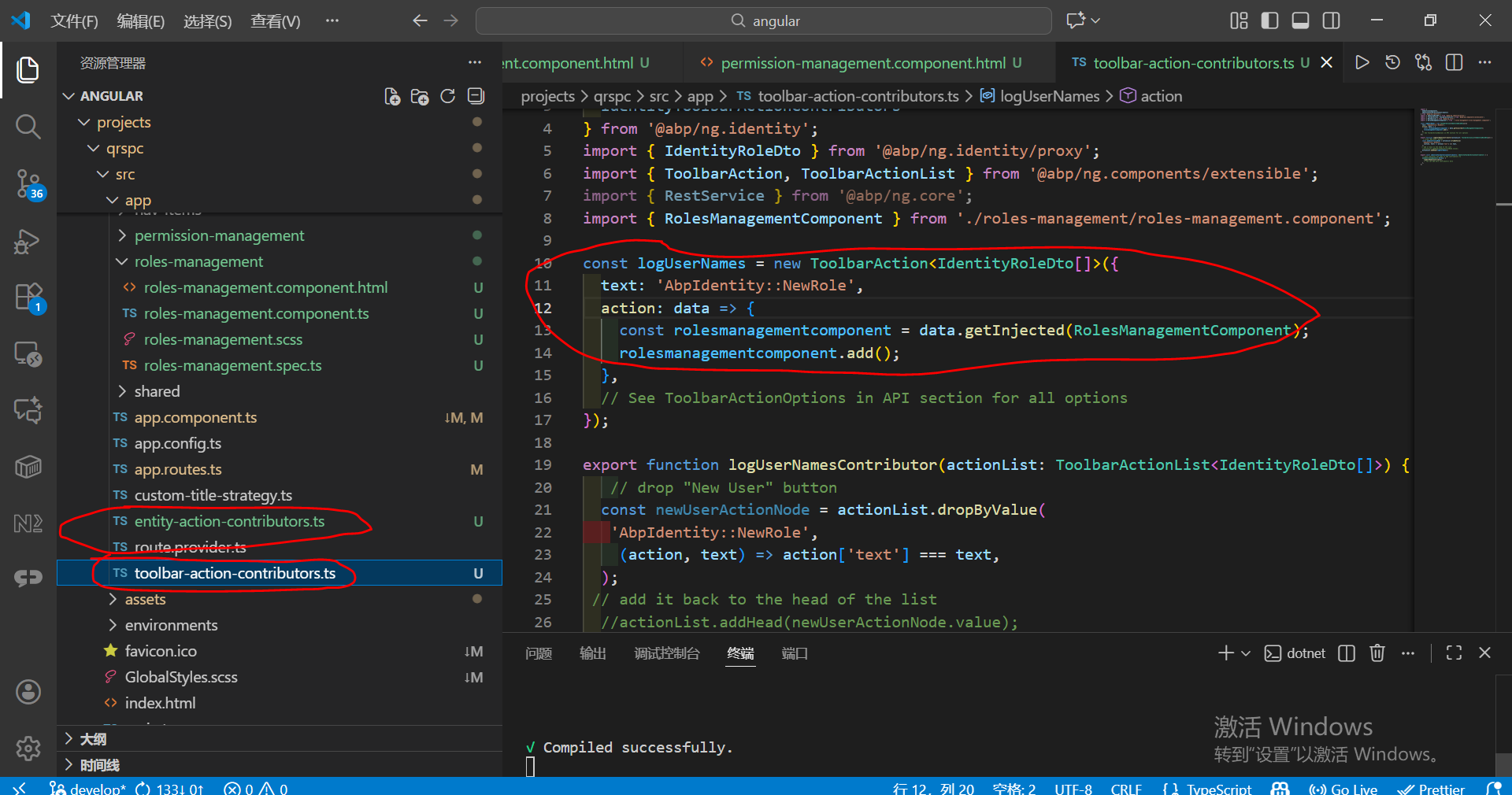
Thank you for providing extra details about your problem. I have checked these replacements and the flow needs to be working fine. However, it depends on how you have replaced these components. Could you clarify whether you have connected the source code?
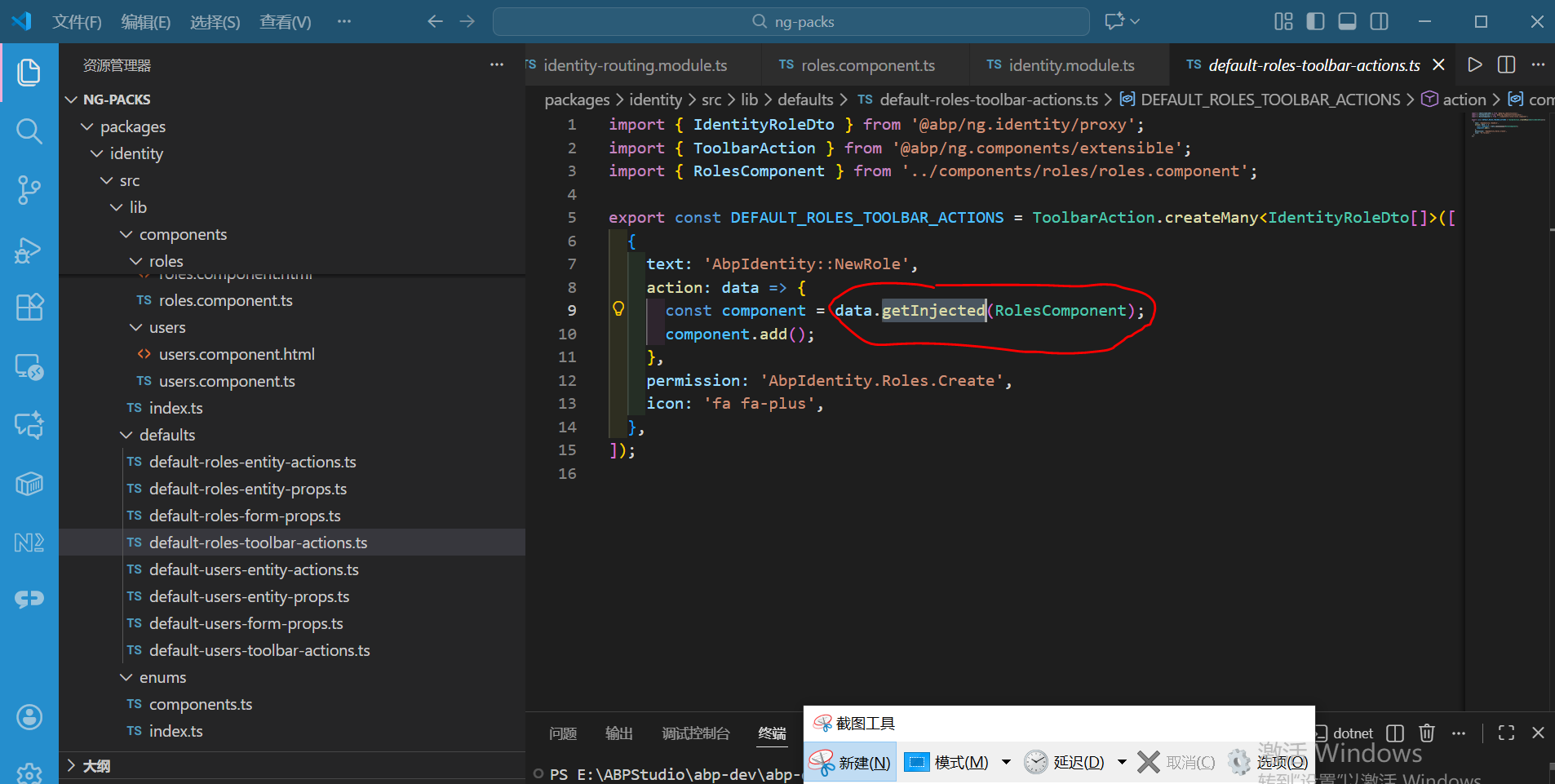
why this code inject error?
[sumeyye.kurtulus] said: Hello,
Normally, you should be able to replace the components by following the documentation here: https://abp.io/docs/latest/framework/ui/angular/component-replacement
Could you please provide the steps to reproduce the issue, along with the ABP version you are using?
Thank you for your cooperation.
abp 9.3.1
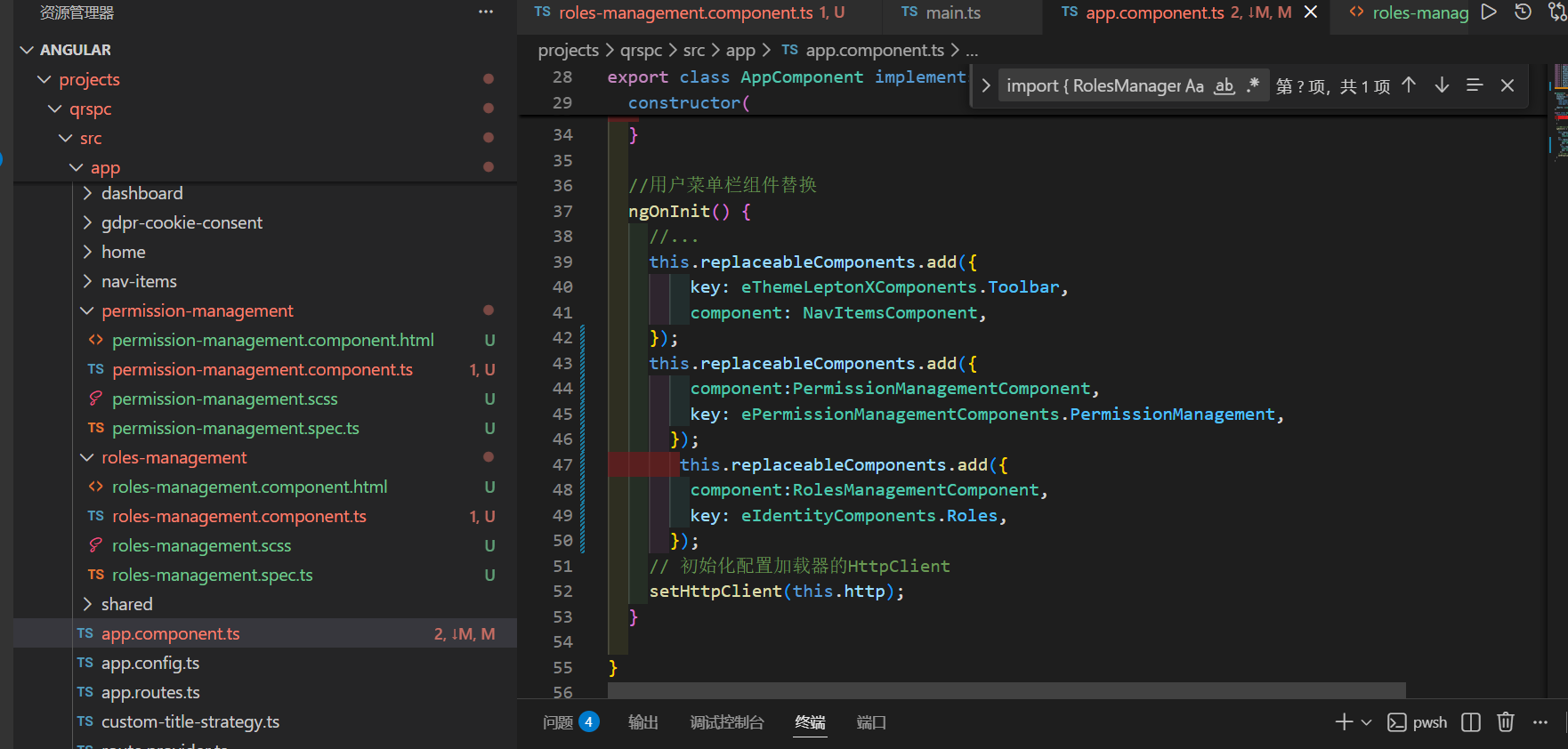
replace rolescomponent and permissionmanagementcomponent
then error
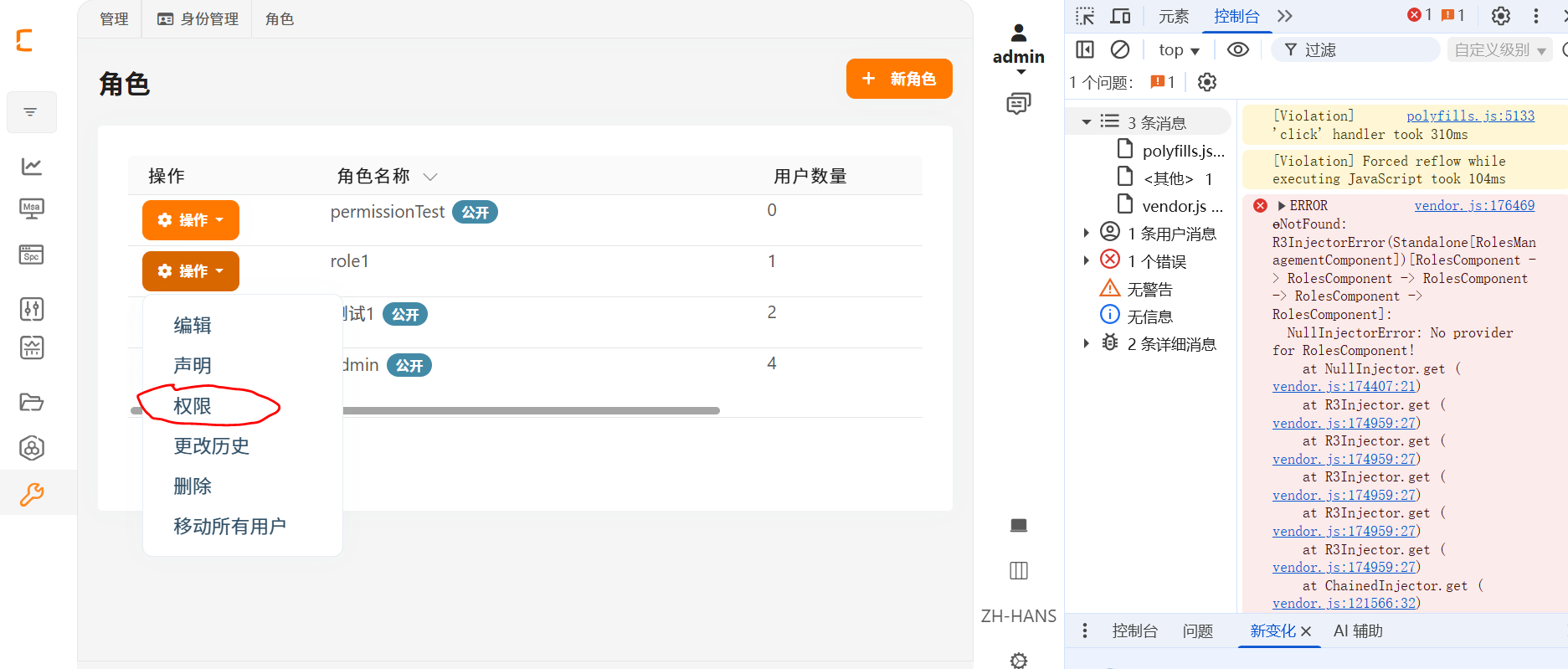 click then error
<abp-page [title]="'AbpIdentity::Roles' | abpLocalization" [toolbar]="data.items"> <div id="identity-roles-wrapper" class="card"> <div class="card-body"> <abp-extensible-table [data]="data.items" [recordsTotal]="data.totalCount" [list]="list" ></abp-extensible-table> </div> </div>
<abp-modal [(visible)]="isModalVisible" [busy]="modalBusy"> <ng-template #abpHeader> <h3>{{ (selected?.id ? 'AbpIdentity::Edit' : 'AbpIdentity::NewRole') | abpLocalization }}</h3> </ng-template>
<ng-template #abpBody>
  <form [formGroup]="form" (ngSubmit)="save()" [validateOnSubmit]="true">
    <abp-extensible-form [selectedRecord]="selected"></abp-extensible-form>
  </form>
</ng-template>

<ng-template #abpFooter>
  <button type="button" class="btn btn-outline-primary" abpClose>
    {{ 'AbpIdentity::Cancel' | abpLocalization }}
  </button>
  <abp-button iconClass="fa fa-check" [disabled]="form?.invalid" (click)="save()">{{
    'AbpIdentity::Save' | abpLocalization
    }}</abp-button>
</ng-template>
</abp-modal>
<abp-permission-management #abpPermissionManagement="abpPermissionManagement" *abpReplaceableTemplate=" { inputs: { providerName: { value: 'R' }, providerKey: { value: providerKey }, visible: { value: visiblePermissions, twoWay: true }, hideBadges: { value: true } }, outputs: { visibleChange: onVisiblePermissionChange }, componentKey: permissionManagementKey }; let init = initTemplate " (abpInit)="init(abpPermissionManagement)" > </abp-permission-management> </abp-page>
Can't bind to 'abpReplaceableTemplate' since it isn't a known property of 'abp-permission-management' (used in the 'RolesManagementComponent' component template).
How to customize the user management UI
how to get PageToolbarComponent source code