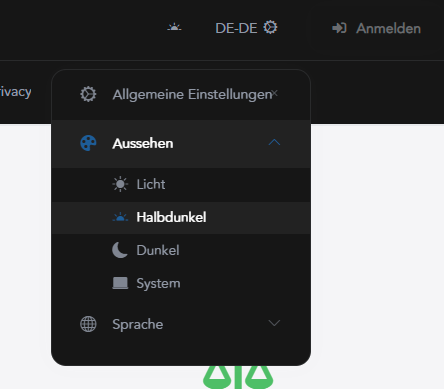
tried logout/login as stated here (https://abp.io/support/questions/10658/Module-page-is-blank-for-all-Solution-types-Unable-to-download-source-code-for-Pro-Modules-Business-plan) but did not do stuff.
We have public site in place
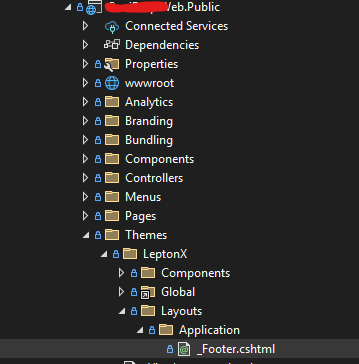
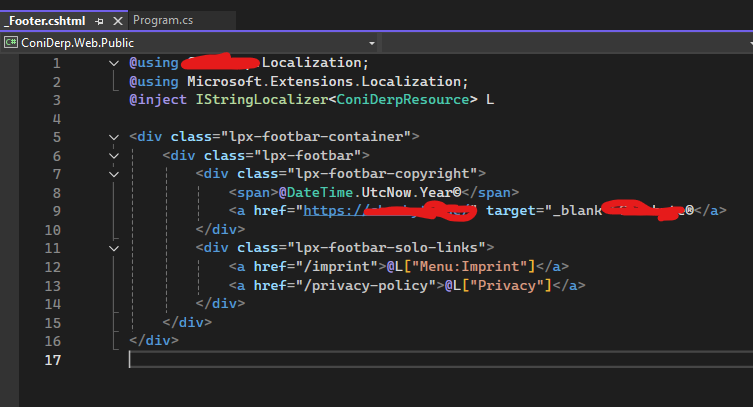
this has been working ever since.
but just today we noticed that our public site footer looks like this:

Was there a note for this happening? If yes: where? If no: wtf???
created a new app using abp new MyApp -u angular -pwa
when trying to run it following error occures in dev console:
Refused to connect to 'http://localhost:4200/.well-known/appspecific/com.chrome.devtools.json' because it violates the following Content Security Policy directive: "default-src 'none'". Note that 'connect-src' was not explicitly set, so 'default-src' is used as a fallback.
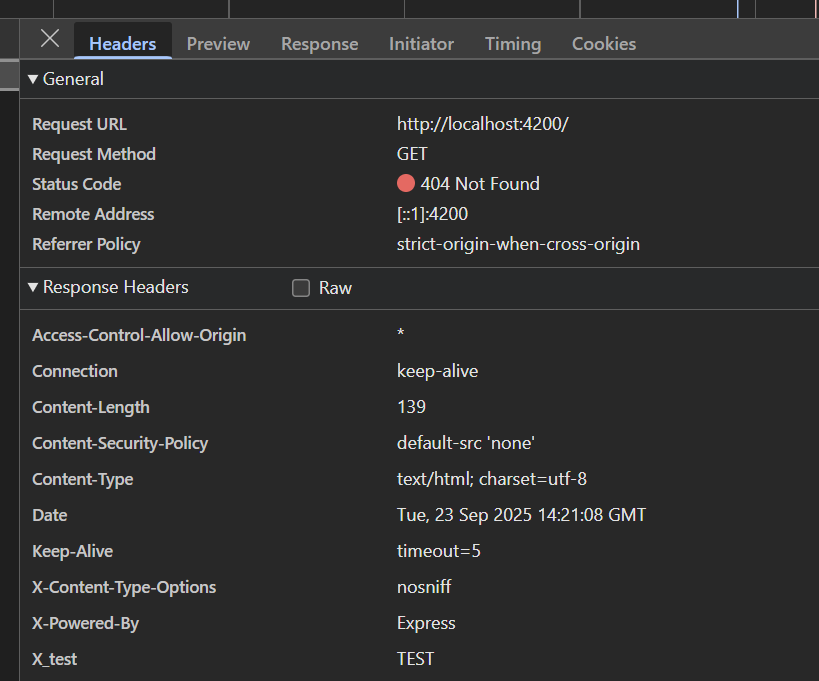
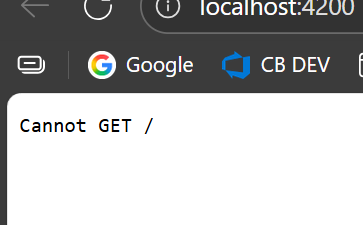
For reference: Github Issue 23187
Module: Volo.SaaS UI: Found at blazor server & wasm (or blazor webapp or whatever this is called by now)
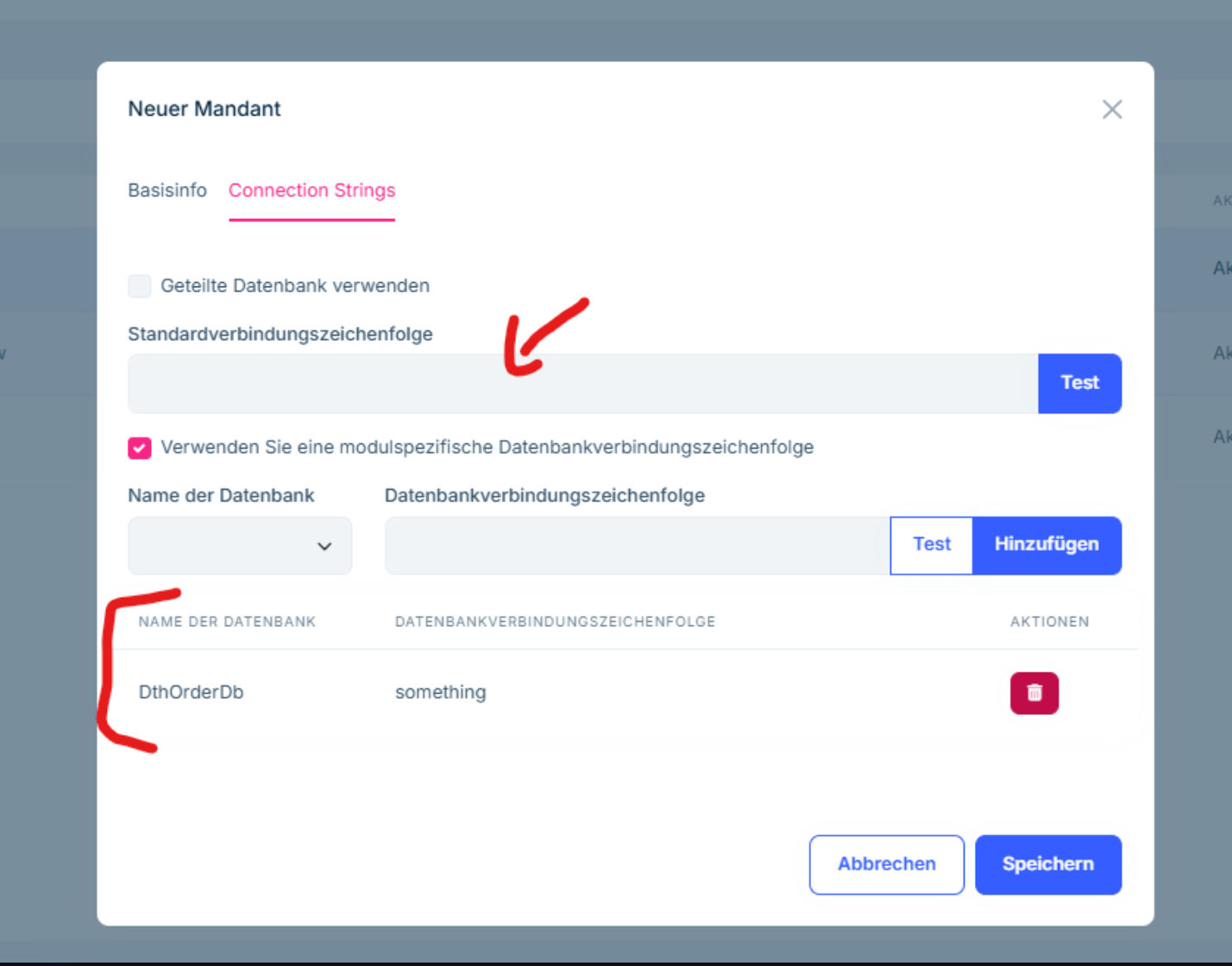
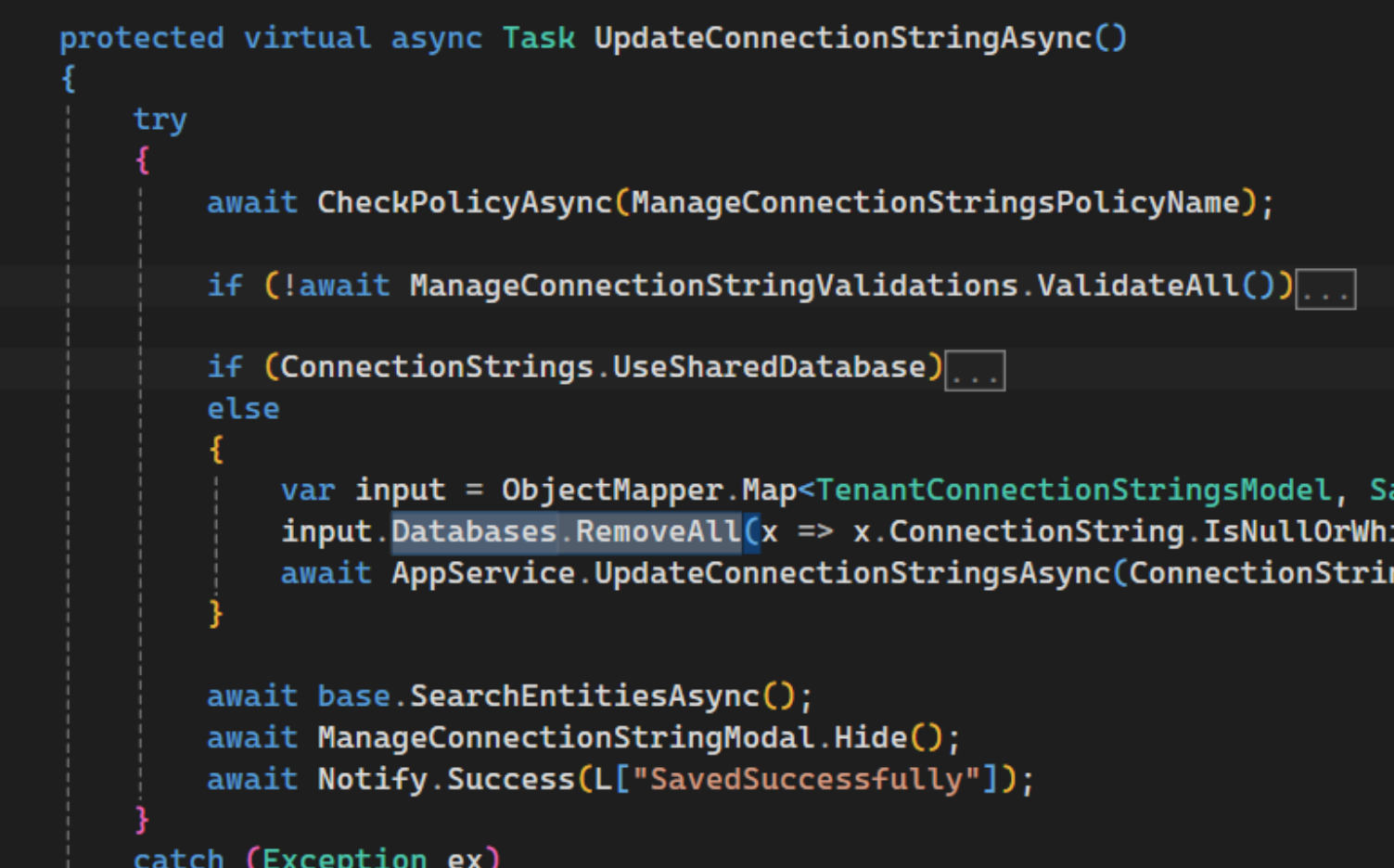
I am not able to save here because of the way the default connection string get's validated.
Why do I need that?
Because I reverse engineered an existing third party DB using EF Core Power Tools and made it a AbpDbContext which I want to set the connection string for each tenant in my system:
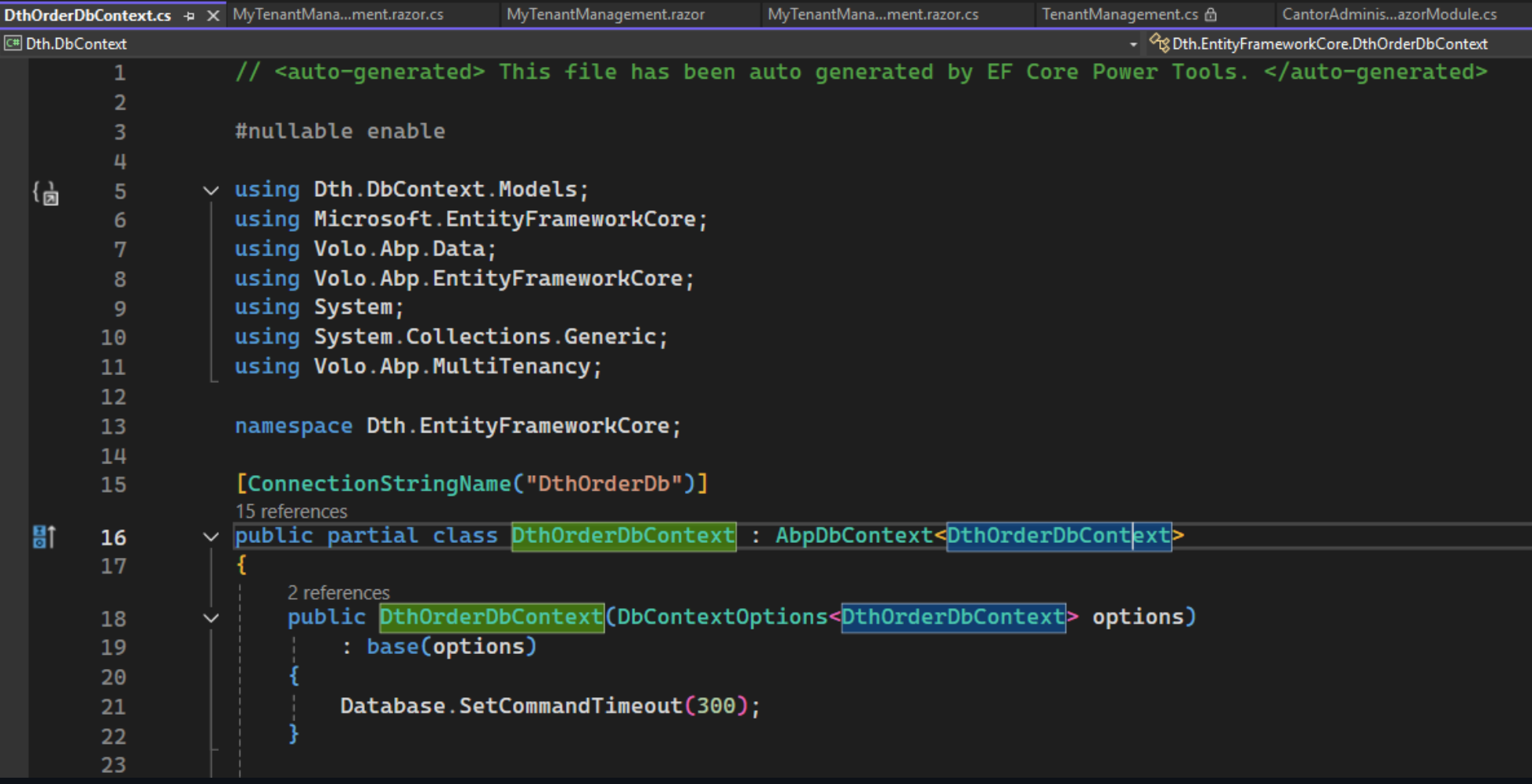
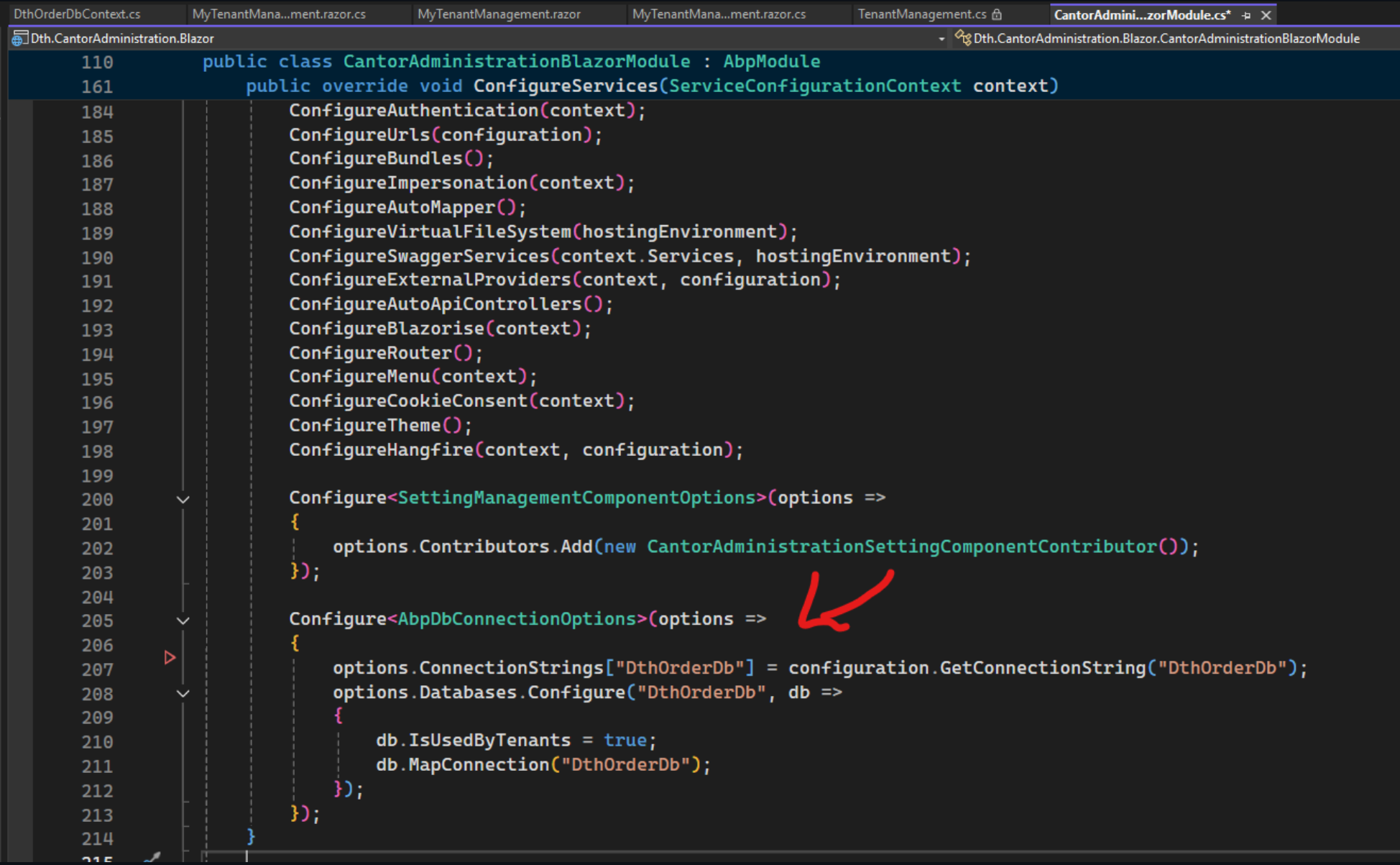
Why can't I just replace TenantManagement you may ask: Because for some reason - when replacing the component - the replaced component is only used when switched to wasm. when still rendering on blazor server - the component does not get replaced :-| (that's maybe worth another issue)
First weird thing - edit modal and create modal seem to validate differently:
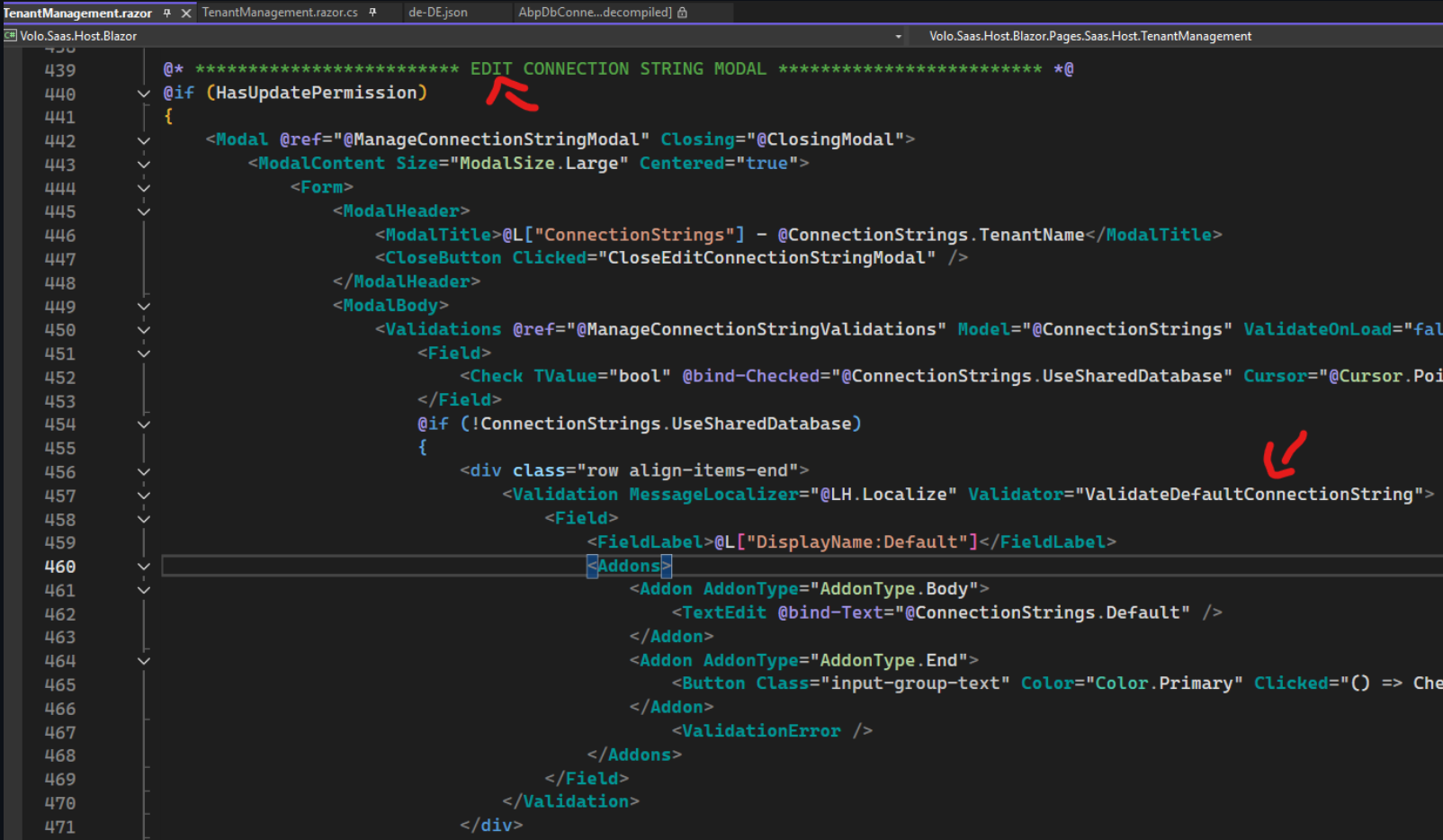
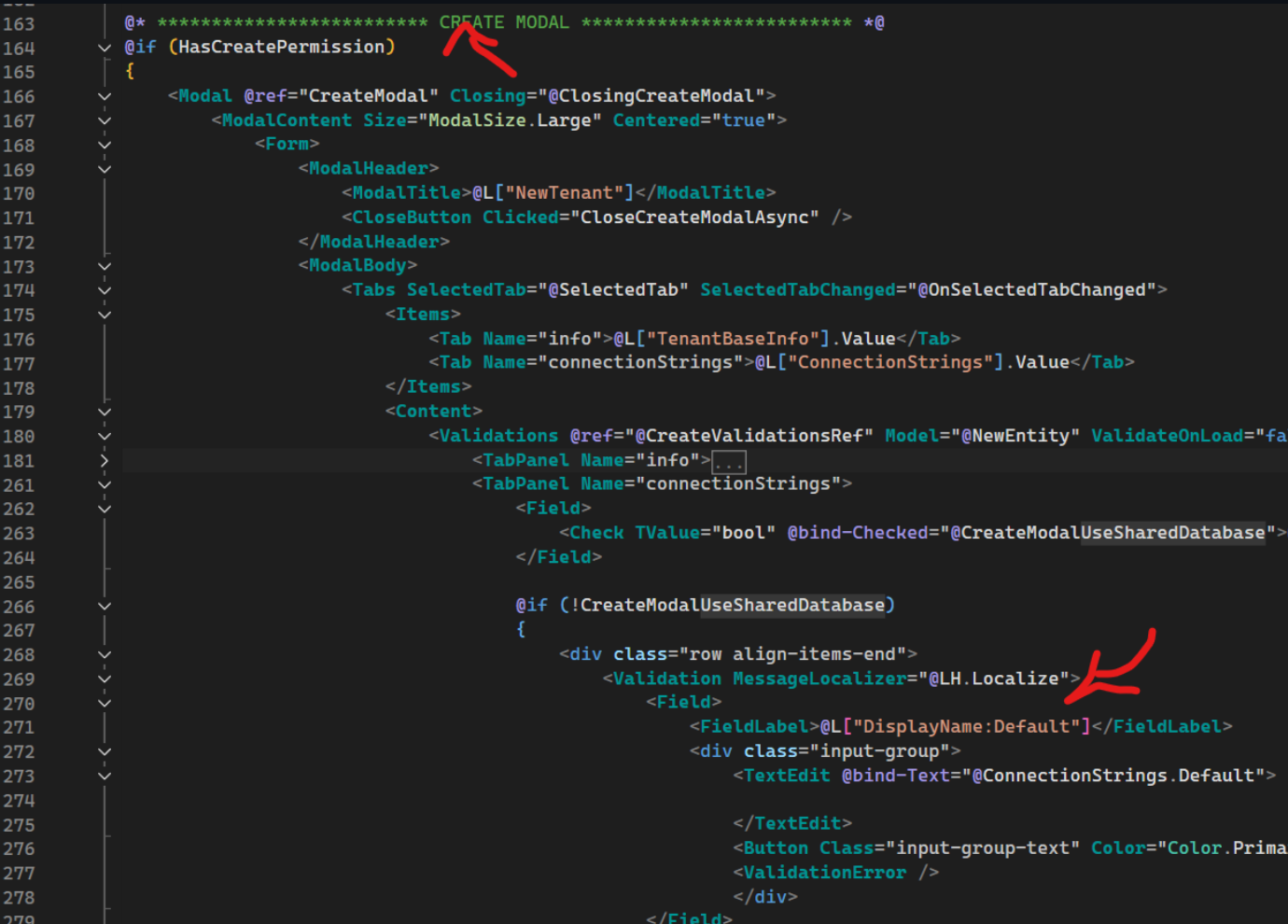
they should both use ValidateDefaultConnectionString IMHO
next issue is the validation
protected virtual void ValidateDefaultConnectionString(ValidatorEventArgs e)
{
    e.Status = !ConnectionStrings.UseSharedDatabase && ConnectionStrings.Default.IsNullOrWhiteSpace()
        ? ValidationStatus.Error
        : ValidationStatus.Success;

    e.ErrorText = e.Status == ValidationStatus.Error ? L["The {0} field is required.", L[$"DisplayName:{nameof(ConnectionStrings.Default)}"]] : null;
}
a better version would be:
protected virtual void ValidateDefaultConnectionString(ValidatorEventArgs e)
{
    if (ConnectionStrings.Default.IsNullOrWhiteSpace())
    {
        e.Status = ValidationStatus.Success;
        return;
    }
    e.Status = !ConnectionStrings.UseSharedDatabase && ConnectionStrings.Default.IsNullOrWhiteSpace()
        ? ValidationStatus.Error
        : ValidationStatus.Success;

    e.ErrorText = e.Status == ValidationStatus.Error ? L["The {0} field is required.", L[$"DisplayName:{nameof(ConnectionStrings.Default)}"]] : null;
}
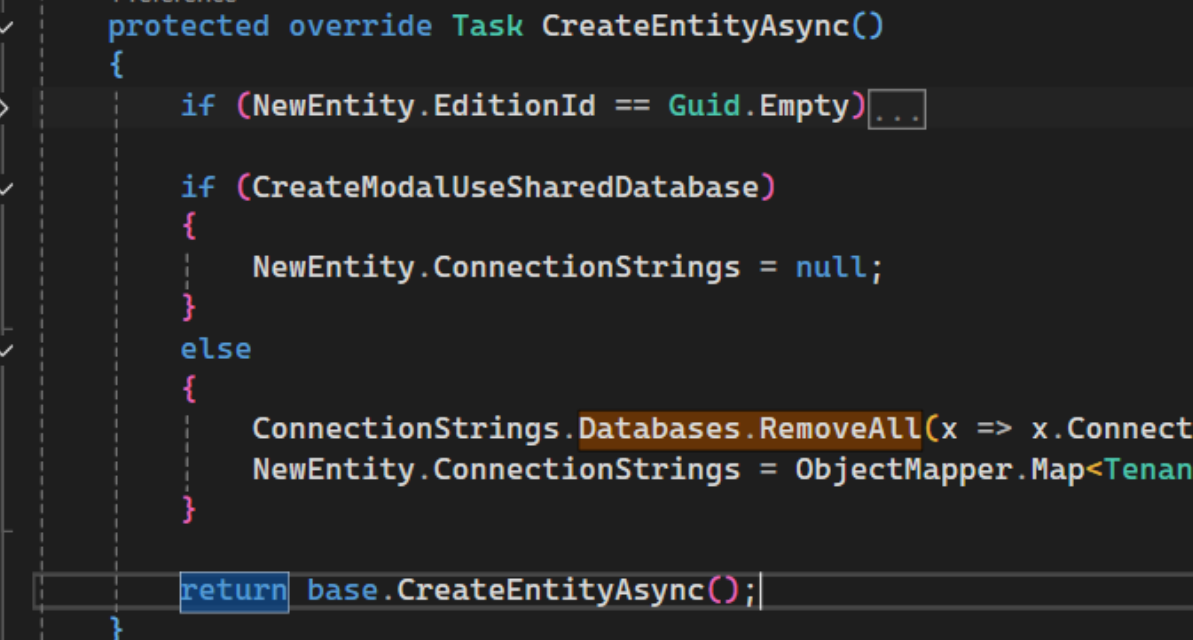
this is because connection string that are NullOrEmpty() get removed anyway - even the default one.
Hey,
I'm trying to create a script to automatically download all modules - but for some modules we are just receiving errors :S
param (
    [Parameter(Mandatory=$true)][string]$abpVersion,
    [Parameter(Mandatory=$true)][string]$leptonXVersion
 )

 function downloadModule($name, $version) {
    New-Item -ItemType Directory -Force -Path $name
    abp get-source $name --version $version -o ./$name
}

$modules = abp list-modules

foreach ($module in $modules) {

    if (-Not($module -Match "> ")) {
        continue;
    }

    $moduleName = $module -replace "> ", "";
    Write-Host "Downloading $moduleName..."

    if ($moduleName -Match "LeptonX") {
        downloadModule $moduleName $leptonXVersion
    }
    else {
        downloadModule $moduleName $abpVersion
    }
}
log (reduced):
Directory: C:\repos\abp

Mode                 LastWriteTime         Length Name
----                 -------------         ------ ----
d----          27.02.2025    17:15                Volo.Abp.Account.Pro
[17:22:37] You are running the second generation of the ABP CLI. If you're interested in the legacy CLI, see https://abp.io/new-cli
[17:22:37] Downloading source code of Volo.Abp.Account.Pro (v9.0.5)
[17:22:37] Output folder: C:\repos\abp\Volo.Abp.Account.Pro
[17:22:44 ERR] Downloading source code failed for: Volo.Abp.Account.Pro
Volo.Abp.Studio.AbpStudioException: Exception of type 'Volo.Abp.Studio.AbpStudioException' was thrown.
  at async Task Volo.Abp.Studio.Modules.Installing.SourceCodeDownloader.DownloadSourceCodeAsync(string moduleName, string targetFolder, string version, bool includeNightly)
  at async Task Volo.Abp.Studio.Cli.Commands.StudioGetSourceCommand.ExecuteAsync(CommandLineArgs commandLineArgs)
  at async Task Volo.Abp.Studio.Cli.StudioCliService.RunInternalAsync(CommandLineArgs commandLineArgs)
  at async Task Volo.Abp.Studio.Cli.StudioCliService.RunAsync(string[] args)
d----          27.02.2025    17:15                Volo.Abp.AuditLogging.Pro
[17:22:44] You are running the second generation of the ABP CLI. If you're interested in the legacy CLI, see https://abp.io/new-cli
[17:22:44] Downloading source code of Volo.Abp.AuditLogging.Pro (v9.0.5)
[17:22:44] Output folder: C:\repos\abp\Volo.Abp.AuditLogging.Pro
[17:22:51 ERR] Downloading source code failed for: Volo.Abp.AuditLogging.Pro
Volo.Abp.Studio.AbpStudioException: Exception of type 'Volo.Abp.Studio.AbpStudioException' was thrown.
  at async Task Volo.Abp.Studio.Modules.Installing.SourceCodeDownloader.DownloadSourceCodeAsync(string moduleName, string targetFolder, string version, bool includeNightly)
  at async Task Volo.Abp.Studio.Cli.Commands.StudioGetSourceCommand.ExecuteAsync(CommandLineArgs commandLineArgs)
  at async Task Volo.Abp.Studio.Cli.StudioCliService.RunInternalAsync(CommandLineArgs commandLineArgs)
  at async Task Volo.Abp.Studio.Cli.StudioCliService.RunAsync(string[] args)
d----          27.02.2025    17:15                Volo.Abp.Gdpr
[17:22:52] You are running the second generation of the ABP CLI. If you're interested in the legacy CLI, see https://abp.io/new-cli
[17:22:52] Downloading source code of Volo.Abp.Gdpr (v9.0.5)
[17:22:52] Output folder: C:\repos\abp\Volo.Abp.Gdpr
[17:22:58 ERR] Downloading source code failed for: Volo.Abp.Gdpr
Volo.Abp.Studio.AbpStudioException: Exception of type 'Volo.Abp.Studio.AbpStudioException' was thrown.
  at async Task Volo.Abp.Studio.Modules.Installing.SourceCodeDownloader.DownloadSourceCodeAsync(string moduleName, string targetFolder, string version, bool includeNightly)
  at async Task Volo.Abp.Studio.Cli.Commands.StudioGetSourceCommand.ExecuteAsync(CommandLineArgs commandLineArgs)
  at async Task Volo.Abp.Studio.Cli.StudioCliService.RunInternalAsync(CommandLineArgs commandLineArgs)
  at async Task Volo.Abp.Studio.Cli.StudioCliService.RunAsync(string[] args)
d----          27.02.2025    17:15                Volo.Abp.Identity.Pro
[17:22:59] You are running the second generation of the ABP CLI. If you're interested in the legacy CLI, see https://abp.io/new-cli

-----

d----          27.02.2025    17:24                Volo.Abp.Account
[17:24:18] You are running the second generation of the ABP CLI. If you're interested in the legacy CLI, see https://abp.io/new-cli
[17:24:18] Downloading source code of Volo.Abp.Account (v9.0.5)
[17:24:18] Output folder: C:\repos\abp\Volo.Abp.Account
[17:24:19] Volo.Abp.Account.SourceCode (v: 9.0.5) package downloaded from https://api.nuget.org/v3/index.json and saved to (C:\Users\JackFistelmann\.nuget\packages\)
[17:24:19] 'Volo.Abp.Account' has been successfully downloaded to 'C:\repos\abp\Volo.Abp.Account'
d----          27.02.2025    17:24                Volo.Abp.BackgroundJobs
[17:24:20] You are running the second generation of the ABP CLI. If you're interested in the legacy CLI, see https://abp.io/new-cli
[17:24:20] Downloading source code of Volo.Abp.BackgroundJobs (v9.0.5)
[17:24:20] Output folder: C:\repos\abp\Volo.Abp.BackgroundJobs
[17:24:21] Volo.Abp.BackgroundJobs.SourceCode (v: 9.0.5) package downloaded from https://api.nuget.org/v3/index.json and saved to (C:\Users\JackFistelmann\.nuget\packages\)
[17:24:21] 'Volo.Abp.BackgroundJobs' has been successfully downloaded to 'C:\repos\abp\Volo.Abp.BackgroundJobs'
d----          27.02.2025    17:24                Volo.Abp.BasicTheme
Hello :) We are experiencing an issue using abp bundle on the new cli.
first I updated the cli - or better - replaced it by the new thing:
repos dotnet tool install -g Volo.Abp.Studio.Cli
Tool 'volo.abp.studio.cli' failed to update due to the following:
Failed to create shell shim for tool 'volo.abp.studio.cli': Command 'abp' conflicts with an existing command from another tool.
Tool 'volo.abp.studio.cli' failed to install.
repos ^C
repos dotnet tool uninstall -g Volo.Abp.Cli
Tool 'volo.abp.cli' (version '8.2.0') was successfully uninstalled.
repos dotnet tool install -g Volo.Abp.Studio.Cli
You can invoke the tool using the following command: abp
Tool 'volo.abp.studio.cli' (version '0.7.8') was successfully installed.
repos abp suite update
[12:43:55 INF] You are running the second generation of the ABP CLI. If you're interested in the legacy CLI, see https://abp.io/new-cli
📌 ABP CLI 0.7.8 (Beta)
🧩 Extensions downloaded: Volo.Abp.Studio.Extensions.StandardSolutionTemplates
🚲 The CLI is restarting to apply the changes with arguments: suite update
JackFistelmann repos [12:44:05 INF] You are running the second generation of the ABP CLI. If you're interested in the legacy CLI, see https://abp.io/new-cli
[12:44:06 INF] Updating ABP Suite ...
Tool 'volo.abp.suite' was successfully updated from version '8.2.0' to version '8.2.2'.
using abp bundle:
abp bundle
[12:45:13 INF] You are running the second generation of the ABP CLI. If you're interested in the legacy CLI, see https://abp.io/new-cli
System.NullReferenceException: Object reference not set to an instance of an object.
  at async Task<string> Volo.Abp.Studio.Modifying.CsprojFileManager.GetAbpVersionAsync(string filePath)
  at async Task<string> Volo.Abp.Studio.Cli.Commands.StudioBundleCommand.yClRDND67t(string  )
  at async Task Volo.Abp.Studio.Cli.Commands.StudioBundleCommand.ExecuteAsync(CommandLineArgs commandLineArgs)
  at async Task Volo.Abp.Studio.Cli.StudioCliService.RunInternalAsync(CommandLineArgs commandLineArgs)
  at async Task Volo.Abp.Studio.Cli.StudioCliService.RunAsync(string[] args)
Unhandled exception. System.NullReferenceException: Object reference not set to an instance of an object.
   at Volo.Abp.Studio.Modifying.CsprojFileManager.GetAbpVersionAsync(String filePath)
   at Volo.Abp.Studio.Cli.Commands.StudioBundleCommand.yClRDND67t(String  )
   at Volo.Abp.Studio.Cli.Commands.StudioBundleCommand.ExecuteAsync(CommandLineArgs commandLineArgs)
   at Volo.Abp.Studio.Cli.StudioCliService.RunInternalAsync(CommandLineArgs commandLineArgs)
   at Volo.Abp.Studio.Cli.StudioCliService.RunAsync(String[] args)
   at Volo.Abp.Studio.Cli.Program.x2J81t685(Object  )
   at Volo.Abp.Studio.Cli.Program.<Main>(String[] args)
I expect the issue to be that we are using central package management as well as a variable for the version:
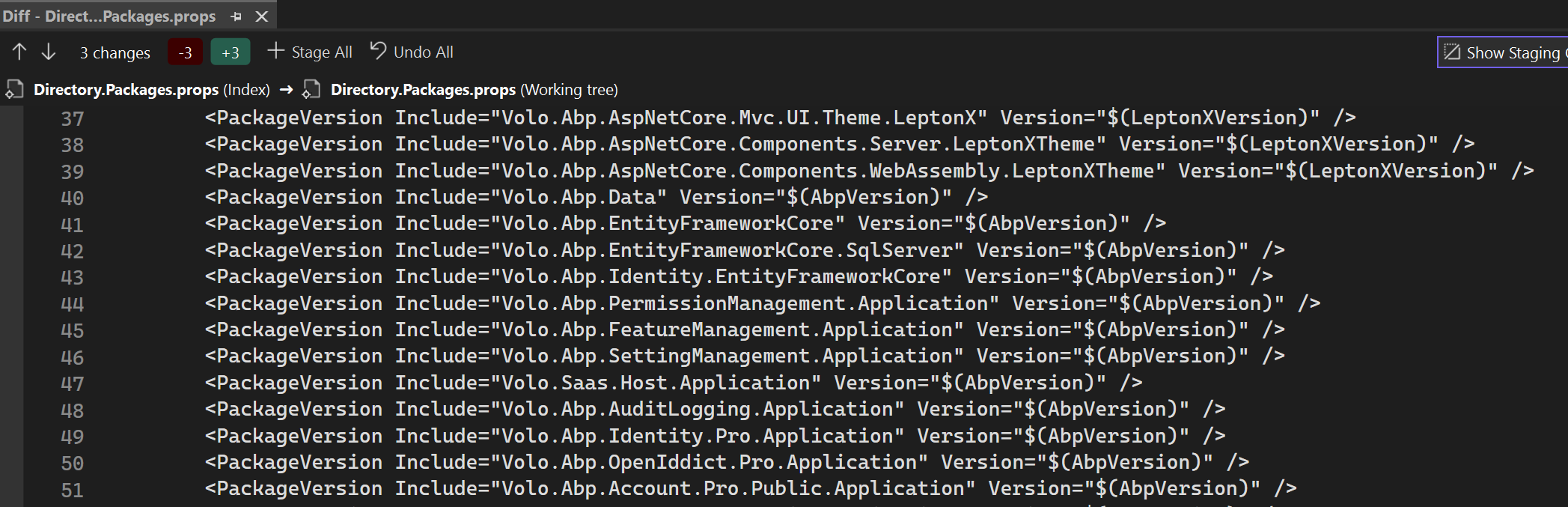
running abp help bundle
[12:46:13 INF] You are running the second generation of the ABP CLI. If you're interested in the legacy CLI, see https://abp.io/new-cli
[12:46:13 INF]
Usage:

  abp bundle [options]

Options:

-wd|--working-directory <directory-path>                (default: empty)
-f | --force                                            (default: false)
-t | --project-type                                     (default: webassembly)

See the documentation for more info: https://abp.io/docs/latest/cli
we would need to get a parameter to pass our version or a fix or a workaround please.
as a workaround I uninstalled the new cli - and things do not die anymore:
repos dotnet tool uninstall -g Volo.Abp.Studio.Cli
Tool 'volo.abp.studio.cli' (version '0.7.8') was successfully uninstalled.
repos dotnet tool install -g Volo.Abp.Cli
You can invoke the tool using the following command: abp
Tool 'volo.abp.cli' (version '8.2.2') was successfully installed.
repos cd .\cb\dev\dth-cantor-administration\
dth-cantor-administration cd .\src\Dth.CantorAdministration.Blazor.Client\
Dth.CantorAdministration.Blazor.Client abp bundle
ABP CLI 8.2.2
Generating style bundle...
Style bundle has been generated successfully.
Generating script bundle...
Script bundle has been generated successfully.
JackFistelmann Dth.CantorAdministration.Blazor.Client 3429-portatours ≡ ~3
Something from CmsKit is overriding the MVC error handling - resulting in redirects of doom.
[15:36:44 INF] Request starting HTTP/2 GET https://localhost:44360/pupsi - -
[15:36:44 INF] Executing endpoint '/Public/CmsKit/Pages/Index'
[15:36:44 INF] Route matched with {page = "/Public/CmsKit/Pages/Index", action = "", controller = "", area = ""}. Executing page /Public/CmsKit/Pages/Index
[15:36:44 INF] Skipping the execution of current filter as its not the most effective filter implementing the policy Microsoft.AspNetCore.Mvc.ViewFeatures.IAntiforgeryPolicy
[15:36:44 INF] Executing handler method Volo.CmsKit.Public.Web.Pages.Public.CmsKit.Pages.IndexModel.OnGetAsync - ModelState is Valid
[15:36:44 WRN] Could not find IdentityClientConfiguration for CmsKitPublic. Either define a configuration for CmsKitPublic or set a default configuration.
[15:36:44 INF] Start processing HTTP request GET https://localhost:44322/api/cms-kit-public/pages/pupsi?api-version=1.0
[15:36:44 INF] Sending HTTP request GET https://localhost:44322/api/cms-kit-public/pages/pupsi?api-version=1.0
[15:36:44 INF] Received HTTP response headers after 18.9676ms - 204
[15:36:44 INF] End processing HTTP request after 19.065ms - 204
[15:36:44 INF] Executed handler method OnGetAsync, returned result Microsoft.AspNetCore.Mvc.NotFoundResult.
[15:36:44 INF] Executing StatusCodeResult, setting HTTP status code 404
[15:36:44 INF] Executed page /Public/CmsKit/Pages/Index in 19.9671ms
[15:36:44 INF] Executed endpoint '/Public/CmsKit/Pages/Index'
[15:36:44 INF] Request finished HTTP/2 GET https://localhost:44360/pupsi - - - 302 - - 21.5203ms
[15:36:44 INF] Request starting HTTP/2 GET https://localhost:44360/Error?httpStatusCode=404 - -
[15:36:44 INF] Executing endpoint '/Public/CmsKit/Pages/Index'
[15:36:44 INF] Route matched with {page = "/Public/CmsKit/Pages/Index", action = "", controller = "", area = ""}. Executing page /Public/CmsKit/Pages/Index
[15:36:44 INF] Skipping the execution of current filter as its not the most effective filter implementing the policy Microsoft.AspNetCore.Mvc.ViewFeatures.IAntiforgeryPolicy
[15:36:44 INF] Executing handler method Volo.CmsKit.Public.Web.Pages.Public.CmsKit.Pages.IndexModel.OnGetAsync - ModelState is Valid
[15:36:44 WRN] Could not find IdentityClientConfiguration for CmsKitPublic. Either define a configuration for CmsKitPublic or set a default configuration.
[15:36:44 INF] Start processing HTTP request GET https://localhost:44322/api/cms-kit-public/pages/Error?api-version=1.0
[15:36:44 INF] Sending HTTP request GET https://localhost:44322/api/cms-kit-public/pages/Error?api-version=1.0
[15:36:44 INF] Received HTTP response headers after 18.3062ms - 204
[15:36:44 INF] End processing HTTP request after 18.401ms - 204
[15:36:44 INF] Executed handler method OnGetAsync, returned result Microsoft.AspNetCore.Mvc.NotFoundResult.
[15:36:44 INF] Executing StatusCodeResult, setting HTTP status code 404
[15:36:44 INF] Executed page /Public/CmsKit/Pages/Index in 19.2325ms
[15:36:44 INF] Executed endpoint '/Public/CmsKit/Pages/Index'
[15:36:44 INF] Request finished HTTP/2 GET https://localhost:44360/Error?httpStatusCode=404 - - - 302 - - 20.6696ms
[15:36:44 INF] Request starting HTTP/2 GET https://localhost:44360/Error?httpStatusCode=404 - -
[15:36:44 INF] Executing endpoint '/Public/CmsKit/Pages/Index'
[15:36:44 INF] Route matched with {page = "/Public/CmsKit/Pages/Index", action = "", controller = "", area = ""}. Executing page /Public/CmsKit/Pages/Index
[15:36:44 INF] Skipping the execution of current filter as its not the most effective filter implementing the policy Microsoft.AspNetCore.Mvc.ViewFeatures.IAntiforgeryPolicy
[15:36:44 INF] Executing handler method Volo.CmsKit.Public.Web.Pages.Public.CmsKit.Pages.IndexModel.OnGetAsync - ModelState is Valid
[15:36:44 WRN] Could not find IdentityClientConfiguration for CmsKitPublic. Either define a configuration for CmsKitPublic or set a default configuration.
[15:36:44 INF] Start processing HTTP request GET https://localhost:44322/api/cms-kit-public/pages/Error?api-version=1.0
[15:36:44 INF] Sending HTTP request GET https://localhost:44322/api/cms-kit-public/pages/Error?api-version=1.0
[15:36:44 INF] Received HTTP response headers after 18.1934ms - 204
[15:36:44 INF] End processing HTTP request after 18.2671ms - 204
[15:36:44 INF] Executed handler method OnGetAsync, returned result Microsoft.AspNetCore.Mvc.NotFoundResult.
[15:36:44 INF] Executing StatusCodeResult, setting HTTP status code 404
[15:36:44 INF] Executed page /Public/CmsKit/Pages/Index in 18.8792ms
[15:36:44 INF] Executed endpoint '/Public/CmsKit/Pages/Index'
[15:36:44 INF] Request finished HTTP/2 GET https://localhost:44360/Error?httpStatusCode=404 - - - 302 - - 20.2102ms
[15:36:44 INF] Request starting HTTP/2 GET https://localhost:44360/Error?httpStatusCode=404 - -
[15:36:44 INF] Executing endpoint '/Public/CmsKit/Pages/Index'
[15:36:44 INF] Route matched with {page = "/Public/CmsKit/Pages/Index", action = "", controller = "", area = ""}. Executing page /Public/CmsKit/Pages/Index
[15:36:44 INF] Skipping the execution of current filter as its not the most effective filter implementing the policy Microsoft.AspNetCore.Mvc.ViewFeatures.IAntiforgeryPolicy
[15:36:44 INF] Executing handler method Volo.CmsKit.Public.Web.Pages.Public.CmsKit.Pages.IndexModel.OnGetAsync - ModelState is Valid
[15:36:44 WRN] Could not find IdentityClientConfiguration for CmsKitPublic. Either define a configuration for CmsKitPublic or set a default configuration.
[15:36:44 INF] Start processing HTTP request GET https://localhost:44322/api/cms-kit-public/pages/Error?api-version=1.0
And so on... this now repeats.
abp get-source Volo.Abp.LeptonXTheme.ProLeptonXDemoAppWebModule move app.UseErrorPage() outside of the development clause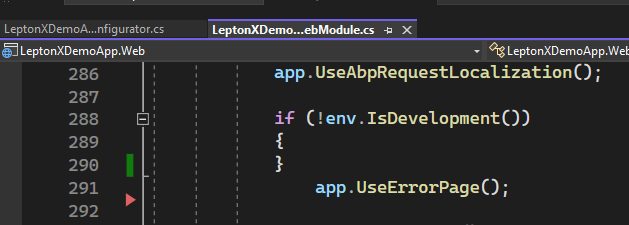
/pupsi or something else that obviously does not exist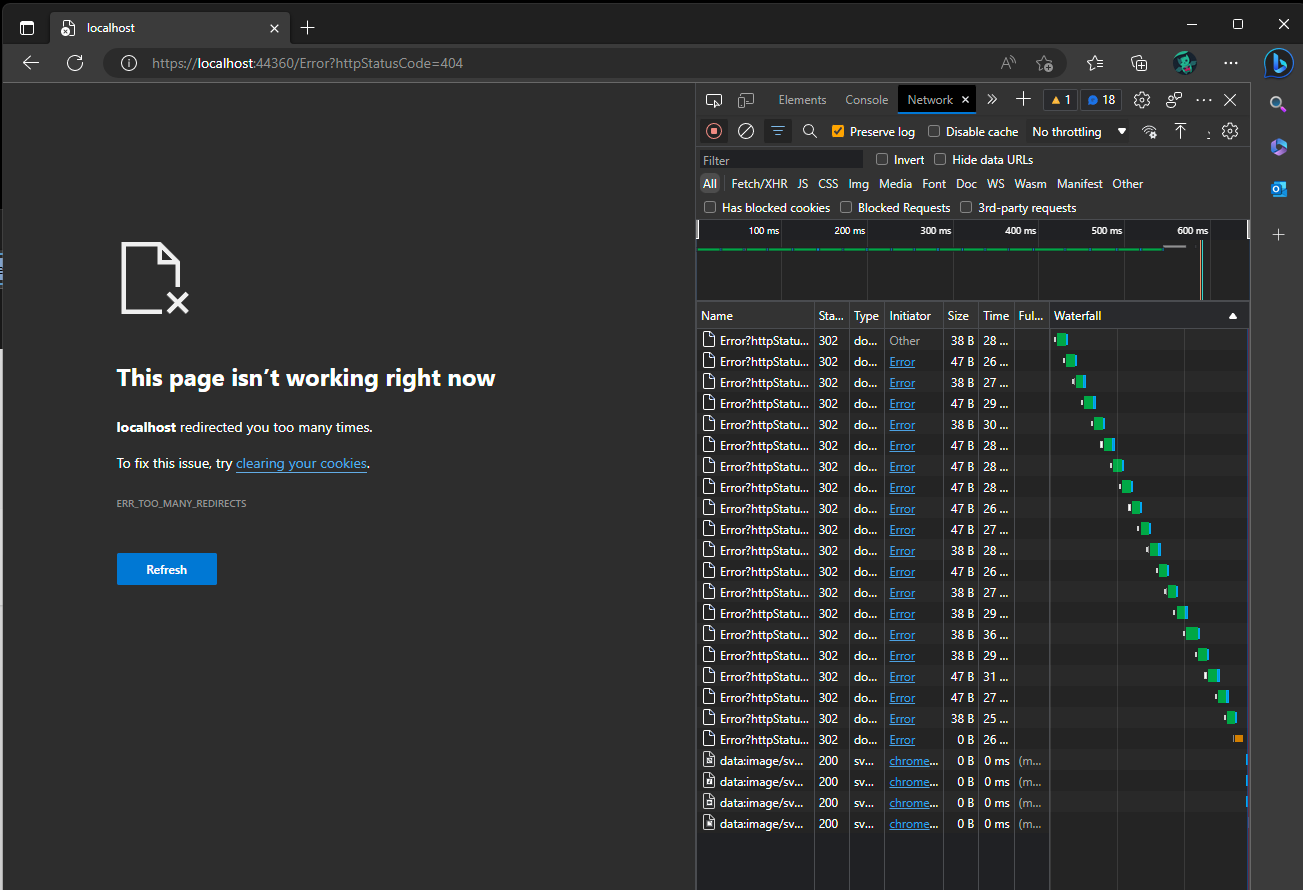
To "fix" the behavior, go to LeptonXDemoAppGlobalFeatureConfigurator and Change cmsKit.EnableAll() to cmsKit.DisableAll() and repeat above steps.
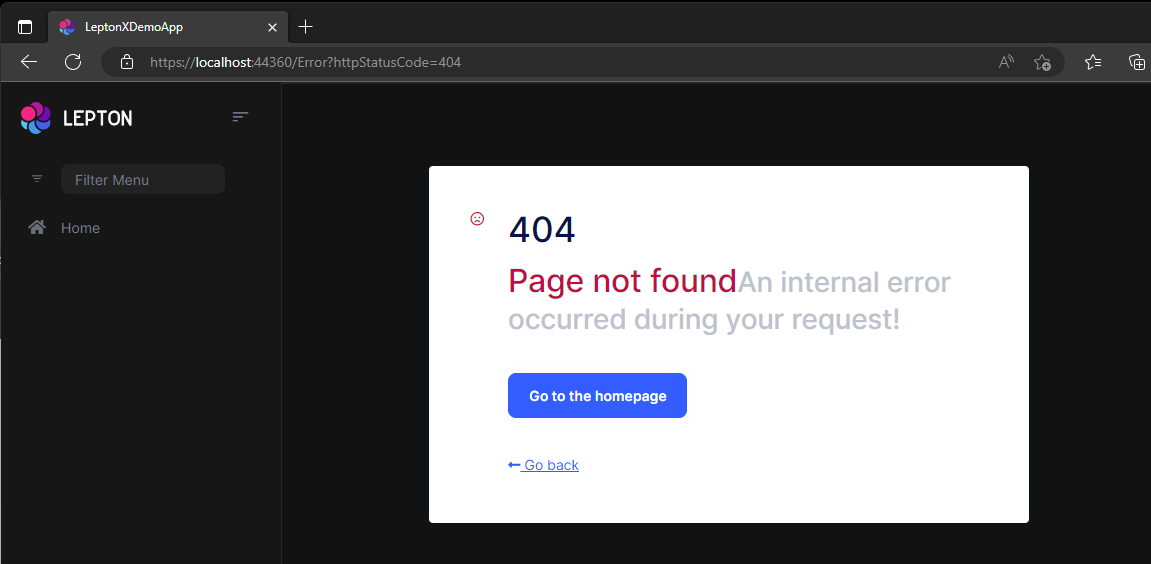
create a new commercial abp solution
Blazor, EF Core, PostgresDb (but should not matter), Public Site with CmsKit
Issue 1 - package.json on new projects
error An unexpected error occurred: "C:\\Repos\\jf\\cmskit-repro\\src\\CmsKitIssue.Web.Public\\package.json: Unexpected token } in JSON at position 196".
This is due to the comma. needed to remove that and run abp install-libs again
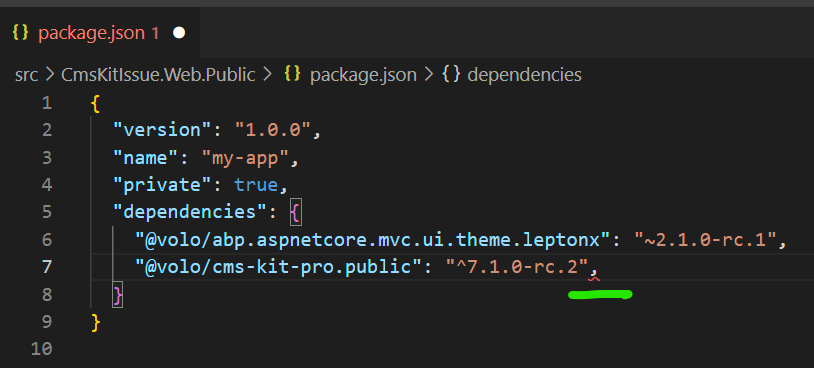
After that, run migrations and all that stuff. If you now try to start the blazor app
Issue 2 - flag-icon-css not getting copied
you get an error because flag-icon-css is missing in wwwroot/libs. Funny thing is: the folder exists in node_modules. I just copied that one over and now it works - but that should get fixed.
Issue 3 - CmsKit - cannot upload images
Before we start, apply workaround from https://support.abp.io/QA/Questions/4884
By adding a MyDynamicWidgetMarkdown.razor file somewhere in the blazor project with following content:
@using Blazorise.Markdown
@using Volo.Abp.DependencyInjection
@using Volo.CmsKit.Pro.Admin.Blazor.Pages.CmsKit
@inherits Volo.CmsKit.Pro.Admin.Blazor.Pages.CmsKit.DynamicWidgetMarkdown
@attribute [ExposeServices(typeof(DynamicWidgetMarkdown))]
@attribute [Dependency(ReplaceServices = true)]

@* WORKAROUND FOR ISSUE https://support.abp.io/QA/Questions/4884*@

<Markdown @Value="@Value"
          ValueChanged="@OnValueChanged"
          ImageUploadChanged="@OnImageUploadChangedAsync"
          ImageUploadEnded="@OnImageUploadEndedAsync"
          AutoDownloadFontAwesome="false"
          CustomButtonClicked="@OnCustomButtonClicked"
          @ref="@MarkdownRef">
    <Toolbar>
        @{
            foreach (var markdownToolbarButton in MarkdownToolbarButtons)
            {
                <MarkdownToolbarButton Action="@markdownToolbarButton" />
            }
            <MarkdownToolbarButton Separator Name="W" Icon="@("none")" Title="Add Widget" Text="W"></MarkdownToolbarButton>
        }
    </Toolbar>
</Markdown>


<Modal @ref="@AddWidgetModalRef" Closing="@ClosingAddWidgetModal" RenderMode="ModalRenderMode.LazyReload">
    <ModalContent Size="ModalSize.Large" Centered="true">
        <Form>
            <ModalHeader>
                <ModalTitle>@L["AddWidget"]</ModalTitle>
                <CloseButton Clicked="CloseAddWidgetModalAsync" />
            </ModalHeader>
            <ModalBody>
                @if (Widgets.Any())
                {
                    <Field>
                        <FieldLabel>@L["Widget"]</FieldLabel>
                        <FieldBody>
                            <Select @bind-SelectedValue="@ViewModel.Widget">
                                <SelectItem></SelectItem>
                                @foreach (var item in Widgets)
                                {
                                    <SelectItem Value="@item.Key">@item.Value</SelectItem>
                                }
                            </Select>
                        </FieldBody>
                    </Field>

                    foreach (var item in ViewModel.Details)
                    {
                        if (item.EditorComponentName is not null)
                        {
                            if (ViewModel.Widget == item.Name)
                            {
                                <div id="editor-@item.Name">
                                    <form data-check-form-on-close="false">
                                        <DynamicComponent Type="Options.Value.FindParameterComponentType(item.EditorComponentName)"></DynamicComponent>
                                    </form>
                                </div>
                            }
                        }
                    }
                }
                else
                {
                    <p>@L["PleaseConfigureWidgets"].Value</p>
                }
            </ModalBody>
            <ModalFooter>
                @if (Widgets.Any())
                {
                    <Button Color="Color.Primary" Clicked="AddWidgetAsync">@L["Add"]</Button>
                }
            </ModalFooter>
        </Form>
    </ModalContent>
</Modal>
From within your started blazor app, go to CMS->Pages and create a new page
Now upload an image
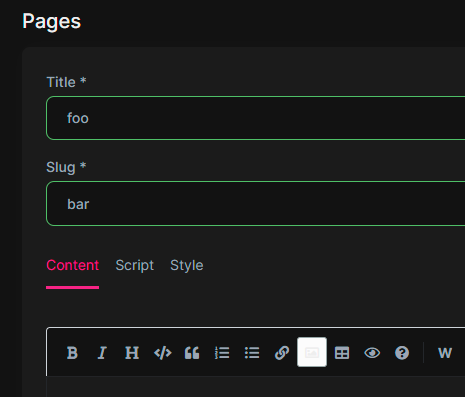
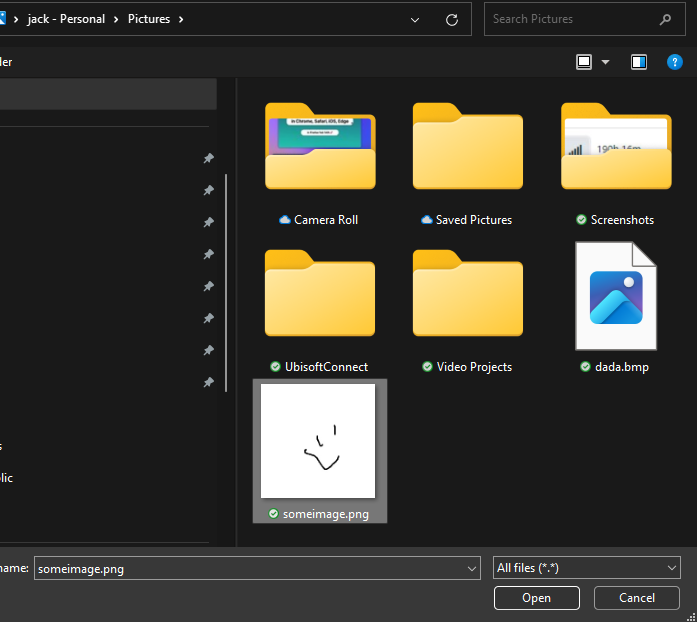 You now see that something is uploading stuff
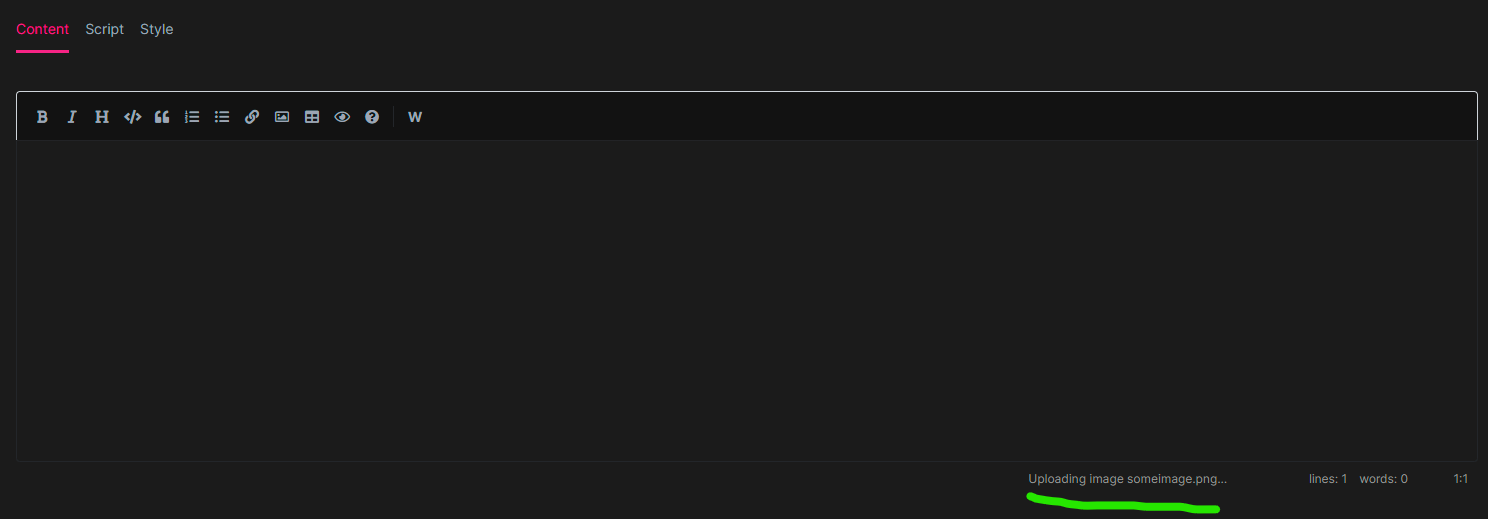
That's about it. Nothing will happen. You can wait some time to experience fancy timeouts
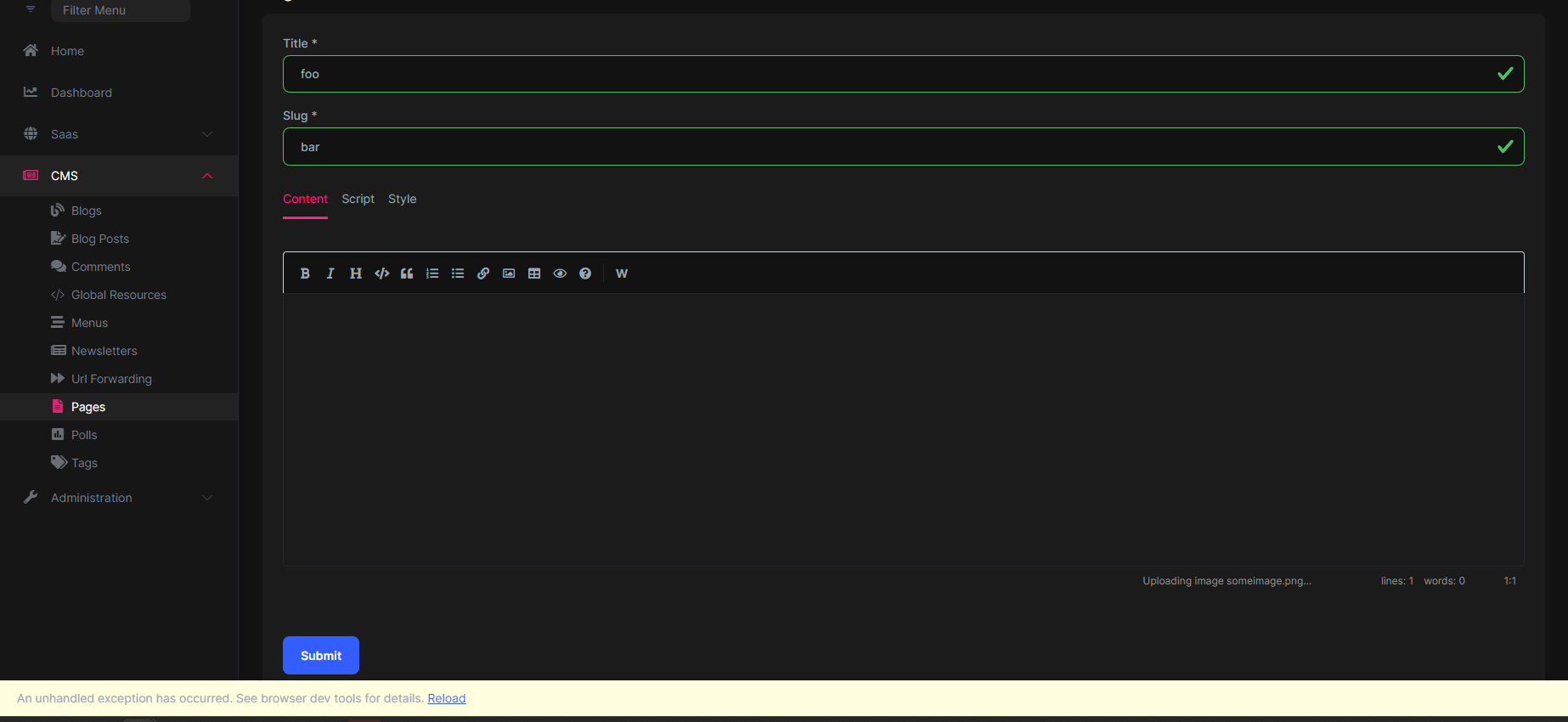
[13:25:21 ERR] Unhandled exception in circuit 'qztupJFivEN9fZn8P9cfI-UIOzmzZKUIR94UO2VEM_Y'.
System.TimeoutException: Did not receive any data in the allotted time.
   at System.IO.Pipelines.Pipe.GetReadResult(ReadResult& result)
   at System.IO.Pipelines.Pipe.GetReadAsyncResult()
   at System.IO.Pipelines.PipeReaderStream.ReadAsyncInternal(Memory`1 buffer, CancellationToken cancellationToken)
This issue also applies to creating a blog post with an image, same stuff happens. And when you try to edit a blog post to add an image after creation.
Issue 4 - CmsKit getting images Funny things also happen when you create a blog post without an image and view it on your public site:

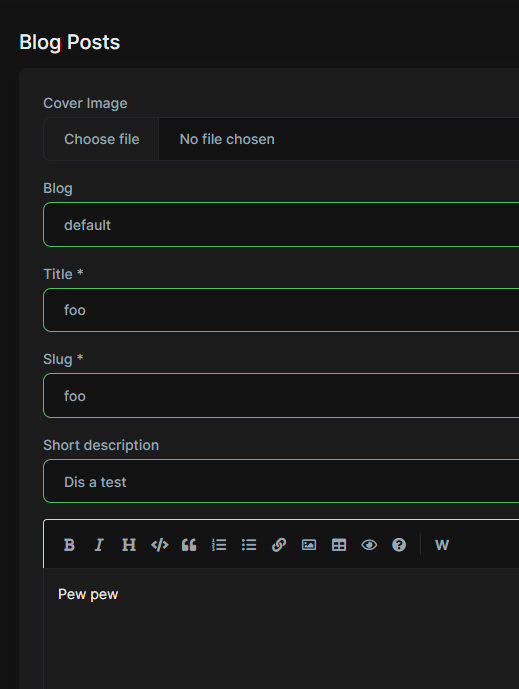
/blogs/default/foo 
EDIT: Issue 5 is due to misconfiguration ~~Issue 5 - Url forwarding in a tiered app And the last one - url forwarding:
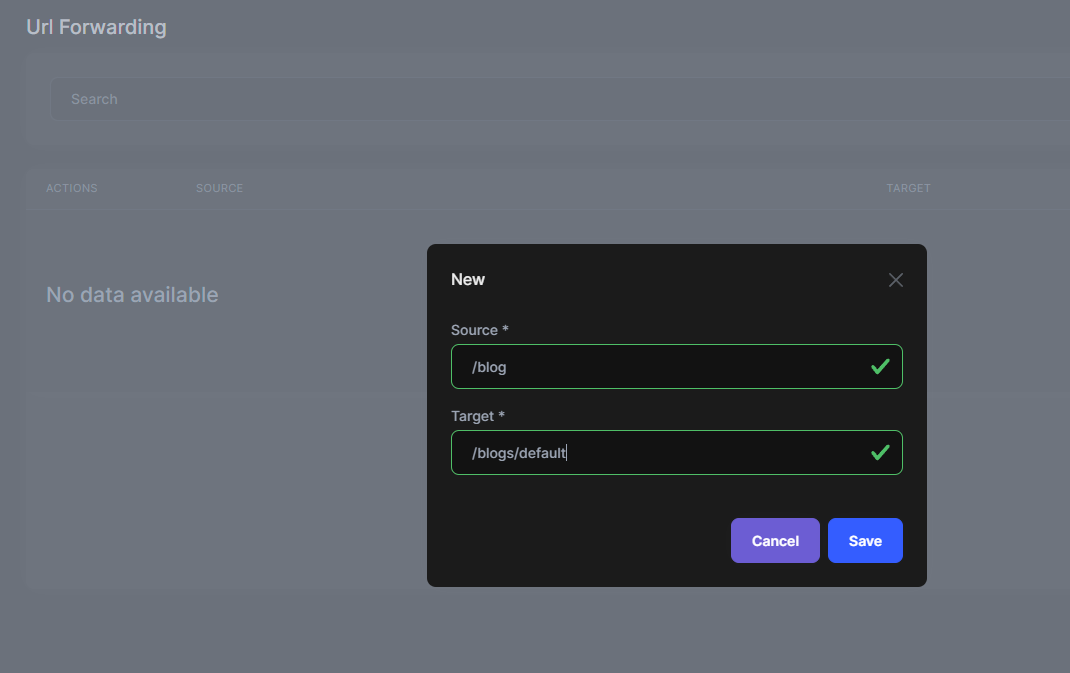
this seems to be only an issue when you have a tiered solution. Non-tiered works Add this:
Then go to your public site /blog. you should get redirected to /blogs/default - but that somehow does not work.~~
{
  "version": "1.0.0",
  "name": "my-app",
  "private": true,
  "dependencies": {
    "@volo/abp.aspnetcore.mvc.ui.theme.leptonx": "~2.1.0",
    "@volo/aspnetcore.components.server.leptonxtheme": "~2.1.0",
    "@volo/cms-kit-pro.admin": "~7.1.1",
    "@volo/account": "~7.1.1",
    "@volo/language-management": "~7.1.1"
  }
}
Unable to set property 'text' on object of type 'Blazorise.Markdown.MarkdownToolbarButton'. The error was: Unable to cast object of type 'System.Boolean' to type 'System.String'.

Message: Unable to set property 'text' on object of type 'Blazorise.Markdown.MarkdownToolbarButton'. The error was: Unable to cast object of type 'System.Boolean' to type 'System.String'.
Type: InvalidOperationException

Stack Trace
System.InvalidOperationException: Unable to set property 'text' on object of type 'Blazorise.Markdown.MarkdownToolbarButton'. The error was: Unable to cast object of type 'System.Boolean' to type 'System.String'.
 ---> System.InvalidCastException: Unable to cast object of type 'System.Boolean' to type 'System.String'.
   at Microsoft.AspNetCore.Components.Reflection.PropertySetter.CallPropertySetter[TTarget,TValue](Action`2 setter, Object target, Object value)
   at Microsoft.AspNetCore.Components.Reflection.ComponentProperties.<SetProperties>g__SetProperty|3_0(Object target, PropertySetter writer, String parameterName, Object value)
   --- End of inner exception stack trace ---
   at Microsoft.AspNetCore.Components.Reflection.ComponentProperties.<SetProperties>g__SetProperty|3_0(Object target, PropertySetter writer, String parameterName, Object value)
   at Microsoft.AspNetCore.Components.Reflection.ComponentProperties.SetProperties(ParameterView& parameters, Object target)
   at Blazorise.BaseComponent.SetParametersAsync(ParameterView parameters)
   at Microsoft.AspNetCore.Components.Rendering.ComponentState.SupplyCombinedParameters(ParameterView directAndCascadingParameters)
navigate to
Cms/BlogPosts/Create
or
Cms/Pages/Create
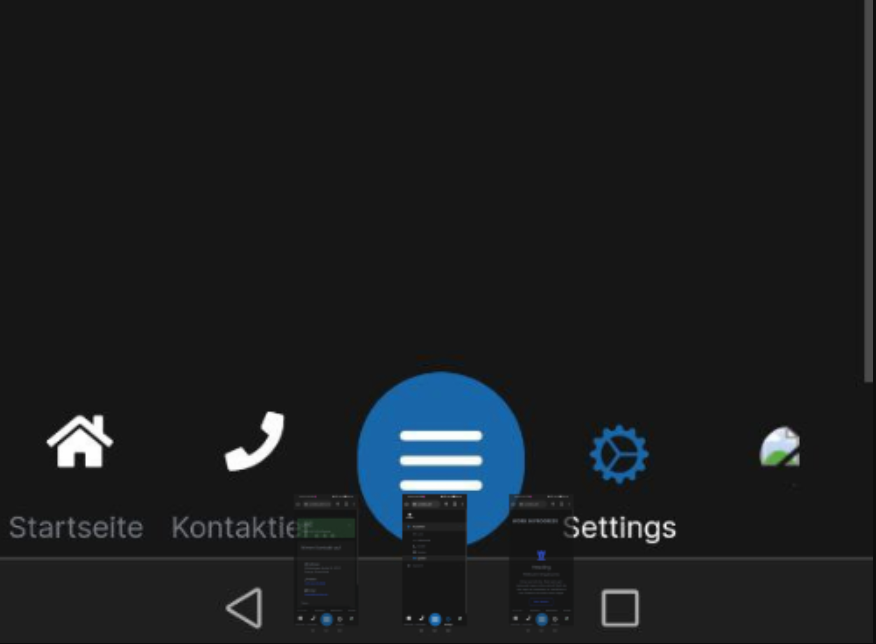
There seems to be an issue here https://github.com/abpframework/abp/issues/13297 which may be related.
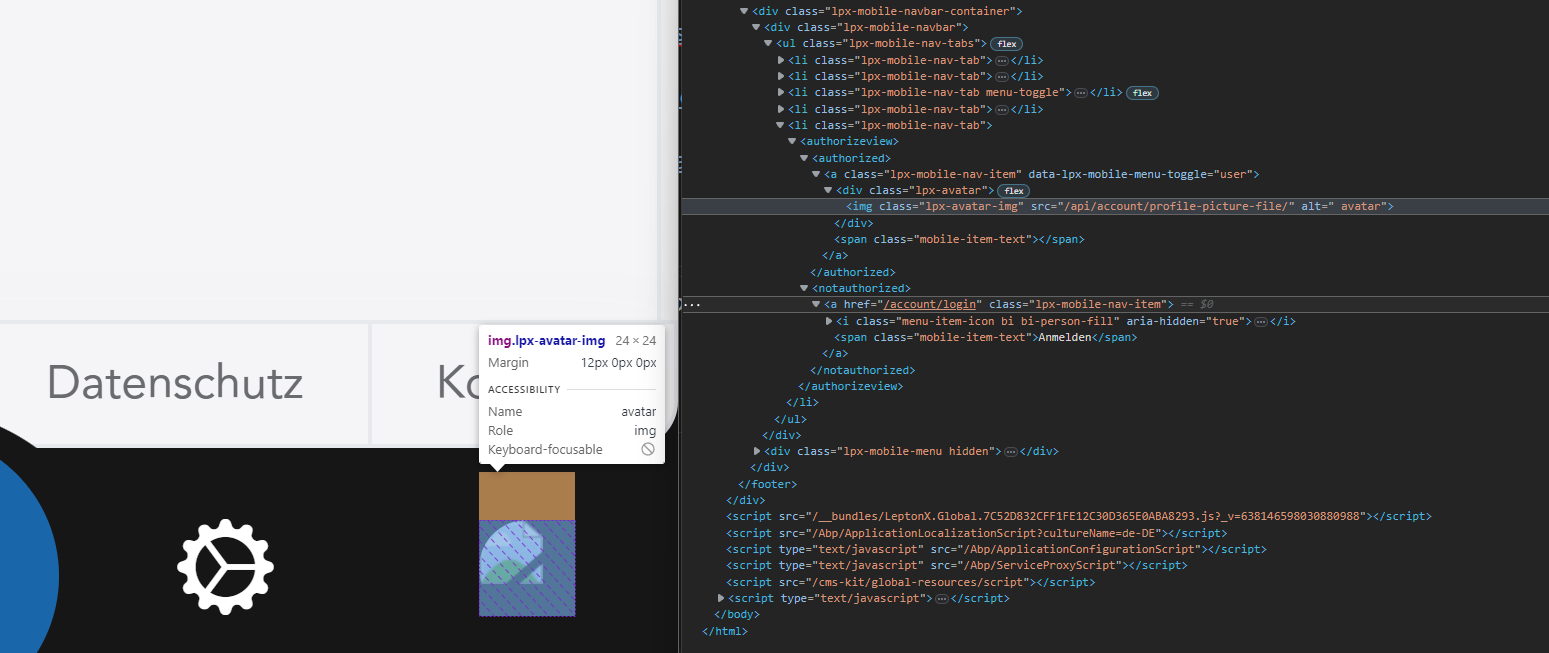
Whats strange is that the mobile view shows the <authorized> thing instead of <notauthorized>
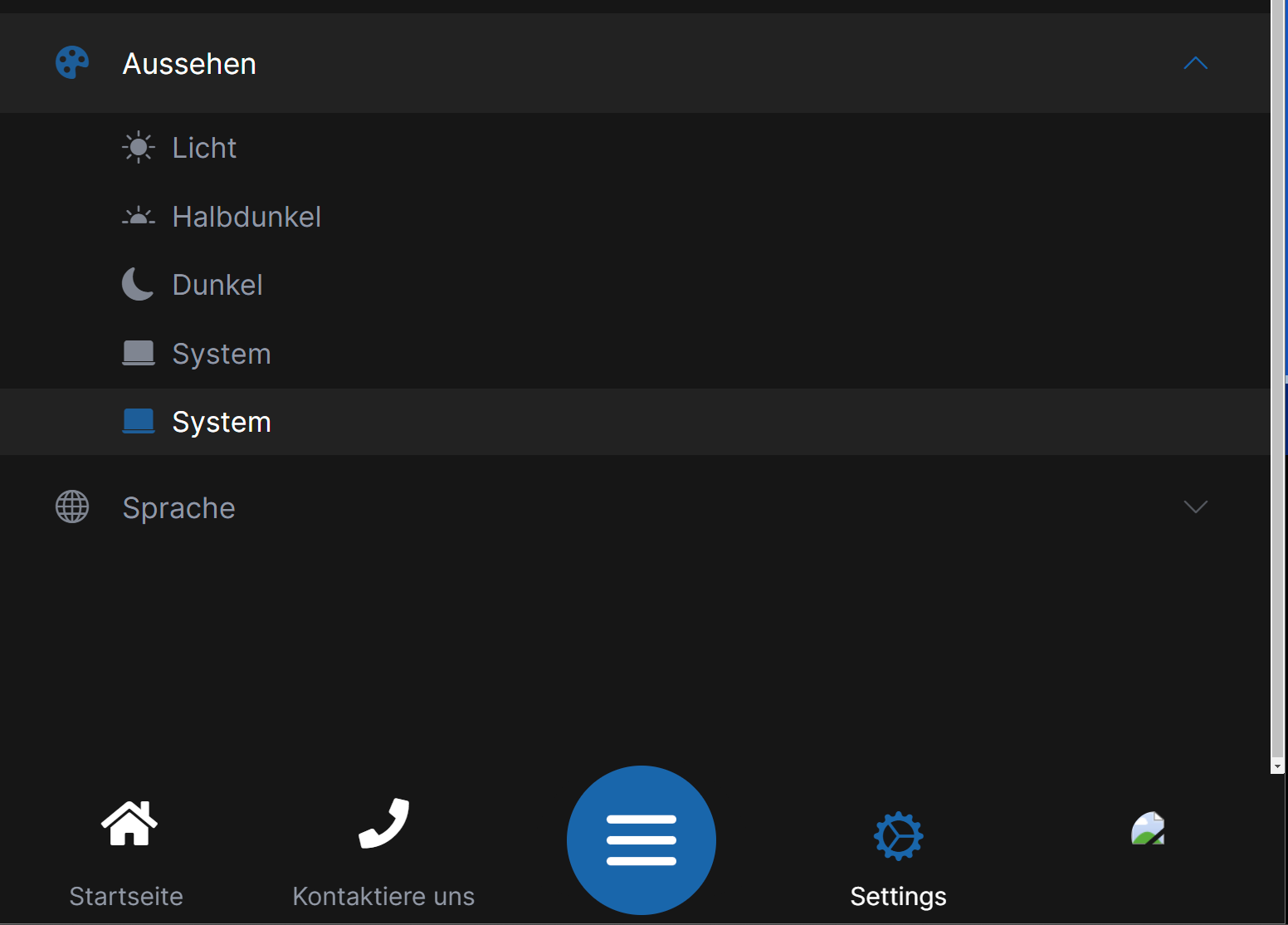
My ...WebPublicModule doesn't have anything special in it.
private void ConfigureTheme()
    {
        Configure<LeptonXThemeOptions>(options =>
        {
            options.DefaultStyle = LeptonXStyleNames.System;
        });

        Configure<LeptonXThemeMvcOptions>(options =>
        {
            options.ApplicationLayout = LeptonXMvcLayouts.TopMenu;
        });
    }
The default top menu (same site, just scrolled back to trigger different view) is fine.