Hi @kwanp,
Thanks for your feedback. I reproduced the error. I'm opening an issue regarding this and refunding the ticket.
Hi @chrisalves,
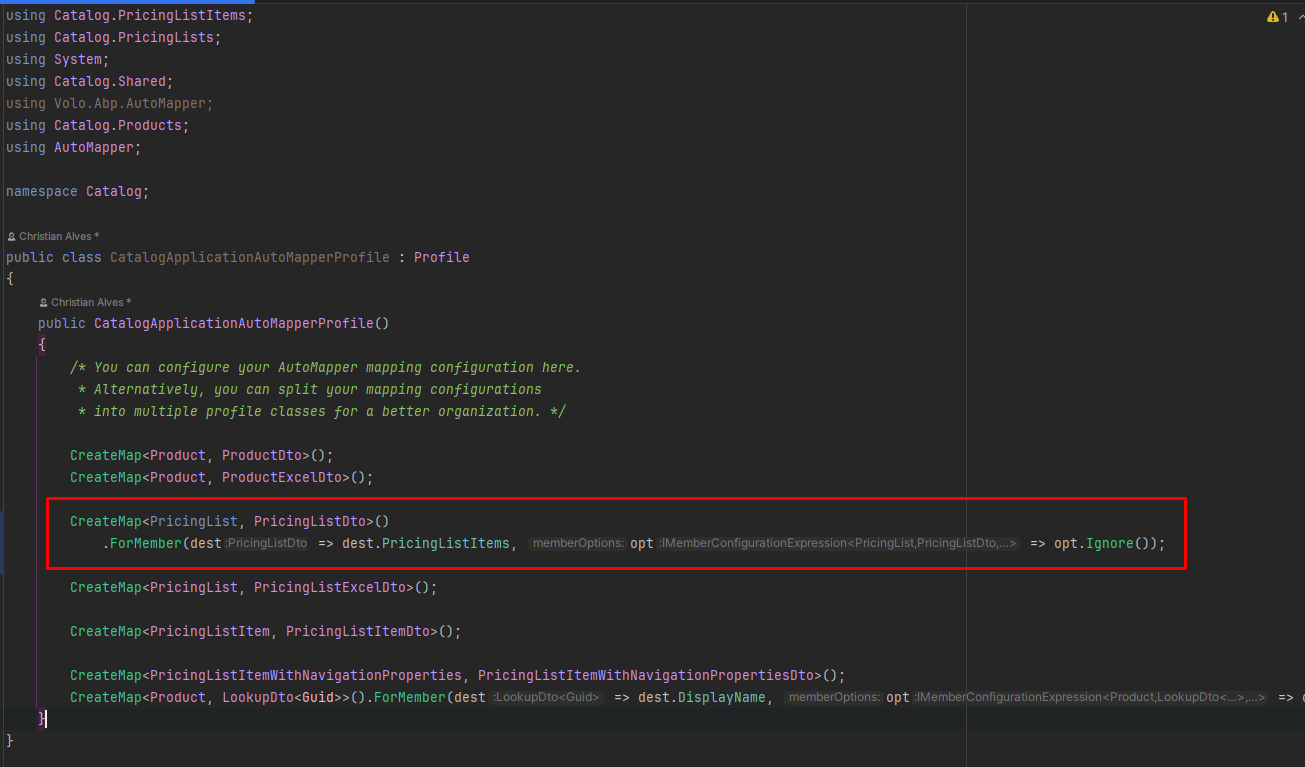
Sorry for late reply. The parent child properties are intentionally ignored to prevent circular references and unnecessary data loading. Related collections are handled separately when needed to keep the DTO lightweight and improve performance.
If required, you can remove this ignore configuration from the mapper profile to include the related data in the output.
You can customize your suite templates if needed. https://abp.io/docs/latest/suite/editing-templates
Hi @chrisalves,
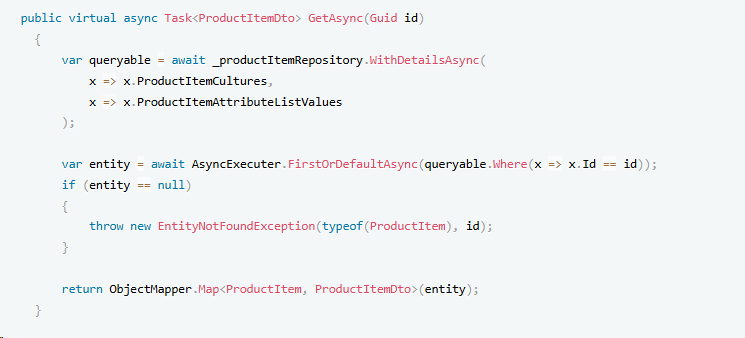
This is the expected behavior in ABP Suite. The child collections are intentionally not loaded with the main entity for performance optimization purposes.
How it works: The UI fetches child items through separate API calls. If you check the network tab in your browser's developer tools, you'll see that the UI makes additional requests to endpoints.
You can use it in a similar way to what the AI bot suggested, like this:
Hi @consultant.ahmet.ulusoy,
These values are generated in the internal methods within the suite. We have aligned the namespaces correctly with the folders. I have no other suggestion except recommending that you update your entities one by one with suite. If you are getting build errors in the project, you can share the errors.
Hi @mike3077,
Thanks for your feedback. We will update the sample pages.
Hi @mike3077,
Thanks for your reporting. I created an issue for it and refunded your question credit.
Hi @Jamesreal,
I reproduced the error. It will be fixed in patch 9.3. Thanks for reporting.
Hi @chrisalves,
Thanks for you feedback. We refunded your credit. Feel free to share any bugs with us.
Hi @chrisalves,
Sorry the code editor was mistaken.
CreateMap<PricingList, PricingListDto>()
    .ForMember(dest => dest.PricingListItems, opt => opt.Ignore());
Hi @chrisalves,
I reproduced the problem.
For now, you can update your CatalogApplicationAutoMapperProfile in Catalog module like below.
CreateMap<PricingList, PricingListDto>()
.ForMember(dest => dest.PricingListItems, opt => opt.Ignore());
I created an internal issue for this problem.









