hi
I test a project in Docker Desktop, and it works.
FROM mcr.microsoft.com/dotnet/sdk:10.0 AS build
WORKDIR /app

COPY . .

WORKDIR /app/src/AbpSolution1.Blazor
RUN dotnet dev-certs https -v -ep openiddict.pfx -p df97f7cd-f499-4977-9c9c-6beeb4da13f8
RUN chmod 644 openiddict.pfx
RUN dotnet build -c Release -o /app/build
RUN dotnet publish -c Release -o /app/publish

FROM mcr.microsoft.com/dotnet/aspnet:10.0 AS runtime

RUN useradd --create-home appuser || true
USER appuser

WORKDIR /app

ENV ASPNETCORE_URLS=http://+:8080

COPY --from=build /app/publish .

EXPOSE 8080

ENTRYPOINT ["dotnet", "AbpSolution1.Blazor.dll"]
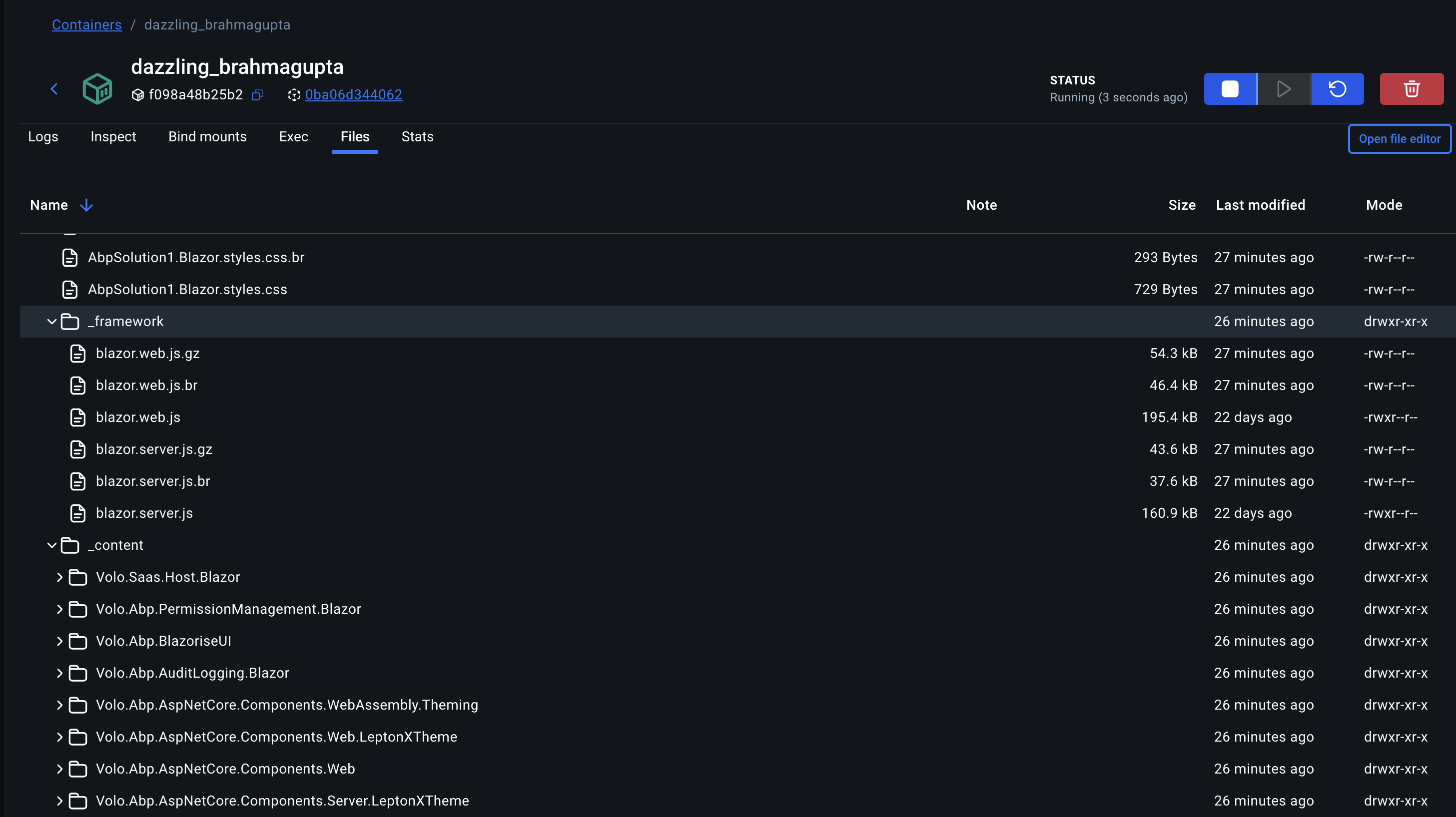
ok, You can send an email to liming.ma@volosoft.com at tommorom 10.00 am(UTC+8)
Yes, it is missing a token, which means it's an anonymous request.
But maybe we can add cookies to the request.
Can you try to override this class and add a handler, then try to get cookies from HttpContext and add them to request?
https://github.com/abpframework/abp/blob/rel-10.0/framework/src/Volo.Abp.Http.Client/Volo/Abp/Http/Client/Proxying/DefaultProxyHttpClientFactory.cs#L6-L24
Is your actual project also a standalone Blazor Server?
Can you share a simple project? I will check it and make sure it really works.
liming.ma@volosoft.com
Thanks
hi
I will test it in localy docker.
Using AddHttpClientProxies will use HTTP to call your API.
But it will also try to get and use an access token. And there is no access token in your Blazor Server project because it uses Cookie as authentication.
Are you sure it works?
hi
Can you make your repository PRIVATE?
It contains your API key.
hi、
I think this is unrelated to the ABP framework and might be related to your environment. You can try testing by publishing a Microsoft Blazor project to see if that works.
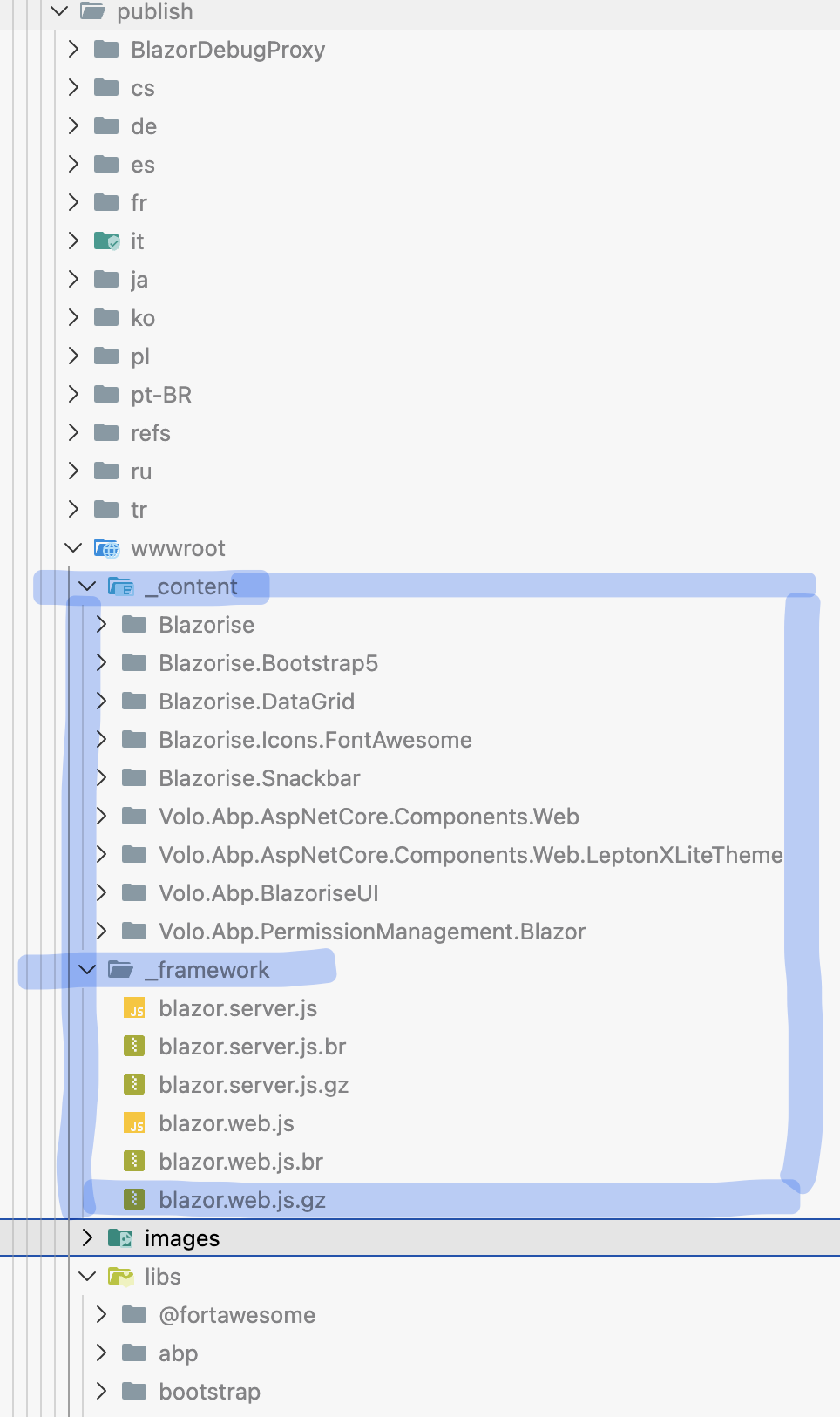
Thanks.
hi
Did you use dotnet publish command to publish your blazor project to docker?
Thanks.









