I have personal license.. Sorry
Seems like it's working you can also check my test repo.
If this is a reliable solution I am going to implement this into my actual project. Please advise
Overrided factoryclass (AI Assisted);
`using System.Linq; using System.Net.Http; using Microsoft.AspNetCore.Antiforgery; using Microsoft.AspNetCore.Http; using Volo.Abp.DependencyInjection; using Volo.Abp.Http.Client.Proxying;
namespace audittest.Blazor.CustomAbpServices; [Dependency(ReplaceServices = true)] public class CookieProxyHttpClientFactory : IProxyHttpClientFactory, ITransientDependency { private readonly IHttpClientFactory _httpClientFactory; private readonly IHttpContextAccessor _httpContextAccessor; private readonly IAntiforgery _antiforgery;
public CookieProxyHttpClientFactory(
    IHttpClientFactory httpClientFactory,
    IHttpContextAccessor httpContextAccessor,
    IAntiforgery antiforgery)
{
    _httpClientFactory = httpClientFactory;
    _httpContextAccessor = httpContextAccessor;
    _antiforgery = antiforgery;
}

public HttpClient Create()
{
    return Create(null);
}

public HttpClient Create(string name)
{
    var client = name == null
        ? _httpClientFactory.CreateClient()
        : _httpClientFactory.CreateClient(name);

    var httpContext = _httpContextAccessor.HttpContext;

    if (httpContext != null)
    {

        if (httpContext.Request.Cookies.Any())
        {
            var cookieValue = string.Join("; ", httpContext.Request.Cookies.Select(c => $"{c.Key}={c.Value}"));

            if (client.DefaultRequestHeaders.Contains("Cookie"))
            {
                client.DefaultRequestHeaders.Remove("Cookie");
            }
            client.DefaultRequestHeaders.Add("Cookie", cookieValue);
        }


        var tokens = _antiforgery.GetAndStoreTokens(httpContext);
        var requestToken = tokens.RequestToken;

        if (!string.IsNullOrEmpty(requestToken))
        {
            if (client.DefaultRequestHeaders.Contains("RequestVerificationToken"))
            {
                client.DefaultRequestHeaders.Remove("RequestVerificationToken");
            }

            client.DefaultRequestHeaders.Add("RequestVerificationToken", requestToken);
        }
    }

    return client;
}
}`
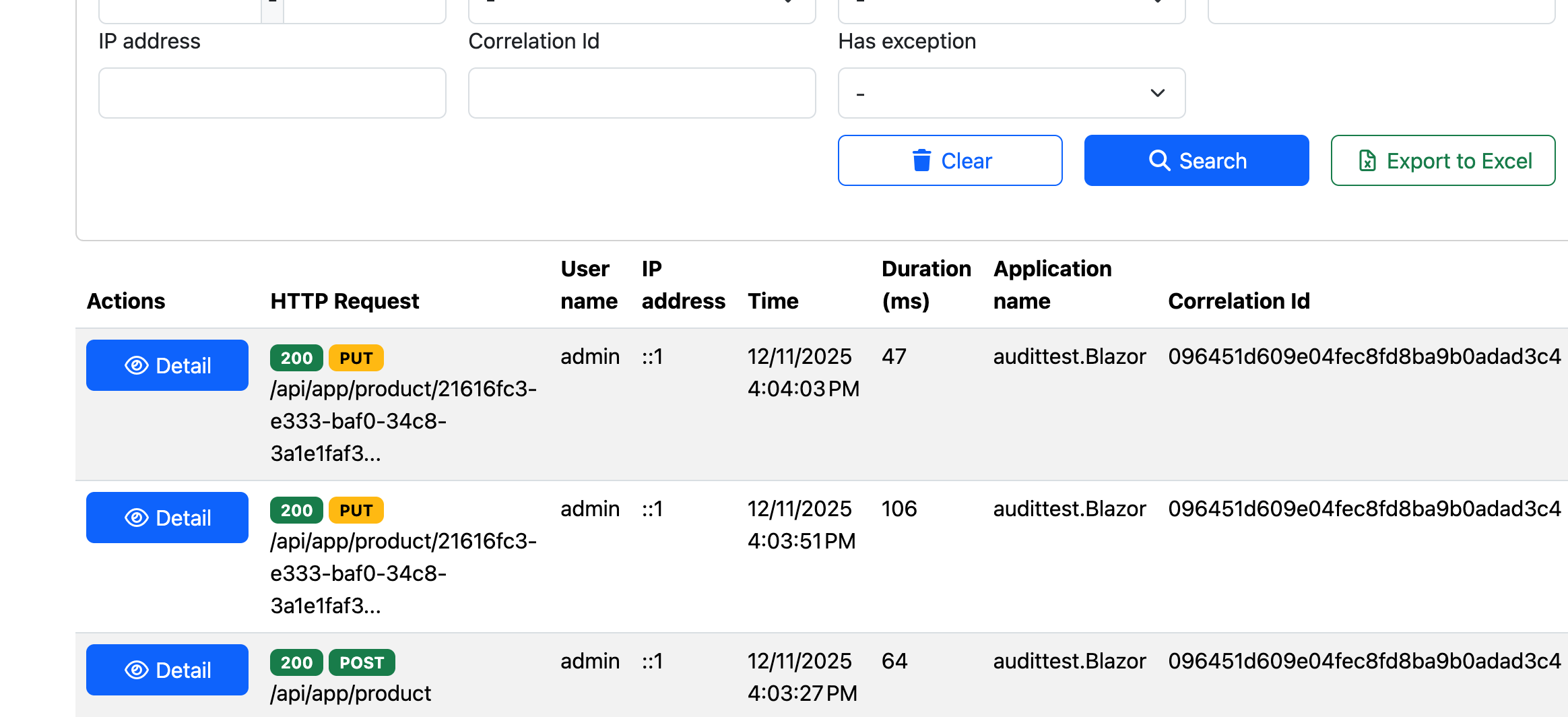
logs;
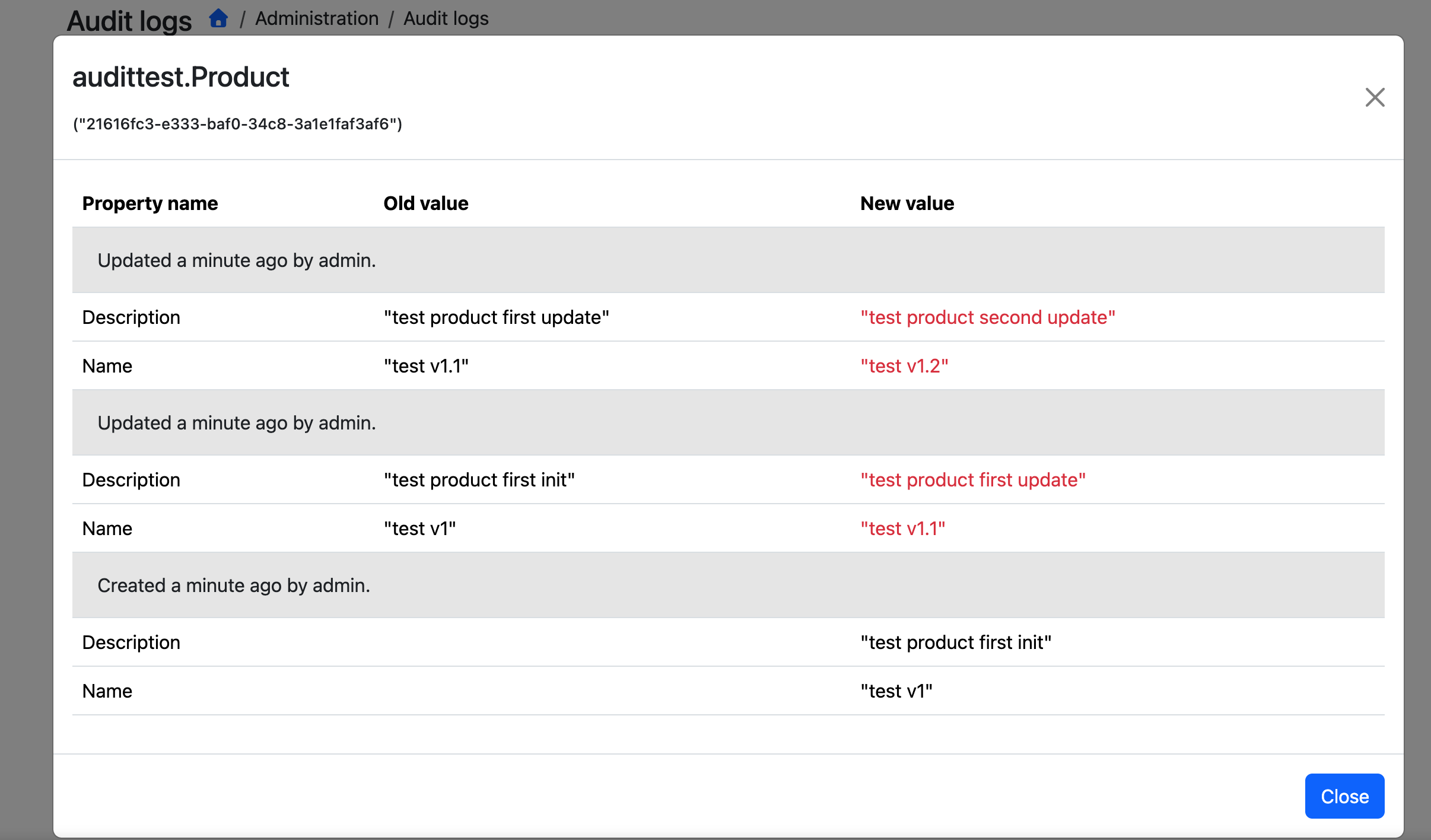
EntityChanges;
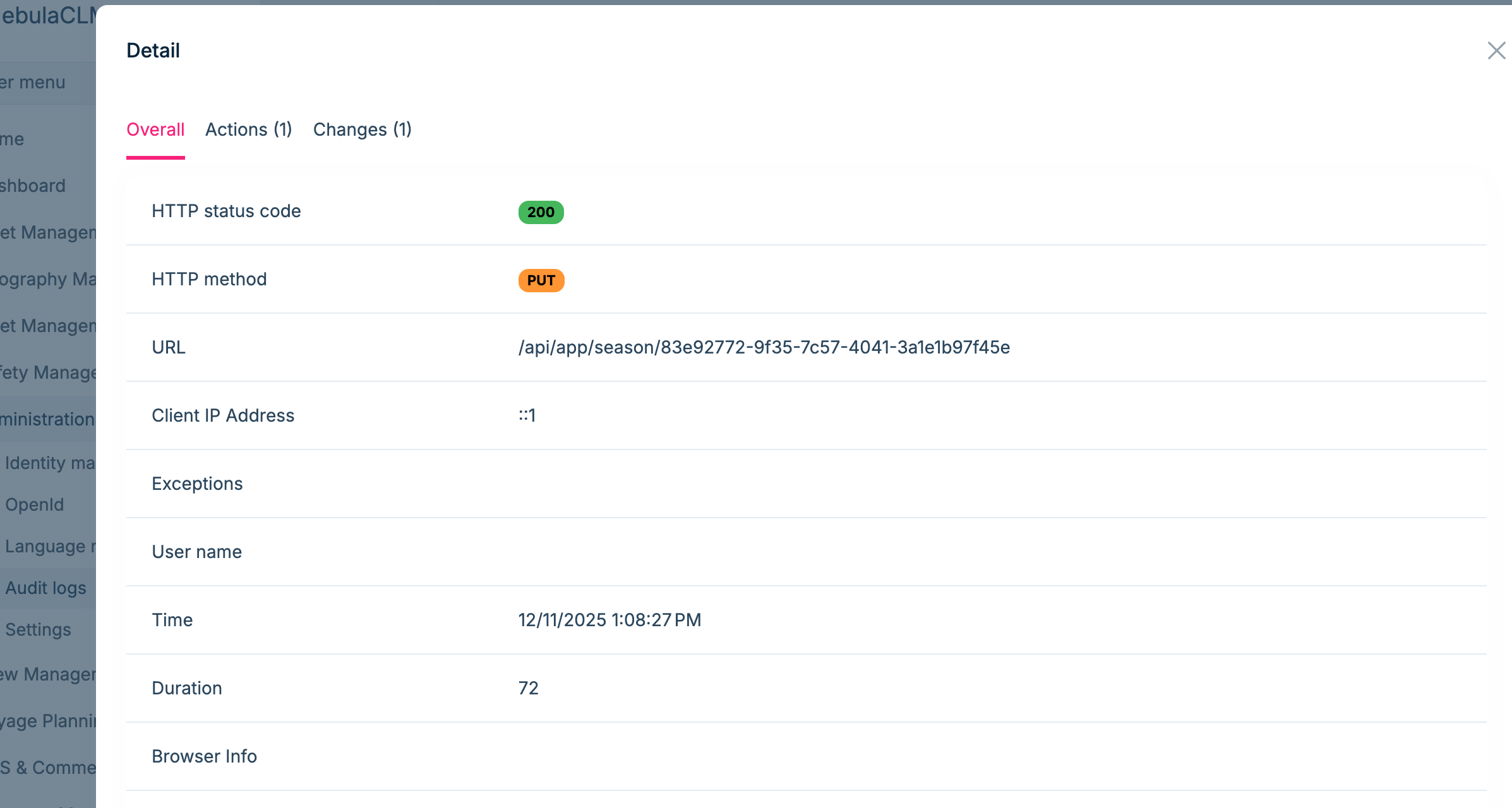
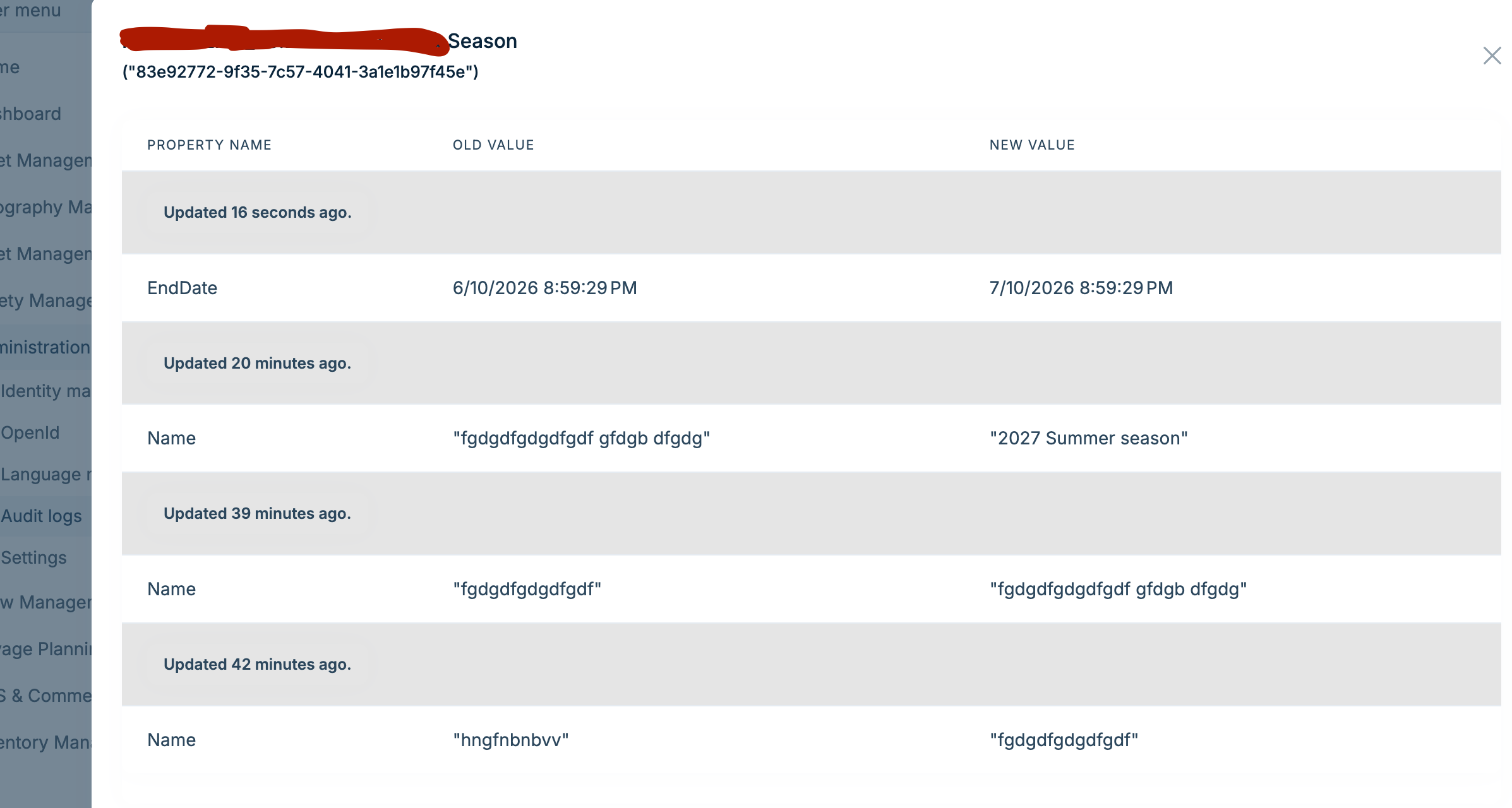
I just realized that logs created without username.. You are right it requires token but still recording without a token.
[maliming] said: Is your actual project also a standalone Blazor Server?
Can you share a simple project? I will check it and make sure it really works.
liming.ma@volosoft.com
Thanks
I have implemented this into my real project and it seems working perfectly. how about your side? I invited you to collabrate my test repo. You can check it.
Hi maliming, Thanks for your quick response. I tried to find a solution and seems like I achieved my goal.
Firstly I added this configuration to BlazorModule
context.Services.AddHttpClientProxies(
        typeof(audittestApplicationContractsModule).Assembly,
        remoteServiceConfigurationName: "Default"
    );
and added RemoteServices config to appsettings.json in Blazor project.
"RemoteServices": {
    "Default": {
      "BaseUrl": "https://localhost:44350/"
    }
  },
that worked in the test project what has only one simple entity. https://github.com/nskelleci/audittest
https://github.com/nskelleci/audittest
You can see in this repo. I have created layered project by using Abp Studio.
created Product entity created Product DTOs created IProductAppService inherited from ICrudAppService created ProductAppService inherited from CrudAppService created Mappings using Mapperly (AI assisted code) Audit configuration added to BlazorModule
Configure<AbpAuditingOptions>(options =>
        {
            options.IsEnabled = true;
            options.EntityHistorySelectors.AddAllEntities();
        });
created Migration applied Migration to DB
Ran Blazor App goto /Products Page Added new product updated the product
Unfourtanetly no audit logs at all..
Hi,
I have tried all the suggestions mentioned above, but the issue persists.
What I have verified:
Proxy is Active: I logged the runtime type of the injected service in my Blazor component. It is definitely proxied: Castle.Proxies.IApplicationServiceProxy.... The interception pipeline IS running.
Overrides Added: I explicitly overrode CreateAsync and UpdateAsync methods in my concrete SeasonAppService class to ensure they are visible to the proxy mechanism, calling base.CreateAsync(input).
Attributes: I added [Audited] attribute to the AppService class.
Configuration: EntityHistorySelectors.AddAllEntities() is enabled.
Current Behavior:
DeleteAsync(Guid id): Works perfectly. Audit log creates, Entity Change records are inserted.
CreateAsync(CreateDto input) / UpdateAsync(...): Still NO Audit Log. Not even an "Action" log. It fails silently regarding auditing, but the database record is updated successfully.
I always inject interface of services as below; [Inject] protected ISeasonAppService _seasonAppService { get; set; } = default!;
this is my service interface inherited from ICrudAppService; public interface ISeasonAppService : ICrudAppService<SeasonDto, Guid, PagedAndSortedResultRequestDto, CreateSeasonDto, UpdateSeasonDto> { }
I think I am blind now to not see what I am doing wrong.
Hi ABP Team,
I am experiencing a weird issue with Audit Logging in my Blazor Web App (InteractiveServer) project (ABP v10).
My Setup: I am injecting my AppServices directly into my Razor pages (I am NOT using HttpClient/RestService).
The Problem:
DeleteAsync: Works perfectly. The audit log is created, and I can see the entity changes.
GetListAsync: Works perfectly. The audit log is created.
CreateAsync / UpdateAsync: NOT WORKING. The data is saved to the database successfully, but NO Audit Log is created at all.
My Findings:
If I call the exactly same AppService methods via Swagger/API, Create and Update logs are working fine.
The issue only happens when calling the service directly from a Blazor Page.
Since DeleteAsync (which takes a simple Guid) works, but Create/Update (which take DTOs) fails silently, I suspect there is an issue with serialization or interception context in Blazor Server mode.
Is there a known configuration or workaround for this?
Thanks.









