1 retry, DbConnectionOptions userOptions, DbConnectionInternal& connection) at System.Data.ProviderBase.DbConnectionFactory.TryGetConnection(DbConnection owningConnection, TaskCompletionSource1 retry, DbConnectionOptions userOptions, DbConnectionInternal oldConnection, DbConnectionInternal& connection)
at System.Data.ProviderBase.DbConnectionInternal.TryOpenConnectionInternal(DbConnection outerConnection, DbConnectionFactory connectionFactory, TaskCompletionSource1 retry, DbConnectionOptions userOptions) at System.Data.ProviderBase.DbConnectionClosed.TryOpenConnection(DbConnection outerConnection, DbConnectionFactory connectionFactory, TaskCompletionSource1 retry, DbConnectionOptions userOptions)
at System.Data.SqlClient.SqlConnection.TryOpen(TaskCompletionSource1 retry) at System.Data.SqlClient.SqlConnection.Open() at Hangfire.SqlServer.SqlServerStorage.CreateAndOpenConnection() at Hangfire.SqlServer.SqlServerStorage.UseConnection[T](DbConnection dedicatedConnection, Func2 func)
at Hangfire.SqlServer.SqlServerStorage.Initialize()
ClientConnectionId:818770b2-7b19-493b-974a-ffce2693698f
Error Number:4060,State:1,Class:11 GlobalConfiguration.Configuration
// Use custom connection string
.UseSqlServerStorage(configuration.GetConnectionString("Default"));
	public override void ConfigureServices(ServiceConfigurationContext context)
	{
		var configuration = context.Services.GetConfiguration();

		Configure<AbpBackgroundJobOptions>(options =>
		{
			options.IsJobExecutionEnabled = false;
		});

		Configure<AbpBackgroundWorkerOptions>(options =>
		{
			options.IsEnabled = false;
		});
	}
AbpBackgroundWorkersHangfireModule on pre application initilization stage :
public async override Task OnPreApplicationInitializationAsync(ApplicationInitializationContext context)
{
    var options = context.ServiceProvider.GetRequiredService<IOptions<AbpBackgroundWorkerOptions>>().Value;
    if (!options.IsEnabled)
    {
        var hangfireOptions = context.ServiceProvider.GetRequiredService<IOptions<AbpHangfireOptions>>().Value;
        hangfireOptions.BackgroundJobServerFactory = CreateOnlyEnqueueJobServer;
    }

    await context.ServiceProvider
        .GetRequiredService<IBackgroundWorkerManager>()
        .StartAsync();
}
maybe there missing module definition at during code generation.
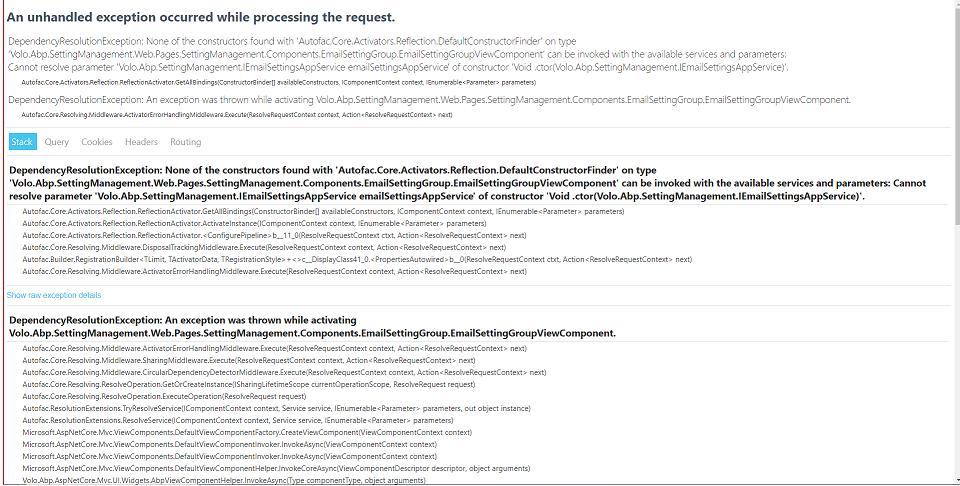
Ok, thx for the fix and update, i will look forward 5.0 release
Check the vstest platform architecture: https://github.com/microsoft/vstest-docs/blob/main/RFCs/0001-Test-Platform-Architecture.md Check the vstest data collectors: https://github.com/microsoft/vstest-docs/blob/main/RFCs/0006-DataCollection-Protocol.md Check the .runtimesettings : https://docs.microsoft.com/en-us/visualstudio/test/configure-unit-tests-by-using-a-dot-runsettings-file?branch=release-16.4&view=vs-2019
my unit tests are not running when i use commercial volo packages in my module project i believe that is due to their license check
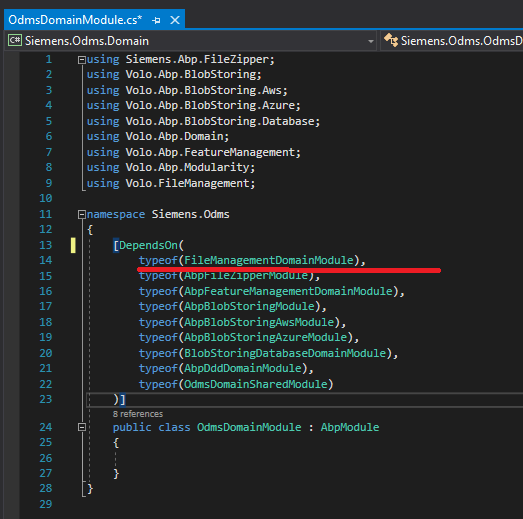
to collect for information regarding error i tried attached data collector to my testhost
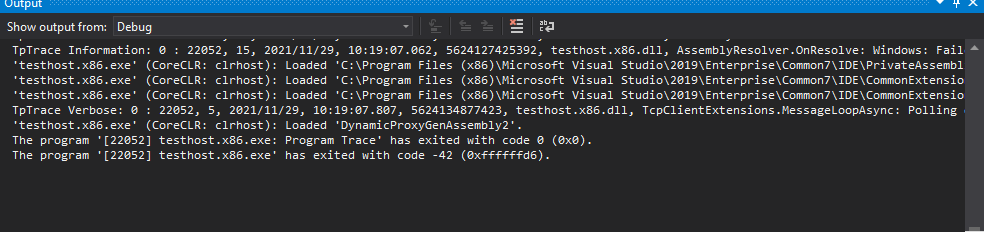
datacollector log indicates :
TpTrace Information: 0 : 29556, 1, 2021/11/29, 10:18:52.689, 5623983708510, datacollector.exe, Listening on Endpoint : 127.0.0.1:58503
TpTrace Information: 0 : 29556, 1, 2021/11/29, 10:18:52.709, 5623983903030, datacollector.exe, DataCollectionRequestHandler.ProcessRequests : DataCollection started.
TpTrace Information: 0 : 29556, 1, 2021/11/29, 10:18:52.752, 5623984339050, datacollector.exe, DataCollectionRequestHandler.ProcessRequests : Datacollector received message: (DataCollection.TestHostLaunched) -> {
  "ProcessId": 22052
}
TpTrace Information: 0 : 29556, 1, 2021/11/29, 10:18:52.778, 5623984599936, datacollector.exe, ProcessDumpUtility.CrashDump: Creating mini dump of process testhost.x86 (22052) into temporary path 'C:\Users\xxxxxxx\AppData\Local\Temp\c0e3fc35-5300-4319-a040-548012a5c65a'.
TpTrace Information: 0 : 29556, 1, 2021/11/29, 10:18:52.780, 5623984616998, datacollector.exe, CrashDumperFactory: Creating dumper for Microsoft Windows 10.0.19042  with target framework .NETCoreApp,Version=v5.0.
TpTrace Information: 0 : 29556, 1, 2021/11/29, 10:18:52.780, 5623984618606, datacollector.exe, CrashDumperFactory: This is Windows on .NETCoreApp,Version=v5.0, returning the .NETClient dumper which uses env variables to collect crashdumps of testhost and any child process.
TpTrace Information: 0 : 29556, 4, 2021/11/29, 10:18:53.106, 5623987877765, datacollector.exe, Using the buffer size of 16384 bytes
TpTrace Information: 0 : 29556, 4, 2021/11/29, 10:18:53.106, 5623987878866, datacollector.exe, Accepted Client request and set the flag
TpTrace Information: 0 : 29556, 7, 2021/11/29, 10:19:06.855, 5624125359620, datacollector.exe, DataCollectionTestCaseEventHandler: Test case starting.
TpTrace Information: 0 : 29556, 7, 2021/11/29, 10:19:06.900, 5624125815083, datacollector.exe, Blame Collector : Test Case Start
TpTrace Information: 0 : 29556, 7, 2021/11/29, 10:19:06.902, 5624125830635, datacollector.exe, DataCollectionTestCaseEventHandler: Test case 'Siemens.Odms.Samples.SampleAppService_Tests.GetAsync - 59f413e1-9026-3a67-eb02-b7f70f6b998a' started.
TpTrace Error: 0 : 29556, 7, 2021/11/29, 10:19:08.834, 5624145153965, datacollector.exe, DataCollectionRequestHandler.HandleBeforeTestRunStart : Error occurred during initialization of TestHost : System.IO.IOException: Unable to read data from the transport connection: An existing connection was forcibly closed by the remote host. ---> System.Net.Sockets.SocketException: An existing connection was forcibly closed by the remote host
   at System.Net.Sockets.NetworkStream.Read(Byte[] buffer, Int32 offset, Int32 size)
   --- End of inner exception stack trace ---
   at System.Net.Sockets.NetworkStream.Read(Byte[] buffer, Int32 offset, Int32 size)
   at System.IO.Stream.ReadByte()
   at System.IO.BinaryReader.ReadByte()
   at System.IO.BinaryReader.Read7BitEncodedInt()
   at System.IO.BinaryReader.ReadString()
   at Microsoft.VisualStudio.TestPlatform.CommunicationUtilities.SocketCommunicationManager.ReceiveRawMessage()
   at Microsoft.VisualStudio.TestPlatform.CommunicationUtilities.SocketCommunicationManager.ReceiveMessage()
   at Microsoft.VisualStudio.TestPlatform.CommunicationUtilities.DataCollection.DataCollectionTestCaseEventHandler.ProcessRequests()
   at Microsoft.VisualStudio.TestPlatform.CommunicationUtilities.DataCollection.DataCollectionRequestHandler.<HandleBeforeTestRunStart>b__24_0()
TpTrace Information: 0 : 29556, 1, 2021/11/29, 10:19:08.868, 5624145489916, datacollector.exe, DataCollectionRequestHandler.ProcessRequests : Datacollector received message: (DataCollection.AfterTestRunEnd) -> false
My current abp license allows me to access the commercial module source code.
So i just disabled license checker at app init stage
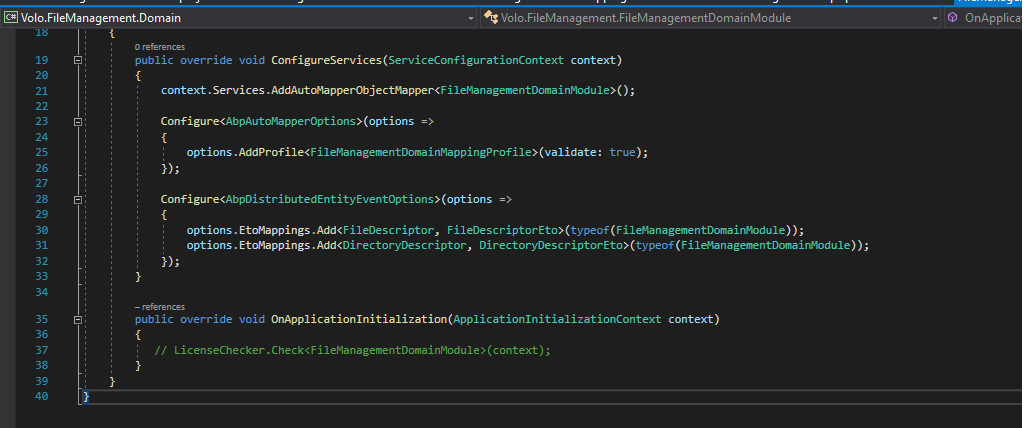
Now i can run my unit test after this modification
Can you share an example project that shows how unit tests should be if we use a commercial package within the module? br
Could you wait for a few seconds when you click the PreRelease checkbox and see if it makes any difference ?
Nope, at least for me
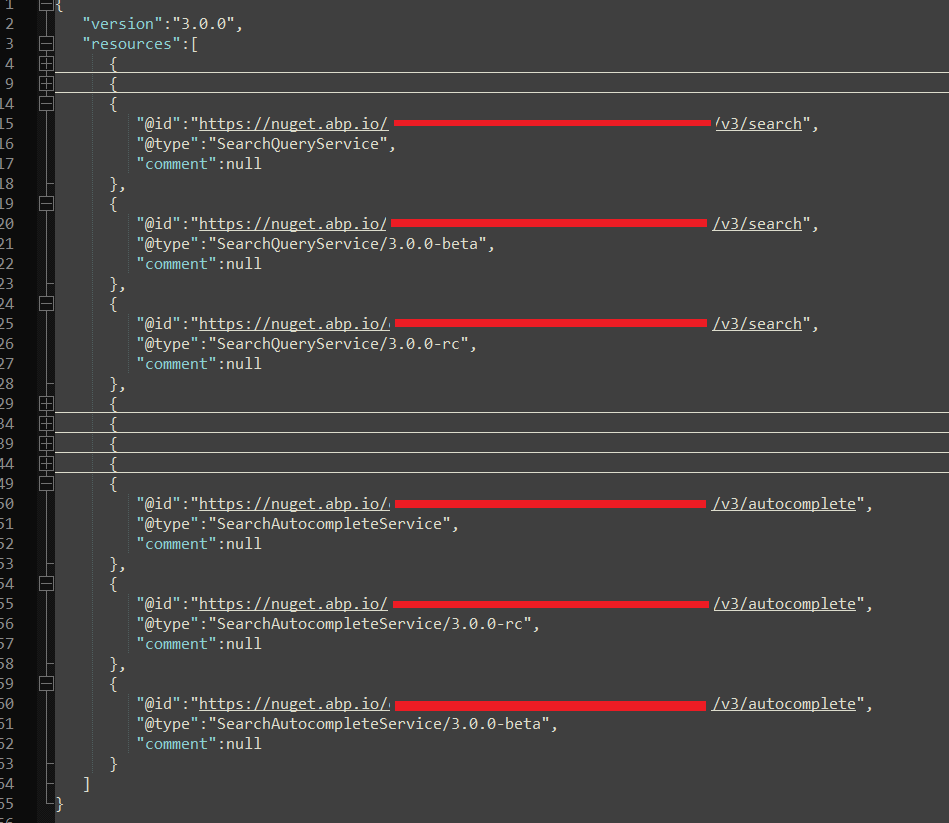
It may also not related with marking package with "preview". Nuget server endpoint delivers un expected results Or Package marking is wrong and endpoint delivering miss information
Is there any possibility to get try count in the job code ?
Can you explain why do you want to do this?
According to following explanation https://docs.abp.io/en/abp/4.3/Background-Jobs#exception-handling Background job is automatically re-tried after certain period of time. However i would like to control it with re-try count.
In a very simple way:
@gterdem Should i create new topic for my question or is it ok keep at here ? Any feedback about "multi-tenant usage of background jobs' is welcome
Thx in advance
Hi @raif, can you solved this problem ? i have a problem like this.
Yes, with help of best practice documentation i'm fine. See : https://docs.abp.io/en/abp/latest/Best-Practices/Entity-Framework-Core-Integration#repository-implementation
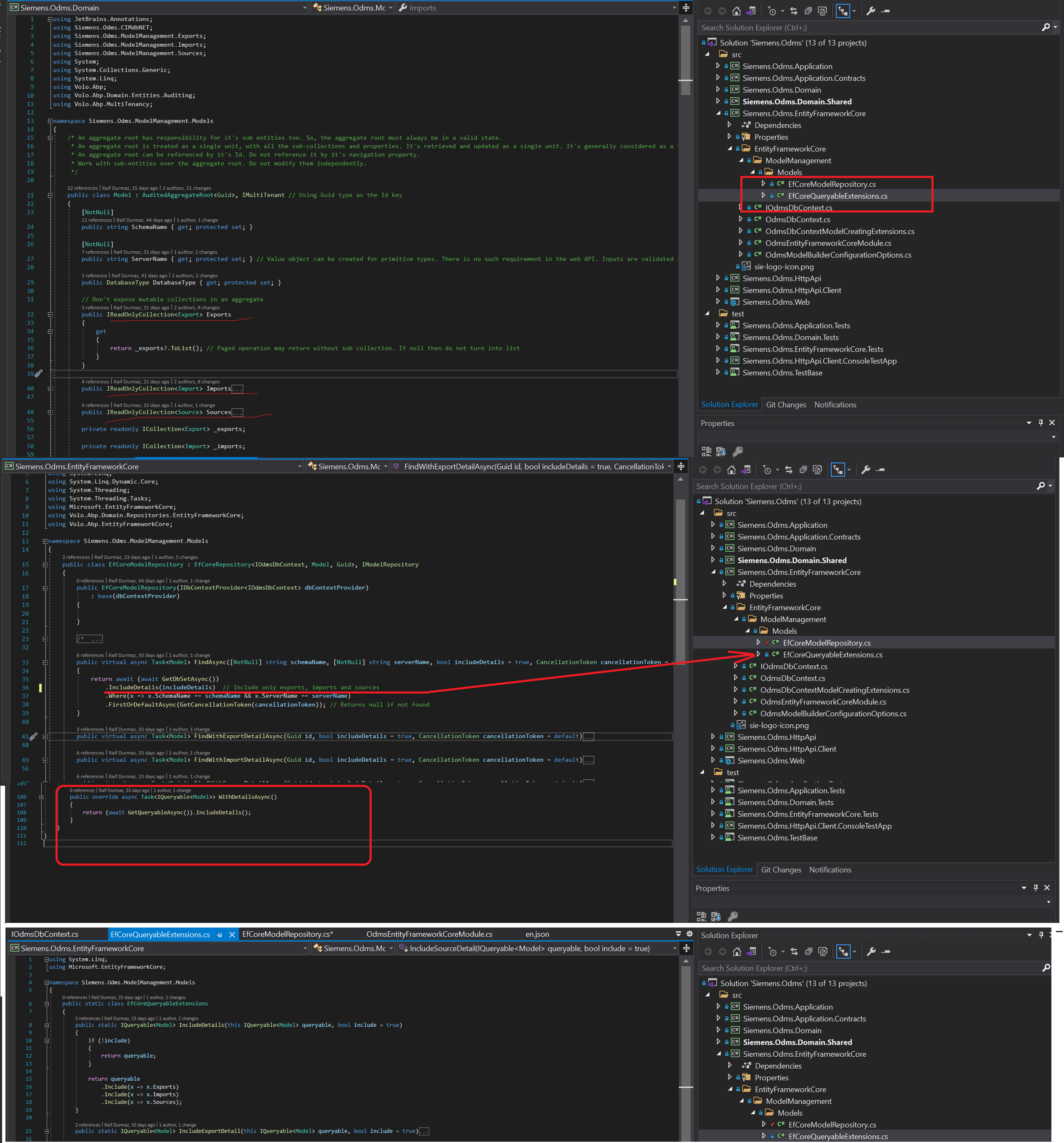
Ok, first of all, lets be agree on when license check operation will perform. https://support.abp.io/QA/Questions/69/#answer-d8bebebb-b714-3c1e-7fcb-39f437bc8ba3
According to following anwser, license check should only perform if envrionment value set to the "Development" Then why i need to expose my developer AbpLicenseCode to end user ?
Ensure that your appsettings.json has "AbpLicenseCode" key with your license code.
Can you check the
appsettings.jsonfile?
Why should i add license code to get rid off error message ?
**Note **: My migration is working properly even if there is error message on the console screen









