Check the docs before asking a question: https://docs.abp.io/en/commercial/latest/ Check the samples, to see the basic tasks: https://docs.abp.io/en/commercial/latest/samples/index The exact solution to your question may have been answered before, please use the search on the homepage.
If you're creating a bug/problem report, please include followings:
We have couple of DTO objects with lot of properties (some are with around 89-90), when it comes to updating 1 or 2 fields we are forced to pass entire DTO object to update those 2 fileds even tough we have no changes to other fields.
As per the EF (in general) the update statement should handle the scenario and it should prepare the update statement with update of 2 fields only not for all...
Can you please provide how the things will work in the ABP way for both SQL and Mongo. in simple words we would like to know a process to update a object by passing required properties to have a limited data while transferring and having better query execution time.
//Add this
app.MapWhen(
    ctx => ctx.Request.Path.ToString().StartsWith("/api/abp/api-definition") ||
           ctx.Request.Path.ToString().TrimEnd('/').Equals(""),
    app2 =>
    {
        app2.UseRouting();
        app2.UseConfiguredEndpoints();
    }
);
app.UseRewriter(new RewriteOptions()
    // Regex for "", "/" and "" (whitespace)
    .AddRedirect("^(|\\|\\s+)$", "/swagger"));
app.UseOcelot().Wait();
Thanks liangshiwei, it worked perfectly. In fact we added the user Task API in WebGateway and modified the octlog configuration but missed the below change mentioned.
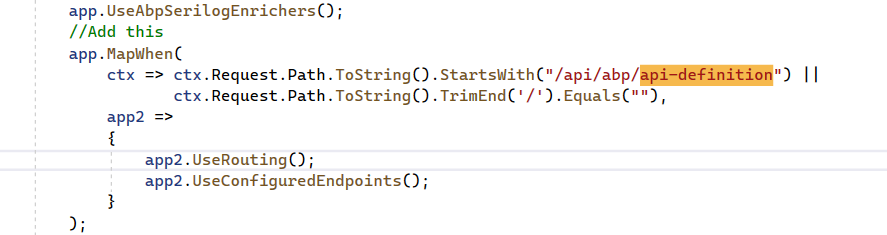
Can you guys please update the documentation to include the above steps. (https://docs.abp.io/en/commercial/latest/startup-templates/microservice/add-microservice) which might be helpful for others as well
Hi,
Thanks for the inputs, it got succussed partially when I executed Step 1: proxies got generated only for Sample Controller
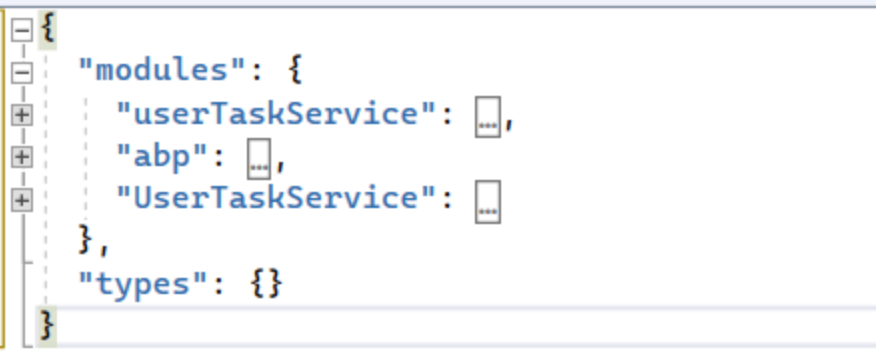
There are two API definitions only uppercase and lowercase letters differ,
You can try
-m UserTaskServiceAlso We would like to understand why dynamic proxies are not working
You have to reference the
UserTaskService.HttpApiproject and add module dependency toAppV3WebModuleif you want to use dynamic proxies.Using dynamic proxies will make things easier, you don't have to generate static proxy files and can remove those files.
After couple of redoing from starting of creation of service, Now we are able to get the Proxies generated with dynamic proxies only and now js proxies are available
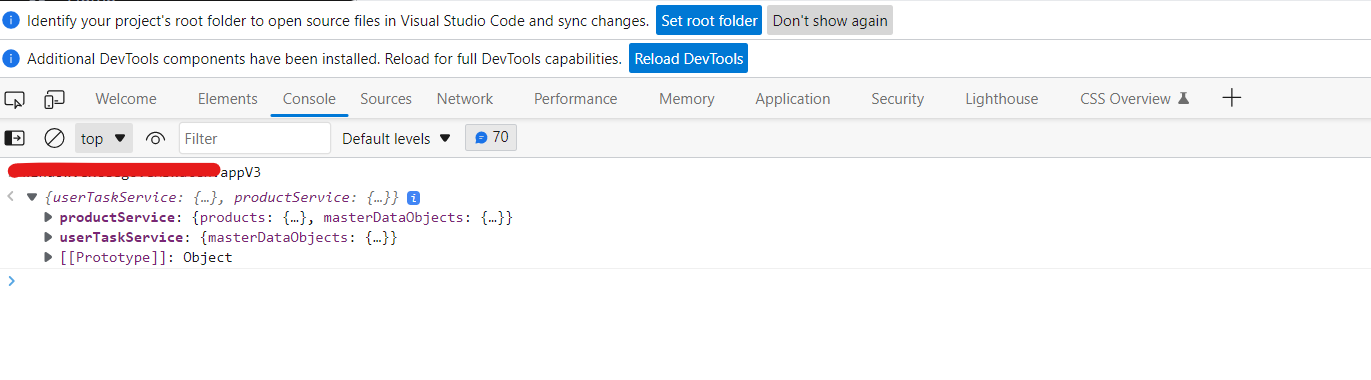
and from webgateway the method is being called successfully as well
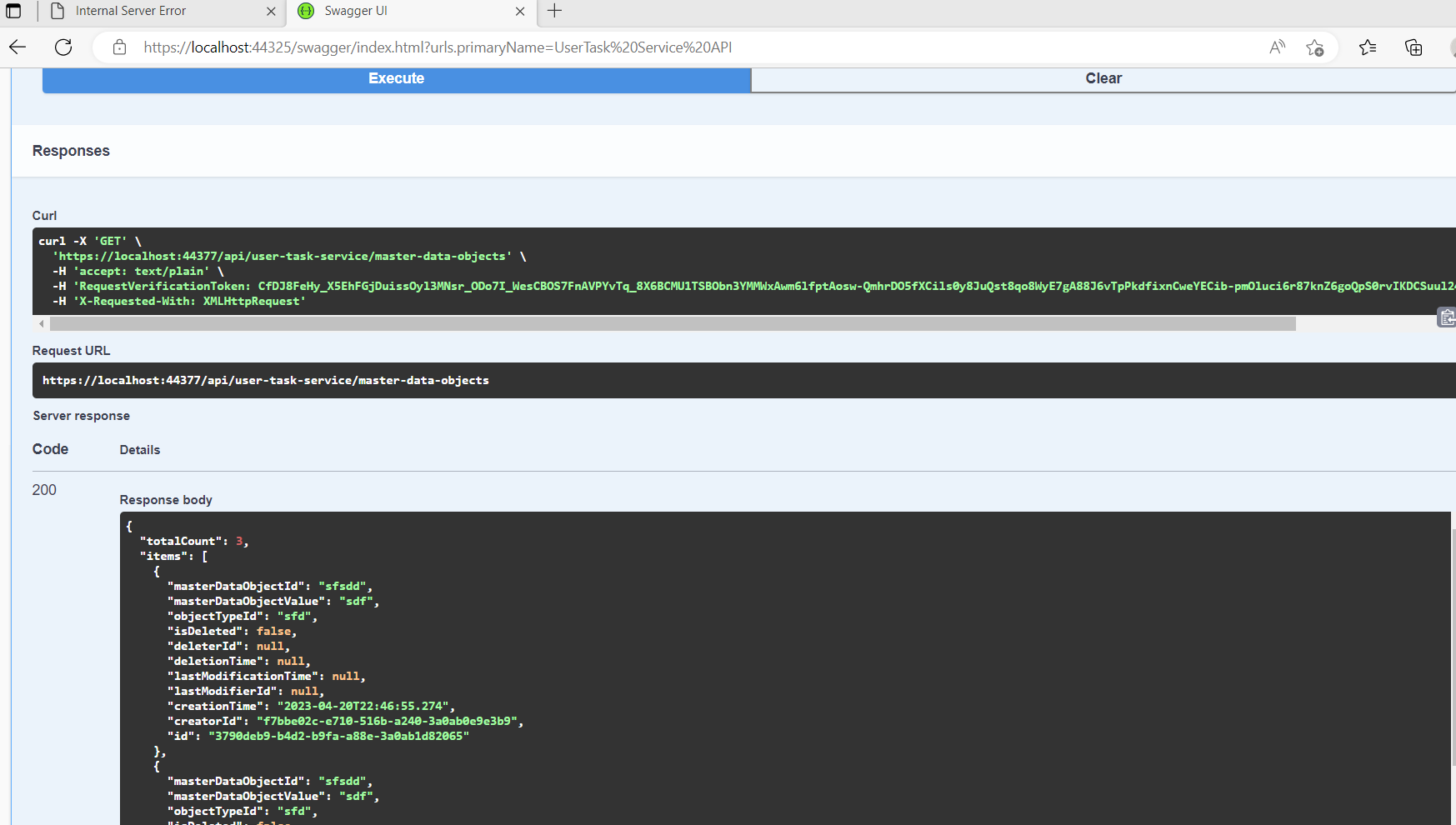
but now getting some different error When we are trying to call the methods using AppService (IMasterDataObjectsAppService)
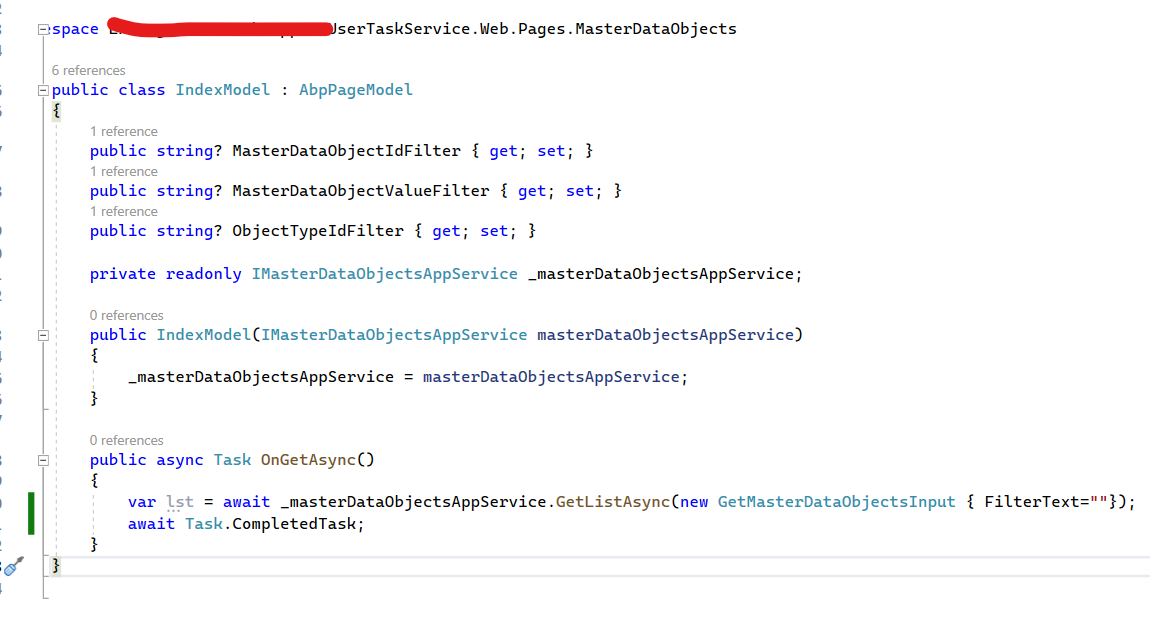
getting the below error

error log is below
2023-04-24 08:31:08.942 +05:30 [INF] Executed page /MasterDataObjects/Index in 23651.965ms
2023-04-24 08:31:08.942 +05:30 [INF] Executed endpoint '/MasterDataObjects/Index'
2023-04-24 08:31:08.946 +05:30 [ERR] An unhandled exception has occurred while executing the request.
Volo.Abp.AbpException: Could not found remote action for method: System.Threading.Tasks.Task1[Volo.Abp.Application.Dtos.PagedResultDto1[XXX.XX.XX.UserTaskService.MasterDataObjects.MasterDataObjectDto]] GetListAsync(XXX.XX.XX.UserTaskService.MasterDataObjects.GetMasterDataObjectsInput) on the URL: https://localhost:44325
at Volo.Abp.Http.Client.DynamicProxying.ApiDescriptionFinder.FindActionAsync(HttpClient client, String baseUrl, Type serviceType, MethodInfo method)
at Volo.Abp.Http.Client.DynamicProxying.DynamicHttpProxyInterceptor1.GetActionApiDescriptionModel(IAbpMethodInvocation invocation) at Volo.Abp.Http.Client.DynamicProxying.DynamicHttpProxyInterceptor1.InterceptAsync(IAbpMethodInvocation invocation)
at Volo.Abp.Castle.DynamicProxy.CastleAsyncAbpInterceptorAdapter1.InterceptAsync[TResult](IInvocation invocation, IInvocationProceedInfo proceedInfo, Func3 proceed)
at Castle.DynamicProxy.AsyncInterceptorBase.ProceedAsynchronous[TResult](IInvocation invocation, IInvocationProceedInfo proceedInfo)
at Volo.Abp.Castle.DynamicProxy.CastleAbpMethodInvocationAdapterWithReturnValue1.ProceedAsync() at Volo.Abp.Validation.ValidationInterceptor.InterceptAsync(IAbpMethodInvocation invocation) at Volo.Abp.Castle.DynamicProxy.CastleAsyncAbpInterceptorAdapter1.InterceptAsync[TResult](IInvocation invocation, IInvocationProceedInfo proceedInfo, Func`3 proceed)
at XXX.XX.XX.UserTaskService.Web.Pages.MasterDataObjects.IndexModel.OnGetAsync() in C:\Official\EHSWatchV3\repo\EHSWatch_AppV3Upgrade\services\userTask\src\XXX.XX.XX.UserTaskService.Web\Pages\MasterDataObjectsUT\Index.cshtml.cs:line 30
at Microsoft.AspNetCore.Mvc.RazorPages.Infrastructure.ExecutorFactory.NonGenericTaskHandlerMethod.Execute(Object receiver, Object[] arguments)
at Microsoft.AspNetCore.Mvc.RazorPages.Infrastructure.PageActionInvoker.InvokeHandlerMethodAsync()
at Microsoft.AspNetCore.Mvc.RazorPages.Infrastructure.PageActionInvoker.InvokeNextPageFilterAsync()
at Microsoft.AspNetCore.Mvc.RazorPages.Infrastructure.PageActionInvoker.Rethrow(PageHandlerExecutedContext context)
at Microsoft.AspNetCore.Mvc.RazorPages.Infrastructure.PageActionInvoker.Next(State& next, Scope& scope, Object& state, Boolean& isCompleted)
at Microsoft.AspNetCore.Mvc.RazorPages.Infrastructure.PageActionInvoker.InvokeInnerFilterAsync()
at Microsoft.AspNetCore.Mvc.Infrastructure.ResourceInvoker.
Thanks for the inputs, If we understand correctly we can have different versions of solutions if we move all web pages into web and remove all depended projects (web) from main UI layer. in this case we need to remove reference to contract layer as well? You mention We support this feature after 7.0.0, (It also requires that the service version is 7.0.0.) means this kind of approach will work only after having our entire project running on 7.0 and for future upgraded we can follow this way? please elaborate
- You need to upgrade your project to at least 7.0.0.
- Then delete all references to the services in the web app
- Generate static proxy for web app, it will generate all required files, interfaces, DTO, etc.
Hummm, In simple words at least for this time we need to upgrade all our projects with minimum of ABP 7.0.0 and may be in next upgrades we can decide to upgrade all projects to latest ABP version or just upgrade the specific projects by choice
and what do u mean by "Generate static proxy for web app, it will generate all required files, interfaces, DTO, etc." means we need to generate static proxies for the Web Layer only right. no need to do the same for all micro service projects right.
abp generate-proxy -m userTaskService -t csharp -url https://localhost:44377 --without-contracts
Thanks for the inputs, it got succussed partially when I executed Step 1: proxies got generated only for Sample Controller
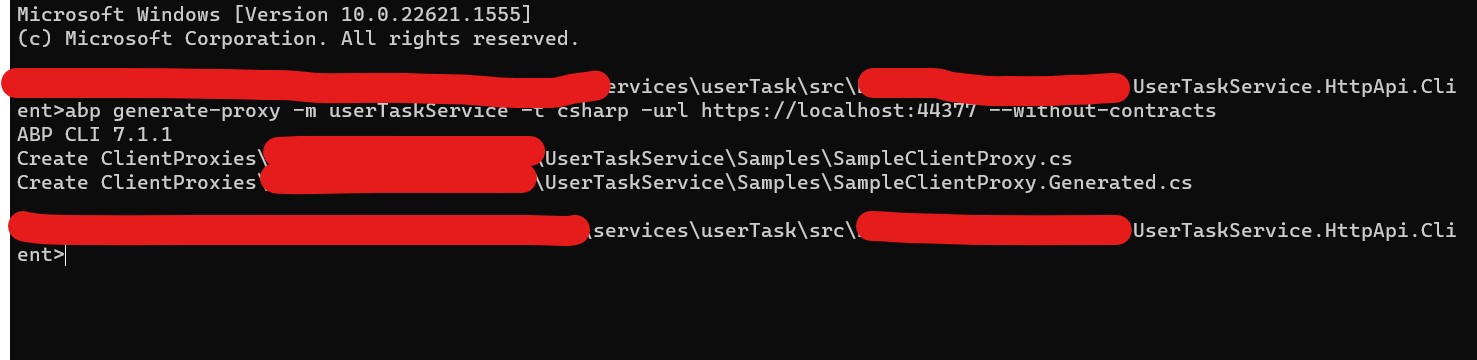
files generated with the step 1 command.
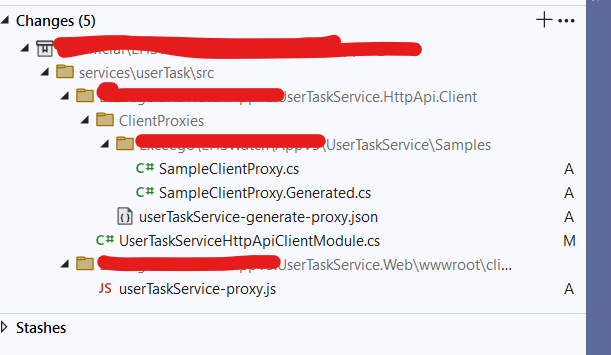
Proxies got generated but only with Sample Controller method
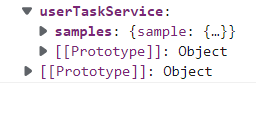
I tried by running
abp generate-proxy -m userTaskService -t csharp -url https://localhost:44377
without the parameter --without-contracts but no luck.
Also We would like to understand why dynamic proxies are not working
Hi,
Please email me when you have time,
BTW, You can also share a project that can reproduce the problem with me shiwei.liang@volosoft.com, I will check it out.
I shared the project files to your email shiwei.liang@volosoft.com , Please have a look and let us know if u face any issues in downloading the file
Hi,
It's possible, but your web project should be completely independent and not refer to any service project.
- Move all web pages of services to the web app.
- Remove all service dependencies
- Generate static proxy for the web app: https://docs.abp.io/en/abp/latest/CLI#options-6
Generate static proxy for the web app: https://docs.abp.io/en/abp/latest/CLI#options-6
We support this feature after 7.0.0, (It also requires that the service version is 7.0.0.) :https://github.com/abpframework/abp/issues/13613 But you can check changes of PR: https://github.com/abpframework/abp/pull/14429/files to customize your project
Thanks for the inputs, If we understand correctly we can have different versions of solutions if we move all web pages into web and remove all depended projects (web) from main UI layer. in this case we need to remove reference to contract layer as well?
You mention We support this feature after 7.0.0, (It also requires that the service version is 7.0.0.) means this kind of approach will work only after having our entire project running on 7.0 and for future upgraded we can follow this way? please elaborate
We have a Micro Service Solution (UI, Auth and Services) up and running in ABP 5.1.3, Now we would like to upgrade to ABP 7.1.1.
Ideally we want only the UI layers upgraded to 7.1.1 and Services should run on older versions of ABP (assuming the Restful service can run on any technology or framework), but we had to reference some projects of Individual micro services (.Web.csproj and HttpApi.Client.csproj) in the UI layer(https://docs.abp.io/en/commercial/latest/startup-templates/microservice/add-microservice?_ga=2.92313949.1337259771.1681837669-324005759.1662462224#updating-administration-microservice) so we had to upgrade all other Micro Services to ABP 7.1.1 in order to do so, I feel this breaking the micro service based architecture or we mis managed this.
In Nutshell we want only Web Layers should be upgraded to ABP 7.1.1 and want other Micro Services will continue with ABP 5.1.3. Do you think it is possible? As of now we have created a Micro services with UI and referenced the same in Main UI layer, now do you think the Micro Services need to be created without UI to full fill the above requirement?
Please advise with best possible way to update to ABP 7.1.1 without touching the other Micro Services…
shiwei.liang@volosoft.com
Yes we modified the web module as well. You want to connect over Microsoft teams ? or u can send the invite to viswajwalith@exceego.com
Hi,
Well, the client proxy you see is actually I think it should be dynamic client proxy.
See: https://docs.abp.io/en/commercial/latest/startup-templates/microservice/add-microservice#updating-administration-microservice
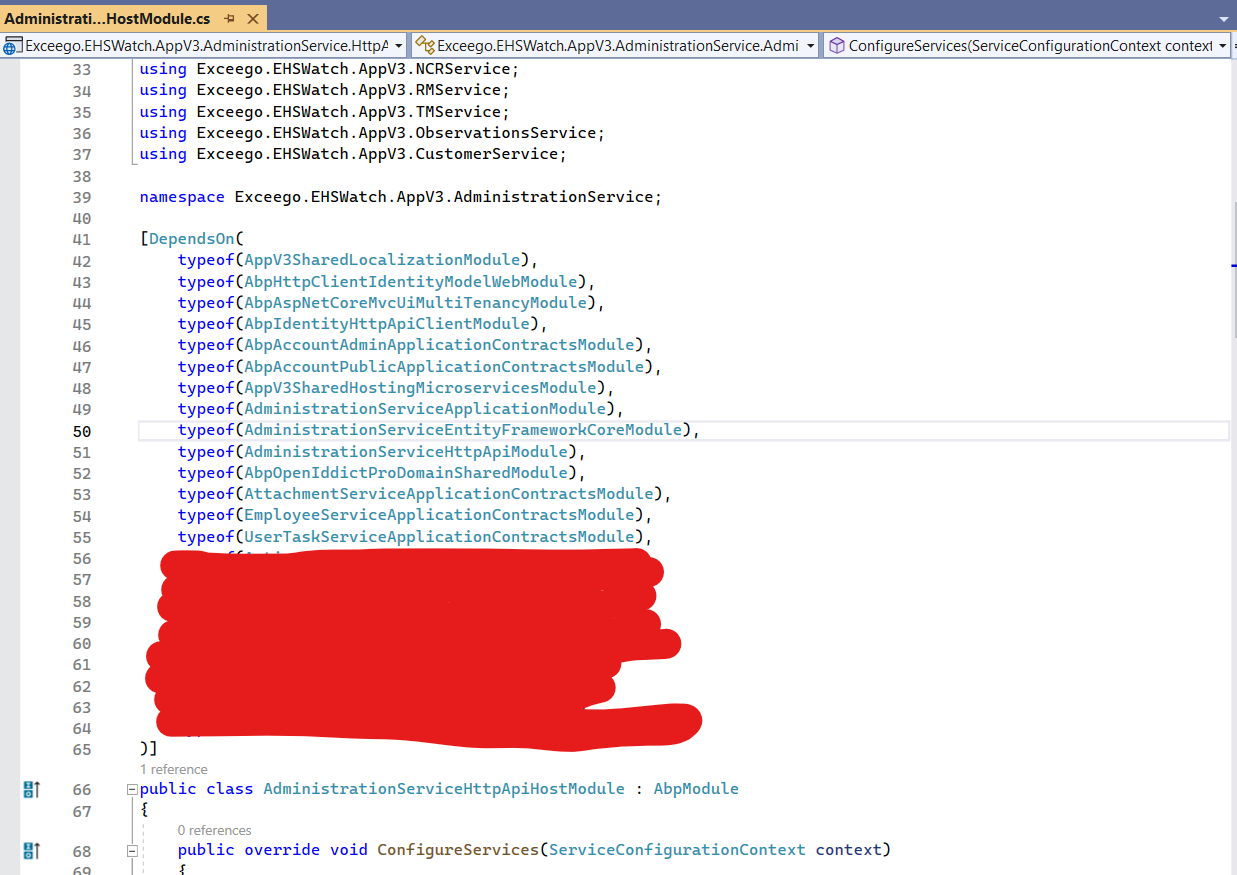
Did you add the module dependency to AdministrationServiceHttpApiHostModule?
Yes we followed all the steps to add the micro service and changes in AdministrationServiceHttpApiHostModule is as follows