Thanks for the feedback.
I've 1 more question and a request:
dotnet run command, does the applications stop when you terminate the dotnet run command?@icoretchi Are you still able to browse the applications, after stopping them on Studio?
@rafael.gonzales
When you create a Module using ABP Studio, the initial MyProject.EntityFrameworkCore.MyProjectDbContextBase doesn't call the new module Configure's method in the OnModelCreating. If your module name is MyNewModule, then there should be a method called at the end like this one: "builder.ConfigureMyNewModule();," but it doesn't exist right now with ABP Studio.
We've implemented this, thanks to your feedback. In next releases, when you create a new module, configure method will be added to the main application when you imported the new module and installed it to main application.
Hello john@johnfuqua.com,
Unfortunately ABP Studio doesn't have that feature yet. Currently only modules created with Microservice templates are integrated to other parts.
You can check how the initial UI application is configured in other services and gateways to learn how to integrate the new Blazor-Server application.
Hi, @Dicky.tech,
It seems like you need to install ABP Studio Cli.
dotnet tool install -g Volo.Abp.Studio.Cli
When you install studio, this tool is automatically installed. So probably something went wrong during installation.
Hi @Dicky.tech
Can I use Abp Studio to upgrade from 7.2.1 to 8.3 without performing manual code changes ? if i have to make code changes what are the steps ?
No, ABP Studio doesn't have such a feature. You can follow migration guides: https://abp.io/docs/latest/release-info/migration-guides
The new ABP Studio version has just been released, fyi.
Hi @yushafizalyusri
A new ABP Studio version will be released in a few days, it will generate the templates with ABP Framework 8.3.0 version.
is there any other way to force generate latest stable version for this case v8.3.0?
Yes, there is a way. Use --old parameter at the end of the command. It will use old cli and old templating system which is released the day a new Framework version is released.
https://abp.io/docs/latest/cli#global-options
However, we suggest to use new templates (ABP Studio) for further development.
Hi @zhongfang,
We haven't released a new ABP Studio version for v8.3.0 ABP Framework version. We will probably release it in the following week.
For now, you can update the version after creating the module:
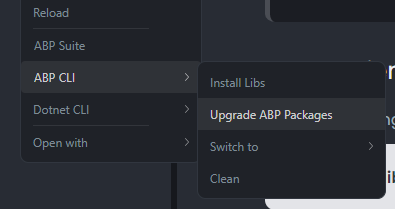
There is a menu named 'ABP Suite' in ABP Studio toolbar. I clicked 'Change Version', and set the version to 8.3.0
This is not related with version of the templates.
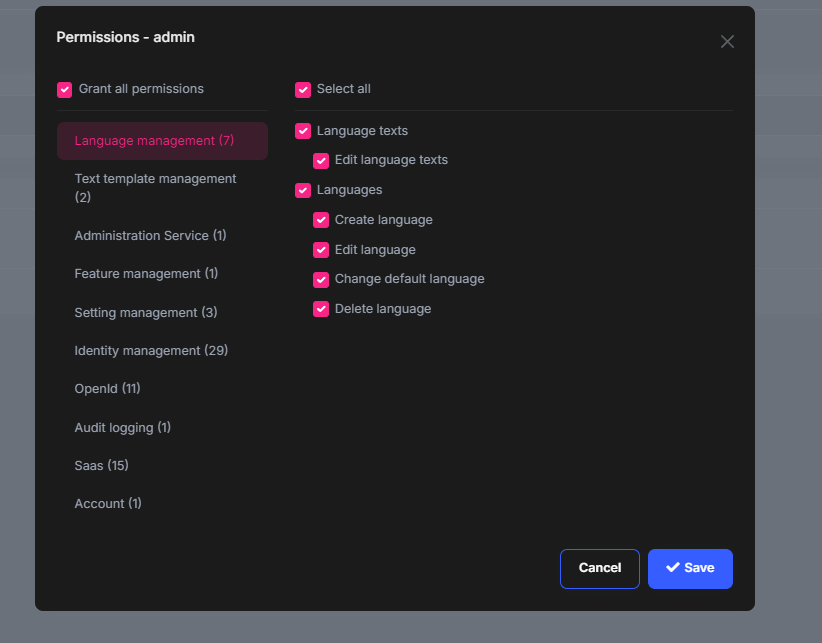
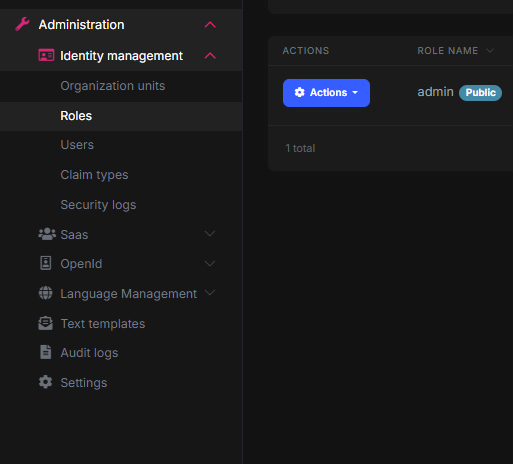
I could not reproduce the problem. SaaS & Audit Logging permissions were listed, but not given to admin user (we are already aware of this and will solve in future releases). After permissions are given, menu items appeared.
My suggestion for your case: