How can we easily disable "Remember me" and "password reminder" in ABP without resorting to having to modify login page to hide stuff etc?
Does not seem like these options are available in UI for account module unlike just quickly disable the option for new users to self register etc.
At least with Angular (not tried anything else), it seem like the generated code breaks if you name your property something that ends with Id, like ExportedAssignmentId will end up like this ("Id" missing) which is why it did not work with languages files as those had the correct name with Id for keys.
    <ngx-datatable-column
      name="{{ '::ExportedAssignment' | abpLocalization }}"
      prop="Assignment.exportedAssignmentId"
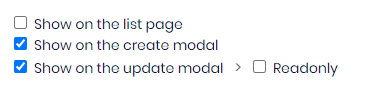
When using ABP Studio, it seems like the generated code for tests breaks when you do not have the "Show on the create modal" selected for a property. If you select that option and regenerate, it will work

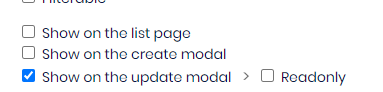

At least with the Angular UI, if you install and enable the Chat module, it will throw exceptions at every page load
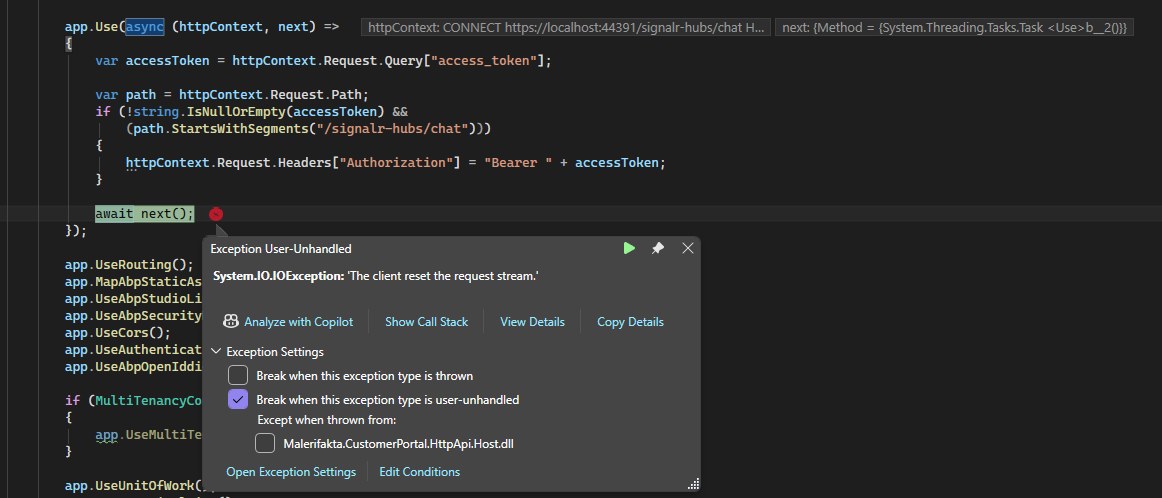
This goes away if you disable chat module so the source of the error is quite obvious.
Not sure what real user impact this has but at least it makes debugging much more complex as you will constantly have it break here (or have to put in rules for ignoring exceptions)
Thanks.
Hi,
It seems like ABP breaks when you are using longer usernames like "reallylongusername"

there also seems to be inconsistencies between UIs, above is angular UI, below is the same page in My Account for API (which I think is MVC)
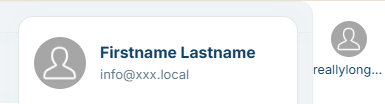
One displays name, the other one displays username.
<br> Why is different UIs showing different things (username vs firstname and lastname) for same page?
How can we modify/change this so that a truncated username is not shown and also which properties are shown (username, firstname, lastname etc)
Thanks.
We are looking to integrate an external OIDC identity provider as a social/external login in our ABP Commercial application, following the Account Pro module documentation (AddOpenIdConnect + WithDynamicOptions). The OIDC provider we need to integrate only supports private_key_jwt as the token endpoint authentication method — meaning no client_secret_basic or client_secret_post is available. The current documented pattern assumes a client secret, which doesn't apply when using private_key_jwt (where the client authenticates by signing a JWT with a private key instead).
Some questions:
Does ABP Commercial have any existing support or documented approach for external OIDC providers that require private_key_jwt authentication?
Is there any planned support for private_key_jwt in the external login infrastructure — for example as part of WithDynamicOptions or the Account Pro module?
If we implement this ourselves via OpenIdConnectEvents customization, are there any ABP-specific pitfalls we should be aware of — particularly around how this interacts with OpenIddict, the Account module's external login flow, and user creation/mapping?
https://oauth.net/private-key-jwt/
Any guidance or pointers would be appreciated.
Thanks
If you are using ABP Suite to generate UI etc, it seems like properties of base classes are never included in DTOs etc and there AFAIK, there is no option to do so either. Assuming it isn't there, this is something that ABP should consider including. This could be either that you can just select the built in properties for addition to the properties you add manually, or that you could perhaps manually add a property with the same name as a built in one, which would then make the built in one be included etc.
To make this a bit more obvious what we are looking for, assume a simple use case like we want to display the CreatedTime of a new record/object in the UI. This property probably exists in all base classes for entities, but to actually do it now, I believe you have to add it manually in all layers. If I am wrong, please let me know how to do it.
Thanks.
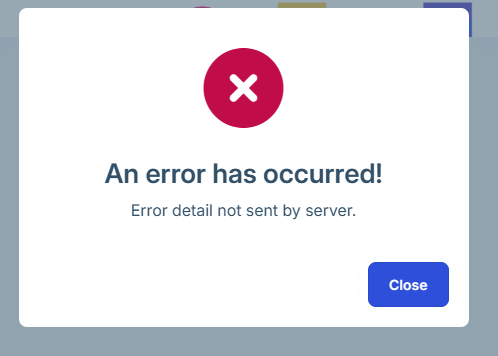
We have an ABP app built using the latest version of ABP - Angular for UI. When running the angular app locally against the .Host hosted in an Azure Web App everything works as it should. However, when pushing the Angular app to a Web App (not a static web app for reasons) everything works as well, except that we always get a "An error has occurred! Error detail not sent by server." at first page load. This regardless of which browser etc. This only happens on first full page load, after which everything works as it should.
There are no errors reported whatsoever in server logs, web browser console etc. If it had not been for this error message, you would have no idea that something isn't what it should be.
This happens regardless of if you are authenticated or now (authentication works fine also).
For obvious reasons we can't post any logs as there are none indicating any problem.
How come the logger settings is hardcoded into Program.cs and not in appsettings.json?
AFAIK, this goes against recommendations and best practices, an I fail to see a valid reason for this compared to just putting it in appsettings. This basically requires you to make code changes to modify the logging configuration, and also makes it impossible to have different configuration in different environments?
There have been a few requests about this in the past, none with an answer/resolution as it seems
https://abp.io/support/questions/1496/ABPIO-WASM---Log-level-configuration
https://github.com/abpframework/abp/issues/17333
etc.
Hi,
It seems like ABP Suite has some problems generating CRUD pages for Angular when there is navigation properties.
First, there seem to be no way not to get Navigation properties added to the list view (besides manually removing them afterwards of course). Second, it also seems like the code generated to actually fetch those navigation properties to show isn't working either. So you will end up with unwanted empty columns. If you open the row in Edit mode, everything seem to work fine, including the dropdowns for District and Employer and populated with correct lookup data.










