hi
i do not want master detail i want to separate my pages like image below
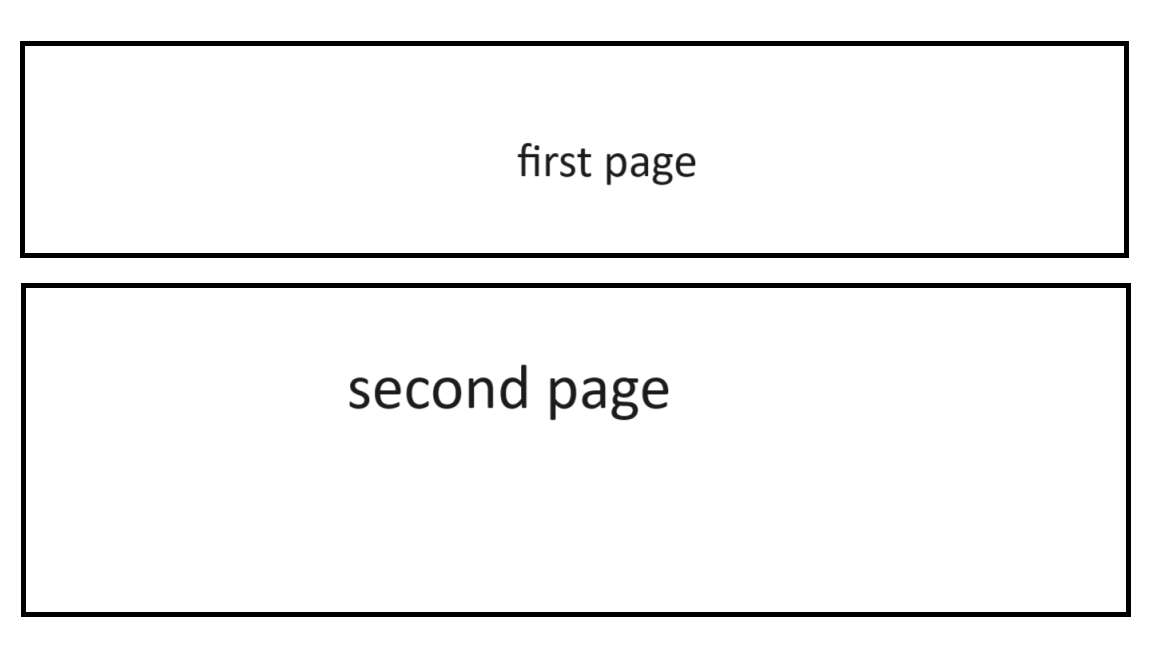
hi sir, i want to do something like this page put with different structure i've 2 pages with (one - many) relation close enough to your example (book / author) so i want to put these 2 pages in one view you can say every page has 50% from main page on top i'll put first page , bottom i'll put second page if there is a documentation like explains this way please show me where can i find it thanks for your time
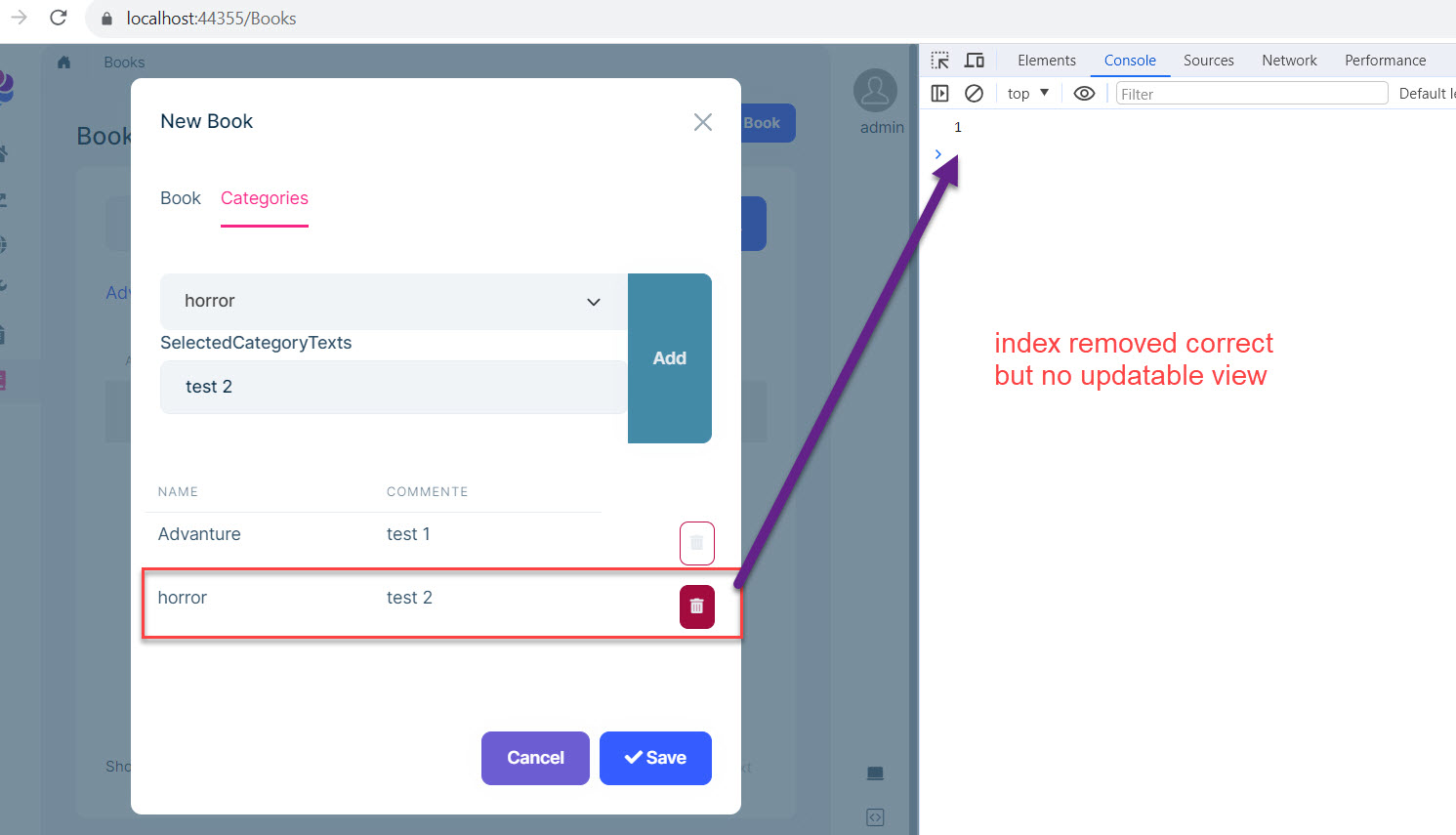
hi, problem isn't in create, i solved issue in delete method but now it's final step to update the view, how can i update grid table in view when i deleting an item? i consoled the result and it catch the index correctly and when click on save button it's no thing to add in category tab so it is working good now i want to update the view in UI how can i do that? please i want clear steps to jumping on it thanks
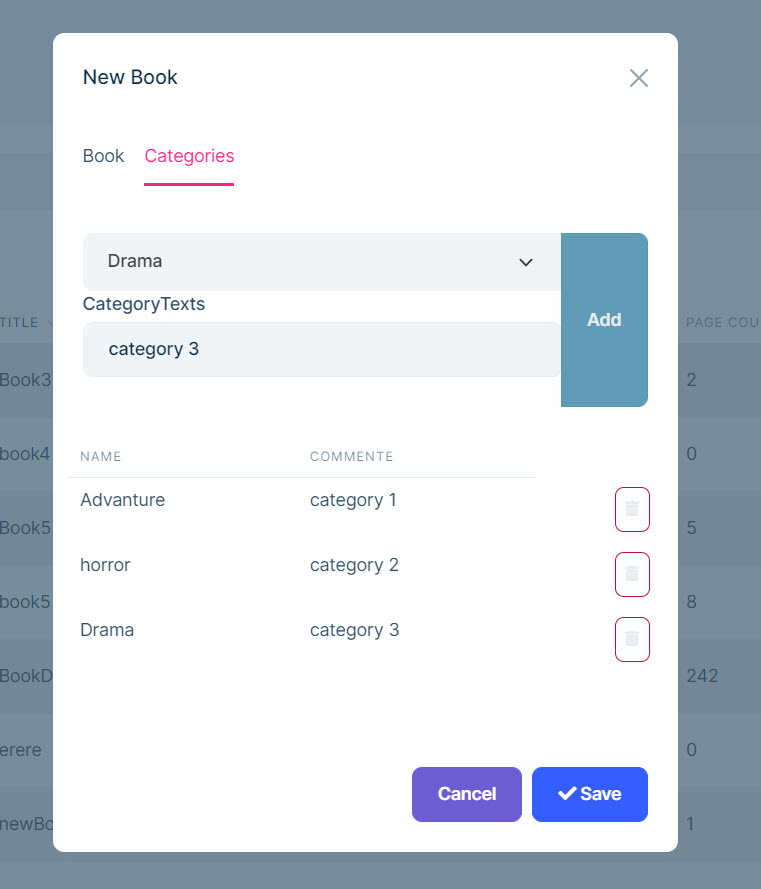
hi sir, I tried the (many 2 many) sample project according your documentation and it works well and tried to customize my own code and also it works well i added new field after select my book category to write comment or note and when i click on add it works well
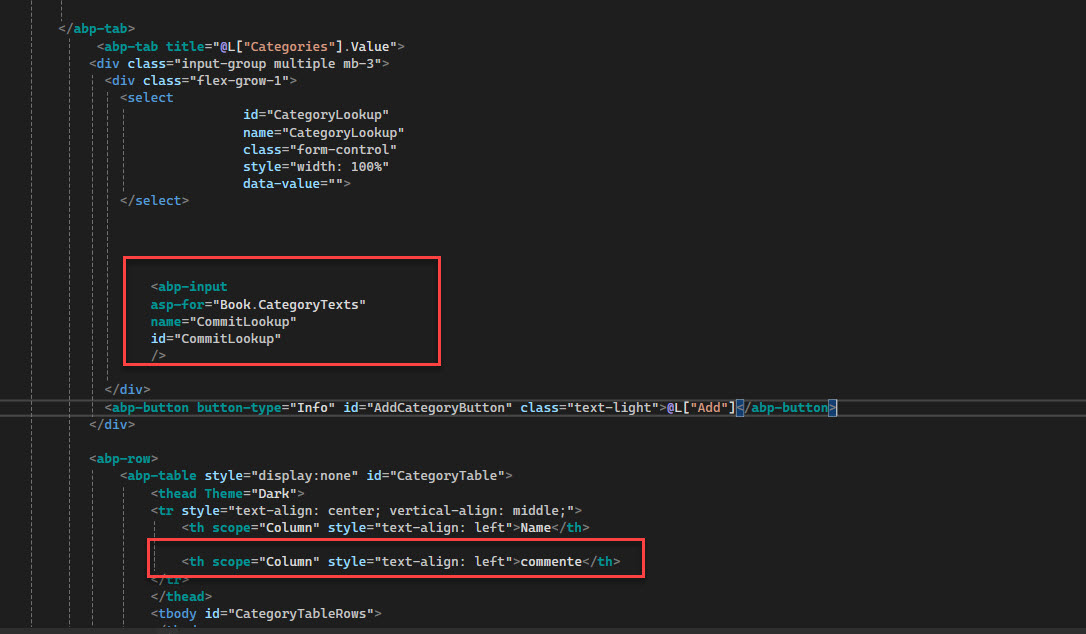
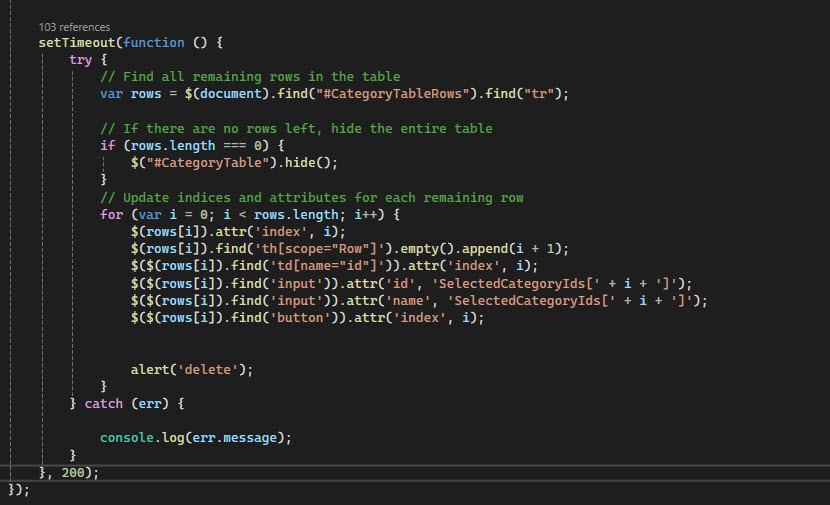
there is a Serious error showed when i tried to delete from that grid table like video below note: i added (alert) just for test note: i attached video link to show the problem what i did: 1- Added new input field (second img) 2- duplicate your code but with different names (it is not logic to repeat the code but IDK what should i do except repeating the code) if there is a way to add more fields without repeating code please tell me how. 3- what should i write in the delete looping code ???? 4- I tried to use (splice method) to delete row but i can't catch the array where is the id of array? 5- how can i change (add) button style where is the css file ? 6- it's still in the create mode i hope not to face errors when jumping to edit mode because next step i will use that code with master detail i hope to figure out how to make it before asking you. appreciate your efforts thank you
the problem video: https://files.fm/f/jajsq7zhrh
I appreciate you Quick replay ,but i would like to make master detail like this sample After i add header data and save the header the Add button in detailed grid enabled and add data in grid all of that and i still in the same page
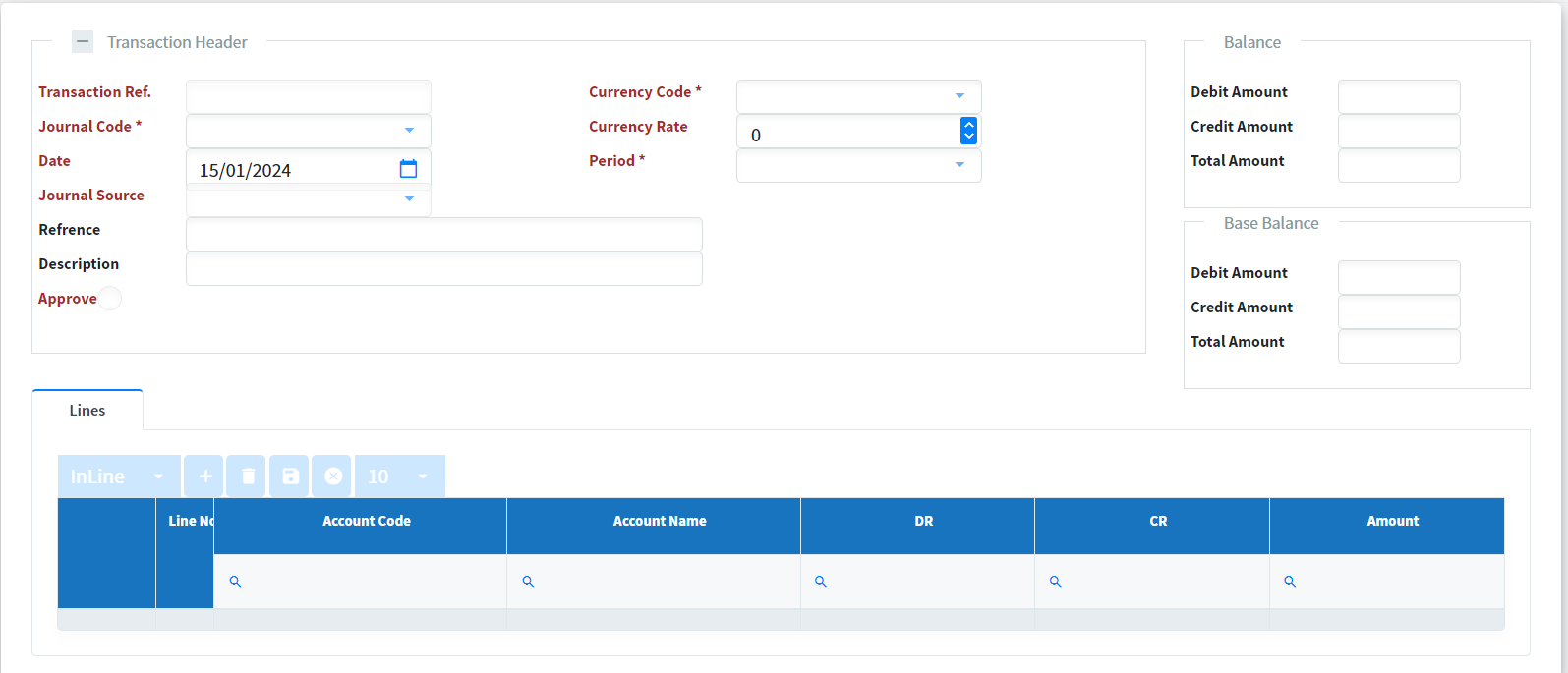
*Is it possible to develop master and detail pages with abp suite?
if not what is your suggestion about it. For example when I finish the master and detail pages in abp.io framework with angular ui it sould seems look like:
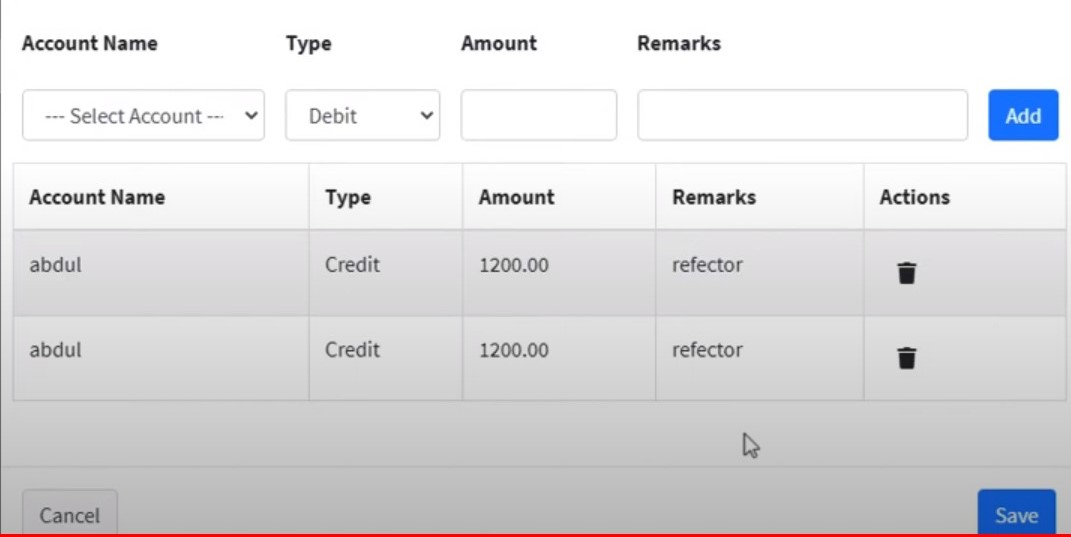
that's mean that i should re-do the hole solution from scratch what if i already have a project running with UI and all is good but i want to make some relations and pages using ABP Suite?
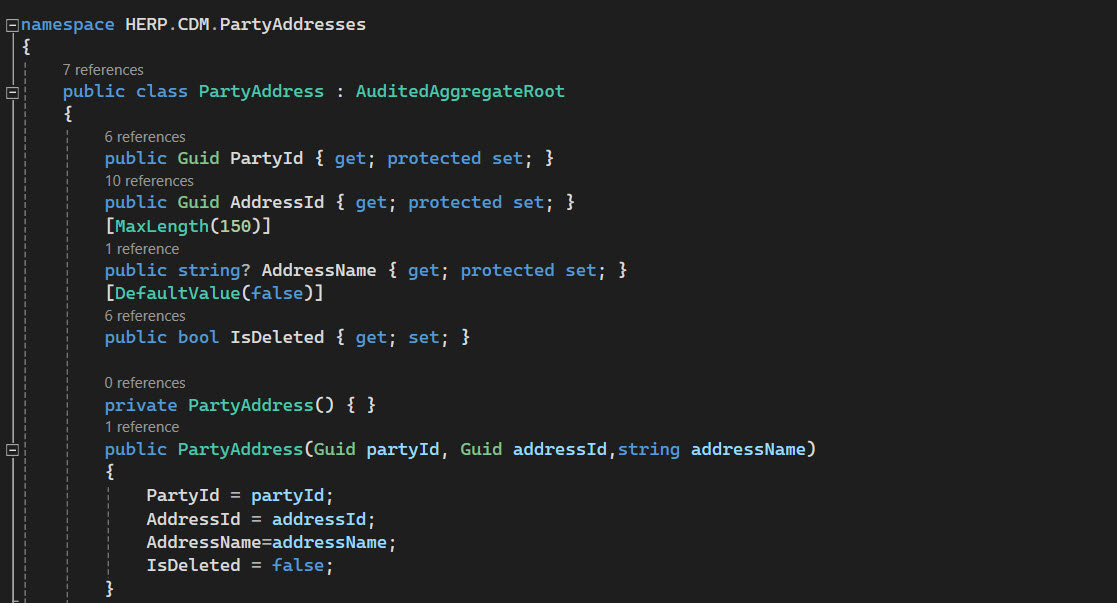
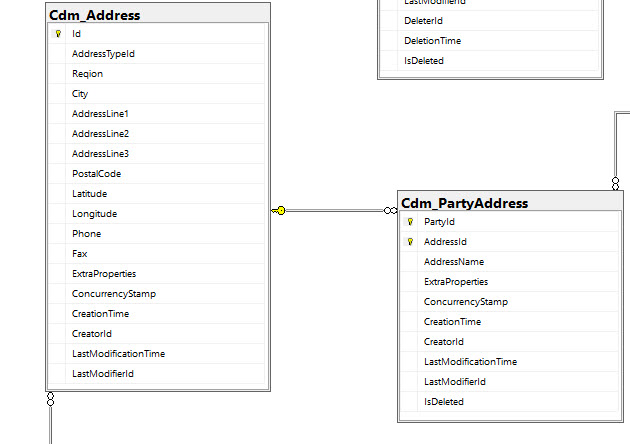
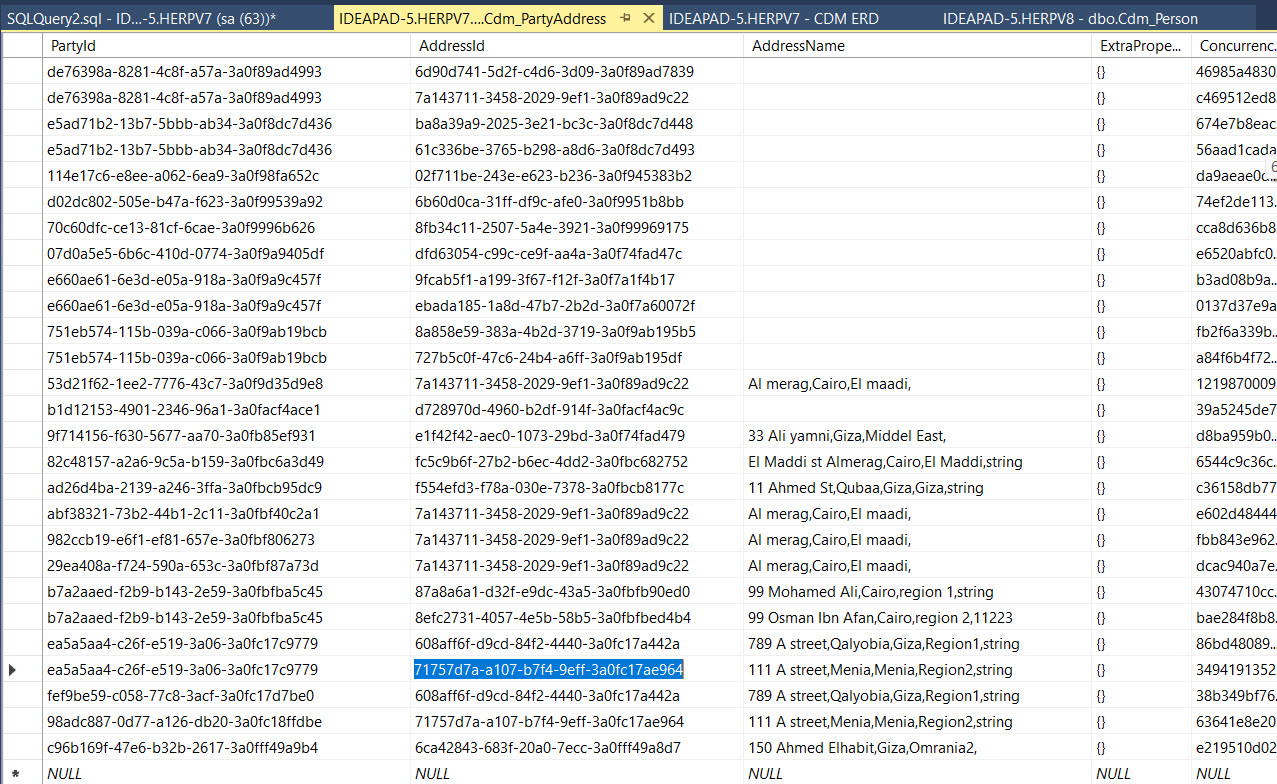
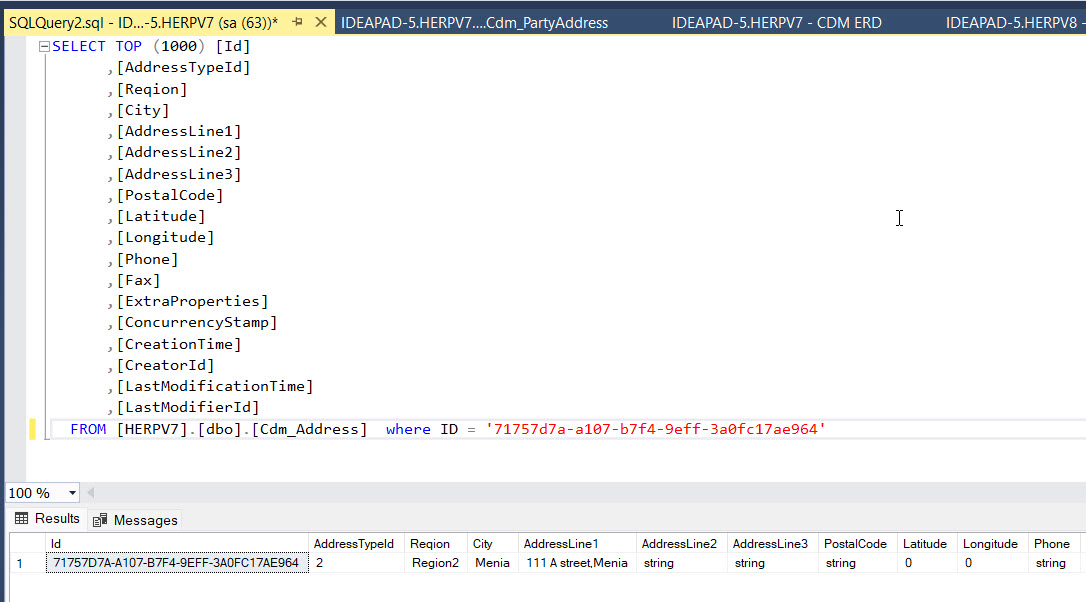
hi sir, I have a big problem and i neeeeeeeeeeeeeed help as fast as can, I wish i can explain it now i made database and UI with tables one of these tables called (person) another called (partyAddress) these tables already exist and have UI already it works greate [partyAddress] table has no ID Type it just {AuditedAggregateRoot} as shown below and has 2 foriegn keys (partyId) form [party] table and (addressId) form [address] table so what kind of data in [partyAddress] table? like i mentioned there are relations between **address **and **partyAddress **when i store some data in address it stores in partyAdress like images below now i want to make a master-details between them using ABP Suite. I followed the tutorial but you make just existing table in database create ui from scratch no in my case UI already exist i want just master-detail between tables is there a way to make this showed in documentation or not? so please if you have a solution for this problem deal with me like i know nothing and tell me what should i do step by step thank you...
Thank you it works perfectly but i have another question if the child and master is enough why do you put (Navigation tab and 1-n relation)??
it doesn't work with me despite i made exactly like documentation....when i make a master it completed good but child it gives me a lot of errors while migration 1- says (Error occurred on DB migration step! Make sure the project is compiled and working. Command output: Build started... Build failed. Use dotnet build to see the errors.) 2- when open the code i found property [ public Guid OrderId ] twice ???? why ???? 3- In folder orderDbSet it gives me an error with namespace









