






Hi, I want to create an Angular project in abp cli, but I've noticed that the aspnet-core folder contains layers that I won't use. The project template I want to create should look like this.
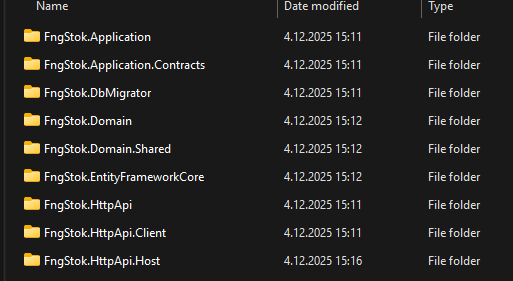 However, when the cli code is run, the output is as follows.

The CLI I'm running is as follows.
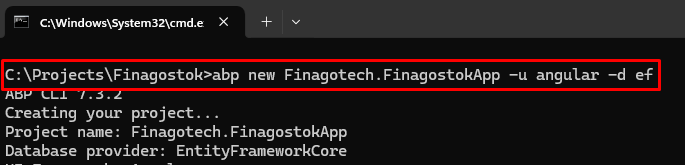 I don't think I need these layers. What's wrong?
22 Answer(s)
-
0
- Solution
What you see is expected. When you create an ABP application with Angular UI, the CLI generates:
- angular: the SPA front-end project.
- aspnet-core: a clean, layered backend (Domain, Application, HttpApi, HttpApi.Host, EF Core, DbMigrator, etc.).
Those “layers” are the standard ABP solution structure for a modular, maintainable backend. The Angular app consumes the backend APIs from the HttpApi.Host. Even if you don’t touch each C# project directly, they are required for a functional backend and for features like permissions, auditing, data seeding, migrations, etc.
If you want only an Angular front-end without ABP backend projects:
- ABP does not provide a “front-end-only” application template via abp new. The application template always includes the backend layers.
- Alternatives:
- Use the Module/Library approach if you only need an Angular library that you’ll integrate into an existing app (abp new MyCompany.MyModule -t module -u angular). This creates an Angular UI package (library) structure, not a full backend.
- Or generate only the Angular client by starting from a plain Angular app, then add ABP Angular packages and generate static proxies against an existing ABP backend (abp generate-proxy -t ng -u <backend-url>). This still assumes you already have (or point to) an ABP backend.
- If you already have a separate backend and don’t want the generated aspnet-core at all, you can delete the aspnet-core folder after creation and keep only the angular folder, then configure environment.apis.default.url to your existing API base URL.
Summary of recommended commands:
- Full app (Angular UI + Backend, what you used): abp new MyApp -u angular -d ef
- Angular module (library) template: abp new MyCompany.MyModule -t module -u angular
- Generate Angular proxies against an existing backend: abp generate-proxy -t ng -u https://localhost:443xx
- Sources
- Getting Started (Angular UI, EF Core, Non-tiered):
- https://abp.io/docs/latest/get-started?UI=NG&DB=EF&Tiered=No
This response was generated by AI. If it didn’t solve your problem, feel free to post a new answer — our support team will jump in to help you soon.
Markdown supported.Copy, paste, or drag & drop images and files (max 100 MB per file, 100 MB total per post) -
0
Please help with your support team
Markdown supported.Copy, paste, or drag & drop images and files (max 100 MB per file, 100 MB total per post) -
0
Also, when I tried to create the project with ABP Suite, I couldn't use it. When I tried to reinstall it, I got the following error.
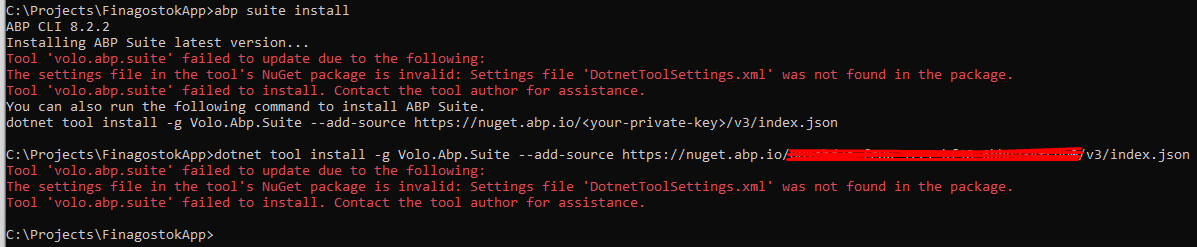 Markdown supported.Copy, paste, or drag & drop images and files (max 100 MB per file, 100 MB total per post)
 -
0
Hi, I'm currently using abp 8.2.2 and .net SDK 9.0.306. So, is Abp Suite not working due to an incompatibility between Abp and .net SDKs? Also, my main question is why are Blazor and similar projects added when creating a project in the CLI?
Thank you.
Markdown supported.Copy, paste, or drag & drop images and files (max 100 MB per file, 100 MB total per post) -
0
hi
I saw your ABP CLI version is 7.3.2.
Can you uninstall ABP CLI and ABP Suite, then reinstall them with version 8.2.x?
dotnet tool uninstall -g Volo.Abp.Cli
dotnet tool uninstall -g Volo.Abp.Suite


dotnet tool install --global Volo.Abp.Cli --version 8.3.4
abp suite install --version 8.3.4
Thanks.
Markdown supported.Copy, paste, or drag & drop images and files (max 100 MB per file, 100 MB total per post) -
0
Its local computer screen shoots. I use remote pc for development. And remote PC has abp 8.2.2 and .net SDK 9.0.306. I uninstall and reinstall with your codes. Then I tryed with CLI this codes
 .
But the backend project was created with more layers than I expected.
.
But the backend project was created with more layers than I expected.
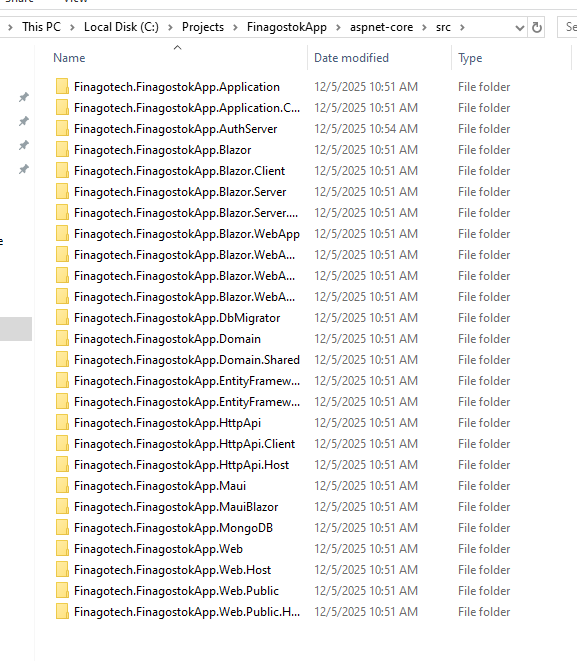 .
I don't think I need layers like Blazor MongoDb etc projects. What's wrong with me?Markdown supported.Copy, paste, or drag & drop images and files (max 100 MB per file, 100 MB total per post)
.
I don't think I need layers like Blazor MongoDb etc projects. What's wrong with me?Markdown supported.Copy, paste, or drag & drop images and files (max 100 MB per file, 100 MB total per post) -
0
hi
Can you remove the template files from
C:\Users\username\.abp\templates, and try again?Or you can create a new project and then copy it to your remote PC.
Thanks.
Markdown supported.Copy, paste, or drag & drop images and files (max 100 MB per file, 100 MB total per post) -
0
Hi, I removed template files and tryed with CLI. Still Same.
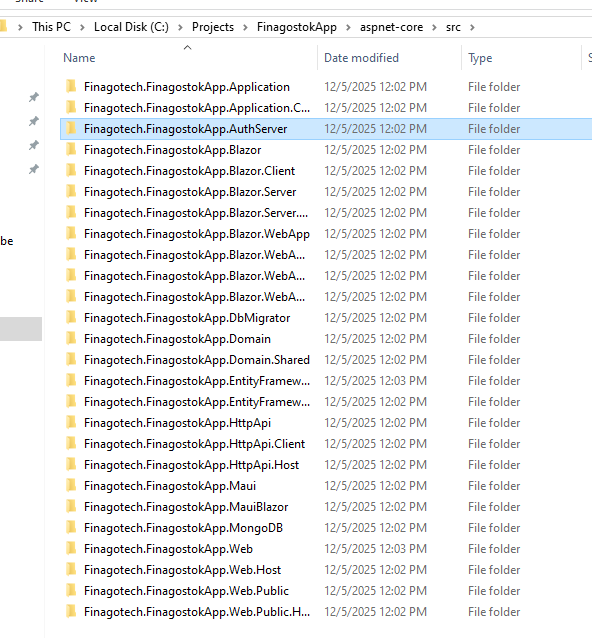
When I want to use abp suite. I cant create new project. I can only add existing solition.
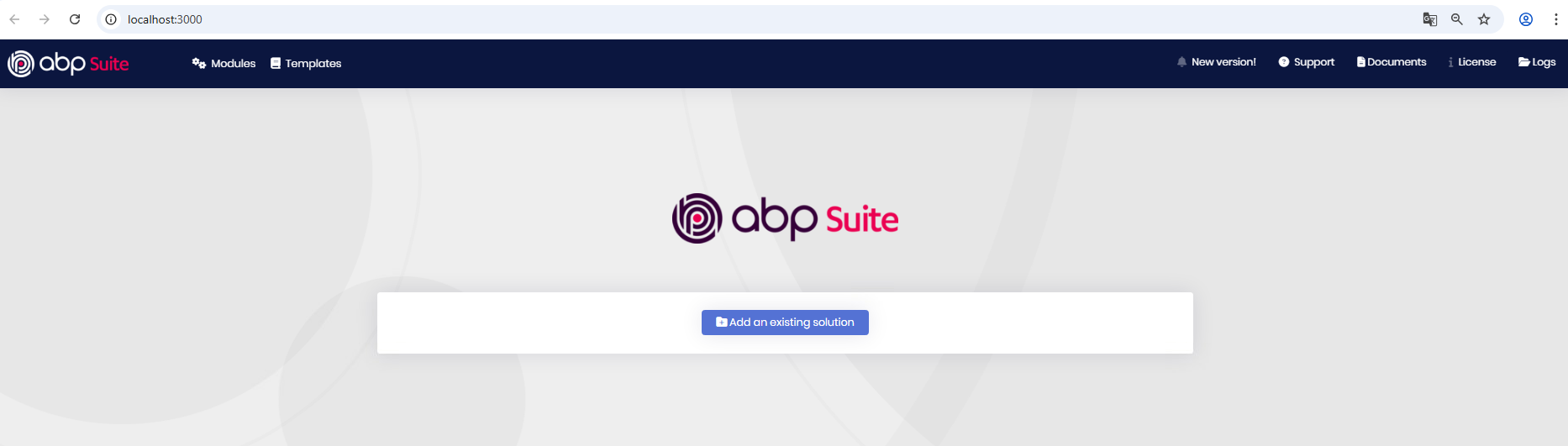
I cant copy the project. Copying anything to remote Pc is disabled.
Thanks
Markdown supported.Copy, paste, or drag & drop images and files (max 100 MB per file, 100 MB total per post) -
0
hi
It may be that the
ABP CLI(dotnet global tool)lacks permissions to delete the redundant files.Can you try running it in admin mode?
You can share your project via WeTransfer, then download it from a remote PC. Is that possible?
Thanks.
Markdown supported.Copy, paste, or drag & drop images and files (max 100 MB per file, 100 MB total per post) -
0
Do I have to move it to a remote computer every time I want to create a project? Why does ABP Suite only work for existing projects?
I tried uninstalling and updating ABP CLI and Suite on my local computer. Now I can't install them on my local computer. This is my local pc.
 Markdown supported.Copy, paste, or drag & drop images and files (max 100 MB per file, 100 MB total per post)
 -
0
hi
Do I have to move it to a remote computer every time I want to create a project? Why does ABP Suite only work for existing projects?
I guess your remote PC has some environmental problem. Try to run it in administrator mode.
Now I can't install them on my local computer.
The latest CLI target to NET 10 SDK. You have to install the NET 10 SDK to install and use it.
Thanks.
Markdown supported.Copy, paste, or drag & drop images and files (max 100 MB per file, 100 MB total per post) -
0
Hi,
I runned it administrator mode. I Installed Net 10 SDK. Still same. On abp suite I can only work with existing solition.
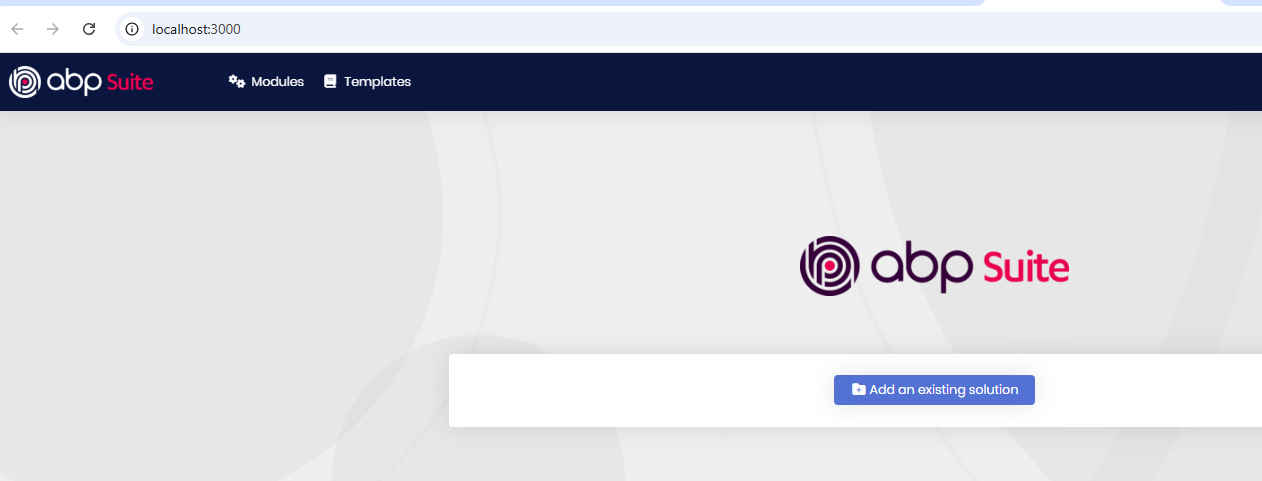
And with the CLI stil creating many layer that I dont need.
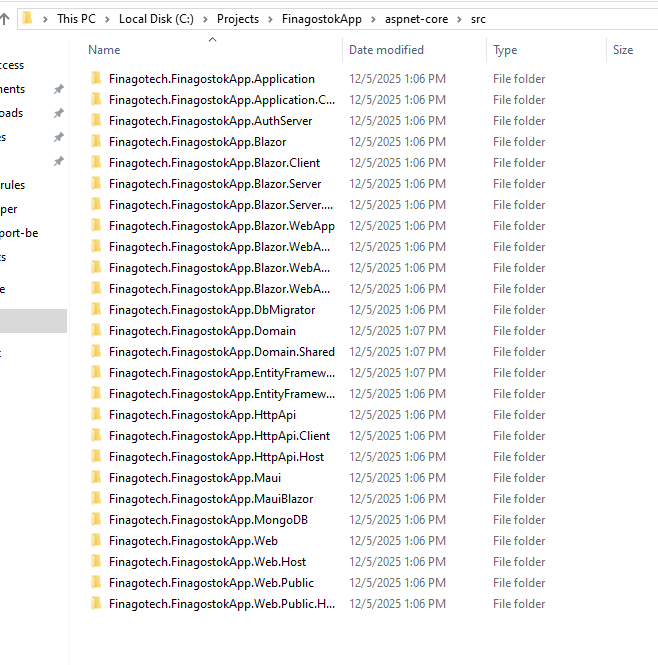
My local Pc and remote pc have same problem. CLI and Suite.
Our license had expired. We purchased a new license yesterday. Could this be related?
Markdown supported.Copy, paste, or drag & drop images and files (max 100 MB per file, 100 MB total per post) -
0
Our license had expired. We purchased a new license yesterday. Could this be related?
You can log out and log in again,
abp logout

abp login
I Installed Net 10 SDK. Still same.
See https://abp.io/support/questions/10128/VoloAbpStudioCli-download-is-failing#answer-3a1db650-6b97-1922-f8b3-c36b4e54d783
Markdown supported.Copy, paste, or drag & drop images and files (max 100 MB per file, 100 MB total per post) -
0
Yes all them I did. I install .net and abp on global. Still problem same. Still on Abp suite I cant create new project.
Markdown supported.Copy, paste, or drag & drop images and files (max 100 MB per file, 100 MB total per post) -
0
yes I runned abp suite in administrator mode. And I runned cmd administrator mode in same folder. Folder is in c disk.
Thanks
Markdown supported.Copy, paste, or drag & drop images and files (max 100 MB per file, 100 MB total per post) -
0
hi
I have confirmed. The
Create a new solutionwas removed from Suite.You can only use CLI or ABP Studio to create new project.
https://abp.io/docs/latest/cli
https://abp.io/docs/latest/studio
Thanks.
Markdown supported.Copy, paste, or drag & drop images and files (max 100 MB per file, 100 MB total per post) -
0
Hi,
But when I want to use Abp cli it creates too many layers and I don't need most of them for backend.
The project template I want is as shown in the photo.
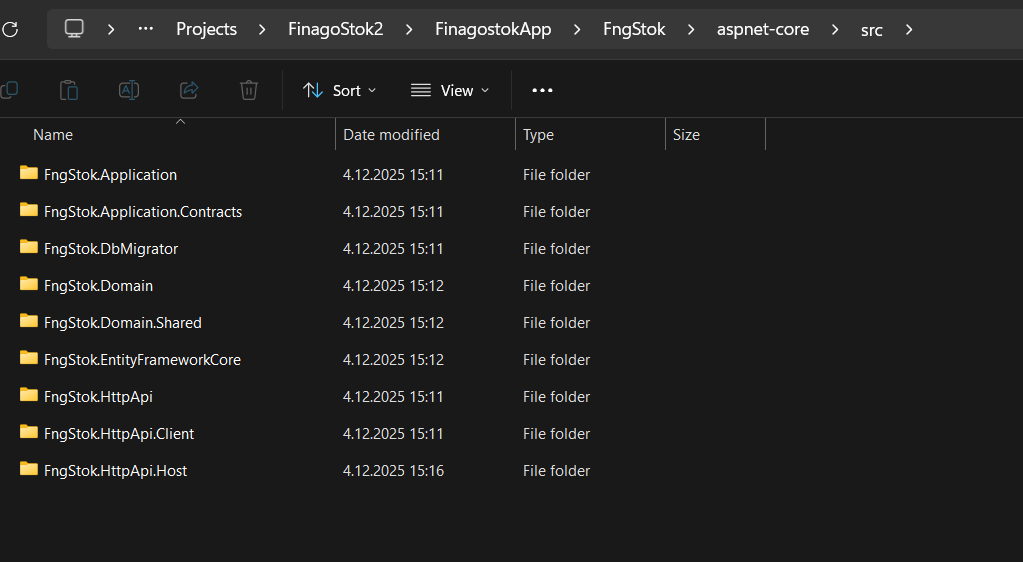
But created many project that ı showed you before. MongoDb blazor layers etc.
Thanks
Markdown supported.Copy, paste, or drag & drop images and files (max 100 MB per file, 100 MB total per post) -
0
hi
If this issue only exists on the remote server, you can create a new project on your local machine and then transfer it to the remote server.
Or can you try installing Studio on a remote server and creating?
https://abp.io/docs/latest/studio
Thanks.
Markdown supported.Copy, paste, or drag & drop images and files (max 100 MB per file, 100 MB total per post) -
0
Hi,
Why is this issue happening with the CLI? I've never used Abp Studio, but I'll give it a try. The issue with the CLI occurs on both the local and remote desktops.
Thanks
Markdown supported.Copy, paste, or drag & drop images and files (max 100 MB per file, 100 MB total per post)



