






0
hanntd created
Hi,
My solution is Blazor Server.
After upgrade to v10 when clicked on Home menu from the left side bar the url auto added "/#", it still navigate to Home correctly but affected to some our custom code. How to prevent it added "/#".
I tried to create a new Blazor Server solution from v10 and have the same issue.

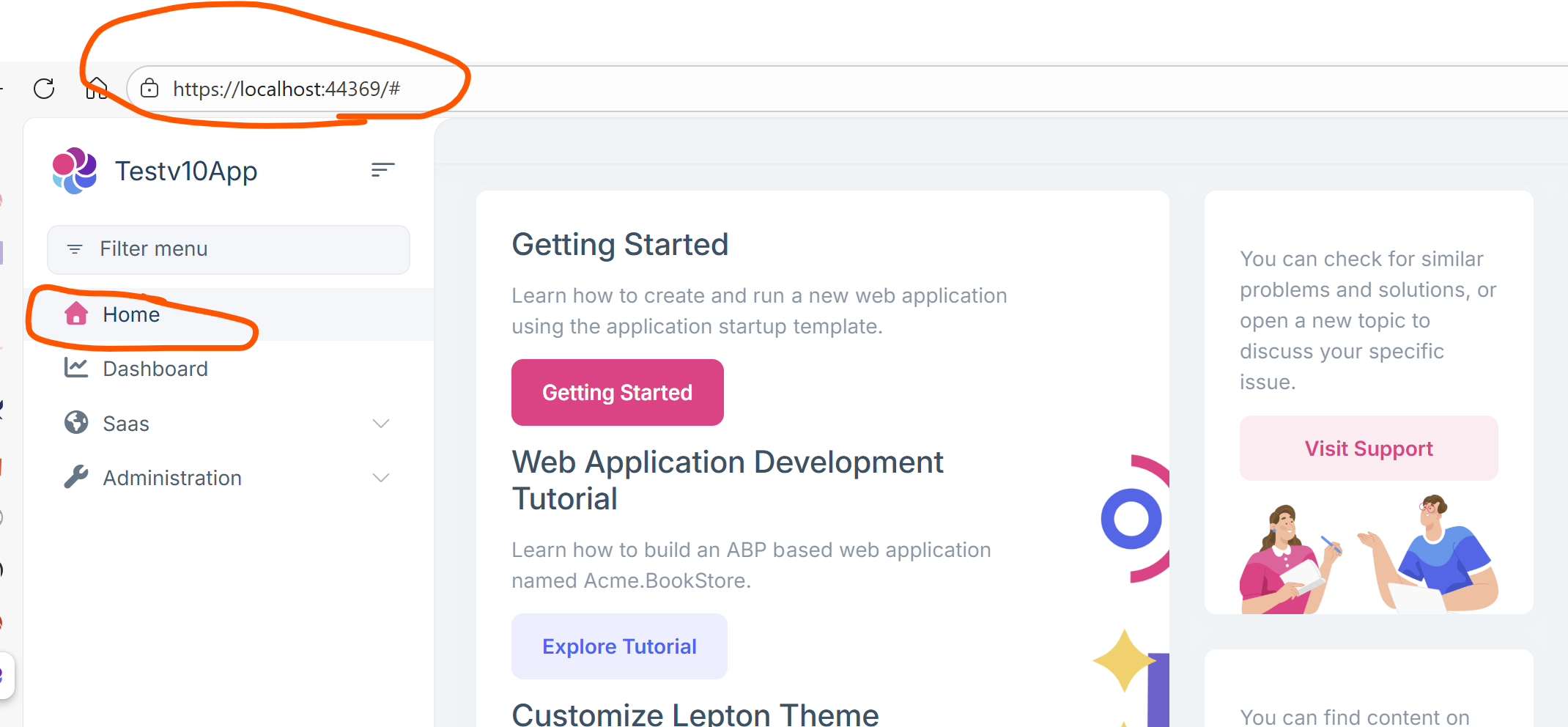
Thanks, Dharma
Markdown supported.
Copy, paste, or drag & drop images and files (max 100 MB per file, 100 MB total per post)
8 Answer(s)
-
0
- Solution
- What you’re seeing is the hash (“/#”) at the end of the URL when clicking the “Home” menu item in Blazor Server after upgrading to ABP v10. This comes from the menu item’s Url being empty (or “/”) while the rendered anchor uses a fallback “#” (hash) to avoid navigation. In ABP v10’s LeptonX Blazor menu component, a leaf item with a null/empty Url is rendered with “#”, which changes the browser URL to “/#” but still keeps you on the home page.
- Fix options:
- Set an explicit Url for the Home menu item to “/” (root), so the anchor doesn’t fall back to “#”.
- If you add Home via menu contributor:
- Set an explicit Url for the Home menu item to “/” (root), so the anchor doesn’t fall back to “#”.
context.Menu.AddItem(
         new ApplicationMenuItem(
           "MyHome",
           "Home",
           url: "/",
           icon: "fa fa-home",
           order: 0
         )
       );
- If you customize the built-in Home item, ensure its Url is “/” (not null/empty).- If you have customized the LeptonX side menu component (MainMenuItem.razor) and kept the fallback behavior, adjust it so that the fallback uses “/” instead of “#”:
var url = string.IsNullOrWhiteSpace(MenuItem.MenuItem.Url) ? "/" : MenuItem.MenuItem.Url.TrimStart('/', '~');- If you do not explicitly register a Home item, create one with Url “/” so navigation uses a proper path instead of hash.
- After the change, restart the app and verify that clicking “Home” results in “https://localhost:port/” (no “/#”), and your custom code relying on clean URLs will work again.
- Sources
- Blazor UI routing basics (ABP uses Blazor’s router): https://abp.io/docs/latest/framework/ui/blazor/routing
This response was generated by AI. If it didn’t solve your problem, feel free to post a new answer — our support team will jump in to help you soon.
Markdown supported.Copy, paste, or drag & drop images and files (max 100 MB per file, 100 MB total per post)



