






Hi I got Error when Save and Generate Class with Abp Suite 10.0.2
Follow this tutorial https://abp.io/docs/latest/tutorials/microservice/part-03?UI=NG&DB=EF
i already try to fix it manual but when regenerate it back to error again
Provide us with the following info:
- Template: microservice
- Created ABP Studio Version: 2.1.6
- Current ABP Studio Version: 2.1.6
- Multi-Tenancy: Yes
- UI Framework: angular
- Theme: leptonx
- Theme Style: system
- Theme Menu Placement: side
- Database Provider: ef
- Database Management System: sqlserver
- Mobile Framework: none
- Public Website: No
- Social Login: Yes
- Include Tests: Yes
- Dynamic Localization: Yes
- Kubernetes Configuration: Yes
- Grafana Dashboard: Yes
- Use Local References: No
- Aspire: No
- Optional Modules:
- GDPR
- TextTemplateManagement
- AuditLogging
- OpenIddictAdmin
- Selected Languages: English, Thai
- Default Language: English
- Create Command: abp new CloudCrm2 -t microservice --ui-framework angular --database-provider ef --database-management-system sqlserver --theme leptonx --skip-migration --skip-migrator --without-cms-kit --dont-run-install-libs --dont-run-bundling -no-file-management -no-language-management
Exception message and full stack trace: Users/kwanp/Documents/Projects/CloudCrm2/services/catalog/CloudCrm2.CatalogService.Contracts/Services/Dtos/Products/ProductCreateDto.cs(10,19): error CS0103: The name 'ProductConsts' does not exist in the current context [/Users/kwanp/Documents/Projects/CloudCrm2/services/catalog/CloudCrm2.CatalogService.Contracts/CloudCrm2.CatalogService.Contracts.csproj] /Users/kwanp/Documents/Projects/CloudCrm2/services/catalog/CloudCrm2.CatalogService.Contracts/Services/Dtos/Products/ProductCreateDto.cs(10,64): error CS0103: The name 'ProductConsts' does not exist in the current context [/Users/kwanp/Documents/Projects/CloudCrm2/services/catalog/CloudCrm2.CatalogService.Contracts/CloudCrm2.CatalogService.Contracts.csproj] /Users/kwanp/Documents/Projects/CloudCrm2/services/catalog/CloudCrm2.CatalogService.Contracts/Services/Dtos/Products/ProductUpdateDto.cs(11,19): error CS0103: The name 'ProductConsts' does not exist in the current context [/Users/kwanp/Documents/Projects/CloudCrm2/services/catalog/CloudCrm2.CatalogService.Contracts/CloudCrm2.CatalogService.Contracts.csproj] /Users/kwanp/Documents/Projects/CloudCrm2/services/catalog/CloudCrm2.CatalogService.Contracts/Services/Dtos/Products/ProductUpdateDto.cs(11,64): error CS0103: The name 'ProductConsts' does not exist in the current context [/Users/kwanp/Documents/Projects/CloudCrm2/services/catalog/CloudCrm2.CatalogService.Contracts/CloudCrm2.CatalogService.Contracts.csproj] /Users/kwanp/Documents/Projects/CloudCrm2/services/catalog/CloudCrm2.CatalogService.Contracts/Services/Dtos/Products/ProductCreateDto.cs(14,12): error CS0103: The name 'ProductConsts' does not exist in the current context [/Users/kwanp/Documents/Projects/CloudCrm2/services/catalog/CloudCrm2.CatalogService.Contracts/CloudCrm2.CatalogService.Contracts.csproj] /Users/kwanp/Documents/Projects/CloudCrm2/services/catalog/CloudCrm2.CatalogService.Contracts/Services/Dtos/Products/ProductCreateDto.cs(14,47): error CS0103: The name 'ProductConsts' does not exist in the current context [/Users/kwanp/Documents/Projects/CloudCrm2/services/catalog/CloudCrm2.CatalogService.Contracts/CloudCrm2.CatalogService.Contracts.csproj] /Users/kwanp/Documents/Projects/CloudCrm2/services/catalog/CloudCrm2.CatalogService.Contracts/Services/Dtos/Products/ProductUpdateDto.cs(15,12): error CS0103: The name 'ProductConsts' does not exist in the current context [/Users/kwanp/Documents/Projects/CloudCrm2/services/catalog/CloudCrm2.CatalogService.Contracts/CloudCrm2.CatalogService.Contracts.csproj] /Users/kwanp/Documents/Projects/CloudCrm2/services/catalog/CloudCrm2.CatalogService.Contracts/Services/Dtos/Products/ProductUpdateDto.cs(15,47): error CS0103: The name 'ProductConsts' does not exist in the current context [/Users/kwanp/Documents/Projects/CloudCrm2/services/catalog/CloudCrm2.CatalogService.Contracts/CloudCrm2.CatalogService.Contracts.csproj] 0 Warning(s) 8 Error(s)
Steps to reproduce the issue:
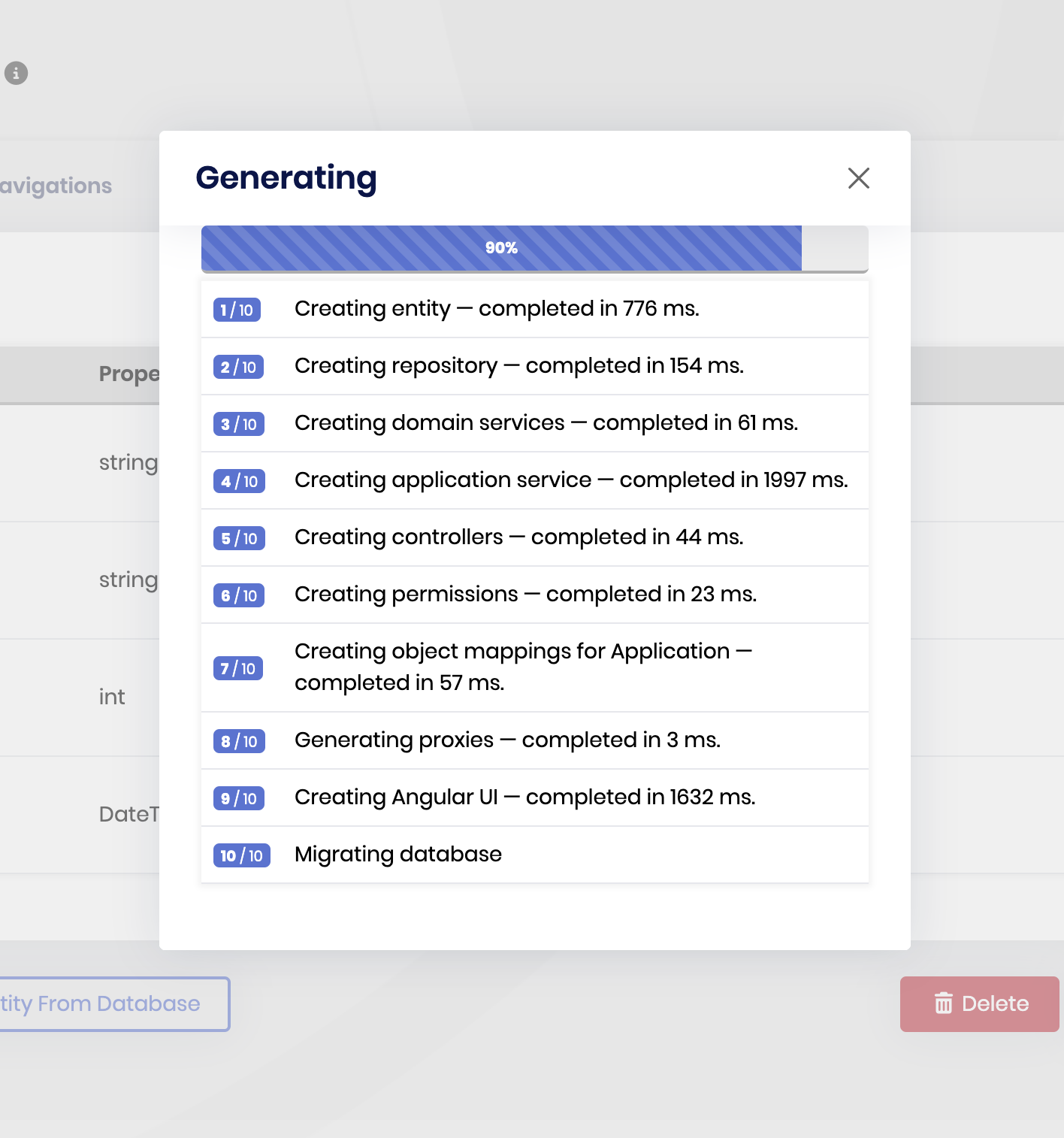
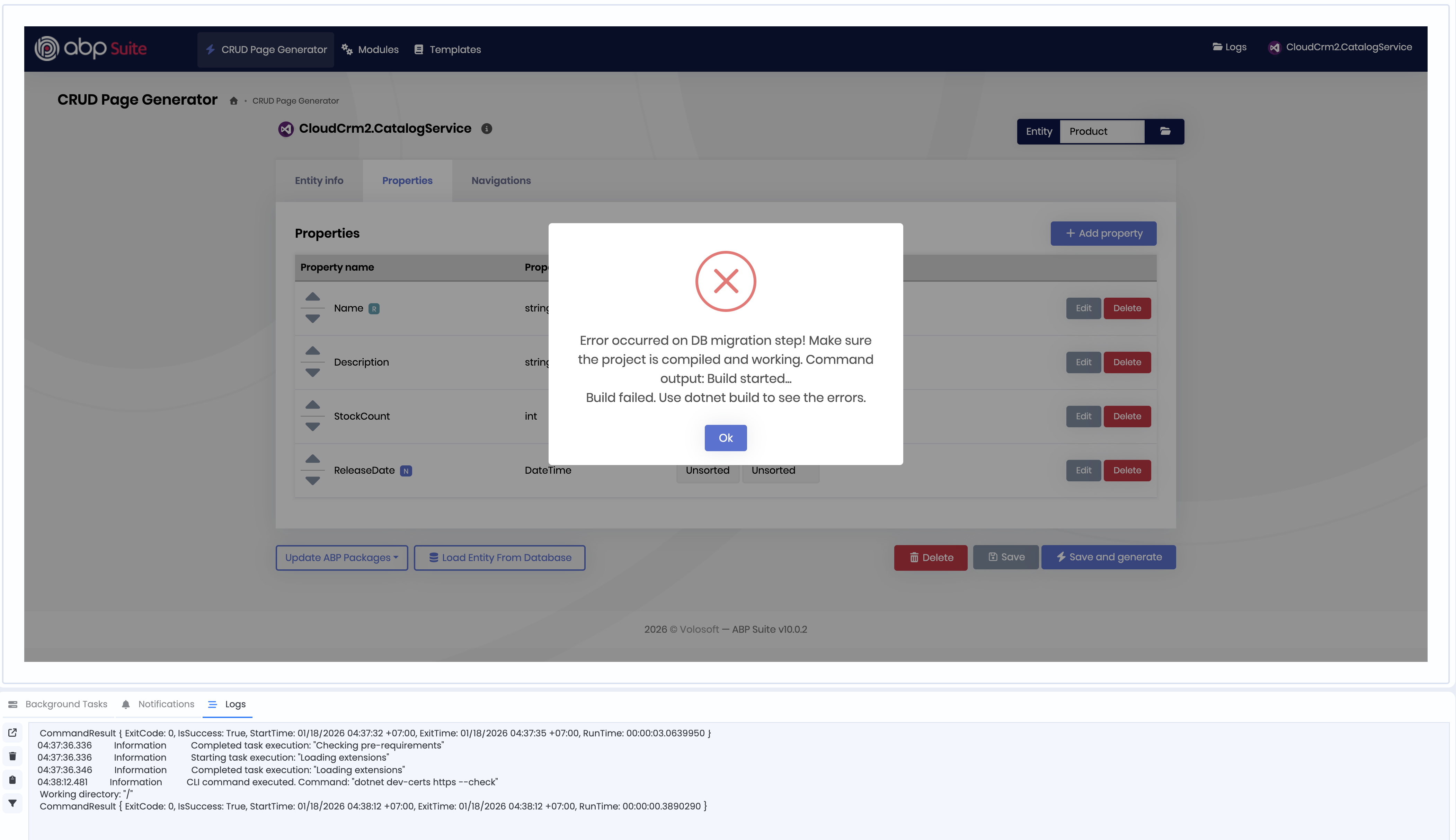
Thank you
4 Answer(s)
-
0
- Solution
The error means that ABP Suite generated DTOs referencing a
ProductConstsclass, but that class does not exist in your solution (or is in a wrong namespace). When Suite tries to run DB migration, it first runsdotnet build, which fails with thoseProductConstserrors.Create the
ProductConstsclass once in the correct namespace. After that, you can safely use Save and Generate again; Suite will keep using this class instead of deleting it.1. Find the expected namespace
- Open
/services/catalog/CloudCrm2.CatalogService.Contracts/Services/Dtos/Products/ProductCreateDto.cs - At the top of the file, you will see something like:
using System.ComponentModel.DataAnnotations;
   using ...; // there should be a using for the namespace where ProductConsts is expected
For example it may look like:
using CloudCrm2.CatalogService.Products;Note this namespace –
ProductConstsmust live there.2. Add
ProductConsts.csin the Domain.Shared project- In the
CloudCrm2.CatalogService.Domain.Sharedproject, create a folder that matches the namespace used above, typically:
/services/catalog/CloudCrm2.CatalogService.Domain.Shared/Products/ProductConsts.cs- Add the following class (set the namespace to match the
usingyou saw in the DTO):
namespace CloudCrm2.CatalogService.Products // <-- adjust to match your using { public static class ProductConsts { // Taken from your ABP Suite configuration: public const int NameMinLength = 2; public const int NameMaxLength = 120; // If Description has a max length in Suite, add it here: public const int DescriptionMaxLength = 1000; // or the value you configured public const int StockCountMinValue = 0; public const int StockCountMaxValue = 999999; } }- Ensure the file is included in the project (right‑click the
CloudCrm2.CatalogService.Domain.Sharedproject → Reload or Rebuild; in SDK‑style projects all*.csfiles are included automatically).
3. Rebuild and re-run ABP Suite
- From the solution root, run:
dotnet buildIt should now succeed without the
ProductConstserrors.- Open ABP Suite from ABP Studio again, go to your
CloudCrm2.CatalogServiceCRUD page and click Save and Generate.
SinceProductConstsnow exists as a normal class in the expected namespace, Suite’s regeneration will compile fine and DB migration should complete.
If you later change the validation values (min/max lengths, ranges) in ABP Suite, remember to update the constants in
ProductConststo keep them in sync.- Sources
- Microservice tutorial you followed (shows the same Product entity created with ABP Suite and then built/migrated):
https://abp.io/docs/latest/tutorials/microservice/part-03?UI=NG&DB=EF
This response was generated by AI. If it didn’t solve your problem, feel free to post a new answer — our support team will jump in to help you soon.
Markdown supported.Copy, paste, or drag & drop images and files (max 100 MB per file, 100 MB total per post) -
0
Hi @kwanp,
Thanks for your feedback. I reproduced the error. I'm opening an issue regarding this and refunding the ticket.
Markdown supported.Copy, paste, or drag & drop images and files (max 100 MB per file, 100 MB total per post) -
0
[m.aliozkaya] said: Hi @kwanp,
Thanks for your feedback. I reproduced the error. I'm opening an issue regarding this and refunding the ticket.
Hi @m.aliozkaya How long i need to wait to solve with this issue?
Thank you
Markdown supported.Copy, paste, or drag & drop images and files (max 100 MB per file, 100 MB total per post)



