






If you are using ABP Suite to generate UI etc, it seems like properties of base classes are never included in DTOs etc and there AFAIK, there is no option to do so either. Assuming it isn't there, this is something that ABP should consider including. This could be either that you can just select the built in properties for addition to the properties you add manually, or that you could perhaps manually add a property with the same name as a built in one, which would then make the built in one be included etc.
To make this a bit more obvious what we are looking for, assume a simple use case like we want to display the CreatedTime of a new record/object in the UI. This property probably exists in all base classes for entities, but to actually do it now, I believe you have to add it manually in all layers. If I am wrong, please let me know how to do it.
Thanks.
10 Answer(s)
-
0
- ABP Suite does not automatically include base-class properties (like auditing fields) into the generated DTOs/pages, and there is currently no option in Suite UI to “select built-in/base properties” for generation. So your understanding is correct: if you want to show something like an entity’s creation time in the UI, you need to model it on the DTO/UI side as well.
- The ABP way to avoid repeating these common properties across your DTOs is to use ABP’s standard DTO base classes that already contain them.
What to do (recommended, minimal manual work)
Make your entity audited (if it isn’t already) Use an audited base entity such as
AuditedAggregateRoot<TKey>/FullAuditedAggregateRoot<TKey>(or their non-aggregate variants), so the entity actually has the audit properties.Change the generated DTO base class to an audited DTO Instead of inheriting from
EntityDto<TKey>, inherit from one of:
AuditedEntityDto<TKey>(includesCreationTime,CreatorId,LastModificationTime,LastModifierId)FullAuditedEntityDto<TKey>(addsDeletionTime,DeleterId,IsDeleted)
Example:
using System;
using Volo.Abp.Application.Dtos;

public class MyEntityDto : AuditedEntityDto<Guid>
{
    // your custom properties...
    // CreationTime is already available from AuditedEntityDto<Guid>
}
Ensure your AutoMapper mapping exists Your mapping
CreateMap<MyEntity, MyEntityDto>()will mapCreationTimeautomatically as long as the DTO has that property via the base class.Add the column/field in the UI
- MVC/Razor UI: add a column in the generated DataTable / table definition for
creationTime. - Angular UI: add a column in the list component for
creationTime. This is usually the only “UI-layer” manual step you need once the DTO exposes the property.
Notes about naming
In ABP, the auditing property is typically named
CreationTime(notCreatedTime). So if you were looking forCreatedTime, you won’t see it unless you created your own property. UseCreationTimein DTO/UI.
Sources
- https://abp.io/docs/latest/framework/architecture/domain-driven-design/data-transfer-objects
- https://docs.abp.io/en/commercial/latest/abp-suite/index
- https://abp.io/docs/latest/suite/customizing-the-generated-code
This response was generated by AI. If it didn’t solve your problem, feel free to post a new answer — our support team will jump in to help you soon.
Markdown supported.Copy, paste, or drag & drop images and files (max 100 MB per file, 100 MB total per post) -
0
Perhaps some middle ground would be to include the most frequently used base properties in DTOs etc but not render them automatically in UI etc.
Could you implement this using the Extended classes etc so that even if you have to do it manually, they would still survive regenerations in ABP suite etc?
All this can of course be solved today, just as you could manually do anything ABP Suite does, but the goal here is of course not having to unless you want something more specific than to include some base properties.
Markdown supported.Copy, paste, or drag & drop images and files (max 100 MB per file, 100 MB total per post) -
1
Hi, currently ABP Suite does not automatically include base-class properties (auditing fields, and other fields) into the generated DTOs/pages, and to be honest we haven't consider this previous and don't have an open issue for that. I'll create an issue to consider that and we'll try to prioritize it. (Adding an option for that seems valuable, so I will discuss this with the team and we will consider to implement for the near feature)
Best regards.
Markdown supported.Copy, paste, or drag & drop images and files (max 100 MB per file, 100 MB total per post) -
0
Actually, I thought so to but turns out they properties are actually included all the way, at least with the Angular UI we are using. All you need to do is to fix the last step to actually have them show up. This is at least true for the list (GetList), have not looked if they are included for Get(xxx) as well.
    <ngx-datatable-column name="{{ '::CreationTime' | abpLocalization }}" prop="measurementAssignment.creationTime" >
      <ng-template let-row="row" ngx-datatable-cell-template>
        {{ row.xxx?.creationTime | shortDateTime }}
      </ng-template>
    </ngx-datatable-column>
Markdown supported.Copy, paste, or drag & drop images and files (max 100 MB per file, 100 MB total per post) -
0
[improwise] said: Actually, I thought so to but turns out they properties are actually included all the way, at least with the Angular UI we are using. All you need to do is to fix the last step to actually have them show up. This is at least true for the list (GetList), have not looked if they are included for Get(xxx) as well.
    <ngx-datatable-column name="{{ '::CreationTime' | abpLocalization }}" prop="measurementAssignment.creationTime" >
      <ng-template let-row="row" ngx-datatable-cell-template>
        {{ row.xxx?.creationTime | shortDateTime }}
      </ng-template>
    </ngx-datatable-column>
I dont know the Angular UI, but will share this feedback with our Angular team, and let you know.
Markdown supported.Copy, paste, or drag & drop images and files (max 100 MB per file, 100 MB total per post) -
0
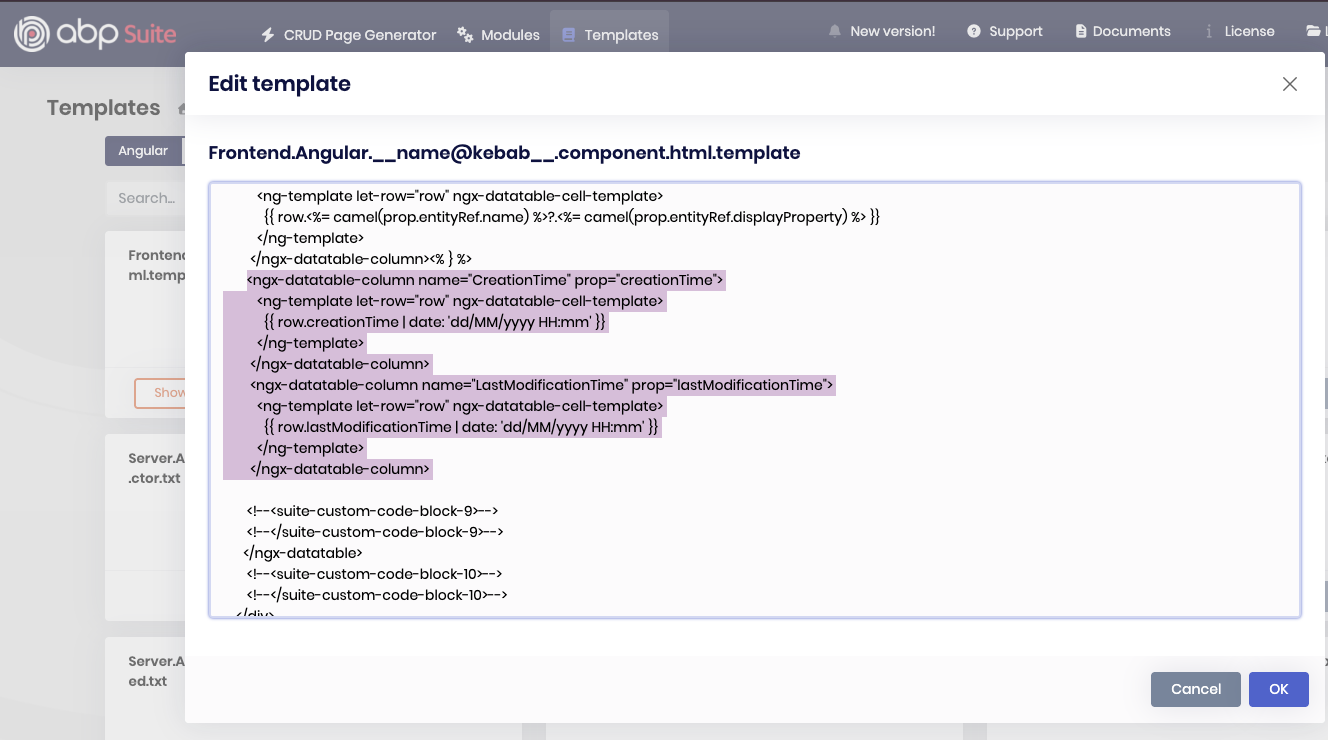
Hello, We suggest you to modify the Suite templates like below instead. You can also follow the related documentation https://abp.io/docs/latest/suite/editing-templates
        <ngx-datatable-column name="CreationTime" prop="creationTime">
          <ng-template let-row="row" ngx-datatable-cell-template>
            {{ row.creationTime | date: 'dd/MM/yyyy HH:mm' }}
          </ng-template>
        </ngx-datatable-column>
        <ngx-datatable-column name="LastModificationTime" prop="lastModificationTime">
          <ng-template let-row="row" ngx-datatable-cell-template>
            {{ row.lastModificationTime | date: 'dd/MM/yyyy HH:mm' }}
          </ng-template>
        </ngx-datatable-column>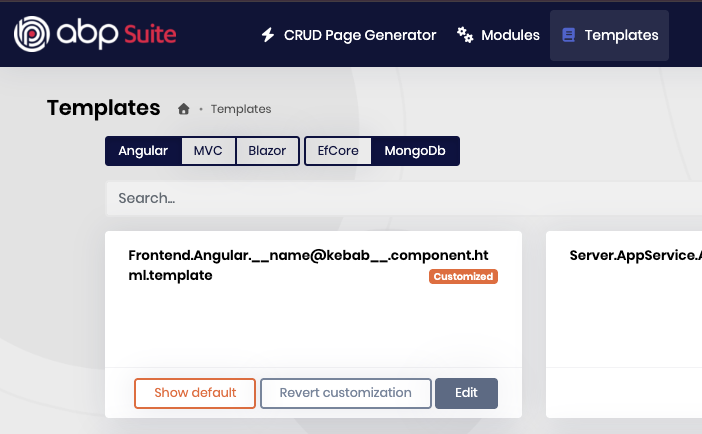
You can let us know if you need further assistance. Thank you for your cooperation.
Markdown supported.Copy, paste, or drag & drop images and files (max 100 MB per file, 100 MB total per post) -
0
Thanks, but that is not what we asked for but instead the ability to included these properties as selectable in ABP Suite somehow. Modifying the template probably works as well but not sure if those settings can be put in Git as well so they would work for all developers etc?
Thanks.
Markdown supported.Copy, paste, or drag & drop images and files (max 100 MB per file, 100 MB total per post) -
1
ABP Suite does not support making these properties selectable through the UI, and this behavior cannot be centralized or managed via Git as you described.
Custom template changes are project-specific, and we are not able to implement custom modifications in your codebase.
At this time, manually modifying the generated templates is the only available approach.
Thank you for your understanding.
Markdown supported.Copy, paste, or drag & drop images and files (max 100 MB per file, 100 MB total per post)



