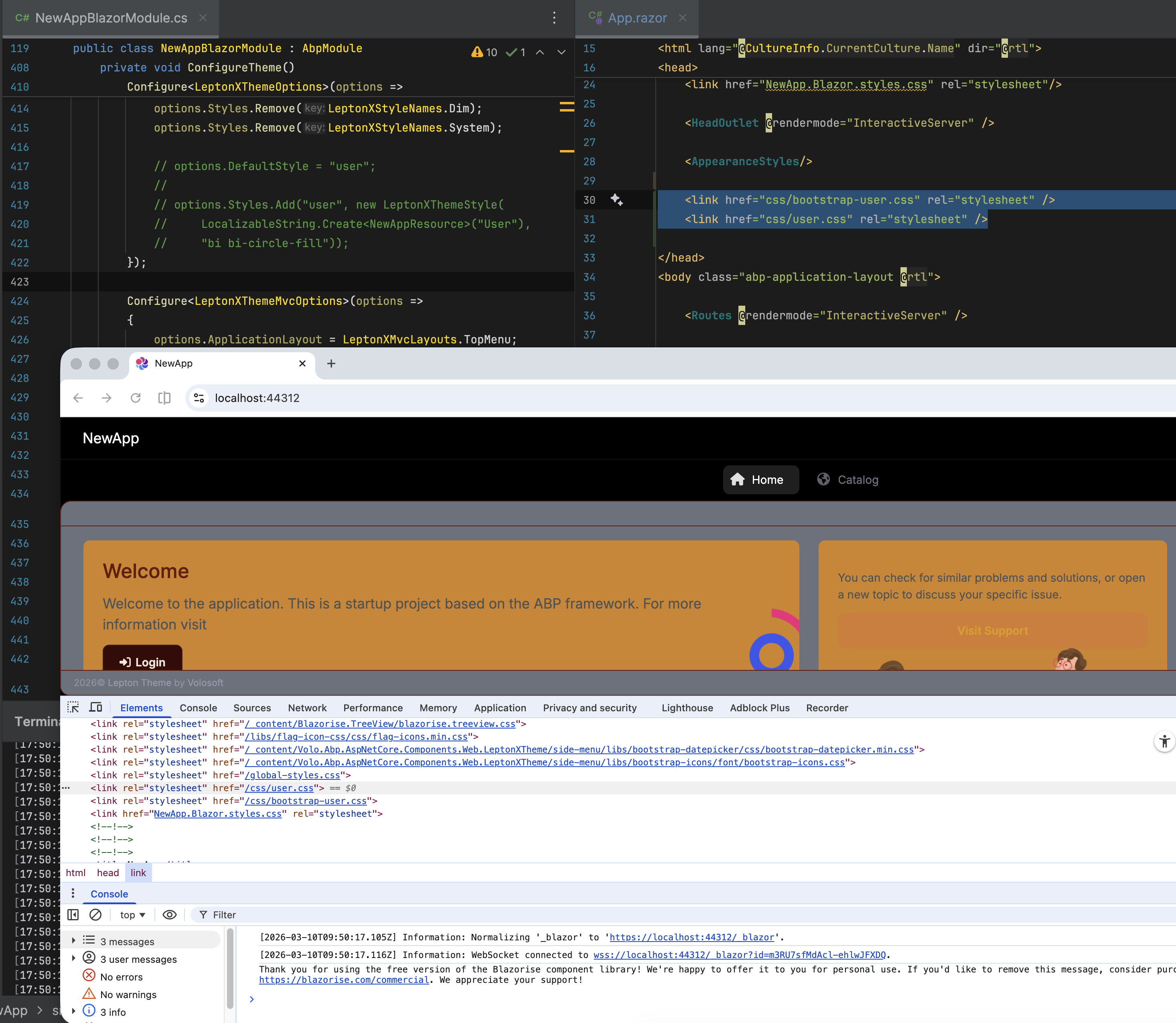
Environment Details
• ABP Framework Version: 9.2.1 • ABP Studio Version: 2.1.7 (Created with 0.9.25) • UI Framework: Blazor Server • Architecture: Tiered (Layered) • Database: SQL Server (EF Core) • Deployment: Azure App Service (Quality Environment) • Distributed Event Bus: RabbitMQ • Multi-Tenancy: Yes (Separate Tenant Schema) The application is built on ABP Framework version 9.2.1, originally created using ABP Studio version 0.9.25 and currently maintained under version 2.1.7. It utilizes a Tiered (Layered) architecture with a Blazor Server UI framework, authentication, api and webpublic servers. For data persistence, the system uses SQL Server managed via Entity Framework Core, featuring a Multi-Tenancy approach with Separate Tenant Schemas.
Description & Problem Statements
I am following the official ABP Deployment Documentation to deploy to Azure App Services, having each application “solution” its own Azure App Service. • AuthServer • HttpApiHost • BlazorServer • WebPublic
Issue 1: Azure Redis Cache Connection Failure
I am unable to establish a connection with Azure Redis Cache
- Attempts made: I have configured the Redis Firewall to allow "all IP addresses" (0.0.0.0) for testing purposes, but the connection still fails.
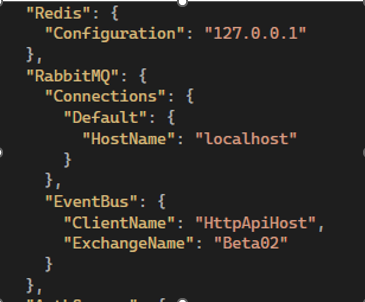
- Current Configuration: Previously, in local development, I used a simple IP address.
- For Azure, I am attempting to use the full connection string provided by the Azure Portal
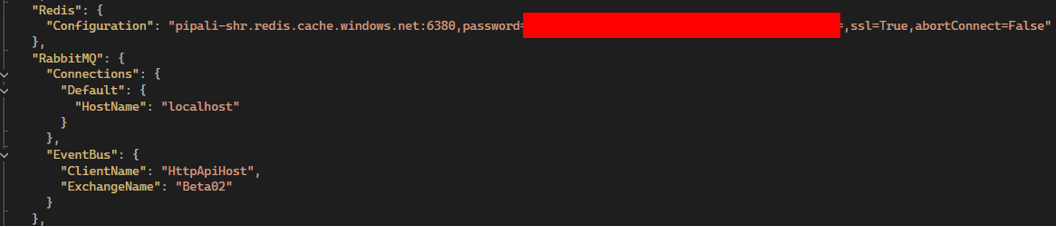
Question: Does the ABP Framework support passing the full Azure connection string directly into the standard Redis configuration field? Is there a specific format or property I should be using in the appsettings.json?
Issue 2: Disabling RabbitMQ for Single-Instance Deployment
The application is currently making constant connection attempts to RabbitMQ, leading to logs filled with connection errors. Since this is a Single-Instance deployment for a Quality environment, I do not require a distributed bus like RabbitMQ at this moment.
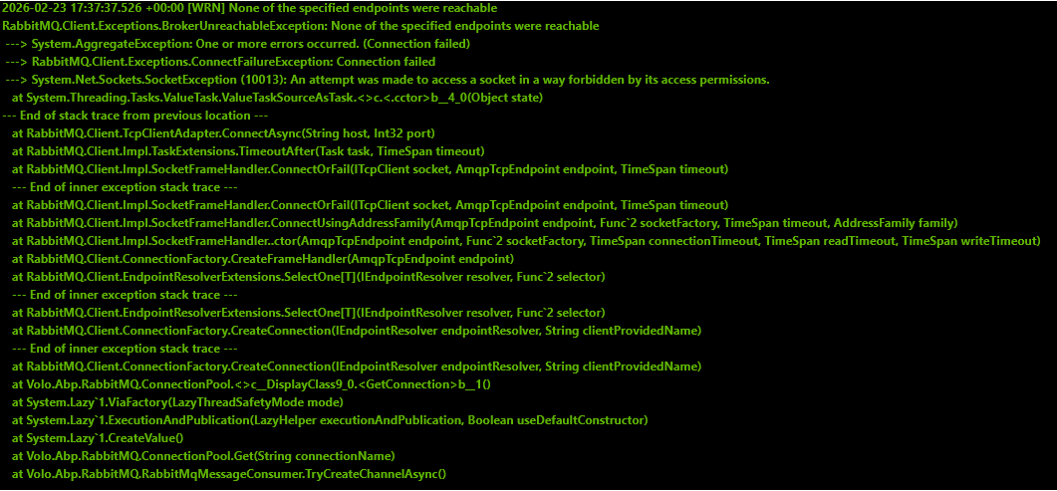 • Requirements: I need a way to disable RabbitMQ or switch to a local/in-memory event bus following best practices.
• Question 1: Is there any recommended configuration (via appsettings.json or modification of the HttpApiHostModule, AuthServerModule, and BlazorServerModule classes) to suppress RabbitMQ and use the internal memory bus?
• Question 2: Is it expected behavior for the Blazor Server UI project to attempt direct connections to RabbitMQ in a tiered architecture?
• Requirements: I need a way to disable RabbitMQ or switch to a local/in-memory event bus following best practices.
• Question 1: Is there any recommended configuration (via appsettings.json or modification of the HttpApiHostModule, AuthServerModule, and BlazorServerModule classes) to suppress RabbitMQ and use the internal memory bus?
• Question 2: Is it expected behavior for the Blazor Server UI project to attempt direct connections to RabbitMQ in a tiered architecture?
Supporting Information
• References from articles taken into consideration: o https://abp.io/docs/9.2/deployment o https://abp.io/docs/9.2/get-started/pre-requirements
38 Answer(s)
-
0
Hi! I sent you the source code to your email address. Let me know if you received it.
Markdown supported.Copy, paste, or drag & drop images and files (max 100 MB per file, 100 MB total per post) -
0
Hi!
I shared as a repo in Github. You might find a Github invite to see the source code.
Markdown supported.Copy, paste, or drag & drop images and files (max 100 MB per file, 100 MB total per post) -
0
hi
I have downloaded your project, but I can't run it. It seems it need local domain,
Can you change it to use localhost to test the Balzor app?
I just need to check the Blazor app to see the 404 CSS files.
Thanks.
Markdown supported.Copy, paste, or drag & drop images and files (max 100 MB per file, 100 MB total per post) -
0
Hi! Thanks for your return. I think something is missing on your end, my bad skipped to instruct you in advance.
- Need to run Azurite that emulates Azure in local PC (the image files are stored at Azure)
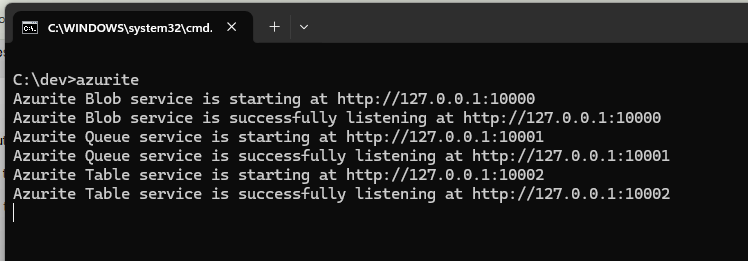
- In DbMigrator folder, find the batch file RunDev.bat and run it. There are some data feeds that is needed to run the application, not only those made by ABP but others. See the screen below:
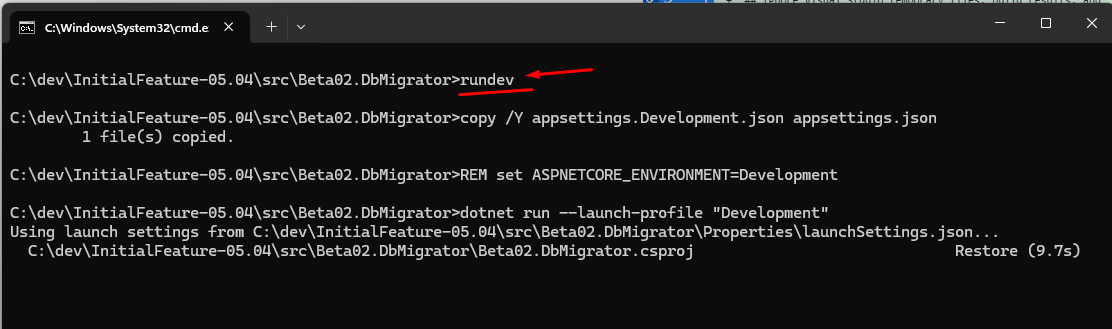
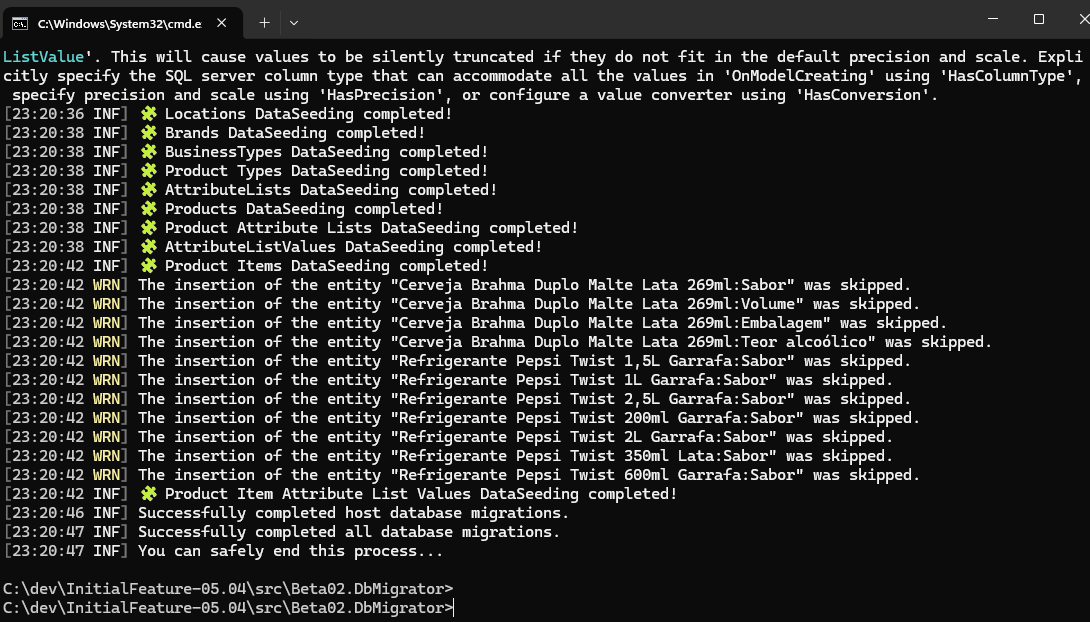
- Install Libs (this is the first usage after download from GitHub
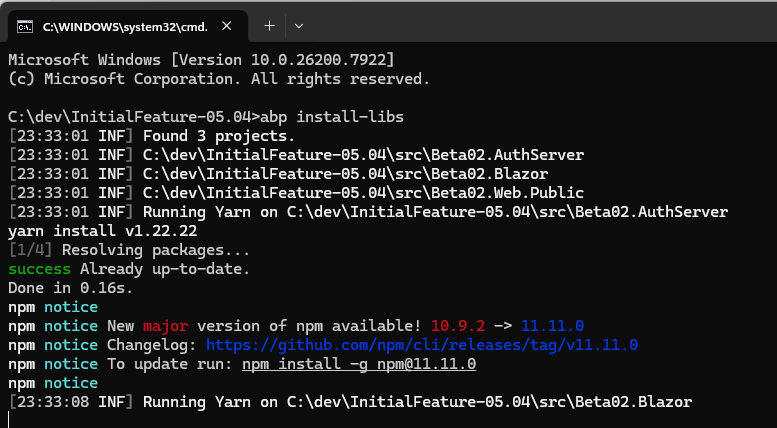
Launch the 3 servers using AbpStudio (remember to start Docker also)
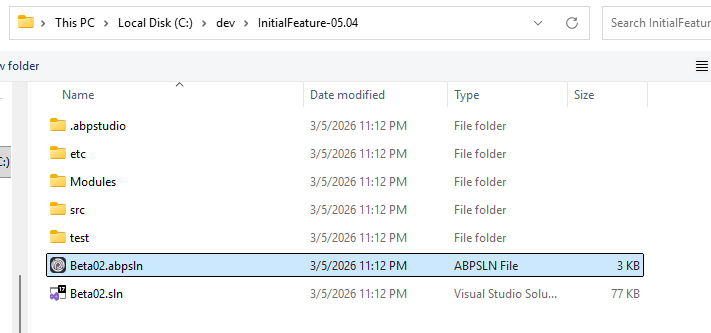
The development environment resolve the names pointing to a localhost 127.0.0.1 made by our DNS Server BUT need be called as below: The URLs are: a) AuthServer https://auth-dev.pipali.com.br
b) HttpHost.Api https://api-dev.pipali.com.br
c) Blazor https://dev.pipali.com.br
Markdown supported.Copy, paste, or drag & drop images and files (max 100 MB per file, 100 MB total per post) - Need to run Azurite that emulates Azure in local PC (the image files are stored at Azure)
-
0
Hi!
OK. I will.reproduce on a clean solution an share it with you on GitHub and let you know.
Markdown supported.Copy, paste, or drag & drop images and files (max 100 MB per file, 100 MB total per post) -
0
[maliming] said: hi This seems a bit complicated. Could you try to reproduce the same problem in a new template project? Thanks.
Hi. I reproduced the error in new solution sent to you through Github repo named StandardApp.
Thanks.
Markdown supported.Copy, paste, or drag & drop images and files (max 100 MB per file, 100 MB total per post) -
0
hi
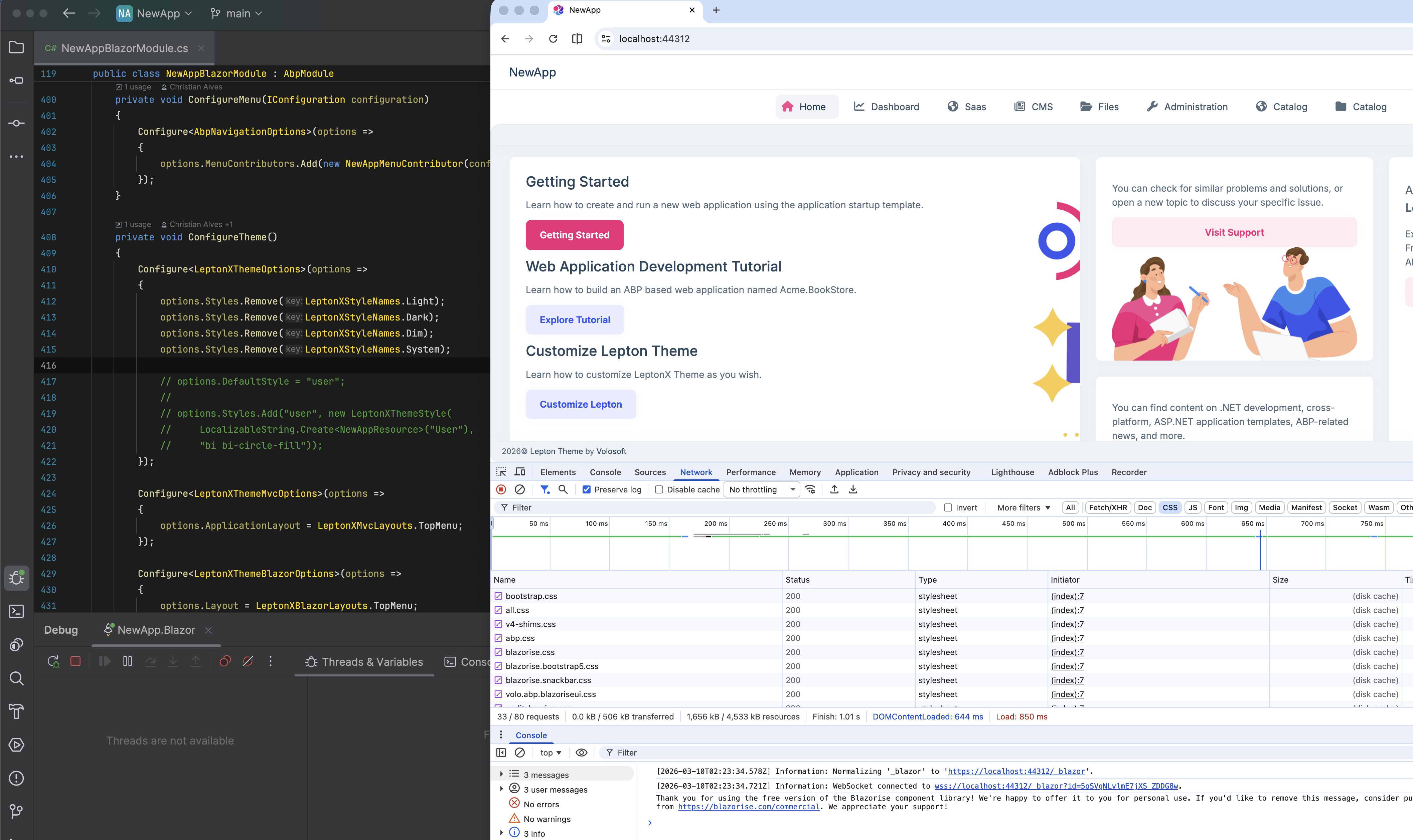
I removed the
userstyle, and css load is no problemhttps://github.com/Serradata/StandardApp/commit/965e7e46e6023aa183d53594421608132b81d91e
 Markdown supported.Copy, paste, or drag & drop images and files (max 100 MB per file, 100 MB total per post)
 -
0
Hi !
You didn´t understand what I´m requesting in this issue. We need to keep using the CSS files, they were referenced in this "demo app" only to allow you easily run something and help us to reference them correctly. I´m pasting here below what I sent you on March 3rd., so please help us to reference the 2 files correctly on the solution to avoid the error.
The home page loads the CSS files but with error on the path.
We are using custom CSS files called user.css and bootstrap-user.css
These 2 files are part of our application and need to be referenced correctly. /css/user.css /css/bootstrap-user.css
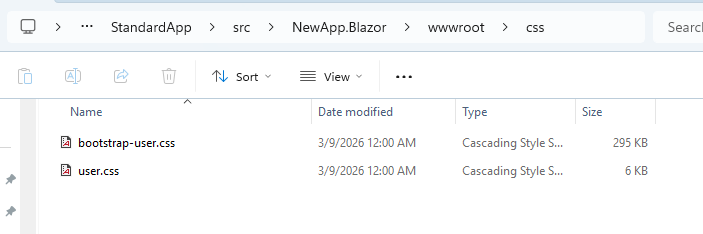
Can you adjust the Sample application we send you containing the 2 CSS files so they can be referenced and loaded correctly?
Markdown supported.Copy, paste, or drag & drop images and files (max 100 MB per file, 100 MB total per post)