- Template: app
- Created ABP Studio Version: 2.2.1
- Current ABP Studio Version: 2.2.1
- Tiered: Yes
- Multi-Tenancy: Yes
- UI Framework: angular
- Theme: leptonx
- Theme Style: system
- Theme Menu Placement: side
- Progressive Web App: No
- Run Progressive Web App Support: No
- Database Provider: ef
- Database Management System: postgresql
- Separate Tenant Schema: Yes
- Mobile Framework: none
- Public Website: No
- Social Login: Yes
- Include Tests: Yes
- Kubernetes Configuration: No
- Distributed Event Bus: rabbitmq
- Use Local References: No
- Optional Modules:
- GDPR
- FileManagement
- TextTemplateManagement
- LanguageManagement
- AuditLogging
- Chat
- OpenIddictAdmin
- Selected Languages: Chinese (Simplified), Chinese (Traditional), English, English (United Kingdom), French, German (Germany), Italian, Portuguese (Brazil), Spanish, Turkish
- Default Language: Chinese (Simplified)
- Create Command: abp new Analision -t app --tiered --ui-framework angular --database-provider ef --database-management-system postgresql --theme leptonx --separate-tenant-schema --skip-migration --skip-migrator --without-cms-kit --sample-crud-page --dont-run-install-libs --dont-run-bundling -chat -file-management
- Exception message and full stack trace:
- Steps to reproduce the issue:
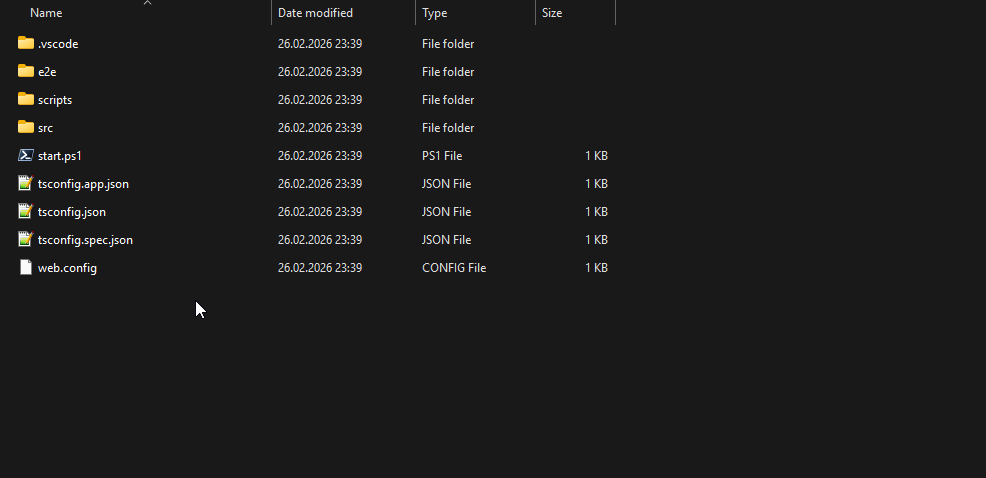
When creating a layered solution with ABP Studio, I choose Angular as the frontend. However, in the generated Angular project, many essential files such as package.json and angular.json are missing. In contrast, when creating a single layered solution, all the necessary files are generated.
Why does this happen, and how can I ensure that all the required files are created when setting up a layered solution with Angular in ABP Studio?
17 Answer(s)
-
0
This happens because your create command explicitly tells ABP Studio/CLI not to run the frontend setup steps for the Angular app:
--dont-run-install-libs--dont-run-bundling
In tiered + Angular solutions, ABP generates the Angular UI under the
angular/folder and then (normally) runs additional steps to prepare it. If you skip these, the Angular workspace may be left in an unprepared/partial state, which can look like “missing Angular files” (e.g.,package.json,angular.json) depending on what exactly was generated vs. what was supposed to be restored/prepared afterward.To ensure all required Angular files are created:
- Create the solution without those flags (recommended):
abp new Analision -t app --tiered --ui-framework angular --database-provider ef --database-management-system postgresql --theme leptonx --separate-tenant-schema --skip-migration --skip-migrator --without-cms-kit --sample-crud-page(i.e., remove `--dont-run-install-libs` and `--dont-run-bundling`)If the solution is already created, ensure you are checking the correct location:
- The Angular app root is the
angular/folder (at the solution root, next toaspnet-core/in Angular UI solutions).
- The Angular app root is the
Then follow the Angular quick-start expectations (Angular project root should include
angular.json,package.json, etc.). If dependencies weren’t installed automatically, install them manually in theangular/folder:
cd angular
     yarn
- https://abp.io/docs/10.1/suite/solution-structure
- https://abp.io/docs/10.1/framework/ui/angular/quick-start
This response was generated by AI. If it didn’t solve your problem, feel free to post a new answer — our support team will jump in to help you soon.
-
0
I ran the below command as stated above comment but the files are still missing...
abp new Analision -t app --tiered --ui-framework angular --database-provider ef --database-management-system postgresql --theme leptonx --separate-tenant-schema --skip-migration --skip-migrator --without-cms-kit --sample-crud-page
-
0
Hello,
Thank you for sharing details about your problem. However, I could not produce the same problem on my end. That would be the best if you could share error logs that are located in your system under such directory
.abp/studio/cli/logs.Thank you for your cooperation.
-
0
I reproduced for you. You can finde the video:
These are the logs:
2026-02-26 17:49:52.969 +03:00 [INF] Found 1 projects. 2026-02-26 17:49:52.970 +03:00 [INF] C:\Users\zorka\Desktop\Store\Codes\Avocore\Analision\src\Analision.AuthServer 2026-02-26 17:49:52.971 +03:00 [INF] Running Yarn on C:\Users\zorka\Desktop\Store\Codes\Avocore\Analision\src\Analision.AuthServer 2026-02-26 23:54:31.997 +03:00 [INF] Creating initial migrations... 2026-02-26 23:55:16.366 +03:00 [INF] Initial migrations are created. 2026-02-27 11:29:59.248 +03:00 [INF] Found 1 projects. 2026-02-27 11:29:59.252 +03:00 [INF] C:\Users\zorka\Desktop\Store\Codes\Avocore\AbpSolution7\src\AbpSolution7.HttpApi.Host 2026-02-27 11:29:59.252 +03:00 [INF] Running Yarn on C:\Users\zorka\Desktop\Store\Codes\Avocore\AbpSolution7\src\AbpSolution7.HttpApi.Host 2026-02-27 11:30:47.320 +03:00 [INF] Creating initial migrations... 2026-02-27 11:31:05.166 +03:00 [INF] Initial migrations are created.
-
0
Thank you again. The logs don't show a clear problem with this creation. Could you try uninstalling the ABP Studio application and reinstalling it?
-
0
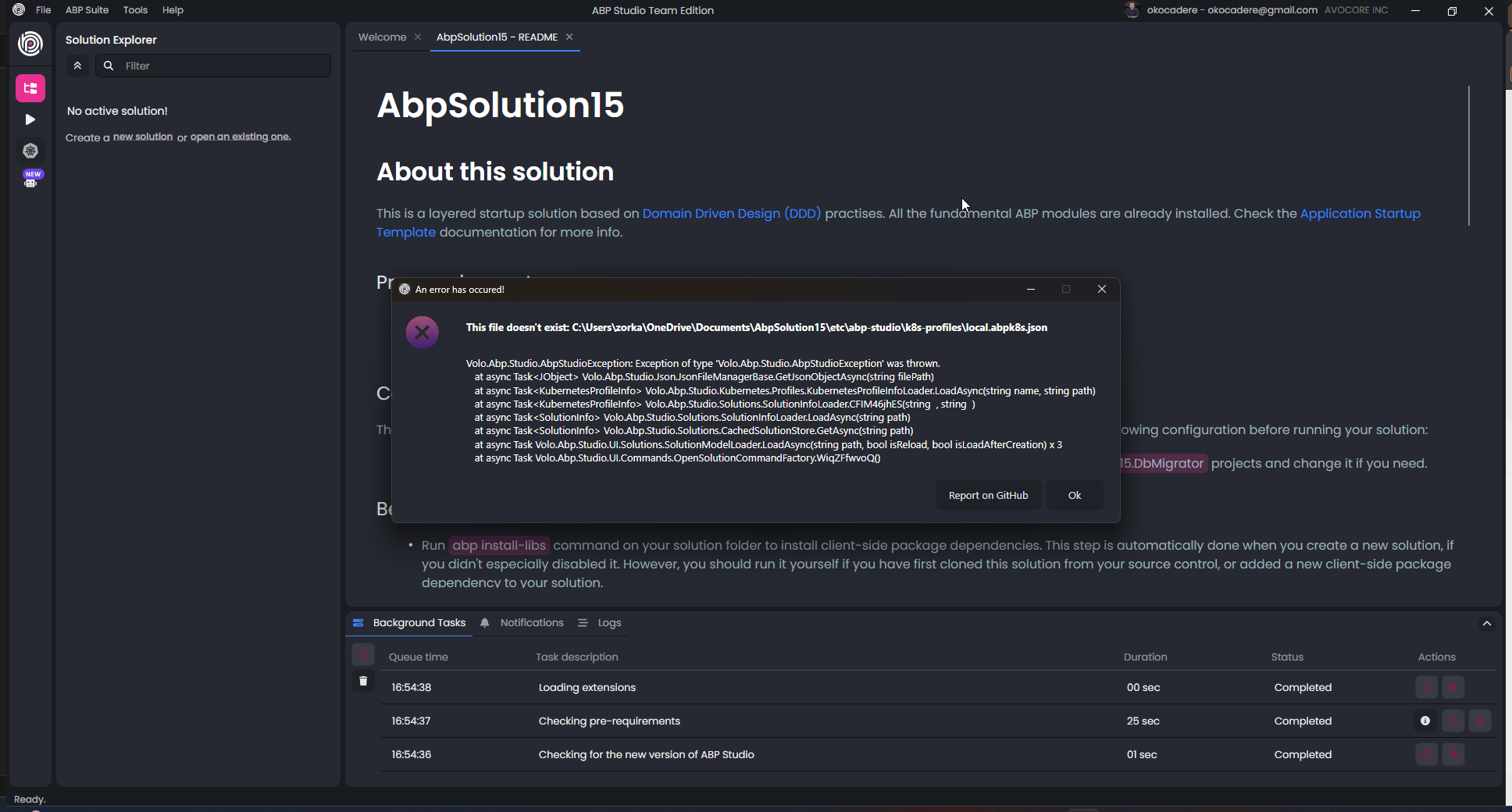
I uninstalled and reinstalled the abp studio several times. Now we have a new error. And still the angular.json and package.json files are not being generated.
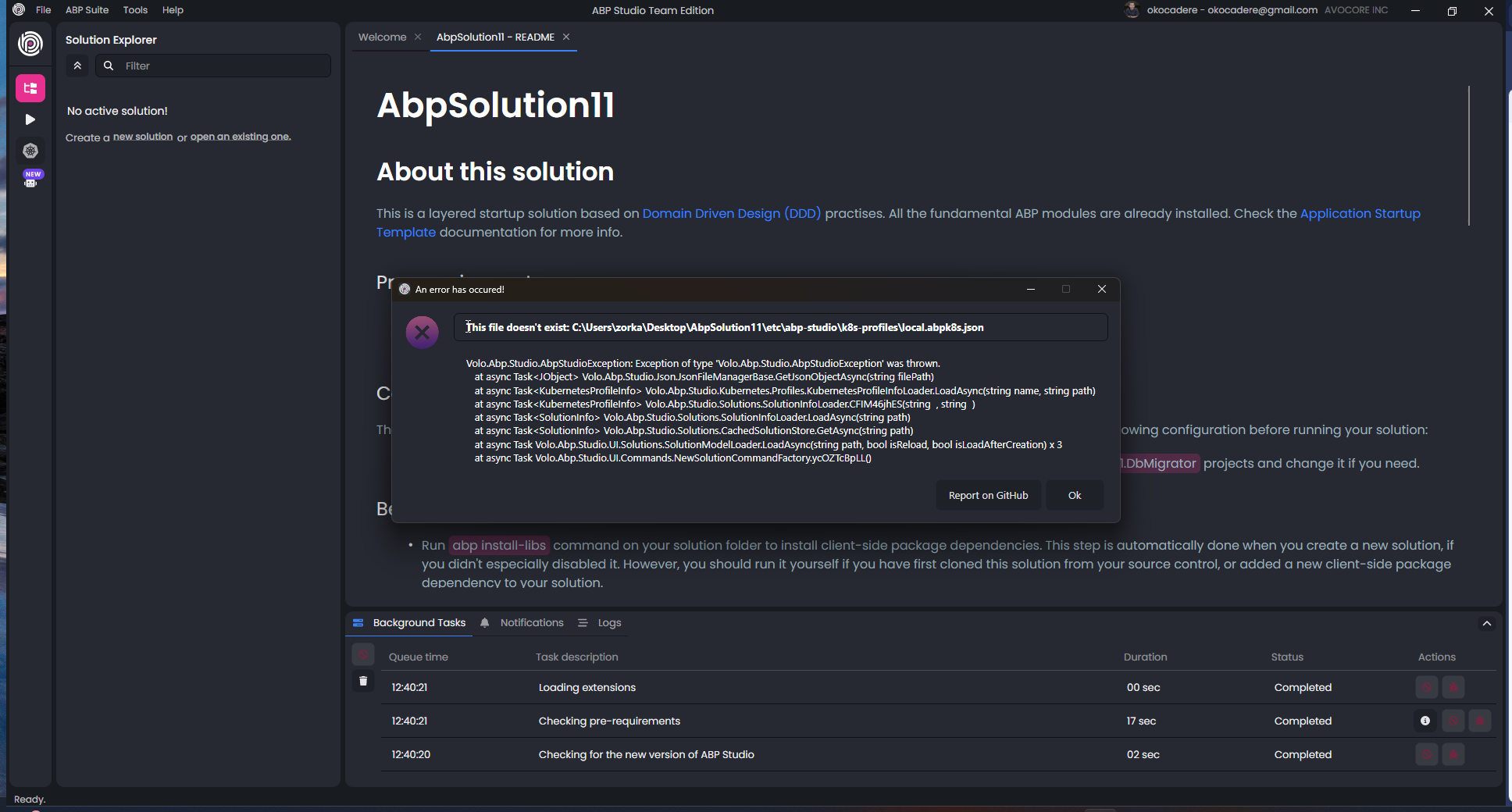
Volo.Abp.Studio.AbpStudioException: Exception of type 'Volo.Abp.Studio.AbpStudioException' was thrown. at async Task<JObject> Volo.Abp.Studio.Json.JsonFileManagerBase.GetJsonObjectAsync(string filePath) at async Task<KubernetesProfileInfo> Volo.Abp.Studio.Kubernetes.Profiles.KubernetesProfileInfoLoader.LoadAsync(string name, string path) at async Task<KubernetesProfileInfo> Volo.Abp.Studio.Solutions.SolutionInfoLoader.CFIM46jhES(string , string ) at async Task<SolutionInfo> Volo.Abp.Studio.Solutions.SolutionInfoLoader.LoadAsync(string path) at async Task<SolutionInfo> Volo.Abp.Studio.Solutions.CachedSolutionStore.GetAsync(string path) at async Task Volo.Abp.Studio.UI.Solutions.SolutionModelLoader.LoadAsync(string path, bool isReload, bool isLoadAfterCreation) x 3 at async Task Volo.Abp.Studio.UI.Commands.OpenSolutionCommandFactory.WiqZFfwvoQ()
-
0
Thank you for the update. I will forward this error to my colleague. I also suspect the Angular file generation may be failing due to folder permissions. Although we do not typically encounter this issue, here is what I suggest:
- Generate the project in a developer folder like
C:\\dev\\MyApp(not the current directory). - Add an exclusion/allow rule for ABP Studio in Controlled folder access.
- Generate the project in a developer folder like
-
0
I tried this but it didn't work: C:\dev\MyApp
I don't understand how this is related to permissions. Hundreds of files are being created but only some critical files like angular.json and package.json are not being created.
And now the error in the screenshot above is also appearing. We need to solve this as well. After the solution is created, I get the error in the screenshot. I cannot open the project with ABP Studio.
We need to find a solution for both of these errors. You can connect to my computer.
-
0
Thank you again for your time and effort.
If you prefer, you can share your project via email at sumeyye.kurtulus@volosoft.com.
Alternatively, you may upload it to a GitHub repository and grant access to my account (GitHub username: sumeyyeKurtulus).
As another option, you could create a non-layered version of the application and copy over the missing files, since they are largely the same.
You can let us know if you need further assistance.
-
0
I sent the project via email. I am already applying the copying solution you mentioned. However, I cannot do this every time, it is not sustainable. This is the first problem.
The second problem is more important. Please solve this because the solution no longer opens from within ABP Studio.
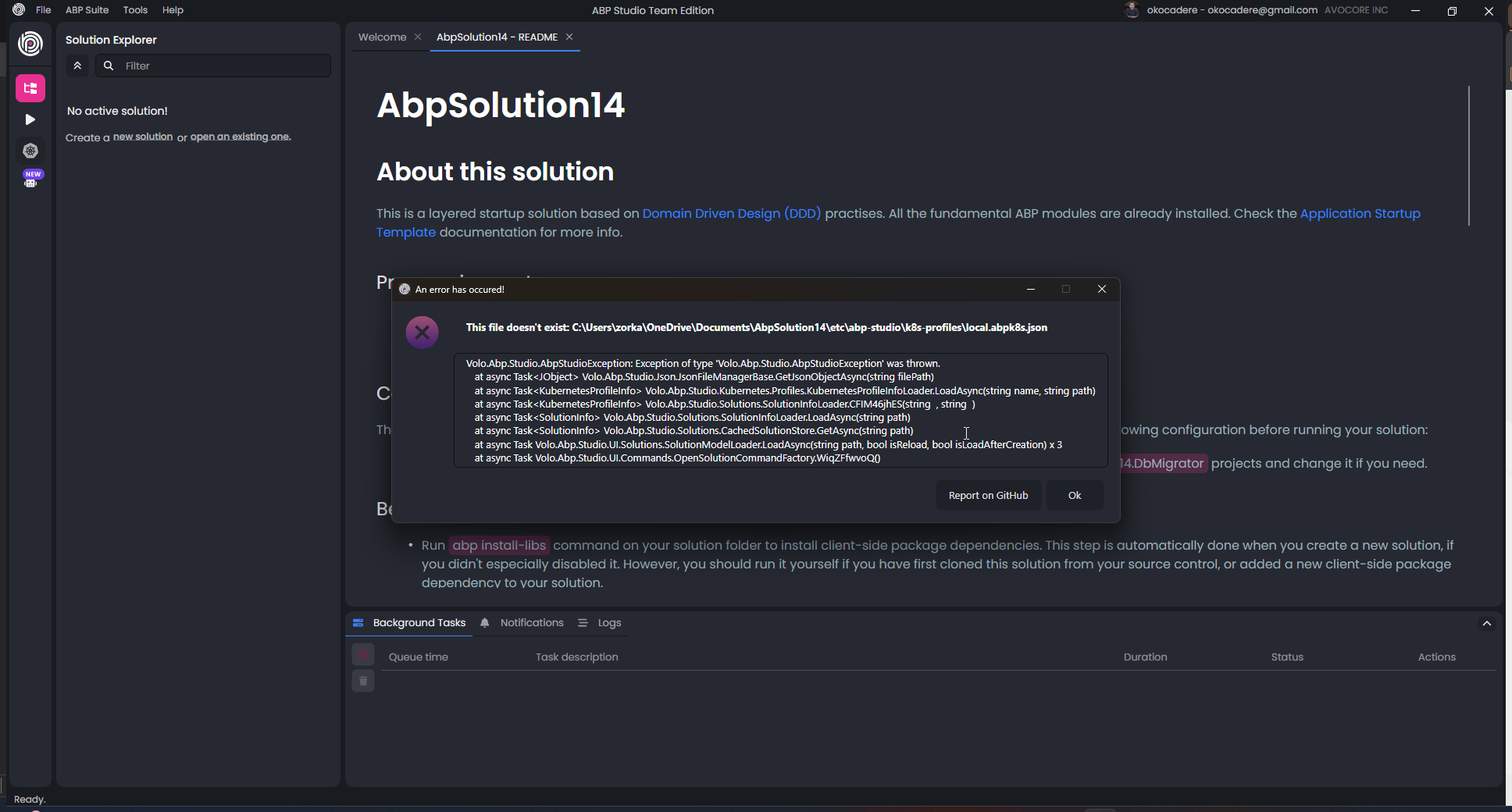
Volo.Abp.Studio.AbpStudioException: Exception of type 'Volo.Abp.Studio.AbpStudioException' was thrown. at async Task<JObject> Volo.Abp.Studio.Json.JsonFileManagerBase.GetJsonObjectAsync(string filePath) at async Task<KubernetesProfileInfo> Volo.Abp.Studio.Kubernetes.Profiles.KubernetesProfileInfoLoader.LoadAsync(string name, string path) at async Task<KubernetesProfileInfo> Volo.Abp.Studio.Solutions.SolutionInfoLoader.CFIM46jhES(string , string ) at async Task<SolutionInfo> Volo.Abp.Studio.Solutions.SolutionInfoLoader.LoadAsync(string path) at async Task<SolutionInfo> Volo.Abp.Studio.Solutions.CachedSolutionStore.GetAsync(string path) at async Task Volo.Abp.Studio.UI.Solutions.SolutionModelLoader.LoadAsync(string path, bool isReload, bool isLoadAfterCreation) x 3 at async Task Volo.Abp.Studio.UI.Commands.NewSolutionCommandFactory.ycOZTcBpLL()
-
0
I have not received an e-mail. The same problem occurs for the other parts of the application. I suspect that it deletes the json files automatically. Can you confirm that?
-
0
You can find the project in the link. NO, I cannot approve. There are lots of json file in the project and in angular, for example tsconfi.json
https://we.tl/t-ce8R8IIhcj
Did you investigate the second problem. I could not use abp studio anymore??
-
0
Yes, I have just checked your solution and identified that there are more files missing as it seems.
The missing files are likely being silently deleted by Windows Defender's Controlled Folder Access. It blocks unauthorized apps from writing certain file types — which explains why hundreds of files are created fine but specific ones like
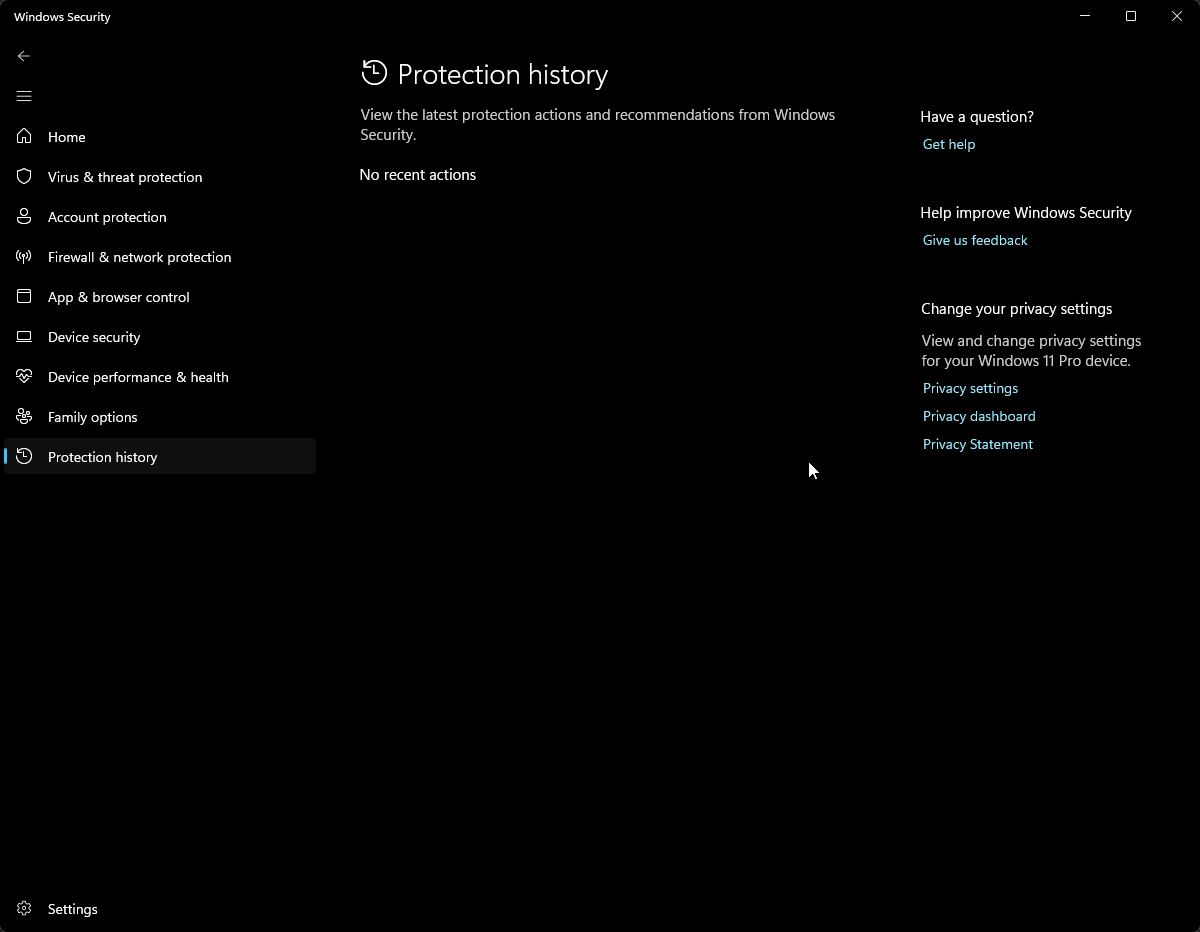
angular.json,package.json,app.config.ts, andapp.routes.tsare missing.To confirm: Open Windows Security → Virus & threat protection → Protection history and check for blocked write actions around the time you ran the
abp newcommand.To fix:
- Go to Windows Security → Ransomware protection → Controlled folder access → turn it Off, regenerate the project, then re-enable it.
- Or keep it on and add ABP Studio as an allowed app under "Allow an app through Controlled folder access."
- If you have a third-party antivirus (Kaspersky, ESET, etc.), check its quarantine logs as well.
The
KubernetesProfileInfoLoadercrash is a secondary issue — ABP Studio is failing to load because those JSON files are missing, corrupting the solution state. -
0
Already closed :
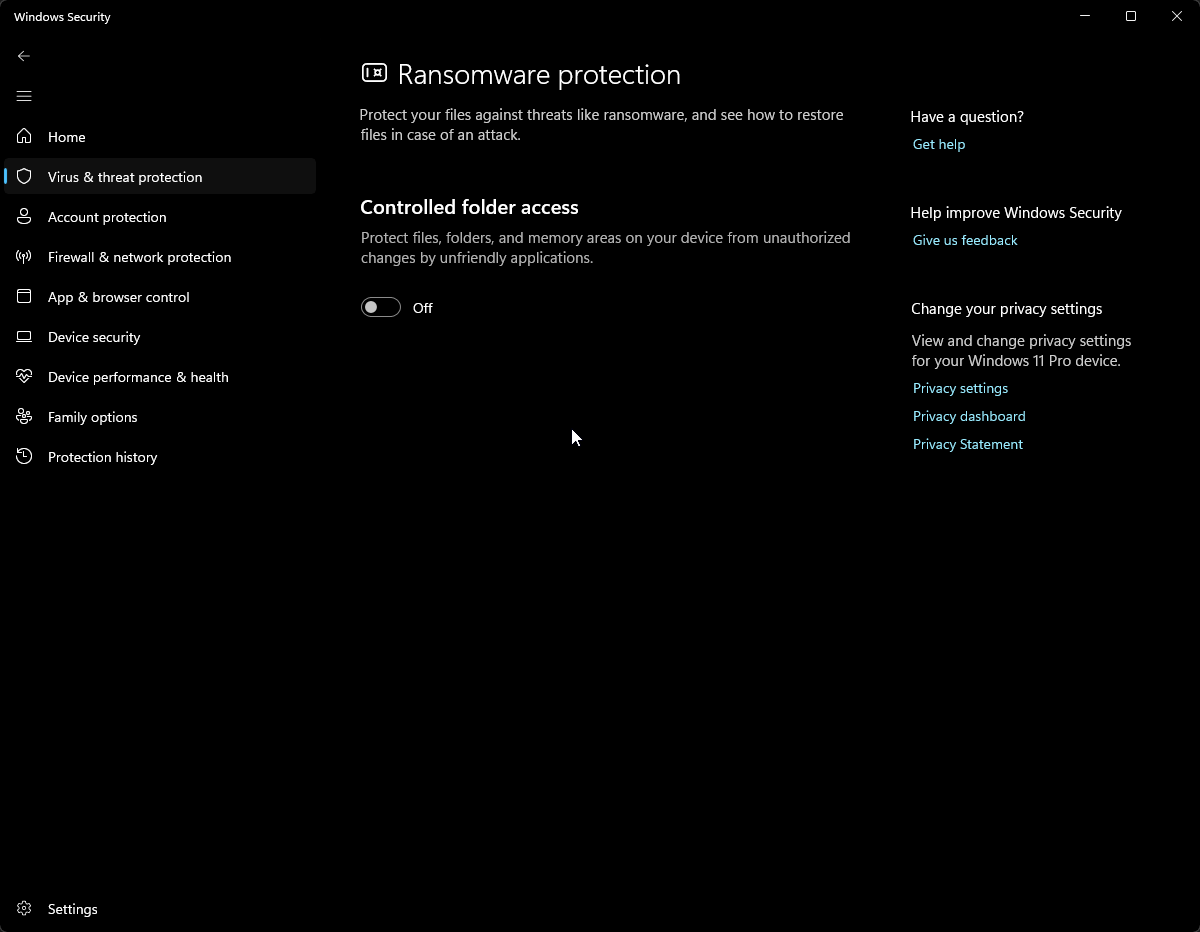
History is empty:
The same error. But pay attention, his error didn't exist before. It appeared after I uninstalled and reinstalled ABP Studio.
-
0
Thank you again. I understand the problem and the inconvenience this situation is causing. Could you try creating an application with a different UI option to test whether a similar problem occurs? I also suggest following the creation process in an IDE or file explorer to see whether the files are created and then deleted.
-
0
This is layered-razor solution creation result:
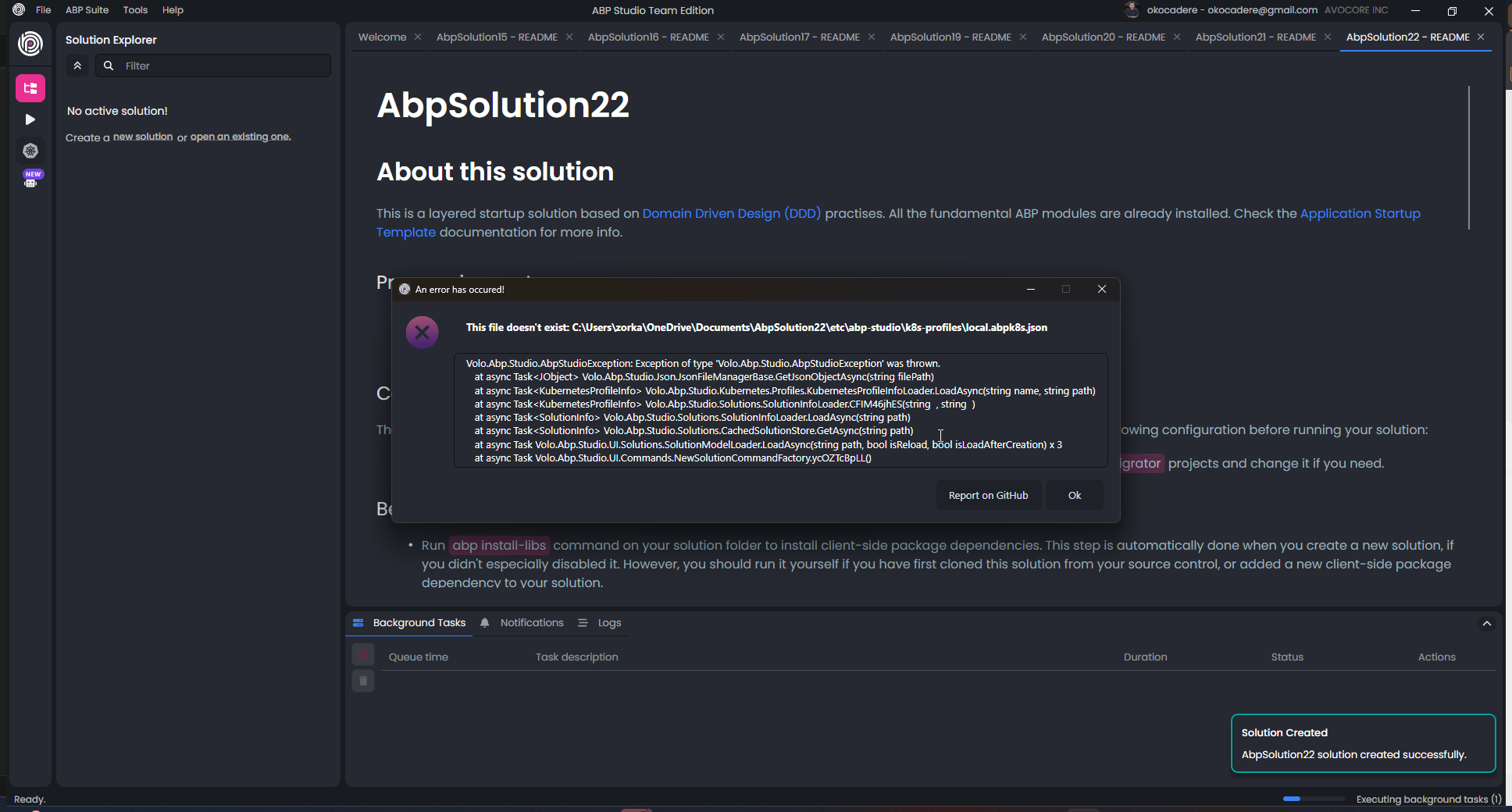
Blazer is the same error. But when I create single layer there is no error... I think the bug is related to layered solutions
-
0
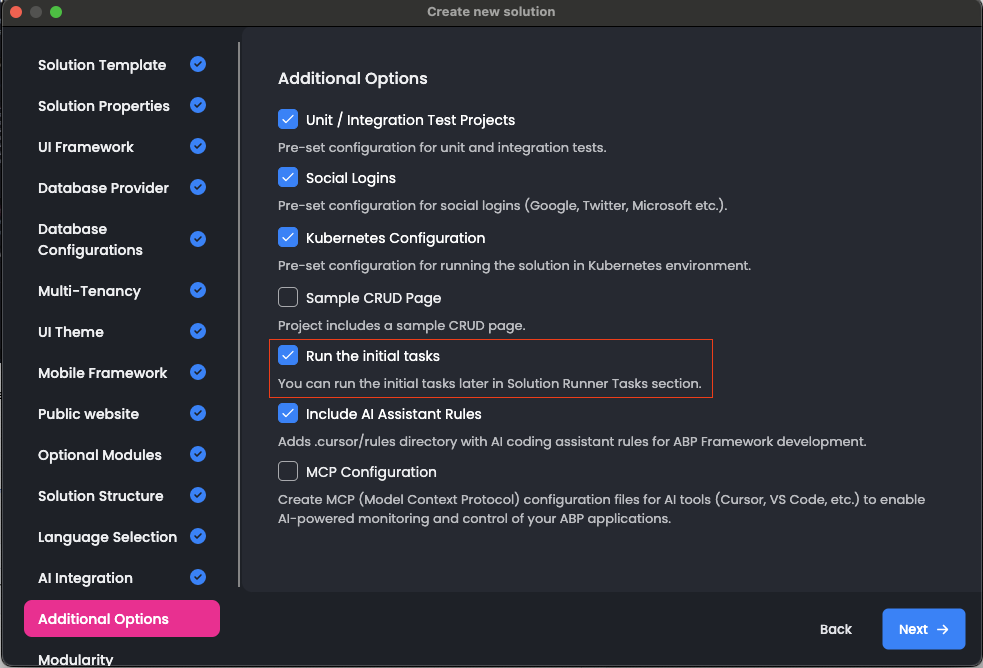
I understand the issue, and thank you for trying again. Could you please also try unchecking the “Run the initial tasks" option while creating the project and see if that helps?