Update the ABP CLI:
dotnet tool update -g Volo.Abp.Cli
Update the ABP Suite:
abp suite update or dotnet tool update -g Volo.Abp.Suite
- Release notes https://docs.abp.io/en/commercial/latest/release-notes
67 Answer(s)
-
0
~~How to get Angular Chat UI for existing project ?~~ Abp 2.9.0 - Angular Chat Module Integration
Error Logs/ Browser Console :
 Markdown supported.Copy, paste, or drag & drop images and files (max 100 MB per file, 100 MB total per post)
 -
0
ABP Suite CRUD Generator (Module)
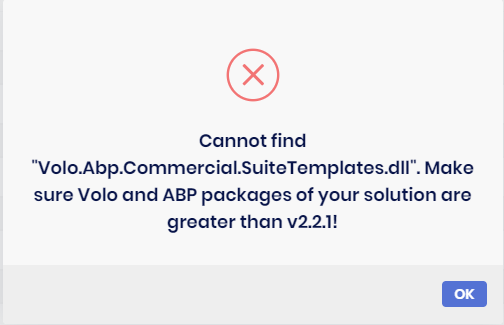
Description: Cannot find Volo.Abp.Commercial.SuiteTemplates.dll
Configuration
- ABP Framework version: v2.9.0
- ABP CLI version: v2.9.0
- ABP Template: module-pro-2.9.0
- ABP Suite version: v2.9.0
- UI type: MVC (Module)
- Tiered (MVC) or Identity Server Seperated (Angular): no
Steps to reproduce the issue:
- Create new module:
abp new Company.ProjectName -t module-pro - ABP Suite:
Add an existing solution - ABP Suite: Add an
Entity infowithProperties - ABP Suite: Click
Save and generate
ABP Suite Error
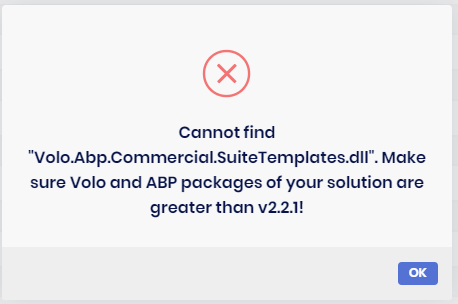
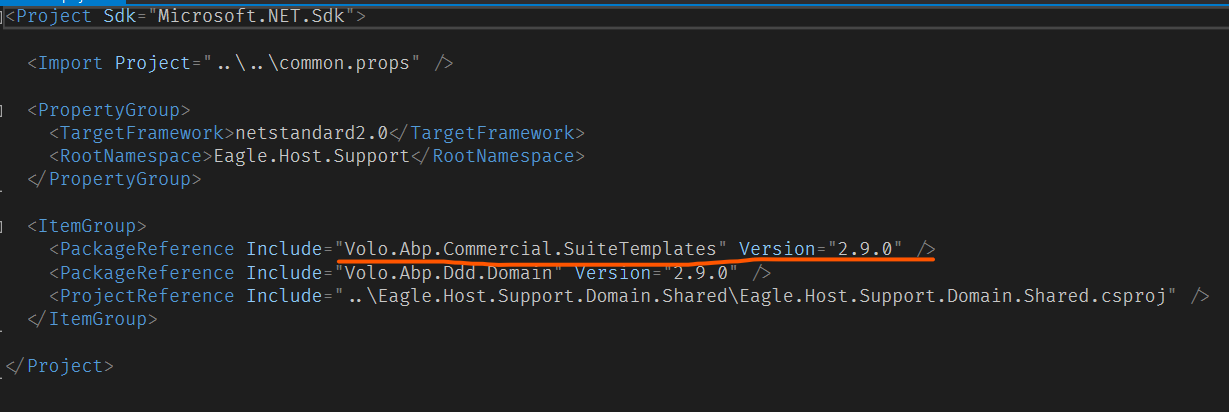
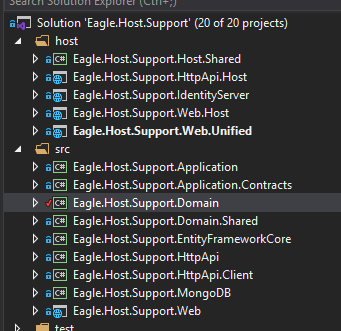
I followed @Alper's instructions here ([Cannot find Volo.Abp.Commercial.SuiteTemplates.dll #48](https://support.abp.io/QA/Questions/48#answer-ea26e90e-4e76-ccdf-44a4-39f3ea298e33)); however, this did not correct the problem.
Domain Project
 Markdown supported.Copy, paste, or drag & drop images and files (max 100 MB per file, 100 MB total per post)
 -
0
Hi,
I've updated from 2.8 to 2.9. I ran the migrations fine but can't seem to get the Org Units UI to shows up (not included in the menu and not navigable via url). Do I need to enable something?
Thanks
Ian
Markdown supported.Copy, paste, or drag & drop images and files (max 100 MB per file, 100 MB total per post) -
0
@ididsbury does the user you're logging in with have access to the Org Units? You may need to grant the admin user access to it also.
Markdown supported.Copy, paste, or drag & drop images and files (max 100 MB per file, 100 MB total per post) -
0
Hi Sean,
Thanks. Yeah, I thought the same. Logged in as admin but no additional permissions (for org units) in the indentity module are visible. I enabled all in any case. Still not showing up. Weird.
Ian
Markdown supported.Copy, paste, or drag & drop images and files (max 100 MB per file, 100 MB total per post) -
0
@ididsbury,
You said you upgraded from 2.8 to 2.9. Did you creat your project in 2.8? If so, have you tried creating a new project with 2.9? I think OU were just added in 2.9. If your proejxt was created with 2.8 you'll probably need to add the OU in manually.
Markdown supported.Copy, paste, or drag & drop images and files (max 100 MB per file, 100 MB total per post) -
0
Hi Sean,
Original project was 1.X. Have been upgrading with every release. I created a new project from abp suite after upgrading to 2.9. I can't see any differences between the new start up template and my project (no additional changes in WebModule, no changes to menu contributor etc). I suspect I'm missing something.
Ian
Markdown supported.Copy, paste, or drag & drop images and files (max 100 MB per file, 100 MB total per post) -
0
@sean.alford
Volo.Abp.Commercial.SuiteTemplate.dllholds the templates of Suite and it must be located in the following directories. Check that if you have it in the below locationFor non-tier project type:
Webproject's output directory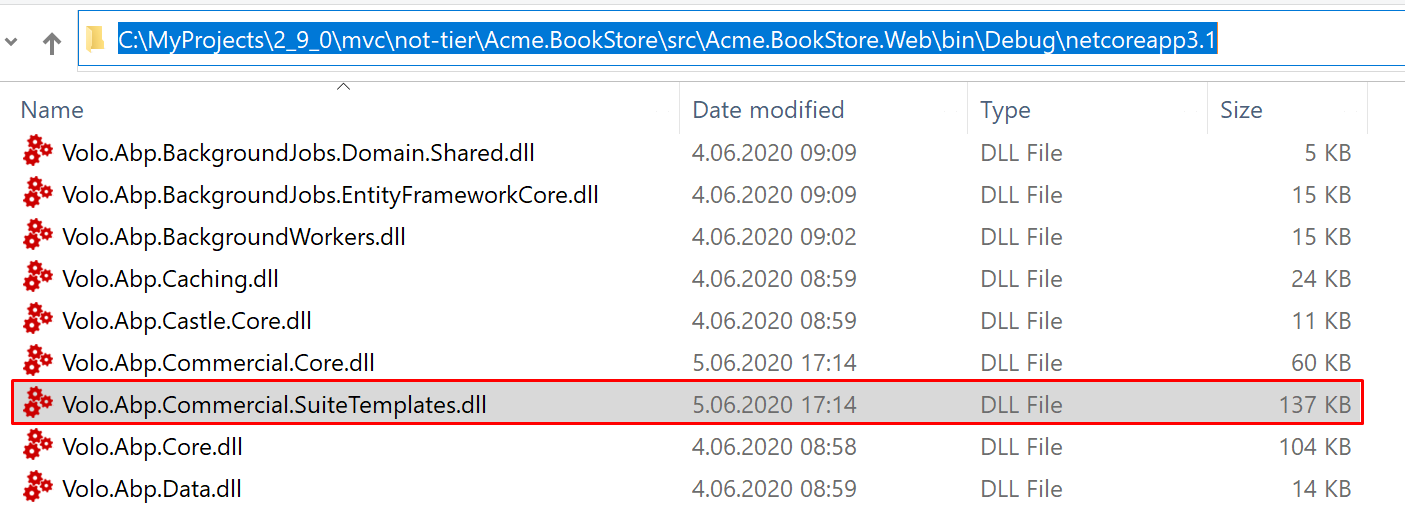
For tier project type (or Angular):
HttpApi.Hostproject's output directory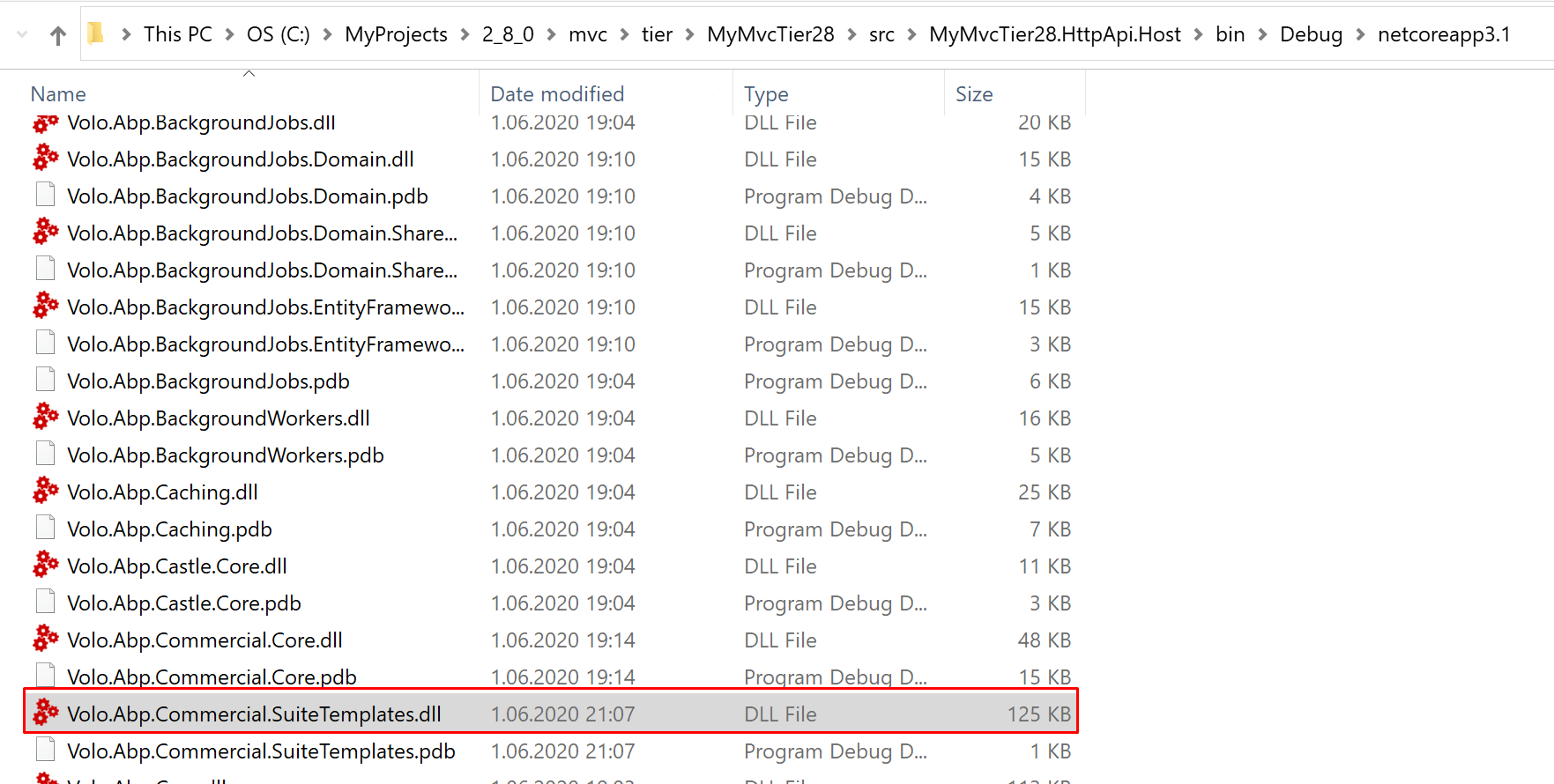 Markdown supported.Copy, paste, or drag & drop images and files (max 100 MB per file, 100 MB total per post)
 -
0
Hi,
Issue with Org Units sorted. It was permissions related. I have a lot of permissions causing a scrolling issue with the modal. Found the org units permissions and enabled.
Thanks
Markdown supported.Copy, paste, or drag & drop images and files (max 100 MB per file, 100 MB total per post) -
0
@ididsbury,
Updating your existing v2.8 project (via ABP Suite) to v2.9.
then added the below migration
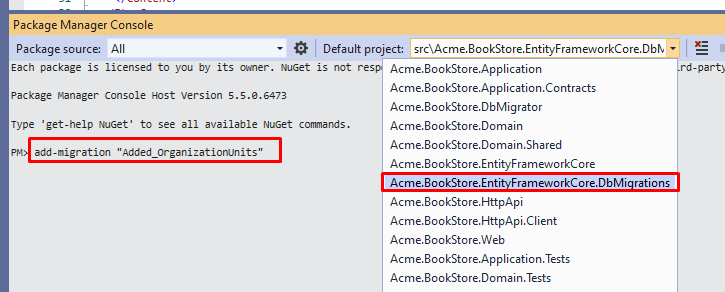
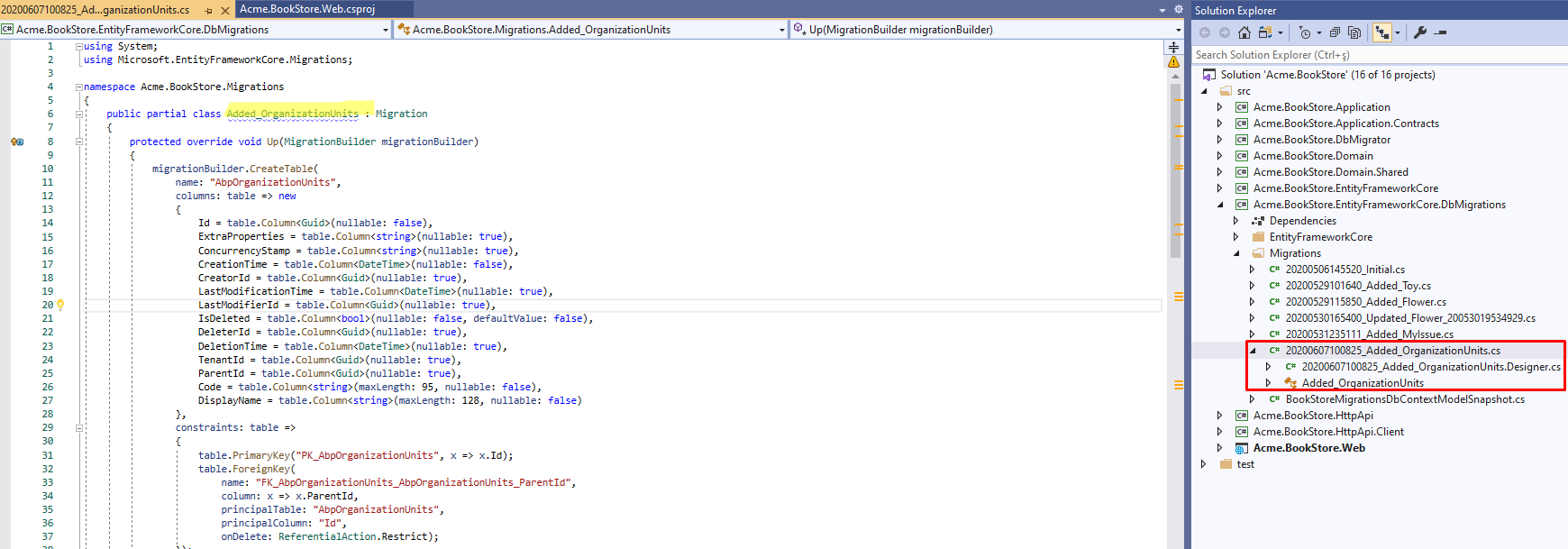
a new migration created
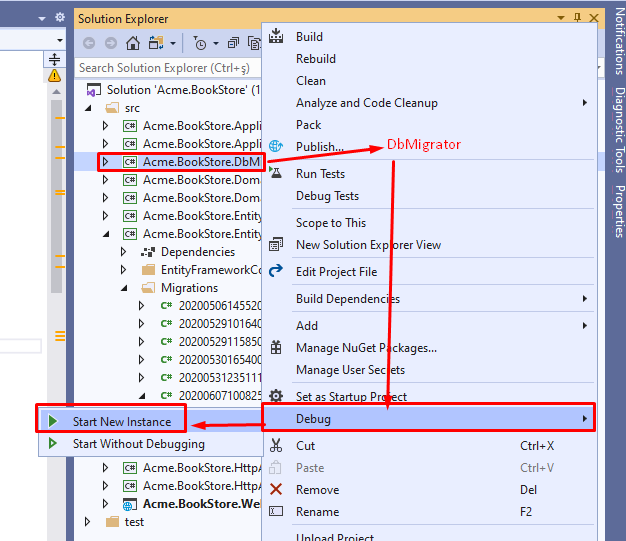
run the DbMigrator project to apply the new migration
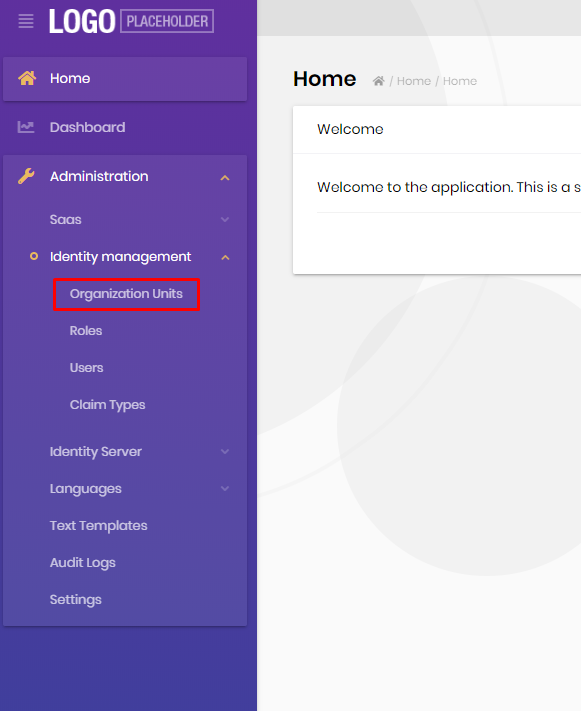
and I can see it in the main menu
If you see the following error, then go to next step
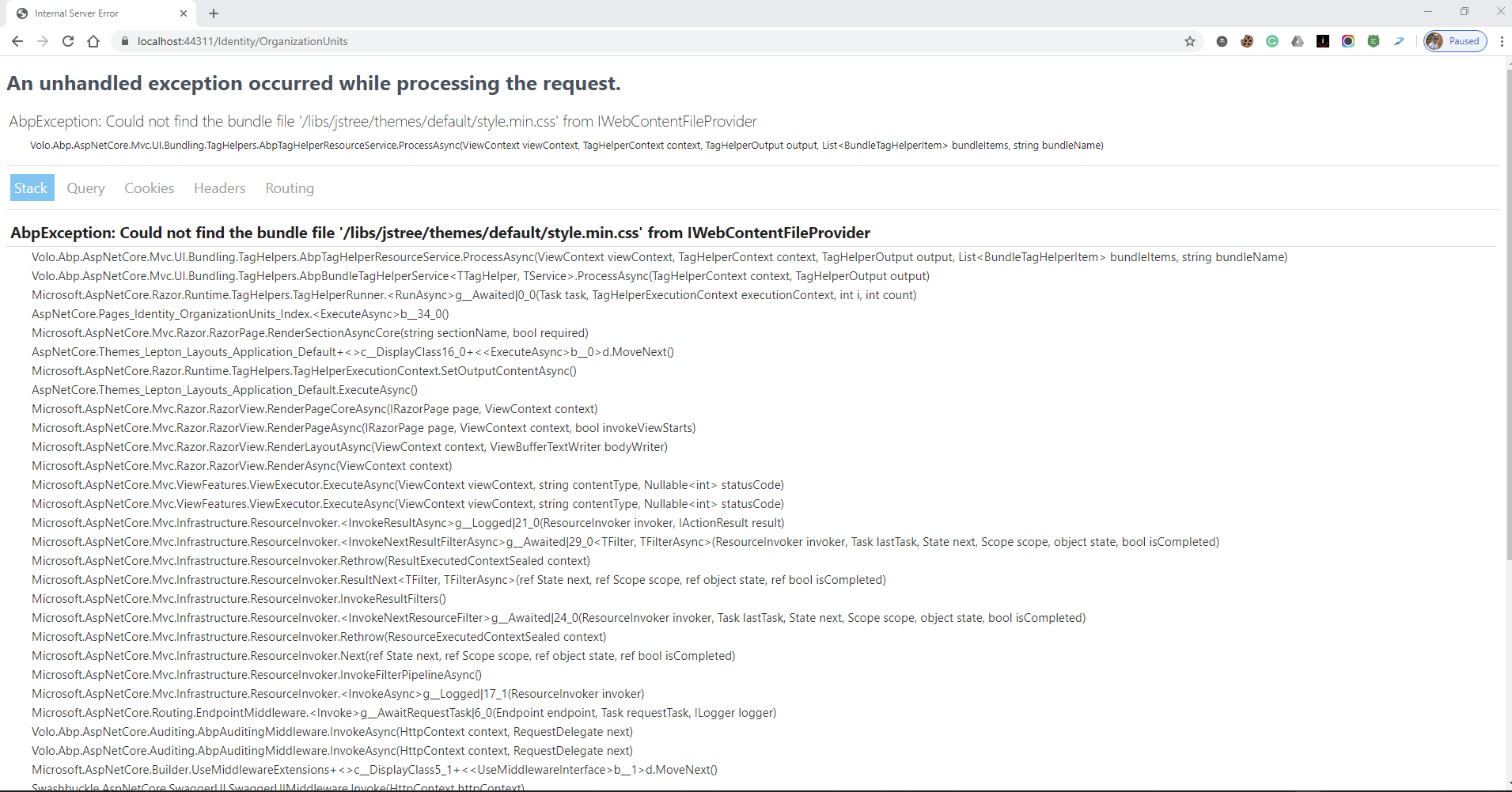
Add the
"@volo/identity": "~2.9.0"to thepackage.jsonin your *.Web project. (only for MVC project)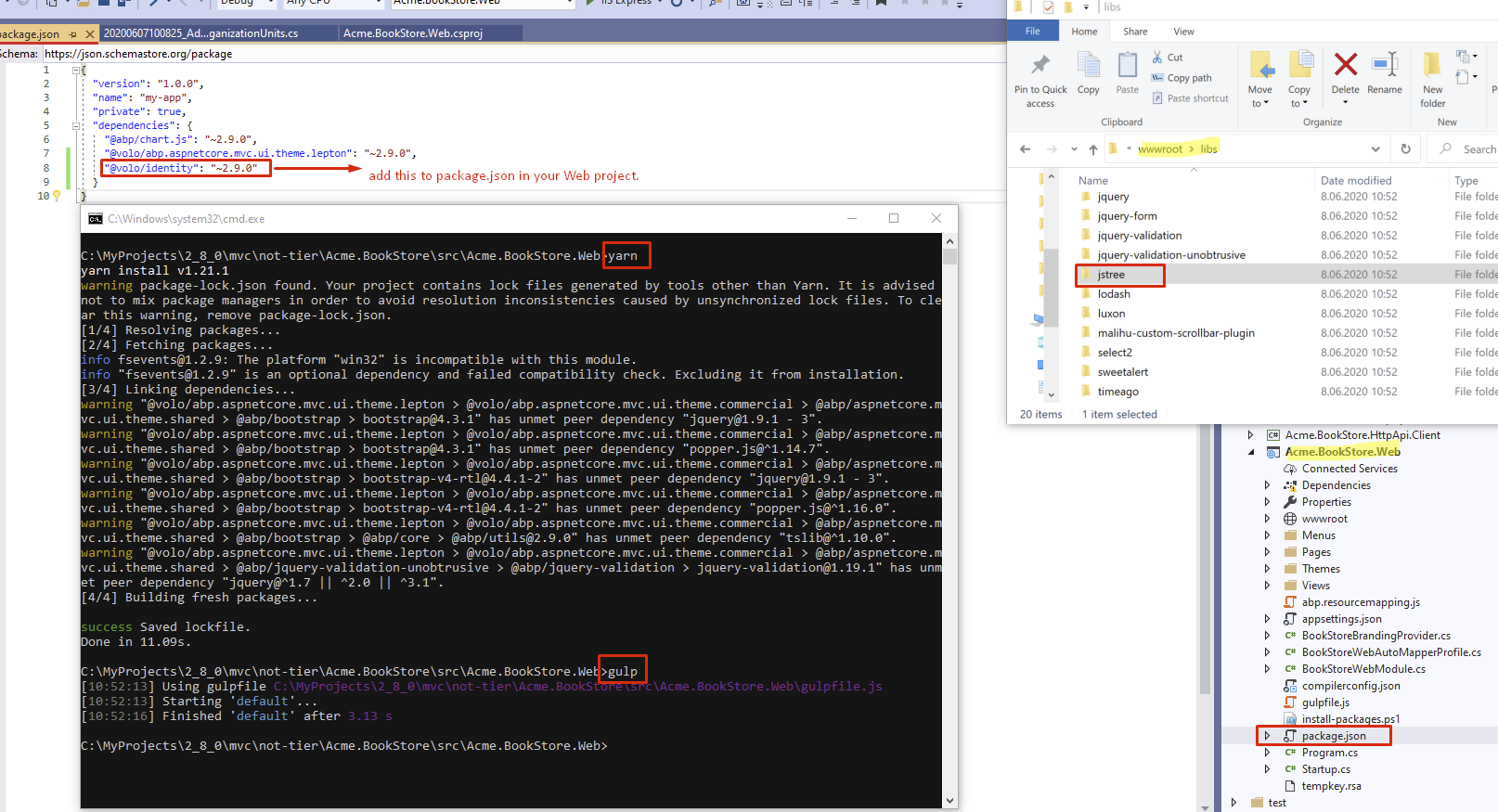 Markdown supported.Copy, paste, or drag & drop images and files (max 100 MB per file, 100 MB total per post)
 -
0
Hi,
All sorted. I did run into the above exception. I had to manually install jsTree via npm. Note that I upgraded from 2.8 using the Cli. Is upgrading via abp suite the recommeneded approach?
Thanks
Markdown supported.Copy, paste, or drag & drop images and files (max 100 MB per file, 100 MB total per post) -
0
@Alper
I verified
Volo.Abp.Commercial.SuiteTemplates.dllis where it's suppose to be. However, Suite is still displaying the same error.Non-Teir Project (.Web.Unified)
 Markdown supported.Copy, paste, or drag & drop images and files (max 100 MB per file, 100 MB total per post)
 -
0
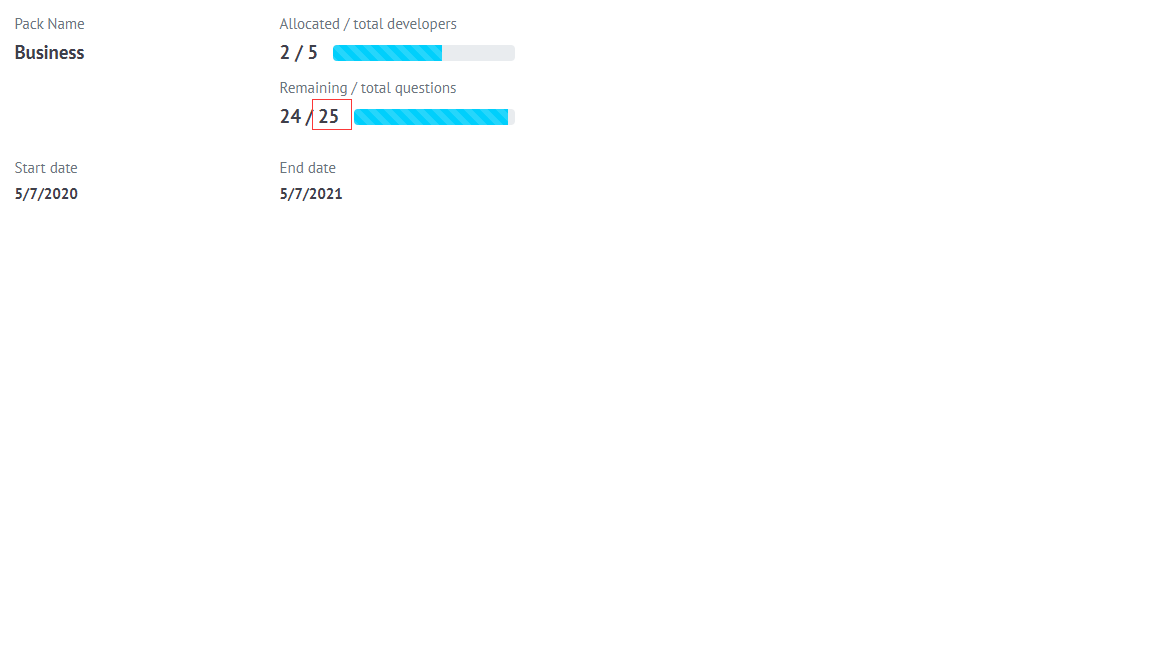
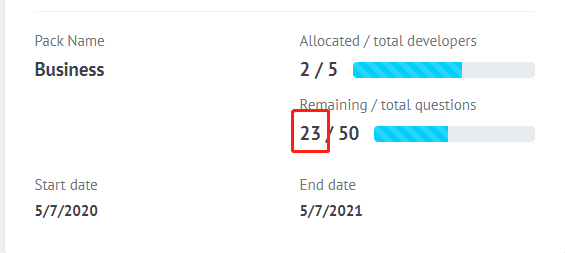
hi @BennieMok the screenshot you show says, you have 50 questions credit and you've used 2 of them. If you have issues with your account, you can send an email to info@abp.io. this conversation is only for technical support.
Markdown supported.Copy, paste, or drag & drop images and files (max 100 MB per file, 100 MB total per post) -
0
Hi, After upgrading 2.9.0, below exception throws from IdentityServer startup code. What can be the reason?
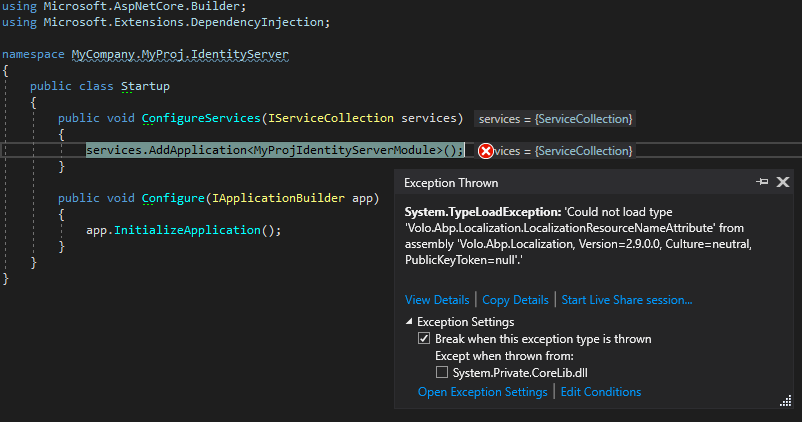 Markdown supported.Copy, paste, or drag & drop images and files (max 100 MB per file, 100 MB total per post)
 -
0
@ididsbury, don't add the
jsTreepackage manually, please follow my step:Add the
"@volo/identity": "~2.9.0"to thepackage.jsonin your *.Web project.Note that, this step is needed for MVC projects.
Also, you can upgrade your existing project to the latest with ABP CLI or ABP Suite (doesn't matter)
Markdown supported.Copy, paste, or drag & drop images and files (max 100 MB per file, 100 MB total per post) -
0
@sean.alford as I mentioned in this post https://support.abp.io/QA/Questions/222#answer-a4f1816f-af7c-b474-dba9-39f5a00d7d20 the Suite dll must be in Web project's output folder (you sent a screenshot from your
Web.Unifiedproject)Markdown supported.Copy, paste, or drag & drop images and files (max 100 MB per file, 100 MB total per post) -
0
@690486439 can you check if you have
Volo.Abp.Commercial.SuiteTemplate.dllin your Web project output folder (for MVC non-tier). For tier project type (or Angular):HttpApi.Hostproject's output directory.See https://support.abp.io/QA/Questions/222#answer-a4f1816f-af7c-b474-dba9-39f5a00d7d20
Markdown supported.Copy, paste, or drag & drop images and files (max 100 MB per file, 100 MB total per post) -
0
@Alper,
I manually copied
Volo.Abp.Commercial.SuiteTemplates.dllinto the .Web project; however ABP Suite is still unable to locate it. Markdown supported.Copy, paste, or drag & drop images and files (max 100 MB per file, 100 MB total per post)
 -
0
@alper, i fixed it via upgrading dependent modules to new version.
Markdown supported.Copy, paste, or drag & drop images and files (max 100 MB per file, 100 MB total per post) -
0
Hi, Is there a bug in ABP Suite when creating Navigation Properties or am I doing something wrong?
I have two Navigation Properties.
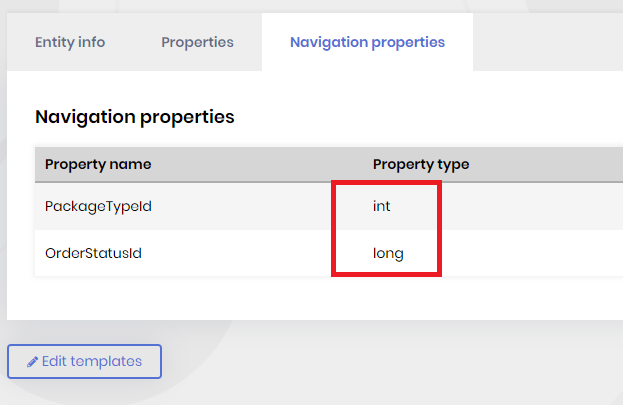
After generation:
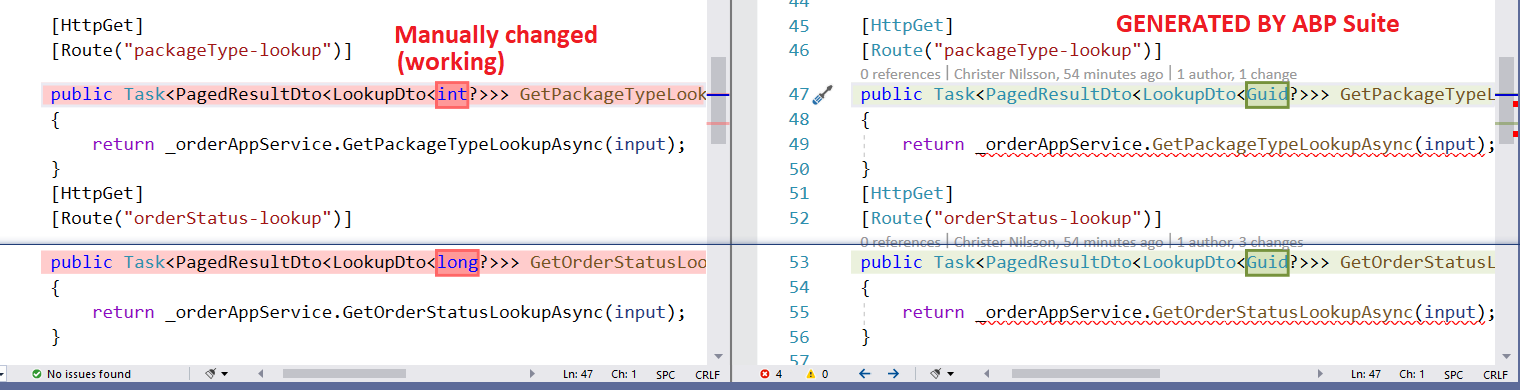
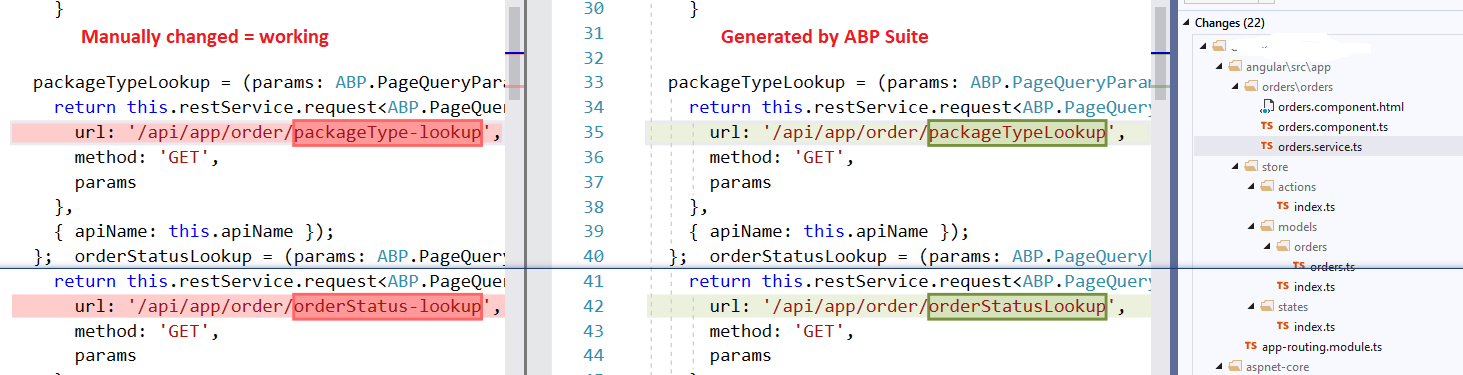
Also got an error in client, endpoints packageTypeLookup and orderStatusLookup is not found. But when manually changed to packageType-lookup and orderStatus-lookup everything is working ok.
 Markdown supported.Copy, paste, or drag & drop images and files (max 100 MB per file, 100 MB total per post)