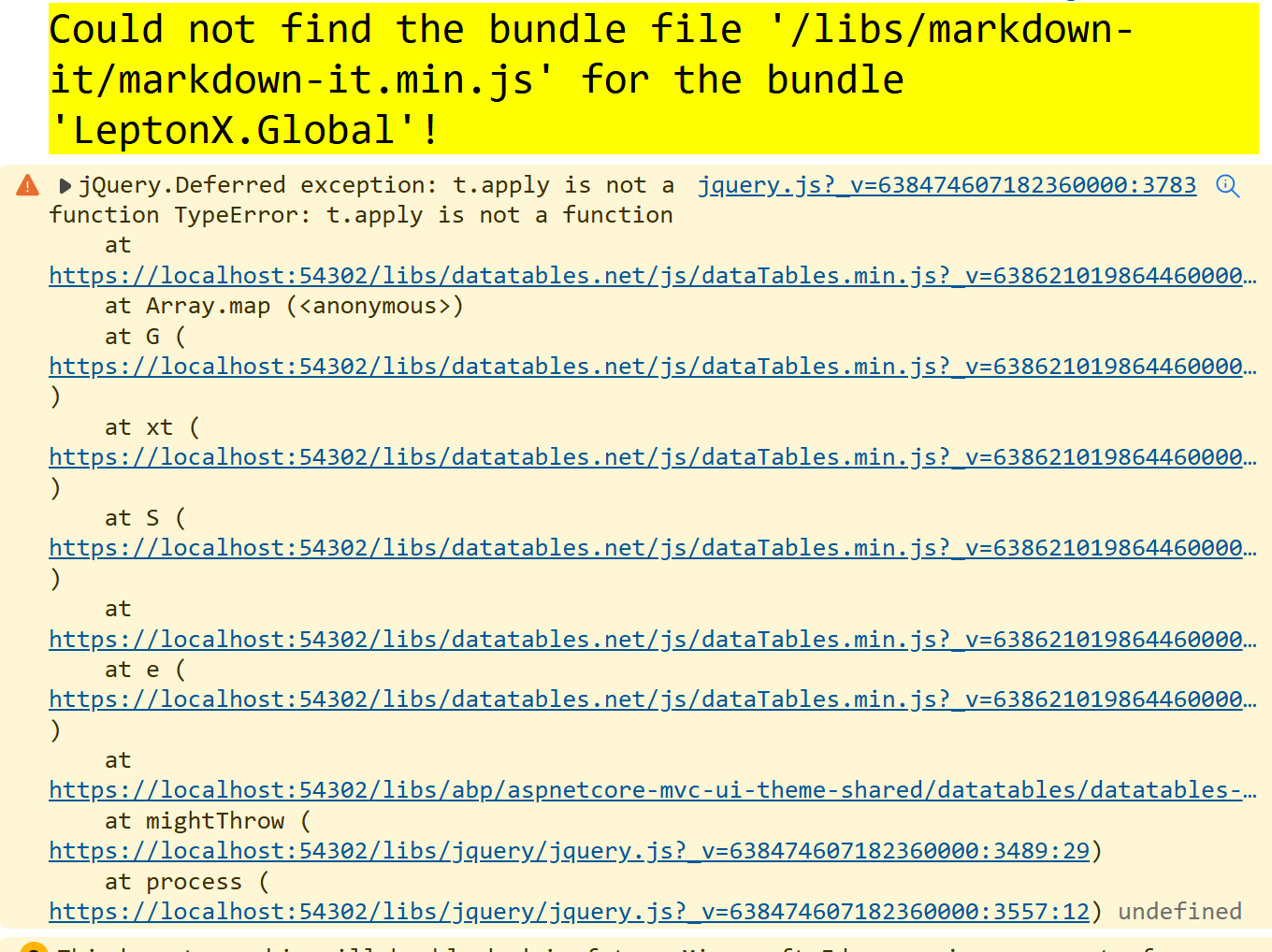
⚡ Update ABP CLI and ABP Suite
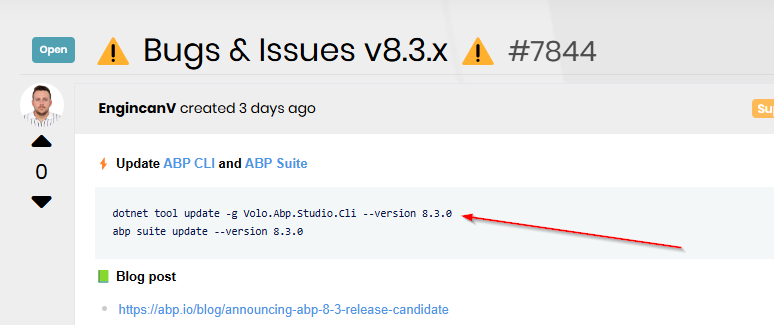
dotnet tool update -g Volo.Abp.Studio.Cli --version 0.8.1
abp suite update --version 8.3.0
📗 Blog post
- https://abp.io/blog/announcing-abp-8-3-release-candidate
- https://abp.io/blog/announcing-abp-8-3-stable-release
🔼 Migration guides
- https://abp.io/docs/8.3/release-info/migration-guides/abp-8-3
✏️ Feel free to report any bugs, issues, and problems.
51 Answer(s)
-
0

Hi! We have no 8.3.0 version for Volo.Abp.Studio.Cli. You can view version compatibility from this document: https://abp.io/docs/latest/studio/version-compatibility
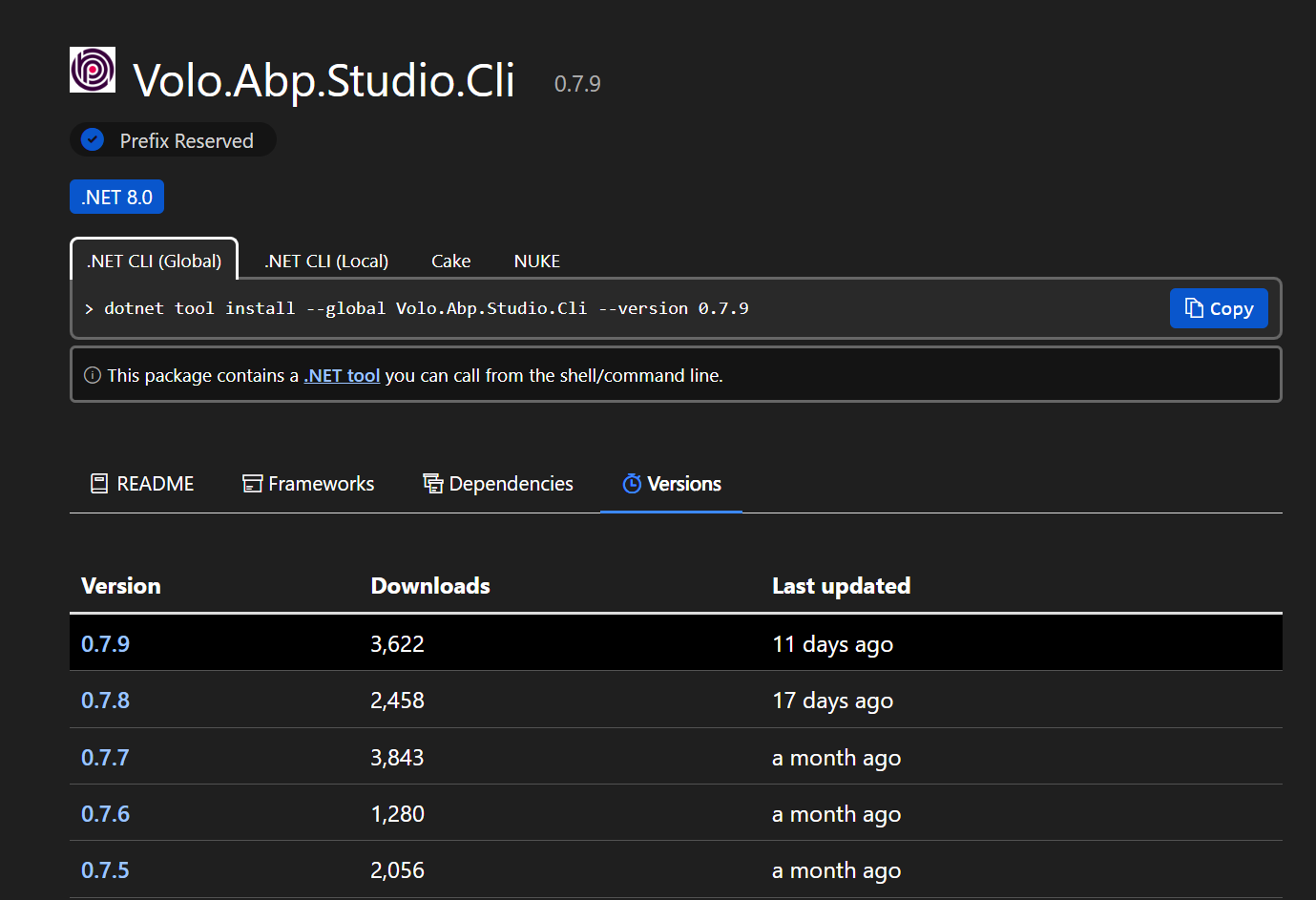
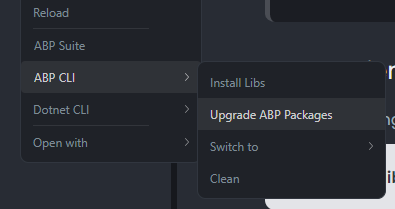
We haven't released a version for 8.3.0 packages yet. We will after we finish our controls. For now, if you want to use 8.3.0 version packages for your Studio templates, you can easily upgrade your packages from here:
 Markdown supported.Copy, paste, or drag & drop images and files (max 100 MB per file, 100 MB total per post)
 -
0
This has been around for a while. And still there in abp suite 8.3.0:
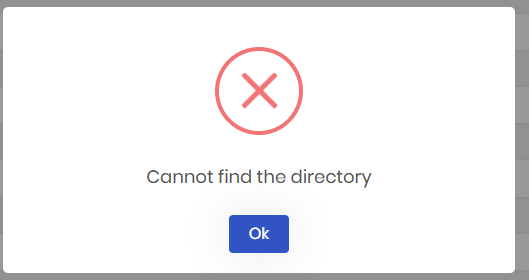
Thank you for your feedback, we have an open issue for this problem on the Blazor WebApp UI. We will solve it as soon as possible on the next patches.
Markdown supported.Copy, paste, or drag & drop images and files (max 100 MB per file, 100 MB total per post) -
0
Get this every time clicking on the Save and Generate button (even when it has been just built):
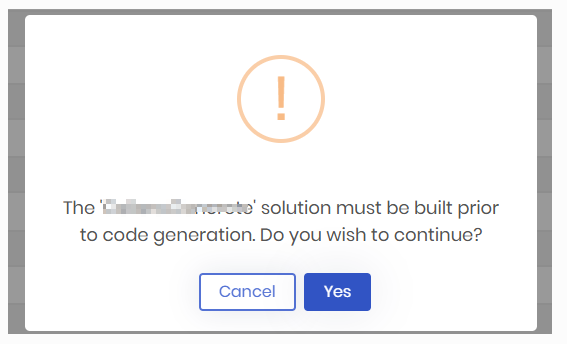
Could you give us specified information about your problem, so we can help you to solve this issue? I did not encounter this situation when I generated entities with Suite. I'm waiting for your details to help you.
Markdown supported.Copy, paste, or drag & drop images and files (max 100 MB per file, 100 MB total per post) -
0
Hi! We have no 8.3.0 version for Volo.Abp.Studio.Cli. You can view version compatibility from this document: https://abp.io/docs/latest/studio/version-compatibility
We haven't released a version for 8.3.0 packages yet. We will after we finish our controls. For now, if you want to use 8.3.0 version packages for your Studio templates, you can easily upgrade your packages from here:
Hi @EngincanV, in your first post the command "dotnet tool update -g Volo.Abp.Studio.Cli --version 8.3.0" is wrong. Version 8.3.0 is for Legacy CLI and not for Abp Studio.
Hi @oyku.erman, When will abp studio support abp 8.3.0? And when https://abp.io/docs/latest to "8.3 (lastest)" ?
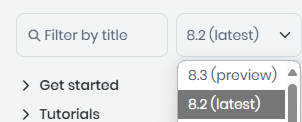
Since VoloSoft is pushing to use Abp Studio I expected that with the release of a new version of ABP after 1 or 2 days we would have everything aligned.
I ask you for an extra effort because the use of abp studio in our work workflow should be transparent and today instead it is creating delays due to understanding what has been fixed and what has not.
This will be even more evident with the preview that uses .Net 9
Thank you for your commitment.
Markdown supported.Copy, paste, or drag & drop images and files (max 100 MB per file, 100 MB total per post) -
0
Hi! We have no 8.3.0 version for Volo.Abp.Studio.Cli. You can view version compatibility from this document: https://abp.io/docs/latest/studio/version-compatibility
We haven't released a version for 8.3.0 packages yet. We will after we finish our controls. For now, if you want to use 8.3.0 version packages for your Studio templates, you can easily upgrade your packages from here:
I'm just following instructions at the head of this post:
 Markdown supported.Copy, paste, or drag & drop images and files (max 100 MB per file, 100 MB total per post)
 -
0
Hi! We have no 8.3.0 version for Volo.Abp.Studio.Cli. You can view version compatibility from this document: https://abp.io/docs/latest/studio/version-compatibility
We haven't released a version for 8.3.0 packages yet. We will after we finish our controls. For now, if you want to use 8.3.0 version packages for your Studio templates, you can easily upgrade your packages from here:
I'm just following instructions at the head of this post:
Updated, thanks for the correction. Regards.
Markdown supported.Copy, paste, or drag & drop images and files (max 100 MB per file, 100 MB total per post) -
0
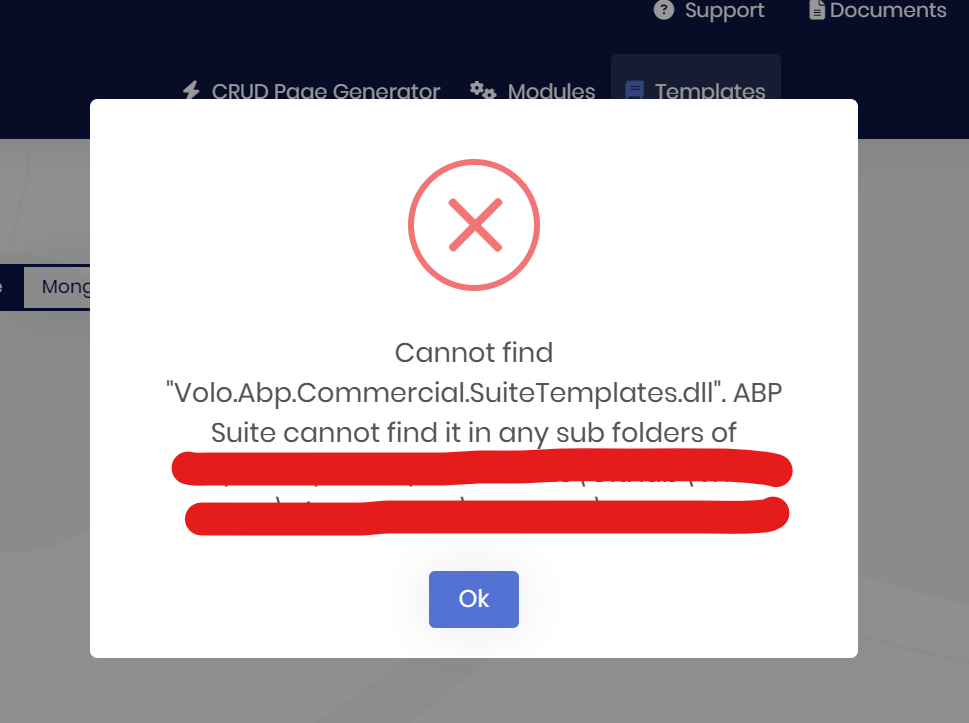
Can't modify the templates of a module created in ABP Suite.
The project was created with ABP Studio and the module was created in ABP Suite then the module was added in ABP Suite and tried to modify the Templates but this exception happens
 Markdown supported.Copy, paste, or drag & drop images and files (max 100 MB per file, 100 MB total per post)
 -
0
Can't modify the templates of a module created in ABP Suite.
The project was created with ABP Studio and the module was created in ABP Suite then the module was added in ABP Suite and tried to modify the Templates but this exception happens
The Volo.Abp.Commercial.SuiteTemplates dll is not added when you create a new module
Markdown supported.Copy, paste, or drag & drop images and files (max 100 MB per file, 100 MB total per post) -
0
Hi,
I updated using the command lines below, but the "Create a new solution" button not showing
dotnet tool update -g Volo.Abp.Studio.Cli --version 0.8.1 abp suite update --version 8.3.0

When I open it from ABP Studio, , but the "Create a new solution" button not showing
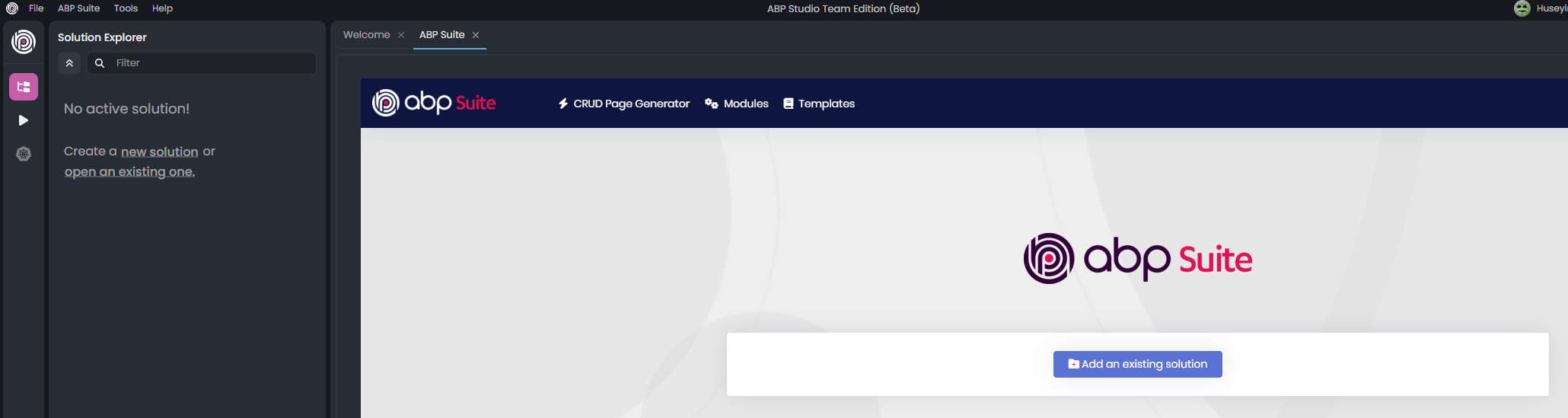
Best regards
Markdown supported.Copy, paste, or drag & drop images and files (max 100 MB per file, 100 MB total per post) -
0
Hello,
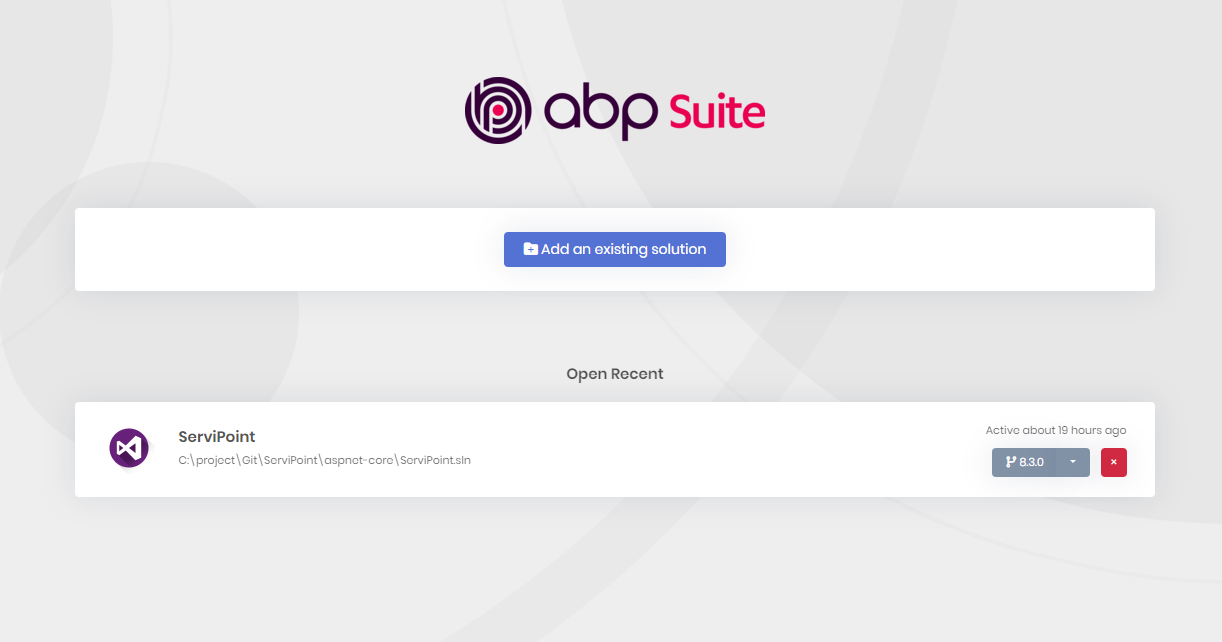
I recently updated to ABP Suite 8.3, and I noticed that the "Create a new solution" button is missing from the interface. This feature was available in previous versions, and I used it frequently to quickly create new solutions.
Could you please confirm if this feature has been moved, removed, or if it is a bug in this version? I would appreciate any guidance on how to create new solutions within the latest version of ABP Suite.
Thank you for your assistance!
Best regards,
 Markdown supported.Copy, paste, or drag & drop images and files (max 100 MB per file, 100 MB total per post)
 -
0
Hello,
I recently updated to ABP Suite 8.3, and I noticed that the "Create a new solution" button is missing from the interface. This feature was available in previous versions, and I used it frequently to quickly create new solutions.
Could you please confirm if this feature has been moved, removed, or if it is a bug in this version? I would appreciate any guidance on how to create new solutions within the latest version of ABP Suite.
Thank you for your assistance!
Best regards,
I guess you are supposed to use ABP Studio these days but so far ABP Studio, while showing great promise, also seems to have numerous bugs still, so we really need ABP Suite to keep all its functionality for now.
Markdown supported.Copy, paste, or drag & drop images and files (max 100 MB per file, 100 MB total per post) -
0
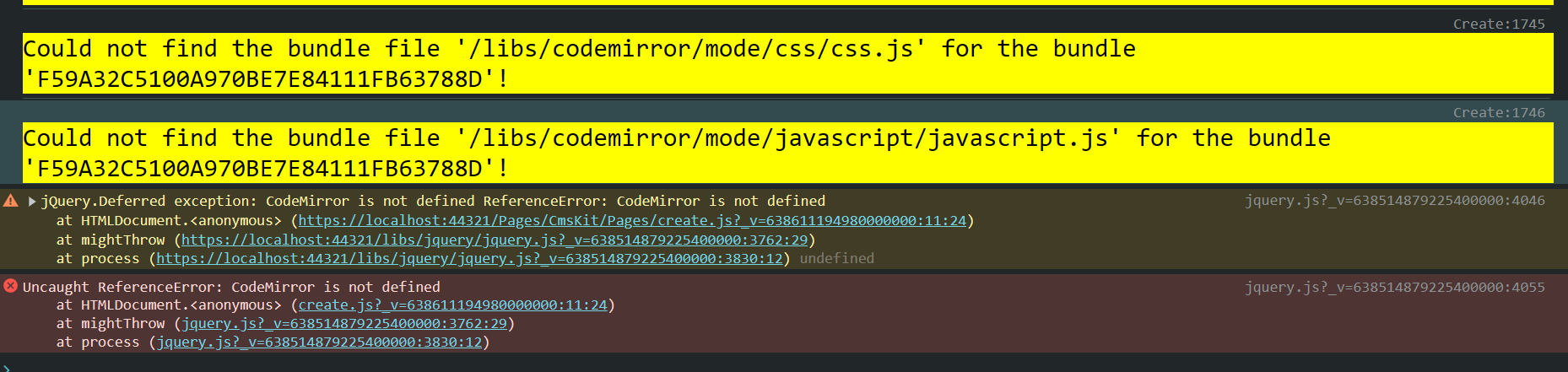
Cms Kit also doesn't work well since it's missing a library
 Markdown supported.Copy, paste, or drag & drop images and files (max 100 MB per file, 100 MB total per post)
 -
0
Cms Kit also doesn't work well since it's missing a library
I found that there are some missing libraries installed too (Created the project from ABP STUDIO)
In Application project, It's missing Volo.CmsKit.Pro.Common.Application In Application.Contracts, it's missing Volo.CmsKit.Pro.Common.Application.Contracts In HtpApi.Client, it's missing Volo.CmsKit.Pro.Admin.HttpApi.Client In Web, It's missing Volo.CsmKit.Pro.Web
CodeMirror changed a lot from version 5 to version 6, ABP tries to use CodeMirror 6 but is not updated with the actual new project structure
In a MVC project created from ABP Studio
Markdown supported.Copy, paste, or drag & drop images and files (max 100 MB per file, 100 MB total per post) -
0
Cms Kit also doesn't work well since it's missing a library
I found that there are some missing libraries installed too (Created the project from ABP STUDIO)
In Application project, It's missing Volo.CmsKit.Pro.Common.Application In Application.Contracts, it's missing Volo.CmsKit.Pro.Common.Application.Contracts In HtpApi.Client, it's missing Volo.CmsKit.Pro.Admin.HttpApi.Client In Web, It's missing Volo.CsmKit.Pro.Web
CodeMirror changed a lot from version 5 to version 6, ABP tries to use CodeMirror 6 but is not updated with the actual new project structure
In a MVC project created from ABP Studio
I small workaround is to add the libraries and run the following npm
npm i codemirror@5.65.18Do we want to use CodeMirror6? is there a plan to make it work or was just a mistake to push codemirror6 in the npm?
Markdown supported.Copy, paste, or drag & drop images and files (max 100 MB per file, 100 MB total per post) -
0
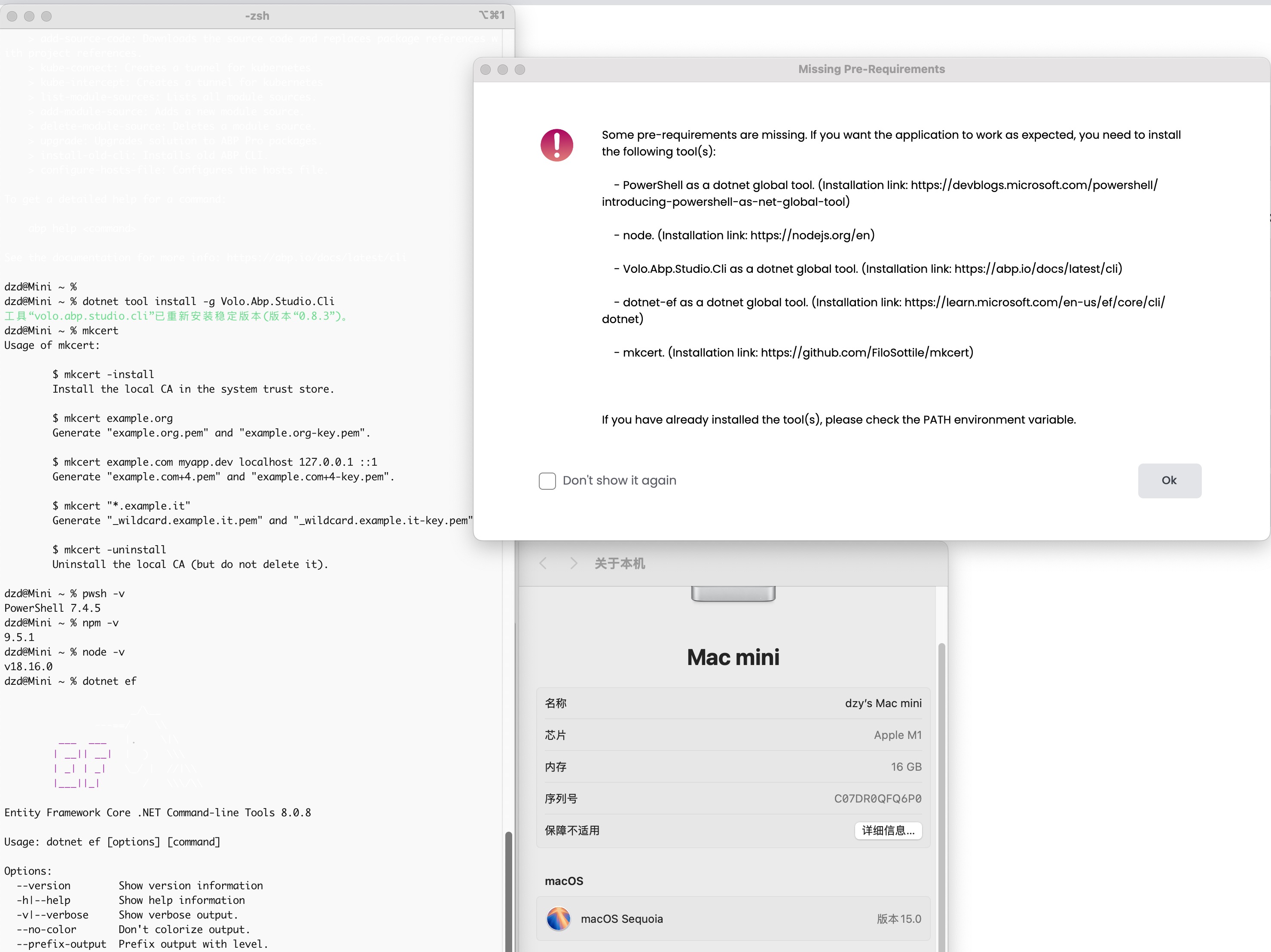
can not find tool path in abp studio
 Markdown supported.Copy, paste, or drag & drop images and files (max 100 MB per file, 100 MB total per post)
 -
0
What is the reasoning for the new directory structure of solutions created with ABP Suite / ABP Studio? It used to be that you got a folder for each "application" under the main directory like "MyApplication" = > "aspnet-core", "angular", "react-native" etc but now it seems to be that angular and react-native folders are moved within what used to be the aspnet-core folder. So now you have SLN file and "test" folder for aspnet-core stuff right next to your angular and react-native folders, even though they are stand alone applications (kind of).
Is this even an intended change or some kind of bug? There might be advantages of this as well, like using only one repo for everything etc (which could be both good or bad depending on personal preference).
You can of course change this after creation, but I would imagine that doing that would break code generation etc?
Is there a guide on if we want to tidy this up a bit and still make sure that ABP Suite etc works (and that won't break with updates etc)?
Markdown supported.Copy, paste, or drag & drop images and files (max 100 MB per file, 100 MB total per post) -
0
What is the reasoning for the new directory structure of solutions created with ABP Suite / ABP Studio? It used to be that you got a folder for each "application" under the main directory like "MyApplication" = > "aspnet-core", "angular", "react-native" etc but now it seems to be that angular and react-native folders are moved within what used to be the aspnet-core folder. So now you have SLN file and "test" folder for aspnet-core stuff right next to your angular and react-native folders, even though they are stand alone applications (kind of).
Is this even an intended change or some kind of bug? There might be advantages of this as well, like using only one repo for everything etc (which could be both good or bad depending on personal preference).
You can of course change this after creation, but I would imagine that doing that would break code generation etc?
Is there a guide on if we want to tidy this up a bit and still make sure that ABP Suite etc works (and that won't break with updates etc)?
I also want to know why change the structure, difficult to maintain code changes history in git
Markdown supported.Copy, paste, or drag & drop images and files (max 100 MB per file, 100 MB total per post) -
0
What is the reasoning for the new directory structure of solutions created with ABP Suite / ABP Studio? It used to be that you got a folder for each "application" under the main directory like "MyApplication" = > "aspnet-core", "angular", "react-native" etc but now it seems to be that angular and react-native folders are moved within what used to be the aspnet-core folder. So now you have SLN file and "test" folder for aspnet-core stuff right next to your angular and react-native folders, even though they are stand alone applications (kind of).
Is this even an intended change or some kind of bug? There might be advantages of this as well, like using only one repo for everything etc (which could be both good or bad depending on personal preference).
You can of course change this after creation, but I would imagine that doing that would break code generation etc?
Is there a guide on if we want to tidy this up a bit and still make sure that ABP Suite etc works (and that won't break with updates etc)?
I also want to know why change the structure, difficult to maintain code changes history in git
I am a bit unsure what the purpose of these "Release X" threads are and if someone from ABP is actually monitoring them. ABP really needs to implement something similar to GitHub Issues for Commercial customers so you can track progress of active items like you can for the open source version.
Markdown supported.Copy, paste, or drag & drop images and files (max 100 MB per file, 100 MB total per post) -
1
Why start template not published when a new version released? it is a long time can not get the template 8.3.1 after it released, abp cli and abp studio also upgraded to latest version.
Markdown supported.Copy, paste, or drag & drop images and files (max 100 MB per file, 100 MB total per post) -
0
For whatever reason, we had problems updating to the latest 8.3.1 version. Even after uninstalling and then doing a "dotnet tool install -g Volo.Abp.Studio.Cli" it still installed ABP CLI 0.8.3 (Beta) but still claimed it was the latest version of the CLI.
dotnet tool update -g Volo.Abp.Studio.Cli Tool 'volo.abp.studio.cli' is already installed.abp cli check-version [13:49:48 INF] You are running the second generation of the ABP CLI. If you're interested in the legacy CLI, see https://abp.io/new-cli 📌 ABP CLI 0.8.3 (Beta) 📌 You are using the latest ABP CLI.The old CLI can be installed as 8.3.1 though
dotnet tool install -g Volo.Abp.Cli You can invoke the tool using the following command: abp Tool 'volo.abp.cli' (version '8.3.1') was successfully installed.Should we just wait?
BTW, do we still need to setup ABP as a Nuget Package Source if if so, what should it be? Same for free and commercial?
Markdown supported.Copy, paste, or drag & drop images and files (max 100 MB per file, 100 MB total per post) -
0
The instructions on the Github main page https://github.com/abpframework/abp still also contains instructions for installing the old CLI
`Quick Start Install the ABP CLI:
dotnet tool install -g Volo.Abp.Cli`
I find this quite confusing, especially now when ABP Studio is available for all versions as I understand it and ABP is telling us to use ABP Studio and the new ABP CLI, yet it is the old CLI that seems to be updated?
Edit:
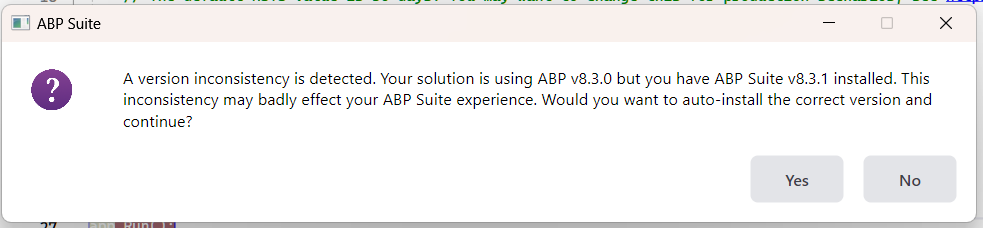
If we upgrade to latest version of ABP Suite, we will actually get a warning in ABP Studio
 Markdown supported.Copy, paste, or drag & drop images and files (max 100 MB per file, 100 MB total per post)