hi
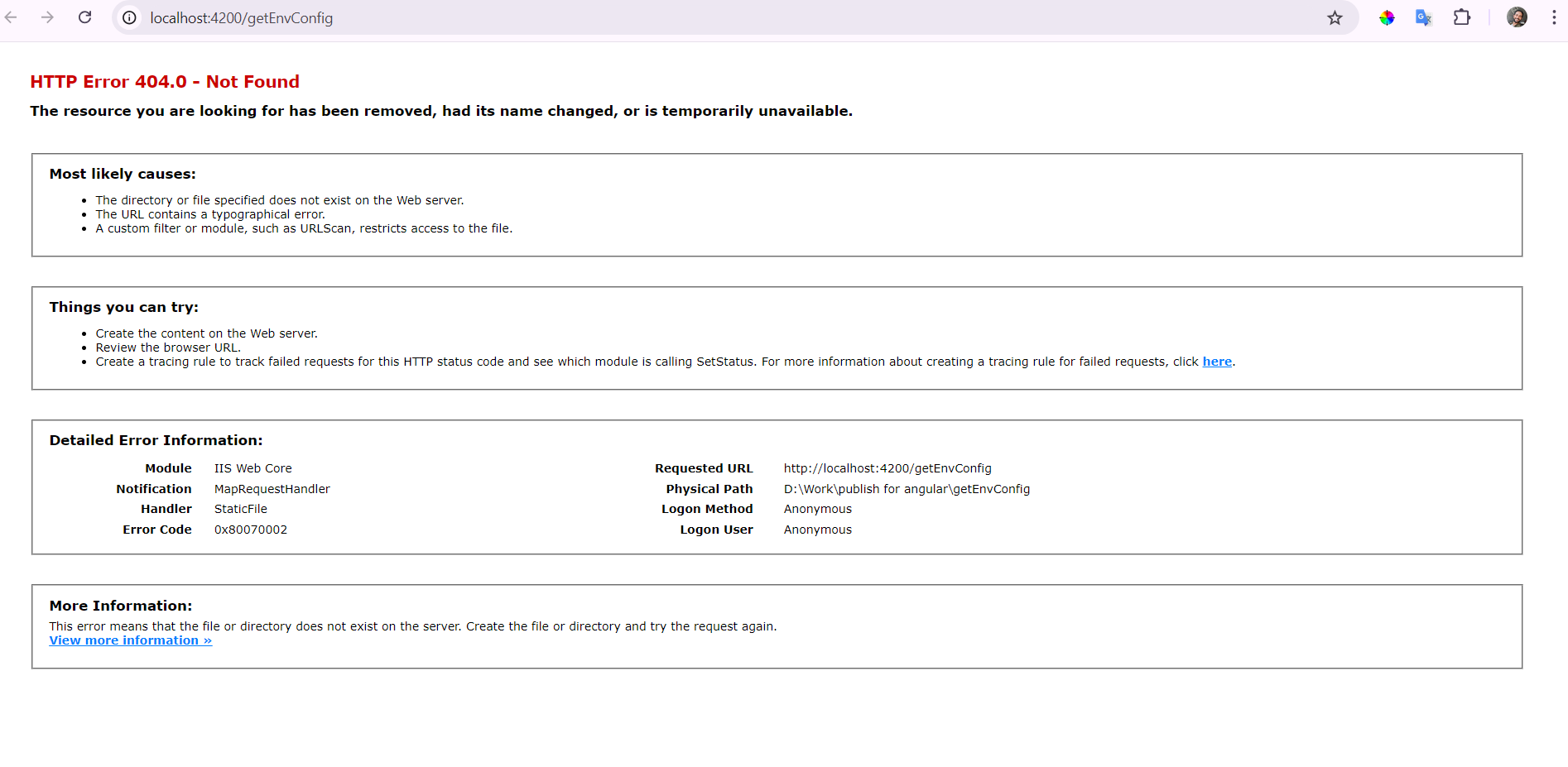
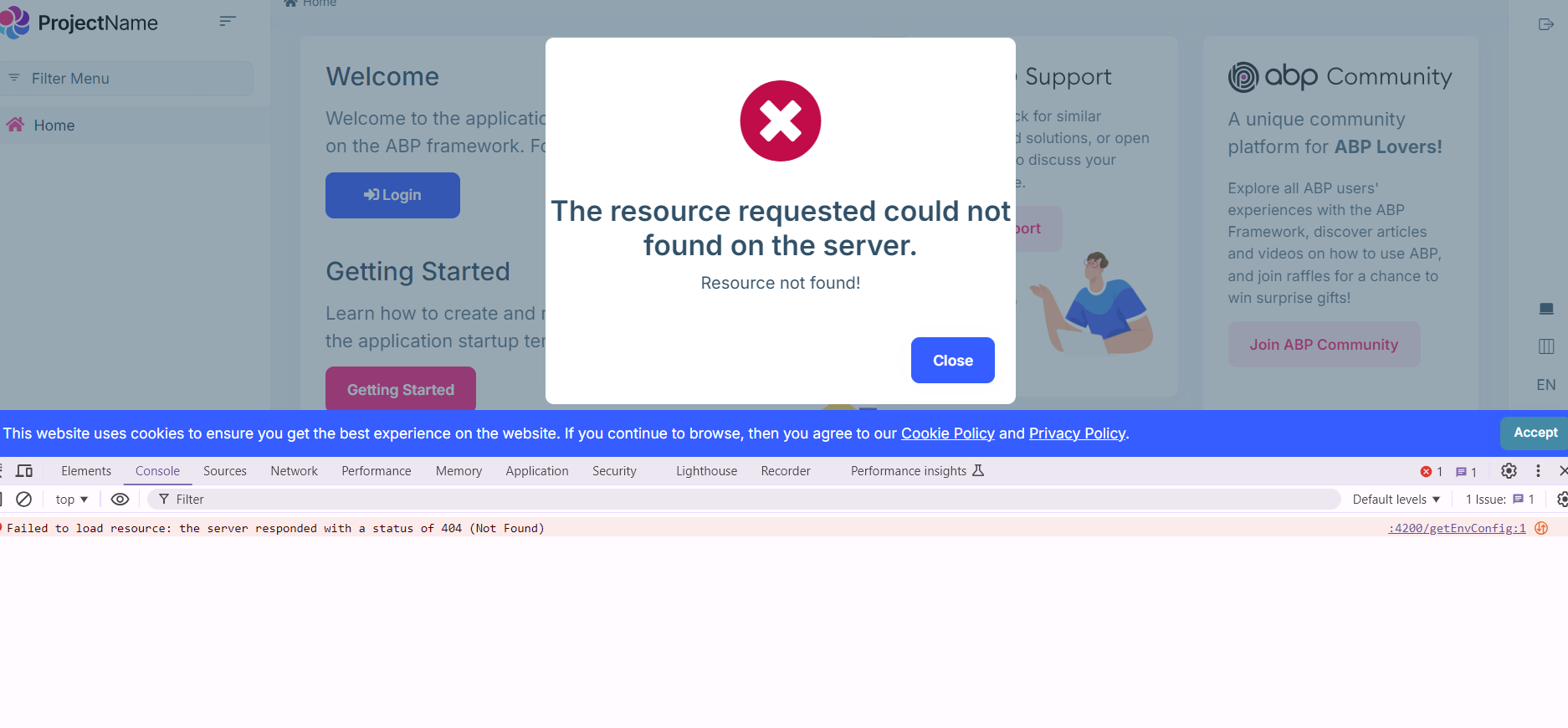
i faced non logical error after build angular project and publish in IIS Server
this error doesn't appear in development phase
what is that and how to solve it
note: i started new project for test (abp new projectName -u angular)
and faced same error
- ABP Framework version: v8.3 && v8.0
- UI Type: Angular
7 Answer(s)
-
0
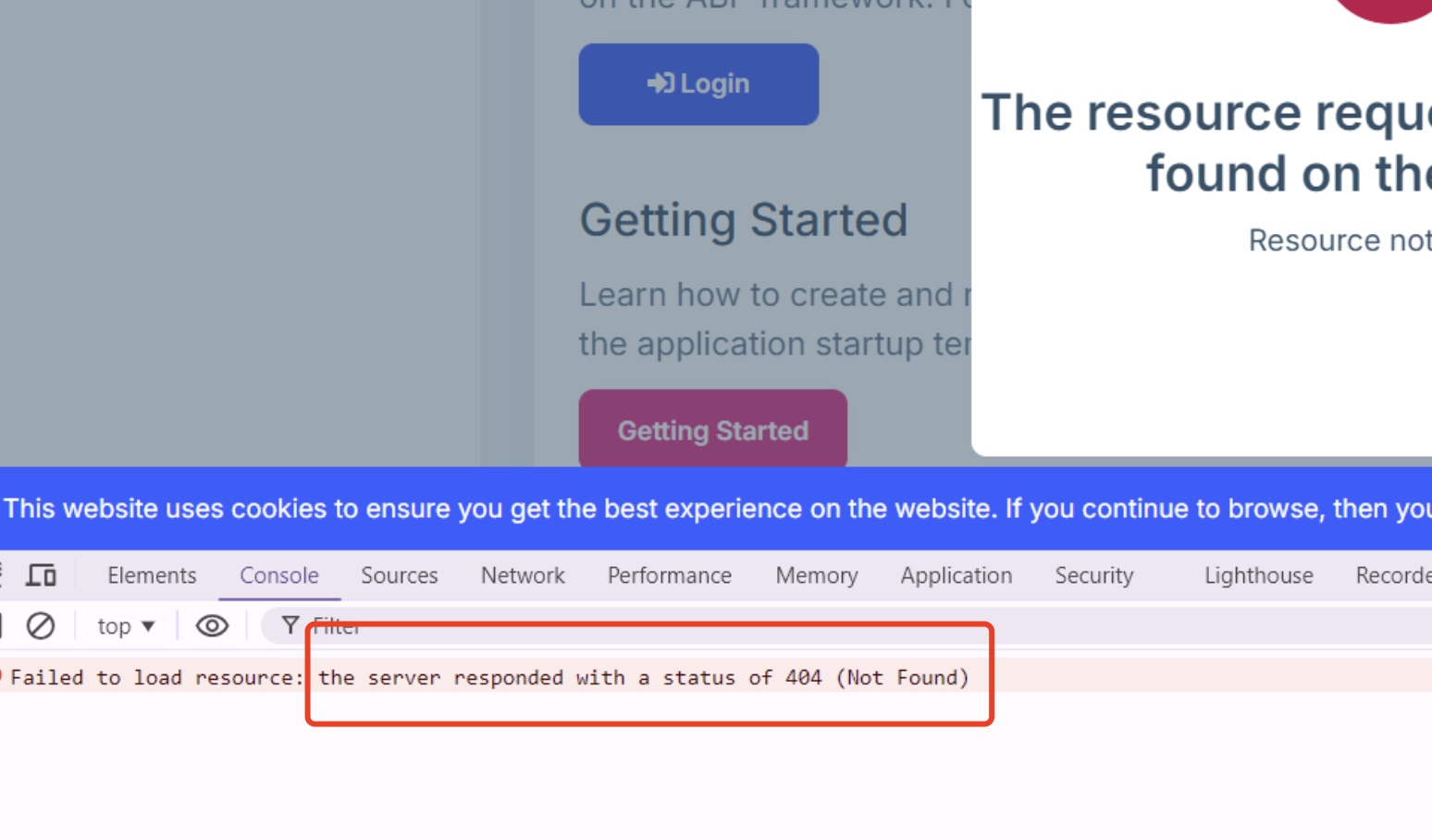
Could you share the full logs?
Markdown supported.Copy, paste, or drag & drop images and files (max 100 MB per file, 100 MB total per post) -
0
Hi,
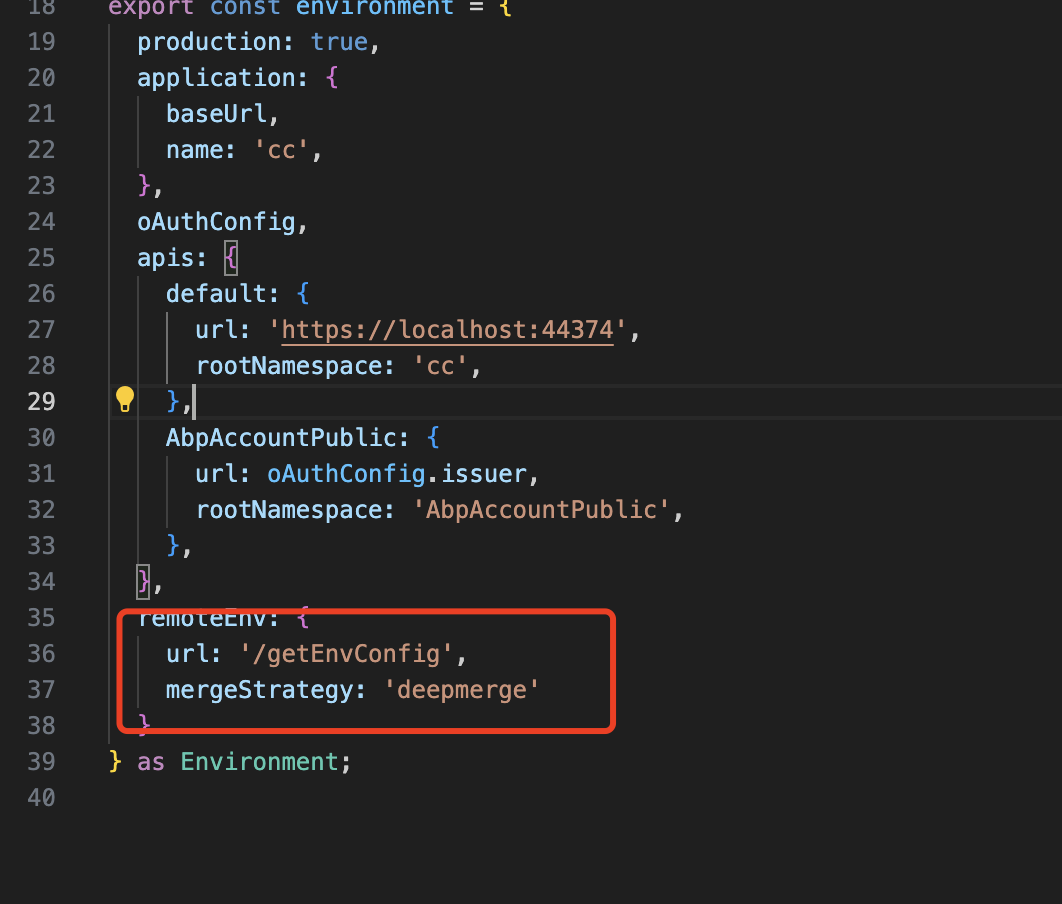
I can reproduce the problem, you can remove
remoteEnvfromenvironment.prod.tsto solve the problem.we will fix the problem in the next patch version and refund your ticket.
 Markdown supported.Copy, paste, or drag & drop images and files (max 100 MB per file, 100 MB total per post)
 -
0
Hi, do you have web.config in your angular prod folder ? If yes can you please add a custom rule for getEnvConfig endpoint like below
<system.webServer>
 <rewrite>
  <rules>
   <rule name="Redirect" stopProcessing="true">
    <match url="getEnvConfig" />
    <action type="Redirect" url="dynamic-env.json" />
   </rule>
  </rules>
 </rewrite>
</system.webServer>
Markdown supported.Copy, paste, or drag & drop images and files (max 100 MB per file, 100 MB total per post) -
0
Hi, do you have web.config in your angular prod folder ? If yes can you please add a custom rule for getEnvConfig endpoint like below
<system.webServer>
 <rewrite>
  <rules>
   <rule name="Redirect" stopProcessing="true">
    <match url="getEnvConfig" />
    <action type="Redirect" url="dynamic-env.json" />
   </rule>
  </rules>
 </rewrite>
</system.webServer>
Why would there be a web.config in an Angular application?
Markdown supported.Copy, paste, or drag & drop images and files (max 100 MB per file, 100 MB total per post)