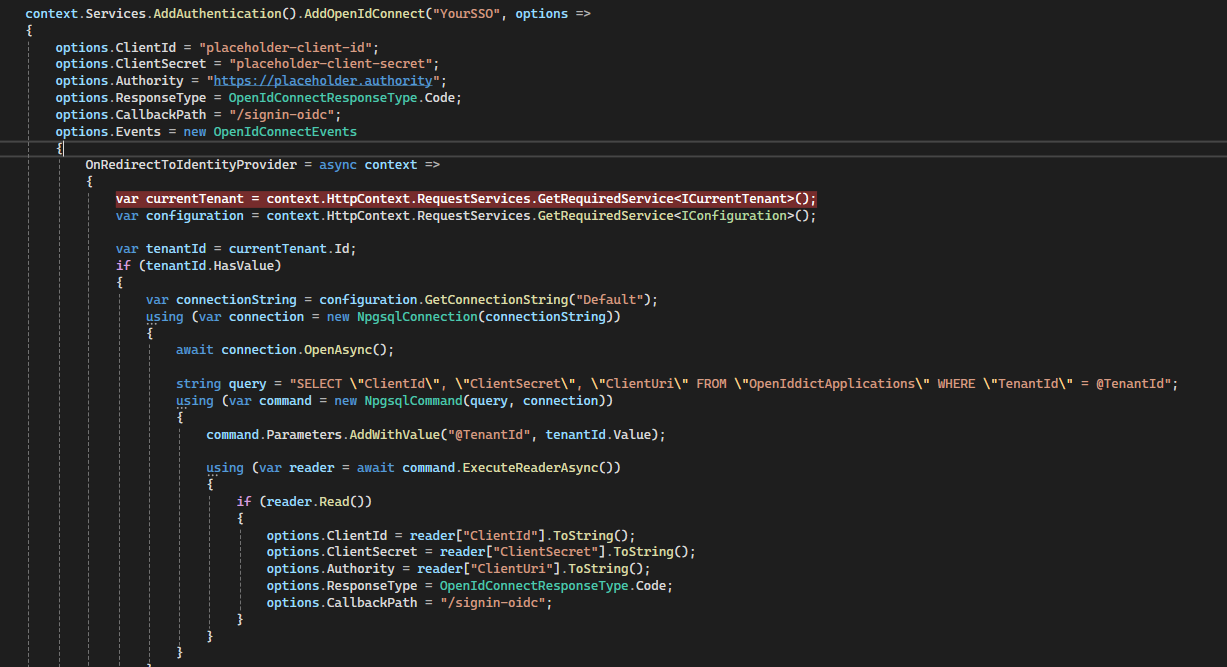
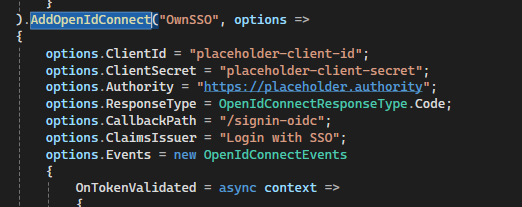
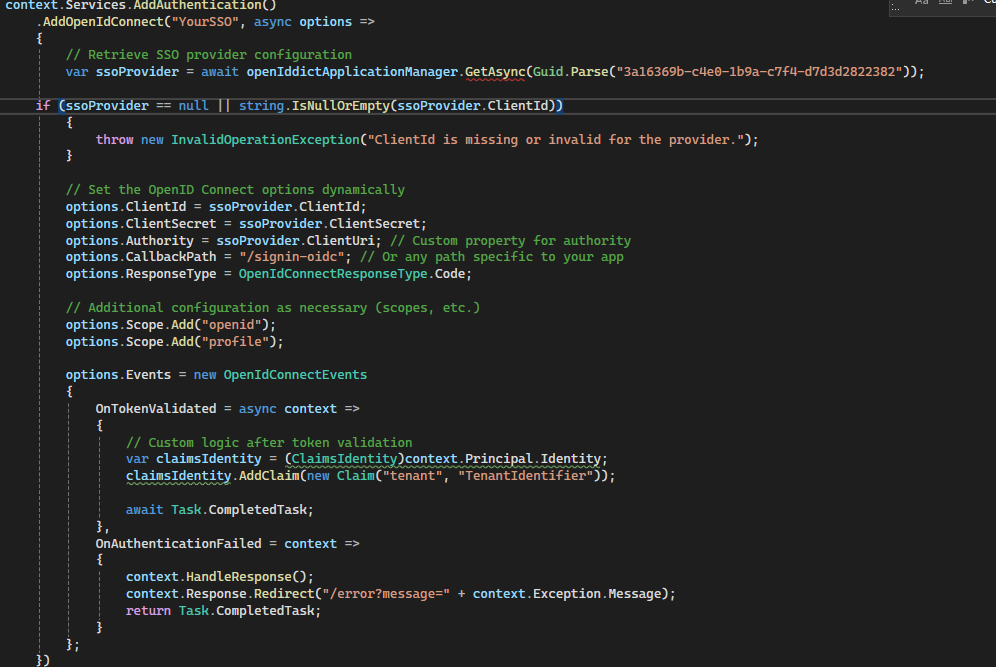
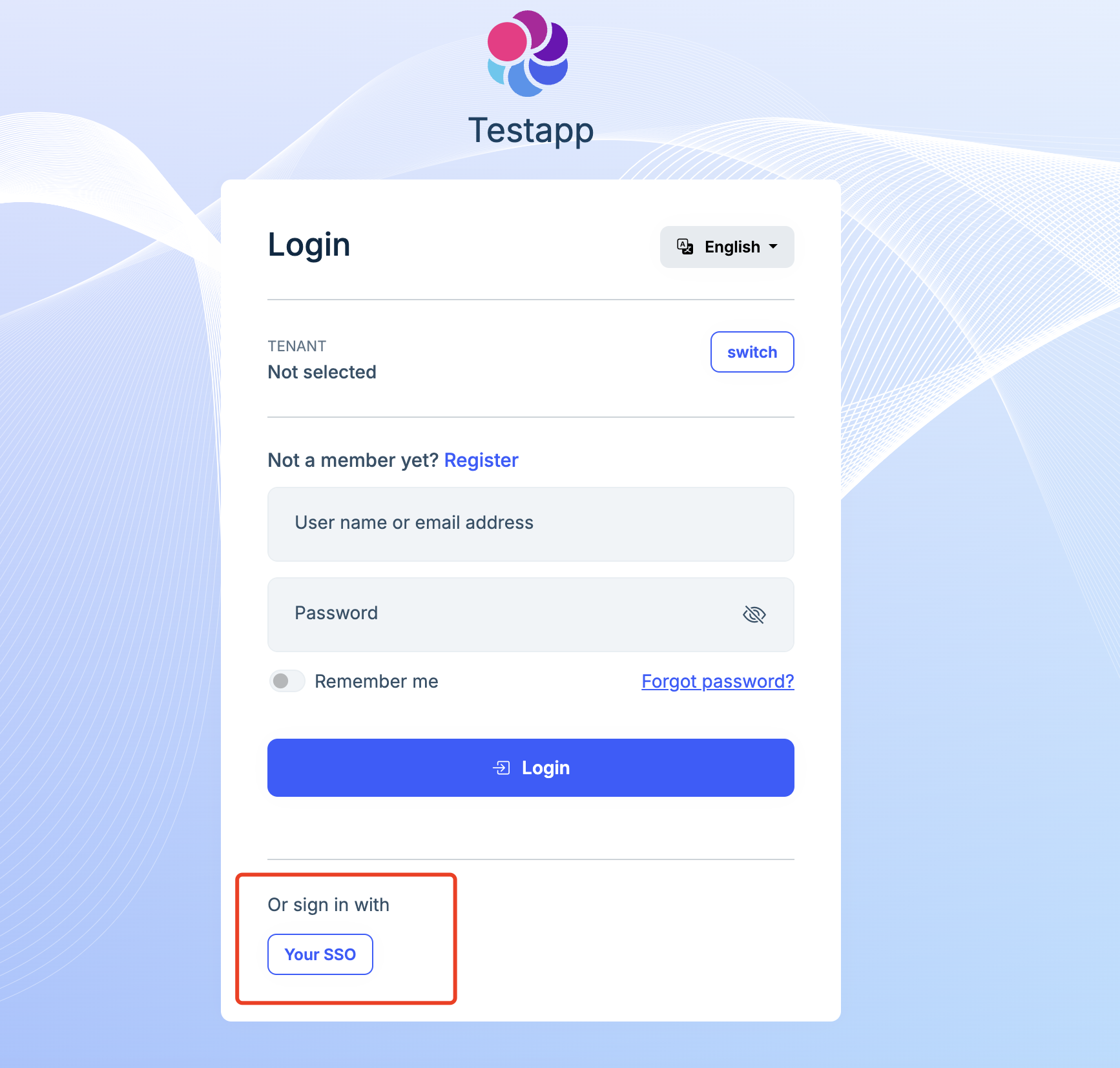
I want to Add the “log in with SSO”, which is not the social login, but triggers the login with a companies own SSO configuration (Entra, ForgeRock, KeyCloak). it's mean the user will be configured in admin site in openIddict which store in openIddictApplication table. Do we have any way to show the button like external provider login method(microsoft, google, twitter)? and the handle flow like the image below. Please help to give any suggestions. Thanks
53 Answer(s)
-
0
Hi,
Do we have any way to show the button like external provider login method(microsoft, google, twitter)? and the handle flow like the image below. Please help to give any
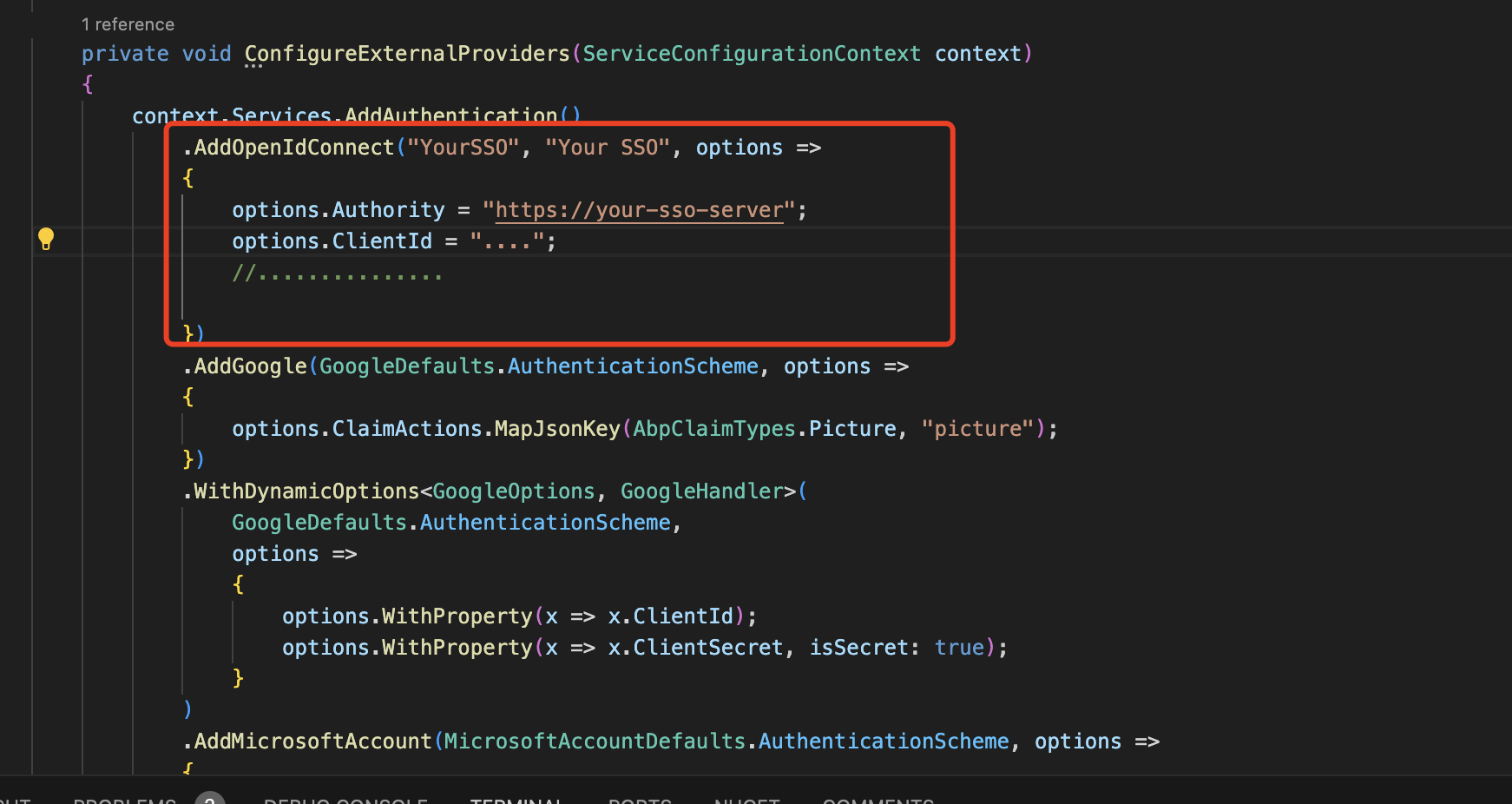
of course, you can, just like configuring an external provider
 Markdown supported.Copy, paste, or drag & drop images and files (max 100 MB per file, 100 MB total per post)
 -
0
Hi,
At this time, the application is in the initialization, so you can't inject the services.
You can try to use ADO.NET to query the database at the time
Markdown supported.Copy, paste, or drag & drop images and files (max 100 MB per file, 100 MB total per post) -
0
Hi, Yes, using ADO.Net is good approach to connect DB. And assume that, in the openIddictApplications table I have tenantId column. Do we have any way to catch the current tenant then filter in query on openIddictApplication table?
Markdown supported.Copy, paste, or drag & drop images and files (max 100 MB per file, 100 MB total per post) -
0
Hi,
There is no current tenant during the application Initialize process. I think you need to use a configuration file like
appsettings.jsonto define the current tenant.Markdown supported.Copy, paste, or drag & drop images and files (max 100 MB per file, 100 MB total per post) -
0
Hi,
Do we have any way to do like my code here? I want to init the config for openiddict config first then I try to add event to load the config from database.
yes, it's possible, you can give it a try, and you can inject services here.
Additional, Do we have any way to change the default name display on UI when using AddOpenIdConnect? I using the ClaimsIssuer and the name still as default
try
.AddOpenIdConnect("OwnSSO", "Display name",....)Markdown supported.Copy, paste, or drag & drop images and files (max 100 MB per file, 100 MB total per post) -
0
Hi, yes, it's possible, you can give it a try, and you can inject services here. => I already tried but it's not able to set the clientId, clientSecret... again after call service to get the data from database. It's just get the inital value. Do you have example code? pls give me. Thanks
Markdown supported.Copy, paste, or drag & drop images and files (max 100 MB per file, 100 MB total per post) -
0
Hi,
Don't change option values here, you need to change the
redirectContext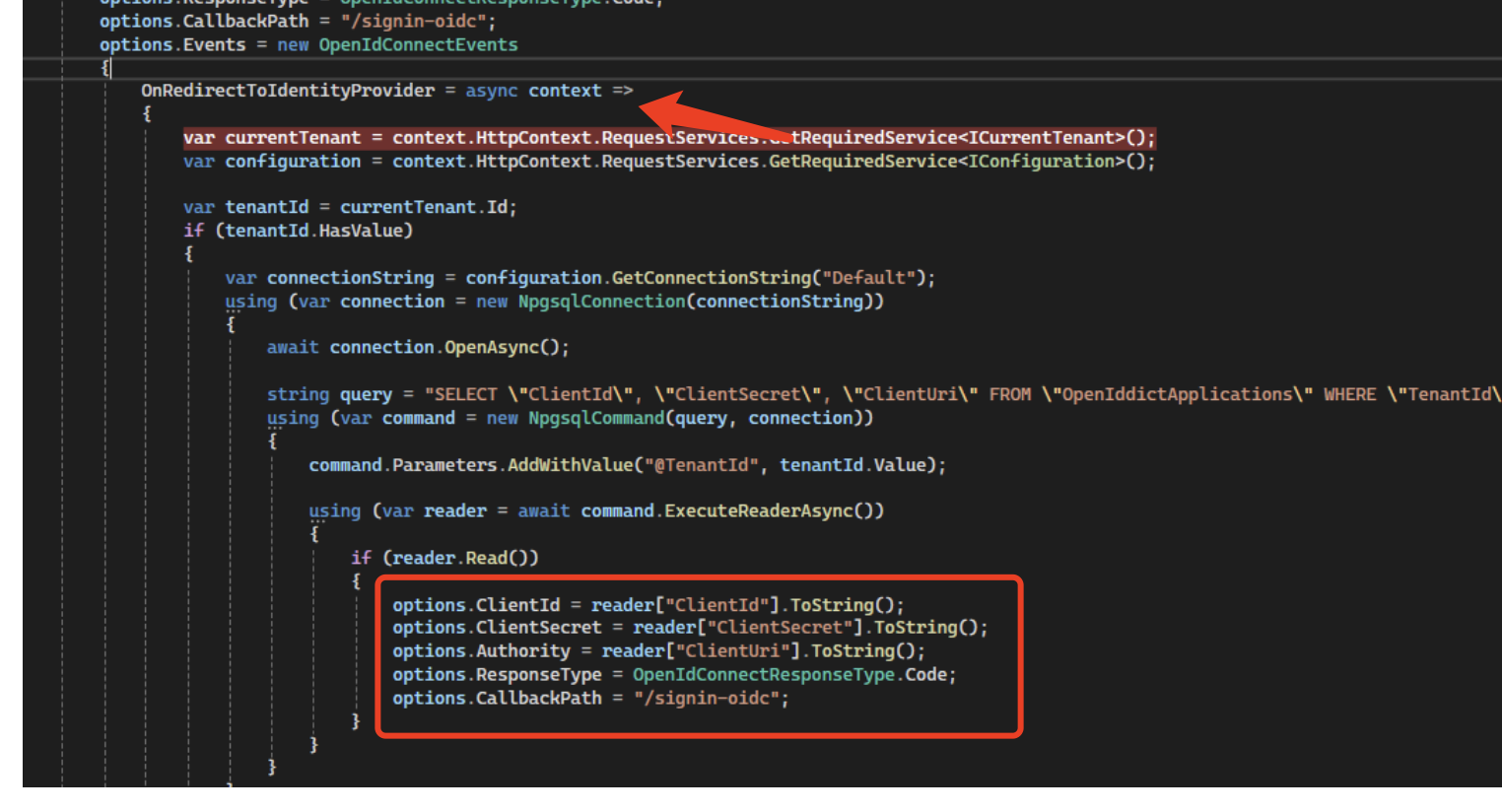
.AddOpenIdConnect("test","test", options =>
{
    options.Events.OnRedirectToIdentityProvider = async redirectContext =>
    {
        redirectContext.Request.....
        redirectContext.Options.....
    }
})
Markdown supported.Copy, paste, or drag & drop images and files (max 100 MB per file, 100 MB total per post) -
0
Hi, could you help to capture the full setting for addOpenidConnect() which match with my concern about? Because as you know, I already captured the screen which I implement OnRedirectToIdentityProvider event and change the options value inside that. but it's seem not effect.
Markdown supported.Copy, paste, or drag & drop images and files (max 100 MB per file, 100 MB total per post) -
0
Because as you know, I already captured the screen which I implement OnRedirectToIdentityProvider event and change the options value inside that. but it's seem not effect.
what is your code now.
Markdown supported.Copy, paste, or drag & drop images and files (max 100 MB per file, 100 MB total per post) -
0
Hi, For now, I do 2 steps like this
I add the config in httphostapimodule like the image below :
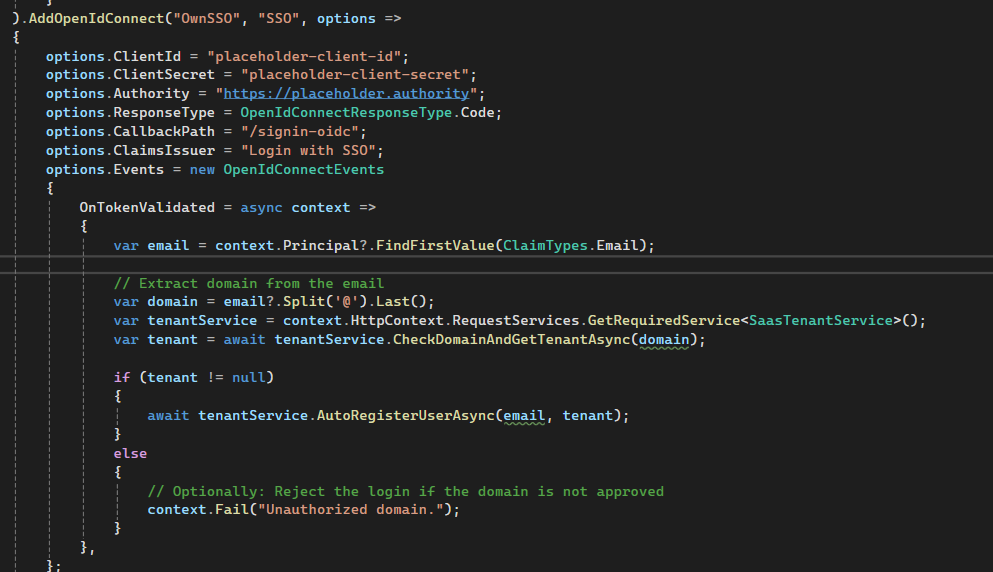
I overrided the onExternalPostLogin like this:
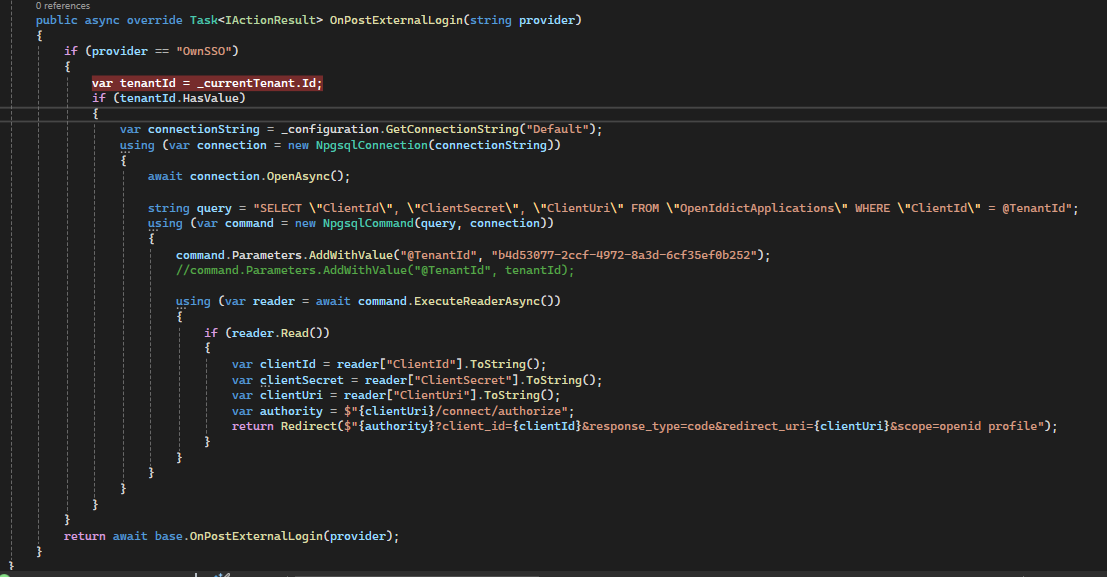
and when I using the owner sso login so the url should come from the owner sso server not come from our application domain, right?
Markdown supported.Copy, paste, or drag & drop images and files (max 100 MB per file, 100 MB total per post) -
0
Hi,
Yes, the URL should be the SSO Server URL
Markdown supported.Copy, paste, or drag & drop images and files (max 100 MB per file, 100 MB total per post) -
0
Hi,
It's okay to redirect to the SSO server manually.
The best way is to redirect in the
OnRedirectToIdentityProviderevent.Markdown supported.Copy, paste, or drag & drop images and files (max 100 MB per file, 100 MB total per post) -
0
Hi,
Sorry, should be
OnRedirectToIdentityProvidermethod.Markdown supported.Copy, paste, or drag & drop images and files (max 100 MB per file, 100 MB total per post) -
0
Hi,
okay, i will check it and get back to you.
Markdown supported.Copy, paste, or drag & drop images and files (max 100 MB per file, 100 MB total per post) -
0
It works for me
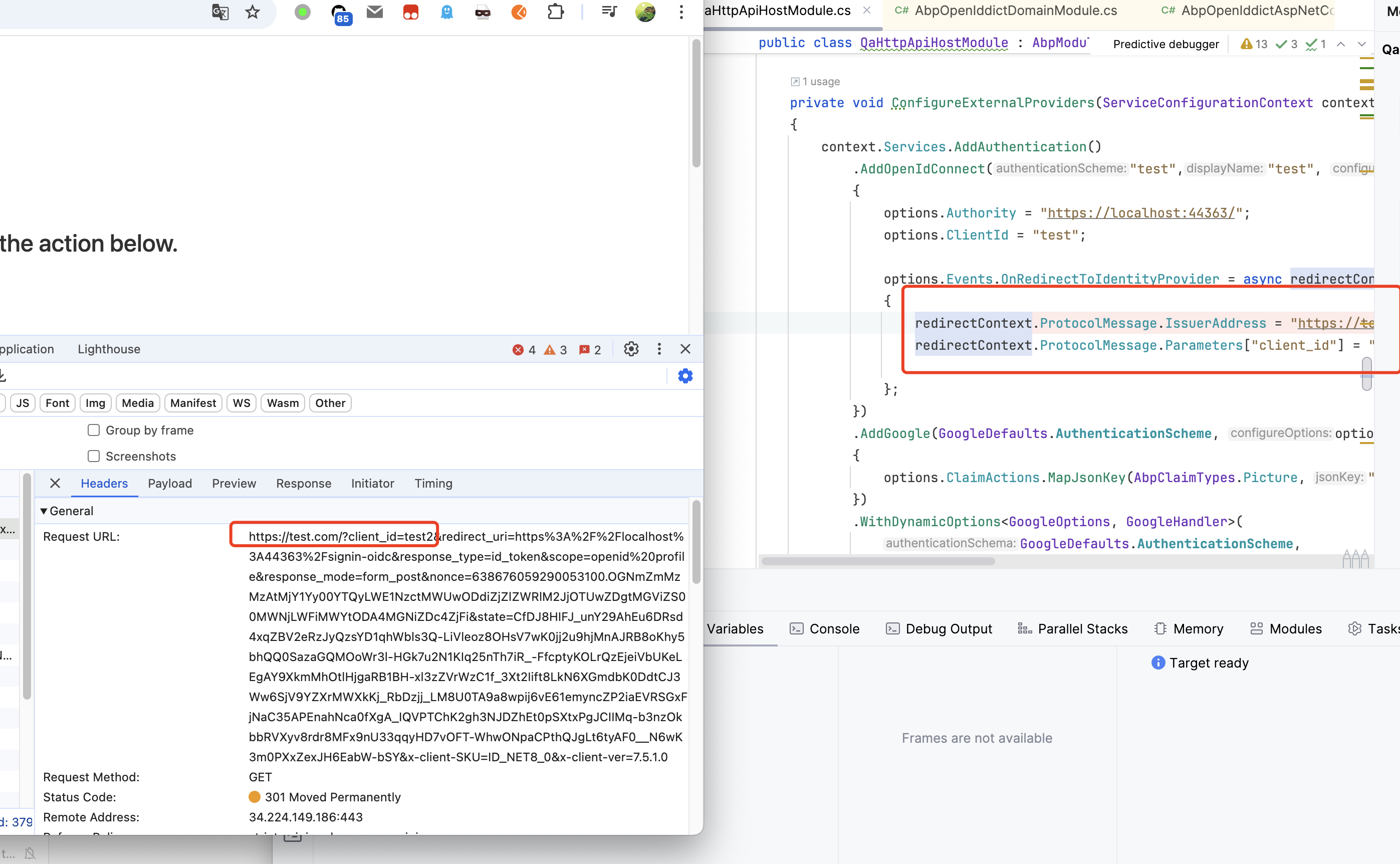
context.Services.AddAuthentication()
    .AddOpenIdConnect("test","test", options =>
    {
        options.Authority = "https://localhost:44363/";
        options.ClientId = "test";

        options.Events.OnRedirectToIdentityProvider = async redirectContext =>
        {
            redirectContext.ProtocolMessage.IssuerAddress = "https://test.com";
            redirectContext.ProtocolMessage.Parameters["client_id"] = "test2";

        };
    });
Markdown supported.Copy, paste, or drag & drop images and files (max 100 MB per file, 100 MB total per post) -
0
you can check this https://abp.io/support/questions/8278/SSO-login-like-external-provider#answer-3a1655f8-011b-019e-4e65-5984107ee69b
Markdown supported.Copy, paste, or drag & drop images and files (max 100 MB per file, 100 MB total per post) -
0
See https://abp.io/docs/latest/framework/architecture/modularity/extending/module-entity-extensions
Markdown supported.Copy, paste, or drag & drop images and files (max 100 MB per file, 100 MB total per post)